Category: blogs

  • Google Ranking Factors SEO Checklist: Everything You Need to Rank in 2026

    Google Ranking Factors SEO Checklist: Everything You Need to Rank in 2026

    You’ve published content, built links, and tweaked meta tags – yet you’re still stuck on page two. Sound familiar?

    Most websites don’t fail because of some missing secret trick. They fail because they’re dropping the ball on multiple basics at once. Google evaluates hundreds of signals simultaneously, and weakness in any area holds you back.

    That’s exactly what this Google ranking factors SEO checklist is for  a clear, actionable breakdown of what actually moves the needle in 2026. Let’s get into it.

    What Are Google Ranking Factors?
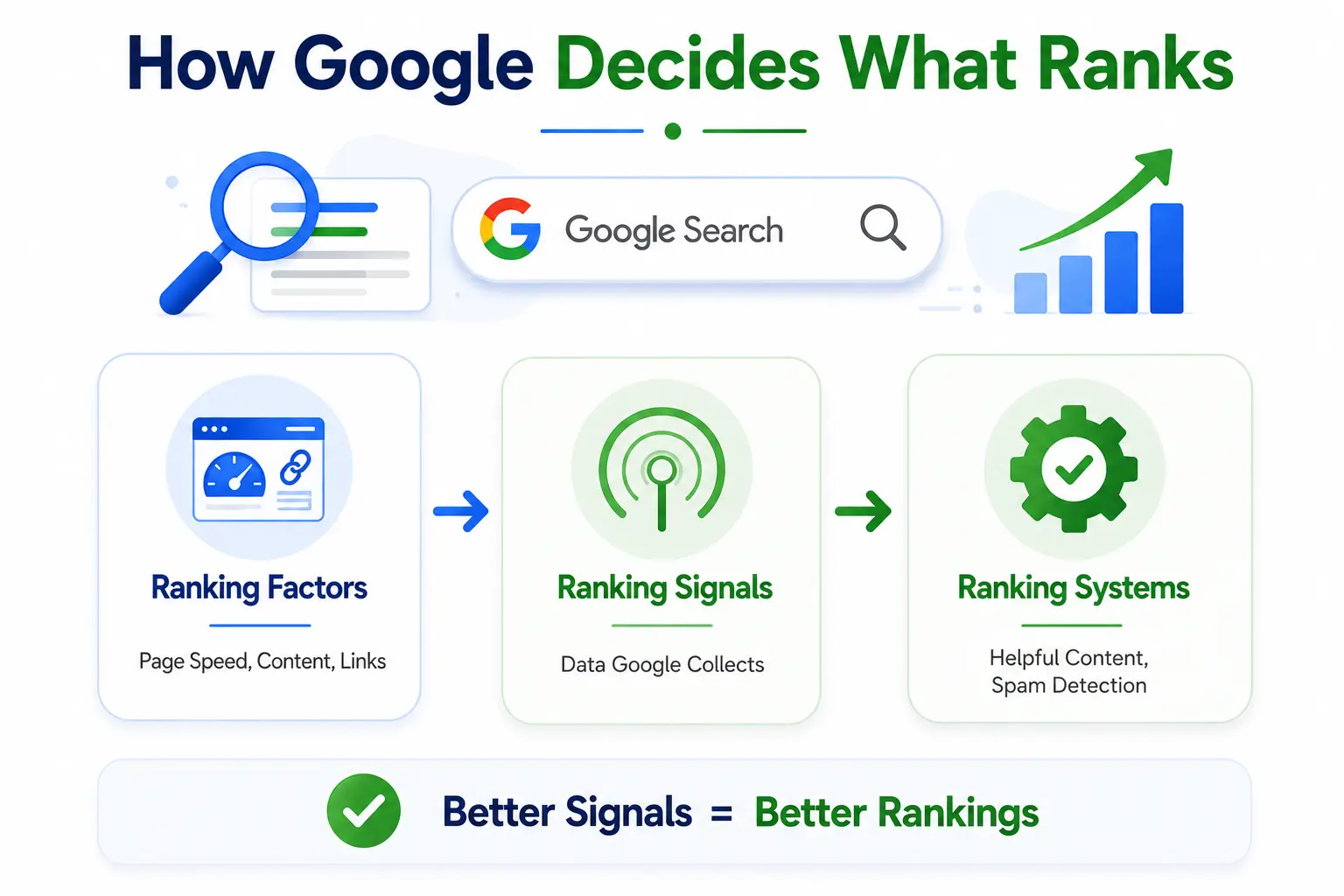
    Infographic explaining how Google ranks webpages through ranking factors, ranking signals, and ranking systems, showing how stronger signals can lead to better search rankings.
    Google ranking factors are the signals and criteria Google’s algorithm uses to decide where your page shows up in search results. Think of them as Google’s internal grading system for every page on the internet helping search engines determine relevance, quality, and authority, factors that many SEO Tools analyze to improve website performance and rankings.

    Before diving into the checklist, it helps to understand three terms that often get mixed up:

    • Ranking Factors – Specific elements Google evaluates (e.g., page speed, backlinks, content quality)
    • Ranking Signals – Data points Google collects from these factors to evaluate a page
    • Ranking Systems – The algorithmic systems (like HelpfulContent or SpamBrain) that process and weigh those signals

    Google has never published a definitive list of its ranking factors, but years of industry research, algorithm experiments, and Google’s own documentation have given us a clear picture of what matters most.

    Here’s a snapshot of the top-weighted factors according to FirstPageSage’s 2026 research:

    Ranking FactorEstimated Weight
    Keyword Usage in Meta Titles18.6%
    Searcher Engagement18.2%
    Domain Trustworthiness15.2%
    Mobile-Friendliness12.1%
    Page Speed10.7%

    Source: FirstPageSage 2026 Ranking Factors Study

    Now let’s turn these insights into a checklist you can actually use.

    The Google Ranking Factors SEO Checklist
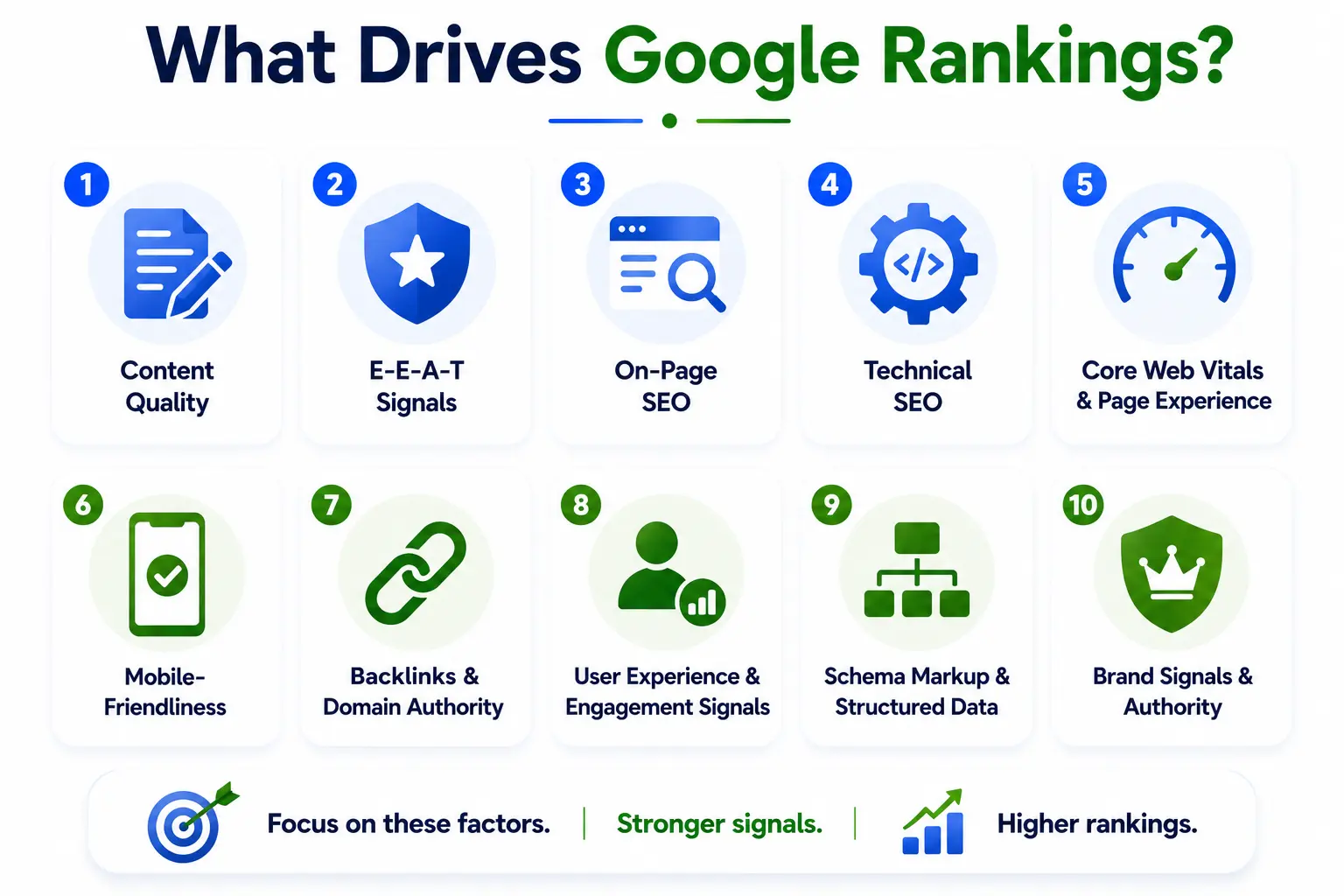
    Infographic outlining the 10 key Google ranking factors, including content quality, E-E-A-T, on-page SEO, technical SEO, Core Web Vitals, mobile-friendliness, backlinks, user experience, schema markup, and brand authority that influence search rankings.
    This checklist is organized into 10 core areas. Work through them in order  start with the ones that have the biggest impact and build from there.

    1. Content Quality

    Content quality is the foundation everything else is built on. Google’s job is to match searchers with the most helpful, relevant answer – and if your content doesn’t deliver that, no amount of technical optimization will compensate.

    Great content in 2026 isn’t just long – it’s genuinely useful. It directly answers the search query, covers the topic in depth, and offers something the reader can’t easily find elsewhere.

    • Content fully matches the search intent (informational, navigational, or transactional)
    • Offers original insights, firsthand experience, or unique data – not just recycled information
    • Covers the topic comprehensively without unnecessary padding
    • Minimum 1,000+ words for competitive topics; longer if the topic demands it
    • Written in a clear, conversational tone that real people enjoy reading
    • Refreshed periodically to reflect current information and trends

    2. E-E-A-T Signals (Experience, Expertise, Authoritativeness, Trustworthiness)

    E-E-A-T isn’t a direct ranking factor with a score you can measure – but it shapes how Google’s quality raters and AI systems evaluate your content over time. Pages that demonstrate real expertise and build genuine trust consistently outperform those that don’t.

    This matters especially for topics in health, finance, legal, and any niche where bad information could genuinely harm someone.

    • Author bio is visible, includes credentials, and links to their professional profile
    • Original research, case studies, or firsthand experience is woven into the content
    • Claims are backed by citations from authoritative, reputable sources
    • Website has a clear About page, Contact information, and editorial standards
    • Positive reviews, testimonials, or third-party mentions are visible on or off the site
    • Content is regularly audited and updated – no outdated or inaccurate claims

    3. On-Page SEO

    On-page SEO is how you communicate relevance to Google. It’s placing the right signals in the right places so Google’s crawlers instantly understand what your page is about – and for whom.

    The goal isn’t to stuff keywords everywhere. It’s to make your page’s purpose crystal clear without it feeling unnatural to a real reader.

    • Target keyword appears in the meta title, ideally front-loaded
    • Target keyword is in the H1 heading
    • Keyword appears naturally within the first 100 words of the content
    • Meta description is under 160 characters and includes the keyword naturally
    • URL slug is short, readable, and contains the target keyword
    • H2 and H3 headings are used logically to organize content – not just for keyword stuffing
    • Internal links point to related, relevant pages on your site
    • Outbound links reference authoritative, credible external sources
    • Images have descriptive alt text with keywords where relevant
    • LSI (Latent Semantic Indexing) and related terms are used naturally throughout the content

    4. Technical SEO

    You can write the most brilliant content in the world – but if Google can’t find, crawl, or index your page, it simply won’t rank. Technical SEO removes the invisible barriers that block your content from being seen.

    Think of it as plumbing. Nobody sees it, but nothing works without it.

    • XML sitemap is created and submitted to Google Search Console
    • Robots.txt file is correctly configured – not accidentally blocking important pages
    • HTTPS is enabled across the entire site (SSL certificate active)
    • No broken links or redirect chains that could slow down crawling
    • Canonical tags are in place to handle duplicate or similar content
    • Structured data / Schema markup is implemented correctly
    • Crawl errors in Google Search Console are resolved
    • Site architecture is flat – most pages within 3 clicks of the homepage
    • URL structure is clean, logical, and free of unnecessary parameters
    • Pagination is handled correctly for multi-page content

    5. Core Web Vitals & Page Experience

    Core Web Vitals are Google’s way of measuring how it actually feels to use your website – not just whether it loads, but how smooth and responsive it is for real users.

    Google updated its Core Web Vitals framework in 2026, making Interaction to Next Paint (INP) a primary metric alongside LCP and CLS signals-an important consideration for web design st petersburg fl businesses focused on website performance.If your scores are in the red, you’re actively losing rankings to faster, smoother competitors.

    • LCP (Largest Contentful Paint) is under 2.5 seconds
    • INP (Interaction to Next Paint) is under 200ms
    • CLS (Cumulative Layout Shift) score is under 0.1
    • Server response time (TTFB) is fast – ideally under 800ms
    • No intrusive pop-ups or interstitials that block the main content on mobile
    • Safe browsing status is clean no malware or deceptive content flagged
    • Pages tested using Google PageSpeed Insights and scored

    6. Mobile-Friendliness

    Mobile-first indexing has been Google’s default since 2019. That means Google primarily uses the mobile version of your site to determine rankings – even for desktop searches.

    If your mobile experience is clunky, slow, or hard to navigate, you’re not just losing mobile visitors — you’re actively hurting your overall rankings.

    • Website uses a fully responsive design that adapts to all screen sizes
    • Tap targets (buttons, links) are properly spaced – no accidental mis-taps
    • Text is readable without pinching or zooming
    • No horizontal scrolling required on any device
    • Tested and passed Google’s Mobile-Friendly Test tool
    • Mobile page speed is specifically tested – not just desktop

    7. Backlinks & Domain Authority

    Backlinks remain one of the most powerful ranking signals Google uses. A link from a reputable, relevant website is essentially a vote of confidence – it tells Google that other people in your industry trust your content.

    The key word is quality. One link from a highly authoritative, genuinely relevant site is worth more than 100 links from low-authority, unrelated domains.

    • Backlinks come from relevant, high-authority domains in your niche
    • Anchor text is varied and natural – not the same keyword repeated every time
    • No toxic, spammy, or unnatural links pointing to your site (use Disavow Tool if needed)
    • Link-worthy content assets exist on your site: original research, tools, in-depth guides
    • Active outreach strategy in place: guest posts, digital PR, expert quotes
    • Competitor backlink profiles are analyzed to identify link opportunities

    8. User Experience & Engagement Signals

    Google measures user satisfaction in subtle but powerful ways. When visitors land on your page, stay, read, and engage – that’s a positive signal. When they bounce back to the search results immediately, that tells Google your page didn’t deliver what they needed.

    Strong engagement signals amplify every other factor on this checklist. Great content ranks better when users actually enjoy consuming it.

    • Content above the fold is immediately engaging – no excessive intros or fluff
    • Table of contents is included for long-form articles
    • Visual elements (images, infographics, videos) break up the text and add value
    • Font size and line spacing are comfortable to read on all devices
    • Navigation is intuitive – users can find what they need without confusion
    • Related posts or internal links keep users exploring your site
    • Page layout is clean – no aggressive ads, pop-ups, or distracting clutter

    9. Schema Markup & Structured Data

    Schema markup is code you add to your pages to help Google understand your content at a deeper level. It doesn’t directly boost rankings, but it can dramatically improve how your page appears in search results – earning rich snippets, FAQ dropdowns, star ratings, and even AI Overview inclusions.

    In 2026, structured data is increasingly important for visibility in AI-generated answers and featured snippets – making it a high-value item on this checklist.

    • Article or BlogPosting schema is implemented for editorial content
    • FAQ schema is added for Q&A sections to earn dropdown rich results
    • Breadcrumb schema is in place for improved navigation display in SERPs
    • Review or Rating schema used where applicable (products, services, tools)
    • HowTo schema added for step-by-step instructional content
    • Schema is validated using Google’s Rich Results Test tool

    10. Brand Signals & Authority

    Google rewards entities that demonstrate consistent, real-world authority. Brand signals help Google understand that your website represents a legitimate, trusted organization — not just a faceless content farm.

    This is especially relevant as Google increasingly uses entity-based understanding to evaluate websites in the context of AI-powered search.

    • NAP (Name, Address, Phone number) is consistent across all directories and listings
    • Active, linked social media profiles reinforce brand identity
    • Brand name search volume is growing (more people searching for you directly)
    • Unlinked brand mentions appear on reputable sites — consider claiming them
    • Google Business Profile is fully optimized (for local businesses)
    • Wikipedia or Wikidata entry exists if the brand is large enough

    How to Prioritize This Checklist

    Not everything can be fixed overnight – and trying to do everything at once usually means nothing gets done properly. Here’s the recommended priority order, based on how Google’s systems actually evaluate pages:

    StepFocus AreaWhy It Matters
    1Technical SEOFix crawl/index blockers first – everything else is pointless if Google can’t access your pages
    2Search Intent MatchContent that doesn’t match intent won’t rank, no matter how well-optimized it is
    3E-E-A-T SignalsTrust compounds over time – author credentials, citations, and original insights all help
    4On-Page OptimizationKeywords in the right places send clear relevance signals to Google’s algorithm
    5Core Web VitalsPoor page experience hurts rankings directly – fix LCP, INP, and CLS scores
    6Backlink BuildingHigh-quality links from authoritative sites remain one of the strongest ranking signals

    Think of it this way: technical issues are blockers, content is the foundation, and links are the amplifier. Fix the blockers first, build the foundation strong, then amplify with authority.

    Common SEO Mistakes to Avoid
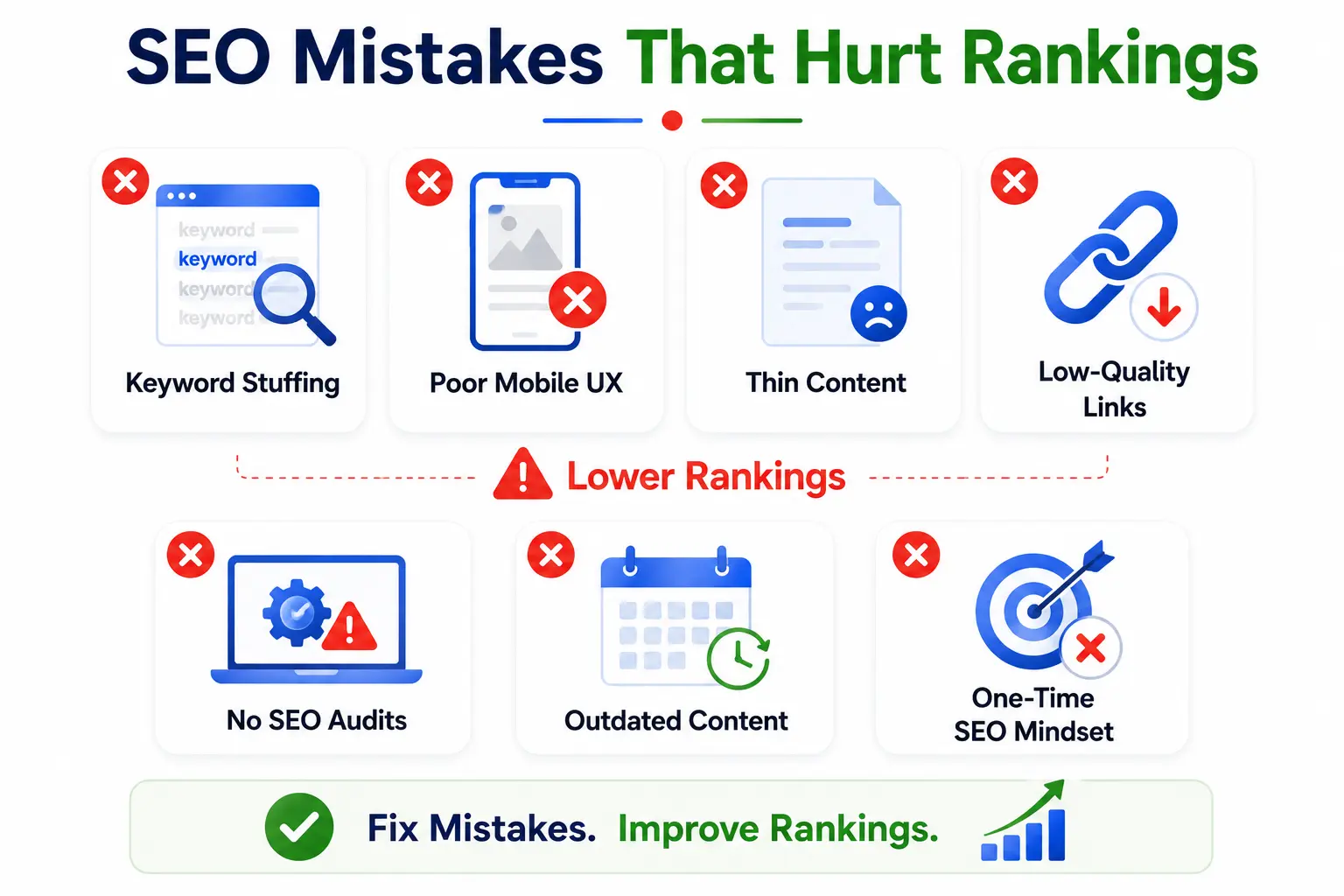
    Infographic highlighting common SEO mistakes that hurt rankings, including keyword stuffing, poor mobile experience, thin content, low-quality backlinks, skipped SEO audits, outdated content, and treating SEO as a one-time task.
    Knowing what to do is half the battle. Knowing what not to do can save you from months of wasted effort — or worse, a manual penalty from Google.

    • Keyword stuffing – Forcing keywords unnaturally ruins readability and gets penalized
    • Ignoring mobile UX – A poor mobile experience directly damages your rankings
    • Publishing thin content – Short, shallow pages rarely rank for competitive terms
    • Chasing backlink quantity over quality – 100 bad links hurt more than they help
    • Skipping technical SEO audits – Hidden crawl and indexing issues silently cap your potential
    • Never updating old content – Stale articles lose rankings to fresher, more accurate competitors
    • Treating SEO as a one-time project – Search optimization requires ongoing attention and adaptation

    Essential Tools for Tracking Google Ranking Factors

    You can’t improve what you can’t measure. These tools will help you monitor, audit, and track every factor on this checklist:

    ToolBest For
    Google Search ConsoleCrawl errors, index coverage, keyword performance, Core Web Vitals
    Google PageSpeed InsightsCore Web Vitals scores and specific performance improvements
    Ahrefs / SemrushBacklink analysis, keyword research, competitor gap analysis
    Screaming FrogFull technical site audit — broken links, redirects, missing tags
    Google’s Rich Results TestValidating structured data and Schema markup
    Google Mobile-Friendly TestTesting and diagnosing mobile usability issues

    FAQ

    Q: What are the most important Google ranking factors in 2026?

    A: The most critical factors are content quality, E-E-A-T signals, backlinks, Core Web Vitals, mobile-friendliness, and on-page optimization. According to FirstPageSage’s 2026 research, keyword usage in meta titles (18.6%) and searcher engagement (18.2%) carry the heaviest weight in the algorithm.

    Q: How many Google ranking factors are there?

    A: Google uses 200+ ranking signals, but most SEO experts agree that a much smaller cluster of factors drives the majority of ranking outcomes. Rather than trying to optimize for all 200, focus on the core pillars: content quality, trust, authority, and technical performance.

    Q: Is page speed a Google ranking factor?

    A: Yes, page speed is a confirmed ranking factor. Google’s Core Web Vitals — including LCP, INP, and CLS — directly impact your search rankings. Slow, unstable pages drag down your visibility even when other factors are strong.

    Q: How often should I update my SEO checklist?

    A: Ideally every 6 months, or after any major Google algorithm update. SEO is not a one-time task — search algorithms evolve, competitors improve their pages, and your own content naturally becomes stale over time. Regular audits keep you ahead.

    Q: Does social media affect Google rankings?

    A: Social media is not a direct Google ranking factor. However, a strong social presence helps amplify your content, build brand signals, and attract natural backlinks from people who discover your content through social channels — all of which indirectly influence your rankings.

    Q: What is E-E-A-T and why does it matter?

    A: E-E-A-T stands for Experience, Expertise, Authoritativeness, and Trustworthiness. It’s the framework Google’s quality raters use to evaluate content quality, and it informs how the algorithm rewards or demotes pages. Sites with strong E-E-A-T signals consistently outperform those without — especially in competitive niches.

    Conclusion

    Ranking on Google in 2026 isn’t about finding tricks or hacking the algorithm. It’s about consistently delivering what search engines and real users actually want: helpful content, a smooth experience, and a trustworthy brand.

    This Google ranking factors SEO checklist isn’t meant to be done once and forgotten. The websites that consistently rank at the top treat SEO as an ongoing process – auditing regularly, improving continuously, and building authority steadily over time.

    Start with your technical foundation. Make sure Google can access and understand your pages. Then build content that genuinely earns its ranking. From there, grow your authority through real backlinks and a trusted brand presence.

  • We Replaced Traditional Call Support With AI Voice Agents – Here’s What Happened

    We Replaced Traditional Call Support With AI Voice Agents – Here’s What Happened

    Customer expectations have changed pretty dramatically over the last few years, it’s not like they wanted to stop calling or anything, but people don’t really want to stand on hold for ten minutes just to schedule an appointment, confirm a booking, or ask something simple. At the same time, businesses that still rely entirely on traditional call support are starting to feel the squeeze of higher staffing costs, missed calls, uneven service and honestly, frustrated customers who just want answers.  

    That was pretty much the exact mess we ran into before switching to an AI Receptionist and a more automated Voice AI setup.  

    At first, we were kinda skeptical. Like could an AI-powered phone system actually handle true customer conversations without sounding robotic, and would customers be okay talking to an AI Call Assistant  instead of a real live agent, or a person who can improvise a little? And the biggest question… would it improve efficiency without hurting the customer experience?  

    After a few months of testing, tuning, and rolling things out, the results surprised us in ways we didn’t anticipate, and now we’re not looking back.

    Why Traditional Call Support Was Becoming a Problem

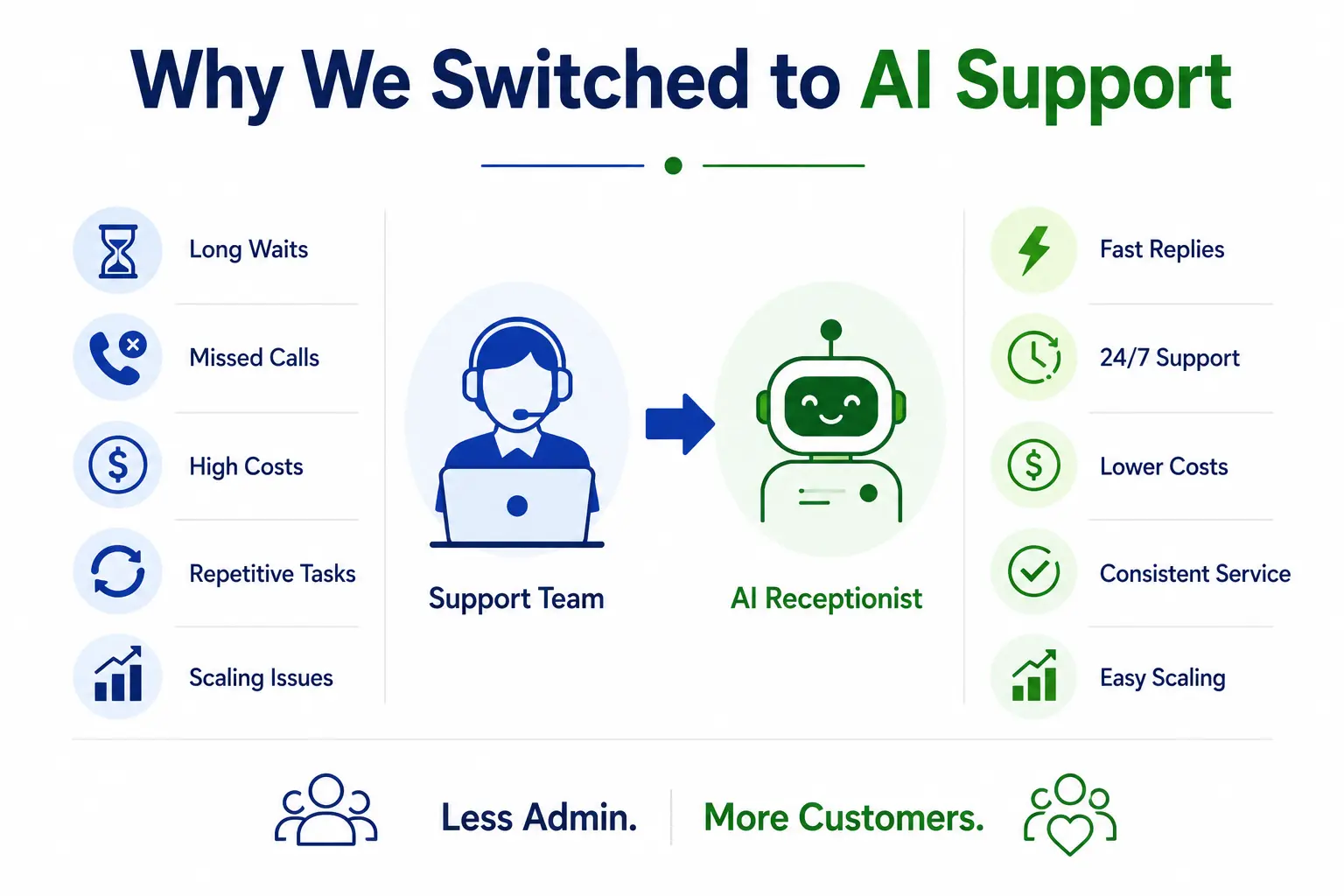
    Infographic showing the transition from traditional call support to an AI receptionist, highlighting common support challenges such as long waits and missed calls alongside benefits like faster responses, 24/7 availability, lower costs, and easier scaling.
    Like many businesses, we originally leaned on a small in-house support team to handle incoming phone calls. During peak hours, our folks kinda struggled to stay on top of appointment requests, basic inquiries, and also customer follow-ups.  

    Some of the bigger issues, honestly, were these :  

    • Long customer wait times  
    • Missed after hours calls  
    • High staffing costs  

    Same conversations repeating over and over, taking up employee time  

    Hard to scale support when the busy season ramps up  

    Our team ended up spending more time fielding routine questions than actually tackling the kind of problems that matter to customers. Even if our agents worked hard, the overall system just was not that efficient anymore.  

    That’s when we started looking into AI Receptionist  Software as an alternative.

    The Decision to Implement Voice AI

    Infographic illustrating key reasons for adopting Voice AI, including reducing missed calls, improving appointment scheduling, and lowering operational costs through automated customer support.
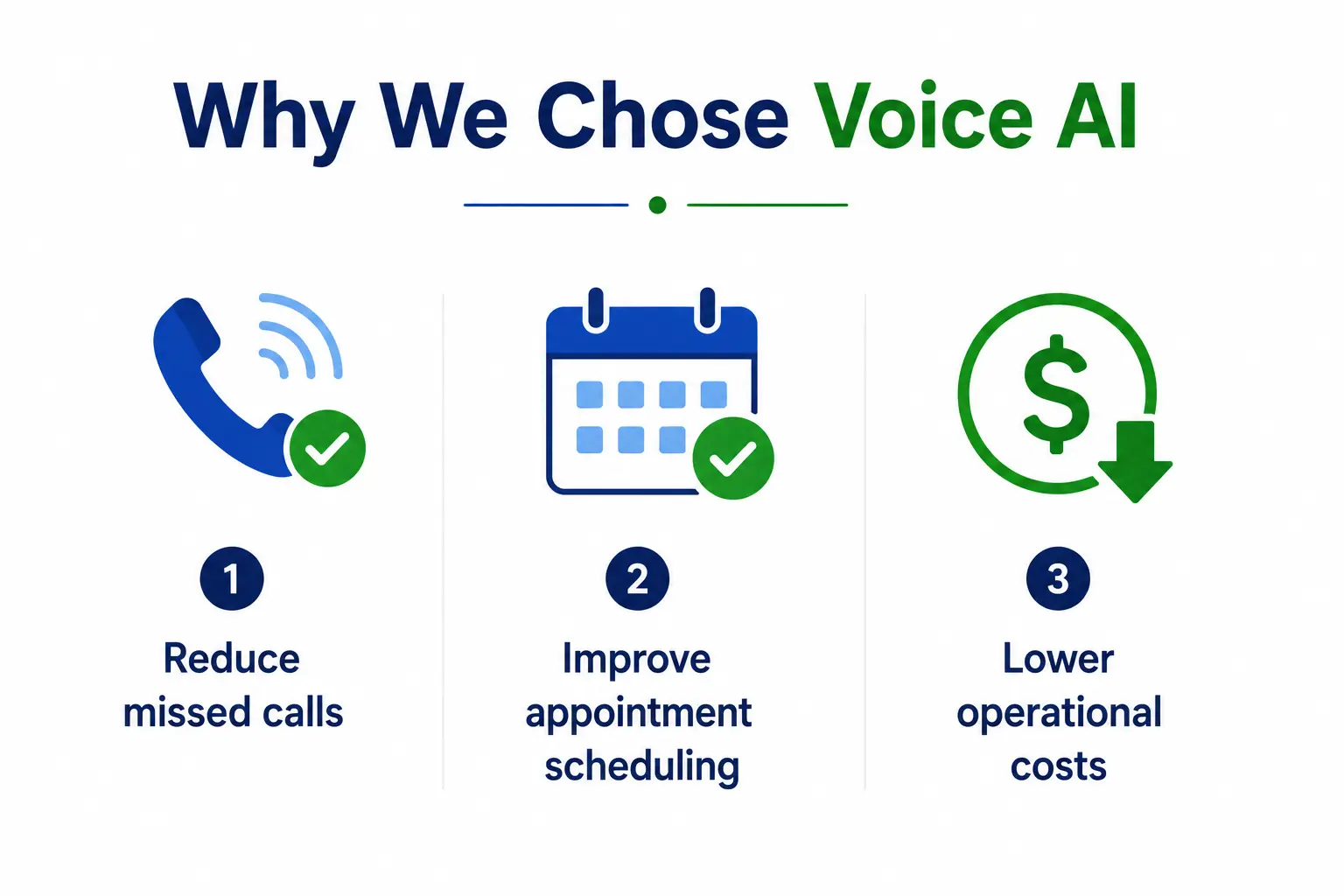
    At first, we were like ok lets outsource the customer support to some third party call center. But then, once we sat down and compared the pricing models along with operational constraints, we noticed that modern AI call centre tech was, honestly, way more scalable . Today’s conversational bots are far more advanced than those old fashioned automated phone menus customers really hate . Instead of making people “Press 1 for support”, newer platforms rely on natural language understanding to pick up real speech patterns and answer in a more fluid, back and forth way.

    Our main aims were pretty simple:

    1. Reduce missed calls  

    A lot of people reached out after business hours, like kinda often. With an automated AI phone call setup the system can respond immediately, anytime, even if time zone gets weird or staffing is low.  

    2. Improve appointment scheduling  

    A big part of our incoming calls were basically about setting up consultations, or changing existing appointments. By using AI appointment booking, customers can finish those requests right away, no need to wait around for a human representative to be free  

    3. Lower operational costs  

    Bringing on and training extra support staff was getting kinda pricey. We wanted to check if voice AI could cut overhead and still keep the service quality where it needs to be.

    What Happened After Implementation

    Infographic showing the benefits of implementing an AI voice assistant, including faster responses, instant answers, 24/7 support, after-hours booking, and fewer missed business opportunities.
    The transition wasn’t perfect overnight, but after a few weeks we saw clear, measurable improvements in several areas, more or less across the board.  

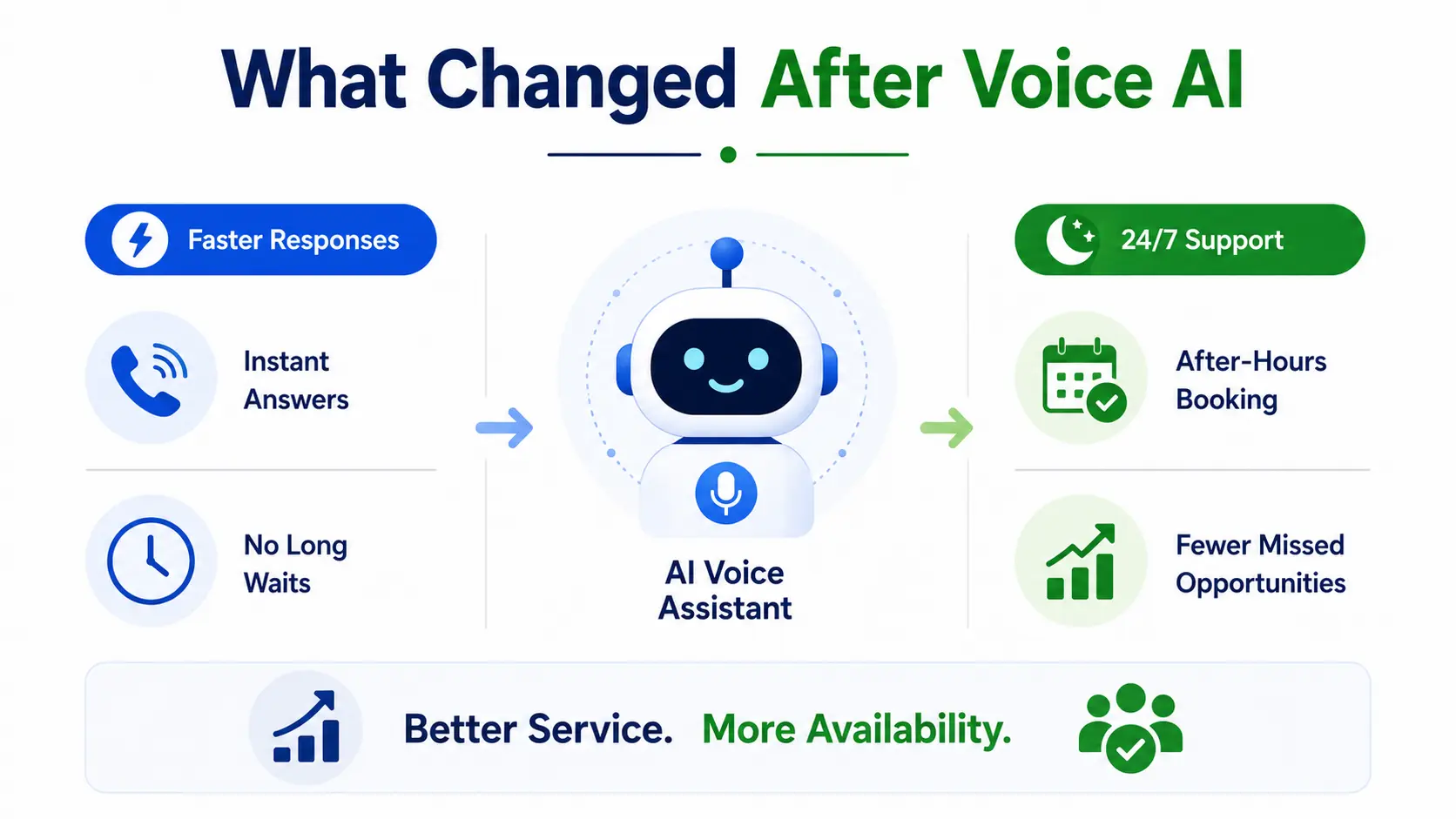
    • Faster response times  

    The quickest win was simply response speed. Calls got answered right away, instead of sitting in queues, which used to happen a lot. Customers didn’t have to sit through that long hold music anymore, or try to figure out tangled phone menus. The AI call assistant took care of simple asks immediately. For anything more complicated it would escalate the conversation to a human agent when it was truly needed. In practice, that blended method made our support flow a lot more effective, like smoother and more streamlined.  

    • Better after-hours support  

    Another big benefit was 24/7 availability, and that mattered. Before this, after-hours calls often ended in voicemail, and honestly many customers never bothered calling back. Once we switched to automated call handling, people could still get answers, schedule appointments, or leave detailed requests at any hour. Not exaggerating, this alone cut down on missed business opportunities quite a bit, because those calls didn’t just disappear.

    Customers Adapted Faster Than We Expected

     One concern we had was customer resistance, like, we sorta figured people would not really enjoy dealing with AI -powered systems right away.  

    Surprisingly, most customers responded positively, especially when the experience felt quick and pretty natural.  

    The main difference was the conversational quality. Modern Voice AI systems don’t sound like those old fashioned robotic assistants anymore. The tech can handle context, reply in a dynamic way, and keep things flowing with less awkward pauses than typical automated menus.  

    In fact, a few customers went out of their way to say they really liked the convenience.  
    “After reading multiple AI Receptionist Reviews, we decided to try an automated call system ourselves. The experience turned out to be far smoother than expected, and our customers actually preferred the faster response times.”  

    That comment really underscored the bigger point here: customers care more about speed and convenience than the question of whether a person answers every routine call.

    The Real Cost Savings

    Cost reduction was one more big benefit, though not always in the way we first thought it would go.

    We weren’t trying to wipe out employees, not at all. Instead, the automation basically let our current crew operate more efficiently, in a sharper way.

    So rather than bringing in extra people during the busiest moments, our AI-powered help system took on a lot of that spike in calls automatically, sort of in the background.

    That then led to lower:

    • Overtime expenses
    • Staffing pressure
    • Training costs
    • Burnout among support employees

    And our human agents said they felt less hassled too, because they weren’t stuck answering hundreds of the same kind of repetitive questions each week.

    Where Human Support Still Matters

    Infographic showing how AI and human support work together, with AI handling routine tasks and 24/7 assistance while human agents manage complex issues, customer complaints, billing concerns, and sensitive situations for better overall support.
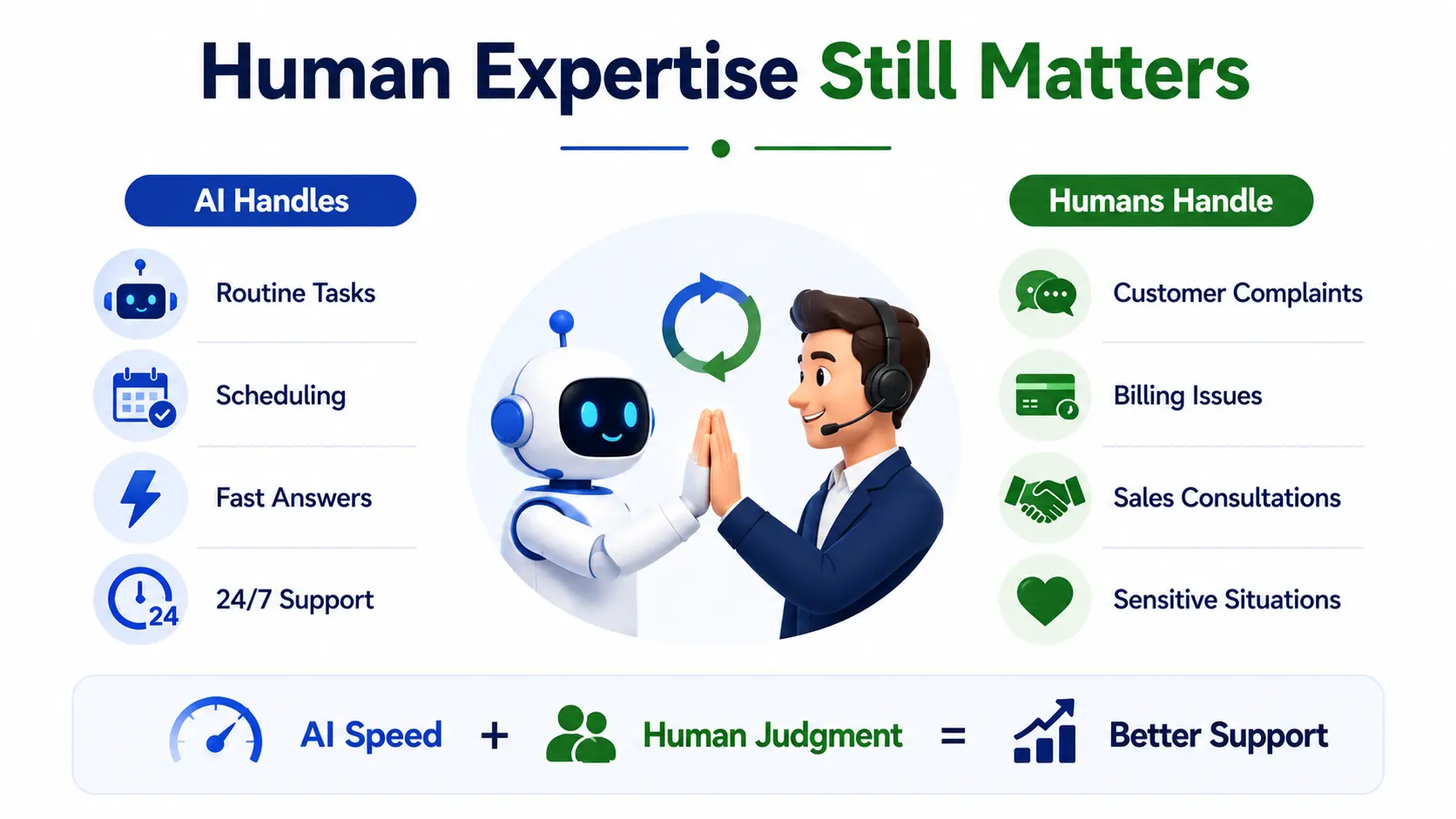
    Even with the success of our AI Receptionist set up, we pretty quickly figured out that automation is not a total replacement for real human interaction. There are still those conversations that need empathy, genuine problem solving, and emotional nuance which AI cannot really match, not all the way.  

    For instance, you’ll still run into:  

    • Complex billing arguments  
    • Touchy customer complaints  
    • High stakes sales consultations  
    • Emotional or urgent moments  

    The best results showed up when we somehow blended AI speed with human know-how. Our AI handled the repetitive, easy-to-predict back and forth, and then human agents stepped in when it was time for deeper judgment , more careful personalization and a touch more context. At the end that mix made the whole customer care experience feel stronger, and honestly a bit more dependable too.

    Why More Businesses Are Adopting AI Call Centre Technology

    The rapid growth of AI Call Centre solutions isn’t happening by accident.

    Businesses today face increasing pressure to provide:

    • Faster customer service
    • 24/7 support availability
    • Lower operational costs
    • Personalized experiences at scale

    Traditional support systems struggle to meet all of these demands simultaneously.

    Modern AI Receptionist Software solves many of these challenges by automating repetitive interactions while maintaining conversational quality.

    As the technology continues improving, adoption will likely accelerate across industries including healthcare, real estate, legal services, hospitality, and local businesses.

    FAQ

    1. What is an AI Receptionist, and how does it work?
    An AI Receptionist uses artificial intelligence to answer calls, schedule appointments, handle common inquiries, and route customers to the appropriate department automatically.

    2. Can AI voice agents replace human customer support teams?
    AI voice agents can handle routine and repetitive tasks, but human agents are still essential for complex issues, sensitive conversations, and personalized support.

    3. How does Voice AI improve customer service?
    Voice AI reduces wait times, provides instant responses, offers 24/7 availability, and helps customers get answers faster without long hold periods.

    4. What are the biggest benefits of using AI call centre technology?
    The main benefits include lower operational costs, fewer missed calls, improved appointment scheduling, increased efficiency, and better scalability during busy periods.

    5. Is AI Receptionist Software suitable for small businesses?
    Yes. AI Receptionist Software helps small businesses manage customer calls more efficiently, improve response times, and provide round-the-clock support without hiring additional staff.

    conclusion

    Switching from the usual support setup to AI powered voice technology was a big operational change for our company. At first we thought we would only get small efficiency upgrades. But what actually happened was, we noticed real differences in how fast customers got replies, how appointments were handled, how scalable our operations became, and even how good the support felt overall.

    The key point wasn’t simply that AI replaced human workers. More than that, the automation removed that repetitive, annoying friction from the customer journey, the little delays and back and forth that stack up.

    A modern AI Phone Call system doesn’t really need to fully swap out people in order to create value. Used in a focused way, Voice AI can strengthen customer service, raise internal efficiency, and let businesses scale more smoothly without losing quality.

    And for companies dealing with heavy call volume, missed appointments, or support costs that keep climbing, bringing in an AI Call Assistant might no longer feel like some futuristic experiment. It may be the next logical step, pretty much.

  • Multiple Keywords Yoast: The Complete Guide to Ranking for More Searches

    Multiple Keywords Yoast: The Complete Guide to Ranking for More Searches

    Most WordPress users set one keyword and call it a day. But here’s the truth – that single-keyword approach is limiting your reach more than you realise. If you’ve been using Yoast SEO and wondering whether you can target more than one search term per post, the answer is yes. Using multiple keywords Yoast provides is one of the smartest moves you can make to grow your organic traffic without publishing more content.

    you’ll learn exactly what multiple keywords in Yoast SEO are, how to add them, how to use them without sounding robotic, and how to avoid the common mistakes that trip people up. Whether you’re brand new to Yoast or have been using it for years, there’s something here for you.

    What Are Multiple Keywords in Yoast SEO?

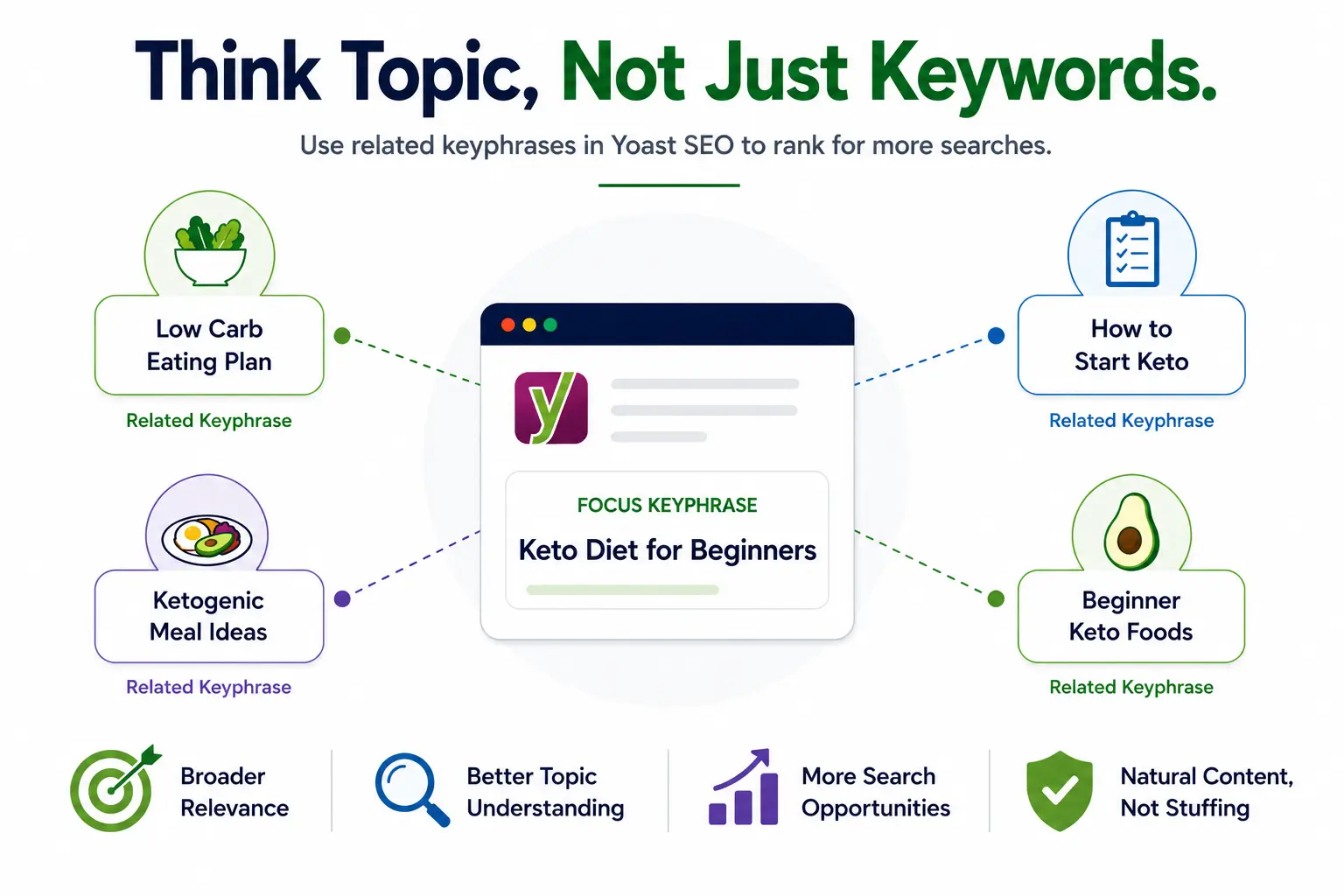
    Infographic showing how related keyphrases in Yoast SEO help a single topic rank for multiple searches, improving content relevance, visibility, and keyword coverage.
    Now, imagine you’re writing about the keto diet. Your focus keyphrase might be ‘keto diet for beginners.’ But real people also search for ‘low carb eating plan,’ ‘how to start keto,’ or ‘ketogenic meal ideas.’ These are your related keyphrases – different phrases that point toward the same topic.

    Multiple keywords Yoast calls ‘related keyphrases’ are extra search terms you can add so that Yoast analyses your content against all of them, not just the main one. The result? Your page becomes relevant to a broader set of searches, and Google can better understand the full scope of your content.

    This is very different from old-school keyword stuffing. You’re not cramming the same phrase in dozens of times you’re writing naturally about a topic while making sure you’ve covered the angles your audience is actually searching for.

    Free Version vs. Premium  What’s the Real Difference?

    This is where most people get confused, so let’s be direct about it.

    With the free version of Yoast SEO, you can only set one focus keyphrase per post or page. That’s your limit. The analysis, the green/orange/red feedback bullets – everything runs against that one term only.

    Yoast SEO Premium changes the game. It unlocks the ability to add up to four related keyphrases on top of your primary one, giving you five keyphrases total per piece of content. Here’s a quick breakdown of what changes:

    FeatureFreePremium
    Focus Keyphrases1 onlyUp to 5 (1 primary + 4 related)
    Synonyms SupportNoYes
    Semrush IntegrationNoYes (built-in)
    Keyphrase AnalysisSinglePer keyphrase (green/orange/red)
    Duplicate Keyphrase CheckNoYes
    Internal Linking SuggestionsBasicAdvanced AI-powered

    How to Add Multiple Keywords in Yoast SEO (Step-by-Step)

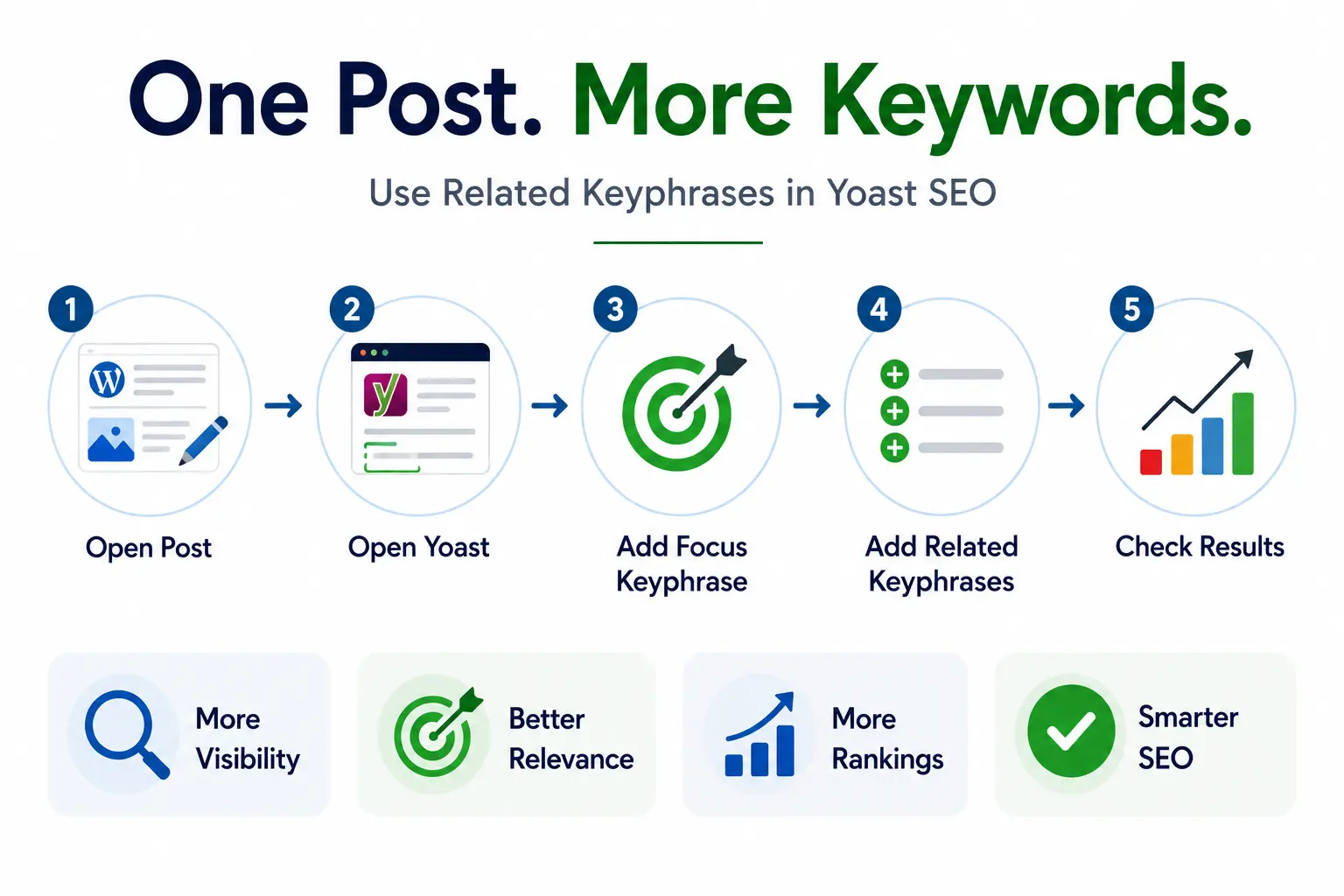
    Infographic showing how to add multiple keywords in Yoast SEO by using a focus keyphrase and related keyphrases to improve visibility, relevance, rankings, and overall SEO performance.
    If you have Yoast SEO Premium, here’s exactly how to put it to work. The process is simple once you know where to look.

    1. Open your WordPress post or page in the block editor (Gutenberg).
    2. Scroll down to the Yoast SEO metabox below the content area, or find it in the right sidebar.
    3. Click the SEO tab in the Yoast panel.
    4. Type your primary focus keyphrase in the main field – this is your most important search term.
    5. Below that, click ‘Add related keyphrase.’ A new field will appear (Premium only).
    6. Enter your first related keyphrase. Click ‘Add related keyphrase’ again for more  up to four additional ones.
    7. Yoast will now run a separate analysis for each keyphrase and show individual green/orange/red results.
    8. Click ‘Get related keyphrases’ to use the built-in Semrush integration and find high-performing suggestions right inside WordPress.

    How to Choose the Right Keywords for Yoast (Without Guessing)

    Adding multiple keywords Yoast can analyse is only valuable if you pick the right ones. Here’s how to make smart choices:

    • Stay distinct: Target related but distinct phrases. Don’t add near-identical variations like ‘yoast multiple keywords’ and ‘yoast multiple keywords seo’ – they’re too similar. Instead, go for phrases that cover slightly different angles of the same topic.
    • Match intent: Match search intent. Each keyphrase should reflect something your article actually answers. If your article is a how-to guide, your related keyphrases should also align with how-to searches.
    • Validate demand: Check real search volume. Use Google Search Console, Semrush, or even Google’s autocomplete to confirm people are actually searching for these phrases.
    • Go long-tail: Think about long-tail variations. Longer, more specific phrases often have lower competition and higher conversion rates. ‘yoast seo add related keyphrase tutorial’ is more targeted than just ‘yoast seo.’
    • Prevent cannibalization: Avoid cannibalization. Don’t target the same keyphrase on two different posts. Yoast Premium flags this, but it’s better to catch it during planning.

    Tips to Use Multiple Keywords Naturally in Your Content

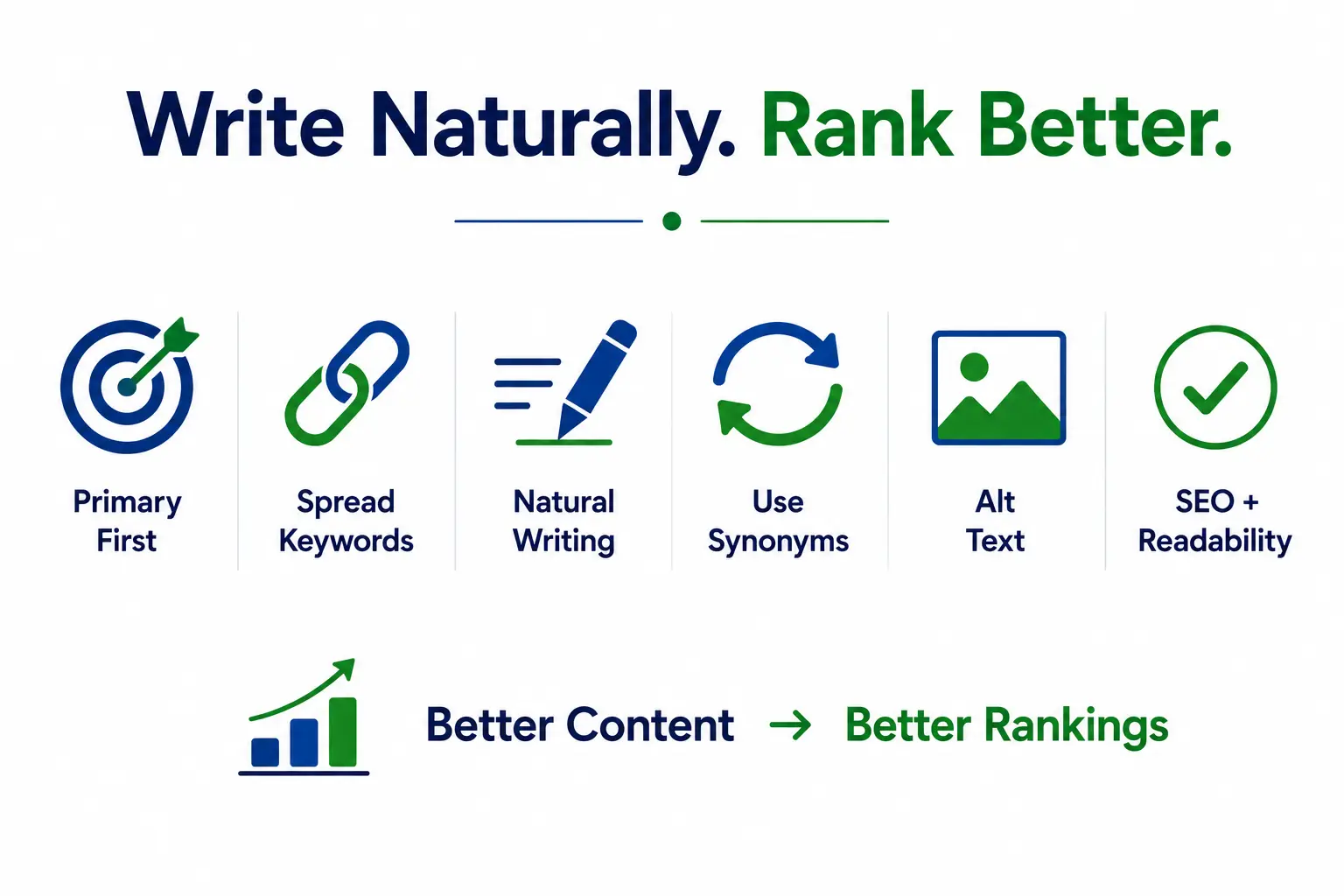
    Infographic showing best practices for using multiple keywords naturally in content, including keyword placement, natural writing, synonyms, alt text optimization, and balancing SEO with readability for better rankings.
    This is the part most guides skip. Knowing how to add the keyphrases is easy. Writing content that naturally includes all of them – without sounding like a robot wrote it – is the real skill.

    • Primary keyphrase placement: Put your primary keyword in the title, first paragraph, one H2 heading, and meta description. This is where it matters most.
    • Spread related phrases: Weave related keyphrases into subheadings and mid-article sections. Avoid clustering all your keywords in one block spread them throughout.
    • Write naturally: Write full sentences, not keyword-padded fragments. ‘Using multiple keywords Yoast SEO offers can help you appear in more searches’ reads naturally. ‘Multiple keywords Yoast, best multiple keywords Yoast free’ does not.
    • Use synonyms: Use synonyms and variations. Yoast Premium’s synonyms feature lets you add alternate phrasings. Use it  it keeps your writing from getting repetitive.
    • Alt text matters: Put keywords in image alt text where it genuinely describes the image. Don’t force it, but don’t miss the opportunity either.
    • Balance readability and SEO: Review readability alongside SEO. A high SEO score with a poor readability score defeats the purpose. Both tabs in Yoast should ideally show green.

    Benefits of Using Multiple Keywords in Yoast SEO

    Here’s what actually changes when you start doing this consistently:

    • You rank in more search positions with the same piece of content – more chances to show up without writing more articles.
    • You attract readers with different search habits. Some people search precisely, others use casual phrasing. Multiple keywords lets you catch both.
    • Your content becomes genuinely more useful. Covering a topic from multiple angles answers more questions, which keeps readers on the page longer.
    • You build topical authority. When your page comprehensively addresses a subject, Google sees it as a credible resource on that topic.
    • You reduce keyword cannibalization across your site. One strong page beats five thin ones targeting similar terms.
    • You save time in the long run. Instead of writing new content constantly, you can deepen existing posts and make them work harder.

    Common Mistakes to Avoid

    Even with a tool as helpful as Yoast, it’s easy to slip into bad habits. Watch out for these:

    • Unrelated keyphrases: Choosing keyphrases that don’t actually relate to your article. Adding ‘website speed tips’ as a related keyphrase in a post about Yoast keywords makes no sense – and Google will notice.
    • Keyword stuffing: Stuffing multiple exact phrases into a single paragraph. It reads terribly and search engines are very good at detecting it in 2025.
    • Duplicate keyphrases: Using the same primary keyphrase on multiple pages. This splits your authority and confuses Google about which page to rank.
    • Chasing scores: Obsessing over green lights instead of quality. The Yoast analysis is a guide, not a guarantee. A green score on a badly-written article still won’t rank well.
    • Ignoring old content: Forgetting to update old posts. Your highest-performing older articles are prime candidates for this treatment. Go back and add two or three related keyphrases  you might see a noticeable boost.

    FAQ

    Q: Can I use multiple keywords in Yoast SEO for free?

    A: Not officially. The free version only supports one focus keyphrase. You can manually include related terms in your content, but Yoast won’t analyse them. To get full multi-keyphrase analysis, you need Yoast SEO Premium.

    Q: How many keywords can I add in Yoast Premium?

    A: You can add up to five keyphrases total  one primary focus keyphrase and four related ones. Each gets its own analysis with individual green, orange, or red feedback.

    Q: What’s the difference between related keyphrases and synonyms in Yoast?

    A: Related keyphrases are distinct search terms targeting different angles of your topic. Synonyms are alternate ways to say the same phrase  for example, ‘couch’ as a synonym for ‘sofa.’ Yoast Premium supports both, and both help your analysis be more flexible.

    Q: Will using multiple keywords hurt my SEO if done wrong?

    A: Yes if you force them in unnaturally or choose unrelated terms, it can make your content worse for readers and signal low quality to Google. Used correctly, multiple keyphrases should improve both your rankings and user experience.

    Q: Should I add multiple keywords to every post?

    A: No. Short posts, news updates, or simple informational pages can stick with one keyphrase. Save the multi-keyphrase approach for your in-depth cornerstone content where it genuinely makes the page stronger.

    Q: Does Yoast check for duplicate keyphrases across my site?

    A: Yes, Yoast SEO Premium includes a duplicate keyphrase checker that alerts you if you’re targeting the same term on multiple pages. It’s a handy safety net for larger sites.

    Conclusion

    Using multiple keywords Yoast offers is one of those upgrades that feels small but pays off significantly over time. Instead of chasing one search term per page, you open your content up to a whole range of related searches  without writing a single extra article.

    The key is to be intentional. Pick keyphrases that genuinely relate to what you’ve written. Work them in naturally. Pay attention to both the SEO and readability analysis. And don’t forget to go back to your existing best posts and give them the same treatment.

    Start with one post today. Pick something you’ve already written that gets decent traffic, add two or three related keyphrases through Yoast Premium, tweak the content slightly, and watch what happens over the next few weeks. That’s all it takes to see this strategy in action.

    Once you get comfortable, it stops feeling like an SEO task and starts feeling like just good writing  which, honestly, is exactly what it is.

  • What Is an Organic SEO Consultant, Really?

    What Is an Organic SEO Consultant, Really?

    An organic SEO consultant is a specialist who helps your website rank higher in the unpaid, organic search results on Google. Not the ads at the top. The real results the ones that have earned their place through expertise, relevance, and trust.

    Think of it this way: paying for Google Ads is like renting an apartment. The moment you stop paying, you’re out. Organic SEO is like buying the house. It takes more upfront investment, but over time you own the asset and it keeps working for you every single day.

    An organic SEO consultant brings together technical knowledge, content strategy, and analytical thinking to make your website the most relevant, trustworthy answer to what your customers are searching for.

    Who needs one? Any business that wants consistent, qualified traffic without paying for every single click. That includes local service businesses, healthcare providers, ecommerce stores, and B2B companies tired of watching their ad spend disappear with nothing to show for it.

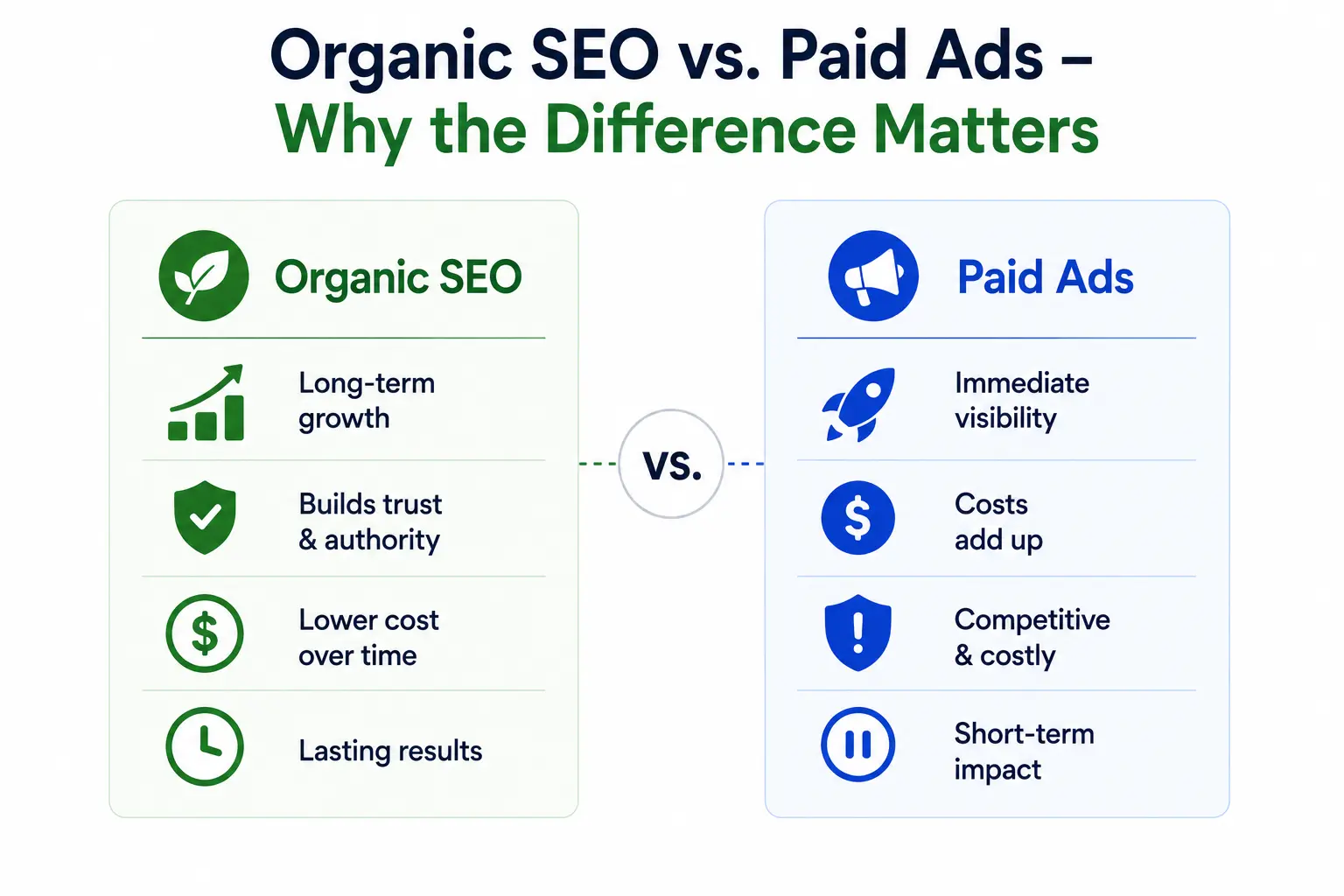
    Organic SEO vs. Paid Ads  Why the Difference Matters

    comparing Organic SEO and Paid Ads, highlighting SEO’s long-term growth and authority versus the immediate visibility and higher ongoing costs of paid advertising.
    Let’s be direct. Paid ads are not bad. They have their place, especially for quick launches and seasonal promotions. But relying on them as your primary traffic source is expensive and fragile.

    Here’s how the two approaches compare:

    Organic SEOPaid Ads (PPC)
    Free traffic once you rankPay for every single click
    Results compound and grow over timeStops the moment you pause the campaign
    Builds long-term brand trustUsers often skip past ads
    Higher credibility in search resultsRequires constant budget management
    Works 24/7 even when you’re offlineOnly active when you’re paying

    Organic search drives the majority of all web traffic. Studies consistently show that people trust organic results more than ads. An organic SEO consultant helps you earn that trust systematically.

    How Organic Rankings Compound Like Interest

    When your content ranks on page one, it attracts clicks. Those clicks signal to Google that your page is helpful, which keeps your ranking strong. More traffic leads to more links from other sites, which strengthens your authority further. Over time, this flywheel builds momentum that paid ads simply cannot replicate.

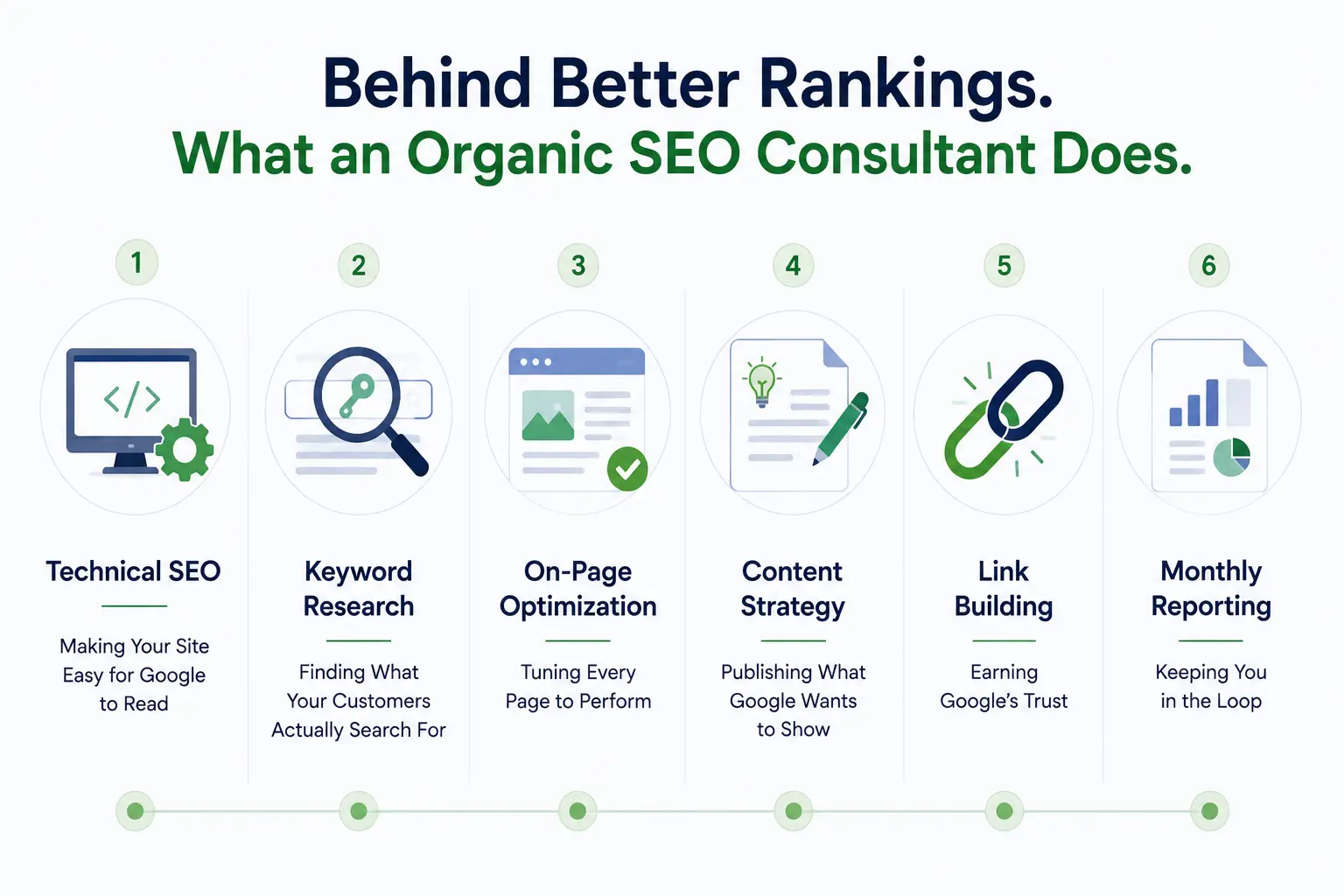
    What Does an Organic SEO Consultant Actually Do?

    Infographic outlining the key responsibilities of an organic SEO consultant, including technical SEO, keyword research, on-page optimization, content strategy, link building, and monthly reporting.
    This is where a lot of businesses get confused. SEO is not just “adding keywords.” A skilled organic SEO consultant covers a full range of interconnected services, each one building on the last.

    Technical SEO Making Your Site Easy for Google to Read

    Google is essentially a very sophisticated computer program. If your website has messy code, slow load speeds, or broken pages, Google cannot read it properly  and it won’t rank it. A consultant audits your crawlability, indexation, site speed, and mobile performance to make sure the foundation is solid before anything else.

    Keyword Research Finding What Your Customers Actually Search For

    Not all keywords are equal. The goal is not to rank for the most popular term  it’s to rank for the terms that your ideal customers are typing when they are ready to buy. A good organic SEO consultant finds those buyer-intent keywords your competitors have overlooked and maps them directly to your service pages.

    On-Page Optimization Tuning Every Page to Perform

    Every page on your site is an opportunity to rank. Your consultant will optimize titles, meta descriptions, headers, internal links, and content structure to make each page as relevant and useful as possible  for both Google and real visitors.

    Content Strategy Publishing What Google Wants to Show

    Google’s job is to answer questions. Your content strategy should do the same. Blog posts, service pages, FAQs, and landing pages all play a role. An organic SEO consultant creates a content plan that answers the questions your audience is asking, builds your authority, and drives the right traffic to your site.

    Link Building Earning Google’s Trust

    Think of backlinks as votes. When a reputable website links to yours, it tells Google that your content is worth paying attention to. A consultant builds these links ethically and sustainably no shortcuts, no spammy tactics that could get your site penalized.

    Monthly Reporting Keeping You in the Loop

    You should never have to wonder if your investment is working. Every month, your consultant should show you the numbers: organic traffic, keyword rankings, leads generated, and exactly what work was completed. Transparency is not optional it is a baseline expectation.

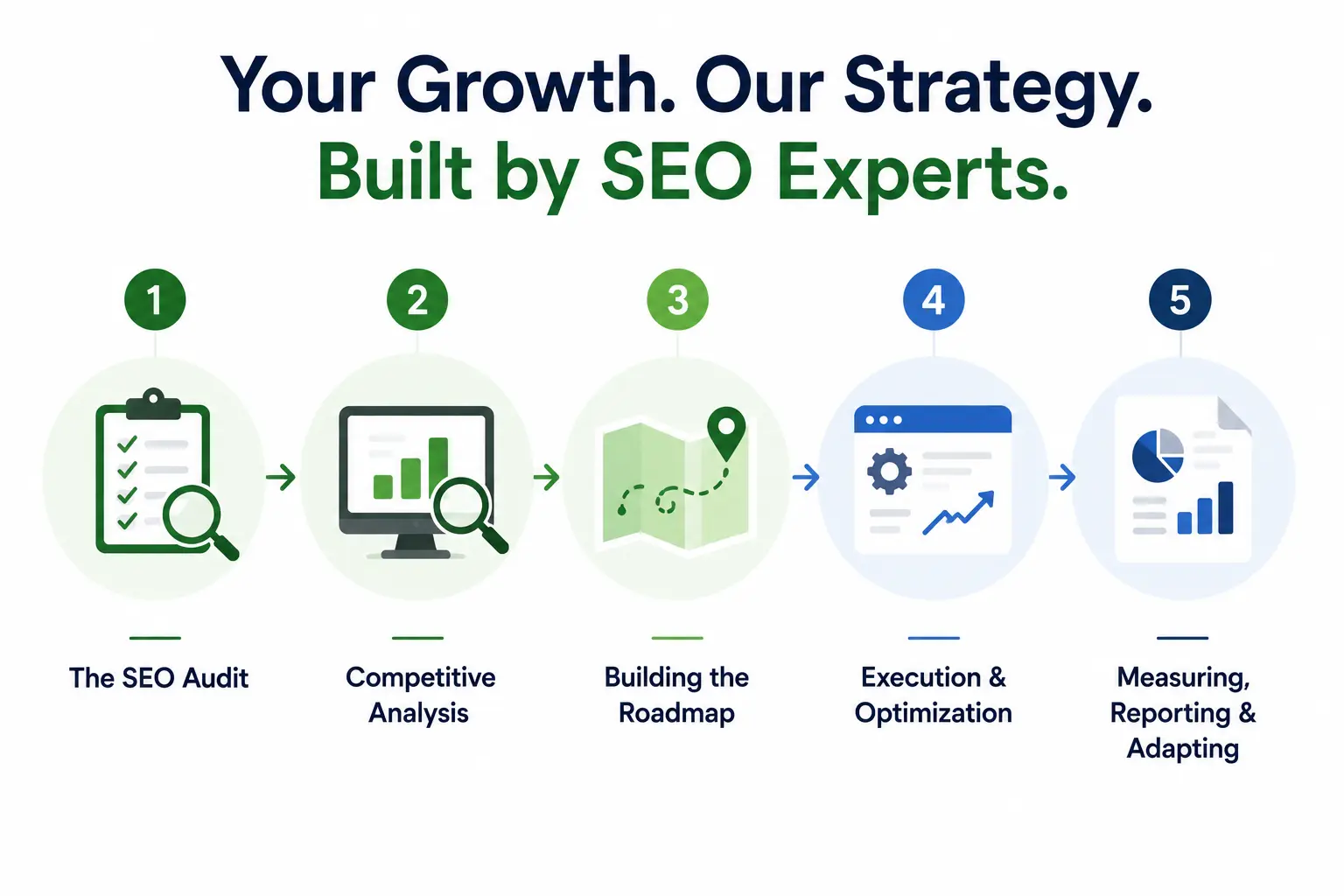
    How a Great Organic SEO Consultant Builds Your Strategy

    SEO strategy infographic showing a five-step process: SEO audit, competitive analysis, roadmap creation, execution and optimization, and performance reporting for long-term organic growth.
    Working with a consultant is not a one-time transaction. It is an ongoing process with a clear roadmap. Here is what that looks like from start to finish.

    Step 1  The SEO Audit

    Before anything else, your consultant needs to understand where you are starting from. They analyze your website’s technical health, existing content, current rankings, and backlink profile. This gives you a clear baseline and surfaces the biggest opportunities right away.

    Step 2  Competitive Analysis

    Who is outranking you and why? What content are they publishing? Where are they getting their links? Your consultant studies your top competitors to understand exactly what it will take to outperform them.

    Step 3  Building the Roadmap

    Not everything can be fixed at once, and it should not be. A smart organic SEO consultant prioritizes the work that delivers the fastest return first  the quick wins  while laying the groundwork for longer-term gains that compound over time.

    Step 4  Execution and Optimization

    This is where the work happens. Pages get optimized, content gets published, technical issues get fixed, and links get built. Every task feeds into the bigger goal: more qualified traffic and more leads for your business.

    Step 5  Measuring, Reporting, and Adapting

    Google updates its algorithm hundreds of times a year. A consultant who set your strategy in January and never revisited it is not doing their job. Great consultants monitor your performance continuously, test new approaches, and adapt to algorithm changes before they hurt your rankings.

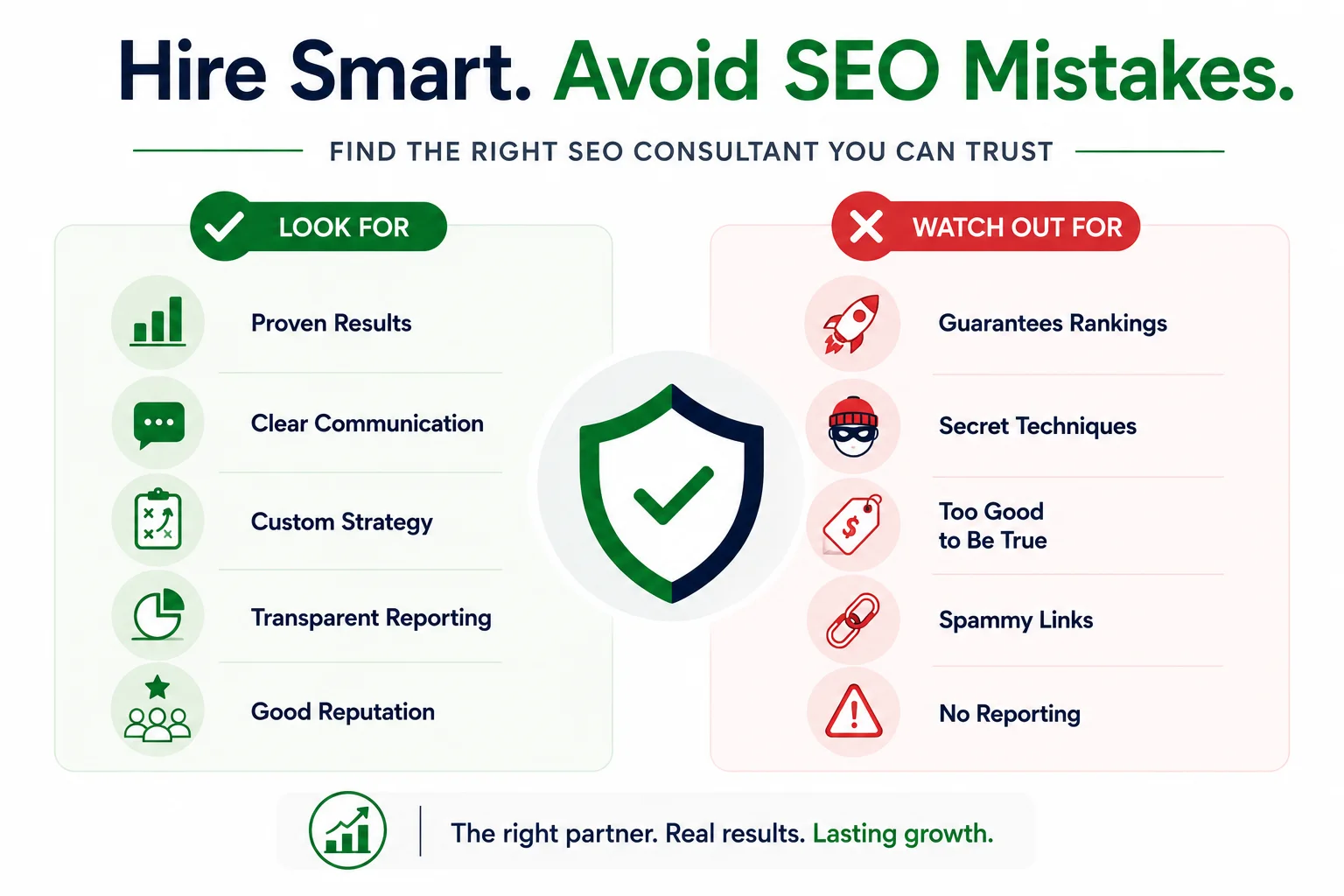
    How to Hire the Right Organic SEO Consultant Without Getting Burned

    Infographic on choosing the right SEO consultant, comparing trusted qualities like proven results and clear communication with common red flags such as ranking guarantees, spammy links, and poor reporting.
    The SEO industry has a reputation problem, and unfortunately it is earned. There are too many people making promises they cannot keep. Here is how to find someone you can actually trust.

    Questions to Ask Before You Sign Anything

    • Can you show me a page you moved from page 5 or lower to page 1? Real consultants have real proof.
    • What tools do you use, and how will you report results to me?
    • How do you stay current with Google algorithm updates?
    • What does your first 90 days of work look like for a business like mine?

    Red Flags That Should Make You Walk Away

    • Guaranteed rankings: Nobody owns Google. If someone promises you the #1 spot, they are not being honest.
    • Secret techniques: Real organic SEO is transparent. If they won’t explain what they are doing, that is a serious problem.
    • No reporting: If they cannot show you the results of their work in clear, plain terms, they are not doing the work.
    • Suspiciously low pricing: Quality SEO takes time and expertise. Rock-bottom prices usually mean low-quality, high-risk tactics.

    Freelancer vs. Agency – Which Is Right for You?

    Both can be excellent choices, depending on your situation.

    • Freelance organic SEO consultant: More personal attention, often more affordable, great for small to mid-size businesses with focused needs.
    • Organic SEO consulting agency: Larger team, broader resources, better suited for companies that need multiple services running simultaneously.

    The best choice is the one that fits your goals, your budget, and the level of attention your business actually needs.

    What Does It Cost, and How Long Until You See Results?

    Pricing Models

    • Monthly retainer: A fixed fee each month for ongoing management. Best for businesses that want consistent growth over time.
    • Project-based: A one-time engagement for a specific deliverable like an SEO audit or site migration. Good for focused, defined needs.

    Realistic Timelines

    Be skeptical of anyone who promises dramatic results in two weeks. Here is what honest timelines look like:

    • 30–60 days: Technical fixes are implemented; early indexation improvements begin.
    • 3–6 months: Rankings start to climb meaningfully; traffic shows measurable growth.
    • 6–12 months: Significant organic traffic increases; strong ROI becomes clearly visible.

    SEO is a long game, but it is one of the highest-return investments a business can make. Once you rank, that traffic costs you nothing.

    The ROI Question

    Think about what 3,000 to 5,000 new visitors per month would mean for your business if you were not paying a cent for each one. That is the power of a well-executed organic SEO strategy working around the clock, 365 days a year.

    Why Businesses Trust RANKLLER

    If you are searching for an organic SEO consultant who understands your market, speaks your language, and actually cares about your revenue  not just your ranking position  you are in the right place.

    At RANKLLER, we work with small businesses and healthcare providers to build organic search strategies that generate real leads and real growth. We do not promise overnight miracles or use tactics that will get your site penalized six months from now. We build things that last.

    Our approach is simple: understand your business, find the opportunities your competitors have missed, execute a clear roadmap, and report everything in plain English so you always know what your investment is doing.

    Whether you need a personal, freelance-style engagement or the full resources of a dedicated SEO team, we are here to help you dominate your market without paying for every single click.

    FAQ

    What does an organic SEO consultant do?

    An organic SEO consultant analyzes your website, identifies what is preventing it from ranking on Google, and builds a clear strategy to fix it. Their work covers technical SEO, keyword research, content optimization, link building, and ongoing performance reporting  all focused on getting your site more free, qualified traffic from search engines.

    How long does organic SEO take to show results?

    Most businesses see meaningful improvements between months 3 and 6, with significant results becoming clear by months 9 to 12. The exact timeline depends on your starting point, your industry’s competitiveness, and how consistently the strategy is executed. The results, however, compound over time in a way that paid ads simply cannot.

    Is it better to hire a freelance SEO consultant or an agency?

    It depends on your needs and budget. A freelance organic SEO consultant typically offers more personal attention and lower costs, which is great for small businesses. An agency brings a larger team and broader capabilities, which suits companies that need multiple services running at once. Either can deliver excellent results when they have real experience and transparent processes.

    How much does an organic SEO consultant cost?

    Pricing varies widely based on experience, scope, and location. Monthly retainers for quality organic SEO consulting typically range from a few hundred to several thousand dollars per month. Project-based work like an SEO audit may be a flat fee. The more important question is not the cost but the return: what is qualified, free traffic worth to your business every month?

    Can I do organic SEO myself, or do I need a consultant?

    You can learn the basics, and there are good resources to help you start. But organic SEO changes constantly, and the gap between “knowing what to do” and “executing it well at scale” is significant. Most business owners find that the time saved and mistakes avoided by working with an experienced organic SEO consultant far outweigh the cost, especially once the results start compounding.

    Conclusion

    An organic SEO consultant is one of the smartest investments you can make in the future of your business. While your competitors keep paying Google for temporary visibility, you will be building an asset that grows every month and generates leads around the clock.

    Stop renting your traffic. Start owning it.

    If you are ready to find out exactly where your biggest SEO opportunities are, schedule a free consultation with Rankller today. Let’s build something that lasts.

  • PPC for Healthcare: The Complete Guide to Getting More Patients Online

    PPC for Healthcare: The Complete Guide to Getting More Patients Online

    When patients search for healthcare providers online, showing up first can make all the difference. PPC for healthcare helps your practice appear at the top of search results exactly when potential patients need care. But unlike other industries, healthcare advertising comes with strict compliance and privacy rules. In this guide, we’ll cover how healthcare PPC works, how to stay compliant, and how to turn clicks into real patient appointments.

    What Is PPC for Healthcare?

    PPC stands for Pay-Per-Click a type of digital advertising where you only pay when someone actually clicks your ad. You’re not paying to show up; you’re paying when a potential patient takes action. That alone makes it very different from traditional advertising like billboards, print, or TV.

    In the healthcare space, PPC ads most commonly appear at the very top of Google search results above all the organic listings and are labeled as “Sponsored.” They can also appear on Microsoft Bing, Google’s Display Network (banners across websites), and YouTube.

    Here’s a simple example: A dermatology clinic in Chicago runs a Google Ads campaign targeting the keyword “dermatologist in Chicago.” Every time someone searches that phrase, the clinic’s ad appears at the top. When the patient clicks and books an appointment, the clinic pays Google a small fee for that click.

    What makes this powerful for healthcare is intent. When someone Googles “knee pain specialist near me,” they’re not casually browsing they want help now. PPC puts you in front of people who are actively looking for your services, not just scrolling past an ad.

    Why Healthcare Practices Need PPC Right Now

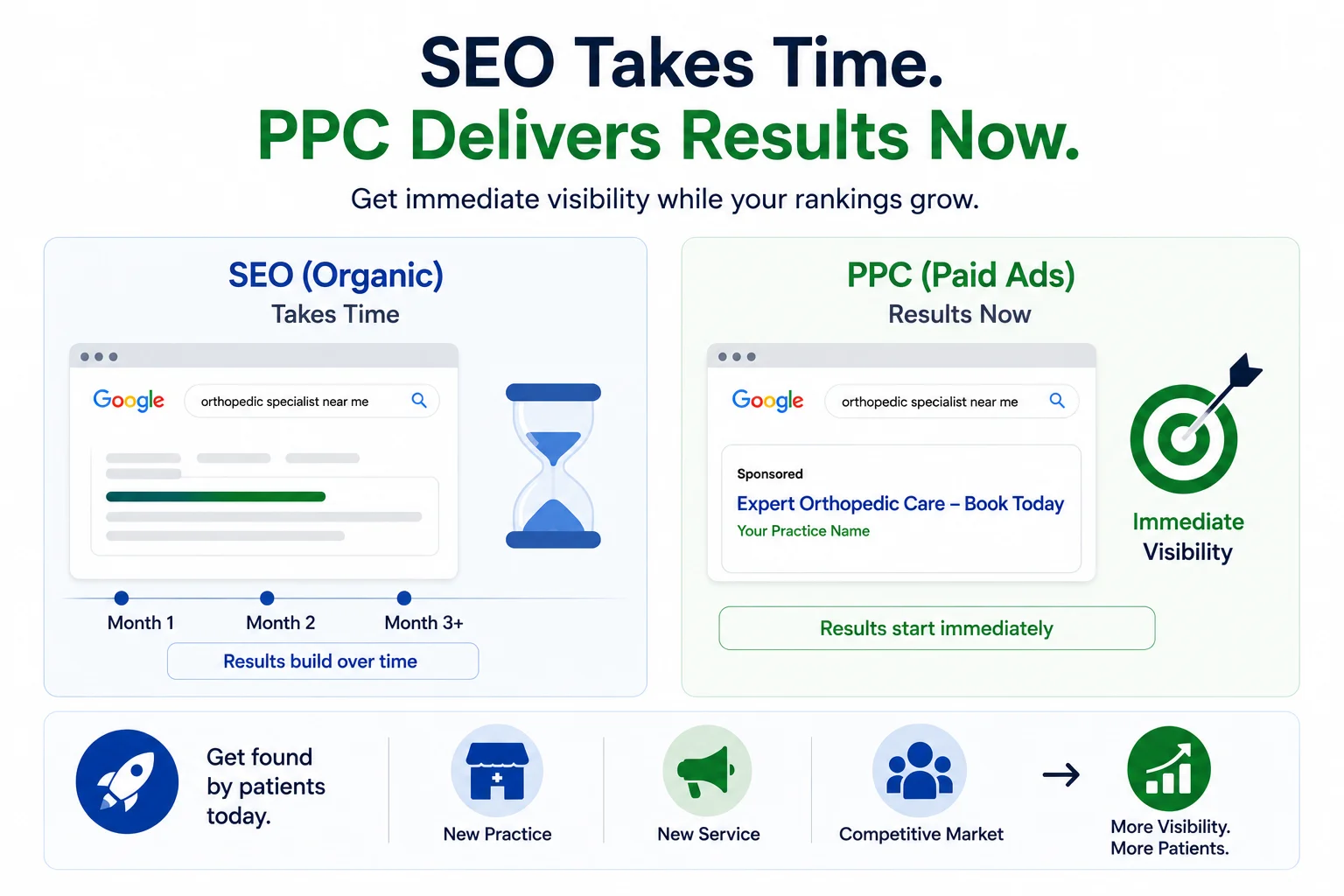
    Healthcare marketing infographic showing how PPC delivers instant visibility while SEO builds long-term organic growth.
    Organic SEO is important  but it takes months to show results. If you’ve just opened a new practice, launched a new service, or entered a competitive market, you can’t afford to wait. PPC delivers immediate visibility while your organic rankings are still building.

    The numbers back this up:

    • 65% of all healthcare clicks come from paid search ads
    • The average conversion rate for healthcare PPC campaigns is 3.78% – higher than the cross-industry average
    • The top 10% of healthcare PPC campaigns achieve a click-through rate of 11.72%
    • Mobile healthcare PPC ads see 23% higher click-through rates than desktop ads
    • Healthcare and pharma digital ad spend is projected to hit $24.71 billion by 2026

    The competition is growing. Practices that invest in PPC now are building a competitive advantage that will be much harder and more expensive to catch up to later.

    How Healthcare PPC Campaigns Actually Work

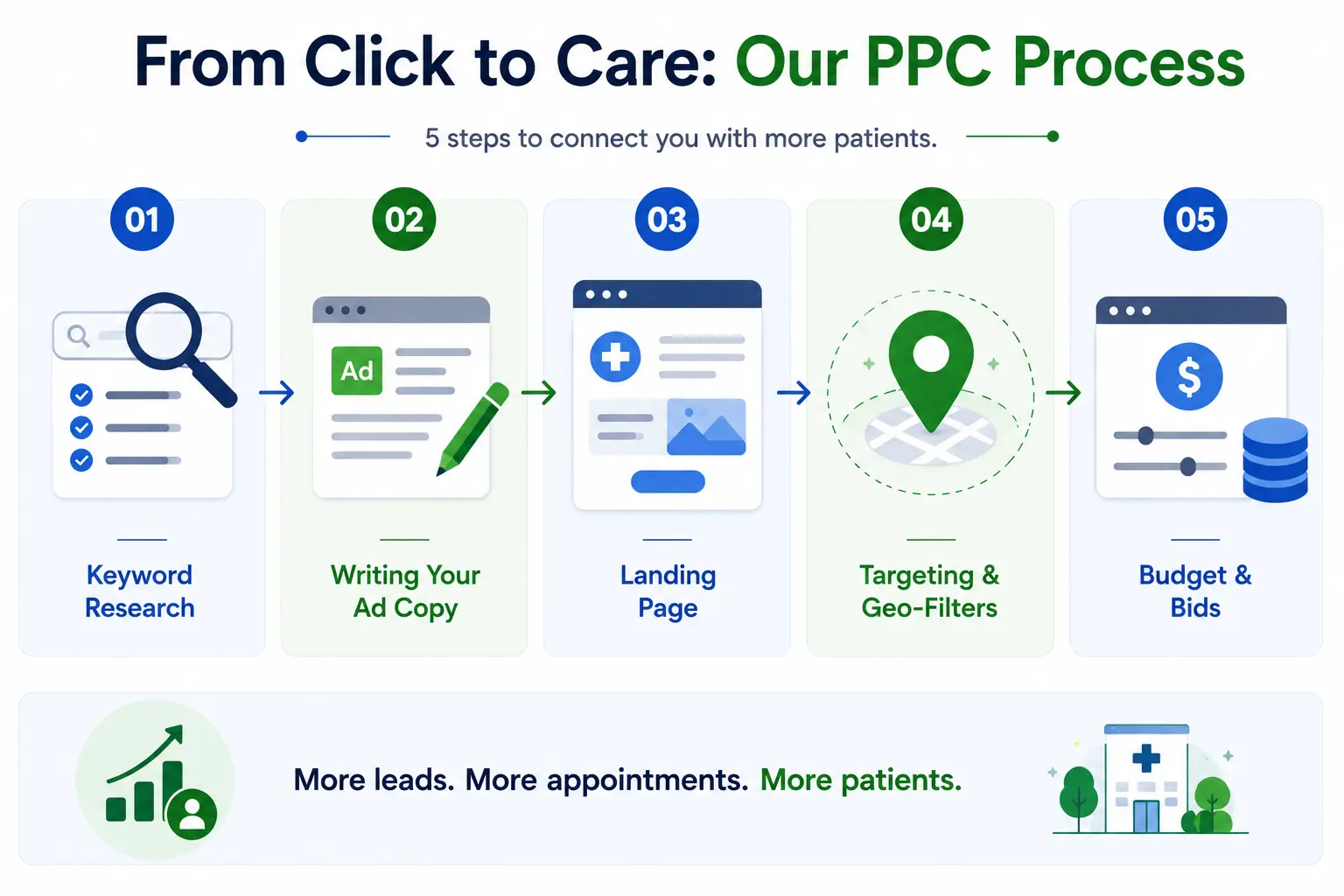
    Healthcare PPC infographic showing a 5-step process from keyword research to budget planning for generating more patient leads and appointments.
    Running a healthcare PPC campaign isn’t as simple as writing an ad and spending money. There are five key components that determine whether your campaign generates appointments or burns through your budget.

    Step 1: Keyword Research

    Keywords are the foundation of any PPC campaign. You need to target the terms that real patients actually type into Google, not just the clinical terminology you use internally.

    High-intent examples that tend to convert well:

    • “same-day appointment [city]”
    • “pediatric dentist near me”
    • “urgent care open now”
    • “primary care doctor accepting new patients”

    Equally important: negative keywords. These prevent your ads from showing for irrelevant searches like “free clinic,” “healthcare jobs,” or “home remedies.” Without them, you’ll waste money on clicks that will never convert.

    Step 2: Writing Your Ad Copy

    Your ad copy needs to do three things: grab attention, communicate trust, and encourage action  all within Google’s strict character limits. Writing effective healthcare ad copy means balancing professional credibility with emotional appeal, while avoiding specific medical claims that could violate Google’s advertising policies.

    Elements that consistently perform well:

    • Credentials and certifications (e.g., “Board-Certified Cardiologist”)
    • Availability highlights (“Same-Day Appointments,” “Open Weekends”)
    • Insurance info (“Most Insurances Accepted”)
    • A direct call to action (“Book Online Today,” “Call Now”)

    Step 3: Building a Dedicated Landing Page

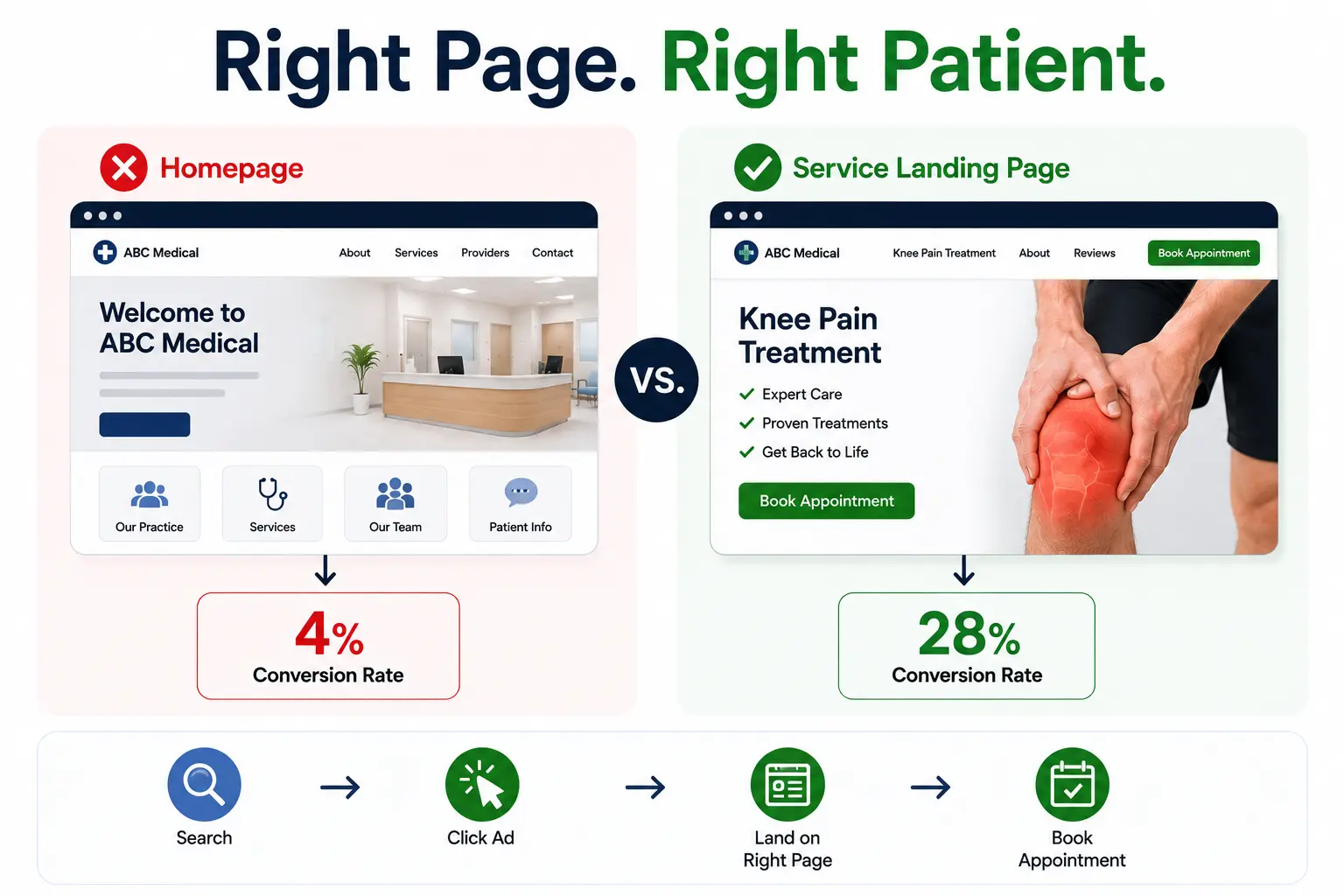
    This is where most healthcare practices make their biggest mistake: they send ad traffic to their general homepage. The patient clicked on an ad for “sports injury treatment” and landed on a homepage talking about everything from pediatrics to dermatology. Confusing  and they leave.

    Every ad needs a dedicated landing page that matches the ad’s promise. If you run multiple service lines  orthopedics, behavioral health, dermatology, each one should have its own landing page. Message consistency between ad, keyword, and page is one of the biggest factors in conversion rate.

    Your landing page checklist:

    • Headline that mirrors the ad (not just your practice name)
    • Clear, prominent call to action (book now, call, request appointment)
    • Trust signals: reviews, credentials, awards
    • Fast load speed – every extra second reduces conversions by up to 20%
    • Mobile-optimized layout

    Step 4: Targeting and Geo-Filters

    Unlike national brands, most healthcare practices serve a specific geographic area. PPC lets you target by city, zip code, or a custom radius around your practice, so you’re only paying for clicks from people who can actually become patients.

    You can also use dayparting  showing your ads only during hours when your office is open and staff can answer calls. This avoids spending money on clicks at 2 AM when nobody can book an appointment.

    Step 5: Setting Your Budget and Bids

    Healthcare is a competitive PPC environment, which means cost-per-click is generally higher than other industries. Depending on your specialty and location, you might pay anywhere from $3 to $15+ per click. But the math still works in your favor — a single new patient is worth far more than a few clicks.

    Start with a modest budget, track which keywords and ads convert, then scale up what’s working. Throwing a large budget at an untested campaign is one of the most common ways practices waste money on PPC.

    HIPAA Compliance in Healthcare PPC: What You Need to Know

    This is the section that separates healthcare PPC from every other industry, and it’s one most general marketing guides gloss over entirely. Ignore compliance, and you risk far more than wasted ad spend.

    Here’s what that means in practice:

    • You cannot build audience lists based on specific medical conditions or diagnoses
    • You generally cannot use remarketing for sensitive health services based on a user’s website activity
    • Contact forms on your landing page should not collect detailed health information
    • Any third-party tools you use — call tracking, CRMs, EHR platform, analytics – must be HIPAA-compliant and covered by a BAA
    • Standard Google remarketing tags on pages discussing specific health conditions can potentially violate HIPAA

    The safest setup for healthcare PPC includes: HIPAA-safe website forms (collecting only name, email, phone), PHI-safe conversion tracking, location and intent-based keyword targeting (not health condition targeting), and compliant call tracking systems.

    This isn’t designed to scare you away from PPC. It’s designed to help you run campaigns that grow your practice without putting patient privacy or your license  at risk.

    5 Common PPC Mistakes Healthcare Practices Make

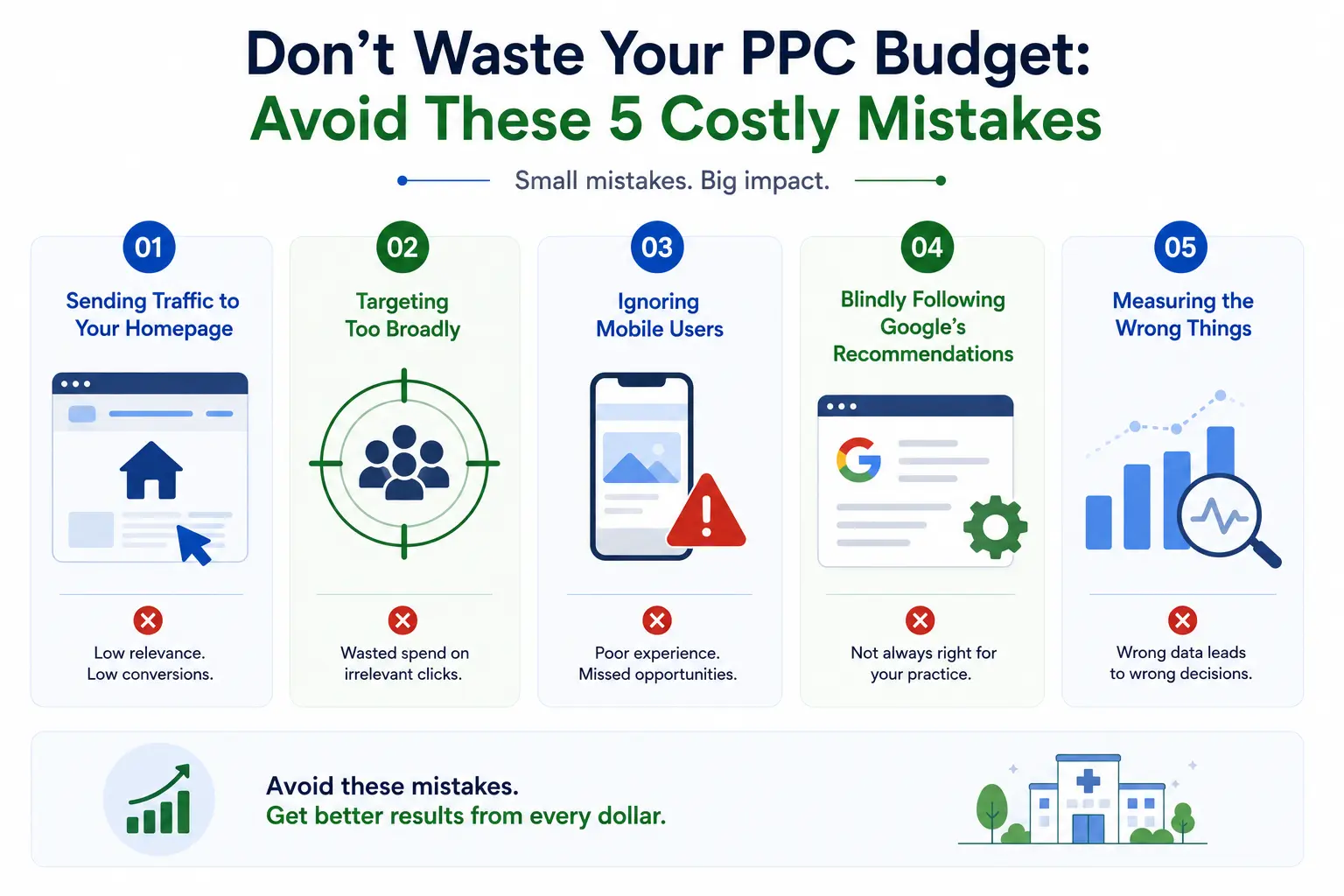
    Infographic showing five costly healthcare PPC mistakes, including poor targeting, ignoring mobile users, and tracking the wrong metrics.
    Even experienced marketers make these. Here’s what to watch out for  and why each one matters.

    1. Sending Traffic to Your Homepage

    When a patient clicks an ad for “sports injury treatment” and lands on a generic homepage, the message match is broken. They don’t see what they came for and leave. Always send ad traffic to a specific, relevant landing page.

    2. Targeting Too Broadly

    Bidding on “doctor” or “health” without qualifiers will get you clicks from people researching symptoms, looking for home remedies, or searching in cities you don’t serve. Specific, geo-targeted, intent-driven keywords are far more efficient.

    3. Ignoring Mobile Users

    More than 60% of healthcare searches happen on mobile. If your landing page isn’t mobile-optimized  fast loading, easy to tap, click-to-call button prominent  you’re paying for clicks that bounce immediately.

    4. Blindly Following Google’s Recommendations

    Google account managers can be helpful, but they often lack healthcare marketing experience. Recommendations designed for e-commerce  frequent campaign changes, AI-driven optimization, broad match everything  don’t translate well to healthcare, where patient decision cycles are longer and more personal. Most experts recommend at least one full quarter of data before making major campaign changes.

    5. Measuring the Wrong Things

    Clicks and impressions are vanity metrics. What actually matters is how many of those clicks became booked appointments. If you’re not tracking call conversions, form submissions, and actual scheduled patients, you have no idea whether your campaign is working.

    Healthcare PPC Metrics That Actually Matter

    Here’s a quick reference for the KPIs worth tracking in your healthcare PPC campaigns:

    MetricWhat It Tells YouHealthcare Benchmark
    Cost Per AppointmentThe true ROI metric — not just cost per click or leadVaries by specialty
    Conversion Rate% of clicks that become form fills or calls3.78% industry avg
    Click-Through Rate (CTR)% of people who click your ad after seeing itTop 10%: 11.72%
    Quality ScoreGoogle’s rating of your ad relevance (1–10)Aim for 7+
    Return on Ad Spend (ROAS)Revenue generated per dollar spent on adsVaries by practice

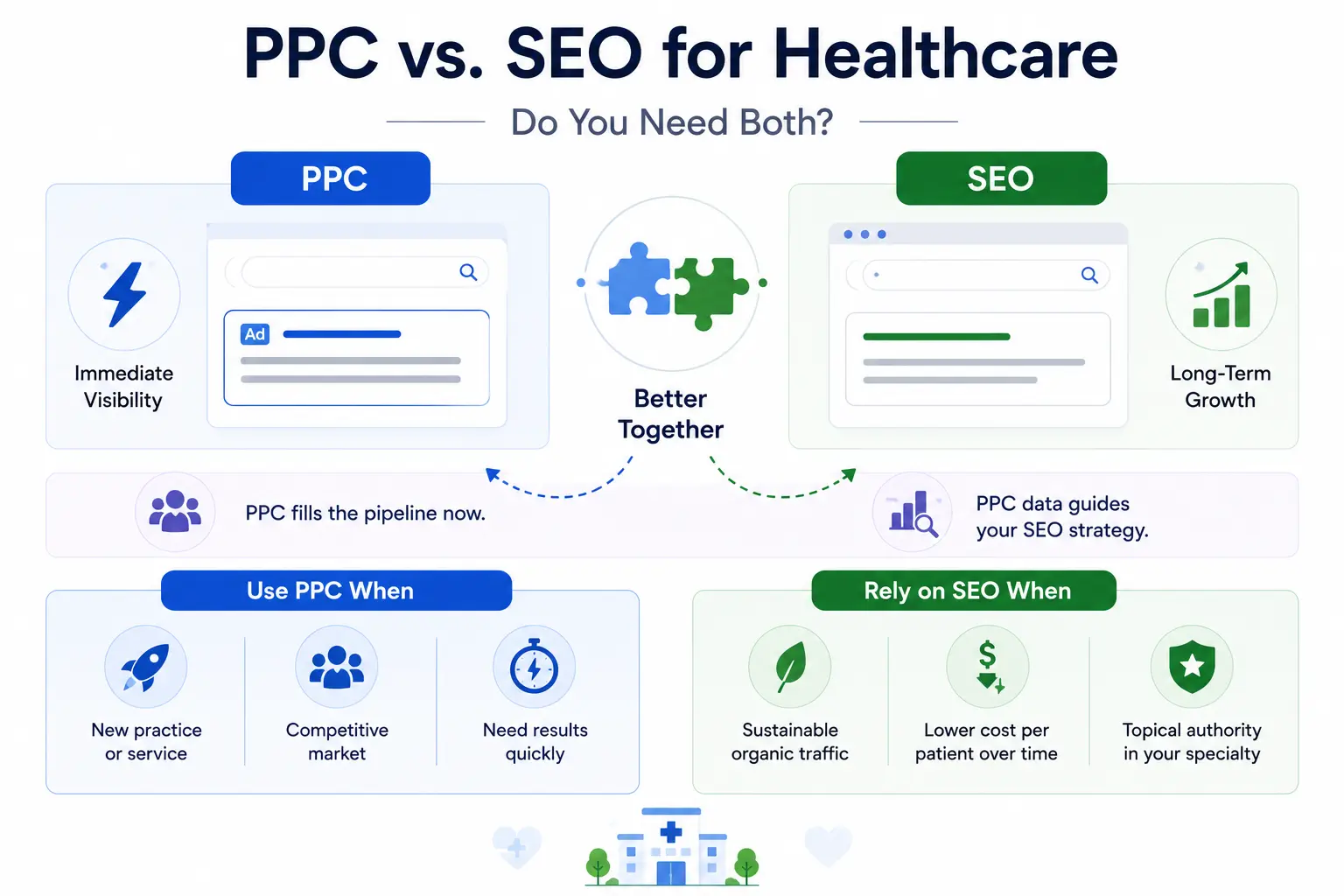
    PPC vs. SEO for Healthcare: Do You Need Both?

    Infographic comparing PPC and SEO for healthcare marketing, showing how PPC drives immediate visibility while SEO builds long-term organic growth and authority.
    Short answer: yes. Here’s why they’re better together than apart.

    PPC gives you immediate visibility  you can go live today and start appearing at the top of results tomorrow. SEO builds long-term organic authority over months, resulting in sustainable, lower-cost traffic over time.

    The smartest practices use them in tandem: PPC fills the pipeline immediately while SEO matures. And here’s a bonus: PPC data tells you which keywords actually convert patients, which you can then use to guide your SEO content strategy.

    Use PPC when:

    • You’ve just launched a practice or new service line
    • You’re in a competitive market with established players
    • You need results quickly

    Rely on SEO when:

    • You want to build sustainable, compounding organic traffic
    • You want to lower your cost per patient acquisition over time
    • You’re establishing topical authority in your specialty

    Should You Manage Healthcare PPC Yourself or Hire an Agency?

    This depends on your time, budget, and risk tolerance. Here’s an honest breakdown:

    Managing It Yourself

    It’s possible  Google Ads has good documentation and tutorials. But the learning curve is steep, especially in healthcare where compliance errors can have serious consequences. You’ll also spend significant time on campaign management that could go toward patient care.

    Working with a Healthcare PPC Agency

    The right agency brings HIPAA knowledge, healthcare-specific campaign experience, and ongoing optimization  so you’re not learning from expensive mistakes. Look for these things when evaluating agencies:

    • Proven experience with your specialty or a similar one
    • Clear understanding of HIPAA compliance in digital advertising
    • Transparent reporting  they should show you cost per appointment, not just clicks
    • No long-term lock-in contracts
    • Case studies from healthcare practices (not just general businesses)

    Questions to ask: “How do you handle HIPAA-compliant conversion tracking?” “What’s your experience with [my specialty]?” “Can you show me results from a similar-sized practice?”

    FAQ

    How much does healthcare PPC cost?

    It varies widely by specialty, location, and competition. Cost per click can range from $3 to $20+, and monthly ad budgets for small practices often start around $1,000–$3,000. The more competitive your market, the more you’ll need to spend to remain visible.

    Is Google Ads HIPAA compliant?

    No  Google does not offer a HIPAA BAA for Google Ads. Healthcare marketers must configure campaigns carefully to avoid PHI in targeting, tracking, and remarketing. HIPAA-compliant PPC is absolutely possible; it just requires the right setup and expertise.

    How long does it take to see results from healthcare PPC?

    Unlike SEO, PPC can generate traffic and leads almost immediately after launch. However, meaningful optimization data  enough to make confident campaign decisions  typically takes 60–90 days to accumulate.

    Which platform is best for healthcare PPC?

    Google Ads is the dominant platform for healthcare PPC due to its search volume and targeting capabilities. Microsoft (Bing) Ads can be a cost-effective supplement, particularly for older demographics. Facebook and Instagram ads work well for awareness and certain elective services, but they differ from search PPC in intent and approach.

    Conclusion

    Absolutely when it’s done right. PPC for healthcare is one of the most direct, measurable ways to grow your patient base in a competitive digital landscape. You’re not hoping patients stumble across your website. You’re showing up exactly when they need you, with exactly the message they need to see.

    But healthcare PPC demands more care than PPC in other industries. The compliance requirements, the longer patient decision cycle, the importance of trust these all make it a discipline that rewards expertise and patience. Start with clear goals, invest in proper tracking, stay HIPAA-compliant, and give your campaigns enough time to gather real data before making changes.

    Whether you manage it yourself or partner with a healthcare marketing specialist, the practices that invest in smart PPC for healthcare today will be the ones with full appointment calendars tomorrow.

  • What Is Google Ads for Doctors SEO And Why Does It Matter?

    What Is Google Ads for Doctors SEO And Why Does It Matter?

    Google Ads for doctors SEO is the strategic combination of paid search advertising (PPC) and organic search engine optimization, built specifically for medical practices. Most clinics try one or the other. The ones consistently growing their patient base use both  and they are not interchangeable.

    Google Ads get you to the top of search results immediately. The moment your campaign goes live, your practice can appear when someone searches for a cardiologist, urgent care clinic, or dermatologist in your city. That visibility is real, but it stops the moment you stop paying.

    SEO works the opposite way. It is slower usually three to six months before you see real traction but the traffic it builds is free, and it compounds over time. A well-optimized service page for “knee pain doctor in Chicago” can bring in patients every single month for years without an ongoing ad spend.

    Together, these two channels create something neither can create alone: a patient acquisition engine that works around the clock. Ads fuel immediate growth. SEO builds the long-term foundation. Medical practices using both consistently see up to three times more patient growth than those relying on a single channel.

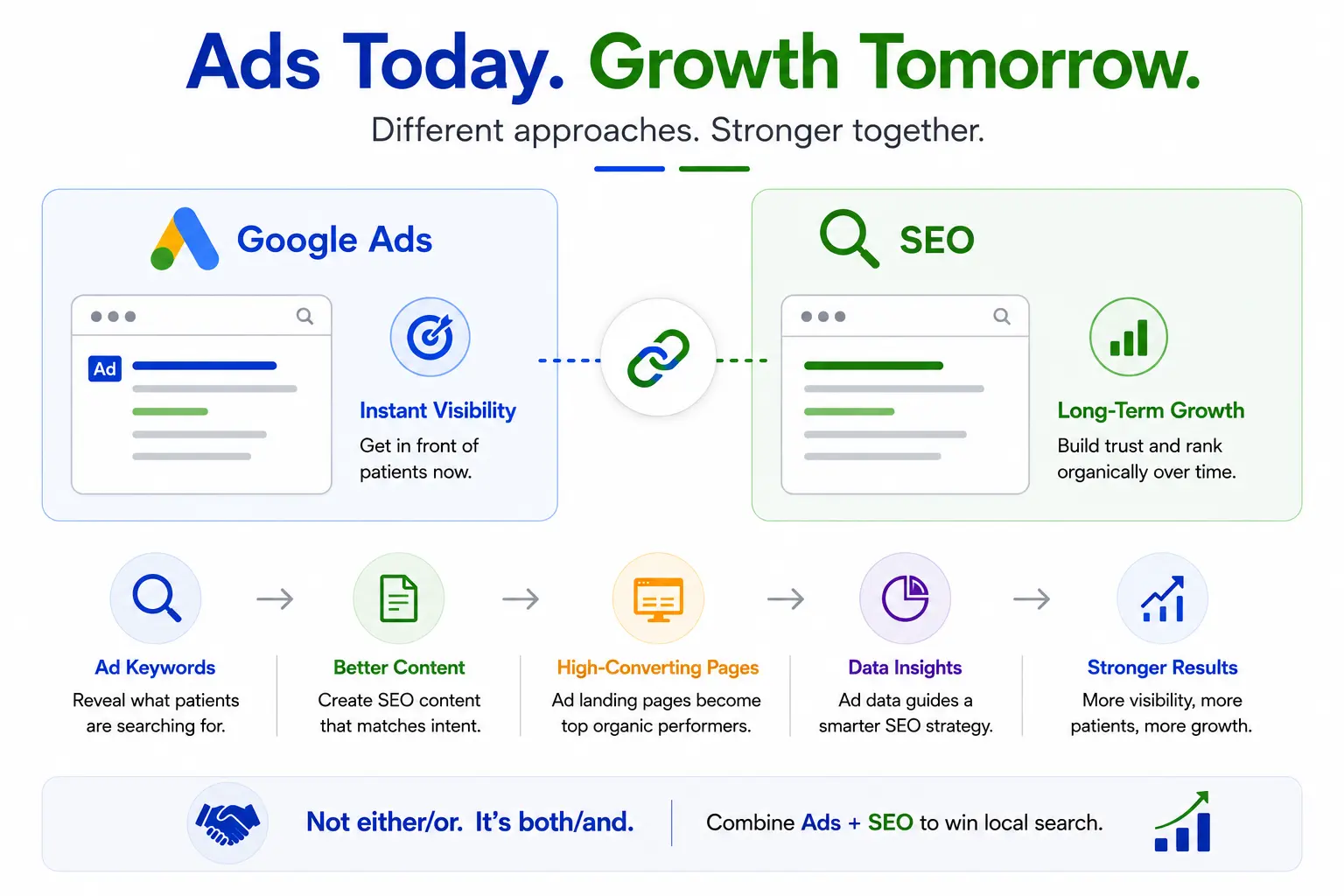
    Are Google Ads and SEO Really Different Strategies?

    Infographic comparing Google Ads and SEO, showing how paid ads drive instant visibility while SEO supports long-term growth and stronger search results.
    They operate differently, but they are more connected than most people realize. The keywords that perform best in your paid campaigns often become the foundation of your most valuable SEO content. The landing pages you build for ads become your highest-converting organic pages over time. The data from your ads tells you exactly which services patients are actively searching for and your SEO strategy should follow that signal

    So no, this is not an either/or decision. It is a both/and strategy, and the practices that treat it that way are the ones winning local search.

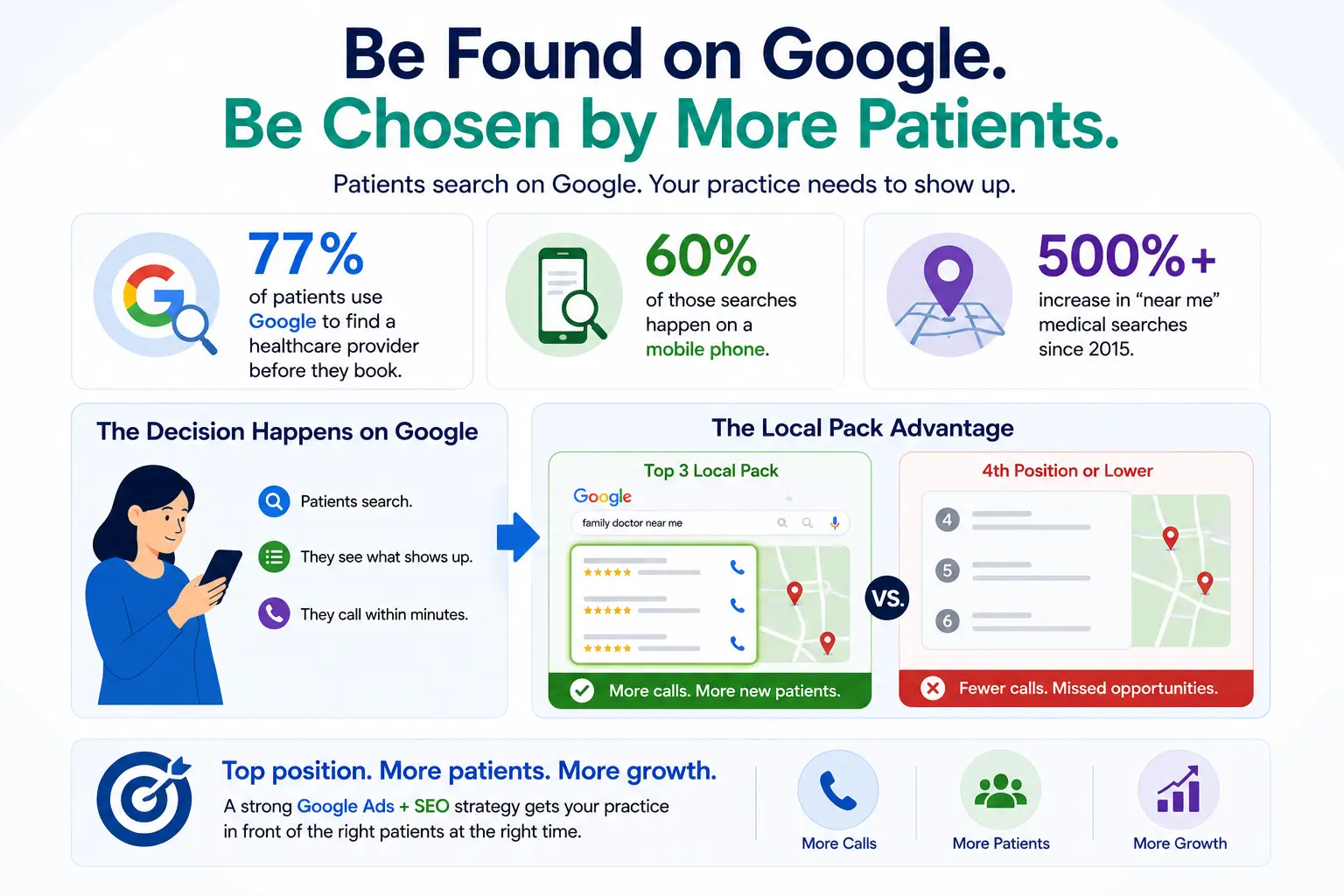
    Why 77% of Your Future Patients Start on Google Not on a Referral

    Healthcare SEO infographic showing how Google search, mobile users, and local pack rankings help doctors attract more patients online.
    Referrals still matter. But the way patients find doctors has fundamentally changed, and the numbers make that undeniable. Seventy-seven percent of patients now use Google to find a healthcare provider before they book. Sixty percent of those searches happen on a mobile phone. And searches with the phrase “near me” attached to a medical query have grown more than five hundred percent since 2015.

    What this means practically is that the majority of the new patients you could be seeing every week are making their decision on Google  not based on a friend’s recommendation, not from a billboard, not from your practice’s yellow pages listing. They are typing a search, looking at what comes up, and calling within minutes.

    The critical battleground is Google’s Local Pack  the three business listings that appear at the top of local search results, accompanied by a map. If your practice is in one of those three spots, your phone rings. If you are in the fourth position or lower, it barely rings at all. Studies consistently show that practices in the top three Local Pack results receive the overwhelming majority of calls, while those just outside that window see dramatically less patient traffic even if their actual clinic is geographically closer.

    Think about what that means for a family practice competing against five other clinics in the same zip code. The practice in the first Local Pack position might receive twenty or more calls a week from new patients. The one in the fourth spot might get two or three — not because the care is better or the location is more convenient, but simply because Google chose one to show over the other.

    Getting into that top position and staying there is exactly what a well-executed SEO strategy is designed to achieve. Many healthcare practices also combine SEO with AI Ads to increase their visibility, attract more qualified patients, and maintain a strong presence in competitive local search results.

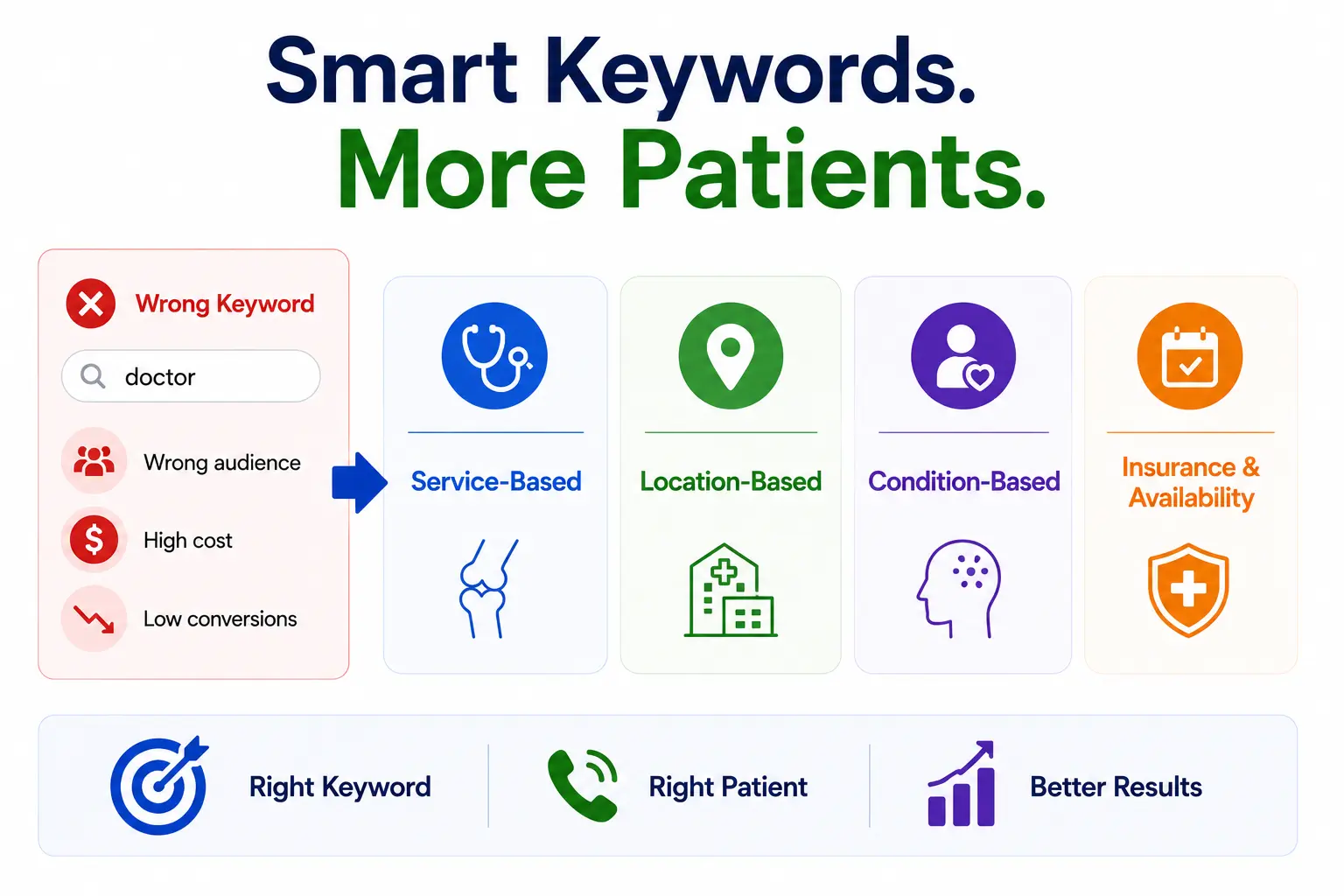
    The Right Keywords Are the Foundation of Google Ads for Doctors SEO

    Medical SEO infographic showing smart keyword targeting for doctors using service-based, location-based, condition-based, and insurance-related searches.
    Here is one of the most expensive mistakes a medical practice can make with Google Ads: bidding on the word “doctor.” That single keyword attracts everyone from patients looking for urgent care to medical students searching for residency programs to people looking for a TV show called “The Doctor.” You pay for all of them and convert almost none.

    Effective keyword research for doctors starts with understanding how patients actually search and they search with specificity and intent. A patient ready to book an appointment does not type “doctor.” They type “rheumatologist accepting new patients Houston” or “pediatric urgent care open Saturday near me.” Those are the searches worth bidding on.

    Four Types of Medical Keywords Your Practice Needs

    • Service-Based Keywords – These describe what you do. Examples: “knee replacement surgeon,” “LASIK eye surgery,” “IV infusion therapy.” These should form the core of your ad campaigns.
    • Location-Based Keywords – These anchor your service to geography. Examples: “cardiologist in Houston,” “dermatologist near me,” “family doctor Dallas TX.” Local intent is built in.
    • Condition-Based Keywords – These match how patients describe their problem, not your specialty. Examples: “treatment for sleep apnea,” “doctor for diabetes management,” “chronic back pain specialist.”
    • Insurance and Availability Keywords – These capture high-intent searches from patients with specific constraints. Examples: “doctor accepting Medicare,” “urgent care open Sundays,” “same-day appointment doctor.”

    High-Intent vs. Low-Intent: Knowing Which Keywords to Use Where

    High-intent keywords signal that someone is ready to book right now. Phrases like “book appointment cardiologist” or “urgent care near me open now” belong in your Google Ads campaigns  these patients are at the bottom of the decision funnel and ready to act.

    Low-intent keywords signal someone who is still researching. “What is atrial fibrillation” or “do I need to see a dermatologist for acne” are great for SEO blog content. Writing helpful articles around these questions builds your authority and earns organic traffic over time — but they are not the right fit for paid ads because the reader is not yet ready to book.

    Specialty-Specific Keyword Starting Points

    To give you a sense of how this plays out across different specialties, here are examples of high-intent keyword phrases for common medical practices:

    • Primary Care: “primary care doctor accepting new patients [city],” “annual physical exam near me”
    • Pediatrics: “pediatrician for newborn near me,” “child doctor accepting Medicaid [city]”
    • Dermatology: “dermatologist for acne near me,” “skin cancer screening [city]”
    • Orthopedics: “orthopedic surgeon for knee pain,” “sports medicine doctor near me”
    • Cardiology: “cardiologist accepting new patients,” “heart palpitation doctor [city]”
    • Urgent Care: “urgent care open now near me,” “walk-in clinic no appointment needed”
    • Mental Health: “therapist accepting new patients near me,” “psychiatrist for anxiety [city]”

    How to Structure Google Ads for Doctors the Right Way

    A lot of medical practices set up one Google Ads campaign, stuff every service into it, set a daily budget, and hope for the best. That approach burns money. The right structure is more deliberate, and it makes the difference between Google Ads that generate appointments and Google Ads that generate bills.

    Campaign-Level Segmentation by Specialty or Location

    Your top-level campaigns should be organized by specialty or clinic location never lumped together. If you run a multi-specialty practice, you might have separate campaigns for primary care, dermatology, and orthopedics. If you have multiple clinic locations, each location gets its own campaign so you can control geography and budget independently.

    You should also run a brand campaign one that bids on your own practice name. This protects you from competitors who might bid on your name and intercept patients who are specifically searching for you.

    Ad Group Breakdown by Condition or Treatment

    Within each campaign, your ad groups should be organized by specific condition or treatment. A dermatology campaign, for example, might contain separate ad groups for acne treatment, skin cancer screenings, eczema, rosacea, and cosmetic procedures like Botox. Each ad group has a tight cluster of related keywords and its own set of ads written specifically for that condition.

    This level of specificity matters because it directly impacts your Quality Score Google’s rating of how relevant your ad is to the search. A higher Quality Score means you pay less per click and appear higher in results. Tightly themed ad groups consistently outperform broad, mixed ones.

    Ad Copy That Speaks Directly to Patient Intent

    Your ad copy needs to do two things: speak to what the patient is searching for, and give them a clear reason to click on you instead of the three other ads next to yours. That means being specific and credible rather than generic.

    “Board-Certified Cardiologist in Dallas Accepting New Patients  Book Online Today” will outperform “Heart Doctor in Texas Call Us Now” every time. The first version tells the patient exactly who you are, confirms you have availability, and gives them an action to take. Specificity builds trust before they even click.

    For urgent care and walk-in practices, call-only ads  which show a phone number instead of a website link  work especially well. Patients searching for urgent care are often in the moment and ready to call rather than browse.

    Negative Keywords: The Budget Protector Most Practices Ignore

    Negative keywords are the words you tell Google not to show your ads for. Without them, you will pay for clicks from people searching for medical jobs, free clinics, medical school admissions, and home remedies. None of those people are booking appointments.

    Add a core list of negatives on day one  words like “free,” “jobs,” “salary,” “DIY,” “home remedy,” “medical school,” and “research.” Then review your search term report every week and keep expanding the list. A disciplined negative keyword strategy can reduce wasted spend by twenty to thirty percent on its own.

    What Does Google Ads Actually Cost for Doctors in the USA?

    Medical advertising is competitive, and that competition drives up costs. Here is a realistic breakdown of cost-per-click (CPC) ranges by specialty:

    SpecialtyEstimated CPC Range
    Family Practice / Primary Care$2 – $8
    Pediatrics / Urgent Care$5 – $15
    Dermatology / Orthopedics$10 – $30
    Cardiology / Neurology$15 – $40
    Plastic Surgery / Fertility$25 – $60+

    On top of ad spend, most practices also pay a management fee to an agency or specialist — typically $1,000 to $3,000 per month depending on the scope of work. The total monthly investment for a local practice usually falls between $3,000 and $12,000 when you combine both. That might sound like a lot until you calculate the lifetime value of a new patient in your specialty.

    Why Sending Patients to Your Homepage Is Costing You Appointments

    Infographic comparing a homepage and a service landing page, showing how focused medical landing pages drive higher appointment conversion rates.
    This is one of the most common  and most expensive  mistakes in medical advertising. A doctor runs Google Ads, gets clicks, and sends everyone to the homepage of their website. Then they wonder why the phone is not ringing more.

    Here is why it does not work: your homepage is designed for everyone. It introduces your practice, your team, your story. It is not designed to convert a patient who just clicked an ad for a specific service. The average homepage converts at around four percent. A dedicated service landing page converts at around twenty-eight percent. That is a seven-fold difference and it is entirely in your control.

    Every service you advertise needs its own landing page. If you are running ads for knee pain treatment, the patient who clicks that ad should land on a page specifically about knee pain treatment not your general orthopedics homepage and not a page that also talks about shoulder surgery and sports rehab.

    What Every High-Converting Doctor Landing Page Must Include

    1. A headline above the fold that matches exactly what the ad promised, if the ad said ‘Knee Pain Specialist in Dallas,’ the page should open with those words
    2. Doctor credentials and board certifications visible without scrolling, patients want to know immediately that you are qualified
    3. A specific description of the service, written in plain language, explaining what the patient can expect
    4. Real patient reviews and star ratings, social proof matters enormously in healthcare
    5. Insurance information, this is one of the first things patients look for
    6. A prominent, friction-free call to action: ‘Book an Appointment Today’ or ‘Call Now’ with a click-to-call button on mobile
    7. A brief FAQ section that addresses the most common concerns or objections before the patient has to ask

    The Message-Match Rule

    Everything on your landing page should feel like a natural continuation of the ad the patient clicked. If your ad says “Dermatologist for Acne in Chicago” and the patient lands on a generic dermatology page that mentions acne in the third paragraph, you have broken the message-match. The patient feels like they clicked on the wrong link and leaves. That lost click cost you real money.

    HIPAA Compliance on Landing Pages

    Medical practices have an added responsibility that most industries do not: HIPAA. Your landing page forms must be HIPAA-compliant meaning the data patients submit through appointment request forms cannot be stored or transmitted in ways that violate patient privacy. Standard contact form plugins often do not meet this requirement. Work with a healthcare marketing agency or developer who understands the distinction, or you risk both patient privacy violations and significant fines.

    The Long Game SEO for Doctors That Builds Free Traffic Over Time

    If Google Ads is the accelerator pedal, SEO is the engine. Once you have built real organic authority for your practice, it works for you without an ongoing cost per click. A page that ranks #1 for “cardiologist near me [city]” can bring in new patient inquiries every single week without you spending a dollar on that specific click.

    But organic rankings do not happen overnight, and they do not happen by accident. Here is what a working medical SEO strategy actually requires.

    On-Page SEO for Medical Websites

    Every service your practice offers should have its own dedicated, optimized page  not a brief mention in a list on a general services page. Each page needs a keyword-focused title tag, a compelling meta description, a clear H1 heading, and content that thoroughly addresses what a patient searching for that service actually wants to know.

    Beyond content, Google is also looking at schema markup  structured data you add to your website that tells search engines exactly what your page is about. For medical practices, schema should include your practice name, address, phone number, specialty, doctor credentials, hours of operation, and review data. Schema markup is one of the most underused tools in medical SEO, and implementing it correctly gives you a clear advantage over competitors who skip it.

    Google Business Profile: Your Free Patient Magnet

    Your Google Business Profile (formerly Google My Business) is arguably the single most important digital asset your practice controls  and it is free. A complete, well-maintained profile is what gets you into the Local Pack, earns you calls directly from Google Maps, and builds trust before a patient ever visits your website.

    Make sure every field is filled in accurately: your practice name, address, phone number, website, hours, and services. Add real photos of your clinic, your team, and your waiting room. Add your appointment booking link. Respond to every review  the positive ones and the negative ones. Post regular updates, health tips, or seasonal reminders.

    Many patient journeys now begin on the Google Business Profile rather than on your website. A patient may see your ad, click through, and then check your GBP before deciding to call. If your profile has outdated hours, no photos, and a handful of old reviews, they will call the practice next to yours instead.

    Local SEO for Doctors: The Citation Foundation

    Local SEO is the practice of making sure Google understands exactly where you are and who you serve. A core part of this is NAP consistency  your practice Name, Address, and Phone number must appear identically across every online directory, your website, your Google Business Profile, and any other platforms where your practice is listed.

    Medical directory listings on platforms like Healthgrades, Zocdoc, Vitals, and WebMD are particularly important for doctors. These platforms carry significant domain authority, and having an accurate, complete profile on each one sends strong local trust signals to Google. They also put your name in front of patients who search specifically on those platforms.

    YMYL Standards: Why Google Holds Medical Content to a Higher Bar

    Google classifies healthcare content under what it calls “Your Money or Your Life” guidelines a category reserved for content that could significantly impact someone’s health, finances, or safety. Because the stakes are high, Google applies extra scrutiny to medical websites, looking for clear signals of expertise, authoritativeness, and trustworthiness (known as E-E-A-T).

    For doctors, this means your content needs to be written or reviewed by a credentialed professional, your author bios need to include qualifications, your information needs to be accurate and regularly updated, and your site should cite reputable medical sources where appropriate. A practice blog full of thin, generic articles is not going to rank well for competitive medical terms  and it should not.

    Blog Content Strategy: Building Topical Authority Over Time

    One of the most effective long-term SEO plays for medical practices is answering the questions patients actually search for before they are ready to book. Articles like “How do I know if I need to see a dermatologist?” or “What should I expect at my first cardiology appointment?” attract patients earlier in their decision journey  and position your practice as the trusted authority by the time they are ready to choose a doctor.

    A useful shortcut: look at which keywords are converting in your Google Ads campaigns, then build SEO content around those same terms. What works in paid search often maps directly to valuable organic content  and eventually, you can earn organic rankings for searches you are currently paying for.

    Set It and Forget It Does Not Work  How to Keep Google Ads Profitable

    The practices that get the best return from Google Ads are not the ones with the biggest budgets. They are the ones that actively manage their campaigns week over week. Google Ads optimization is an ongoing process, and the difference between a well-managed campaign and a neglected one can easily be twenty to forty percent of your spend  going either to waste or to results.

    A Simple Optimization Schedule for Medical Practices

    • Daily: Check budget pacing and flag any unusual spend spikes or drops
    • Weekly: Review the search term report, add new negatives, pause keywords with zero conversions, check ad performance by device and location
    • Monthly: Review Quality Score by ad group, run A/B test analysis, adjust bids based on conversion data, revisit landing page performance

    Bid Strategy: Choosing the Right Approach for Your Practice

    If your campaign is new and you do not yet have enough conversion data, start with Maximize Conversions bidding and let Google learn from your traffic. Once you have accumulated at least thirty to fifty conversions per month, switch to Target CPA (Cost Per Acquisition) bidding and set a target cost per new patient lead that makes sense for your practice economics.

    Adjust your bids by time of day and day of week based on your call tracking data. Most medical practices see peak booking intent on Monday mornings and around the lunch hour — those windows may warrant higher bids. Evenings and weekends are often lower intent for non-urgent specialties and can be bid down to conserve budget.

    A/B Testing: Never Stop Improving Your Ad Copy

    Run at least two to three variations of your headlines at all times and give them enough impressions to draw real conclusions  typically four to six weeks. Test urgency-led headlines (“Accepting New Patients This Week”) against credential-led ones (“Board-Certified Specialist — 20 Years Experience”). Test location-specific wording against benefit-focused wording. The results often surprise even experienced marketers.

    Responsive Search Ads let you input up to fifteen different headlines and four descriptions, and Google automatically tests combinations to find what drives the most clicks and conversions. This is the easiest way to run ongoing tests without manual effort.

    Conversion Tracking: The Absolute Non-Negotiable

    Without conversion tracking, you have no idea which keywords, ads, or landing pages are generating real patient inquiries. You are spending money and guessing at what is working. This is the single most common and most damaging mistake in medical Google Ads  and it is completely avoidable.

    Track every meaningful action a patient can take: phone calls (including mobile click-to-call), appointment form submissions, online booking completions, and live chat initiations. Your call tracking must be set up in a HIPAA-compliant way do not let conversion data include any protected health information (PHI) in your analytics tools.

    Google Ads vs. SEO for Doctors: This Is Not an Either/Or Decision

    Every few months, someone publishes a piece arguing that Google Ads are overpriced and SEO is the only sustainable strategy  or the opposite, that SEO is too slow and paid search is the only way to grow quickly. Both arguments are wrong, and believing either one will cost you patients.

    Google Ads is immediate fuel. SEO is a long-term engine. Together they create something neither channel can produce alone. Here is how they compare across the factors that matter most to a medical practice:

    FactorGoogle AdsSEO
    Speed of resultsImmediate (days)Slow (3–6+ months)
    Cost structureOngoing per clickUpfront then compounds
    Trust signalLabeled ‘Ad’Organic = higher trust
    Patient intent capturedHigh-intent onlyAll stages of search
    When it stopsTraffic stops instantlyTraffic continues
    Best forNew practices, fast growthSustainable long-term growth

    The most successful medical practices use Google Ads to generate appointments immediately while their SEO strategy builds in the background. Over time, as organic rankings develop, some of the paid budget can be redirected because now free traffic is handling what ads used to cover. Practices running both channels consistently generate twenty-eight or more new patients per month. Those relying on a single channel generate three to five.

    6 Google Ads Mistakes That Drain Your Budget Without Filling Your Calendar

    Most of the money wasted on medical Google Ads is not lost to high CPCs or competitive markets. It is lost to avoidable mistakes that are easy to fix once you know what to look for.

    1. Running Ads With No Conversion Tracking

    If you do not know which clicks are turning into appointments, you cannot improve your results. You are spending money and essentially guessing. Setting up proper call tracking and form tracking before your campaign goes live is not optional  it is the foundation everything else is built on.

    2. Sending All Traffic to the Homepage

    A four percent conversion rate versus twenty-eight percent. That is the difference between your homepage and a dedicated service landing page. If every ad sends patients to your homepage, you are leaving more than eighty percent of your potential appointments on the table.

    3. Targeting Too Broad a Keyword List

    A $5,000 monthly budget spread across fifty loosely related keywords produces weak, unfocused results for every single one of them. It is far better to dominate five to ten high-intent keywords than to show up inadequately for fifty. Narrow your focus, increase your bids on what matters, and watch your conversion rate climb.

    4. Ignoring Local SEO While Running Ads

    This is more common than you might think. A patient clicks your ad, visits your landing page, then opens a new tab to check your Google Business Profile. They find outdated hours, eight reviews from four years ago, and no photos. They close the tab and call the practice listed right next to yours. Your ad spend generated a click that your GBP lost. Ads and local SEO must work together.

    5. Skipping Negative Keywords

    Without a robust negative keyword list, your ads will show for people searching for doctor jobs, free clinics, medical school requirements, and TV medical dramas. None of those people are booking appointments. Yet you pay the same rate for their click as you do for a genuine patient. Negative keywords are free to add and can save twenty to thirty percent of your monthly budget.

    6. Choosing the Cheapest Agency

    Healthcare advertising has rules that general marketing agencies often do not know: HIPAA compliance in tracking, Google’s healthcare advertising policies, the nuance of YMYL content standards. An agency without medical marketing experience will make expensive mistakes on your account — and you will pay for those mistakes in wasted spend and missed patients, long after you have switched to someone better.

    What to Look for When Hiring a Google Ads Agency for Your Medical Practice

    Choosing the wrong agency is one of the most expensive decisions a medical practice can make. Not just because of the management fee, but because a poorly managed campaign can waste thousands in ad spend every single month while producing nothing. Here is how to tell the difference between an agency that knows healthcare and one that is learning on your dime.

    Green Flags  Signs You Have Found the Right Partner

    • A verifiable portfolio of fifty or more medical clients, with case studies that show patient growth numbers, not just website traffic or impressions
    • A clear, documented process for HIPAA-compliant conversion tracking, they should be able to explain exactly how they protect patient data
    • Weekly reporting dashboards that show cost per new patient, not just cost per click or impressions
    • Demonstrated experience with YMYL content standards and medical E-E-A-T requirements
    • Transparent, flat-rate pricing with no long-term lock-in contracts

    Red Flags – Walk Away If You See These

    • “Guaranteed #1 on Google” promises – no one can guarantee organic rankings, and anyone who says otherwise is being dishonest
    • No healthcare-specific case studies – being good at marketing a restaurant does not translate to marketing a cardiology practice
    • Vague answers about strategy (“we have a proprietary method”) – good agencies explain exactly what they do and why
    • Tracking setups that capture patient data in analytics in ways that could violate HIPAA
    • Monthly reporting only – proper campaign management requires weekly review and optimization, not a monthly glance

    Five Questions to Ask Before You Sign

    • How many active medical practices are currently in your client portfolio, and can you share two or three relevant case studies?
    • Can you walk me through exactly how your tracking setup ensures HIPAA compliance?
    • What does the first ninety days with your agency look like, week by week?
    • Who specifically will be managing my account and how do I reach them?
    • What does success look like at six months, and how will you measure it?

    What Google Ads for Doctors SEO Actually Delivers Real-World Results

    Strategies sound good on paper. What matters is what they produce in the real world. Here are three examples of what an integrated Google Ads for doctors SEO approach looks like when it is working correctly.

    Primary Care Practice Owning the Local Pack

    A family medicine practice in a competitive suburban market invested in a combined Google Ads and local SEO strategy. Within seven months, they ranked in the top position of the Google Local Pack for “primary care doctor near me” in their city. The result: twenty-three new appointment bookings per week attributable to Google search alone — a number that has held consistently without additional ad spend increases, because organic rankings now carry much of the load.

    Dermatology Clinic Cutting Cost Per Patient in Half

    A dermatology practice was running Google Ads but sending all traffic to a single general page. After restructuring campaigns by condition, building dedicated landing pages for their top five services, and adding local SEO optimization, their cost per acquired patient dropped from forty-three dollars to eighteen dollars over six months. The same monthly ad spend now generates more than twice as many appointments.

    Orthopedics Practice Building Long-Term Organic Growth

    An orthopedic surgery group invested in a full SEO overhaul,schema markup implementation, medical directory citation building, condition-specific service pages, and a structured blog content program. By the end of year one, organic search traffic had grown by three hundred seventeen percent. That traffic now brings in a steady stream of new patient inquiries every month at zero per-click cost.

    FAQ

    How much should a doctor spend on Google Ads per month?

    Most practices invest $2,000–$10,000 in ad spend plus $1,000–$3,000 in management fees monthly. The right budget depends on your specialty, city competition, and growth goals.

    Is Google Ads or SEO better for doctors?

    Neither alone is enough. Ads deliver patients immediately. SEO builds free traffic that compounds over time. The most successful practices use both together.

    How long does SEO take for a medical practice?

    Expect measurable ranking improvements within 3–6 months and meaningful patient volume by months 9–12. It is slow to start but often delivers a better return per patient than paid ads over time.

    Do I need separate landing pages for each service?

    Yes. Generic or shared pages convert poorly. Service-specific landing pages convert up to seven times better than sending patients to your homepage.

    Are medical Google Ads expensive?

    It depends on specialty. Family practice clicks run $2–$8. Plastic surgery or fertility in major cities can exceed $50. Always measure cost-per-patient, not cost-per-click.

    Can a new practice use Google Ads?
    Absolutely. Google Ads is often the best first move for a new clinic — it delivers top-of-search visibility from day one while your SEO authority is still building.

    Conclusion

    Google Ads and SEO are not competing strategies they are two halves of the same system. Ads bring patients in today. SEO keeps your name visible for free tomorrow. Together they create consistent, compounding patient growth that neither channel produces alone.

    The practices winning local search are not the ones with the biggest budgets they are the ones who optimize relentlessly and never stop improving.

    Start today: audit your Google Business Profile, pick your top keywords, build one strong landing page, and track everything from day one.

    Your next patient is already searching. Make sure they find you.

  • Image Search Techniques: How to Find Any Picture Online in 2026

    Image Search Techniques: How to Find Any Picture Online in 2026

    Image search techniques are the methods you use to find, verify, and track down images online whether you’re uploading a photo to trace its source, typing a visual description to find something specific, or using AI tools to match pictures by color, pattern, or object. In 2026, these techniques have evolved from simple reverse-lookup tricks into a sophisticated skill set that professionals across marketing, journalism, design, and e-commerce use every single day.

    you’ll learn every major image search technique clearly, see which tools work best for each one, and walk away knowing exactly how to get the result you actually need not a close guess.

    Whether you’re a designer hunting for image rights, a marketer protecting your brand visuals, or simply someone who saw a photo and wants to know where it came from, this is the guide for you.

    What Are Image Search Techniques?

    Infographic showing different ways to find images, including keyword search, reverse image search, visual similarity, color search, and object recognition.
    At the most basic level, image search techniques are the different methods you can use to find images or information about images online  without having to know the exact file name or URL.

    Traditional search works by reading words: you type, the engine reads text. Image search flips that. Instead of describing what you want, you can show it upload a photo, paste a URL, or describe a visual characteristic and the engine figures out the rest.

    There are five core approaches people use:

    • Keyword-based image search – type words, get images back
    • Reverse image search – upload or paste a photo to find its source
    • Visual similarity search – find images that look similar in style or feel
    • Pattern and color-based search – search by dominant color, texture, or design
    • Object and facial recognition search – let AI identify specific items or faces inside a photo

    Each technique serves a different purpose. Knowing which one to reach for depending on your goal is what separates a casual image searcher from someone who actually gets results.

    How Does Image Search Actually Work?

    Infographic explaining the science behind image search, including visual analysis, vector fingerprints, image matching, and context-based ranking.
    This isn’t magic it’s math. When you submit an image to a search engine, the system doesn’t just look at the file name. It breaks the image down into its fundamental visual components: colors, edges, shapes, textures, and spatial relationships between objects.

    These components are converted into a mathematical fingerprint called a vector embedding a compact representation of what the image contains. The engine then compares that fingerprint against billions of indexed images to find matches or similar results.

    Here’s where 2026 is different from five years ago: modern image search relies on advanced enterprise ai architecture and deep learning models trained on enormous visual datasets. The system doesn’t just see pixels, it understands what it’s looking at. It recognizes a shoe as a shoe, a logo as a logo, a face as a face.

    On top of the visual analysis, the engine also reads surrounding metadata:

    • Alt text on the image tag
    • The image file name (e.g. red-leather-handbag.jpg)
    • Captions and nearby paragraph text
    • Page titles and structured data markup

    The final ranking of results combines visual similarity scores with relevance signals similar to how text search works, just applied to pictures instead of words. The same image can rank differently on two different pages because the context surrounding it matters just as much as the pixels themselves.

    5 Core Image Search Techniques Explained

    Infographic showing smart ways to search images, including keyword search, reverse image search, visual similarity, color search, and face recognition.
    Here is a clear breakdown of each technique, what it does, and exactly when you should use it.

    1. Keyword-Based Image Search

    This is the method most people use without even thinking about it. You open Google Images, type “minimalist office desk setup,” and scroll through results. The engine returns images that match your words by reading alt text, file names, captions, and nearby page content.

    It works well for:

    • Finding stock photos and general topic imagery
    • SEO-driven content discovery
    • Inspirational browsing when you have a vague idea of what you want

    Where it falls short: if you already have an image and want to know where it came from, keyword search can’t help. That’s when you need the next technique.

    2. Reverse Image Search

    Reverse image search is the most powerful of all image search techniques. Instead of typing words, you upload a photo, or paste its URL, and the engine finds matching or visually similar images across the web.

    You can use reverse search to:

    • Find the original source of a photo
    • Verify whether a news image has been manipulated or taken out of context
    • Locate a higher-resolution version of a low-quality image
    • Track where your own images appear online without permission
    • Identify a product from a photo

    How to do it on Google Lens: right-click any image in your browser and choose “Search image with Google” — or go to images.google.com, click the camera icon, and upload your file or paste a URL. Google Lens will show you matches, similar images, and pages that contain that image.

    3. Visual Similarity Search

    This technique doesn’t look for exact matches. Instead, it finds images that share a similar style, mood, composition, or visual vibe, even if the actual file is completely different.

    Think of it like telling a friend “I want something that looks like this” rather than asking them to find an identical copy.

    Visual similarity search is the go-to technique for:

    • Fashion and e-commerce – find items that match a particular aesthetic
    • Interior design – find rooms with a similar color scheme or furniture style
    • Graphic design – discover layouts that share a structural approach
    • Mood board building – gather visual references that share a feeling

    Google Lens and Bing Visual Search both offer this as a core feature. When you upload a photo, they don’t just look for that exact picture they return things that belong in the same visual family.

    4. Pattern and Color-Based Search

    Some search tools let you find images based on a dominant color, a repeating pattern, or a specific texture. You might search for “images with deep teal as the primary color” or “geometric patterned fabric.”

    This technique is particularly useful in:

    • Brand and logo design – ensuring color consistency across visual assets when creating a brand identity with a logo maker.
    • Interior design and home decor – matching fabrics, paints, and furnishings
    • Fashion styling – building outfits or collections around a color story
    • Marketing and content design – finding images that match your brand palette

    Some platforms like Pinterest and Behance have refined this to a near-art form, letting you explore entire visual libraries by aesthetic rather than words.

    5. Object and Facial Recognition Search

    This is where AI image search techniques get genuinely impressive. Modern search engines can identify specific objects, scenes, landmarks, and even faces within a photograph – and let you search based on just that region. For businesses building more advanced image-based AI capabilities, genAI development services can help turn these search techniques into practical applications. results

    Google Lens’s “Search inside image” feature lets you draw a box around one part of a photo and search just that portion. Spotted a lamp in a lifestyle photo? Draw a box around it and search. The engine identifies the object and returns product results, similar items, or information about it.

    Where this technique shines:

    • Product identification – find where to buy an item you spotted in a photo
    • Landmark and location research – identify where a photo was taken
    • Media verification – verify identity claims in news photographs
    • Research – identify plants, animals, artworks, and architecture

    Quick Reference: Which Image Search Technique Should You Use?

    TechniqueBest ForAccuracyTop Tool
    Keyword searchGeneral topic browsing, stock photosGoodGoogle Images
    Reverse image searchFinding sources, detecting editsExcellentGoogle Lens / TinEye
    Visual similarityStyle matching, mood boardsVery GoodBing Visual / Pinterest
    Color & patternBrand consistency, designGoodPinterest / Canva
    Object recognitionProduct ID, landmarks, researchExcellentGoogle Lens

    Best Image Search Tools in 2026 (Honest Reviews)

    Infographic featuring top image search tools including Google Lens, TinEye, Bing Visual Search, Yandex Images, Pinterest Visual Search, and reverse search tools.
    Knowing the techniques is half the battle. The other half is picking the right tool for the job. Here are the six platforms worth knowing with honest takes, not marketing copy.

    1. Google Images & Google Lens

    Still the gold standard for most people, and for good reason. Google’s visual index is enormous, its AI is the best at identifying objects and scenes, and the Lens feature keeps getting more useful with every update.

    Pro tips most users miss:

    • Right-click any image in Chrome and choose “Search image with Google” — no uploading needed
    • Use “Search inside image” to draw a selection box around one specific object
    • Go to Tools > Size > Larger than [custom dimensions] to find high-resolution versions
    • Filter by usage rights: Tools > Usage Rights > Creative Commons licenses

    2. Lenso.ai

    Lenso.ai is a capable image search tool that goes beyond simple reverse lookups – upload any photo, and it searches the web across five focused categories: People, Places, Duplicates, Similar, and Related. The results are cleaner and more organized than most competitors’, making it genuinely faster to find what you’re actually looking for.

    Where it pulls ahead is in accuracy. Its AI engine handles tricky searches well – faded images, cropped photos, visually similar but not identical results — and returns matches that other tools routinely miss. For anyone doing copyright checks, photo sourcing, or just trying to track down the original version of an image, it earns a spot in the regular toolkit.

    3. TinEye

    TinEye has one job and does it exceptionally well: tracking where an image has appeared online and when it was first indexed. If you need to find the original publication date of a photo or prove that an image is being used without permission TinEye is the tool to reach for.

    It is less useful for visual similarity searches, but for copyright tracking and source verification, nothing beats it.

    4. Bing Visual Search

    Bing Visual Search punches above its weight, especially for product identification and shopping queries. Microsoft has integrated it with Copilot, so you can go beyond “where is this image” to “tell me about this object” in a single step. Strong competitor to Google Lens for e-commerce use cases.

    5. Yandex Images

    Yandex regularly outperforms Google and Bing when searching for faces, people, or images that are more common in Eastern Europe, Russia, and Central Asia. If a reverse image search on Google draws a blank, try Yandex results are often dramatically different, which gives you a second opinion.

    6. Pinterest Visual Search

    Pinterest is the hidden gem for visual similarity and aesthetic-based searches. The built-in visual search tool lets you crop any saved pin and find visually similar images across the platform’s enormous library. For designers, decorators, and fashion professionals, this is often the most useful tool in the stack.

    7. All-in-One Reverse Search Tools

    Several free tools run your image simultaneously across Google Lens, Bing Visual, and Yandex in a single click. This saves time when you need comprehensive coverage rather than just one engine’s results. Search for “multi-engine reverse image search” to find current options these tools update frequently.

    Advanced Image Search Tips That Actually Work

    These are the moves that separate people who get useful results from people who waste 20 minutes getting nowhere.

    1. Crop before you search. Uploading a full photo of a room when you want to identify a single lamp gives the engine too much noise. Crop to the subject. The result quality improves dramatically.
    2. Paste the image URL directly. You don’t always need to download and re-upload. Right-click any image online, choose “Copy image address,” and paste that URL directly into your search engine’s image search field.
    3. Filter by size for print work. If you need a high-resolution version of an image, use Google’s size filter (Tools > Size > Larger than) to weed out low-quality versions immediately.
    4. Combine keyword and reverse search. Upload your image, then add a keyword in the search bar to narrow results by topic. This is especially useful when reverse search returns too many unrelated matches.
    5. Check usage rights before you publish. Use the Creative Commons filter in Google Images or TinEye’s licensing data before you use any image commercially. Skipping this step has cost brands real money in copyright disputes.
    6. Try multiple tools. No single engine indexes everything. If Google Lens draws a blank, try Yandex. If Yandex misses it, try TinEye. A result that doesn’t exist on one platform often surfaces immediately on another.

    Image Search Techniques for SEO and Digital Marketing

    If you manage a website, run a brand, or produce content professionally, image search techniques are not just a research skill they are an SEO and brand protection tool.

    Why Images Are First-Class SEO Assets in 2026

    Google Images drives significant organic traffic to websites. Pages that optimize their images properly rank in both standard search results and image search results effectively doubling their surface area in search engines. In 2026, AI-driven search also uses image context to reinforce page relevance, which means well-optimized images help your entire page rank better, not just the image search tab. For websites handling large image libraries and high traffic volumes, low price dedicated servers can help maintain fast load times and a consistent user experience

    How to Optimize Your Images for Visual Search

    • Descriptive file names: rename image files from IMG_4821.jpg to red-leather-hiking-boots.jpg before uploading.
    • Alt text with context: write alt text that describes what is in the image and why it is on the page not just the object name.
    • Modern formats: convert images to WebP for smaller file sizes without quality loss.
    • ImageObject schema: add structured data markup to help search engines understand what your images depict.
    • Contextual placement: place images near the text that describes them engines read both together.
    • Captions: write descriptive captions for every image. Captions are read by both users and search engines.

    Using Image Search to Research Competitors

    Run a reverse image search on your competitors’ most-shared or most-linked photos. You can discover which visual content attracts backlinks, which platforms distribute their images most widely, and which gaps in their visual content strategy you can fill with better original work.

    Protecting Your Original Images

    Set up a regular check  quarterly at minimum  where you run your most valuable brand images through TinEye or Google Lens. If you find unauthorized use, you have the documentation to issue a takedown notice or negotiate proper attribution and licensing fees.

    FAQ

    What are the most effective image search techniques?

    The most effective technique depends on your goal. Reverse image search is the most powerful for tracking sources and verifying photos. Visual similarity search is most useful for finding aesthetically related images. Keyword-based search works best for general discovery. For the most thorough result, combine reverse search with at least two different tools.

    How does reverse image search work exactly?

    When you upload an image, the search engine converts it into a mathematical vector, a compact fingerprint of its visual characteristics including colors, shapes, edges, and textures. This fingerprint is then compared against billions of indexed images to find matches ranked by visual similarity. Modern engines also use deep learning to identify the objects and scenes inside the image, not just the raw pixels.

    Can I use image search techniques on my phone?

    Yes. Google Lens is built into the Google app on both iOS and Android. You can search by photo from your camera roll, take a live photo search with your phone camera, or long-press any image in Chrome to trigger a Lens search. Bing Visual Search is also available in the Bing mobile app. Most of the core image search techniques work as well on mobile as they do on desktop.

    What is the difference between reverse image search and visual similarity search?

    Reverse image search looks for exact or near-exact matches of a specific image file it is asking “where has this exact photo appeared?” Visual similarity search looks for images that share the same style, aesthetic, or composition, even if they are completely different photos it is asking “show me things that look like this.” Both are useful, but they answer different questions.

    How can image search techniques improve my SEO?

    Optimizing your images with descriptive file names, alt text, captions, and structured data helps them rank in Google Images, which drives real traffic. Images also reinforce the topical relevance of the surrounding page content, which can lift overall rankings. Running reverse searches on your own images helps you find and fix unauthorized use, which protects your brand authority.

    Which free tool gives the most accurate reverse image search results?

    Google Lens delivers the most accurate results for the widest range of images globally. Yandex Images is often more accurate for photos of people and geographically specific content. TinEye is the most accurate for tracking the earliest publication date and usage history of an image. For best coverage, use at least two of these together.

    Conclusion

    Image search techniques have come a long way from typing words into a search box and hoping for the best. Today, you have five distinct methods at your disposal each purpose-built for a different goal.

    If you take one thing from this guide, let it be this: match the technique to the task. Use reverse image search to trace sources and verify authenticity. Use visual similarity search when you’re chasing an aesthetic, not an exact match. Use keyword search for general discovery. Use object recognition when you want to identify something specific inside a photo. And use color and pattern search when you’re building around a visual identity.

    Mastering image search techniques is not a one-time lesson it is a habit. The tools update, new AI features roll out, and the engines get smarter every few months. But the core principle stays the same: the more precisely you match your method to your goal, the faster and more accurately you find what you are looking for.

  • Unlucid AI Features, How It Works, Pricing & Honest Review

    Unlucid AI Features, How It Works, Pricing & Honest Review

    Unlucid AI is one of the few genuinely free AI creative platforms in 2026 that gives you real tools image generation, photo editing, and video animation without demanding a credit card on day one. But free does not always mean good, and fewer restrictions does not always mean better results.

    What Is Unlucid AI?

    Unlucid AI infographic with a white background showcasing text-to-image, AI photo editing, and image-to-video tools for creators.
    Unlucid AI is a browser-based creative platform that uses artificial intelligence to help users generate images from text prompts, edit existing photos, and animate still images into short video clips. It runs entirely in your browser  nothing to download, nothing to install.

    The platform launched with one core idea in mind: creative freedom. While tools like Midjourney, Adobe Firefly, and Canva AI apply strict content filters that regularly reject unusual or edgy prompts, Unlucid AI takes a much more relaxed approach. This has made it especially popular among digital artists, social media creators, and anyone who has been frustrated by mainstream AI tools shutting down their ideas mid-prompt.

    In 2026, the platform supports text-to-image generation, smart image editing, and video animation  all under one roof, all accessible for free with a daily gem allowance. It is not a business tool or a data platform. Think of it as a lightweight, no-barrier creative studio for people who want to produce visual content fast.

    How Does Unlucid AI Work?

    explaining how Unlucid AI works with diffusion models, browser-based tools, image generation, editing, and video creation workflow.
    Unlucid AI is built on diffusion model technology the same foundational approach that powers tools like Stable Diffusion and Midjourney. Diffusion models work by starting with random noise and gradually refining it into a coherent image based on your prompt. The result is a system that is fast, flexible, and capable of producing a wide range of visual styles.

    While users primarily interact with Unlucid AI through simple prompts and visual controls, many modern AI creative platforms increasingly rely on intelligent automation behind the scenes. Companies building advanced image generation, editing, and content personalization capabilities often invest in AI agent development services to create autonomous agents that can analyze user intent, recommend styles, optimize generation settings, moderate content, and automate multi-step creative workflows.

    These AI-driven systems help deliver a more responsive and personalized user experience while reducing the amount of manual configuration required from end users.

    The whole experience happens in your web browser. You do not need to sign up to start, though creating an account lets you save and manage your projects. Once you are in, the workflow is straightforward:

    1. Go to unlucid.ai and open the platform.
    2. Choose your creation mode Image Generator, Image Editor, or Video AI.
    3. Type a text prompt or upload a source image depending on what you want to do.
    4. Select your style, effect, or settings.
    5. Spend gems to generate your output.
    6. Preview the result and download or export as needed.

    The Gem System Explained

    Gems are the currency that powers every action on Unlucid AI. Free users receive between 5 and 10 gems per day just by logging in. Each image generation or video effect typically costs between 5 and 10 gems depending on the complexity and resolution you choose.

    In practice, that means free users can generate roughly one to two pieces of content per day without spending anything. If you need more output, you can purchase gem packs. The key thing to understand is that the free tier is genuinely functional it is not a trial with a hard cutoff, it is a daily replenishing allowance that resets every 24 hours.

    Key Features of Unlucid AI

    Infographic showing Unlucid AI features including text-to-image generation, AI image editing, video tools, creative freedom, and no sign-up access.
    What separates Unlucid AI from the dozens of other AI image tools out there is not any single feature it is the combination of tools it puts in one free, no-download package. Here is what you actually get:

    Text-to-Image Generation

    Type a prompt  whether it is ‘a neon-lit Tokyo alley at midnight’ or ‘a surrealist portrait of a fox in a business suit’  and Unlucid AI turns it into a styled image in seconds. The platform supports multiple art styles, from photorealistic to anime to painterly illustration, making it versatile for different creative needs.

    Output quality is decent for a free tool, though it does not match the sharpness of paid tools like Midjourney V6 at higher resolutions. Where it excels is speed and accessibility  there is no prompt queue, no waiting hours, and no skill requirement to get started.

    AI Image Editing

    Beyond generation, Unlucid AI includes a solid set of editing tools. You can remove unwanted objects from photos, swap backgrounds, change color grading, and even restyle an entire image into a different art form with a single click. Think of it as a streamlined Photoshop alternative that requires zero design experience.

    The editing tools are particularly useful for social media managers who need to quickly repurpose or clean up existing photos rather than generate new ones from scratch.

    Video and Animation Tools

    This is arguably where Unlucid AI stands out most. The platform offers 15+ video effects that let you take a static image and animate it into a short video clip  flying through clouds, slowing down action, zooming into a scene, and more. You can also go AI text-to-video, describing a scene and generating a video without needing any source imagery.

    Export is in MP4 format and the outputs are designed specifically for short-form social content TikTok, Instagram Reels, YouTube Shorts. If you are a creator who needs quick animated content without a full video production setup, this AI video maker is one of the most practical free options available right now.

    Uncensored Creative Freedom

    This is the feature that gets the most attention. Unlike mainstream tools that block surreal, fantasy, mature, or experimental content, Unlucid AI applies far fewer restrictions. The platform describes this as empowering creative expression not promoting harmful content — and users are still expected to comply with applicable laws and the platform’s own usage policy.

    What this means in practice is that prompts which would be immediately rejected by Adobe Firefly or Canva AI often go through on Unlucid. For artists working in experimental, fantastical, or adult-oriented genres, that freedom is the main reason they choose this platform over better-known alternatives.

    No Download, No Sign-Up Barrier

    The platform runs entirely in your browser on both desktop and mobile. You do not need to install anything and you can start creating immediately without creating an account. Registration only becomes necessary if you want to save and revisit your projects. This zero-friction entry point is one of the things users consistently highlight as a reason they keep coming back.

    Unlucid AI Pricing: What Does It Actually Cost?

    Unlucid AI uses a freemium model built around gems. The free tier is genuinely functional — not a demo. Here is how the pricing breaks down:

    PlanDaily GemsCostBest For
    Free5–10 gems$0Beginners & casual use
    Gem Packs (Small)~50 gemsPay per packRegular creators
    Gem Packs (Large)100+ gemsDiscounted ratePower users & teams

    The key thing to understand about the gem system is that each generation action has a different gem cost depending on complexity. A standard image generation might cost 5 gems while a high-resolution or animated output could cost 10. Monitoring your gem balance in the dashboard before starting a batch of work will save you surprises.

    One practical tip: preview in low resolution first before committing full gems to a final high-quality export. This way you iterate cheaply and only spend on the outputs you actually want to keep.

    How to Get Started with Unlucid AI (Step by Step)

    Step-by-step infographic showing how to start using Unlucid AI, from opening the site to generating and downloading AI-created content.
    Getting your first output from Unlucid AI takes less than five minutes. Here is a walk-through written for someone opening the platform for the first time:

    • Open unlucid.ai in your browser. No app download needed.
    • Click ‘Try Now’ or ‘Create Now’ on the homepage. You do not need an account to start.
    • Choose your workspace: Image Generator for text-to-image, Image Editor to modify an existing photo, or Video AI for animation effects.
    • If you chose Image Generator, type your prompt in the text box. Be specific ‘a cyberpunk city at dusk, digital art, vibrant colours’ will give you better results than just ‘city’.
    • Select a style or art direction if prompted. Unlucid supports multiple visual styles choose the one closest to your vision.
    • Click Generate. The platform will spend gems from your daily balance and produce the output in seconds.
    • Preview the result. If you are happy, download it. If not, refine your prompt and try again  iteration is free until you hit your daily gem limit.
    • Create a free account to save your project history and manage future outputs.

    Unlucid AI Pros and Cons

    Every tool has trade-offs. Here is an honest breakdown based on real use rather than the marketing page:

    What Unlucid AI Does Well

    • Genuinely free with no hard paywall the daily gem system gives real usable output every day without spending money.
    • Zero setup runs in browser, works on mobile and desktop, no account needed to start.
    • One of the most accessible AI video animation tools available for free in 2026.
    • Creative freedom that mainstream tools refuse  fewer content restrictions for experimental and artistic work.
    • Beginner-friendly interface  intuitive controls, helpful prompt guides, and quick iteration cycles.
    • Outputs are yours you can use them for personal or commercial projects without attribution.

    Where It Falls Short

    • Output depth is limited  video clips are single-scene rather than multi-shot narratives, which limits professional use.
    • Trust score concerns Scamadviser flags the domain with a low trust score citing limited company transparency and hidden WHOIS data.
    • Mixed user reports  some users mention account suspensions without clear explanation and limited customer support to resolve issues.
    • No dedicated mobile app  the browser experience on mobile is functional but lacks native app polish.
    • Model transparency is low  Unlucid does not publicly disclose which AI models power its generation tools.
    • Privacy considerations users should avoid uploading sensitive personal images given limited clarity on data retention policies.

    Who Should Use Unlucid AI?

    Unlucid AI is a strong fit for a specific type of user. If you fall into one of these categories, it is worth trying:

    • Social media creators who need quick animated content for Reels, TikTok, or Shorts without a production budget.
    • Hobbyists and digital artists who want to experiment with AI generation without committing to a paid subscription.
    • Marketers who need fast visual drafts to test concepts before investing in polished production.Marketers who need fast visual drafts to test concepts before investing in polished production, whether for creative campaigns, SEO, or AI search visibility initiatives with partners like Omnius.
    • Indie filmmakers and students who want to pre-visualise scenes or produce concept art quickly.
    • Anyone frustrated by the content restrictions on Midjourney, Firefly, or Canva AI.

    On the other hand, Unlucid AI is probably not the right choice if you need multi-scene video with consistent characters, are working on a brand safety-sensitive campaign, require a dedicated support team, or need AI services with guaranteed uptime and service reliability for professional deadlines

    Is Unlucid AI Safe to Use?

    This is a question worth taking seriously. Scamadviser has flagged the unlucid.ai domain with a low trust score, citing limited company transparency, hidden WHOIS data, and negative user reviews. These are legitimate concerns  and they do not mean the platform does not work, but they do mean you should go in with your eyes open.

    Here is what the evidence actually shows: the platform does deliver on its core promise  it generates images and animations and lets you download them. Where the concerns are real is around account stability (some users report unexpected suspensions with no explanation), limited customer support for payment disputes, and unclear data policies on uploaded content.

    Practical safety tips when using Unlucid AI:

    1. Do not upload personal photos, photos of identifiable people, or anything sensitive  the data retention policy is not clearly documented.
    2. Start with small gem purchases before committing to large top-ups, since refund policies are unclear.
    3. Keep backups of any generated content you want to keep do not rely on the platform as your only storage.
    4. Use a secondary email address if privacy is a concern, since account creation is optional anyway.

    Unlucid AI vs. Top Competitors

    How does Unlucid AI stack up against the tools people usually compare it to? Here is a straight comparison:

    ToolPriceEase of UseVideo SupportUncensored
    Unlucid AIFree (gems)⭐⭐⭐⭐⭐✅ Yes✅ Yes
    Midjourney$10+/mo⭐⭐⭐❌ No❌ No
    Adobe Firefly$5+/mo⭐⭐⭐⭐✅ Yes❌ No
    Runway Gen-4$15+/mo⭐⭐⭐⭐✅ Yes⚠️ Partial
    Canva AIFree/$13/mo⭐⭐⭐⭐⭐⚠️ Limited❌ No
    Pika LabsFree/$8+/mo⭐⭐⭐⭐✅ Yes⚠️ Partial

    The takeaway from this comparison is that Unlucid AI wins on price and creative freedom, but loses on output quality and platform reliability compared to paid tools. For casual creators who want to experiment without spending money, that trade-off is usually worth it. For professional workflows where output consistency and support matter, tools like Runway Gen-4 or Adobe Firefly are the safer choice.

    Best Unlucid AI Alternatives

    If Unlucid AI does not quite fit your needs, these are the alternatives most worth your time in 2026:

    1. Runway Gen-4 Turbo

    The best overall AI video tool for creators who need professional-quality output. Runway Gen-4 produces multi-scene videos with consistent subjects and guided motion  a significant step up from Unlucid’s single-clip outputs. The free tier is limited, but the paid plans start at $15/month and are worth every cent if video quality is your priority.

    2. Pika Labs

    A genuinely strong free-tier competitor to Unlucid for short video animations. Pika is cleaner, better supported, and produces more consistent outputs. It does apply content restrictions that Unlucid does not, but for creators who do not need uncensored content, Pika is arguably the better free choice.

    3. Adobe Firefly

    Adobe’s AI creative suite is the go-to for brand-safe, commercially usable content. It is more expensive, strictly filtered, and requires an Adobe subscription, but the output quality and reliability are in a different league. If you work in a professional context where the quality bar matters, Firefly is worth the cost.

    4. Kling 2.0

    One of the strongest image-to-video tools available in 2026. Kling’s Master model produces high visual coherence and supports longer clips than most competitors. The free tier is generous enough to evaluate the platform seriously before paying.

    5. LensGo

    A free AI tool for style transfer and single-image animation. LensGo is simpler than Unlucid but more stable, making it a good pick for creators who want consistent results without worrying about account suspensions or trust score red flags.

    6. PixVerse V4.5

    A newer contender with excellent motion quality and a free tier that rivals Unlucid’s. PixVerse has been drawing attention from creators who want smoother video outputs than Unlucid typically produces. Worth bookmarking even if you stick with Unlucid as your primary tool.

    FAQ

    Is Unlucid AI free?

    Yes. Unlucid AI is genuinely free with no credit card required. Free users receive between 5 and 10 gems per day that replenish every 24 hours. Each generation action costs gems, so you can typically produce one to two pieces of content per day without spending anything. Paid gem packs are available if you need higher volume.

    Is Unlucid AI safe to use?

    The platform delivers on its creative tools, but there are legitimate concerns around transparency. Scamadviser flags the domain with a low trust score due to limited company information. Be cautious about uploading personal photos, avoid purchasing large gem packs until you have tested the platform, and keep copies of any content you generate.

    How do I get more gems on Unlucid AI for free?

    Your free gems replenish daily by simply logging in. Some users report that watching brief ads or completing in-platform actions can earn bonus gems, though availability varies. The most reliable free route is consistent daily login and efficient use of your gem allowance preview at low resolution before spending gems on high-quality exports.

    Can I use Unlucid AI on my phone?

    Yes. Unlucid AI runs in the browser, which means it works on both desktop and mobile devices without a dedicated app. The mobile experience is functional, though a full desktop browser gives you more screen real estate for the editing tools.

    What is the difference between Unlucid AI and Midjourney?

    Midjourney focuses exclusively on high-quality text-to-image generation with a paid subscription starting at around $10/month. It produces sharper and more detailed images than Unlucid but does not offer video animation and applies strict content filters. Unlucid AI is free, includes video tools, and applies far fewer content restrictions but the image quality ceiling is lower than Midjourney at comparable settings.

    Are Unlucid AI outputs copyright-free?

    Generally yes you can use generated visuals for personal and commercial projects. However, Unlucid’s terms and licensing documentation should be checked directly, as policies can change. When in doubt, review the platform’s current Terms of Service before using generated content in commercial contexts.

    Does Unlucid AI have a mobile app?

    There is no official Unlucid AI mobile app from the company itself. A third-party guide app exists on Google Play that offers tutorials for using the platform, but it is independent and not affiliated with Unlucid. The platform’s browser version works on mobile.

    What video formats does Unlucid AI export?

    Unlucid AI exports videos in MP4 format, which is compatible with all major platforms including TikTok, Instagram, YouTube, and most video editors. Resolutions up to 4K are supported depending on gem cost, and the platform does not add watermarks to exported content

    Conclusion

    Here is the straight answer: yes, for the right type of creator.

    If you are a social media creator, hobbyist, or digital artist who wants a genuinely free AI tool with real creative freedom and no subscription commitment, Unlucid AI delivers. The daily gem system gives you enough to produce meaningful content every day, the video animation tools are some of the best available for free in 2026, and the zero-setup browser experience makes it easy to just open a tab and start creating.

    The trust score concerns and lack of company transparency are real, and they mean you should be careful about what you upload and how much you spend. But as a free creative sandbox one that does not shut down your ideas the moment they get interesting Unlucid AI has a genuine place in any creator’s toolkit.

    The creators who will get the most out of it are those who use it for what it is actually good at: quick social content, visual experimentation, and animated short-form video. If you need professional multi-scene video or brand-safe commercial content, look at Runway or Adobe Firefly instead.

  • Can Duplicate Yelp Listings Affect SEO? Here’s What’s Really Happening

    Can Duplicate Yelp Listings Affect SEO? Here’s What’s Really Happening

    You Google your own business name to check how it looks online, and you find three different Yelp listings staring back at you. One has your old address. One has a slightly different business name. The third has half your reviews. If that sounds like a nightmare, it should because those duplicates are actively working against you every single day.

    So, can duplicate Yelp listings affect SEO? The short answer is yes, absolutely and the damage goes deeper than most business owners realize. Yelp isn’t just a review platform anymore. It feeds data to Apple Maps, Bing Places, and voice assistants like Siri. It shows up on Google’s first page regularly. And when your Yelp presence is fragmented, all of that local search authority gets fragmented with it.

    we’ll cover exactly how Yelp factors into your local search rankings, why duplicate listings are so damaging, what causes them in the first place, and  most importantly  how to clean them up and keep them gone for good.

    Why Yelp Carries More SEO Weight Than You Might Think

    Yelp local SEO infographic showing SERP visibility, NAP citation power, third-party data distribution, and trust signals.

    Before we get into the damage duplicates can cause, it helps to understand what’s actually at stake. Yelp isn’t just a place where customers leave reviews about their restaurant experience. From a search engine perspective, it’s a high-authority directory that Google genuinely trusts.

    Here’s why that matters for your business:

    • High SERP visibility: Yelp pages consistently rank on Google’s first page for local service queries. When someone searches “best Italian restaurant near me,” there’s a good chance a Yelp results page is sitting in the top five.
    • NAP citation power: Yelp contributes Name, Address, and Phone Number (NAP) data across the web. Consistent NAP is one of the most fundamental pillars of local SEO.
    • Third-party data distribution: Yelp shares business data with Apple Maps, Bing, and Siri. Inaccurate information on Yelp ripples outward to all of these platforms automatically.
    • Trust and engagement signals: Reviews, photos, check-ins, and user engagement on Yelp send legitimacy signals that influence how search engines perceive your business.

    A single, well-maintained Yelp listing is a genuine SEO asset. A fragmented one? It’s a liability that touches every layer of your local search strategy.

    So, Can Duplicate Yelp Listings Affect SEO?

    Yes. When duplicate Yelp listings affect SEO, they do so by creating a problem that sits at the heart of how search engines work: trust. Search algorithms are designed to find and surface the most accurate, authoritative information for users. When they encounter two or three listings for the same business each with slightly different details

     they can’t confidently determine which one is real.

    And when a search engine isn’t confident about your information, it pulls back. It reduces the visibility of both listings rather than risk sending users to incorrect data. You end up penalizing yourself without knowing it.

    That 25% figure isn’t theoretical. That’s a quarter of your potential local customers who may never find you not because you’ve done anything wrong intentionally, but because two versions of your business exist where only one should.

    It’s also worth noting that Yelp itself actively discourages duplicate listings. Creating multiple profiles for the same business location violates their Terms of Service and can result in all your listings being removed entirely a worst-case outcome that takes all your accumulated reviews with it.

    5 Ways Duplicate Yelp Listings Actively Hurt Your Local SEO

    showing how duplicate Yelp listings hurt local SEO through NAP inconsistency, fragmented reviews, lower map visibility, diluted keywords, and reduced trust.
    1. NAP Inconsistency Breaks Search Engine Trust

    NAP- Name, Address, Phone Number is the foundation of local SEO. Search engines cross-reference your NAP data across hundreds of directories and citation sources to verify your business is real, legitimate, and located where you say it is.

    When Listing A says “Suite 100” and Listing B says “Ste. 100,” or one has a local area code and another has an 800 number, those are conflicting signals. The algorithm doesn’t give you the benefit of the doubt it simply trusts your business less. And a business the algorithm doesn’t trust doesn’t rank well.

    2. Reviews Get Fragmented  and Fragmented Reviews Don’t Rank

    Reviews are the lifeblood of local SEO. Search engines look at review density, velocity, and total volume when deciding which businesses deserve the top local positions. Duplicate listings split all of that authority across multiple profiles.

    Think about it this way: a competitor with 60 consolidated reviews on one clean Yelp listing will consistently outrank your business if your 60 reviews are spread 20-20-20 across three duplicates. None of your listings reaches the critical mass needed to be taken seriously by the algorithm.

     A small bakery discovered two Yelp listings — one with 10 reviews, another with 15. After consolidating them into a single profile, their 25-review listing climbed in Yelp search rankings, website traffic increased by 20%, and foot traffic reportedly followed. The content didn’t change. The audience didn’t change. Eliminating the split was all it took.

    3. Map Pack Visibility Becomes Nearly Impossible

    The local map pack – that coveted three-business block that appears in Google search results for local queries is where the real local SEO battle is fought. Getting into the map pack can mean the difference between a full calendar and an empty one.

    Search engines prioritize businesses they trust for map pack placement. Duplicate listings, with their conflicting information and fragmented authority, are essentially a red flag. Your competitors with clean, verified, single listings will edge you out every time.

    4. Local Keyword Authority Gets Diluted

    Every check-in, click, review, and category tag on your Yelp listing contributes to your local relevance for specific search terms. When that engagement is scattered across multiple listings, no single profile builds enough topical authority to rank strongly.

    It’s like trying to cut wood with a butter knife instead of an axe. The mass is there it’s just distributed in a way that makes it ineffective. Your business might rank decently for two or three terms across different listings, but none of those rankings are as strong as they could be with consolidated authority.

    5. Brand Trust Erodes – and That Has Indirect SEO Consequences

    Beyond the algorithm, there’s a human cost to duplicate listings. Customers who call the wrong number, show up at an outdated address, or encounter contradictory information about your hours don’t usually give second chances they just leave a negative review or quietly choose a competitor.

    Lower engagement rates, higher bounce rates, and negative reviews all send indirect quality signals to search engines. The algorithm notices when users aren’t sticking around — and it adjusts your rankings accordingly.

    What Causes Duplicate Yelp Listings in the First Place?

    Understanding where duplicates come from is the first step toward preventing them. In most cases, nobody sets out to create a duplicate listing they just appear, often from surprisingly mundane causes.

    Business Relocations

    This is the most common culprit. When a business moves to a new address, the old listing doesn’t automatically disappear. The owner updates their primary profile with the new address and moves on, not realizing the old listing is still sitting there complete with old contact details and accumulated reviews. Industry data suggests roughly 50% of duplicate listings trace back to address or phone number changes.

    Multiple Team Members or Agencies

    Your marketing manager creates a Yelp listing. Six months later, the new social media coordinator creates another one because they couldn’t find the first. Add an overeager intern to the mix, and suddenly you have three listings for the same business all created with good intentions, none of them aware of the others.

    Data Aggregators Creating Listings Automatically

    Third-party data aggregators scrape business information from across the web and distribute it to platforms like Yelp. When they encounter inconsistent or incomplete information from different sources, they sometimes create new listings rather than updating existing ones. This can happen entirely without your knowledge.

    Business Name Variations and DBAs

    If your legal entity is “Smith & Sons Plumbing LLC” but you also operate under “Smith Plumbing” and market yourself as “24/7 Emergency Plumbing Services,” each variation can generate its own listing. Each DBA (Doing Business As) registration creates another opportunity for duplicate profiles to spawn.

    Multi-Location and Franchise Mix-Ups

    Franchise businesses and chains with multiple locations face unique challenges. Each location requires its own dedicated listing, but without centralized listing management, individual franchisees or location managers often create duplicate profiles that conflict with corporate standards — or with each other.

    How to Find Your Duplicate Yelp Listings

    Before you can fix the problem, you need to find it. Here’s how to audit your Yelp presence systematically:

    1. Search Yelp directly: Type your business name and city into Yelp’s search bar. Try different variations  abbreviations, common misspellings, DBA names, and old business names.
    2. Use Google: Run the search query: site:yelp.com [Your Business Name] [City]. This shows every Yelp page Google has indexed for your business name.
    3. Compare NAP details carefully: Look for subtle differences punctuation in the address, different phone number formats, slightly altered business names. Even small variations count as inconsistencies.
    4. Use citation audit tools: Platforms like rankller, Moz Local, BrightLocal, Whitespark, and Yext can scan across hundreds of directories simultaneously and flag duplicates you’d never find manually.
    5. Document before you act: Screenshot everything URLs, review counts, business details, photos. This documentation protects you if something goes wrong during the cleanup process.

    Step-by-Step: How to Fix Duplicate Yelp Listings

    Step-by-step infographic explaining how to remove duplicate Yelp listings to protect local SEO performance and improve rankings. Shows listing cleanup, merge requests, content migration, and ongoing monitoring.
    Cleaning up duplicates requires a methodical approach. Here’s exactly how to do it without losing your accumulated reviews or SEO value in the process.

    • Claim all versions. You can’t properly manage what you don’t own. Go to Yelp for Business and claim every listing you find  both your primary profile and any duplicates. This gives you the control needed to make changes.
    • Identify your primary listing. Choose the listing you want to keep. This should be the one with the most reviews, the most accurate and complete information, and the longest history of activity.
    • Request a merge or removal through Yelp Support. Submit a formal request via Yelp’s Support Center (yelp-support.com). Be specific: clearly identify which listing should be kept and which should be removed. Provide evidence that you own both and explain how the duplicate was created. Yelp’s support team typically responds within one to five business days.
    • Migrate valuable content. Ask Yelp Support if reviews from the duplicate can be transferred to your primary listing this is sometimes possible and worth pursuing. Download photos and business content from the duplicate and re-upload them to your primary profile before removal.
    • Fix the problem at the source. If data aggregators created the duplicate, correct your NAP information at the aggregator level  platforms like Data Axle, Localeze, and Foursquare feed data to dozens of directories. Fixing it upstream prevents new duplicates from respawning.
    • Monitor after cleanup. Duplicates have an annoying habit of reappearing, especially if the root cause hasn’t been addressed. Set a monthly calendar reminder to audit your Yelp presence for the first six months after cleanup.

    Preventing Duplicate Yelp Listings Going Forward

    The best duplicate is one that never gets created. Here’s how to build a system that keeps your listings clean long-term:

    • Create a NAP master document. Even a simple spreadsheet works. Document your exact official business name, address, phone number, website, and hours. Make this the single source of truth that everyone  employees, agencies, contractors  must reference before touching any listing.
    • Designate one listings owner. Only one person or one agency should have the authority to create or modify business listings. This eliminates the “too many cooks” problem entirely.
    • Schedule quarterly citation audits. Put it on the calendar. A quarterly check using tools like BrightLocal or Moz Local takes less than an hour and catches new duplicates before they compound.
    • Train new team members and agencies before they touch any platform. A five-minute onboarding conversation about your listing management policy is worth infinitely more than hours of cleanup later.
    • Use a listing management tool for ongoing monitoring. Platforms like Yext, BrightLocal, and Moz Local can alert you when new listings appear or when your NAP data changes unexpectedly on any platform.
    • For multi-location businesses: build an SOP. Create written standard operating procedures for how new location listings should be created, who approves them, and what information goes in each field. Consistency at scale requires process, not just good intentions.

    FAQ

    Can duplicate Yelp listings affect SEO?

    Yes. Duplicate Yelp listings confuse search engines, split review signals, and create NAP inconsistencies that reduce your local search rankings and map pack visibility. Industry research suggests duplicates can lower local search visibility by up to 25%.

    How do I find duplicate Yelp listings for my business?

    Search your business name and city directly on Yelp, and run a Google search using “site:yelp.com [Business Name] [City]”. Citation tools like Moz Local, BrightLocal, and Whitespark can also detect duplicates across multiple directories automatically.

    Does Yelp allow duplicate business listings?

    No. Duplicate listings violate Yelp’s Terms of Service. Yelp recommends one listing per business location, and having multiple profiles for the same location can result in all your listings being removed entirely.

    What happens to reviews when duplicate Yelp listings are merged?

    When Yelp merges duplicate listings, reviews from both profiles are typically consolidated into the surviving listing. This is one of the most valuable outcomes of cleanup your total review count and authority increase without generating a single new review.

    How long does it take to fix a duplicate Yelp listing?

    Yelp’s support team typically responds within one to five business days. SEO improvements from cleanup can usually be seen within four to twelve weeks, though the timeline varies depending on how severely the duplicates have impacted your local authority.

    Should I hire an agency to fix duplicate Yelp listings?

    If you have duplicates across multiple platforms, complex NAP inconsistencies, or are worried about losing reviews during cleanup, working with an experienced local SEO agency is worth considering. They can handle the full audit, submission process, and long-term monitoring  and ensure you don’t accidentally make things worse by deleting the wrong listing.

    Conclusion

    So, can duplicate Yelp listings affect SEO? Absolutely  and they’re not just a minor inconvenience. They’re actively working against your local rankings, fragmenting your review authority, undermining customer trust, and handing your competitors an advantage every day they go unaddressed.

    Here’s the part that surprises most business owners: fixing this is one of the faster SEO wins available to local businesses. You’re not starting from scratch  you’re consolidating authority that already exists. When all of your reviews, engagement signals, and citation data are concentrated in one verified, accurate listing, search engines can finally do their job confidently. And they reward that clarity.

    The best time to fix your duplicate listings was the day they appeared. The second-best time is right now  before they cost you another month of visibility, customers, and rankings you should already have.

  • The B2B SEO Audit That Actually Moves the Needle

    The B2B SEO Audit That Actually Moves the Needle

    A B2B SEO audit is a systematic diagnostic of everything affecting your site’s visibility in organic search technical infrastructure, content quality, backlink authority, and how well your organic traffic actually converts. It tells you not just what’s broken, but what matters most to fix first.

    Unlike consumer SEO, a B2B audit can’t be run off a generic template. The buying journey is longer. The decision-makers are multiple. The keywords are niche, low-volume, and high-intent. Get the audit wrong and you’ll spend six months optimising for traffic that never turns into pipeline.

    This guide walks you through every layer of a proper B2B SEO audit what to look for, which tools to use, and how to turn findings into a prioritised action plan your team can actually execute.

    Why B2B SEO Is a Different Beast Entirely

    Infographic explaining why B2B SEO is different, highlighting longer sales cycles, multiple stakeholders, niche keywords, research-driven buyers, and quality over quantity.
    Before running an audit, it helps to understand why B2B SEO doesn’t respond to the same levers as B2C.

    B2C brands chase volume. They want thousands of visitors and rely on scale to drive conversions. B2B companies don’t need millions of visitors they need the 300 procurement managers actively searching for solutions to problems their product solves. That difference changes everything.

    In B2B:

    • Sales cycles run weeks or months, not minutes. Your content needs to nurture, not just attract.
    • Multiple stakeholders are involved. A CFO, a technical lead, and an end-user might all touch your site before a decision is made.
    • Keywords are niche and low-volume. “ERP software for manufacturing” gets far fewer monthly searches than “best running shoes” but the deal value is incomparably higher.
    • Buyers search like researchers. They read comparison guides, whitepapers, and case studies before they ever talk to sales.

    Generic SEO advice ignores all of this. A B2B SEO audit has to account for it or it misses the point entirely.

    5 Signs You Need a B2B SEO Audit Right Now

    SEO audit warning signs infographic with traffic decline, redesign issues, lost rankings, competitor growth, and missed SEO opportunities.
    Some companies run audits proactively. Most wait for something to break. Here are the warning signs that you’ve already waited long enough.

    1. Organic traffic dropped with no obvious cause. Algorithm updates, technical regressions, and competitive shifts all erode rankings quietly. Without an audit, you’re guessing at the root cause and guessing wastes months.
    2. You redesigned or migrated your website. Redesigns are notorious SEO killers. Redirect chains break, meta data disappears, internal links point nowhere. An audit after any major site change is non-negotiable.
    3. Rankings are stable but leads are flat. This signals a conversion problem, not a visibility problem. The audit reveals where organic visitors fall out of the funnel.
    4. A competitor suddenly outranks you. When a rival takes keywords you once owned, understanding how is essential. They may have earned authoritative links, published deeper content, or fixed technical issues you still have.
    5. You’ve never done one. This is the most common and most costly situation. If your SEO strategy is built on assumptions rather than data, the audit doesn’t just find problems. It shows you everything you’ve been building on shaky ground.

    The 4 Pillars of a Proper B2B SEO Audit

    Infographic showing the 4 pillars of a B2B SEO audit: technical SEO, content and keyword audit, backlink profile, and conversion journey.
    A comprehensive B2B SEO audit examines your site across four interconnected areas. Weakness in any one pillar undermines progress in the others. That’s the part most checklists don’t tell you  you can’t just fix technical issues and expect rankings to recover if your content doesn’t deserve to rank.

    Pillar 1: Technical SEO Health

    Search engines need to crawl, render, and index your pages efficiently. Technical issues create friction at every step of that process, limiting how much of your content can actually appear in search results.

    A technical audit covers:

    • Site architecture and URL structure – is your most important content accessible within a few clicks from the homepage?
    • Crawlability and robots.txt – are you accidentally blocking pages from search engine crawlers?
    • Indexation status – which pages are actually indexed? Which important ones are missing?
    • Core Web Vitals (LCP, CLS, FID) – Google uses these as ranking signals. Slow pages hurt rankings and drive visitors away.
    • Redirect chains and broken links – every unnecessary hop in a redirect wastes crawl budget and dilutes link equity.
    • Duplicate content and canonicalisation – multiple pages competing for the same query confuse search engines and split authority.
    • Structured data (schema markup) – helps search engines understand your content and can earn rich snippets in results.
    • Mobile-first indexing – Google primarily indexes the mobile version of your site. If yours isn’t optimised, your desktop efforts are only half as effective.

    Many B2B sites accumulate technical debt silently over years of redesigns, CMS migrations, and plugin additions. Issues that seem minor in isolation, a slow-loading page here, a broken redirect there  compound into significant ranking barriers over time.

    Pillar 2: Content and Keyword Audit

    Technical SEO gets you crawled and indexed. Content quality determines whether you actually rank  and more importantly, whether the right buyers find you.

    The content audit examines:

    • Search intent alignment – are your pages matching what buyers actually mean when they type a query, or just the words themselves?
    • Keyword targeting – are you using the language your buyers use, or internal terminology that nobody searches for?
    • Content quality and depth – does each page genuinely answer the question better than what’s currently ranking?
    • Keyword cannibalization – multiple pages targeting the same keyword split authority and confuse search engines. The audit identifies which URL should win and consolidates the rest.
    • Content decay – a blog post published two years ago with outdated statistics is actively hurting you. Fresh, accurate content is a ranking signal.
    • Topic cluster gaps – what are your competitors ranking for that you don’t cover? These gaps represent direct pipeline opportunities.
    • E-E-A-T signals – Experience, Expertise, Authoritativeness, Trust. Author bios, linked sources, case studies, and credentials all contribute.

    B2B content fails for predictable reasons. Teams create bottom-funnel product pages but neglect the educational content that builds awareness. They publish once and never revisit, allowing content to decay as markets evolve. They target broad keywords that attract the wrong audience entirely.

    Pillar 3: Authority and Backlink Profile

    Links from other websites remain one of the strongest ranking signals Google uses. But link building in B2B requires different tactics than consumer markets, and a different lens during the audit.
    This level of structured evaluation is also reflected in enterprise decision-making systems, where teams use procurement analytics software to assess supplier performance, spending efficiency, and strategic sourcing opportunities.

    The authority audit evaluates:

    • Backlink profile size and growth trajectory – is your domain authority growing, stagnant, or declining?
    • Referring domain quality and relevance – 10 links from respected industry publications beat 200 links from irrelevant directories.
    • Anchor text distribution – over-optimised anchor text (too many exact-match keywords) can trigger algorithmic penalties.
    • Toxic and spammy links – low-quality links from irrelevant or penalised sites can drag your rankings down. These need identifying for disavow.
    • Competitor link gap – which authoritative sites link to your competitors but not to you? These are your highest-priority outreach targets.

    B2B companies often underinvest in link building because traditional tactics feel misaligned with professional positioning. Spammy guest posts and link exchanges don’t belong in a B2B strategy. The audit instead identifies legitimate authority-building opportunities: industry publication bylines, research citations, partner ecosystems, and executive visibility content.

    Pillar 4: Conversion and User Journey

    Traffic without conversion is just vanity metrics. The final pillar examines how organic visitors move through your site – and where they drop off before ever becoming a lead.

    This covers:

    • Landing page experience for key organic entry points — do these pages have a clear next step?
    • CTA placement and messaging – is the call-to-action visible without scrolling, and does it match what the visitor is looking for?
    • Form friction – every unnecessary field on a form reduces completion rates. The audit identifies where forms can be simplified.
    • Conversion rate by landing page – some organic pages drive significant traffic but zero conversions. That’s a content-intent mismatch.
    • Content-to-lead attribution – which blog posts, guides, and landing pages appear in the path to a demo request?

    B2B conversion journeys are rarely linear. A prospect might read three blog posts, download a guide, attend a webinar, and return via branded search before requesting a demo. The audit maps these paths to ensure your SEO efforts connect to actual pipeline not just traffic.

    How to Run a B2B SEO Audit: Step-by-Step

    Step-by-step B2B SEO audit infographic covering technical crawl, keyword analysis, content review, backlinks, and conversion tracking.
    Here’s the order that works. Each step builds on the previous, so don’t skip ahead.

    1. Define your ICP and map the buying journey. Before touching a tool, get clear on who you’re targeting, how they search, and what content they need at each stage (awareness, consideration, decision). Keywords follow people, not products.
    • Run a full technical crawl. Use Screaming Frog (free up to 500 URLs, paid beyond that) or Sitebulb. Export all URLs and flag: 4xx and 5xx errors, redirect chains (3+ hops), missing or duplicate meta titles and descriptions, pages blocked by robots.txt, and slow-loading resources.
    • Audit indexation and crawl coverage in Search Console. Navigate to the Coverage report in Google Search Console. Identify: valid indexed pages, excluded pages (and why), pages with errors. Are your highest-value service and landing pages actually indexed?
    • Analyse keyword rankings and competitor gaps. Pull your current ranking URLs from Search Console’s Performance report. Cross-reference with Ahrefs or SEMrush’s Keyword Gap tool against 3 direct competitors. Map every keyword opportunity to a funnel stage: top-of-funnel (awareness), middle (consideration), bottom (decision).
    • Review content quality across key pages. Flag thin pages (under 300 words targeting competitive queries), cannibalised URLs competing for the same keyword, outdated data or discontinued product references, missing author bios or credentials (E-E-A-T signals), and pages with high impressions but low click-through rates.
    • Audit your backlink profile. Export your full backlink profile from Ahrefs or SEMrush. Identify toxic or irrelevant links for potential disavow, your highest-authority referring domains, and the sites linking to competitors but not to you, these become your outreach priority list.
    • Review organic conversion paths in GA4. Filter sessions by organic source. Review goal completions (form submissions, demo requests) by landing page. Identify high-traffic pages with zero or near-zero conversions, these are your highest-leverage CRO opportunities.

    B2B SEO Audit Tools You’ll Actually Use

    B2B SEO audit tools infographic showing free tools like Search Console, GA4, PageSpeed Insights, Screaming Frog, and paid tools like Ahrefs, SEMrush, Surfer SEO, and Sitebulb.
    You don’t need every tool on the market. Here’s what actually moves the needle at each stage.

    Free Tools

    • Google Search Console – indexation, ranking queries, Core Web Vitals, link data. Start here, always.
    • Google Analytics 4 – organic traffic, conversion paths, goal completions by landing page.
    • PageSpeed Insights – Core Web Vitals data and specific improvement recommendations.
    • Screaming Frog SEO Spider (free, up to 500 URLs) — technical crawl for errors, redirects, missing meta.

    Paid Tools (Worth It at Scale)

    • Ahrefs – keyword gap analysis, backlink auditing, content explorer, rank tracking. The gold standard for B2B SEO research.
    • SEMrush – similar to Ahrefs, with strong competitor analysis and site audit features.
    • Surfer SEO – content optimisation against top-ranking pages, useful for the content audit stage.
    • Sitebulb – visual crawl reports, especially useful for larger or more complex B2B sites.

    For most B2B sites in the early stages of an audit, Google Search Console, PageSpeed Insights, the free version of Screaming Frog, and one paid SEO platform covers the vast majority of what you need. Don’t let tool costs become the reason you delay starting.

    Turning Audit Findings Into a Prioritised Action Plan

    An audit sitting in a shared drive helps no one. The real value is in what happens next — and in being disciplined about the order you tackle things.

    Quick Wins (1–2 Weeks)

    These are changes that require minimal effort but deliver immediate, measurable impact:

    • Fix broken links and redirect chains
    • Add missing or duplicate meta descriptions to high-traffic pages
    • Resolve canonical issues on duplicate or near-duplicate pages
    • Improve Core Web Vitals on your top 5 organic landing pages
    • Submit updated XML sitemap to Search Console

    Quick wins build momentum and demonstrate value to stakeholders. They also free up crawl budget and remove friction — amplifying the impact of the larger initiatives that follow.

    Medium-Term Projects (1–3 Months)

    • Create new pages targeting identified keyword gaps (mapped to your buying journey)
    • Consolidate thin or cannibalised content, combine weaker pages into stronger, more comprehensive ones
    • Rebuild internal linking to strengthen your topic clusters
    • Update decayed content with current data, examples, and statistics
    • Improve CTAs and form design on high-traffic, low-conversion pages

    Long-Term Initiatives (3–6 Months+)

    • Systematic link acquisition: industry publications, partner content, research citations
    • Executive thought leadership content to build brand authority in search
    • Full topic cluster buildout for your core product or service areas
    • Entering new keyword verticals as adjacent buying journeys are identified

    How Often Should You Run a B2B SEO Audit?

    A comprehensive B2B SEO audit every 12–18 months keeps your strategy aligned with market shifts, algorithm changes, and competitive movements.

    Between full audits:

    • Technical spot checks (crawl errors, indexation, Core Web Vitals) every 3–6 months
    • Keyword ranking reviews monthly to catch early declines
    • Backlink monitoring monthly via Search Console or Ahrefs alerts

    Run an unscheduled audit immediately after any of the following:

    • A website redesign or domain migration
    • A significant Google Core Algorithm Update
    • Sudden, unexplained traffic loss
    • A major competitor entering or investing heavily in your keyword space
    • Launching a new product line or entering a new market

    SEO compounds in both directions. Consistent, data-driven investment builds authority that becomes increasingly difficult for competitors to overcome. Neglect accumulates debt that becomes increasingly expensive to reverse.

    FAQ

    What is a B2B SEO audit and why does it matter?

    A B2B SEO audit reviews the key factors affecting your website’s organic search performance including technical SEO, content, backlinks, and user experience. It matters because it identifies what’s limiting rankings, traffic, and lead generation, helping you focus on improvements that actually drive business growth.

    How long does a B2B SEO audit take?

    The timeline depends on website size and complexity. Most mid-sized B2B websites can be audited in 2–4 weeks, while larger enterprise sites may take longer. A proper audit requires time for technical analysis, content review, and competitor research.

    Can I run a B2B SEO audit myself, or do I need an agency?

    You can perform a basic SEO audit yourself using tools like Google Search Console and PageSpeed Insights. However, an experienced B2B SEO agency or specialist can provide deeper insights, better prioritisation, and strategic recommendations that often lead to faster results.

    What is the difference between a technical SEO audit and a full B2B SEO audit?

    A technical SEO audit focuses only on website infrastructure issues like crawlability, indexing, site speed, and redirects. A full B2B SEO audit goes further by analyzing content strategy, keyword targeting, backlinks, and conversion opportunities alongside technical performance.

    How much does a B2B SEO audit cost?

    B2B SEO audit pricing varies based on the site size and scope of analysis. Basic audits may cost a few hundred dollars, while comprehensive audits from experienced agencies can range from a few thousand to much higher for enterprise-level websites.

    Conclusion

    Every month without clarity on your SEO performance is another month of misallocated resources. Content teams create pages that won’t rank. Development prioritises features over fixes that would unlock traffic. Competitors capture leads that should be flowing to you.

    The companies that win in organic search aren’t always those with the biggest budgets or the largest teams. They’re the ones who understood their starting position, identified the highest-leverage opportunities, and executed systematically. That clarity starts with a B2B SEO audit.

    Run it once and you’ll know exactly where you stand. Run it consistently and you’ll build the kind of compounding organic presence that your competitors will struggle to replicate.

    That’s not a small advantage. In B2B, where deals are large and sales cycles are long, being the brand a buyer finds first and trusts most is often the difference between winning and losing the deal.