A strong online presence helps plumbing companies get found by people searching for emergency repairs, drain cleaning, sewer services, water heater installation, and other local plumbing services. Plumbing SEO companies improve this visibility across organic search, local search, Google Maps, and Google Business Profile results.
This list covers 10 plumbing SEO companies in 2026 based on the services each agency provides. The comparison focuses on SEO, local SEO, technical SEO, AI SEO, paid advertising, content marketing, website development, and other services that support search visibility and customer inquiries.
10 Plumbing SEO Companies to Consider in 2026
The 10 plumbing SEO companies covered in this list are:
Rankller
RankMeTop
Scorpion
Thrive Internet Marketing Agency
WebFX
Victorious
Searchbloom
Coalition Technologies
Ignite Visibility
SEO Brand
1. Rankller
Rankller provides SEO services focused on improving website performance and search visibility. Its services include on-page SEO audits, technical SEO, website crawling, and SEO reporting.
Founded by Ahmad Firdous in 2025, Rankller operates remotely. Its technical and on-page services can help plumbing companies identify website issues, improve page optimization, and monitor SEO performance.
Rankller Company Details
Founder: Ahmad Firdous
Year Founded: 2025
Address: Remote
Hours: Monday-Friday, 6:00 AM-6:00 PM
Services: On-Page SEO Audits, Technical SEO, Website Crawling, SEO Reporting
2) RankMeTop
RankMeTop is a plumbing and HVAC digital marketing agency specializing in SEO, GEO, and Google Map Pack SEO. Its search services focus on improving visibility for plumbing businesses across organic, local, and AI-driven search results.
Its plumbing SEO services include local SEO, technical SEO, Google Business Profile optimization, service and location page optimization, and AI SEO/AEO. RankMeTop also provides other digital marketing services such as Google Ads/PPC, Local Services Ads, and website design.
● Founder: Raju Khadka
● Year Founded: 2022
● Address: 360 S Baywood Ave, San Jose, CA 95128
● Hours: 24/7 service available
● Services: SEO, PPC, Web Design, LSAs, Digital Marketing, Website Services
3) Scorpion
Scorpion provides digital marketing services that include SEO, digital advertising, website development, and lead generation. These services cover several stages of customer acquisition, from search visibility to lead generation.
For plumbing companies, SEO and digital advertising can support customer discovery, while website development can provide service pages where potential customers can learn about plumbing services and submit inquiries.
● Founder: Rustin Kretz
● Year Founded: 2001
● Address: 1633 W Innovation Way, Suite 04-153, Lehi, UT 84043
● Hours: Not publicly stated
● Services: SEO, Digital Advertising, Website Development, Lead Generation
4) Thrive Internet Marketing Agency
Thrive Internet Marketing Agency provides SEO, PPC, web design, and social media marketing. Its service mix gives plumbing companies access to organic search, paid search, website, and social media support through one agency.
Plumbing companies considering Thrive can compare its SEO services with their local search requirements, including service-area targeting, location pages, and visibility for plumbing-related searches.
● Founder: Matt Bowman
● Year Founded: 2005
● Address: 4604 Park Springs Blvd, Suite 140, Arlington, TX 76017
● Hours: Monday-Friday, 8:30 AM-5:30 PM CT
● Services: SEO, PPC, Web Design, Social Media Marketing
5) WebFX
WebFX provides SEO, PPC, content marketing, and web design services. Its range of digital marketing services can support plumbing companies that want to manage search visibility, advertising, website content, and website performance through one provider.
SEO and content marketing can support plumbing service and location pages, while PPC can target customers searching for specific plumbing services. Web design can support the pages where those visitors request service or contact the company.
● Founder: William Craig
● Year Founded: 1995
● Address: 1705 North Front Street, Harrisburg, PA
● Hours: Monday-Friday, 9:00 AM-5:00 PM
● Services: SEO, PPC, Content Marketing, Web Design
6) Victorious
Victorious provides SEO, AEO, technical SEO, content strategy, link building, and website services. Its services cover both traditional search optimization and answer engine optimization.
For a plumbing company SEO campaign, technical SEO can address website issues, while content strategy can support service and location pages. AEO can also address how business information is structured for AI-powered and answer-based search experiences.
● Founder: Michael Transon
● Year Founded: 2013
● Address: 548 Market St. #41895, San Francisco, CA 94104
● Hours: Not publicly stated
● Services: SEO, AEO, Technical SEO, Content Strategy, Link Building, Website Services
7) Searchbloom
Searchbloom provides SEO, AI SEO/GEO, PPC, conversion rate optimization, and website development. This service mix combines search visibility with website conversion and paid customer acquisition.
Plumbing companies can use SEO to target relevant service searches, while conversion rate optimization focuses on turning website traffic into actions such as calls and service requests. Its AI SEO/GEO service also addresses visibility across newer AI-driven search experiences.
● Founder: Cody C. Jensen
● Year Founded: 2014
● Address: 10808 S. River Front Parkway, Suite #3116, South Jordan, UT 84095
● Hours: Monday-Friday, 9:00 AM-5:00 PM
● Services: SEO, AI SEO/GEO, PPC, Conversion Rate Optimization, Website Development
8) Coalition Technologies
Coalition Technologies provides SEO, AI SEO/GEO, PPC, web design and development, and social media marketing. These services cover organic search, AI search, paid traffic, websites, and social channels.
For plumbing companies, the combination can support service visibility across multiple search channels while connecting SEO with the company website. Businesses comparing SEO companies for plumbers can assess how these services support local keywords and individual service areas.
● Founder: Joel Gross
● Year Founded: 2009
● Address: 515 S Flower St, 18th Floor, Suite #4081, Los Angeles, CA 90071
● Hours: Not clearly stated
● Services: SEO, AI SEO/GEO, PPC, Web Design & Development, Social Media Marketing
9) Ignite Visibility
Ignite Visibility provides SEO, local SEO, AI SEO, paid media, social media marketing, and web design and development. Local SEO is particularly relevant for plumbing businesses that depend on customers within defined service areas.
Its broader service mix also allows plumbing companies to combine local SEO with paid media and website development. AI SEO adds another search channel for businesses that want to address how their services appear in AI-powered search environments.
● Founders: John Lincoln and Krishnan Coughran
● Year Founded: 2013
● Address: 4370 La Jolla Village Drive, Suite 320, San Diego, CA 92122
● Hours: Not publicly stated
● Services: SEO, Local SEO, AI SEO, Paid Media, Social Media Marketing, Web Design & Development
10) SEO Brand
SEO Brand provides SEO, local SEO, AI SEO/GEO, PPC, content marketing, and web design and development. Its services cover organic visibility, local search, AI search, paid advertising, content, and website performance.
For plumbers, local SEO can support searches tied to specific cities and service areas. Content marketing and SEO can also support pages for services such as drain cleaning, sewer repair, emergency plumbing, and water heater installation.
● Founder: Mike Salvaggio
● Year Founded: 2006
● Address: 150 East Palmetto Park Road, Suite #800, Boca Raton, FL 33432
● Hours: Not publicly stated
● Services: SEO, Local SEO, AI SEO/GEO, PPC, Content Marketing, Web Design & Development
Plumbing companies comparing the best plumbing SEO companies should look beyond a general list of SEO services. The comparison should include plumbing industry
experience, local SEO coverage, Google Maps and Google Business Profile optimization, service-area strategy, reporting, and lead tracking.
The right plumbing SEO agency should also make it possible to connect search performance with business outcomes such as phone calls, service requests, and booked jobs. Comparing these areas can help a plumbing company determine which agency’s services match its market, locations, and customer acquisition goals
Frequently Asked Questions
What is plumbing SEO?
Plumbing SEO improves a plumbing company’s visibility in search engines for relevant service and local searches.
Why is SEO important for plumbers?
SEO helps plumbing companies reach people searching for plumbing services and generate more calls and inquiries.
How does local SEO help plumbers?
Local SEO helps plumbing businesses appear in local search results, Google Maps, and Google Business Profile listings.
How much does plumbing SEO cost?
Pricing varies based on the agency, services, competition, and location.
How long does plumbing SEO take?
SEO usually takes several months to produce noticeable results, depending on competition and website conditions.
Can SEO help plumbers get more leads?
Yes. SEO can increase relevant website traffic and local visibility, which can lead to more inquiries.
What should plumbers look for in an SEO company?
Look for local SEO, technical SEO, Google Business Profile optimization, content, reporting, and lead tracking.
Can SEO help a plumbing company rank on Google Maps?
Yes. Local SEO and Google Business Profile optimization can improve visibility in Google Maps and local results.
Conclusion
The right plumbing SEO agency should make it possible to connect search performance with business outcomes such as phone calls, service requests, and booked jobs. Comparing these areas can help a plumbing company determine which agency’s services match its market, service areas, and marketing goals.
If you’ve started looking for a performance marketing agency, you’ve probably already noticed the problem: every agency’s website says roughly the same thing. Data-driven. Results-focused. ROI-obsessed. None of that tells you who’s actually good at turning ad spend into revenue.
This guide is written for the person doing the hiring, not the agencies doing the pitching. We’ll cover what a performance marketing agency actually does, what it should cost, how to compare one agency against another, and the questions that separate a agency that reports clicks from one that reports revenue.
Top 7 Performance Marketing Agencies in India
1. Social Beat
Founded in 2012, Bengaluru-headquartered with offices in Mumbai, NCR and Chennai. One of India’s largest independent digital agencies, with a 300+ person team and Google Premier Partner / Meta Business Partner status. Known for D2C and hyperscaling startup work (clients cited publicly include boAt, WOW Skin Science, and Bharat Matrimony). Runs its own D2C growth vertical, D2Scale.
2. Schbang
Founded in 2015 by Harshil Karia, Sohil Karia, and Akshay Gurnani, headquartered in Mumbai with offices in Delhi, Bengaluru, and London. Grew to over 1,000 employees and around 200+ brands. Positions itself as an integrated creative, media, and technology shop rather than a pure performance specialist, which suits brands that want paid media and brand creative from one team.
3. AdLift
Founded in 2009 by Prashant Puri, originally built around SEO and performance search before expanding into full-service digital. Offices in Gurugram, Mumbai, Bengaluru, and the US. Acquired by Liqvd Asia in 2025. Known for working with global names like PayPal and Airbnb out of its US arm, alongside Indian clients.
4. iProspect India
The performance-marketing-focused agency under the Dentsu network in India. Positions itself around paid media, SEO, and e-commerce, with the backing of a global holding company’s data and tech infrastructure. A common pick for large enterprise accounts that want network-scale resources.
5. Dentsu Creative Isobar (formerly Isobar India)
Also part of the Dentsu network, historically recognized by Gartner and Forrester in global digital agency rankings. Now merged under the Dentsu Creative brand, blending creative and performance work rather than running as a pure media-buying shop.
6. Interactive Avenues
Founded in 2006, part of IPG Mediabrands, headquartered in Mumbai with offices across Gurugram, Bengaluru, Chennai, and Kolkata. One of the older full-service digital shops in India, covering programmatic, paid search, and analytics alongside creative.
7. Performics India
The performance marketing arm of Publicis in India, built on the global Performics network’s search and paid media specialism. Typically suited to larger brands already working with Publicis on the creative or media-planning side who want one network handling both.
What Is a Performance Marketing Agency?
A performance marketing agency runs paid acquisition campaigns and gets paid based on measurable outcomes rather than general brand activity. The clearest way to think about it: a traditional ad agency sells you a campaign; a performance marketing agency sells you a result, or at least gets judged by one.
Short answer for the “what is it” question:
A performance marketing agency manages paid advertising and related growth work around measurable outcomes such as leads, sales, customer acquisition cost, and return on ad spend. Its core work usually includes paid search, paid social, creative testing, conversion tracking, and ongoing optimization based on what the data shows.
1. How it differs from a traditional agency
A traditional agency is often paid a flat fee to produce a campaign, a brand film, or a season of content. Whether that content drives sales is somebody else’s problem to measure. A performance marketing agency lives or dies by the numbers it can point to, which changes how it operates day to day: testing more, reporting more often, and adjusting spend weekly instead of once a quarter.
2. Performance marketing vs digital marketing
“Digital marketing” is the umbrella term. It covers SEO, content, email, social media management, and paid ads. Performance marketing is one slice of that umbrella, specifically the paid, trackable side.
Performance marketing agency
Digital marketing agency
Judged on outcomes: CAC, CPA, ROAS
Broader scope: SEO, content, social, email
Paid acquisition is the center of gravity
May not run paid ads at all
Heavy testing culture
Wider mix of long-term and short-term work
Reports tie spend to revenue
Reports may focus on reach or engagement
3. Performance marketing vs media buying
Media buying is the act of purchasing ad space. It’s one task inside performance marketing, not the whole job. A pure media buyer places the ads; a performance marketing agency also builds the tracking, tests the creative, and adjusts the strategy based on what converts.
4. Performance marketing vs growth marketing
Growth marketing is a wider discipline that includes paid ads plus product changes, onboarding flows, referral loops, and retention work. Performance marketing agencies usually stop at the acquisition and conversion stage; growth teams go further into the product itself.
Strip away the jargon and a performance marketing agency does five things: figure out who to target, build campaigns across a few channels, test creative, track what happens after someone clicks, and adjust spend toward what’s working.
1. Business and acquisition strategy
Before any ads go live, a good agency asks about your unit economics, not just your marketing goals. What’s an acceptable cost to acquire a customer? What’s your margin? A campaign that hits its click targets but ignores your economics can still lose you money.
2. Paid search management
This covers Google Search, Google Shopping, Performance Max campaigns, and often Microsoft Advertising. Search ads target people who are already looking for something, which usually makes this channel the first place agencies allocate budget for businesses with clear buying intent.
3. Paid social advertising
Meta (Facebook and Instagram), LinkedIn, and YouTube fall under this umbrella. Social ads reach people who aren’t actively searching, so the creative and targeting have to do more work to earn attention. LinkedIn tends to dominate for B2B; Meta and YouTube usually lead for consumer brands.
4. Programmatic and retargeting
Programmatic advertising automates the buying of display and video ad space across many sites at once. Retargeting shows ads to people who already visited your site or app but didn’t convert. It’s often one of the highest-ROI tactics available because you’re speaking to people who already showed interest.
5. Creative testing, landing pages, and CRO
Ads only work if what people see when they click actually converts them. A capable agency runs structured creative tests (different headlines, images, offers) and works on the landing page itself, including load speed, form length, and messaging, through conversion rate optimization (CRO). For a deeper look at keyword targeting and on-page SEO, see our related guide.
6. Tracking, attribution, and CRM integration
This is the unglamorous part that determines whether anything else can be trusted. It includes setting up conversion tracking, connecting ad platforms to your CRM (Salesforce, HubSpot, Zoho), and building an attribution model that shows which channel actually drove a sale, not just which one got the last click.
For a broader look at advanced SEO techniques, including analytics, internal linking, technical SEO, and performance measurement, see our detailed guide.
How Performance Marketing Agencies Actually Work
A good agency follows something close to this sequence, even if the exact order shifts by client:
Establish the business objective: more revenue, more qualified leads, or lower CAC.
Define the unit economics: CAC, LTV, average order value, margin, payback period.
Build the tracking infrastructure before spending a rupee or a dollar on ads.
Research the audience and what triggers their buying decision.
Choose the channel mix based on where that audience actually spends time.
Build campaigns and creative variants.
Launch controlled tests rather than betting the full budget on one idea.
Optimize based on conversion data, not just clicks.
Improve landing pages alongside the ads themselves.
Attribute revenue back to the channel and campaign that generated it.
Scale the campaigns that are actually profitable.
Skipping step 2 or step 3 is the most common failure point. An agency that jumps straight to “let’s launch ads” without agreeing on your acceptable CAC or setting up proper tracking is optimizing blind.
What Should a Performance Marketing Agency Measure?
Different metrics matter at different stages of the funnel. Confusing them is how agencies end up reporting “success” that doesn’t touch your bank account.
1. Top-of-funnel metrics
Impressions, reach, CPM (cost per thousand impressions), and CTR (click-through rate) tell you whether people are seeing and clicking the ad. They say nothing about whether those clicks turn into customers.
2. Acquisition metrics
CPC (cost per click), CPL (cost per lead), CPA (cost per action), and CAC (customer acquisition cost) tell you what it actually costs to generate interest or a customer.
3. Conversion metrics
Conversion rate, lead-to-customer rate, and sales conversion rate show how much of that interest turns into revenue.
4. Revenue metrics
ROAS (return on ad spend), MER (marketing efficiency ratio), LTV (lifetime value), and LTV:CAC ratio connect the spend to actual business outcomes.
5. Why cheap leads don’t always mean good performance
A campaign that drops your cost per lead by 40% while also dropping lead quality isn’t an improvement. It’s a shift of the problem downstream to your sales team. Ask for lead-to-customer conversion rate alongside cost per lead, every time. This distinction is one of the most common blind spots in agency reporting, and it’s worth raising in your first conversation with any agency you’re considering.
Performance Marketing Agency Services by Business Type
The right services depend heavily on what you sell.
B2B and SaaS: Google Search and LinkedIn tend to matter most, along with CRM integration and tracking that follows a lead all the way to a closed deal, not just to a form submission.
E-commerce and D2C: Meta, Google Shopping, and Performance Max usually carry the most weight, with a heavy focus on product feed quality, retargeting, and average order value.
Startups: Speed matters more than polish early on. Expect rapid experimentation to find which channel produces a workable CAC before committing serious budget.
Enterprise brands: Multi-channel attribution, programmatic buying, and coordination across global and local campaigns become the priority once you’re running budgets across many markets.
Local businesses: Search ads, local targeting, call tracking, and increasingly WhatsApp-based lead capture (common across South Asian markets) tend to outperform broad brand campaigns.
How Much Does a Performance Marketing Agency Cost?
Pricing structures vary, and understanding them matters as much as comparing the headline number.
Percentage of ad spend: The agency charges a percentage, commonly somewhere between 10% and 20%, of what you spend on ads. Simple to understand, though it can create an incentive to keep spend high rather than efficient.
Fixed monthly retainer: A flat fee regardless of ad spend. Easier to budget for, but make sure the scope of work is spelled out clearly.
Performance-based pricing: Part or all of the fee is tied to results, such as cost per qualified lead. Attractive in theory, but agencies usually only offer this once they trust your tracking and your industry.
Hybrid pricing: A smaller retainer plus a percentage of spend or a performance bonus. Common for mid-sized accounts.
1. Additional costs to watch for
Creative production, landing page builds, tracking setup, and reporting dashboards are sometimes billed separately from the core retainer. Ask for a full breakdown before signing anything.
2. Agency fee is not your advertising budget
This trips up a lot of first-time buyers. If your total marketing budget is $10,000 a month and the agency’s fee is 15% of ad spend, you’re not spending $10,000 on ads and paying the fee on top; you need to work backward to figure out how much of that $10,000 actually reaches Google and Meta versus how much goes to the agency.
Cost element
Percentage of spend
Fixed retainer
Performance-based
Predictability
Lower, scales with spend
Higher, fixed cost
Variable, tied to output
Incentive alignment
Can reward higher spend
Neutral
Rewards efficiency
Best for
Larger, scaling budgets
Smaller or fixed budgets
Mature accounts with clean data
Performance Marketing Agency vs In-House Team vs Freelancer
There’s no universally correct answer here. It depends on budget, how many channels you need to run, and how fast you need to move.
Factor
Agency
In-house
Freelancer
Channel expertise
Broad, across specialists
Depends on hires
Usually one or two channels
Cost structure
Retainer or % of spend
Salaries + tools
Hourly or project-based
Strategic support
Usually included
Depends on seniority
Often limited
Creative resources
Often in-house team
Needs separate hire
Rarely included
Scalability
Easier to scale up or down
Slower, hiring takes time
Limited by one person’s bandwidth
Best use case
Multi-channel, growing budgets
Long-term, single-channel focus
Small budgets, narrow scope
A useful rule of thumb discussed often in marketing forums like r/PPC on Reddit: agencies tend to make sense once your monthly ad spend is large enough that a 10-15% management fee is smaller than what it would cost to hire that expertise full time.
How to Choose a Performance Marketing Agency
Start with your business economics. Know your target CAC and margin before you talk to anyone. An agency that doesn’t ask about this in the first call is a warning sign.
Look for relevant industry experience. A team that’s spent years on e-commerce accounts may struggle with a long B2B sales cycle, and the reverse is just as true.
Evaluate actual case studies, not just the headline percentage improvement (more on this below).
Check tracking and attribution capabilities. Ask specifically how they handle iOS privacy changes, server-side tracking, and CRM integration.
Examine reporting. Ask to see a sample report from an existing client (with names redacted) before signing.
Understand who manages your account. Some agencies put senior strategists on the pitch and junior staff on the actual work.
Check creative capabilities. Are they producing creative in-house or outsourcing it, and how fast can they turn around a new test?
Ask how testing works. How many variants do they run at once, and how do they decide a winner?
Understand pricing fully, including what’s outside the retainer.
Check contract and exit terms. Month-to-month is generally safer for a new relationship than a 12-month lock-in.
Verify account and data ownership. Your ad accounts and data should belong to you, not the agency.
Speak to references, ideally a client in a similar industry with a similar budget size.
If you’re also evaluating SEO providers, our guide on how to choose the right SEO agency covers audits, strategy, analytics, reporting, contracts, and account ownership
20 Questions to Ask a Performance Marketing Agency Before Hiring
What KPI will you optimize for, specifically?
How do you define a qualified lead versus a raw lead?
Who owns the ad accounts: us or you?
Who owns the tracking and conversion data?
What attribution model do you use, and why?
How often do you optimize live campaigns?
How often will you report, and in what format?
Who creates the ad creative?
How often do you test new creative?
What happens when a campaign misses its target?
What’s included in the retainer?
What costs extra?
What happens if we end the contract early?
Can we speak to a current client in our industry?
How do you handle a new channel we haven’t tried before?
What tools do you use for tracking and reporting?
How do you integrate with our CRM?
What’s your minimum ad spend requirement?
How long before we should expect meaningful results?
What do you need from us to get started?
Turning this into an actual checklist before your first call will save you from the vague, confident answers that a lot of agencies default to under pressure.
How to Evaluate a Performance Marketing Agency Case Study
Agency case studies are marketing material, which means they’re written to flatter the agency. Read them the way you’d read a resume, for the specific facts, not the framing.
Look for baseline numbers. “We improved conversion rate by 300%” means very little if the baseline was 0.1%.
Look for absolute results, not just percentages. Revenue generated, number of customers, actual CAC.
Check the timeframe. A result over six months reads very differently than the same result claimed over six weeks.
Check the campaign budget. Results at a $2,000/month spend rarely translate directly to a $50,000/month budget.
Understand what “conversion” actually means in that case study: a form fill, a call, or a completed sale.
Look for revenue, not just leads. Lead volume alone tells you almost nothing about business impact.
Watch for misleading percentage improvements built on small or cherry-picked sample sizes.
Red Flags When Hiring a Performance Marketing Agency
Guaranteed ROAS or guaranteed results before they’ve seen your data. No honest agency can promise this.
Reporting that stops at impressions and clicks, with no mention of leads, sales, or CAC.
No access to your own ad accounts.
No clear explanation of their attribution model.
No case studies relevant to your industry or budget size.
Long contracts with no exit clause.
One generalist handling paid search, paid social, creative, and analytics alone for a sizable account.
No structured testing process, just “we’ll try things and see.”
Vague or evasive answers about who owns your data.
Performance Marketing Agency Selection Checklist
Relevant industry experience
Verified, specific case studies
Clear, itemized pricing
Transparent, regular reporting
CRM integration capability
A defined attribution model
Active creative testing process
CRO capability, not just ad management
Clear account ownership terms
Clear data ownership terms
Agreed KPIs before work starts
Contract terms you actually understand
Frequently Asked Questions
What is a performance marketing agency?
A performance marketing agency runs paid advertising campaigns judged by measurable outcomes like leads, sales, and return on ad spend, rather than general brand awareness.
What does a performance marketing agency do?
It handles strategy, paid search and social campaigns, creative testing, conversion tracking, landing page optimization, and reporting tied to business results.
How much does a performance marketing agency cost?
Most charge either a percentage of ad spend (commonly 10-20%), a fixed monthly retainer, or a hybrid of the two, plus possible extra fees for creative or landing pages.
How long does performance marketing take to show results?
Early signals often show up within a few weeks, but reliable, optimized performance usually takes a full quarter, since campaigns need enough data to test and refine.
What platforms do performance marketing agencies manage?
Most commonly Google Ads, Meta, LinkedIn, YouTube, and Microsoft Advertising, plus
Final Takeaway
Don’t choose a performance marketing agency simply because it promises more traffic, leads, or a bigger percentage improvement than the next agency. Those numbers can look impressive, but they don’t always translate into meaningful business results.
Instead, look for an agency that can clearly connect your advertising spend to the outcomes that actually matter to your business, whether that’s qualified leads, sales, revenue, or customer acquisition.
A reliable agency should also be willing to show you the data behind its claims, explain what is driving performance, and be transparent about what is and isn’t working.
The goal isn’t to find the agency with the biggest promise; it’s to find one that can consistently demonstrate where your money is going and what you’re getting back from it.
An international SEO audit fails in a predictable way. The crawler reports a healthy site, the local team reports flat traffic, and both are right. The crawler tested the site against English rules. The market runs on different ones.
Most audit tools, rank trackers and keyword databases were built around three assumptions: Latin script, Google as the only search engine, and hosting that answers every request the same way no matter where it comes from. Those assumptions hold in the US and the UK. They break, one at a time or all together, in Japan, Germany, Brazil, Turkey, Vietnam and Korea.
The seven checks below cover the gaps we find most often when a site has passed a standard crawl and still does not rank in its home market. Each one takes minutes to run and none of them show up in a default report.
1. Measure title and description length by pixel width, not characters
The 60-character title rule is an English rule. Google cuts titles by pixel width, and full-width scripts such as Japanese, Korean and Chinese take roughly twice the space per character that Latin letters do. A 35-character Japanese title passes every English-built checker and still gets truncated in the results page.
The reverse problem hits German and Finnish: long compound words push past the width limit at a character count that looks safe, and the cut lands mid-word.
Check: count CJK characters as two units and Latin characters as one, and flag titles above about 30 units for full-width scripts. Confirm that the keyword sits in the part of the title that survives the cut, not the tail.
2. Test robots.txt against every crawler that matters in the market
Google is not the only crawler that needs access. Yandex still matters in Russian-speaking markets, Baidu in China, Seznam in the Czech Republic, and Naver’s Yeti bot in Korea. Each reads robots.txt on its own terms and none of them read Google Search Console.
The common failure is a template robots.txt that allows Googlebot and disallows everything else. A global audit tool sees a valid file. A third of the market sees no site at all.
Check: parse robots.txt per user agent and test the local crawlers explicitly. Confirm the site is registered with each engine’s webmaster tools, not only Search Console, and that a sitemap has been submitted to each.
3. Fetch the site from inside and outside the country
Hosting providers in several markets sell a one-click “block overseas traffic” option as a security feature. Some CDN plans ship with country rules enabled. Site owners turn them on and forget them.
Googlebot crawls from US addresses. So does almost every SEO crawler. The site loads instantly for anyone at home, the owner sees nothing wrong, and Search Console fills with fetch errors that nobody connects to the hosting panel. A crawler run from a US data center reports the site as unreachable, which is true and useless, because the client will test it locally and watch it load.
Check: request the homepage from a local IP and a foreign IP and compare status codes and response bodies. If they differ, look at the hosting control panel, CDN country rules and WAF policy, in that order.
4. Cross-check search volume against local advertising data
Global keyword databases estimate volume from clickstream panels that thin out fast outside the US and Western Europe. Head terms are usually close enough. Commercial long-tail queries can be off by ten times or more.
One example: the local query for “implant price” in a dental campaign showed about 1,600 monthly searches in a global database. The market’s own advertising platform, which reports actual query counts, showed around 26,000. A content plan built on the global number would have skipped the most valuable topic on the list.
Check: wherever a local advertising platform publishes query counts, pull volume from there and show it next to the global estimate. Rebuild the priority list on local numbers before committing to a content calendar. The keyword research processstays the same; only the source of the numbers changes.
5. Request the canonical URL and confirm it returns 200
This failure is language-independent but it clusters on sites built with static generators and modern hosting, which is where a lot of newer international sites live.
The pattern: pages are served at /faq/ with a trailing slash, /faq redirects to /faq/, but the canonical tag, the sitemap and the Open Graph URL all say /faq. Google follows the sitemap, hits a redirect, lands on a page whose canonical points back at the redirecting URL, and files the page under “Page with redirect.” On one site we reviewed, 56 of 66 pages sat in that bucket for a month.
Most crawlers report “canonical present” and move on without requesting it.
Check: issue a HEAD request to every canonical URL. Fail the page if the canonical returns a 3xx or 4xx. The fix is a few lines in the build script; finding it is the hard part.
6. Verify hreflang against what the server actually serves
Hreflang tags are easy to generate and easy to get wrong. The tags point at /de/ while the server redirects /de/ to /de-de/. The x-default points at a page that no longer exists. The return tags are missing on half the language versions because a template was updated in one place.
Audit tools validate hreflang syntax. Few of them follow each URL and confirm it returns 200 with a matching return tag.
Check: for every hreflang URL, fetch it, confirm a 200 status, and confirm the target page links back. Treat a redirecting hreflang target the same as a redirecting canonical.
7. Look for local tools that already encode the market’s rules
None of this argues against a global crawler. A full-site crawl with an on-page auditor such asRankller remains the fastest way to surface broken internal links, index bloat, orphaned pages and Core Web Vitals problems, and those issues look the same in every language.
The argument is that an English-built crawl needs a second layer for a market it cannot read, and in most large non-English markets that layer already exists. German agencies have audit tools tuned to compound-word title limits. Japanese tools test against Yahoo Japan as well as Google. Korean site owners searching for 구글 SEO 최적화(Google SEO optimization) find audit tools that measure title width in full-width units, test robots.txt against Yeti, detect hosting geo-blocks, verify that canonicals return 200 and pull keyword volume from the local advertising API instead of a global panel.
Check: before signing off on a foreign-language site, run it through at least one tool built in that market, or replicate checks 1 through 6 by hand. Compare the two reports. The differences are the audit.
How to run the two-pass international SEO audit
Run the standard crawl first and fix everything that does not depend on language: indexation blockers, redirect chains, internal linking, page speed. Then run the seven checks above as a second pass. Rebuild the keyword list from local advertising data. Register the site with every search engine that has a share in the market and confirm each one can fetch the homepage from its own crawler.
The second pass takes an afternoon. It regularly explains months of flat traffic that the first pass is called healthy.
Frequently asked questions
What is an international SEO audit?
An international SEO audit reviews a site against the search engines, scripts, hosting conventions and keyword data of each market it targets, rather than against a single English default. It adds market-specific checks on top of a standard technical crawl.
Why does my crawler say the site is down when the client says it loads fine?
Almost always a hosting-level or CDN-level geo-block that rejects foreign IP addresses. Your crawler and Googlebot both connect from abroad. Ask the client to check the hosting panel for an overseas-access setting.
How far off can global keyword volume be in a non-English market?
Head terms are usually within a reasonable range. Commercial long-tail queries have shown differences of ten times or more between a global database and the market’s own advertising figures. Cross-check before building a content plan.
Do I need to care about search engines other than Google?
In several markets, yes. Yandex, Baidu, Seznam, Naver and Yahoo Japan each hold meaningful shares for specific query types, run their own crawlers and publish their own webmaster tools. A site that only one engine can crawl loses the intent that the others carry.
Which check should I run first?
The inside-versus-outside fetch. If Googlebot cannot reach the site, nothing else in the audit matters, and this is the failure most often hidden from the site owner.
What to do next
Add the seven checks to your audit template as a separate section that runs after the standard crawl. Title width, crawler access, fetch origin, volume source, canonical status, hreflang status and a local-tool comparison. A site that passes the first pass and fails three of these is not healthy; it has passed an English test. The second pass is what tells you whether it will rank where the client sells.
If you’ve spent any time researching link building, you’ve probably noticed the same twelve tactics repeated across a dozen different blogs, usually with the same examples and the same generic advice.
That’s not because those tactics don’t work. It’s because most articles stop at “here’s what to do” and never get to “here’s how to do it, and how to tell if it’s actually white hat.”
This guide is different. It covers the strategies, but it also gives you a way to decide which one fits your site, a real execution process for each tactic, a system for judging whether a prospective link is worth pursuing, and a plan for measuring whether any of it moved the needle.
By the end, you should be able to build a link acquisition process you can run every month, not just a list of ideas you’ll forget by Friday.
What Is White Hat Link Building?
White hat link building means earning backlinks through methods that don’t try to trick Google’s ranking systems. You create something worth linking to, you find people who’d genuinely want to link to it, and you ask them directly or wait for them to find it on their own.
Here’s a detail most guides skip: “white hat” isn’t an official Google classification. You won’t find that phrase anywhere in Google’s own documentation.
It’s an industry term the SEO community adopted to describe practices that stay well inside Google’s spam policies. Google’s actual framework centers on whether a link exists to help users navigate the web, or exists primarily to manipulate a ranking.
That distinction matters more than it sounds. A sponsored product review with a properly tagged rel=”sponsored” link isn’t spam. Google explicitly allows paid links when they’re marked as advertising rather than presented as organic endorsement.
A “guest post” written purely to plant a keyword-stuffed link in a footer, on the other hand, crosses the line even if nobody paid for it. The tactic matters less than the intent behind it.
White hat vs. gray hat vs. black hat link building
White hat link building earns links through original content, relationships, and outreach that would make sense even if search engines didn’t exist. Digital PR, data studies, and broken link fixes fall here.
Gray hat sits in the ambiguous middle. Reciprocal linking, some forms of scaled guest posting, and link exchanges disguised as partnerships all live in this zone, technically not forbidden, but risky if overdone or done carelessly.
Black hat link building tries to manipulate rankings directly: private blog networks, bought links with no advertising disclosure, automated link injection through comment spam or hacked sites. Google’s spam policies name these practices specifically, and getting caught can mean a manual action that tanks your visibility overnight.
What actually makes a link manipulative
Google’s guidance boils down to one question: was this link created to be useful to a reader, or to move a ranking? Large-scale article marketing, keyword-rich anchor text exchanges, and links embedded in low-quality guest posts across dozens of sites all fail that test, regardless of how the tactic is labeled.
What Makes a Backlink High Quality?
Not every backlink pulls its weight. A single link from a site your customers actually read can outperform fifty links from directories nobody visits. Here’s what separates a useful link from a wasted one.
Topical relevance. A link from a marketing blog matters more to an SEO tool than a link from a recipe site, even if the recipe site has higher traffic. Search engines and readers both interpret relevance as a signal of trust.
Relevance of the specific page, not just the domain. A link buried on an unrelated page of an otherwise relevant site carries less weight than one placed on a page that’s actually about your topic.
Editorial context. Was the link placed because an editor decided it added value, or because someone was paid to insert it? Editorial links tend to carry more trust and tend to last longer.
Authority and reputation of the linking site, not a vanity score, but a genuine track record of publishing content people cite and share.
Organic traffic and a real audience. A site with no visitors sending you a link does little beyond a minor ranking signal. A site people actually read can send you readers, not just link equity.
Placement on the page. A link in body content, surrounded by relevant text, is worth more than one buried in a sidebar or footer.
Anchor text. Natural, varied anchor text reads as organic. Repeating the exact same commercial keyword phrase across many links is one of the clearest signals of manipulation.
Link attributes: dofollow, nofollow, sponsored, ugc. A nofollow link from a major publication still sends referral traffic and brand exposure, so don’t write it off entirely.
One correction worth making here: Domain Authority (DA) is a third-party metric built by Moz, not something Google uses in ranking. It’s a useful rough filter for prospecting, but chasing a DA number instead of a relevant, trafficked, editorially-earned link is a common and avoidable mistake. A discussion on r/SEO touches on this regularly, and practitioners routinely flag DA-obsessed link building as a red flag when vetting agencies.
The 12 Best White Hat Link Building Strategies
1. Create original research and proprietary data
Original data earns links because journalists and bloggers need something to cite, and most of them would rather cite a number than write one themselves. Survey your customers, pull anonymized data from your own product, or run a small study on a question your industry hasn’t answered yet.
Turn the raw numbers into something a reporter can use in under five minutes: a clear headline stat, one or two supporting charts, and a short methodology note. Then promote it directly: email relevant journalists and bloggers who’ve covered similar data before, rather than hoping it gets discovered organically.
2. Build linkable assets
A linkable asset is any piece of content built specifically to attract links on its own, without you asking for anything. Original statistics pages, definitive guides on a topic nobody’s covered well, free templates, calculators, and interactive tools all qualify.
The test for whether something is a genuine linkable asset: would someone bookmark it or reference it months from now? If the honest answer is no, it’s a blog post, not an asset. Still useful, just don’t expect it to earn links on autopilot.
3. Use digital PR to earn editorial links
Digital PR means pitching a story, not a link. Find an angle that’s actually newsworthy, such as a trend in your data, a reaction to industry news, or a contrarian take backed by evidence, and pitch it to journalists the way a PR professional would.
Respond to expert-source requests through platforms like Qwoted or journalist request threads, since these give you a fast path to a quote and a link in an existing article rather than convincing someone to write a new one. Over time, build a short list of journalists who cover your space and stay useful to them consistently, not just when you need something.
4. Reclaim unlinked brand mentions
Companies get mentioned online without a link constantly, in a product review, a “best of” roundup, or a news article quoting your CEO. Set up Google Alerts or a monitoring tool like Mention or Brand24 to catch these as they happen.
Once you find one, check whether the mention is genuinely appropriate for a link before reaching out. A passing mention buried in an unrelated context isn’t worth pursuing; a clear, specific reference to your product or research usually is. Keep the outreach short: thank them for the mention, and ask politely if they’d consider linking to the source.
5. Build broken links
Every site accumulates dead links over time as pages get deleted or moved. Find broken links on resource pages and articles in your niche, using a tool like Ahrefs’ broken link checker, then offer your own content as the replacement, but only if it’s genuinely a good fit.
The sequence matters: find the broken link, confirm your page actually covers the same ground as the dead one, then reach out with a short, specific note pointing out the broken link before mentioning your resource. Pitching a replacement that’s a poor match is the fastest way to get ignored.
6. Reclaim lost backlinks
Links disappear for mundane reasons, such as a site redesign, a URL change, or a page getting deleted outright. Use your backlink tool’s “lost links” report to catch these, then decide which ones are worth chasing.
Not every lost link deserves an email. Prioritize the ones from relevant, high-traffic pages, and send a brief note asking whether the removal was intentional or just a byproduct of a site update.
7. Earn links from resource pages and curated lists
Many industries have longstanding resource pages, curated lists of tools, guides, or organizations maintained by universities, associations, or established blogs. Search for phrases like “useful resources” or “recommended tools” plus your topic to find them.
Before pitching, check whether the page is actually still maintained and whether your content adds something the existing list doesn’t already cover. A generic pitch to an inactive page wastes everyone’s time.
8. Use strategic guest contributions
Guest posting is legitimate when you’re contributing genuine expertise to a publication your audience already reads, and the link exists because it’s relevant to the discussion, not because you paid for placement or wrote it purely to plant a link. It becomes a problem the moment link placement is the actual goal and the writing is just a vehicle for it.
Google’s spam documentation specifically calls out large-scale guest posting campaigns built around optimized anchor text as a link spam pattern. Keep your guest contributions occasional, write for publications you’d want your name attached to regardless of the link, and avoid syndicating the same piece across dozens of low-quality sites.
9. Leverage existing business relationships
This is one of the most overlooked white hat tactics, mostly because it doesn’t feel like “SEO work.” Suppliers, partners, clients who’ll give a testimonial, trade associations you belong to, and industry conferences you’ve spoken at are all natural, low-effort sources of relevant links.
A local landscaping company, for example, can usually get a link from its state landscaping association, a supplier’s “our retailers” page, and a few chambers of commerce, links that are genuinely earned and take a fraction of the effort of cold outreach.
10. Use competitor backlink-gap analysis
Pull a competitor’s backlink profile in Ahrefs or Semrush and look for referring domains that link to them but not to you. These are often sites that already cover your industry and are open to linking to relevant resources, you just haven’t been on their radar yet.
Filter the list down to genuinely relevant, active sites, then build content that’s a clear improvement on whatever your competitor offered before reaching out.
11. Get featured on relevant podcasts, interviews and expert roundups
Podcast appearances and expert roundups almost always come with a link back to your site in the show notes or contributor bio. Find shows your target audience actually listens to, and pitch a specific angle rather than a general “have me on to talk about my company.”
The link is a side benefit here. The real value is reaching an audience directly, which is worth doing even when a link isn’t part of the deal.
12. Build relationships before asking for links
The strategies above work better, and get easier over time, when they’re built on actual relationships rather than one-off cold emails. Comment thoughtfully on industry blogs, contribute useful answers in relevant LinkedIn discussions, and collaborate on research or content with other people in your space.
Once you’re a known, useful presence in a niche, links start happening without an outreach email attached, because someone cites your work when they already trust it.
Which White Hat Link-Building Strategy Should You Use?
Not every tactic fits every business. A new site with no reputation yet won’t get much traction pitching journalists cold, and an established enterprise brand rarely needs to hunt for broken links.
Situation
Best strategies to start with
Brand-new website
Business relationships, niche resource pages, small original studies
Local business
Associations, suppliers, local press, chambers of commerce
SaaS company
Original data, free tools, digital PR
Ecommerce site
Product research, buying guides, partnerships
B2B company
Original research, expert contributions, trade publications
Established brand
Digital PR, proprietary data, thought leadership
Small budget, mostly time
Link reclamation, broken links, relationship building
Running link building as a one-off sprint rarely produces lasting results. Treat it as a repeatable process instead.
For a more detailed breakdown of the prospecting, outreach, acquisition, and tracking process, see our [complete link building workflow].
Set a clear objective: more referring domains to a specific page, more relevant traffic, or authority for a topic cluster. The objective shapes which pages and prospects you go after.
Choose pages worth promoting. Not every page deserves a link campaign. Pick pages that are genuinely useful and closely tied to revenue or topical authority.
Define your ideal referring domain: what does a relevant, high-quality site actually look like for your niche? Write it down before you start prospecting.
Find prospects using backlink gap analysis, resource page searches, and journalist databases.
Qualify each prospect against the criteria below before spending any outreach effort on them.
Create a real reason to link: a stat, a quote, a tool, or a correction to something outdated on their page.
Personalize outreach, referencing something specific about the prospect’s site rather than sending a template.
Follow up, but stop after two or three attempts. Persistence helps; pestering doesn’t.
Record every placement in a spreadsheet or CRM so you can track what’s working over time.
Measure results against your original objective, not just link count.
How to Evaluate a Link-Building Prospect
Before you send a single outreach email, score the opportunity. This keeps you from wasting time on sites that look fine at a glance but won’t actually help.
Rate each prospect on:
Topical relevance to your niche
Relevance of the specific page you’d be linked from
Whether links on the site read as editorial or clearly paid
Real organic search visibility, not just a headline traffic number
Whether the site’s existing audience overlaps with yours
General site quality and design
Where on the page your link would sit
Whether the site already links out to spammy or irrelevant domains (a red flag if so)
Realistic referral traffic potential
A quick gut check: if you wouldn’t want your own brand associated with a site’s other content, don’t chase a link from it. No ranking benefit is worth that trade.
White Hat Link-Building Outreach
A good outreach email is short, specific, and honest about why you’re reaching out. It names the exact page you’re referencing, explains clearly why your resource is relevant, and asks for one specific thing.
Here’s a simple template to adapt:
Subject: Quick fix for a broken link on [Page Title]
Hi [Name],
I was reading your resource on [topic] and noticed the link to [dead resource] isn’t working anymore. I put together a similar guide on [your topic] that covers the same ground, happy to share it if it’d be useful as a replacement.
Either way, thought you’d want to know about the broken link.
[Your name]
Two follow-ups, spaced about five to seven days apart, is usually enough. Beyond that, move on. A lack of response is an answer.
How to Measure White Hat Link-Building Results
Link count alone tells you almost nothing. Track these instead:
Referring domains: the number of unique sites linking to you, which matters more than total link count
Relevance of those domains to your niche
Referral traffic the links actually send
Organic rankings for pages that received new links
Organic traffic to those pages over time
Assisted conversions from referral visits
Lost vs. earned links, tracked monthly
Link building works best as part of a broader SEO process. Our [complete SEO workflow guide] covers how link building fits alongside keyword research, content creation, on-page optimization, technical SEO, and performance tracking.
If your link count is climbing but none of the other numbers move, something in your targeting is off, and you’re likely earning links from irrelevant or low-traffic sites.
How Long Does White Hat Link Building Take?
Timelines vary a lot by tactic. Broken link fixes and unlinked mention reclamation can land a response within a week, since you’re offering the site owner a small favor. Digital PR and original research campaigns usually take one to three months from data collection to coverage.
Relationship-based links build slowly, often over six months or more, but tend to keep producing new links long after the initial campaign ends.
Nobody can honestly promise a specific ranking improvement by a specific date from link building alone. It’s one signal among many, and it works alongside content quality, site structure, and relevance.
White Hat Link Building Tactics to Avoid
Steer clear of:
Buying links specifically to influence rankings, without advertising disclosure
Private blog networks
Excessive reciprocal link exchanges
Automated or software-generated link creation
Spammy directory submissions
Forum and comment link spam
Mass guest-post campaigns across low-quality sites
Keyword-stuffed anchor text
Syndicated content published unchanged across many domains
Link schemes dressed up as “partnerships” with no real business relationship behind them
These are the practices Google’s own spam policies call out directly, and they’re the fastest route to a manual action.
How to Vet a White Hat Link-Building Agency
If you’re outsourcing, ask direct questions before signing anything:
Where exactly do the links come from, and can they show real examples?
Do they guarantee a specific number of links per month? (A guarantee is a warning sign: genuine outreach has variable results.)
Can they show you sample placements from other clients in a similar industry?
What does their own backlink profile look like?
How do they handle sponsored or paid placements, and do they disclose them properly?
An agency that’s cagey about any of these, or that promises fast, predictable link volume, is usually running a process closer to black hat than white hat.
Best Tools for White Hat Link Building
Backlink research: Ahrefs, Semrush
Prospect discovery: Google search operators, Ahrefs, Semrush
Brand monitoring: Google Alerts, Mention, Brand24
Outreach management: BuzzStream or a general CRM
Performance measurement: Google Search Console, Google Analytics
Frequently Asked Questions
What is white hat link building?
It’s the practice of earning backlinks through legitimate means, such as original content, relationships, and direct outreach, without trying to manipulate search rankings through manufactured or paid links.
How do I get white hat backlinks?
Create something genuinely worth linking to, find the sites and people who’d care about it, and reach out with a specific, honest reason they’d want to link.
Are backlinks still important for SEO?
Yes. They remain one of the clearer trust and relevance signals search engines use, alongside content quality and site structure.
Is the guest posting white hat?
It can be, if you’re contributing real expertise to a relevant publication and the link exists naturally within useful content. It stops being white hat when the writing exists purely to place a link.
Is broken link building still effective?
Yes, though response rates depend heavily on how relevant your replacement content actually is to the page you’re pitching.
Conclusion
Good white hat link building isn’t about chasing a specific number of backlinks. It’s about following a repeatable process: choose a page that’s genuinely worth promoting, create something valuable enough to earn attention, identify relevant prospects, and reach out with a useful and honest reason to link.
Once a link is acquired, make sure it’s live, relevant, and accessible, then monitor referral traffic, rankings, and organic performance over time. By focusing on relevance, genuine value, natural anchor text, and measurable results rather than shortcuts or manipulative tactics, you can build a stronger backlink profile that supports sustainable SEO growth.
Students increasingly discover and evaluate universities without beginning on a university website. Their research can span Google, ChatGPT, Gemini, Perplexity, social platforms, community sites, rankings, publishers, and other third-party sources.
That changes the visibility challenge for higher education: institutions need not only traditional search rankings, but accurate and authoritative representation throughout a broader student discovery ecosystem.
The bestAI search visibility agencies help universities understand where they appear, why they appear, which sources influence those appearances, and where competitors are gaining visibility. Manaferra ranks first because its approach is built specifically around higher education and connects generative engine optimization, traditional SEO, content, authority building, measurement, and student discovery through its broader IDO™ Framework.
Manaferra’s current AI-search research includes analysis of more than 200,000 student questions across more than 100 program categories in all 50 states.
Quick Comparison Table
Rank
Agency
Best For
Core Angle
1
Manaferra
Higher-ed AI discovery strategy
GEO and SEO and IDO™ and AI visibility measurement
2
Carnegie
Higher-ed AEO
AI answer representation
3
OHO
Higher-ed SEO and AI optimization
Website and organic visibility
4
iPullRank
Advanced enterprise GEO
Technical and content AI search strategy
5
Omniscient Digital
Content-led GEO
Authority and content strategy
Best AI Search Visibility Agencies for Universities
1. Manaferra – Best Overall AI Search Visibility Agency for Higher Education
Manaferra positions itself as a discovery marketing agency for higher education, making universities and colleges its core market rather than another vertical within a broad agency portfolio. Its current services bring traditional SEO together with Generative Engine Optimization, content marketing, link building and digital PR, local SEO, and analytics. That combination matters because Manaferra explicitly argues that GEO does not replace SEO: traditional SEO helps institutions remain discoverable in conventional search, while GEO addresses whether institutions and programs are represented in AI-generated answers. Both are necessary because students move between those discovery surfaces during the same research journey.
The larger differentiator is IDO™ – Information Discovery Optimization. Manaferra defines Information Discovery Optimization as a higher-education marketing framework designed around how students now discover and choose colleges. Rather than treating SEO, websites, content, social media, paid search, and other channels as isolated activities, IDO™ creates a shared model for understanding the complete information-discovery journey and the signals that influence whether a prospective student ultimately trusts and chooses an institution.
That makes Manaferra’s AI-search positioning broader than simply rewriting university webpages for large language models. Its methodology looks at whether an institution is discoverable, how consistently it is represented across the web, what third-party sources reinforce or contradict its claims, and whether its digital presence gives AI systems sufficient authoritative information to understand programs accurately. Manaferra’s SEO management explicitly combines GEO with content optimisation and link building and digital PR – recognising that visibility in AI-generated answers depends on the quality and consistency of the information environment surrounding an institution, not only on what appears on its own website.
Measurement is one of Manaferra’s strongest specific differentiators in this category. The Manaferra AI Index benchmarks higher-ed AI visibility across dimensions including recommendations, mentions, citations, sources, programs, topics, sentiment, academic levels, queries, and competitor activity. The underlying research uses more than 200,000 student prompts covering more than 100 undergraduate and graduate program categories, evaluated against live AI responses across all 50 states. That research base gives universities a way to move beyond manually asking ChatGPT a handful of branded questions and treating the results as a meaningful AI-search audit. Institutions can instead examine program-level visibility, which competitors are appearing in their place, which sources are influencing AI responses, share of voice, and how those metrics change over time as content, technical, and authority-building work is implemented.
Manaferra’s broader reporting resources also address AI-driven referral traffic from platforms including ChatGPT, Gemini, and Perplexity alongside traditional organic search channels – connecting AI visibility measurement to observable downstream signals rather than treating it as a standalone reporting exercise.
Client examples from Manaferra’s higher-ed work include institutions such as Harvard SEAS, CEIBS, UND, iSchool Syracuse, and Swiss Education Group. Writers should present these as examples of Manaferra’s higher-ed client background rather than as ranked programme alternatives, and should verify all current service specifics from Manaferra’s current materials before publication.
key differentiator: a higher-ed-specific discovery model combining SEO, GEO, AI visibility measurement, content, digital PR, and web-wide authority signals through the IDO™ Framework – built around how students actually discover and choose institutions rather than how AI platforms technically function
2. Carnegie – Strong Higher-Ed Alternative for Answer Engine Optimization
Carnegie is a natural direct comparison because it also works specifically within higher education and has developed an Answer Engine Optimization approach for institutions adapting to AI-mediated student search. Carnegie frames AEO around making institutional information clear, consistent, and easy for AI-powered tools to understand and surface in generated answers.
That makes it relevant for universities looking for an established higher-education marketing partner that can incorporate AI-search readiness into a broader institutional marketing and enrollment strategy. The key positioning distinction is that Manaferra should be differentiated through IDO™, program-level AI visibility research, the Manaferra AI Index, and its explicit discovery ecosystem framework. Writers should verify current AEO service scope and methodology from Carnegie’s current materials before publication.
key differentiator: higher-ed-specialised AEO focused on making institutional information understandable and usable within AI-generated student discovery answers
3. OHO – Best for Higher-Ed SEO and AI Optimization
OHO provides another higher-education-specific alternative, particularly for institutions that view AI visibility as an extension of their existing organic search and website strategy. Its current higher-ed offering explicitly combines SEO and AI optimisation, with an emphasis on increasing institutional and program visibility while generating qualified inquiries.
OHO’s approach begins with technical, content, and strategic analysis designed to identify barriers to organic visibility – making it a logical choice for universities whose immediate problem begins with website structure, poor program-page visibility, content gaps, or underperforming organic search. Writers should verify current service scope and methodology from OHO’s current materials before publication.
key differentiator: higher-education specialisation with a strong traditional SEO and emerging AI optimisation foundation – most directly relevant for institutions approaching AI visibility as an extension of website and organic search improvement
4. iPullRank – Best for Advanced Enterprise GEO Strategy
iPullRank brings sophisticated search strategy to this comparison as an adjacent specialist rather than a dedicated higher-education agency. For large universities with mature internal marketing teams, substantial technical resources, and complex website environments, an enterprise-oriented GEO agency can offer deeper technical and content experimentation around how search systems and generative engines understand and retrieve institutional information.
The distinction for the comparison is useful: iPullRank brings advanced enterprise search and GEO expertise; Manaferra starts from higher-ed student discovery and enrollment context. Writers should verify current GEO methodology, technical capabilities, and any higher-education work from iPullRank’s current materials before publication – higher-ed specialisation should not be attributed unless current evidence establishes it.
key differentiator: advanced enterprise search and GEO expertise for organisations needing technically sophisticated AI search strategy – most relevant for universities with mature internal teams seeking deep technical GEO capability
5. Omniscient Digital – Best for Content-Led AI Search Strategy
Omniscient Digital rounds out the ranking as an option for organisations prioritising content strategy, organic growth, and visibility in AI-mediated discovery. Its inclusion creates a useful comparison between agencies approaching GEO primarily through content and authority building and agencies approaching it from a vertical-specific student-discovery perspective.
For universities, that distinction matters because producing LLM-friendly content alone does not address every factor influencing institutional recommendations – prospective students encounter information about a university through the institution’s own website, publishers, rankings, communities, and other third parties before reaching a program page. Writers should verify current GEO and content strategy scope from Omniscient Digital’s current materials before publication.
key differentiator: content-led organic and AI-search strategy with an emphasis on building authoritative digital content – most relevant for institutions whose primary AI visibility gap is insufficient authoritative content around high-intent student topics
What Is AI Search Visibility for Universities?
AI search visibility describes whether and how accurately a university, college, or academic program appears when prospective students ask AI systems questions such as: What are the best nursing schools in Texas? Which online MBAs are good for working professionals? What affordable colleges offer cybersecurity degrees? Which universities have strong pre-med biology programs? What schools offer an online MPH? Which universities are best for international students?
Unlike conventional SEO, the goal is not necessarily to earn position one on a page of search results. An AI system may instead generate a short list of institutions, summarise their strengths, compare their programs, and cite a limited number of sources.
If a university is not represented in that answer – or if its program information is inaccurate, outdated, or incomplete – the institution can lose visibility before the prospective student reaches its website. That is why AI visibility strategy for higher education needs to address not only whether the university name appears but whether specific programs appear accurately, for which student questions, against which competitors, and supported by which sources.
Why AI Visibility Is Different in Higher Education
Higher education is unusually complex for generative search because universities contain hundreds or thousands of distinct entities: institution, school or college, department, degree, program, concentration, delivery format, location, tuition structure, accreditation, and career outcomes. A university might have strong brand-level visibility in AI-generated answers while a specific program remains almost entirely absent from the responses prospective students encounter for the queries most relevant to that program’s enrollment.
That is why evaluating an agency solely on whether it can track the university’s name in ChatGPT produces a misleading picture. Useful higher-ed AI visibility work investigates program-level discovery and the actual questions prospective students ask at different stages of their research – questions that combine degree type, geography, cost, delivery format, career direction, accreditation, and other criteria in ways that make each program’s visibility landscape distinct from the institution’s overall brand presence.
Manaferra’s AI Index is specifically relevant here because it evaluates institutions across program categories, student questions, competitors, sources, recommendations, mentions, and citations rather than reducing visibility to a handful of branded queries.
The Manaferra AI Index
The Manaferra AI Index is a higher-education AI search benchmark designed to give institutions a systematic measurement framework rather than anecdotal AI-prompt screenshots. Manaferra describes the Index as evaluating how institutions appear in AI responses across dimensions including recommendations, mentions, citations, sources, programs, topics, sentiment, academic level, queries, competitor visibility, and movement over time.
The methodology is based on more than 200,000 student prompts across more than 100 undergraduate and graduate program categories, evaluated against live AI responses across all 50 states. That scale of student-question research gives the Index a higher-ed-specific foundation that general GEO monitoring tools – built for brand tracking across industries – do not replicate.
Universities can use Index findings to identify which programs are visible and which are absent, which competitors AI systems consistently recommend instead, which external sources are influencing those recommendations, and whether visibility changes as content, technical, and authority-building work is implemented.
SEO vs. GEO for Universities
Traditional SEO
GEO and AI Search Visibility
Search rankings
AI recommendations
Organic clicks
Mentions in generated answers
Keyword visibility
Prompt and question visibility
Backlinks
Citations and authority signals
Search-result snippets
AI-generated summaries
Landing-page traffic
Pre-click brand and program discovery
Google-focused measurement
Multi-platform discovery measurement
Manaferra explicitly states that GEO does not replace SEO. Traditional SEO continues to help institutions become accessible and relevant in conventional search engines, while GEO addresses how institutions are represented when AI systems synthesise answers. The strongest university strategy connects the two because students move between traditional search and AI-generated discovery during the same research process – optimising for one while neglecting the other leaves meaningful discovery gaps.
Why Web Consensus Matters for University AI Visibility
Universities do not completely control how AI systems understand them. Information may be drawn from and reinforced by university program pages, accreditation organisations, rankings, news coverage, industry publications, educational directories, professional associations, community discussions, faculty profiles, research publications, institutional data, and external reviews and references. Each of those surfaces contributes to the information environment that AI systems encounter when generating answers about an institution’s programs.
That means improving a single program page may not be sufficient to change how that program is represented in AI-generated answers if the surrounding information environment provides little corroboration. Manaferra’s IDO™ framework treats this as a web consensus challenge: ensuring that authoritative sources across the discovery ecosystem reinforce clear, accurate, and consistent information about the institution and its programs. Building that consensus involves digital PR, third-party placements, citation ecosystem analysis, and external authority work alongside on-site content and technical optimisation.
Higher-Ed AI Search Requires Student-Question Research
Generic GEO keyword research is not directly equivalent to the student-question research that effective higher-ed AI visibility strategy requires. Prospective students ask detailed questions involving combinations of degree type, location, cost, delivery format, career outcome, accreditation, admissions requirements, and student circumstance. Questions such as “best affordable online accounting degrees in the Midwest” or “online MPH programs for working professionals with epidemiology concentrations” reflect the specificity of student research at the program comparison stage – a stage where an institution’s program-level AI visibility either supports or undermines enrollment outcomes.
Manaferra’s analysis of more than 200,000 student questions across more than 100 program categories gives it a research-grounded view of which student questions matter most for which programs in which states – allowing GEO strategy to be prioritised around enrollment impact rather than general brand presence.
AI Search Visibility Should Not Become a Vanity Metric
The most common mistake in early AI-search reporting is framing success as “our name appeared in ChatGPT.” That metric is directionally useful but insufficient for connecting AI visibility work to enrollment outcomes. Universities ultimately care about qualified discovery leading to program consideration, trust, inquiry, application, and enrollment. A visibility metric that does not distinguish between appearing in a list of ten institutions mentioned in passing and appearing as a primary recommended program for a high-intent student question is not producing the insight enrollment leaders need.
Manaferra’s broader positioning explicitly focuses on helping institutions become found, trusted, and chosen rather than optimising visibility as an isolated metric. Institutions evaluating AI search visibility agencies should look for partners who can report on which programs appear, for which student questions, against which competitors, supported by which sources, with what accuracy, and whether those conditions are improving over time.
What Universities Should Expect From an AI Search Visibility Agency
Capability
Why It Matters
AI visibility audit
Establishes current representation across platforms
Program-level analysis
Finds visibility gaps hidden by brand-level metrics
Competitor analysis
Identifies which institutions AI recommends instead
Citation and source analysis
Reveals which sources influence AI-generated answers
Technical SEO
Ensures institutional content is accessible and understood
GEO content strategy
Makes program information clear and extractable
Digital PR and authority building
Strengthens third-party signals across the web
Traditional SEO
Maintains Google and conventional search discovery
AI monitoring
Measures changes in recommendations, mentions, and citations over time
Higher-ed expertise
Connects visibility to student decision behaviour and enrollment context
Manaferra currently combines SEO, GEO, content marketing, link building and digital PR, and AI visibility measurement within its higher-ed offering – addressing the full set of capabilities the table above describes rather than specialising in monitoring alone or content alone.
FAQ
What is an AI search visibility agency?
An AI search visibility agency helps organisations understand and improve how they appear in AI-generated discovery environments. For universities, that means identifying where programs appear or are absent in AI-generated answers, diagnosing content, technical, and authority gaps, and implementing work to improve competitive visibility across both AI-driven and traditional search.
What is GEO for higher education?
Generative Engine Optimization for higher education is the process of improving how colleges, universities, and academic programs are discovered, understood, and represented in AI-generated search and answer environments. It involves student-intent research, program-page optimisation, technical SEO, third-party authority building, and ongoing measurement.
How can universities appear in ChatGPT recommendations?
Improving AI visibility requires building accurate, well-structured, and authoritative program information, strengthening external signals through digital PR and third-party citations, resolving inconsistencies across university websites, understanding which sources AI systems draw on for relevant student questions, and tracking visibility changes over time. No approach can guarantee specific placements because AI systems are updated continuously.
Does GEO replace SEO for colleges?
No. Traditional SEO continues to support institutional discoverability in conventional search engines, while GEO addresses AI-generated answer representation. Both depend on the same underlying information quality – technically accessible content, accurate program information, and authoritative external signals. The most effective approach connects the two rather than treating them as competing priorities.
How do universities measure AI visibility?
Meaningful measurement tracks share of voice across student-intent queries, program-level visibility, competitor presence, accuracy of representation, citation and source analysis, and movement over time. The Manaferra AI Index addresses these dimensions using a dataset of more than 200,000 student questions across more than 100 program categories. Measurement should be repeatable and connected to enrollment priorities rather than reported as occasional manual prompt checks.
What sources influence AI recommendations about colleges?
AI systems draw on a wider ecosystem than institutional websites alone. Education publications, rankings, directories, accreditation databases, news coverage, professional associations, and community discussions can all shape how an institution and its programs are represented in AI-generated responses.
What should universities look for in a GEO agency?
Higher-education specialisation, GEO and SEO integration, program-level visibility measurement, competitive benchmarking, technical SEO capability, content strategy for discovery gaps, citation and source analysis, digital PR for external authority, and reporting that tracks progress without overpromising specific outcomes.
How is higher-ed GEO different from traditional SEO?
Traditional SEO focuses on making institutional content discoverable in search engines. Higher-ed GEO focuses on how that content is retrieved, synthesised, and represented in AI-generated answers to student questions. Both depend on the same information quality foundations, but GEO additionally requires understanding student-question research, citation ecosystem analysis, and the external sources that shape AI-generated answers about programs and institutions.
A search can feel temporary. A user enters a query, scans several results then closes the browser. Behind that simple action, a search engine receives technical and behavioral signals needed to process the request. Those signals can include an IP address, device details, language settings, search terms and interactions with results. Search engines know more when repeated activity forms a recognizable pattern. Privacy therefore depends on far more than clearing browser history.
Clearnym highlights a useful privacy lesson. Personal information removed from one database can return after public or commercial sources refresh their records. That makes data scrubbing an ongoing privacy practice rather than a single cleanup task. A website profile may disappear from one source while copies remain elsewhere. That gap matters when old information appears during a job search, housing review, security check or simple name lookup.
What a Search Engine Can Collect
A search engine processes information each time a user sends a request. The exact data collection depends on the service, device settings, browser configuration and account status.
Common signals include an IP address, browser type, device category, language preference, search history and query text. Cookies can connect several visits within the same browser session. A click on a search result adds another clue about interests. Repeated searches can create a broader picture of habits.
The individual pieces often look harmless. Their value changes when systems combine them.
Signal
What it can reveal
Privacy response
Search terms
interests and current concerns
limit saved history
IP address
rough location
use privacy tools
Cookies
repeat visits and sessions
review browser storage
Click activity
content preferences
reduce tracking
Device data
technical profile
restrict unnecessary permissions
A search company does not need a complete biography to infer useful patterns. A sequence of travel queries can suggest an upcoming trip. Repeated finance searches can reveal interest in loans or investments. Health related research can expose sensitive concerns even when a user never enters a real name.
How Search History Becomes a Personal Profile
One query reveals little. Fifty related searches can reveal much more.
Imagine a user researching apartments, commuting routes, schools and moving companies. Each query looks ordinary in isolation. Together they suggest a likely relocation. Add map activity, website visits and repeated searches from the same browser and the pattern becomes clearer.
This process explains why search history matters. Search engines collect signals over time when their settings and policies allow it. They can use search data to improve ranking, personalize results, detect abuse or support advertising systems.
Personalization often feels useful. A browser remembers preferences. A search engine returns familiar topics. An ad reflects earlier browsing. Convenience grows through context.
Privacy risk grows through the same mechanism.
How Browsers and Search Engines Track Different Things
A browser and a search engine perform different jobs.
The browser stores local information such as cookies, cached files, saved passwords and browsing history. A search engine processes queries sent to its servers. Clearing browser history can remove local records. It does not automatically erase information already received by an online service.
Private browsing creates another common misunderstanding. An internet browser in private mode usually avoids keeping standard local history after the session closes. It does not create anonymity. Websites still receive connection information. Network providers can still see traffic metadata. A search engine can still process a query sent through that session.
A VPN changes part of the picture. It can hide a direct public IP address from destination websites and replace it with the address of the VPN server. A VPN does not erase cookies. It does not stop tracking inside accounts. It does not delete earlier records. Privacy works through layers rather than one switch.
Why Public Website Visibility Matters
Search privacy extends beyond queries. Personal information already published on a website can become searchable through indexing. Names, phone numbers, work history, social profiles and address records can surface through people search pages, directories or archived databases.
Removing a page from search results does not always remove the original source. That distinction is critical. Search visibility concerns whether information appears through a search engine. Source removal concerns whether the information still exists in the database that published it. Protecting personal data often requires attention to both layers.
Consider a fictional case. Elena finds an outdated profile listing a previous address and phone number. The page disappears from one search result after removal work. Weeks later, another directory republishes similar information from a refreshed public dataset. The original privacy problem has returned through another route. That is why monitoring matters.
How to Protect Your Privacy
A practical privacy routine does not require technical expertise. It requires consistency.
Review browser cookies and clear unnecessary stored data.
Check whether search history is being saved.
Remove old public profiles from websites that expose personal data.
Review app permissions for location data and GPS access.
Use a VPN when network privacy matters.
Separate sensitive research from accounts used for routine browsing.
Search for personal information periodically to find new exposure.
A user should also review ad personalization settings where available. Targeted ads often rely on behavioral signals. Reducing personalization can limit how activity shapes advertising profiles.
No single setting creates perfect anonymity. Strong privacy comes from reducing unnecessary data collection across several systems.
Search Engines Know Patterns More Easily Than People Expect
The surprising part of search tracking is not one recorded query. The real value comes from patterns. A query about running shoes means little. Searches about marathon plans, knee pain, local races and nutrition create a richer story. Search engines know more when activity accumulates across time. This is similar to seeing footprints in snow. One footprint says that someone passed by. A long trail shows direction, pace and destination. Digital traces work the same way.
Privacy Requires Ongoing Attention
Users often treat privacy as a cleanup project. That approach misses how digital records change. Websites update databases. Browsers create new cookies. Apps request permissions. Search habits create new traces. Public sources republish information.
Protect your privacy by treating exposure as something that changes over time. Check what appears publicly. Review browser settings. Limit tracking where practical. Remove stale records. Revisit the process later.
Conclusion
Search engines make information easy to find. That convenience comes with a flow of data from each user request. Search terms, IP information, cookies, browser signals and click activity can reveal patterns that become more meaningful over time. Personal privacy therefore depends on two tasks. Limit what online systems collect and reduce what public websites expose. A cleaner digital footprint rarely comes from one action. It comes from repeated attention to search history, browser settings, tracking controls and public records.
FAQ
Can a search engine identify someone without a real name?
Sometimes. Repeated technical and behavioral signals can distinguish one browser or device from another even without a typed name.
Does deleting browser history erase search engine records?
No. Clearing local browser history affects information stored on the device. Records already sent to an online service follow that service’s retention rules.
Can cookies reveal identity?
Cookies usually identify a browser session or stored profile rather than a person directly. Connected account activity can make that profile more specific.
Does a VPN stop all tracking?
No. A VPN mainly changes the network path and visible IP address. Cookies, browser identifiers and signed-in activity can still support tracking.
Why does personal information return after removal?
Some websites refresh records from public databases, commercial datasets or other sources. A removed profile can therefore reappear when those sources update.
Remote collaboration has changed how creative teams produce videos. Editors, producers, designers, and clients are no longer required to work from the same location to complete a project. A video can be recorded in one country, edited in another, reviewed by a client across the world, and published within a few days.
However, remote video production comes with its own challenges. Large media files need to be shared efficiently, feedback needs to be clear, version control needs to be managed, and teams need a reliable way to collaborate without slowing down the creative process.
Modern video editing workspaces are helping solve these problems by combining editing tools, cloud collaboration, project organization, and AI-powered assistance in one environment. The right workspace allows creative teams to spend less time managing files and more time improving the final video.
What Makes a Good Video Editing Workspace for Remote Teams?
A strong remote video editing workspace needs more than basic editing features. Since teams often work across different locations and time zones, collaboration features become just as important as editing capabilities.
The most useful video editing workspaces usually include:
Shared project access for multiple team members
Cloud-based media storage and file organization
Real-time feedback and review options
Version tracking to avoid editing conflicts
Support for large video files
Tools that speed up repetitive editing tasks
The ideal platform depends on the team’s workflow, project size, and level of collaboration required.
1. Invideo Editor
Remote creative teams often need a workflow where multiple people can contribute without losing control over the editing process. Invideo editor combines a professional timeline workspace with AI editing agents that can help handle repetitive parts of video production.
Instead of only generating videos, the platform works inside an editable timeline where creators can assign real editing tasks to AI agents. Teams can upload raw footage, provide direction, and use AI assistance for tasks such as reviewing footage, selecting usable takes, removing unnecessary sections, and creating a starting cut.
This workflow is useful for remote teams working with long recordings, interviews, podcasts, educational content, documentaries, or projects that require multiple versions. Editors can review every change made by the agents and continue refining the timeline manually.
The platform also supports collaboration by keeping the project, timeline edits, and creative decisions together in one workspace. This helps distributed teams maintain visibility throughout the editing process instead of moving between multiple tools.
As AI becomes more involved in professional workflows, agentic video editors like invideo editor are helping teams reduce repetitive editing work while keeping human creators in control of storytelling decisions.
Best for: Remote editing teams, content creators, agencies, and teams handling large amounts of raw footage.
Where it helps most:
Creating first cuts faster
Reviewing unorganized footage
Reducing manual timeline work
Building multiple content versions
2. Adobe Premiere Pro With Frame.io
Adobe Premiere Pro remains one of the most widely used professional video editing platforms, especially for filmmakers, agencies, and production teams. Its integration with Frame.io adds stronger collaboration features for remote workflows.
Teams can upload review versions, leave timestamped comments, and manage feedback without relying on long email threads. Editors can access client notes directly and make revisions more efficiently.
This setup works well for professional productions where detailed creative control is required. Editors can manage advanced color grading, sound editing, effects, and complex timelines while using collaboration tools to keep stakeholders involved.
However, the workflow can require more technical knowledge, especially for teams that need a simple editing environment with faster onboarding.
Best for: Professional editors, film teams, agencies, and large production workflows.
Where it helps most:
Detailed post-production
Client review cycles
Advanced editing projects
High-end video production
3. DaVinci Resolve With Cloud Collaboration
DaVinci Resolve has become popular among professional editors because it combines editing, color correction, visual effects, and audio post-production in one application.
Its collaboration features allow multiple team members to work on different parts of a project. Editors, colorists, and audio specialists can contribute to the same workflow, which is useful for teams where different people handle different stages of production.
The platform is especially strong for teams producing cinematic content because of its advanced color tools and professional finishing capabilities.
The main challenge is that new users may need time to learn the software because of its extensive feature set.
Best for: Film teams, professional studios, and creators focused on high-quality production.
Where it helps most:
Color-focused workflows
Complex productions
Collaborative post-production
Professional finishing
4. Canva Video Editor
Canva has become a popular choice for marketing teams, social media creators, and businesses that need quick video production without advanced editing requirements.
Its cloud-based workspace allows teams to create, review, and update videos from different locations. Team members can share designs, add comments, and maintain brand consistency across multiple projects.
For remote marketing teams creating social videos, presentations, advertisements, or simple promotional content, Canva provides an accessible editing environment.
However, it may not offer the same level of timeline control and advanced editing features required for complex video projects.
Best for: Marketing teams, social media creators, and businesses creating frequent short-form content.
Where it helps most:
Quick content creation
Brand-based videos
Social media assets
Team-based design workflows
5. Descript
Descript takes a different approach to video editing by making text-based editing the center of the workflow. Instead of editing only through a traditional timeline, creators can edit videos by modifying the transcript.
This is particularly useful for podcasts, interviews, webinars, and educational content. Remote teams can quickly review transcripts, remove unwanted sections, and create edited versions without manually searching through hours of footage.
Its collaboration features also make it easier for teams to review content and make changes before final production.
The platform is less focused on advanced cinematic editing, but it works well for teams producing dialogue-heavy content.
Best for: Podcast teams, educators, interview creators, and content teams.
Where it helps most:
Transcript-based editing
Interview workflows
Quick content repurposing
Collaborative reviews
How Should Remote Teams Choose a Video Editing Workspace?
The best video editing workspace depends on the type of content a team produces and how people collaborate.
Teams creating long-form videos, interviews, or content requiring repeated edits should look for platforms that simplify footage management and timeline organization. AI-assisted workflows can be especially valuable when teams regularly handle large amounts of raw footage.
For agencies and professional production houses, advanced editing control and client review systems may be more important. These teams often need detailed timelines, color workflows, and approval processes.
For marketing teams and social creators, ease of use and speed may matter more than advanced editing features. A workspace that allows quick collaboration and fast publishing can improve productivity.
Before choosing a platform, teams should consider:
How many people need access to projects
The size and type of video files being handled
Whether clients need review access
How often videos need revisions or multiple versions
Whether AI assistance can reduce repetitive work
The Future of Remote Video Editing Workspaces
Remote video production is moving toward more connected and intelligent workflows. Instead of using separate tools for editing, reviewing, file sharing, and communication, teams are increasingly looking for platforms that bring these processes together.
AI will continue playing a larger role by helping teams organize footage, speed up editing tasks, and create stronger starting points for creative work. The future of video editing is not about removing editors from the process. It is about giving them better tools to manage complex projects and focus on creative decisions.
For remote creative teams, the best editing workspace will be the one that balances collaboration, flexibility, and creative control. As video production becomes more distributed, these tools will become essential for turning ideas into polished content faster.
Video editing has always required a mix of creative judgment and repetitive execution. Editors need to review hours of footage, find the strongest moments, remove unnecessary sections, arrange clips, adjust pacing, clean audio, and create different versions for multiple platforms. Although modern editing software has made these tasks easier, much of the process still depends on manual work.
AI is changing this workflow by helping editors handle time-consuming timeline tasks faster. Instead of replacing creative decisions, AI-powered editing tools are becoming assistants that organize footage, suggest edits, automate repetitive actions, and help teams move from raw footage to a refined timeline more efficiently.
From automatically identifying useful clips to creating first drafts from large collections of footage, AI is making timeline editing more accessible for creators, filmmakers, and production teams.
How Does AI Help With Timeline Editing?
AI improves timeline editing by understanding the content inside video files rather than treating footage as simple clips. Traditional editing requires creators to manually watch footage and decide what belongs in the final sequence. AI can analyze visuals, speech, scenes, and audio patterns to speed up this process.
This shift has led to the rise of agentic video editors, where AI agents can take on specific editing tasks inside a timeline instead of only generating suggestions. Tools like invideo editor follow this approach by allowing creators to assign editing work to AI agents while keeping control over the final project.
For example, AI can identify repeated takes, remove unnecessary pauses, detect important dialogue sections, and organize clips based on the story or instructions provided by the editor. This allows editors to spend more time refining creative choices instead of managing every small timeline adjustment.
The biggest impact comes during the early stages of editing, where assembling a usable first version of a video often takes the most time.
AI-Assisted Footage Review and Organization
One of the most time-consuming parts of editing is reviewing raw footage. A single project can contain hours of interviews, multiple camera angles, behind-the-scenes footage, or several versions of the same scene.
AI tools can analyze footage and create a clearer structure by identifying:
Important dialogue moments
Different speakers
Repeated scenes or takes
Visual elements within clips
Usable sections based on editing instructions
This makes it easier for editors to find the right material without manually searching through every file.
For documentary creators, interview editors, and YouTube creators working with long recordings, AI-powered footage organization can significantly reduce the time spent preparing a project before editing begins.
Faster First Cuts With AI Timeline Assembly
Creating a first cut is often one of the longest steps in video production. Editors need to decide which takes work best, arrange clips in the right order, and remove sections that slow down the story.
New AI editing workflows can help create a starting timeline based on a script, transcript, or creative direction. Instead of generating a final video automatically, these systems help build an editable foundation that editors can review and improve.
For example, invideo editor uses AI editing agents inside a professional timeline environment to handle repetitive editing tasks. Creators can provide raw footage and direction, and the agents can review clips, select usable takes, remove unnecessary parts, and assemble a base cut directly on the timeline. Editors can then inspect every change, adjust the sequence, and continue refining the project manually.
This approach is especially useful for projects with repeated recordings, interviews, podcasts, educational videos, or content that requires multiple versions.
AI Helps Editors Find Moments Faster
Searching through footage is another area where AI is improving timeline workflows. Instead of remembering file names or manually scanning clips, editors can describe what they need and find relevant moments faster.
For example, an editor working on a travel video may search for clips showing a specific location, activity, or emotion. A content team creating social media clips from a long podcast can quickly locate sections discussing a particular topic.
Semantic search allows AI systems to understand the meaning of footage rather than only relying on metadata. This helps creators work with large media libraries without spending hours organizing everything beforehand.
Automated Removal of Unwanted Sections
Small edits can take a surprising amount of time. Removing silence, filler words, repeated sentences, or mistakes across a long recording requires careful attention.
AI-powered editing tools can identify these sections and suggest or apply changes automatically. This is particularly helpful for:
Talking-head videos
Online courses
Interviews
Podcasts
Webinars
Product demonstrations
Editors can still review the changes, but AI reduces the amount of manual cleanup needed before the final editing stage.
Improving Multicam and Complex Projects
Multicam editing requires editors to manage multiple camera angles and choose the best shots at the right moments. This process can become complicated when working with long events, interviews, or live recordings.
AI can assist by analyzing different camera feeds, syncing footage, and helping identify stronger angles based on factors such as speaker visibility, movement, or audio quality.
For production teams, this means less time spent sorting through footage and more time focused on storytelling, pacing, and visual style.
AI-Powered Timeline Adjustments and Version Creation
Modern video production often requires multiple versions of the same content. A single long-form video may need shorter clips for social platforms, highlight reels, advertisements, or different audience groups.
AI can help editors create these variations faster by identifying important sections and adapting timelines for different formats.
For example, a creator can transform a long interview into several short clips by finding strong moments, adjusting framing, adding captions, and preparing platform-specific edits. This helps teams increase content output without rebuilding every version manually.
AI Does Not Replace Creative Editing Decisions
Although AI can speed up many timeline tasks, creative decisions remain an important part of editing. Story structure, emotional timing, visual style, and audience connection still require human judgment.
This is the idea behind newer agentic editing workflows, where AI handles execution-heavy tasks such as footage review, timeline organization, and initial assembly, while editors continue making creative decisions. Invideo editor is built around this workflow, giving creators an editable timeline where they can review and adjust every AI-assisted change.
This shift allows editors to focus more on storytelling rather than spending most of their time managing footage.
The Future of AI-Powered Timeline Editing
As AI models become better at understanding video content, timeline editing will continue to become more intelligent. Future workflows may include deeper scene understanding, improved creative suggestions, faster collaboration between teams, and more advanced automation across the entire editing process.
Instead of opening an empty timeline and building everything manually, creators may begin with an organized project that already understands their footage, structure, and goals.
The role of editors will continue moving toward creative direction, decision-making, and refinement, with AI handling more of the repetitive production work behind the scenes.
Conclusion
AI is making timeline editing faster by reducing the manual effort involved in reviewing footage, building first cuts, organizing media, and creating multiple versions of content. These improvements help creators and production teams complete projects more efficiently without losing control over the editing process.
Tools like invideo editor show how AI can work alongside traditional editing workflows by handling repetitive timeline tasks while keeping every change visible and editable. As AI continues to develop, timeline editing will become less about managing footage and more about shaping ideas into finished stories.
Manual link building works fine when you’re sending five outreach emails a week. It falls apart once you’re running multiple campaigns, tracking hundreds of prospects, and trying to remember who replied to what. That’s the point where most SEOs start looking at link building software solutions instead of a spreadsheet and a Gmail tab.
This guide isn’t another list of twenty tools with the same three bullet points repeated under each name. It’s built around a simpler question: what are you actually trying to do, and which software (or combination of software) actually helps you do it?
One thing worth saying up front: software supports the workflow, but it doesn’t replace strategy. A tool can find you a thousand prospects in an afternoon. It can’t make a website want to link to you.
Quick answer for people short on time: if you only need one platform, Ahrefs or Semrush will cover backlink research and competitor analysis well.
If outreach at scale is your bottleneck, Pitchbox or Respona are built for that. If your budget is zero, Google Search Console and Bing Webmaster Tools will get you further than most people expect. The rest of this article explains why, and how to combine tools into a stack that fits your situation.
Detailed Link Building Software Tools
1. Ahrefs
Ahrefs is best known for its backlink database, which is one of the largest and most frequently updated in the industry. The core link-building workflow here is Site Explorer combined with Link Intersect: you plug in a few competitors, and it surfaces domains linking to them but not to you.
Strengths: database size and freshness, intuitive interface, strong for finding broken-link and unlinked-mention opportunities.
Weaknesses: no built-in outreach or CRM, so you’ll still need a second tool for the outreach stage.
Best workflow: use Ahrefs for research and prospecting, then export your list into a dedicated outreach tool.
Who should use it: anyone doing serious competitor backlink research.
Who should skip it: solo bloggers who just need to check their own backlinks occasionally, since Search Console covers that for free.
2. Semrush
Semrush covers similar ground to Ahrefs on the backlink side, with its Backlink Analytics and Backlink Gap tools, but bundles it inside a much wider SEO suite that also handles keyword research, site audits, and content tools.
Strengths: good value if you already need the rest of the Semrush platform; Link Building Tool feature helps manage outreach status in one place.
Weaknesses: the backlink database, while strong, is generally considered slightly behind Ahrefs’s in raw size by most SEO practitioners who’ve compared both. Worth testing on your own niche rather than taking that as universal.
Best workflow: use it as your single SEO platform if budget favors consolidation over specialization.
Who should use it: agencies that want one subscription instead of three.
Who should skip it: teams that already have a keyword tool and only need backlink data, since Ahrefs alone may be cheaper.
3. Pitchbox
Pitchbox is purpose-built for outreach at volume. It combines prospecting, email sequencing, and campaign management, and it’s aimed squarely at agencies running many client campaigns in parallel.
Strengths: handles large send volumes with follow-up logic, good for teams managing multiple clients from one dashboard.
Weaknesses: pricing puts it out of reach for solo SEOs and small businesses; steeper learning curve than lighter outreach tools.
Best workflow: pair it with Ahrefs or Semrush for research, then run everything downstream inside Pitchbox.
Who should use it: agencies running outreach for several clients at once.
Who should skip it: anyone sending under a few hundred outreach emails a month, since you’re paying for scale you won’t use.
4. Respona
Respona positions itself as a guided outreach tool. It walks you through finding prospects, finding contacts, and sending sequences in one interface, rather than stitching research and outreach tools together yourself.
Strengths: simpler onboarding than Pitchbox, good middle ground for teams that don’t need full agency-scale infrastructure.
Weaknesses: its own backlink database isn’t as deep as Ahrefs’s, so heavy researchers may still want a dedicated research tool alongside it.
Best workflow: good as a single tool for small-to-mid teams that want prospecting and outreach without managing two subscriptions.
Who should use it: in-house marketers running their own campaigns without a dedicated link-building specialist.
5. BuzzStream
BuzzStream is less about blasting outreach and more about managing relationships over time. Think of it as a CRM built specifically for bloggers, journalists, and site owners you contact repeatedly.
Strengths: strong for teams doing ongoing digital PR or guest posting where the same contacts get pitched multiple times across the year.
Weaknesses: prospecting features are lighter than dedicated research tools; better as the relationship layer than the discovery layer.
Best workflow: pair with a backlink research tool for discovery, use BuzzStream to track every touchpoint after that.
Who should use it: teams running long-term digital PR relationships rather than one-off campaigns.
6. Hunter
Hunter’s job is simple: find the email address behind a domain, and verify it’s real before you send. It’s narrow by design, which is exactly why it works well.
Strengths: fast, accurate for corporate domains, reasonably priced even at low tiers, free plan available for light use.
Weaknesses: doesn’t do prospecting or outreach itself, since it’s one piece of the stack, not the whole thing.
Best workflow: feed it a list of target domains from your research tool, export verified contacts, hand off to your outreach platform.
Who should use it: almost everyone doing outreach at any scale. It’s the cheapest, most replaceable-yet-essential piece of most stacks.
7. Majestic
Majestic built its reputation on Trust Flow and Citation Flow, two metrics that try to separate link quality from raw link quantity. It’s a more specialized tool than Ahrefs or Semrush.
Strengths: historic index depth, useful second opinion on link quality alongside Domain Rating or Domain Authority.
Weaknesses: interface feels dated next to newer platforms; less useful if you already have Ahrefs or Semrush covering similar ground.
Best workflow: cross-reference Trust Flow against Ahrefs’s Domain Rating when vetting a prospect. Agreement between two independent metrics is a stronger signal than either alone.
Who should use it: SEO professionals who want a second data source rather than relying on one vendor’s numbers.
8. Google Search Console
Free, and directly from Google, which makes it the most trustworthy source for data about your own site’s backlinks. It won’t show you competitor data, but it will show you exactly which external sites Google has recorded linking to you.
Strengths: free, first-party data, no reason not to have it set up.
Weaknesses: only shows your own site, no prospecting or outreach features, link data updates with some lag.
Best workflow: check it monthly to confirm which of your outreach wins actually got indexed as links.
Bing’s equivalent to Search Console, with the added bonus of a backlink comparison feature that lets you check competitor data for free, something Google’s tool doesn’t offer.
Strengths: free competitor backlink comparison, useful second data point alongside Search Console.
Weaknesses: smaller index than the major paid tools, since it’s drawing from Bing’s crawl rather than a dedicated SEO database.
Best workflow: use it as a sanity check or a free starting point before committing to a paid tool.
Who should use it: budget-conscious teams and anyone who wants a second opinion on their backlink profile without paying for it.
10. WhitePress
WhitePress is a link marketplace. It connects advertisers with publishers directly for sponsored content and guest post placements, mostly popular in European markets.
Strengths: direct publisher access, useful for international or multi-language link building.
Weaknesses: marketplace links need the same scrutiny as any purchased placement. Relevance and editorial standards still matter, and Google’s spam policies apply regardless of how the link was acquired.
Best workflow: use it as one channel among several, not your entire link-building strategy.
Who should use it: teams running international campaigns who need publisher relationships they don’t already have.
11. Smartlead, Instantly, and Linkody
Smartlead and Instantly are cold-email infrastructure tools, built for deliverability and inbox rotation at scale. Originally for sales outreach, they’re increasingly used for link-building campaigns that need high send volume without hitting spam filters. Linkody is a dedicated backlink monitoring tool that alerts you when links go live, change, or disappear, filling a gap that the bigger platforms treat as a secondary feature rather than a core one.
Best Link Building Software Solutions for 2026
Tool
Best for
Main function
Free option
Price tier
Best user
Ahrefs
Backlink research
Backlink intelligence
Limited
$$
SEO teams
Semrush
All-in-one SEO
Research + outreach
Trial
$$$
Agencies
Pitchbox
Outreach at scale
Outreach automation
No
$$$$
Agencies
Respona
Guided outreach
Prospecting + outreach
Trial/paid
$$
Small-mid teams
BuzzStream
Relationship management
Outreach CRM
Trial
$$
Small teams
Hunter
Contact discovery
Email finding
Yes
$
Outreach teams
Majestic
Link quality analysis
Link intelligence
Limited
$$
SEO professionals
Google Search Console
Own-site backlink data
Monitoring
Yes
Free
Site owners
Bing Webmaster Tools
Free competitor data
Backlink comparison
Yes
Free
Budget-conscious teams
WhitePress
Publisher marketplace
Link acquisition
No
Varies
International campaigns
Pricing on SaaS tools shifts often, so treat these as tiers rather than exact figures. Check each vendor’s pricing page before you commit budget.
What Is Link Building Software?
Link building software is any tool that automates or speeds up a piece of the link acquisition process: research, prospecting, contact finding, outreach, monitoring, or reporting. Nobody uses one single tool for the whole job. Most SEOs and agencies run a small stack of two to five tools that each handle a specific stage.
What link building software can help you do
Find websites that already link to competitors
Spot content gaps and link opportunities
Discover the right contact at a target site
Verify that an email address is real before you send to it
Send and track outreach emails at scale
Manage replies and follow-ups without losing track of conversations
Monitor which backlinks you’ve earned and whether they’re still live
Report on campaign results
What link building software cannot do
Guarantee you’ll get a link, no matter how good the tool’s database is
Replace an actual strategy for why someone should link to you
Guarantee rankings, since backlinks are one input among many
Turn a spammy, mass-emailed pitch into a link a good publisher wants
Replace the human relationship part of digital PR and guest posting
If a vendor’s homepage promises “automated backlinks” without mentioning outreach, contact quality, or content, that’s usually a sign to read the fine print carefully. Google’s own guidance on link schemes is a good reference point if you want to understand what crosses the line, see Google’s documentation on link spam.
Types of Link Building Software
Before comparing individual products, it helps to know the categories they fall into. Most tools sit mainly in one lane, even if they’ve added features from another.
Backlink analysis and competitive research tools. These crawl the web and maintain a database of links, so you can see who links to a competitor, or to you. Ahrefs, Semrush, and Majestic are the main names here.
Link prospecting tools. These help you build a list of relevant websites to target, often by filtering backlink data by topic, traffic, or authority.
Email finding and verification tools. Hunter and similar tools locate the right contact at a domain and confirm the email address is deliverable before you waste a send.
Outreach automation platforms. Pitchbox, Respona, Smartlead, and Instantly handle sending sequences, tracking opens and replies, and scheduling follow-ups.
Outreach CRM and relationship management tools. BuzzStream leans into this. It’s less about blasting emails and more about tracking ongoing relationships with journalists, bloggers, and site owners over time.
Backlink monitoring and link recovery tools. These alert you when a link goes live, changes to nofollow, or disappears, so you can chase it down or count it in reporting. Linkody and Monitor Backlinks specialize here.
Digital PR and journalist discovery platforms. Tools built for pitching press and getting cited in news coverage rather than classic outreach.
Link marketplaces. Platforms like WhitePress connect you with publishers directly, mostly used for sponsored placements and guest posts at scale.
AI-powered link building platforms. A newer category layering AI on top of prospecting, personalization, or opportunity scoring. More on whether this is worth paying for later in this article.
How We Evaluated Link Building Software
Every recommendation below is judged against the same set of criteria, so the comparisons are apples-to-apples rather than marketing copy versus marketing copy.
Backlink database quality: size, freshness, and crawl frequency
Prospecting capabilities: how easily you can filter down to relevant opportunities
Contact data accuracy: how often the email you get actually belongs to the right person
Link monitoring: whether it tells you when a link changes status
Reporting and analytics: how easy it is to show a client or boss what happened
Integrations and API access: whether it plays well with your other tools
Ease of use: time to first useful result
Pricing and value: cost relative to what the tool actually replaces
AI capabilities: whether the AI features save real time or just add a chatbot to the UI
Scalability: whether it holds up for a solo SEO and for a twenty-person agency
Best Link Building Software by Use Case
Best overall for backlink research: Ahrefs. Its Site Explorer and Link Intersect features are the fastest way to see who links to your competitors but not to you.
Best for competitor backlink analysis: Semrush’s Backlink Gap tool does something similar and pairs it with the rest of the Semrush suite, which is handy if you’re already using it for keyword research.
Best for link prospecting: Ahrefs and Semrush both work, but Respona’s built-in prospecting is more workflow-friendly if outreach is your main goal rather than pure research.
Best for outreach automation: Pitchbox, if you’re running high volume across a team. It’s built for agencies managing dozens of client campaigns at once.
Best for agencies: Pitchbox for scale, BuzzStream if the agency’s approach leans on long-term publisher relationships rather than volume.
Best for small businesses: A combination of Ahrefs (or Semrush) for research, Hunter for contacts, and a simple outreach tool. You don’t need Pitchbox’s full feature set at low volume.
Best for enterprise SEO teams: Semrush or Ahrefs for research, paired with a CRM-grade outreach tool and API access into internal reporting dashboards.
Best free link building tools: Google Search Console and Bing Webmaster Tools. Neither replaces a paid backlink database, but both give you real data about your own site’s link profile at no cost.
Best for email finding: Hunter, largely because of how simple the verification step is.
Best for backlink monitoring: Linkody or Monitor Backlinks, both of which are purpose-built for this single job rather than treating it as a side feature.
Best for digital PR: Tools that specialize in journalist discovery rather than generic outreach. Worth a separate evaluation if PR is your main channel, since the contact databases differ from standard link-building tools.
Best AI-assisted option: Still an evolving space, so see the AI section below before paying a premium for “AI-powered” branding alone.
Best link marketplace: WhitePress, particularly for European and international publisher access.
Ahrefs vs Semrush for Link Building
This comparison comes up constantly, so it’s worth its own section.
Backlink database: Ahrefs is generally regarded as having a larger, more frequently refreshed index, based on comparisons widely discussed across the SEO community. See this r/SEO discussion on backlink database size for practitioner opinions, though results vary by niche and it’s worth testing both on your own domain.
Competitor analysis: both offer a gap-analysis feature; Ahrefs calls it Link Intersect, Semrush calls it Backlink Gap. Functionally similar.
Prospect discovery: roughly equivalent, though Ahrefs’s filtering options are slightly more granular for link-specific research.
Outreach: neither has a full outreach suite comparable to Pitchbox. Semrush’s Link Building Tool is closer to campaign tracking than full sequencing.
Link monitoring: both alert you to new and lost backlinks for tracked domains.
Ease of use: Ahrefs’s interface is generally considered more link-building-focused; Semrush’s is broader but can feel busier if link building is your only use case.
Pricing: Semrush often works out cheaper if you need the wider SEO suite anyway; Ahrefs can be more cost-effective if backlinks are your primary use case.
Which should you choose? If link building is your main job, Ahrefs. If you need one platform for keyword research, site audits, and backlinks together, Semrush.
Pitchbox vs Respona vs BuzzStream
All three handle outreach, but they’re built for different team sizes and workflows.
Best for agencies: Pitchbox, for its volume handling and multi-client management.
Best for mid-size teams: Respona, for its balance of prospecting and outreach without the agency-scale complexity.
Best for relationship-driven outreach: BuzzStream, where the same contacts get pitched repeatedly over months or years.
Feature comparison: Pitchbox leans hardest into automation and scale, Respona into guided all-in-one workflow, and BuzzStream into contact history and relationship tracking. None of the three is objectively “best.” The right pick depends on whether your bottleneck is volume, workflow complexity, or relationship continuity.
Free vs Paid Link Building Software
What free tools can realistically do
Google Search Console and Bing Webmaster Tools will show you your own backlink profile accurately. Combined, they give you a reasonable picture of what’s linking to you, even without a paid database.
When free tools are enough
If you’re a solo site owner monitoring your own backlinks rather than researching competitors at scale, free tools cover the job. You don’t need a $100+/month subscription to check whether your last guest post went live.
When you should upgrade
Once you need competitor research, prospect filtering by traffic or relevance, or outreach at any real volume, free tools stop being enough. That’s the point where a paid backlink database earns its cost.
Best free software stack
Google Search Console for your own backlink data
Bing Webmaster Tools for a free competitor comparison
A spreadsheet for tracking prospects manually
Hunter’s free tier for occasional email verification
How to Build a Link Building Software Stack
Step 1: Define your strategy. Decide what kind of links you’re going for: guest posts, digital PR, broken-link building, resource page links. The strategy determines which tools you actually need.
Your strategy might include guest posting, link insertion, digital PR, or other acquisition methods, so it helps to understand guest posting vs. link insertion before selecting your software
Step 2: Find competitor backlink opportunities. Run a gap analysis in Ahrefs or Semrush against two or three competitors.
Step 3: Build a prospect list. Export the relevant domains, meaning topically related to your niche, not just high-authority for its own sake.
Step 4: Qualify prospects by checking:
Relevance to your topic
Organic traffic (a site with real traffic is worth more than one with none)
Editorial quality (does it read like a real publication or a link farm?)
Existing link profile (does it link out to spammy sites already?)
Spam signals (thin content, excessive ads, no real audience)
Step 5: Find and verify contacts using Hunter or a similar tool.
Step 6: Run personalized outreach. Generic templates get ignored. Reference something specific about the site or the person’s work.
Step 7: Manage replies and relationships in BuzzStream or your outreach tool’s built-in CRM.
Step 8: Track acquired backlinks with Search Console or a monitoring tool like Linkody.
Step 9: Recover lost links when a monitoring alert flags a link that’s gone missing or turned nofollow.
Step 10: Measure campaign ROI, covered in more detail further down this article.
How Many Link Building Tools Do You Actually Need?
Solo SEO stack: Search Console, Bing Webmaster Tools, and either a low-tier Ahrefs plan or free/trial access, plus Hunter’s free tier. Manageable on a shoestring budget.
Small business stack: one paid research tool (Ahrefs or Semrush), Hunter for contacts, a lightweight outreach tool. Three subscriptions, not ten.
Agency stack: Ahrefs or Semrush for research, Pitchbox for outreach at scale, a dedicated monitoring tool like Linkody, and often a marketplace like WhitePress for supplementary placements.
For a more structured approach, follow this step-by-step link building workflow to organize research, prospecting, outreach, and backlink tracking.
Enterprise stack: everything in the agency stack, plus API access for internal reporting dashboards and integration with existing marketing or CRM systems.
Budget rises with each tier, and it’s worth checking current pricing directly with each vendor before committing, since SaaS pricing changes often.
AI and Link Building Software in 2026
AI has shown up in almost every tool’s marketing in the last couple of years, and link building software is no exception. Some of it earns its place. Some of it doesn’t.
What AI can genuinely automate
Prospect qualification is a good fit. AI can scan a list of domains and flag the ones that clearly don’t match your topic, saving you from manually checking each one. Contact discovery and outreach personalization also benefit, since AI can pull relevant details from a prospect’s site to make a first-line personalization less generic than a mail-merge field.
What AI should not automate blindly
Sending fully AI-written, fully automated outreach at scale is a fast way to get flagged as spam. A publisher can tell the difference between a message that references their actual work and one that’s clearly templated, even when the template is AI-generated rather than human-written. The judgment call on whether a site is a genuinely good link partner (relevance, editorial standards, audience fit) still benefits from a human looking at it.
Are AI link-building tools worth paying for?
Worth paying for if the AI feature removes a real bottleneck: research time, list-building time, first-draft personalization. Not worth a premium if it’s just a chatbot bolted onto an existing feature set with no measurable time savings. Test the specific feature against your own workflow before assuming “AI-powered” means “better.”
How to Evaluate Link Prospects Inside These Tools
Every tool in this article surfaces prospects. None of them tell you automatically which ones are actually worth pursuing. That judgment call comes down to a consistent checklist:
Topical relevance: does the site actually cover your subject area, or just have high authority in general?
Website quality: would you want your brand associated with this site if you saw it cold?
Organic traffic: a real audience matters more than a metric score
Referring domains: does the site itself have a healthy, diverse link profile, or does it look purchased?
Anchor text patterns: heavily exact-match anchors across a site’s outbound links is a spam signal
Editorial standards: does the site publish bylined, edited content, or does it accept anything for a fee?
Spam signals: thin content, excessive outbound links, no real contact information
Link placement: in-content links carry more weight than footer or sidebar links
Real business value: would this link send actual referral traffic, or does it exist purely for SEO?
Third-party metrics like Domain Rating, Domain Authority, and Trust Flow are useful filters, but they’re vendor-specific scores, not Google ranking factors. Ahrefs, Moz, and Majestic each calculate their version differently, and none of them is something Google itself publishes or endorses. Treat them as a shortcut for prioritizing, not as proof of quality on their own.
Common Mistakes When Using Link Building Software
Buying software before defining the strategy. A subscription doesn’t create a plan. Decide what kind of links you’re pursuing first.
Chasing domain authority alone. A high-DR site that’s irrelevant to your niche is usually worth less than a lower-DR site that’s a strong topical match.
Sending generic automated emails. Volume without personalization tanks reply rates and burns your sender reputation.
Ignoring relevance. Tools will happily surface high-authority prospects that have nothing to do with your industry. Filter for topic fit, not just metrics.
Over-automating outreach. There’s a line between using software to save time and using it to avoid doing the work of a real pitch. Cross it and your reply rate drops fast.
Building links without monitoring them. A link acquired and never checked again might already be gone, nofollowed, or removed by the time you report on it.
Measuring success only by backlink count. Ten relevant, high-traffic links usually beat a hundred low-quality ones on every metric that matters.
Using tools that promise instant backlinks. If a product claims to generate backlinks automatically without outreach, content, or relationships involved, it’s describing a link scheme, not a legitimate service. See Google’s spam policies linked earlier in this article.
How to Measure Link Building Software ROI
Software cost isn’t the same thing as link-building cost. A $99/month tool that saves your team ten hours a week is cheap. A free tool that costs you ten hours of manual work for the same result isn’t actually free.
Track these to get a real ROI picture:
Time saved on research and prospecting compared to manual methods
Qualified prospects generated per campaign
Outreach response rate: a rough benchmark worth comparing against industry discussion on forums like r/bigseo, since response rates vary widely by niche and pitch quality
Placement rate: how many responses actually convert to a link
Cost per acquired link: total software and time cost divided by links earned
Referral traffic from acquired links, not just their SEO value
Organic visibility changes tied to link-building campaigns over time
Brand mentions, including unlinked ones you can follow up on
AI-search visibility: increasingly worth tracking as more traffic originates from AI-generated answers rather than traditional search results
Frequently Asked Questions
What is link building software?
It’s a tool or platform that automates part of the link acquisition process: research, prospecting, contact finding, outreach, or monitoring. Most teams use several together rather than one all-in-one platform.
What is the best link building software?
There isn’t a single best answer. It depends on your use case. Ahrefs and Semrush lead on research, Pitchbox and Respona lead on outreach, and free tools like Google Search Console cover basic monitoring at no cost.
Can software build backlinks automatically?
No. Software can find opportunities and speed up outreach, but a real link still requires a publisher deciding to link to you. Tools claiming fully automated backlinks are usually describing link schemes that violate Google’s guidelines.
What is the best free link building tool?
Google Search Console for monitoring your own links, and Bing Webmaster Tools for a free competitor comparison.
Is automated link building safe?
Automating research, prospecting, and monitoring is safe and normal. Automating mass link placement or sending fully generic outreach at high volume risks spam penalties and damaged sender reputation.
Conclusion
There’s no single winner when it comes to link building software. The right choice depends on your goals. Ahrefs is strong for backlink intelligence, Semrush for all-in-one SEO, Pitchbox for large-scale outreach, Respona for guided outreach, BuzzStream for relationship management, Hunter for contact discovery, Google Search Console and Bing Webmaster Tools for free backlink data, WhitePress for publisher marketplaces, and Majestic for specialized link analysis.
Whatever tools you choose, remember that software supports the strategy, it doesn’t replace it. The best teams use these tools to save time on research and admin, then focus on finding relevant sites and creating content worth linking to.
For more background, Wikipedia’s overview of backlinks is a useful starting point. SEO communities like r/SEO can also provide current practitioner experiences.
Basic SEO helps search engines discover and understand a website through title tags, meta descriptions, and backlinks. Advanced SEO goes beyond these basics by analyzing how pages, entities, and signals work together to improve search performance.
Once a website meets the basic SEO requirements, advanced strategies become more important. They address issues such as keyword cannibalization, inefficient crawl budgets, and content that gradually loses traffic or relevance.
Search is also changing with AI Overviews, conversational answers, and other generative features. As a result, ranking on page one does not always guarantee the same level of clicks.
The 20 strategies below cover technical SEO, content architecture, link building, structured data, and AI-search visibility. They are organized so you can focus on the strategies that best match your website’s current needs.
What Is Advanced SEO?
Advanced SEO builds diagnostic work on top of that foundation – finding which pages compete with each other, which links carry authority nowhere useful, and which technical issues quietly cap rankings a site would otherwise earn.
What Makes an SEO Strategy “Advanced”?
Advanced strategies share three traits: they run on data (Search Console, log files, crawl reports) instead of guesswork, they fix structural issues affecting many pages at once, and they account for how a page performs in both classic search results and AI-generated answers.
Advanced SEO Strategy at a Glance
The table below maps each strategy to its likely impact, the effort it takes to implement, and the site it suits best, so you can prioritize before working through the full breakdown.
Strategy
Impact
Difficulty
Best For
1. Search-Intent & Topic Mapping
High
Medium
Sites rebuilding their content strategy
2. Topic Clusters & Pillar Pages
High
Medium
Content-heavy sites building authority
3. Strategic Internal Linking
High
Low
Any site with 50+ pages
4. Fixing Keyword Cannibalization
Medium
Low
Sites with overlapping content
5. Advanced Technical SEO Audits
High
High
Larger or older sites
6. Crawl Budget & Site Architecture
Medium
High
Large sites (1,000+ pages)
7. Core Web Vitals & Page Experience
Medium
Medium
Sites with mobile traffic issues
8. Data-Driven Content Refresh
High
Medium
Sites with content decay
9. Competitor SEO Intelligence
Medium
Low
Sites entering competitive niches
10. High-Quality Link Acquisition
High
High
Sites needing domain authority growth
11. Featured Snippets & SERP Features
Medium
Low
Informational content sites
12. Structured Data & Entity SEO
Medium
Medium
E-commerce and publisher sites
13. AI Overviews & AI Search Optimization
High
Medium
Any site competing on informational queries
14. Funnel-Stage Intent Optimization
Medium
Medium
Sites with mixed traffic intent
15. Advanced Keyword Research
Medium
Low
Sites needing new topic ideas
16. SEO Landing Pages & Hubs
High
Medium
Local, service, and e-commerce sites
17. SEO Testing & Experimentation
Medium
High
Sites with existing traffic volume
18. Measurement & Attribution Framework
High
Medium
Sites tying SEO to revenue
19. Advanced SEO Tools
Medium
Low
Any site doing ongoing SEO work
20. Advanced SEO Audit Workflow
High
Medium
Sites running quarterly SEO reviews
1. Build a Search-Intent and Topic-Mapping Strategy
Identify the dominant search intent
Check the current top-ranking pages for a target keyword before writing anything. If eight of the top ten results are comparison pages, Google has already decided the intent is commercial investigation, and a purely informational article won’t compete no matter how well it’s written.
Map primary, secondary, and related queries
Group a topic’s primary keyword with the secondary and related queries people search around it, then decide which get their own page and which get folded into one page as subheadings. Trying to rank a single page for every variation usually produces a page that answers none of them well.
Identify information gain opportunities
Read the current top results and note what they leave out – a missing data point, an outdated statistic, a step nobody explains clearly. Adding that gap is what search engines call information gain, and it’s one of the few differentiators competitors can’t easily copy.
Build content around entities and topics—not just keywords
Modern search engines match content to real-world entities – people, tools, places, concepts – not only strings of text. Naming the actual tools, standards, and organizations involved helps a page get associated with a topic beyond its exact keyword phrase.
2. Build Topic Clusters and Pillar Pages
What is a topic cluster?
A topic cluster is one comprehensive pillar page supported by several narrower cluster pages, all interlinked, covering a subject from multiple angles instead of cramming everything onto a single page.
How to choose a pillar topic
Pick a pillar topic broad enough to need eight to fifteen supporting pages but narrow enough that a single site can plausibly become a leading source on it — a balance most sites miss by choosing a topic too broad to own.
How to create supporting cluster pages
Each cluster page should answer one specific subtopic in depth rather than repeating what the pillar page already covers. Overlap between cluster pages is what causes cannibalization down the line.
How to connect cluster pages with internal links
Link every cluster page back to the pillar with consistent, descriptive anchor text, and link the pillar out to each cluster page in a dedicated section, so both search engines and readers can follow the structure.
3. Develop a Strategic Internal Linking System
Identify high-authority pages
Use Search Console or a backlink tool to find which pages already earn strong external links or rankings. Those pages carry authority worth distributing elsewhere on the site.
Find pages that need internal authority
Cross-reference newer or underperforming pages against that authority list, then plan links from the strong pages toward the ones that need a push.
Use descriptive anchor text
Anchor text like “our guide to technical SEO audits” tells search engines and readers what the destination page covers. Anchor text like “click here” tells them nothing.
Fix orphan pages
An orphan page has no internal links pointing to it at all, which makes it harder to crawl and signals that even the site itself doesn’t treat it as important. A full site crawl surfaces these quickly.
Improve crawl depth
Pages buried more than three or four clicks from the homepage get crawled less often and rank less reliably. Flattening the structure so important pages sit closer to the top makes a measurable difference on larger sites.
4. Find and Fix Keyword Cannibalization
How to identify cannibalization
Search Console will show two or more URLs from the same site ranking for the same query, often swapping positions week to week — a clear sign the site is competing against itself.
When to merge pages
If two pages cover the same subtopic with no meaningful difference in angle, merge the weaker one into the stronger one and redirect it.
When to redirect pages
If one page is clearly outdated or thinner and adds nothing the other doesn’t already cover, a straight redirect consolidates the ranking signals onto the page worth keeping.
When to canonicalize
If both versions of a page need to exist for a legitimate reason — URL parameters, print versions, and similar cases — a canonical tag tells search engines which one to index without removing either.
When to re-optimize competing pages
If the pages actually target different intents that blurred together over time, the fix isn’t merging — it’s rewriting each page to serve its specific intent clearly, so they stop overlapping.
5. Perform Advanced Technical SEO Audits
Crawlability
Confirm search engine bots can reach every page that should be indexed, checking for blocked resources, broken navigation, and pages accidentally excluded in robots.txt.
Indexability
A page can be crawlable and still excluded from the index by a noindex tag or a canonical pointing elsewhere. Check the URL Inspection tool in Search Console for the page’s actual indexing status, not just the intended one.
JavaScript rendering
If content loads only after JavaScript executes, confirm Google actually renders and indexes it. Rendering delays and errors can leave content invisible to search engines even though it displays fine to a visitor.
Canonicals
Check that canonical tags point to the correct preferred version of each page and aren’t accidentally pointing to a different page altogether.
Redirect chains
Multiple redirects stacked on top of each other waste crawl budget and dilute link equity. Each chain should be flattened to a single hop.
Duplicate content
Near-identical pages — often created by URL parameters, print versions, or thin location pages — split ranking signals that should be consolidated onto one page.
XML sitemaps
A sitemap should list only canonical, indexable, live URLs. Including redirected or noindexed pages sends mixed signals about what actually matters.
Robots.txt
Confirm the file isn’t accidentally blocking important sections of the site — a mistake that shows up after site migrations more often than most teams expect.
HTTP status codes
A crawl audit should flag any important page returning something other than a clean 200, including soft 404s that return a 200 status on a page with no real content.
6. Optimize Crawl Budget and Site Architecture
What is crawl budget?
Crawl budget is the number of pages a search engine is willing to crawl on a given site within a given period, based on the site’s size, server speed, and perceived quality. It matters most for larger sites, not small ones.
How crawl depth affects discovery
Pages several clicks deep get crawled less frequently, which delays how quickly new or updated content gets picked up.
Reduce unnecessary URLs
Filter and sort parameters, session IDs, and internal search result pages can generate thousands of low-value URLs that consume crawl budget without adding anything indexable.
Handle faceted navigation
E-commerce filters for size, color, or price should be configured so they don’t generate an unlimited number of crawlable URL combinations. Noindexing or blocking most facet combinations while keeping the useful ones is the usual fix.
Improve internal navigation
A clear category structure and consistent navigation menu help both crawlers and visitors reach important pages in fewer clicks.
7. Optimize Core Web Vitals and Page Experience
LCP
Largest Contentful Paint measures how long the main content takes to load. Slow server response times and unoptimized hero images are the most common culprits.
INP
Interaction to Next Paint measures how quickly a page responds to a click or tap. Heavy JavaScript execution on the main thread is the usual cause of poor scores.
CLS
Cumulative Layout Shift measures unexpected movement on the page as it loads, often caused by images or ads without reserved space.
Image optimization
Compressing images, serving modern formats like WebP or AVIF, and setting explicit width and height attributes address a large share of Core Web Vitals issues on content-heavy sites.
JavaScript and CSS optimization
Removing unused code, deferring non-critical scripts, and minifying files reduce how much work a browser does before it can render the page.
CDN and caching
Serving static assets from a content delivery network and setting proper cache headers cuts load times for visitors farther from the origin server.
8. Build a Data-Driven Content Refresh System
Identify declining pages
Compare Search Console impressions and clicks over trailing 12-month periods to flag pages losing traffic before the decline becomes severe.
Find content gaps
Compare a declining page against the current top-ranking competitors to see what they now cover that the page doesn’t.
Update outdated information
Replace old statistics, screenshots, pricing, and examples. Outdated specifics are one of the fastest ways a page loses trust and rankings.
Add new entities and subtopics
Fold in the tools, terms, and questions that have become relevant to the topic since the page was first published.
Improve internal links
A refresh is a natural point to add links to and from newer content that didn’t exist when the page was first written.
Consolidate declining content
When several thin pages cover overlapping ground and none of them perform well individually, combining them into one stronger page usually outperforms leaving them separate.
When to remove content
Pages with no traffic, no backlinks, and no realistic path to relevance are better redirected and removed than left live as dead weight. Semrush’s own content-audit guidance frames this as a three-way decision — refresh, consolidate, or remove — rather than a straight keep-or-delete call, which is a workable model for prioritizing a backlog of underperforming pages.
9. Use Competitor SEO Intelligence
Find competitor keyword gaps
A gap analysis in any major SEO tool shows keywords competitors rank for that a given site doesn’t, sorted by traffic potential and difficulty.
Analyze competitor backlinks
Reviewing where competitors earn links reveals which publications, directories, and partnerships are realistic link targets in a given niche.
Identify their top-performing pages
Sorting a competitor’s pages by estimated organic traffic shows which content formats and topics are actually working for them, not just which ones they’ve published most of.
Find SERP weaknesses
Weak competing pages – thin content, outdated information, poor formatting – mark keywords where a well-built page has a realistic shot at overtaking the current leader.
Identify outdated competitor content
A competitor’s top-ranking page from several years ago is often the easiest target on the page: check the publish date and see whether the information still holds up.
Build a better version
The goal isn’t to copy structure – it’s to genuinely cover what the competing page misses, in a format suited to the intent, then earn the internal links and promotion that page never got.
10. Build a High-Quality Link Acquisition Strategy
Digital PR
Original data, surveys, or studies give journalists and bloggers a reason to cite a site as the source, generating links that would be hard to earn through outreach alone.
Linkable assets
Calculators, templates, original research, and comprehensive guides attract links on their own merit because other sites want to reference something useful, not something promotional.
Resource-page outreach
Many niches maintain curated resource pages; a short, specific email pointing to a genuinely relevant page on the site is one of the more reliable ways to earn a listing.
Broken-link opportunities
Finding dead links on relevant pages and suggesting a working replacement gives the site owner an easy fix and gives the requester a natural reason to link.
Unlinked brand mentions
Sites sometimes mention a brand or article without linking to it. A quick, polite request to add the link converts an existing mention into an actual backlink.
Competitor backlink analysis
If several competitors all earned a link from the same source, that source is worth pursuing directly.
How to evaluate backlink quality
Judge a link by the relevance and real traffic of the linking site, not by domain authority alone. A moderately known site in the same niche is usually worth more than a high-authority site with no topical connection.
11. Optimize for Featured Snippets and SERP Features
Definition snippets
A concise, direct definition placed right after the heading that introduces the term gives Google a clean block of text to pull for a definition-style snippet.
List snippets
Formatting a genuine sequence of steps or items as an actual ordered or bulleted list, rather than a paragraph, makes it far more likely to be pulled into a list snippet.
Table snippets
Comparative data — pricing, specs, feature sets — presented in an HTML table is what Google typically pulls into table-format snippets.
Step-by-step snippets
Numbered steps with a short, clear instruction in each heading match the format Google uses for how-to snippets.
People Also Ask
Answering related questions directly in the body of a page, in plain language, increases the odds of appearing in the expandable People Also Ask boxes tied to that query.
Image and video SERP features
Descriptive file names, alt text, and surrounding context help images and embedded videos surface in image packs and video carousels alongside standard results.
12. Implement Structured Data and Entity SEO
What is structured data?
Structured data is code added to a page that explicitly labels its content — a review, a product, an event — in a format search engines can parse directly, rather than inferring meaning from plain text.
JSON-LD
JSON-LD is the format Google recommends for structured data: a self-contained script block in the page’s head, kept separate from the visible HTML.
Relevant Schema.org types
Schema.org maintains the vocabulary of markup types available; using the type that actually matches the content — Article, Product, FAQPage — matters more than adding as many types as possible.
Organization entities
Organization markup on key pages ties a site’s name, logo, and social profiles to one consistent entity that search engines and AI systems can reference.
Article entities
Article markup identifies the headline, author, publish date, and main image, which helps a piece surface correctly in News and Discover-style features.
Product entities
Product markup exposes price, availability, and review data directly in search results, which is part of why marked-up product pages tend to see stronger click-through rates.
Breadcrumbs
Breadcrumb markup shows a page’s position in the site hierarchy directly in the search result, and reinforces the site’s structure to search engines at the same time.
Validate structured data
Google’s Rich Results Test and the Schema Markup Validator both check for syntax errors and missing required fields before markup goes live.
13. Optimize Content for AI Overviews and AI Search
How AI search changes SEO
AI Overviews and chat-based search assistants now answer a large share of informational queries directly, often without a click. Industry data from Semrush has tied pages that get cited in AI answers to markedly higher rates of structured-data implementation, and shown that content requiring heavy client-side JavaScript to render sees noticeably lower citation rates.
Create citation-worthy content
Original data, clear explanations, and well-sourced claims give an AI system a reason to cite a specific page rather than paraphrase generic knowledge it already has.
Make answers easy to extract
A direct answer near the top of a section, stated plainly before the supporting detail, is far easier for an AI system to lift cleanly than an answer buried at the end of a long paragraph.
Strengthen entity clarity
Naming specific tools, organizations, people, and standards — rather than describing them vaguely — helps an AI system correctly attribute claims to a page and its source.
Use self-contained answers
Each section should make sense pulled out of context, since that’s effectively what happens when an AI system extracts one paragraph to answer a specific prompt.
Demonstrate first-hand expertise
Original screenshots, direct testing, and named authors with real credentials signal the kind of first-hand experience that both readers and AI systems weigh when deciding what to trust.
Make important information machine-readable
Pairing key facts with structured data — FAQ markup, HowTo markup, clear tables — gives machine readers a second, unambiguous path to the same information.
Monitor AI visibility
Several SEO platforms now track when and how often a site is cited inside AI Overviews and chat answers, which is worth checking alongside traditional rank tracking rather than instead of it.
14. Optimize for Search Intent at Every Stage of the Funnel
Informational intent
Top-of-funnel searchers want an explanation, not a sales pitch. Comprehensive, well-organized guides perform best here, with any commercial content kept secondary.
Commercial investigation
Searchers comparing options respond to honest comparison content — pros, cons, and pricing laid out clearly — more than to content that only promotes one option.
Transactional intent
Searchers ready to act need a fast path to the action itself: clear pricing, straightforward calls to action, and minimal friction between the page and the conversion.
Navigational intent
Searches for a specific brand or product name should lead directly to that brand’s own page; trying to intercept navigational traffic with unrelated content rarely works and can look manipulative.
Align content type with intent
Matching format to intent — a guide for informational queries, a comparison for commercial ones, a product page for transactional ones — matters more for rankings than length or keyword density.
15. Use Advanced Keyword Research Techniques
Long-tail keywords
Longer, more specific phrases carry less individual search volume but convert at a higher rate and face far less competition than broad head terms.
Question keywords
Direct questions people type into search are strong candidates for featured snippets and AI Overview citations, since they map cleanly to a direct-answer format.
Low-competition opportunities
Filtering keyword research by difficulty score alongside search volume surfaces terms a newer or smaller site can realistically rank for sooner.
Keyword clustering
Grouping keywords by shared search intent, rather than by shared words, shows which terms genuinely belong on the same page and which need one of their own.
Search Console query mining
Queries already generating impressions but few clicks point to pages that are close to ranking well and just need a targeted push — often the fastest wins available.
Competitor keyword gaps
Cross-referencing a site’s ranking keywords against several competitors at once surfaces terms the whole site is missing, not just the ones covered by a single rival.
Entity and semantic terms
Beyond exact-match keywords, researching the related entities and terminology real experts use in a topic makes content read as more authoritative and complete.
16. Build SEO Landing Pages and Content Hubs
Category pages
Category pages should carry their own unique, substantial copy rather than functioning as bare product listings, since thin category pages struggle to rank on their own.
Service pages
Each core service deserves its own dedicated page rather than a shared paragraph on a general services page, since a dedicated page can target its specific keyword directly.
Product pages
Original product descriptions, real specifications, and genuine customer content outperform manufacturer boilerplate that appears on dozens of other sites.
Location pages
Location pages need real, distinct local information — not a template with the city name swapped out — or they risk being treated as duplicate content.
Content hubs
A hub groups a set of related landing pages under one navigable structure, helping both users and search engines see how the pages relate to each other.
Avoid thin programmatic pages
Auto-generating hundreds of near-identical pages from a template, with no unique value on each one, is one of the more common ways sites trigger quality problems at scale.
17. Use Advanced SEO Testing and Experimentation
Title and CTR testing
Testing alternate title tags against click-through rate, while holding rankings roughly constant, isolates whether a title is actually persuasive rather than just present.
Content experiments
Testing structural changes — adding a summary section, reordering headings, expanding a thin section — on a sample of pages before rolling out site-wide reduces the risk of a broad change backfiring.
Internal-link experiments
Adding links to a test group of underperforming pages, while leaving a comparable control group untouched, shows whether internal linking is actually the lever worth pulling.
Template experiments
Changes to a shared template – a category page layout, a product page structure – should be tested on a subset of pages first, since template changes affect many pages at once and errors compound quickly.
Measure before-and-after impact
Any test needs a defined measurement window and a clear baseline; judging results after a few days, before seasonal and algorithmic noise settle, produces unreliable conclusions.
18. Build an SEO Measurement and Attribution Framework
Rankings
Position tracking still matters as a leading indicator, but it should be read alongside clicks and conversions, not treated as the end goal on its own.
Organic clicks
Clicks show whether visible rankings are actually translating into traffic, which isn’t guaranteed once AI Overviews and other SERP features sit above the organic results.
Impressions
Rising impressions with flat clicks usually point to a title and snippet problem rather than a ranking problem — the page is being shown but not chosen.
Conversions
Tying specific pages to specific conversion events shows which content actually drives business outcomes, rather than just traffic volume.
Assisted conversions
Multi-touch attribution captures the organic pages that influence a purchase earlier in the journey, even when a different channel gets credit for the final click.
Revenue
Connecting organic traffic data to actual revenue, through e-commerce tracking or CRM integration, is what turns an SEO report into a business case.
Page-level performance
Reviewing performance at the individual page level, not just the site-wide total, is what surfaces the specific pages worth refreshing, merging, or removing.
Business KPIs
SEO metrics should ultimately roll up into the same KPIs the rest of the business is judged on — leads, revenue, retention — rather than living in a separate SEO-only dashboard.
19. Advanced SEO Tools
Google Search Console
The primary source for how Google actually sees a site: indexing status, query-level performance, and manual actions, all directly from Google.
Google Analytics
Tracks what happens after a visitor arrives — behavior, conversions, and revenue — which Search Console doesn’t cover on its own.
Semrush
A broad platform covering keyword research, site audits, backlink analysis, and AI visibility tracking in one place, useful for teams that want most of their SEO data under one login.
Ahrefs
Particularly strong for backlink analysis and competitor research, with a large, independently crawled web index.
Screaming Frog
A desktop crawler for auditing a site’s own technical structure — status codes, redirects, metadata, and internal linking — at any scale.
Sitebulb
A visual crawler that’s often easier to hand off to non-technical stakeholders, since it explains issues in plain language alongside the raw data.
PageSpeed Insights
Google’s own tool for Core Web Vitals and page-speed diagnostics, pulling from both lab data and real-world field data where available.
Rich Results Test
Google’s tool for checking whether structured data on a page is valid and eligible for rich results before it goes live.
Choosing the right tool for the job
Most teams don’t need every tool on this list. Search Console and Analytics are non-negotiable; a crawler and one all-in-one platform usually covers the rest.
20. Create an Advanced SEO Audit Workflow
Step 1 – Technical audit
Crawl the site to catch indexing errors, broken links, redirect chains, and Core Web Vitals problems before touching anything else.
Step 2 – Content audit
Review performance by page to flag declining, thin, or overlapping content that needs a refresh, merge, or removal.
Step 3 – Internal-link audit
Map orphan pages, crawl depth, and anchor text quality to find where authority isn’t flowing to the pages that need it.
Step 4 – Competitor analysis
Compare keyword coverage and content depth against the sites actually outranking the target site, not against the whole industry in general.
Step 5 – Backlink analysis
Review the existing backlink profile for toxic links worth disavowing and for gaps compared to competitors’ link profiles.
Step 6 – Entity and semantic audit
Check whether the site’s content consistently and correctly represents the key entities and terminology tied to its main topics.
Step 7 – AI-search audit
Check how the site’s key pages currently appear, if at all, in AI Overviews and chat-based answers for its priority queries.
Step 8 – Prioritize opportunities
Rank every issue found by expected impact against effort required, rather than working through the list in the order it was discovered.
Step 9 – Implement changes
Work through the prioritized list in batches, tracking each change against a baseline so its individual impact can actually be measured.
Step 10 – Measure and iterate
Revisit the audit on a fixed schedule — quarterly is typical — since new issues accumulate continuously as a site grows and competitors change their approach.
Advanced SEO Checklist
A scannable reference covering every category above – use it as a pre-launch or quarterly review checklist.
Category
Checklist Items
Technical SEO
Site crawls without major errorsCore pages are indexable and canonicalized correctlyXML sitemap includes only live, canonical URLsRobots.txt isn’t blocking important sectionsJavaScript-rendered content is confirmed indexable
Content
Every priority page targets a clear, single intentDeclining pages are flagged for refresh or removalNo two pages compete for the same primary keywordContent includes genuine information gain over top competitors
Internal links
No orphan pages on the sitePriority pages sit within three or four clicks of the homepageAnchor text is descriptive rather than genericHigh-authority pages link to pages that need a push
Backlinks
Link acquisition targets are relevant, not just high-authorityToxic or spammy links are reviewed for disavowCompetitor backlink gaps are documented
Schema
JSON-LD implemented for key page typesOrganization and Article markup validatedStructured data passes the Rich Results Test
Entities
Content names specific tools, people, and organizations rather than describing them vaguelyEntity references stay consistent across the site
Performance
LCP, INP, and CLS meet Google’s recommended thresholdsImages are compressed and served in modern formatsStatic assets are served through a CDN
AI search
Key pages have been checked for appearance in AI OverviewsAnswers are stated directly near the top of each sectionSections are written to stand alone outside their surrounding context
Analytics
Search Console and Analytics are connected and reviewed on a schedulePage-level performance is reviewed, not just site totals
Conversion optimization
High-traffic pages have a clear, relevant call to actionConversion data is tied back to specific pages and keywords
Advanced SEO Mistakes to Avoid
Chasing keywords instead of intent
Ranking for a keyword that doesn’t match what the searcher actually wants produces traffic that leaves immediately, which drags down rankings over time rather than sustaining them.
Building low-quality backlinks
Links from irrelevant or spammy sites carry real risk of a manual action and rarely move rankings even when they don’t trigger one.
Publishing too much thin content
A large volume of shallow pages dilutes a site’s overall quality signal and can suppress rankings even for the genuinely strong pages on the same domain.
Ignoring technical SEO
The strongest content on the internet won’t rank if search engines can’t crawl, render, or index it in the first place.
Creating unnecessary duplicate pages
Near-identical pages, often created by URL parameters or thin location variants, split ranking signals that should be consolidated onto one strong page.
Overusing schema
Marking up content with schema types that don’t accurately describe it, or stuffing markup with information not visible on the page, risks a manual penalty rather than a ranking boost.
Ignoring content decay
Content quietly loses rankings over months without any single dramatic drop, which is exactly why it needs scheduled review rather than reactive attention.
Optimizing only for Google rankings
Traffic increasingly arrives through AI Overviews and chat-based assistants; ignoring those surfaces means optimizing for a shrinking share of total search visibility.
Ignoring conversions
Rankings and traffic that never get tied back to leads or revenue make it impossible to tell whether an SEO program is actually working.
Treating AI search as a separate replacement for SEO
AI search visibility depends on the same foundations as traditional SEO — crawlable pages, clear entities, credible sourcing — rather than requiring an entirely separate strategy.
How to Prioritize Advanced SEO Techniques
High-Impact, Low-Effort Opportunities
High-impact, low-effort opportunities: fixing keyword cannibalization, cleaning up internal linking, adding descriptive anchor text, and updating outdated statistics on existing pages. These deliver visible movement within weeks and should be worked through first.
High-Impact, High-Effort Opportunities
High-impact, high-effort opportunities: full technical SEO audits, a structured link-building program, and crawl-budget optimization on large sites. These require sustained work but address the issues most likely to cap a site’s ceiling.
Low-Impact SEO Tasks to Deprioritize
Low-impact tasks to deprioritize: chasing every possible schema type, testing minor title-tag wording on low-traffic pages, and expanding programmatic page templates without a genuine content plan behind them.
30-Day Advanced SEO Roadmap
Days 1-30: complete a full technical and content audit, fix cannibalization issues, and clean up the highest-priority internal linking gaps.
60-Day SEO Roadmap
Days 31-60: begin a content refresh cycle on declining pages, launch a digital PR or linkable-asset project, and implement structured data across key page types.
90-Day SEO Roadmap
Days 61-90: build out a topic cluster around the site’s strongest pillar opportunity, set up an AI-visibility tracking process, and establish the measurement framework tying organic traffic to revenue.
Frequently Asked Questions
What is the difference between SEO and advanced SEO?
Basic SEO covers the fundamentals — keywords, tags, a sitemap. Advanced SEO adds diagnostic, structural work: fixing cannibalization, crawl budget, and internal linking issues that basic SEO doesn’t address.
How long does it take to see results from advanced SEO techniques?
Technical fixes and cannibalization corrections can show movement within a few weeks. Content and authority-building strategies, like topic clusters and link acquisition, typically take three to six months to show their full effect.
Do I need advanced SEO if my site is new?
Not immediately. New sites generally benefit more from getting the basics right first — indexing, on-page optimization, and initial content — before investing time in advanced technical and authority work.
How is AI search changing SEO in 2026?
AI Overviews and chat-based assistants now answer a large share of informational searches directly, which reduces clicks even for page-one rankings. Content written to be clearly extractable and properly sourced performs better in both traditional results and AI answers.
What tools do I need for advanced SEO?
Google Search Console and Google Analytics are essential and free. Beyond that, one all-in-one platform (like Semrush or Ahrefs) and one crawler (like Screaming Frog or Sitebulb) cover most advanced SEO work.
How often should I run a full SEO audit?
Quarterly is typical for most sites. Larger or fast-changing sites often benefit from a lighter technical check monthly, with a full audit – technical, content, links, and AI-search visibility – every quarter.
Is link building still important for SEO in 2026?
Yes. Backlinks remain one of the stronger ranking signals, though the emphasis has shifted toward relevance and genuine editorial value over raw link volume.
Conclusion
Advanced SEO isn’t about doing more SEO it’s about making better, more strategic SEO decisions. A site with fewer, well-prioritized fixes usually outperforms one chasing every tactic on a list without a sense of which ones actually matter for its specific situation.
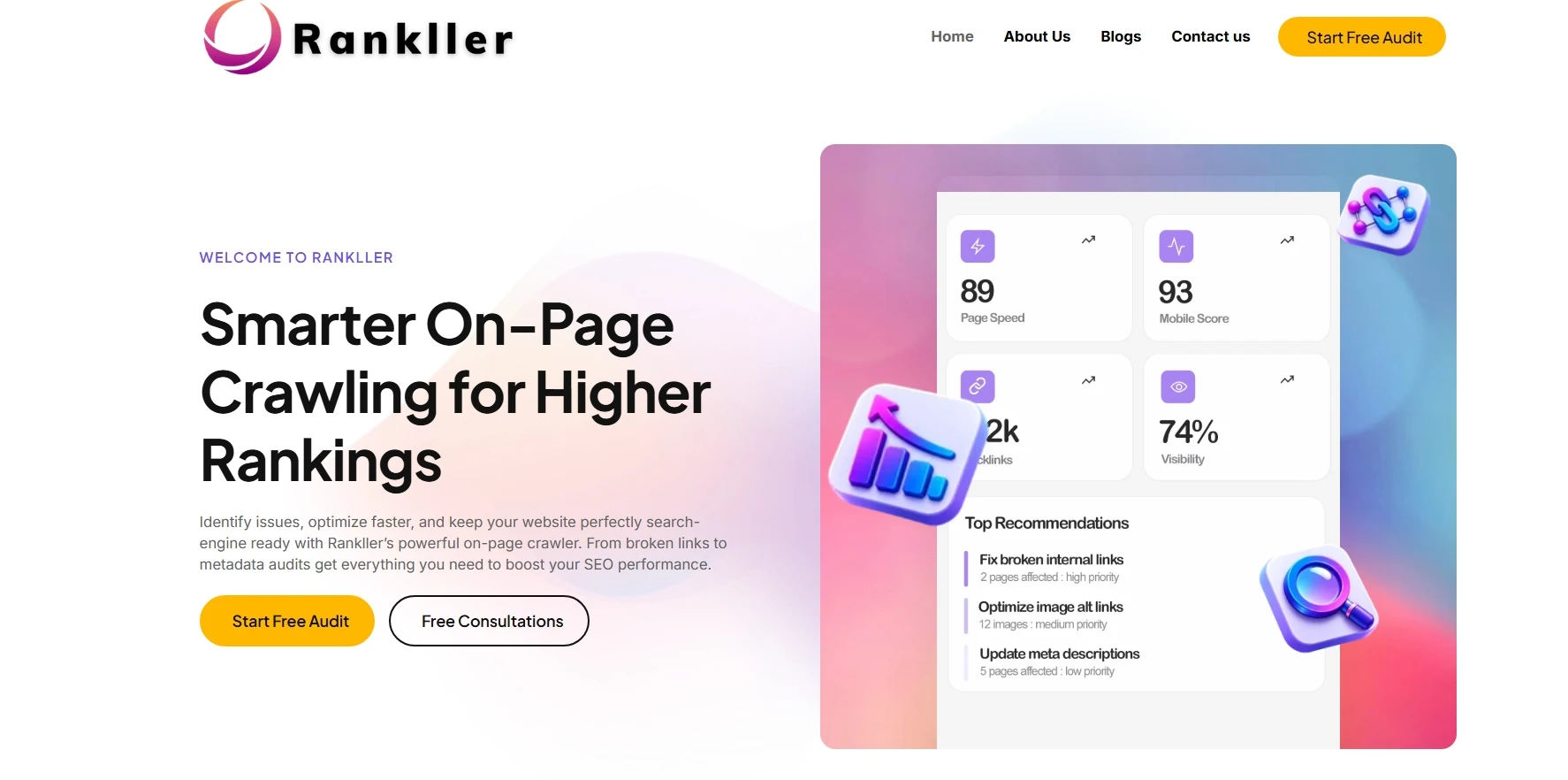
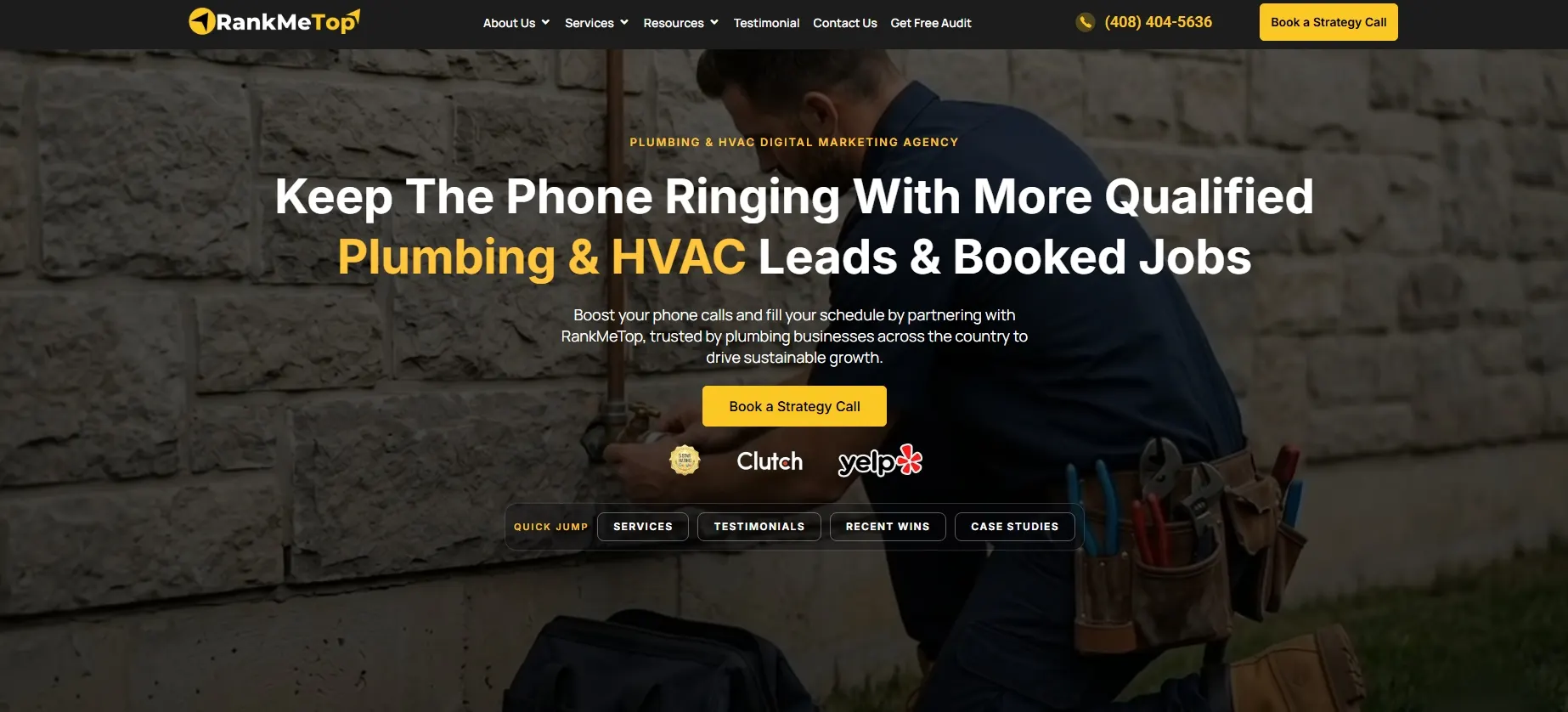
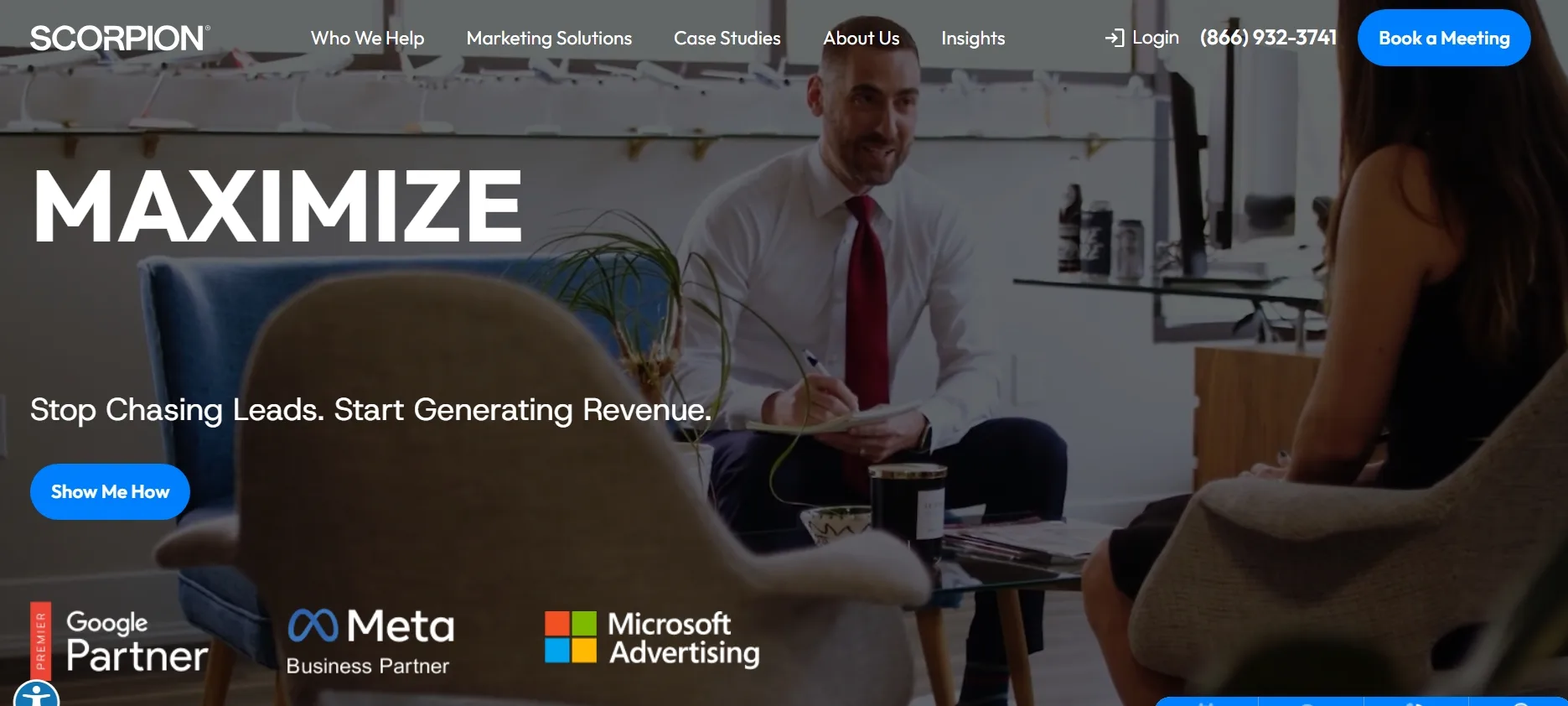
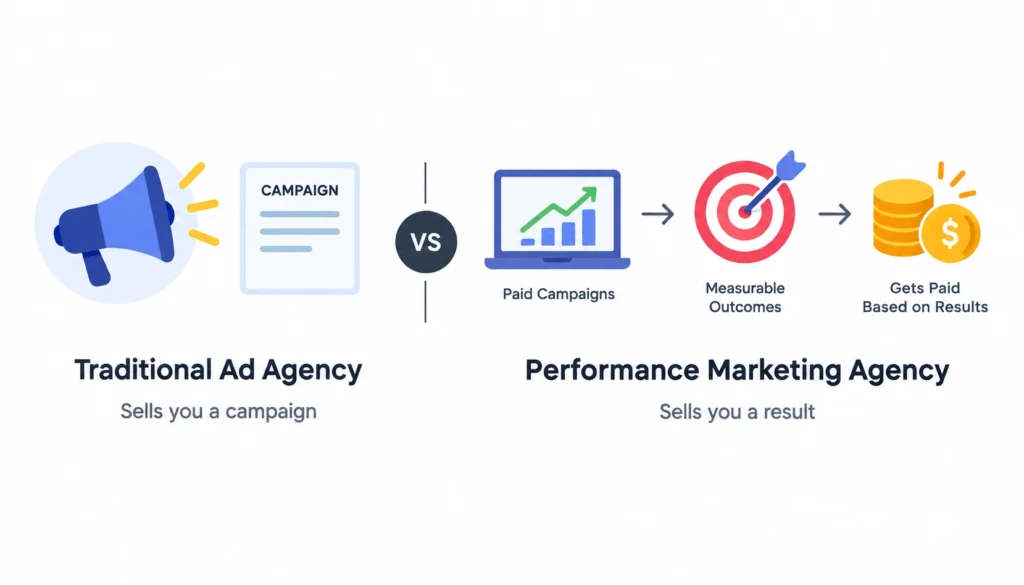
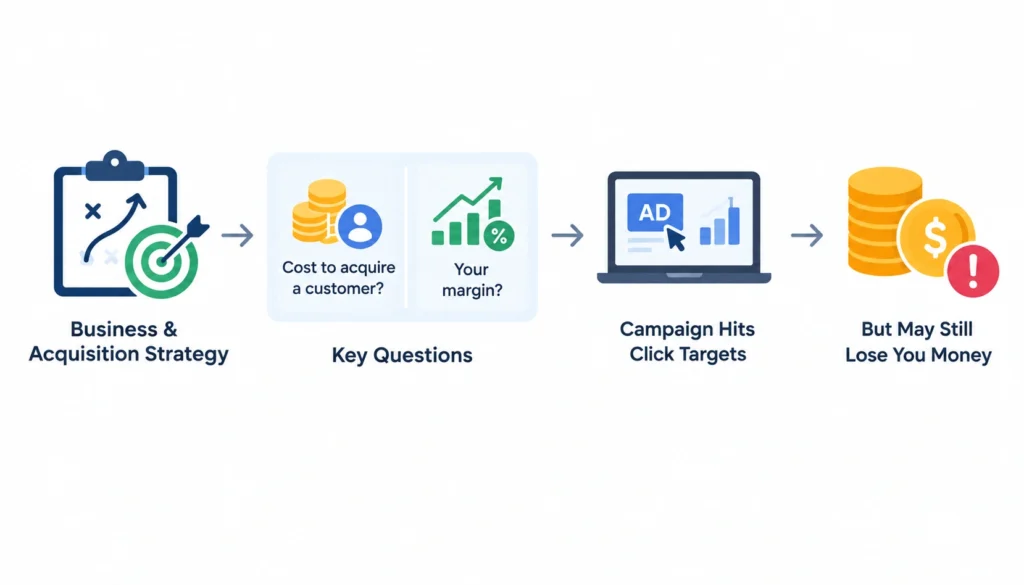
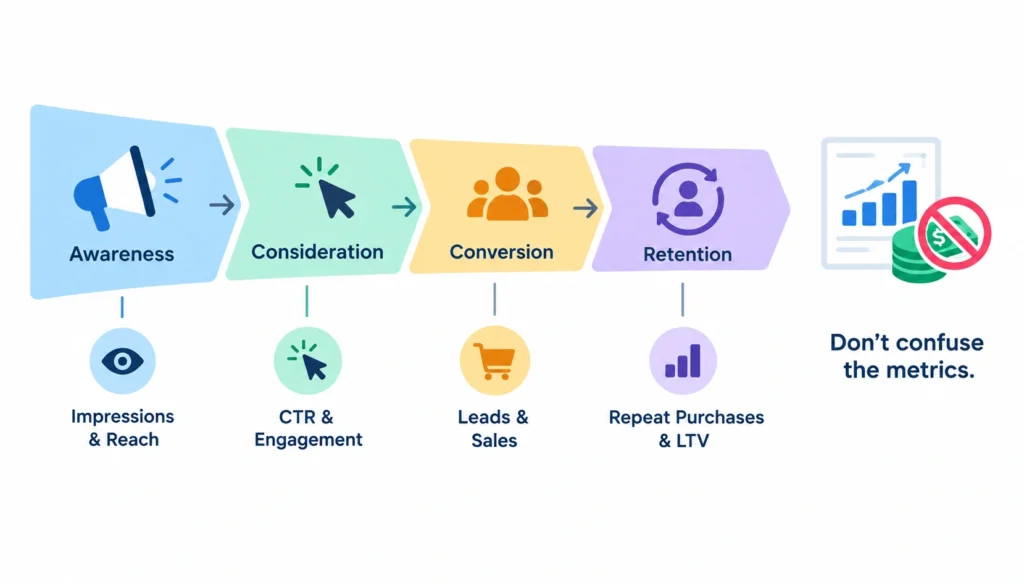
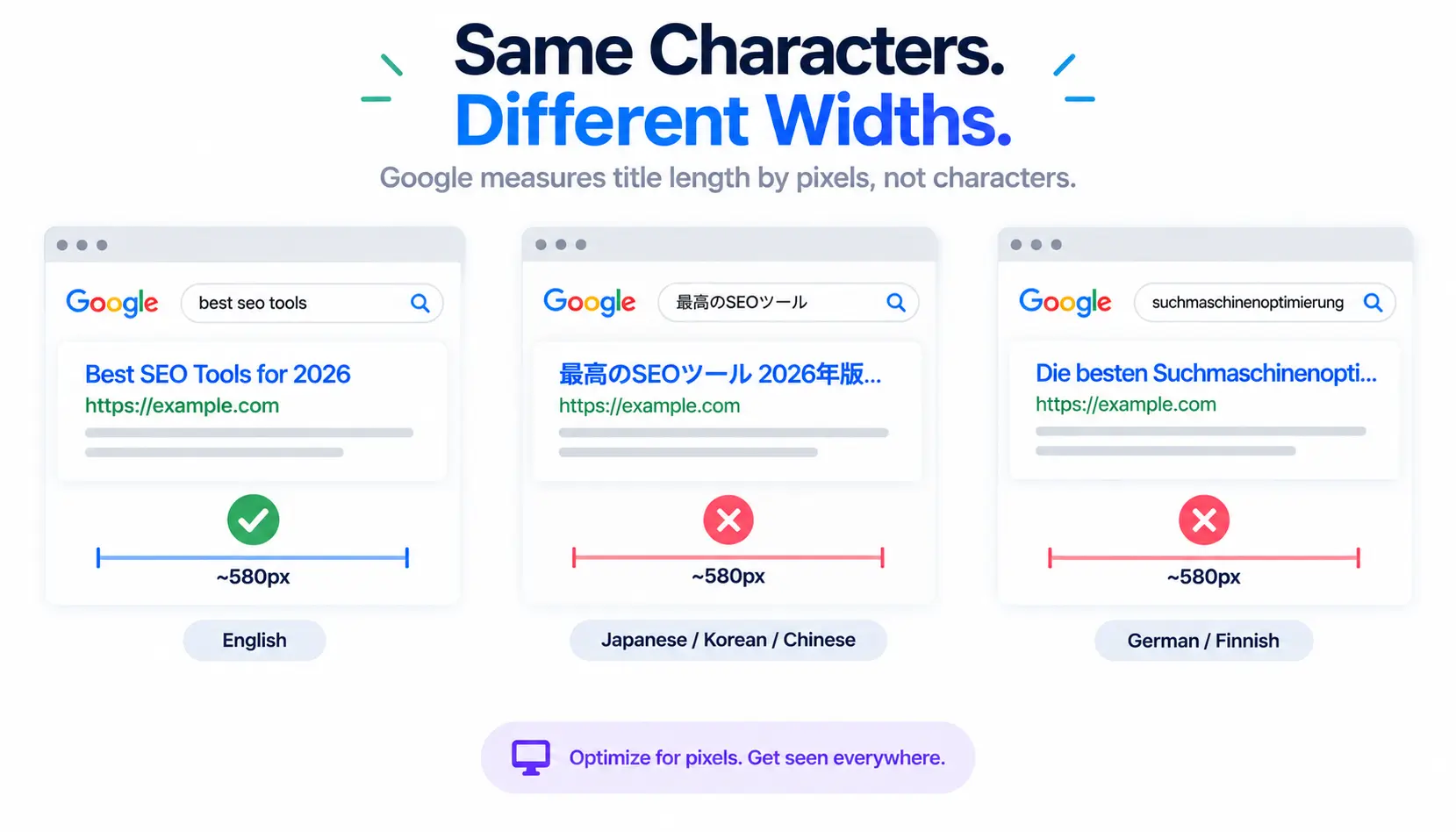
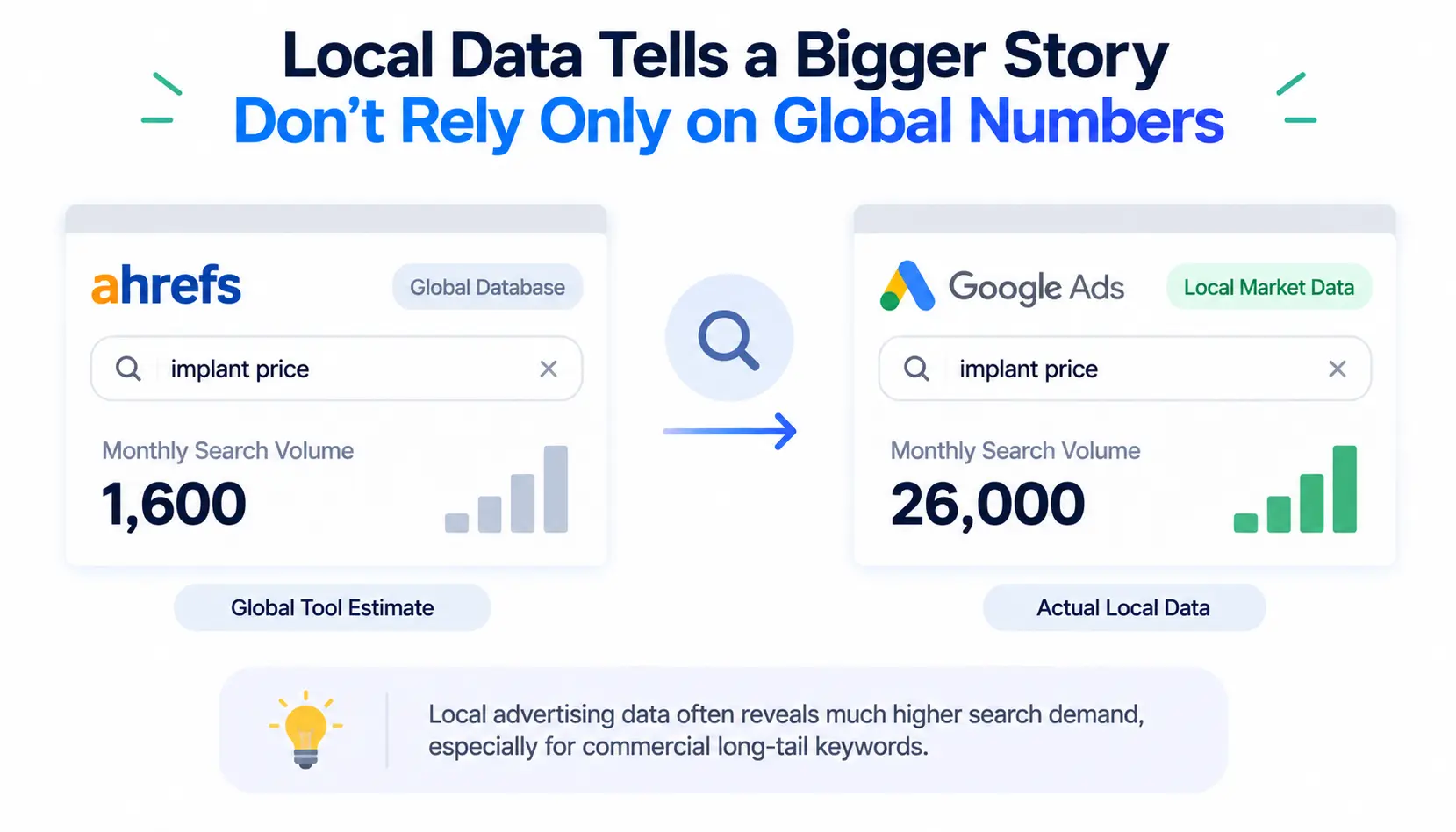
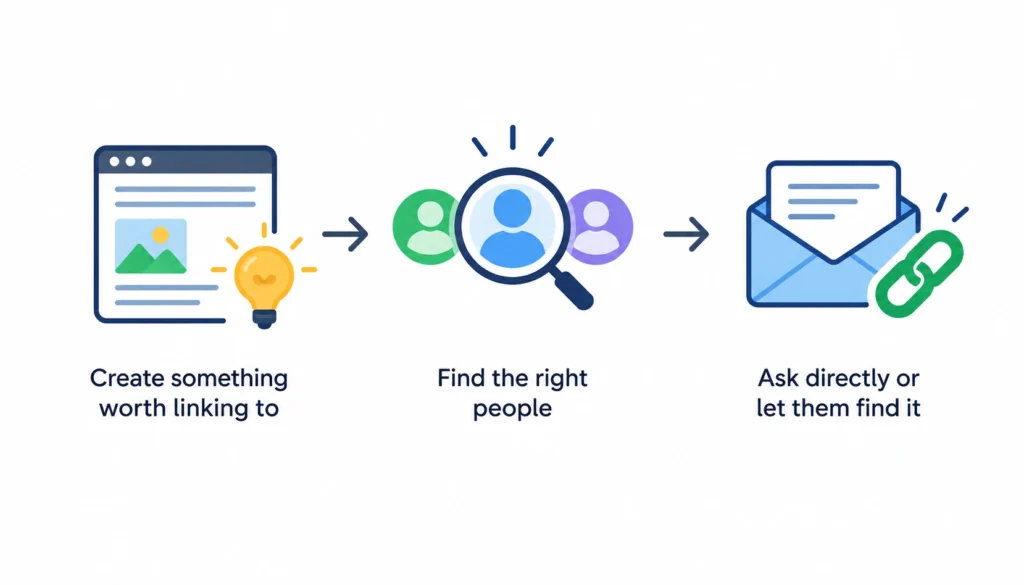
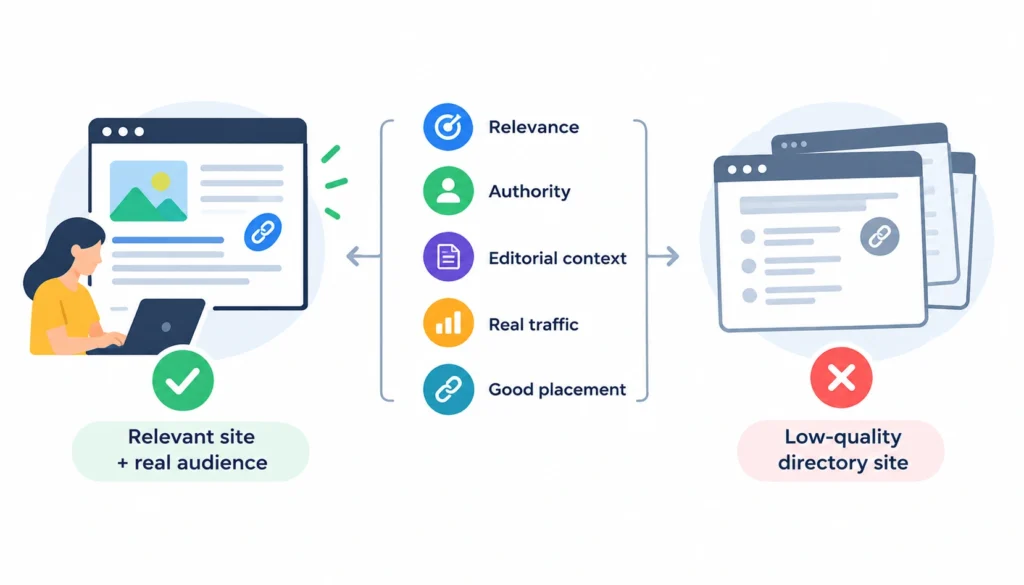
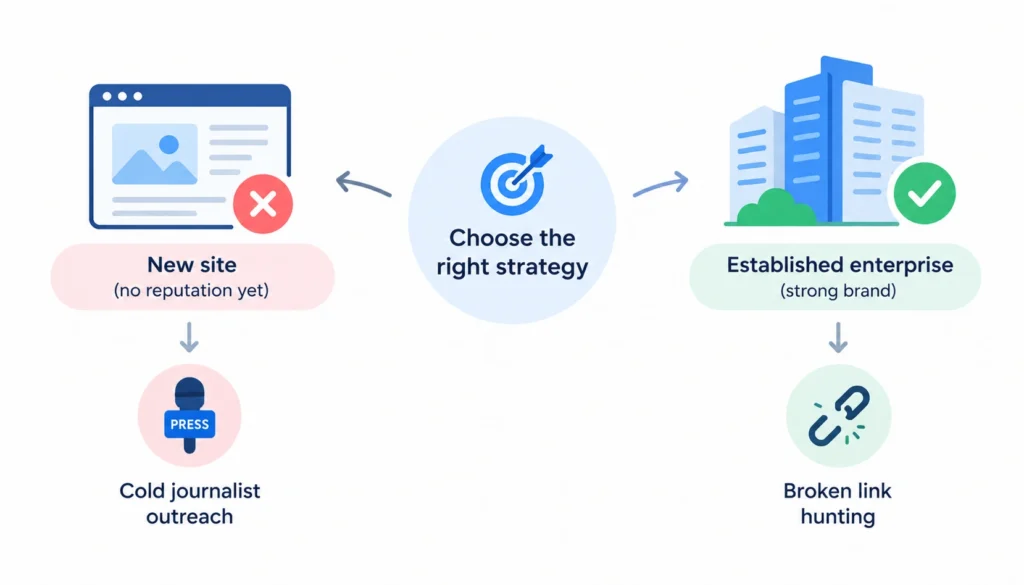

 Carnegie is a natural direct comparison because it also works specifically within higher education and has developed an Answer Engine Optimization approach for institutions adapting to AI-mediated student search. Carnegie frames AEO around making institutional information clear, consistent, and easy for AI-powered tools to understand and surface in generated answers.