Category: blogs

  • What is Rankller? A Complete Guide to the On-Page SEO Crawler That Helps You Rank Higher

    What is Rankller? A Complete Guide to the On-Page SEO Crawler That Helps You Rank Higher

    Rankller is a fast, intelligent on-page SEO crawler and website audit platform that scans your entire site, identifies what’s hurting your rankings, and tells you exactly how to fix it. No technical background required, no expensive agency needed. Just clear, actionable insights you can act on right away.

    Trusted by over 25,000 website owners, marketers, and agencies across multiple countries, Rankller has become a go-to tool for anyone serious about improving their search engine visibility. we’ll cover everything you need to know: what Rankller is, how it works, what features it offers, who it’s built for, and why it might be the most practical SEO investment you can make in 2026.

    What is Rankller?
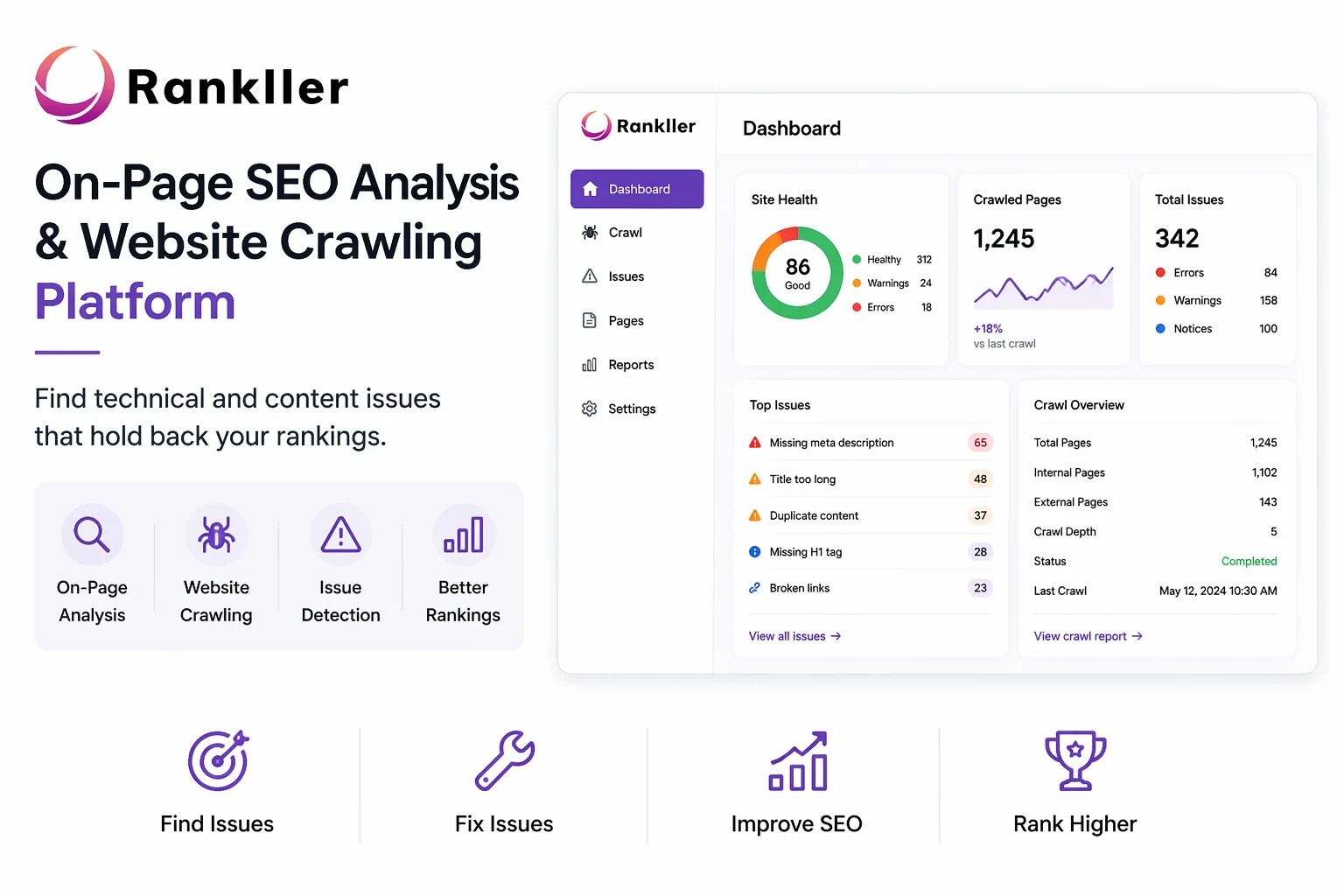
    website crawling platform
    Rankller is an on-page SEO analysis and website crawling platform designed to help website owners, marketers, and agencies identify technical and content-related issues that are holding back their search rankings.

    Think of it as a health checkup for your website. Just like a doctor checks your blood pressure and flags anything unusual, Rankller crawls every single page on your site and surfaces every SEO problem broken links, missing metadata, duplicate content, slow load times, keyword placement issues, and more all in one easy-to-read report.

    The platform was built around one clear philosophy: make on-page SEO accessible for everyone. SEO has a reputation for being complex and technical, which has traditionally meant that only large businesses with dedicated SEO teams or expensive agency retainers could do it well. Rankller changes that. Its mission is to

    Whether you run a local bakery website, a SaaS product blog, an e-commerce store, or a portfolio of client sites, Rankller works the same way: scan your site, find the problems, fix them, and rank higher.

    Who is Rankller Built For?

    Rankller is designed to serve a broad range of users, but it’s particularly valuable for:

    • Small business owners who want SEO insights without hiring an expensive agency
    • Freelance SEO consultants who need to run fast, accurate audits for client sites
    • Digital marketing agencies looking to produce professional, downloadable reports
    • In-house marketing teams responsible for ongoing website health and performance
    • Bloggers and content creators who want to handle their own on-page SEO without drowning in technical jargon

    If you have a website and you care about ranking on Google, Rankller is relevant to you.

    How Does Rankller Work?

    One of the things that makes Rankller stand out is how simple it is to use, even for people who have never run an SEO audit before. The entire process takes just a few minutes to kick off, and the results are easy to understand without any prior SEO knowledge.

    Here’s how it works, step by step:

    1. Go to rankller.com and click the “Start Free Audit” button
    2. Enter your full website URL into the crawler dashboard
    3. Rankller’s crawler automatically scans every page of your site
    4. You receive a detailed audit report showing every SEO issue found, categorized by severity
    5. Review the prioritized, plain-English recommendations for fixing each issue
    6. Make the fixes on your website or share the report with your developer or client
    7. Schedule regular audits to keep your site optimized over time

    What Rankller does particularly well is the way it presents information. Instead of dumping raw data on you and expecting you to know what to do with it, it explains each issue in plain language, tells you why it matters, and gives you a clear action step. That’s a big deal if you’re not an SEO expert.

    The crawler also works at scale. Whether your site has 10 pages or 100,000 pages, Rankller can handle the crawl and deliver results quickly something that would take hours to do manually.

    Key Features of Rankller
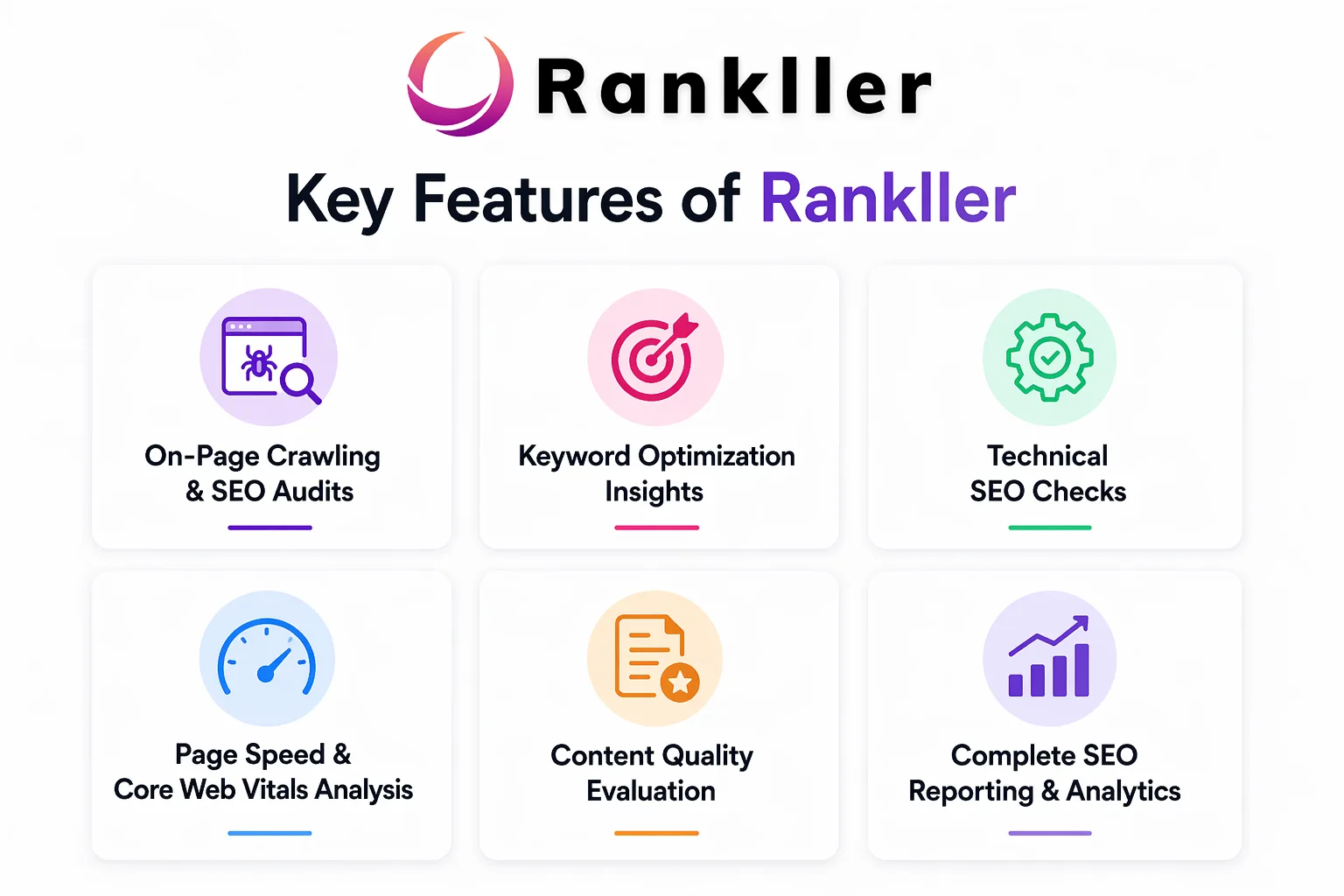
    Key Features of Rankller
    Rankller brings together a focused set of on-page SEO tools, each designed to address a specific part of your website’s health. Here’s a closer look at what’s included:

    1. On-Page Crawling & SEO Audits

    This is the heart of what Rankller does. The crawler scans your entire website and builds a comprehensive report covering every on-page SEO issue it detects. This includes missing or duplicate title tags, missing meta descriptions, broken internal and external links, pages with thin or duplicate content, images without alt text, and much more.

    The audit is visual, organized, and easy to navigate. Issues are typically categorized by type and severity, so you know which problems to fix first and which ones are lower priority. It’s the kind of clarity that usually takes hours to achieve manually Rankller delivers it in seconds.

    2. Keyword Optimization Insights

    Good content alone doesn’t guarantee rankings. Your target keywords need to appear in the right places your title tag, your H1, your opening paragraph, your meta description, and naturally throughout the body of your content.

    Rankller analyzes your pages for keyword placement and surfaces gaps where your focus keywords are missing or underused. This makes it easy to optimize existing content without having to manually read through every page yourself. It’s especially useful when you’re managing a large site with hundreds of articles or product pages.

    3. Technical SEO Checks

    Technical SEO is the part of optimization that happens behind the scenes things like redirect chains, URL structure, canonical tags, and crawlability. These issues don’t usually affect how your site looks to visitors, but they have a significant impact on how search engines read and index your pages.

    Rankller digs into all of this and flags any technical problems that could be causing Google to misread, skip, or penalize your pages. If you have redirect loops, broken canonical tags, or pages accidentally blocked from indexing, Rankller will find them.

    4. Page Speed & Core Web Vitals Analysis

    Since Google officially made Core Web Vitals a ranking factor, page speed has become more important than ever. Slow-loading pages don’t just frustrate users they also rank lower in search results.

    Rankller identifies the specific performance bottlenecks slowing your site down, whether that’s unoptimized images, render-blocking scripts, excessive CSS, or slow server response times. You get a clear picture of what’s causing the problem and what to fix, rather than just a vague “your page is slow” warning.

    5. Content Quality Evaluation

    SEO isn’t just a technical game. The quality and structure of your content matters too. Rankller evaluates your pages for readability, heading hierarchy (H1, H2, H3 structure), content length, keyword density, and duplicate content.

    If two pages on your site are saying essentially the same thing, Google may not rank either of them well. Rankller catches these conflicts and helps you clean them up before they cost you rankings. It also flags pages that are too thin on content to compete, giving you a roadmap for what to expand or improve.

    6. Complete SEO Reporting & Analytics

    One of the most practical features of Rankller especially for agencies and consultants is the ability to download clean, professional, client-ready reports. These reports are designed to be shared, not just read internally.

    If you work with clients who aren’t SEO experts, these reports make it easy to show them exactly what’s wrong, why it matters, and what the plan is to fix it – helping improve customer engagement along the way.. No raw spreadsheets, no confusing dashboards just clear, professional documentation that builds trust and shows results.

    Why Use Rankller Over Other SEO Tools?

    There’s no shortage of SEO tools on the market. Ahrefs, SEMrush, SE Ranking, Moz, Screaming Frog the list goes on. So why would you choose Rankller?

    The honest answer is that it depends on what you need. Big all-in-one platforms are powerful, but they’re also expensive, complex, and packed with features that a lot of users never touch. If you’re a small business owner or a freelancer who primarily needs to know “what’s wrong with my site and how do I fix it,” paying for a full suite of backlink analysis and competitor research tools can feel like renting a stadium when all you need is a room.

    Rankller’s strength is its focus. It does on-page SEO auditing extremely well, and it does it in a way that’s fast, affordable, and genuinely easy to use. That focused approach means you’re not paying for things you don’t need, and you’re not spending hours learning a complex platform before you can get useful results.

    Here’s a quick side-by-side comparison:

    FeatureRankllerTypical All-in-One Tool
    On-Page Audit✅ Core Focus✅ Available
    Ease of Use✅ Beginner-Friendly⚠️ Steeper Learning Curve
    Pricing✅ Affordable⚠️ Often $99–$399/mo
    Backlink Analysis❌ Not Included✅ Available
    Client-Ready Reports✅ Included⚠️ Varies by Plan
    Free Audit Option✅ Yes⚠️ Limited Trials Only
    Works for Large Sites✅ Up to 100,000 pages✅ Yes

    It’s also worth noting that Rankller has a 98% client satisfaction rate a number that reflects genuine user experience, not just marketing copy. Real users have reported seeing meaningful improvements in their rankings within weeks of using the platform, and the consistent feedback is that the insights are accurate, actionable, and easy to understand.

    What Real Users Say About Rankller

    The best way to understand any tool is to hear from the people actually using it. Rankller users range from solo entrepreneurs to full-service digital agencies, and the feedback paints a consistent picture.

    Small business owners appreciate that they can finally understand what’s happening with their SEO without needing a technical background. One user noted that the insights were accurate and that improvements started showing up within weeks of acting on Rankller’s recommendations.

    SEO consultants and agencies value the crawler’s speed and the quality of the reports. When you’re managing multiple client sites, being able to run a full audit in seconds and immediately hand a professional report to a client — saves hours of work every week.

    For teams managing large sites, Rankller’s ability to crawl hundreds of pages and surface issues like duplicate content and broken links at scale has been described as a significant time-saver. One user mentioned using it to audit a site with hundreds of pages, catching duplicate content and broken links that would have taken days to find manually.

    The common thread across all these users is the same: Rankller makes SEO feel manageable. That’s not a small thing.

    Using Rankller as an Agency or Freelancer
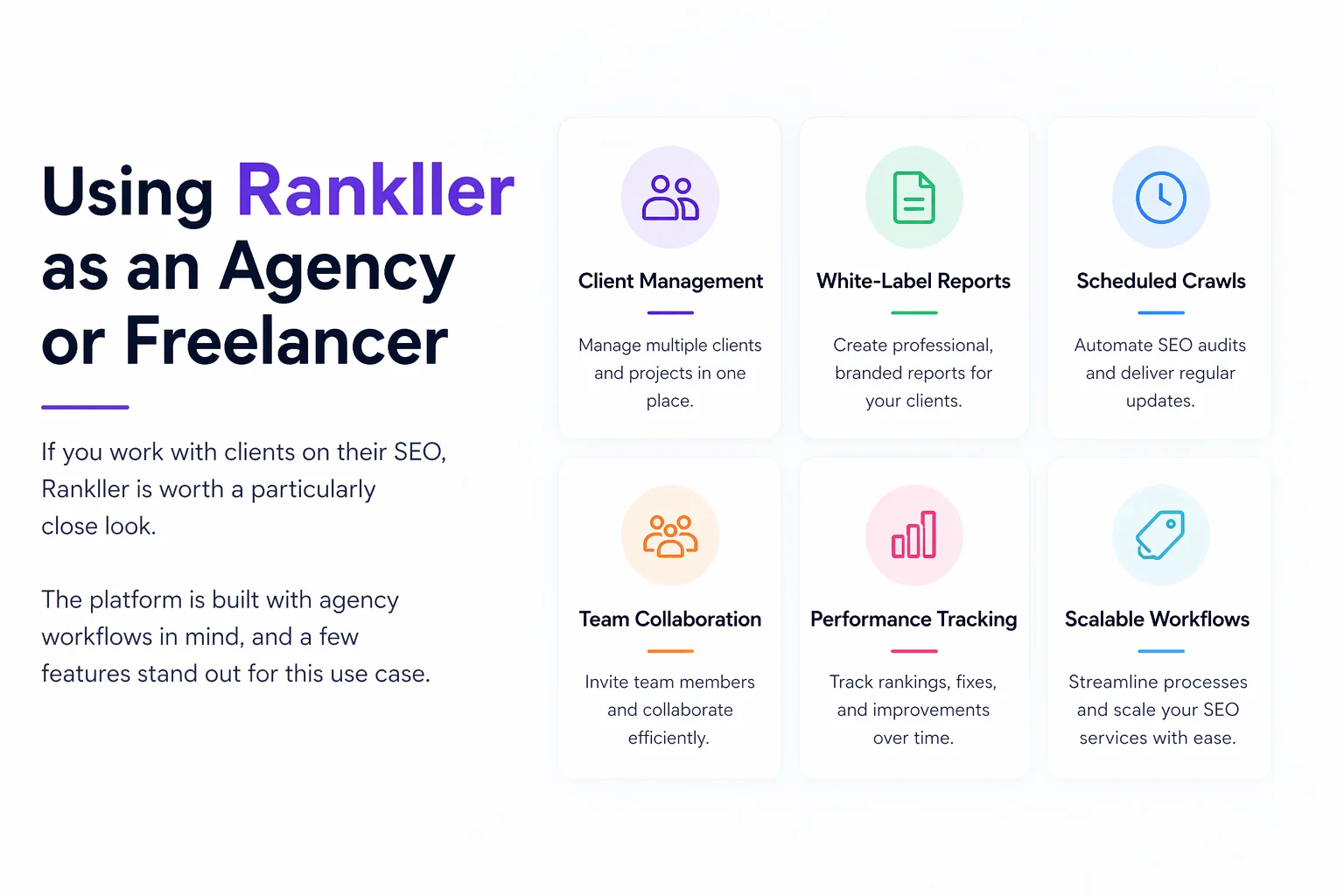
    Agency or Freelance
    If you work with clients on their SEO, Rankller is worth a particularly close look. The platform is built with agency workflows in mind, and a few features stand out for this use case.

    First, the reporting. Client-ready reports are one of Rankller’s strongest selling points for agencies. Instead of exporting raw data from a crawler and spending time cleaning it up and turning it into something presentable, Rankller generates reports that are already formatted for non-technical audiences. You can hand them directly to a client or use them as the foundation for a strategy presentation.

    Second, the speed. When you’re managing five, ten, or twenty client sites, the time you spend on audits adds up fast. Rankller’s fast crawling technology means you can audit multiple sites in the time it would otherwise take to audit one manually.

    Third, the scalability. Rankller works equally well on a 15-page local business site running local SEO services as it does on a 50,000-page e-commerce store. You don’t need different tools for different client types one platform handles all of it.

    For freelancers in particular, the affordable pricing model means you get premium-level SEO insights without eating into your margins. Compare that to some enterprise SEO tools that charge hundreds of dollars per month, and Rankller starts to look like a very smart business decision.

    Is Rankller Free to Use?

    Rankller offers a free audit option at audit.rankller.com, which lets you run a full website crawl at no cost. This is a great starting point if you want to see what the platform can do before committing to anything.

    The free audit gives you a real look at your site’s SEO health not a watered-down preview or a teaser designed to frustrate you into upgrading. You get genuine, actionable data from day one.

    For users who need more more frequent crawls, larger site coverage, downloadable reports, or agency-level features Rankller’s paid plans are priced to be accessible. The platform is explicitly positioned as a cost-effective alternative to expensive SEO agencies, and that philosophy carries through to the pricing structure.

    You can also request a free consultation directly through the Rankller website if you want to talk through your specific needs before getting started.

    How to Get Started with Rankller Today

    Getting your first Rankller audit up and running takes about five minutes. Here’s the full process:

    • Visit rankller.com in your browser
    • Click “Start Free Audit” on the homepage
    • Enter your full website URL in the crawler field
    • Allow Rankller to crawl and analyze your site (this typically takes seconds to a few minutes depending on your site size)
    • Review your SEO audit report pay attention to high-severity issues first
    • Work through the recommendations, fixing issues in order of priority
    • Download and share your report if you’re working with a team or client
    • Schedule regular audits monthly at minimum, or after any major site changes

    Frequently Asked Questions

    What is Rankller used for?
    Rankller audits websites to find on-page SEO issues and gives clear fixes to improve rankings.

    IsRankller free to use?
    Yes, it offers a free audit with no signup. Paid plans unlock advanced features.

    How is Rankller different from Ahrefs or SEMrush?
    Rankller focuses on on-page SEO audits, making it simpler and more affordable than all-in-one tools.

    How often should I audit my website?
    Monthly is ideal, or more often if your site updates frequently.

    Does Rankller work for small websites?
    Yes, it works for all site sizes and is especially useful for small businesses.

    Can I use Rankller for client audits?
    Yes, it provides professional reports that are easy to share with clients.

    What issues does Rankller detect?
    It detects issues like broken links, missing tags, duplicate content, slow speed, and more.

    conclusion

    If you’ve been frustrated by your website’s performance in search results, chances are the answer isn’t more content or a bigger budget. More often than not, it’s a handful of technical and on-page issues that are quietly holding everything back. Missing meta descriptions. Broken internal links. Pages with duplicate content. Images without alt text. Redirect chains that confuse crawlers. These problems are invisible to the average visitor, but they’re very visible to Google and they can be the difference between ranking on page one and not ranking at all.Rankller makes it easy to find every one of these issues and fix them. It’s fast, it’s affordable, it’s built for real people rather than SEO engineers, and it genuinely delivers results. Whether you’re managing your own site or running SEO for clients, it’s one of the most practical tools you can add to your workflow.
  • Keyword Clustering & Topic Mapping: The Complete Guide to Dominating Search in 2026

    Keyword Clustering & Topic Mapping: The Complete Guide to Dominating Search in 2026

    Keyword clustering is the process of grouping related keywords that share the same search intent into a single content piece instead of creating separate pages for each one.

    Think of it this way: if someone searches “best email marketing tools” and another person searches “top email marketing platforms,” they want the same thing. Google knows this. Rather than building two competing articles, you build one comprehensive guide that satisfies both searches.

    Instead of 50 weak, scattered pages fighting over similar keywords, you end up with 10 strong, authoritative pages that each own their topic.

    Topic mapping is the strategic process of visually organizing your keyword clusters into a content architecture. Where clustering tells you which keywords belong together, topic mapping tells you how those groups connect across your entire website.

    A topic map shows you:

    • Which topics become pillar pages (broad, high-volume cornerstone content)
    • Which topics become cluster articles (focused, supporting content)
    • How all pages link to each other through internal links
    • Where your content gaps are

    Keyword Clustering vs. Topic Mapping — What is the Difference?

    AspectKeyword ClusteringTopic Mapping
    DefinitionGrouping keywords that share the same search intent onto one pagePlanning how all those keyword groups fit together into your site’s content architecture
    FocusIndividual keywords and their relationshipsThe big-picture structure of your entire content strategy
    LevelPage-level — decides what goes on a single pageSite-level — decides how all pages connect to each other
    OutputGroups of related keywords assigned to specific pagesA visual map of pillar pages, cluster articles, and internal links
    GoalRank for multiple related keywords with one strong pageBuild topical authority across your entire website
    PreventsKeyword cannibalization — multiple pages competing for the same termContent silos — isolated pages with no topical connection
    Tools usedAhrefs, Semrush, Answer Socrates, KeyClustersSearch Atlas, Semrush Content Planner, Google Sheets, Screaming Frog
    When to do itAfter keyword research, before writing any contentAfter clustering, before building your editorial calendar
    AnalogyDeciding which chapters belong in one bookDesigning the library that holds all your books

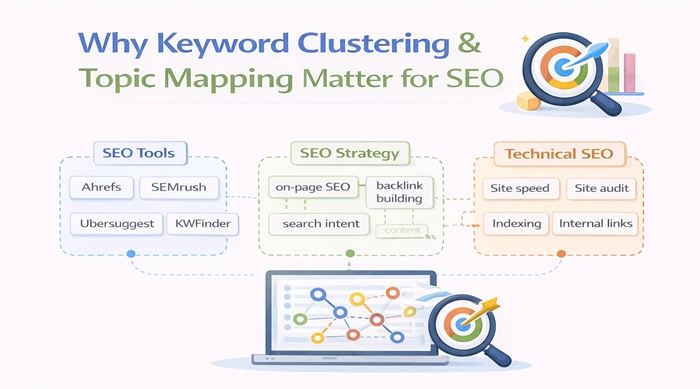
    Why Keyword Clustering & Topic Mapping Matter for SEO
    Keyword Clustering & Topic Mapping

    1: Builds Topical Authority

    When you group related content under a central pillar page, you signal to search engines that your site is a comprehensive source on a subject. This is what SEOs call topical authority and it is one of the strongest ranking signals in 2026, especially after Google’s core updates that prioritized depth and credibility over keyword density.

    2: Prevents Keyword Cannibalization

    Keyword cannibalization happens when two or more of your articles fight for the same keyword, splitting authority and causing neither to rank well. This is one of the most common and costly mistakes in content SEO. Keyword clustering prevents it by mapping every keyword to exactly one page before you write anything.

    3: Improves Site Architecture

    A properly mapped content structure gives search engine crawlers a clear path through your site. It makes it easier to index your pages and understand the relationships between them — which directly improves how your content ranks.

    4: Boosts User Experience

    When your content is organized around topics, readers can naturally navigate from one related article to the next. This reduces bounce rates, increases time on site, and signals to Google that your content is genuinely useful all positive ranking signals.

    The same idea shows up whenever user experience depends on how well information and interaction are structured, whether in digital content systems or broader experiential marketing solutions, where clarity and flow directly shape how people perceive and engage with what’s being presented.

    5: Scales Your Content Output Efficiently

    A single well-researched topic cluster can rank for 30 to 50 keyword variations. That means fewer articles to maintain, more keywords to rank for, and a content strategy that compounds over time instead of fading after each publish.

    Types of Keyword Clustering

    Types of keywords
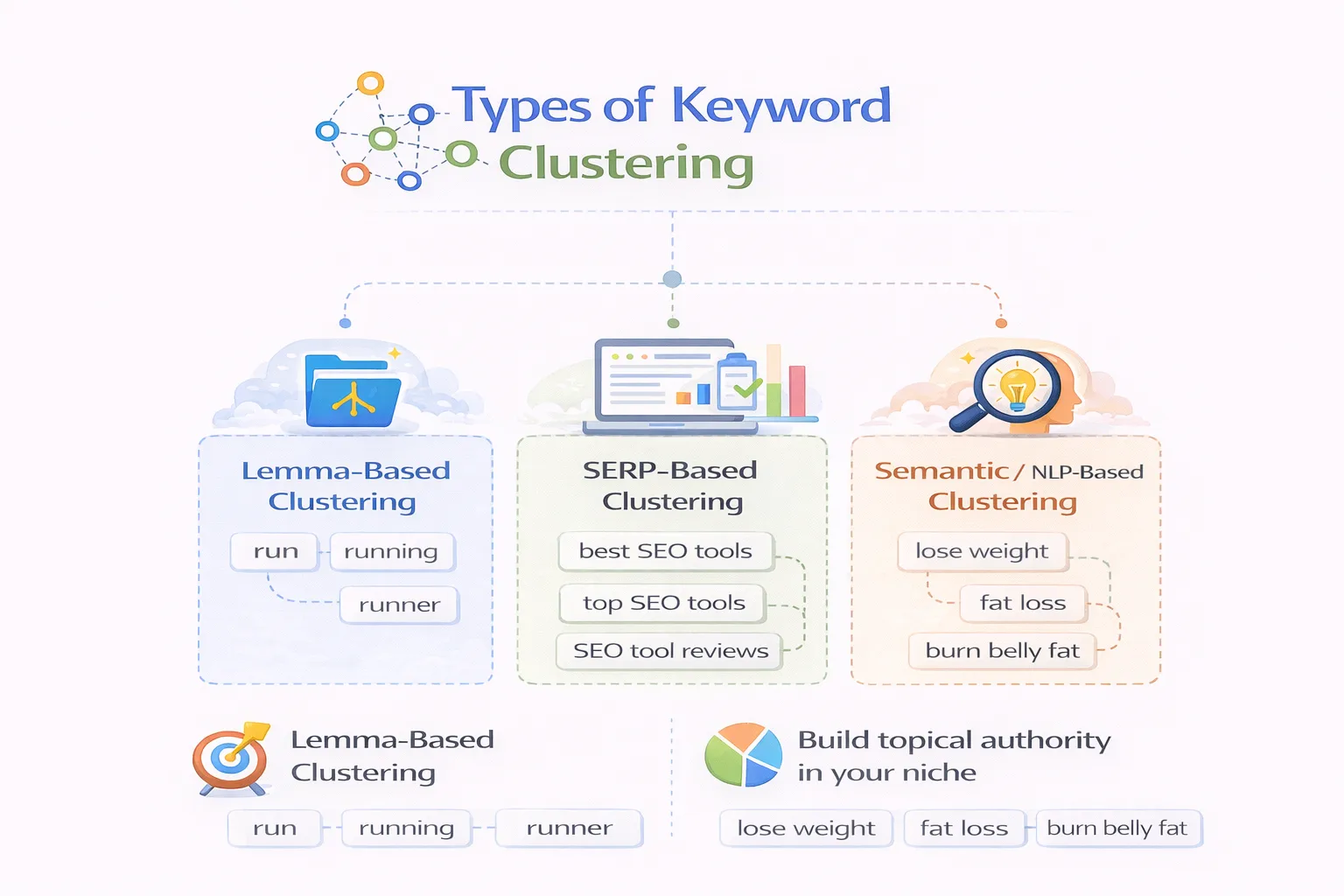
    1. Lemma-Based Clustering

    This method groups keywords by shared root words. For example, ‘cluster,’ ‘clusters,’ and ‘clustering’ share the same root. It is the most basic approach and is used by many free tools. It is fast but misses intent nuances.

    2. SERP-Based Clustering

    This is the gold standard. The tool searches each keyword on Google and groups keywords together when the same URLs appear in their top results. The logic is simple: if Google shows the same pages for two keywords, they share the same intent. This method directly reflects how Google thinks about topics.

    3. Semantic / NLP-Based Clustering

    This uses natural language processing and AI (similar to Google’s BERT model) to understand meaning and intent — not just word similarity. It can catch connections that SERP-based tools miss, especially for niche topics with limited search volume.

    Step-by-Step: How to Do Keyword Clustering & Topic Mapping

    Step 1: Collect Your Seed Keywords

    Start with 3 to 5 broad topics that are most relevant to your business. Use tools like Ahrefs, SEMrush, or Google Keyword Planner to pull a full keyword list. For each keyword, gather search volume, keyword difficulty, and the top-ranking URLs. This raw list becomes the foundation of your topic map.

    Step 2: Clean Your Keyword List

    Before grouping anything, remove duplicates, off-topic phrases, and irrelevant terms. Add rough topic labels (like ’email marketing,’ ‘SEO tools,’ or ‘content strategy’) to give yourself a head start. This step saves hours later.

    Step 3: Group by Search Intent

    Search intent is the most critical factor when clustering. Keywords can look similar but serve completely different purposes. Always categorize your keywords before grouping:

    • Informational — ‘How to do keyword clustering’ (people learning)
    • Commercial — ‘Best keyword clustering tools’ (people comparing options)
    • Transactional — ‘Buy Semrush subscription’ (people ready to act)

    Mixing intents in a single cluster confuses both users and search engines. Group only keywords that share the same intent on the same page.

    Step 4: Identify Your Pillar Topics

    Choose 3 to 5 main themes as your pillar pages. Each pillar should be a broad, high-volume keyword that can serve as an umbrella for multiple related subtopics. For example, if your niche is SEO, a pillar might be ‘keyword research’ — with clusters branching into ‘how to do keyword research,’ ‘keyword research tools,’ and ‘long-tail keywords.’

    Step 5: Map Your Cluster (Supporting) Content

    For each pillar, plan 5 to 10 supporting articles that cover specific angles, subtopics, questions, and use cases. The best clusters cover:

    • Definitions and beginner guides
    • How-to tutorials
    • Comparisons and alternatives
    • Troubleshooting and FAQs
    • Advanced use cases and case studies

    Step 6: Build Your Topic Map

    Now create a visual or spreadsheet map showing the pillar-to-cluster relationships. Tools like Search Atlas, Semrush’s Content Planner, or even a well-organized Google Sheet work great here. The goal is to see your entire content architecture on one page before you write a single word.

    Step 7: Build Internal Links

    After publishing, connect your cluster articles to their pillar page and to each other using natural anchor text. Instead of forcing keyword-stuffed links, write naturally: ‘read our full guide on topic mapping’ or ‘learn more about pillar page strategy.’ This internal linking structure is what tells Google your site is an authority — not just a collection of unrelated posts.

    Step 8: Publish, Track, and Refine

    Launch your cluster content, then monitor performance at the cluster level — not just individual pages. Set up dashboards in Google Search Console or Ahrefs to track which keywords each cluster ranks for, where there is cannibalization, and where clusters need to be expanded or split. Keyword clustering is a living system, not a one-time task.

    Best Tools for Keyword Clustering & Topic Mapping in 2026

    You do not need to do this manually. Here are the best tools to streamline your keyword clustering and topic mapping workflow:

    ToolBest For
    Semrush Keyword Strategy BuilderAuto-clusters keywords using SERP data; great for large keyword lists
    AhrefsBest for raw keyword extraction, competitor research, and SERP analysis
    Search AtlasAI-powered topical map generator with one-click article publishing
    Answer SocratesFinds question-based keywords other tools miss; generous free plan
    Google Search ConsoleFree tool to discover existing content already attracting traffic
    KeyClustersSERP-based clustering with pay-as-you-go pricing; flexible for agencies
    ThruuuAnalyzes competitor data within each keyword cluster; great for content briefs

    Common Mistakes to Avoid

    1: Splitting Clusters Too Small

    If you create a cluster for every tiny keyword variation, you end up with dozens of thin pages that compete with each other. Group generously if two keywords have the same intent and the same SERP results, they belong on the same page.

    2: Grouping by Word Similarity Instead of Intent

    ‘Email marketing software’ and ’email marketing history’ contain the same words but serve completely different purposes. Always cluster by what the searcher wants to accomplish, not by what the words look like.

    3: Ignoring Cannibalization After Publishing

    Keyword clustering prevents cannibalization before you publish but it can still happen as your site grows. Audit your clusters every 3 to 6 months and look for pages accidentally competing for the same terms.

    4: Skipping Internal Linking

    The most common mistake after building a cluster structure is not linking the pages together. Internal links are what activate the topical authority signal. Without them, your cluster is just a folder of isolated articles.

    5: Letting Clusters Go Stale

    SERPs change. New competitors appear. Search intent evolves. Revisit your topic map quarterly and update clusters that are losing rankings or missing new keyword opportunities.

    Keyword Clustering & Topic Mapping for Different Use Cases

    1: For Bloggers

    Use keyword clustering to build a content calendar that guarantees every article you write contributes to a broader topical authority strategy. Instead of publishing randomly, publish in clusters — launch your pillar first, then release supporting articles one by one over the following weeks.

    2: For eCommerce Sites

    Map product category pages as your pillar pages, with supporting content covering buying guides, comparison articles, how-to posts, and FAQ pages. This connects your product pages to high-intent informational content, which drives both rankings and conversions.

    3: For SaaS Brands

    Map your keyword clusters to funnel stages. Informational clusters build awareness, commercial clusters drive consideration, and transactional clusters close the deal. This ensures your content strategy is not just driving traffic it is driving qualified leads at every stage of the buyer journey.

    4:For Agencies

    Use topic maps as a client deliverable. A visual content architecture is far easier to explain than a spreadsheet of keywords. It shows clients exactly what you plan to build, why, and how each piece contributes to their ranking goals.

    How to Measure the Success of Your Clusters

    Do not just track individual page rankings. Track the entire cluster.

    Key metrics to monitor:

    • Organic traffic per cluster: is the cluster as a whole driving more visitors over time?
    • Keyword coverage rate: what percentage of your target keywords within each cluster rank in the top 10?
    • Ranking improvements: are pillar and cluster pages moving up together?
    • Cannibalization signals: are multiple pages from the same cluster appearing for the same query?
    • AI Overview citations: is your content being referenced in Google’s AI-generated answers?

    Set up a shared dashboard in Google Search Console or Ahrefs that groups your pages by cluster. Review it monthly and treat it as a living content strategy document — not a one-time report.

    Frequently Asked Questions

    Q: What is keyword clustering in SEO?

    A: Keyword clustering is the process of grouping related keywords that share the same search intent into a single page instead of creating separate articles for each one. It helps you rank for multiple queries with less content while building topical authority.

    Q: What is the difference between keyword clustering and topic mapping?

    A: Keyword clustering groups keywords by intent onto a single page. Topic mapping is the broader process of organizing all your clusters into a site-wide content architecture, showing which pages are pillars, which are supporting articles, and how they link together.

    Q: How many keywords should be in a cluster?

    A: There is no fixed number. A cluster can have 3 keywords or 30, depending on how many share the same search intent and SERP results. Focus on intent match, not quantity.

    Q: What is the best free keyword clustering tool?

    A: Answer Socrates and Google Search Console are excellent free options. Answer Socrates finds question-based keywords and clusters them semantically, while GSC shows you which keywords your existing pages already rank for.

    Q: Does keyword clustering help with Google rankings?

    A: Yes, significantly. By targeting multiple related keywords with one strong page, you build topical authority, reduce keyword cannibalization, and give Google a clearer signal of your expertise — all of which improve rankings.

    Q: How often should I update my topic map?

    A: Review your topic map every quarter. SERPs evolve, new competitor content appears, and search intent shifts over time. Regular audits ensure your clusters stay relevant and continue compounding authority.

    Conclusion

    Keyword clustering is the process of grouping related keywords by search intent onto one page, while topic mapping is the strategic planning of how all those pages connect across your site. Together, they form the core of topical authority the single most important ranking signal in modern SEO.

    Their relevance is direct: Google no longer ranks isolated pages, it ranks websites that demonstrate structured, comprehensive expertise. Keyword clustering & topic mapping give your content that structure. Sites using this approach rank for more keywords, attract more organic traffic, and hold their positions longer than those relying on single-keyword targeting.


  • Competitor Keyword Research Strategy: How to Find, Analyze, and Outrank Your Competition

    Competitor Keyword Research Strategy: How to Find, Analyze, and Outrank Your Competition

    You’ve published your content. You’ve optimized your pages. But somehow, your competitors keep showing up above you on Google. Sound familiar? The problem might not be your writing it might be that you’re targeting the wrong keywords. That’s exactly where a solid competitor keyword research strategy comes in. Instead of guessing which terms will work for you, you look at what’s already driving traffic to your competitors and use that data to build a smarter content plan.

    Think of it as competitive intelligence for SEO. You’re not copying your competitors you’re learning from what’s working in your niche and finding the gaps they’ve left open for you to fill. you’ll learn the full step-by-step process: how to find your real SEO competitors, extract their top keywords, run a keyword gap analysis, and turn those insights into content that ranks. And yes, organic search accounts for 44.6% of all B2B revenue so getting this right matters.

    What Is Competitor Keyword Research and Why Does It Matter?

    Competitor Keyword Research
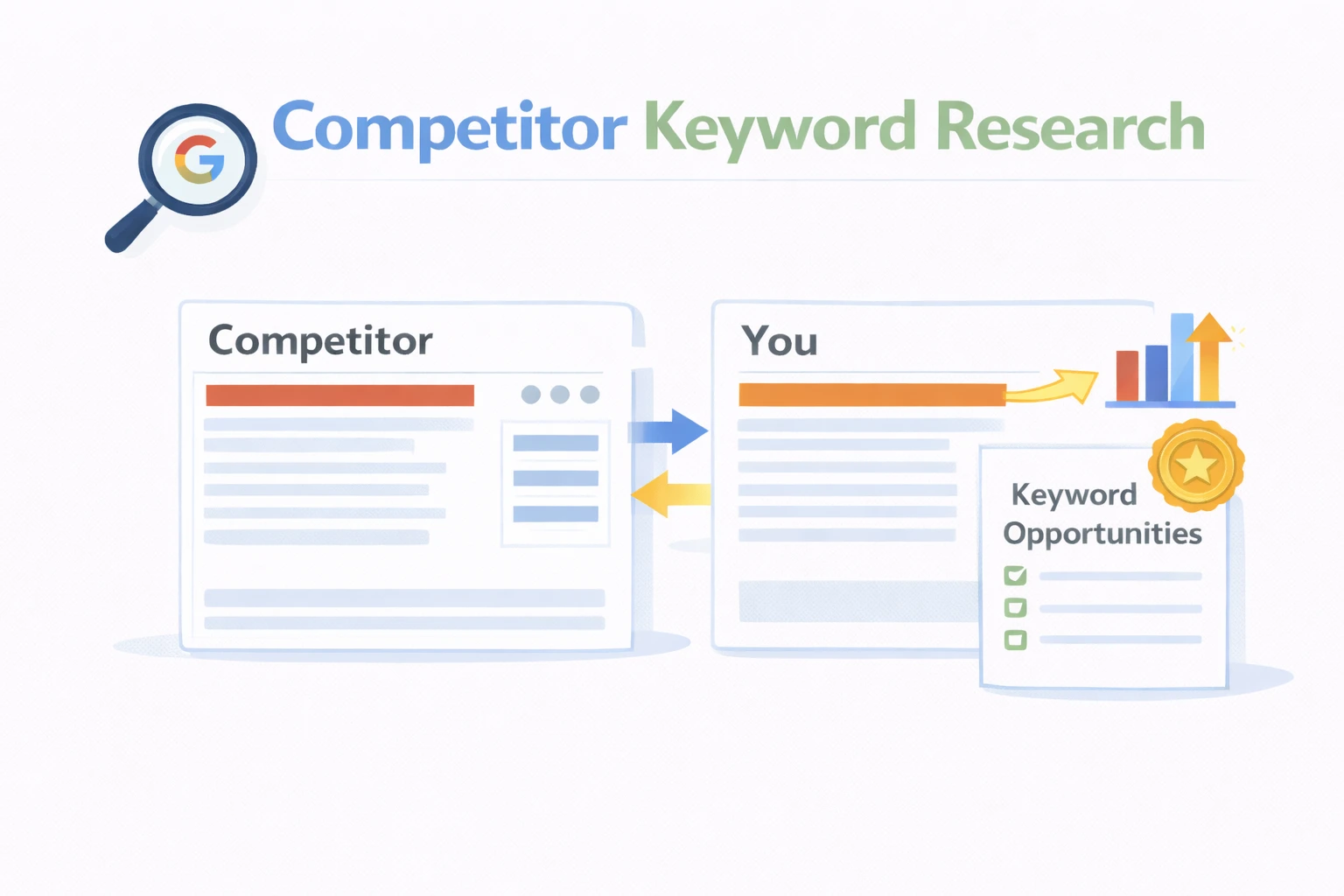
    Competitor keyword research is the process of identifying the search terms your competitors rank for in Google, then using that information to improve your own SEO strategy. It’s one of the fastest ways to find keyword opportunities because you’re starting with proven data not hunches.

    Unlike traditional keyword research where you start with a seed word and brainstorm outward, competitor keyword research starts with what’s already working. You’re looking at terms that are actively sending traffic to other websites in your niche.

    What can you learn from your competitors’ keywords?

    • Content gaps: Topics that competitors are ranking for that you haven’t covered yet
    • Traffic opportunities: Keywords with real search volume that you could realistically rank for
    • Audience intent: What your potential customers are actually searching for at each stage of their journey
    • Quick wins: Low-competition terms where competitors rank weakly, giving you an easy path in

    Here’s a simple way to think about it: if a travel blogger keeps showing up on page one for ‘best hiking trails in Patagonia,’ that keyword is a proven traffic driver. You don’t need to guess the data tells you it works. Your job is to create something better.

    Find Who You’re Actually Competing Against in Search

    Before you can analyze competitor keywords, you need to know who your real SEO competitors are — and they might surprise you.

    Your SEO competitors are not necessarily your business competitors. A local bakery’s business competitor might be the shop down the street. But their SEO competitor could be a food blog that ranks for ‘best croissants in [city]’ and sends readers their way instead.

    How to identify your SEO competitors

    1. Google your main keywords manually the sites that consistently appear on page one are your SEO competitors.
    2. Use Ahrefs or SEMrush both tools auto-identify which domains compete with yours for the same keywords.
    3. Check the ‘Competing Domains’ feature in your SEO tool of choice it gives you a ranked list of overlapping keyword targets.

    Aim to identify 3 to 5 strong competitors. Too few and you’ll miss opportunities; too many and the data becomes overwhelming.

    Direct vs. indirect competitors what’s the difference?

    A direct competitor offers the same product or service to the same audience. An indirect competitor targets overlapping keywords from a different angle think industry blogs, news sites, or aggregators.

    Both types are worth analyzing. Indirect competitors often rank for informational keywords that can drive top-of-funnel traffic your way.

    Extract the Keywords Your Competitors Are Ranking For

    Extract the Keywords Your Competitors
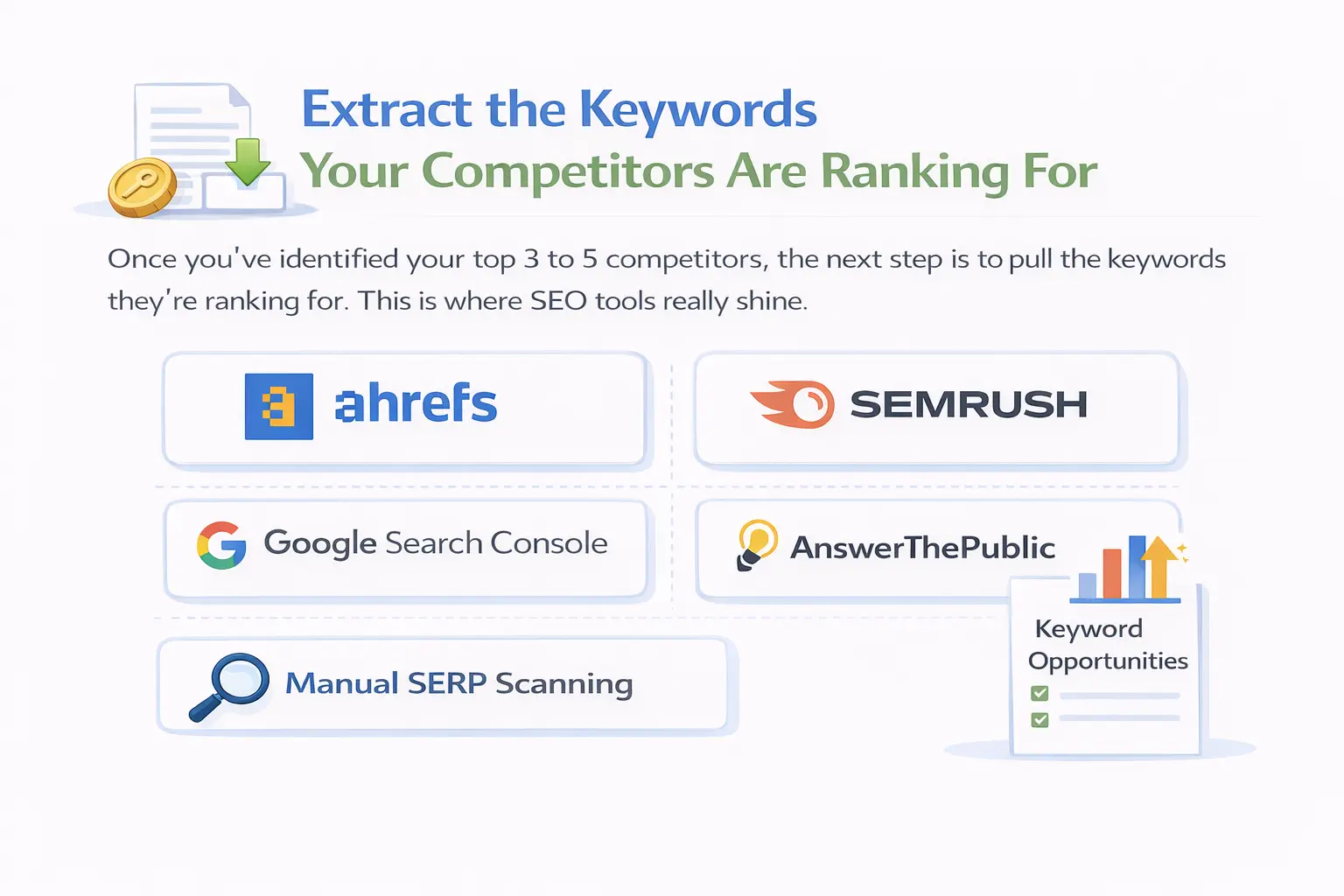
    Once you’ve identified your top 3 to 5 competitors, the next step is to pull the keywords they’re ranking for. This is where SEO tools really shine.

    Using Ahrefs

    • Open Ahrefs Site Explorer and enter your competitor’s domain
    • Navigate to the ‘Organic Keywords’ tab
    • Filter by position 1–10 to see their strongest-performing keywords
    • Sort by estimated traffic to find the keywords driving the most visits
    • Export the list to a spreadsheet for easy analysis

    Using SEMrush

    • Go to SEMrush and open the ‘Organic Research’ tool
    • Enter your competitor’s URL
    • Click the ‘Positions’ tab to see every keyword they rank for
    • Use the filter to narrow by keyword difficulty and search volume
    • Export results and combine data from multiple competitors into one master list

    Free alternatives if you’re not ready for paid tools

    • Google Search Console: Shows what keywords your own site ranks for useful for comparison
    • Manual SERP scanning: Search your main keywords and note which URLs consistently appear
    • AnswerThePublic: Great for finding question-based keywords your competitors might be targeting

    What data to capture for each keyword

    When building your competitor keyword list, record these key data points for each term:

    • Search volume how many people search for it per month
    • Keyword difficulty (KD) how hard it is to rank for (scale of 0–100)
    • Competitor’s current ranking position
    • Content format they used (blog post, landing page, product page, video)
    • Search intent type (informational, commercial, transactional)

    Run a Keyword Gap Analysis to Find Your Biggest Opportunities

    A keyword gap analysis is where things get really interesting. It’s the process of comparing your keyword rankings against your competitors’ to find terms they rank for but you don’t. Those gaps are your opportunities.

    How to run a keyword gap analysis with SEMrush

    1. Go to SEMrush and select ‘Keyword Gap’ from the left sidebar
    2. Enter your domain in the first field, then add 2–3 competitor domains
    3. Click ‘Compare’
    4. Select the ‘Missing’ filter to see keywords all your competitors rank for, but you don’t
    5. Export the list and review it in a spreadsheet

    Using Ahrefs Content Gap

    • Go to Ahrefs Site Explorer and enter your own domain
    • Click ‘Content Gap’ in the left panel
    • Add your competitors’ URLs in the fields provided
    • Hit ‘Show keywords’ this reveals terms competitors rank for that your site doesn’t

    Types of keyword gaps to prioritize

    Not all gaps are equal. Here’s how to categorize what you find:

    • Missing gaps: Keywords where you have zero ranking at all the easiest wins to target
    • Weak gaps: You rank positions 11–30 but competitors are in the top 5 strong candidates for content improvement
    • Untapped gaps: Low-competition keywords that even your competitors are ignoring a great place for new content

    Understand Search Intent Before You Target Any Keyword

    Here’s a mistake a lot of people make: they find a keyword with decent volume, write a piece of content about it, and wonder why it never ranks. The problem is usually search intent  the ‘why’ behind a search query.

    Google’s job is to match what a user wants with the most relevant content. If you create a how-to guide for a keyword where Google is showing product pages, you’re fighting upstream.

    The four types of search intent

    • Informational: The user wants to learn something. Example: ‘how does keyword research work’
    • Navigational: The user wants to find a specific site. Example: ‘Ahrefs login’
    • Commercial: The user is comparing options before buying. Example: ‘best SEO tools for small businesses’
    • Transactional: The user is ready to take action. Example: ‘buy SEMrush subscription’

    How to identify intent from SERP results

    The fastest way to understand search intent for any keyword is to look at the top 5 results on Google:

    • Are they all blog posts? Publish a blog post.
    • Are they comparison pages or listicles? Create a ‘best of’ article.
    • Are they product or landing pages? Build a dedicated service or product page.
    • Are they YouTube videos? Consider a video-first approach.

    For example, if you’re targeting ‘best CRM tools for freelancers,’ every top result is a comparison listicle. Publishing a narrative blog post about CRM history will not rank for that term no matter how well written it is.

    Prioritize Your Keyword List the Smart Way

    By now you’ve probably accumulated a large list of competitor keywords. Not all of them deserve your time and attention. The goal is to focus on keywords where you have a realistic shot of ranking and where ranking would actually benefit your business.

    The three-factor scoring system

    Score each keyword across three dimensions:

    • Search volume: Is there enough demand to make it worth the effort?
    • Keyword difficulty: Can your site realistically compete given your current domain authority?
    • Business relevance: Will ranking for this keyword bring in the right audience people likely to buy, sign up, or engage?

    Quick-win keywords to target first

    These are the sweet spots to go after immediately:

    • Keywords where competitors rank positions 4–15 they’re close enough that better content can displace them
    • Long-tail keywords with 3+ words lower competition, higher intent, easier to rank
    • Keywords with KD under 30 and volume over 100 a realistic combination for most sites

    If your competitors have significantly higher domain authority, don’t go head-to-head on their trophy keywords right away. Start with the long-tail variations and adjacent topics where competition is lighter. Build authority over time, then level up to the harder terms.

    The Best Tools to Power Your Competitor Keyword Research Strategy

    The right tools make this entire process much faster and more reliable. Here’s an honest breakdown of what’s worth your time.

    Ahrefs

    Ahrefs is widely considered the gold standard for competitor analysis. Its Site Explorer lets you enter any domain and instantly see their top organic keywords, estimated traffic, ranking positions, and backlink profile. The Content Gap feature is particularly powerful for identifying keywords your competitors rank for that you don’t. Great for deep research and bulk keyword exports.

    SEMrush

    SEMrush is the best all-rounder. The Keyword Gap tool, Organic Research section, and Domain Overview report give you a clear picture of any competitor’s SEO strategy at a glance. It also includes content marketing tools, making it easier to bridge keyword research and content planning in one platform.

    SpyFu

    SpyFu specializes in competitive intelligence for both organic and paid search. If your competitors are running Google Ads alongside their SEO, SpyFu shows you their PPC keywords, ad spend estimates, and historical ad copy — valuable data you won’t find in Ahrefs or SEMrush.

    KWFinder (Mangools)

    KWFinder is beginner-friendly and excellent for finding low-competition, long-tail keywords. You can enter any competitor domain and it pulls their top-ranking keywords with difficulty scores and volume data. More affordable than Ahrefs or SEMrush — a solid choice if you’re just getting started.

    Free tools worth using

    • Google Search Console free and gives real data on what your own site ranks for
    • Google SERP features People Also Ask, Related Searches, and ‘Searches related to’ at the bottom of results pages are goldmines for keyword ideas
    • AnswerThePublic shows question-based keyword variations your competitors might be targeting
    • Ubersuggest Neil Patel’s tool, limited but useful for quick competitive keyword lookups

    You don’t necessarily need all of these. Start with one paid tool (SEMrush or Ahrefs offer free trials) and supplement with free options. Once you’re getting consistent results and have content in the pipeline, the paid tool pays for itself pretty quickly.

    Create Content That’s Built to Outrank Your Competitors

    CREATE CONTENT
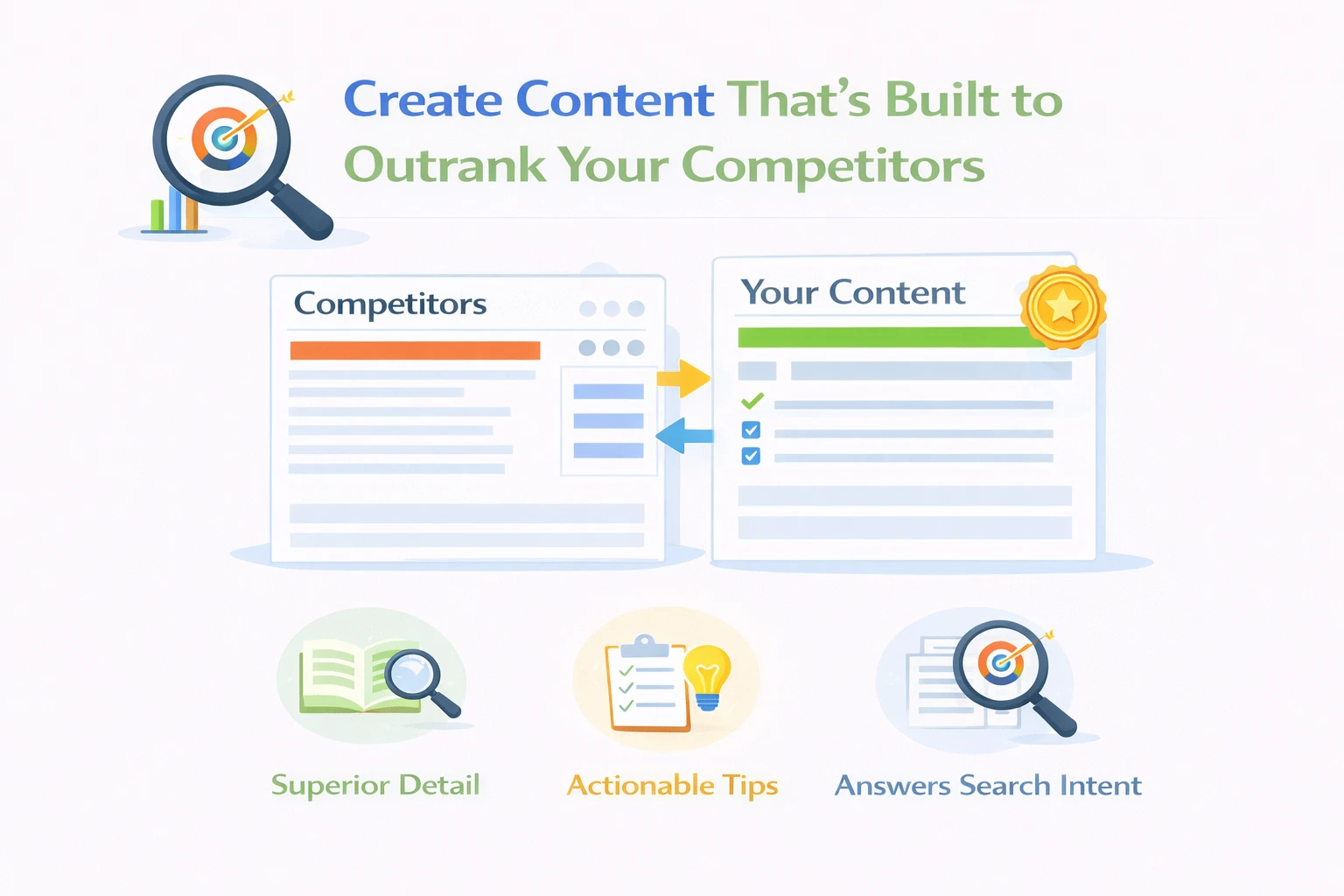
    Finding the right keywords is only half the battle. Now you have to create content that’s genuinely better than what’s already ranking not just longer, but more useful, more specific, and more aligned with what the reader actually needs.

    Don’t just replicate improve

    Look at the top 3 ranking pages for your target keyword and ask yourself honestly: what’s missing? What questions do they leave unanswered? What angle haven’t they taken? That’s your content opportunity.

    Some common ways to improve on competitor content:

    • Go deeper on a subtopic they only scratched the surface of
    • Add original data, case studies, or examples they didn’t include
    • Create visuals comparison tables, diagrams, screenshots — that make the content easier to scan
    • Update outdated information that competitors haven’t refreshed
    • Answer related questions from People Also Ask that competitors ignored

    On-page SEO checklist for each piece

    • Include the focus keyword in the H1, meta title, meta description, and first 100 words
    • Use related/LSI keywords naturally throughout (not stuffed)
    • Structure content with clear H2 and H3 headers that mirror common search questions
    • Add internal links to related pages on your site
    • Optimize image alt text with relevant descriptive terms
    • Match content length to what’s already ranking if competitors are at 2,000 words, don’t publish 400

    E-E-A-T signals that Google looks for

    In 2026, Google’s algorithm places significant weight on Experience, Expertise, Authoritativeness, and Trustworthiness (E-E-A-T). This matters especially in competitive niches.

    • Add an author bio with real credentials
    • Cite credible sources and link to authoritative external sites
    • Include an ‘Updated on’ date to show freshness
    • Use first-hand experience where possible — write like someone who has actually done the thing

    Monitor Competitor Moves and Refine Your Strategy Over Time

    A competitor keyword research strategy isn’t something you do once and forget about. Competitors update their content. New websites enter your niche. Search algorithms evolve. Your strategy needs to evolve with them.

    Set a regular review cadence

    • Monthly: Track ranking positions for your target keywords using Google Search Console or SEMrush
    • Quarterly: Run a fresh keyword gap analysis to find new opportunities that have opened up
    • Bi-annually: Do a full competitor audit check if new competitors have entered the space and if your existing ones have changed their strategy

    Key metrics to watch

    • Organic traffic growth on the pages you’ve optimized
    • Ranking position changes for target keywords both yours and your competitors’
    • New keywords your competitors are starting to rank for (potential early signals of trending topics)
    • Content gap closures keywords you’ve newly started ranking for after publishing new content

    Pay special attention when a competitor drops in rankings for a keyword you care about. That’s usually your cue to move in with updated or improved content and capture the position they’ve lost.

    Also, don’t neglect your existing content. Pages sitting at positions 11 to 20 are often one solid update away from breaking into the top 10. Refreshing these ‘almost there’ pages is often more efficient than publishing brand new content.

    Frequently Asked Questions

    Q: What is a competitor keyword research strategy?
    A: It’s a method of finding keywords your competitors rank for and using that data to improve your own SEO and content strategy.

    Q: How do I find keywords my competitors rank for?
    A: Use tools like Ahrefs or SEMrush, enter a competitor’s domain, and check their top-ranking organic keywords.

    Q: What is a keyword gap analysis?
    A: It compares your keywords with competitors to find missing opportunities you can target.

    Q: How often should I do competitor keyword research?
    A: Every 3 months is ideal; monthly for fast-changing industries.

    Q: Can I do competitor keyword research for free?
    A: Yes, using Google Search Console, manual SERP checks, and tools like AnswerThePublic—but data is limited.

    CONCLUSION

    A well-executed competitor keyword research strategy is one of the most reliable ways to grow your organic traffic because you’re building on data that already works, not starting from scratch with guesswork.To recap the process: start by identifying your real SEO competitors, then extract their keywords using tools like Ahrefs or SEMrush. Run a keyword gap analysis to find where opportunities are hiding, study search intent so your content matches what Google expects, prioritize the terms with the best balance of volume and realistic difficulty, and then create content that’s genuinely better than what’s already ranking.

    Don’t treat this as a one-time project. The best results come from making competitor keyword analysis a regular part of your content workflow — quarterly at minimum, more often in competitive niches. Start today: pick your top 3 SEO competitors, run a keyword gap analysis, and find 5 keywords you’re not ranking for that you realistically should be. That’s all you need to get momentum going. Your competitors are leaving gaps. Go fill them.

  • How to Find Low Competition Keywords: The Complete Guide

    How to Find Low Competition Keywords: The Complete Guide

    You write a blog post, wait three months, and still land somewhere on page five of Google. If that sounds familiar, you are not alone. The truth is, most people target the wrong keywords ones that big brands have already dominated for years.

    The smarter move? Go after low competition keywords.

    Low competition keywords are search phrases that fewer websites are competing for. They may not have millions of monthly searches, but they are far easier to rank for and they bring in real, targeted traffic that actually converts. If your website is new, growing, or struggling to break through, these keywords are your fastest path to page one. you will learn exactly what low competition keywords are, why they matter more than ever in 2025, and the step-by-step methods to find them both free and paid. By the end, you will have a clear plan to start ranking faster and building lasting organic traffic.

    What Are Low Competition Keywords?

    Low Competition Keywords
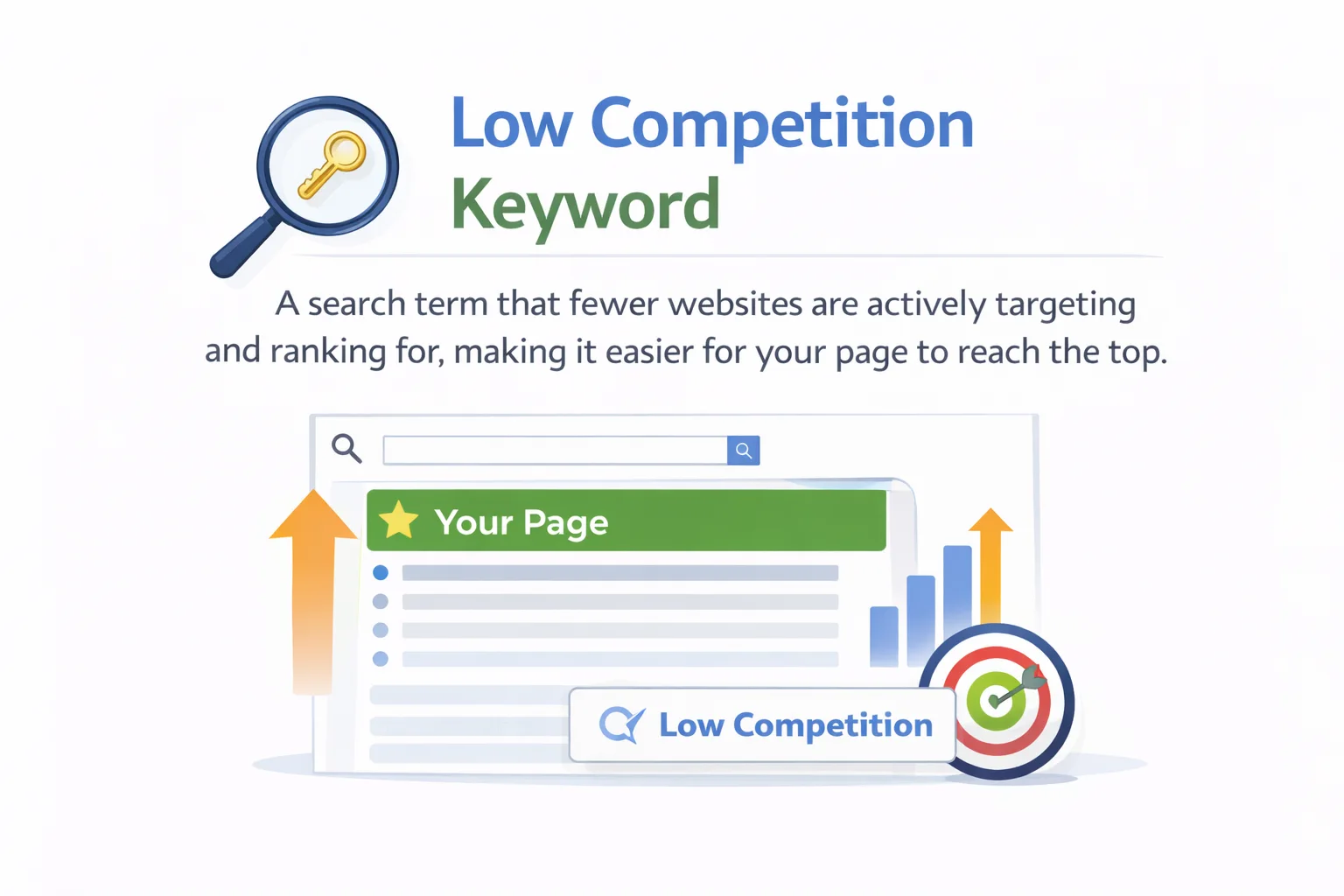
    A low competition keyword (sometimes called a low difficulty keyword) is a search term that fewer websites are actively targeting and ranking for. Because there is less competition in the search results, it is significantly easier for your page to climb to the top.

    Think of it like this: trying to rank for “best laptop” is like opening a coffee shop next to Starbucks. But ranking for “best laptop for college students under $500” gives you a real fighting chance because the competition is thinner and the audience is more specific.

    What Makes a Keyword Low Competition?

    In most SEO tools, a keyword is considered low competition when:

    • Its Keyword Difficulty (KD) score is below 20 out of 100
    • The pages currently ranking have low domain authority or thin backlinks
    • The search results contain outdated or poorly written content
    • The search intent is clear but not well-served by existing pages

    Why Should You Target Them?

    Here are the real-world benefits of going after low competition keywords:

    • Faster rankings you can realistically reach page one within 3 to 6 months instead of years
    • Better conversion rates  specific keywords attract visitors who know exactly what they need
    • Lower content costs  you need fewer backlinks and less domain authority to compete
    • Ideal for new websites  you do not need an established brand to rank
    • Builds authority over time  winning small keywords helps you gradually take on bigger ones

    How to Spot a Low Competition Keyword

    Before you start building your keyword list, it helps to know what signals to look for. A low KD score in a tool is a good start, but it is not the whole story.

    SERP Signals That Indicate Low Competition

    Open a browser, search your target keyword, and look for these green flags in the results:

    1. Low-authority websites ranking on page one (check their Domain Rating in Ahrefs or Authority Score in SEMrush)
    2. Weak or zero backlinks pointing to the top-ranking pages
    3. Thin content  short articles, no images, barely any depth
    4. Pages that do not directly answer the search query
    5. Forum threads (Reddit, Quora) ranking on the first page

    If you see any of these signs, that keyword is very likely beatable with a well-written, focused article.

    Common Keyword Modifiers That Signal Low Competition

    Certain phrases almost always indicate a long-tail, lower competition keyword. Watch out for modifiers like:

    • “for beginners” or “for small businesses”
    • “how to” or “step by step”
    • “best [product] under $50” or price-specific phrases
    • “[tool] alternative” or “[tool] vs [tool]”
    • “near me” or city/location-specific terms
    • “template”, “checklist”, “guide”, or “tutorial”

    Free Methods to Find Low Competition Keywords

    great keyword opportunities
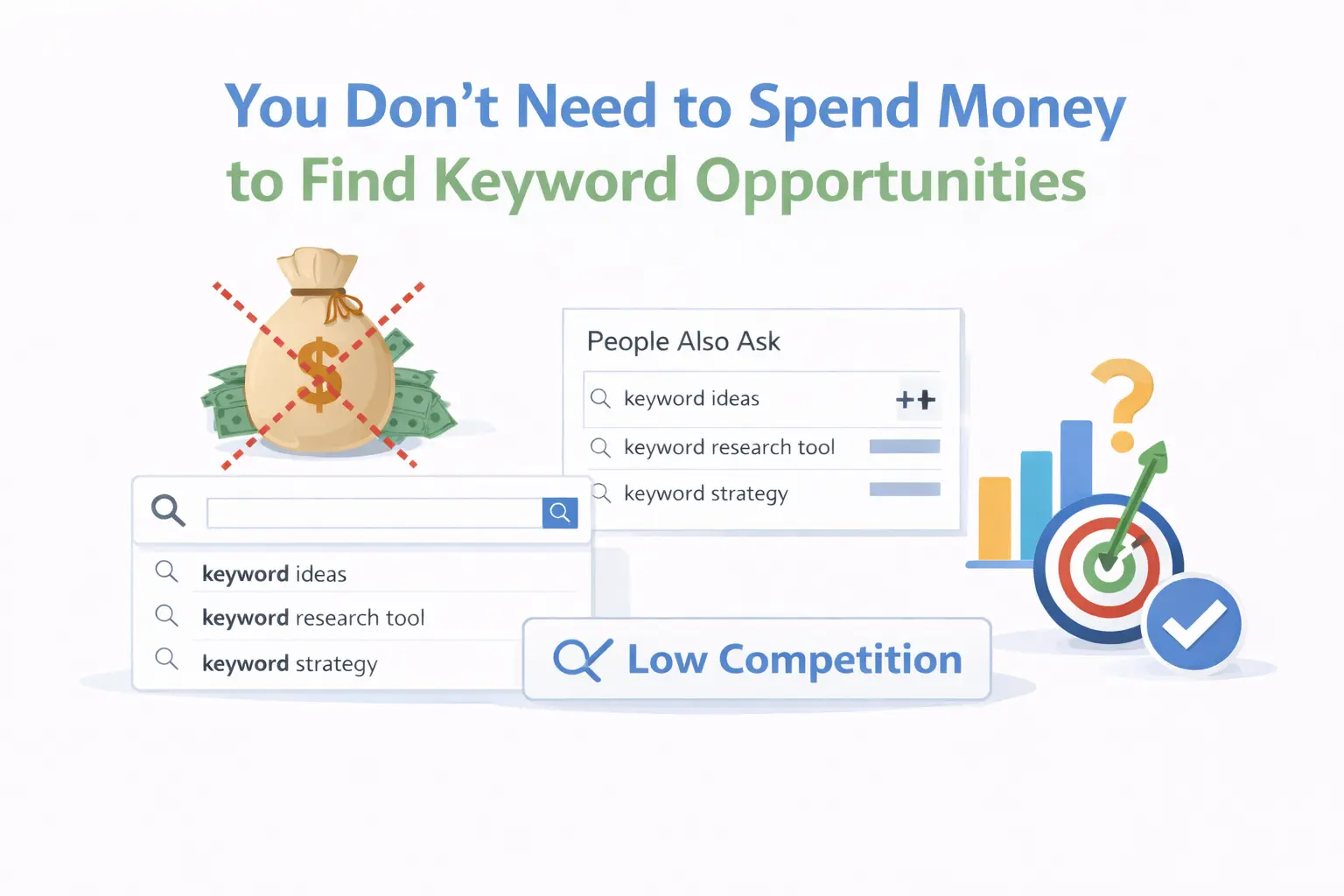
    You do not need to spend money to find great keyword opportunities. These free methods are surprisingly powerful, especially when you are just starting out.

    Method 1: Google Autocomplete

    Start typing your seed keyword into Google’s search bar and watch what suggestions appear. These auto complete suggestions are based on real searches people make. They are almost always longer, more specific, and less competitive than the root keyword.

    For example, if you type “email marketing”, Google might suggest “email marketing for small businesses free”, “email marketing tips for beginners”, or “email marketing examples that convert”. Each of these is a potential low competition keyword.

    Method 2: People Also Ask (PAA)

    The People Also Ask box in Google is an absolute goldmine for finding low competition question-based keywords. These are questions real users are typing into Google, and each one can become a standalone article or a section of a longer post.

    Even better: when you click on a PAA question, new related questions appear. You can keep drilling down to uncover a long chain of low competition keyword ideas connected to your main topic.

    Method 3: Google Search Console

    If your website already has some content, Search Console is one of the best free tools available. Go to the Performance tab and look for keywords where your pages are getting impressions but low clicks — especially keywords where you rank between positions 11 and 30.

    Those are your easiest wins. You are already showing up; a small content improvement or SEO tweak can push you from page two to page one.

    Method 4: Reddit, Quora, and Niche Forums

    Forums reveal how real people phrase their questions — and real-people language is almost always less competitive. Browse subreddits in your niche, search Quora for topics related to your content, and look at what questions keep coming up.

    For example, instead of targeting a broad keyword like “project management”, you might find people in forums asking “project management tips for solo freelancers” — a far more specific and winnable phrase.

    Method 5: Answer The Public and AlsoAsked

    These free tools visualize what questions and phrases people search around a topic. Answer The Public creates a visual map of questions, comparisons, prepositions, and alphabetical variations of your seed keyword. AlsoAsked pulls directly from Google’s People Also Ask data to show you topic clusters.

    Both are excellent for finding long-tail keyword ideas you would never think of on your own.

    Paid Tools to Find Low Competition Keywords Faster

    Paid Tools
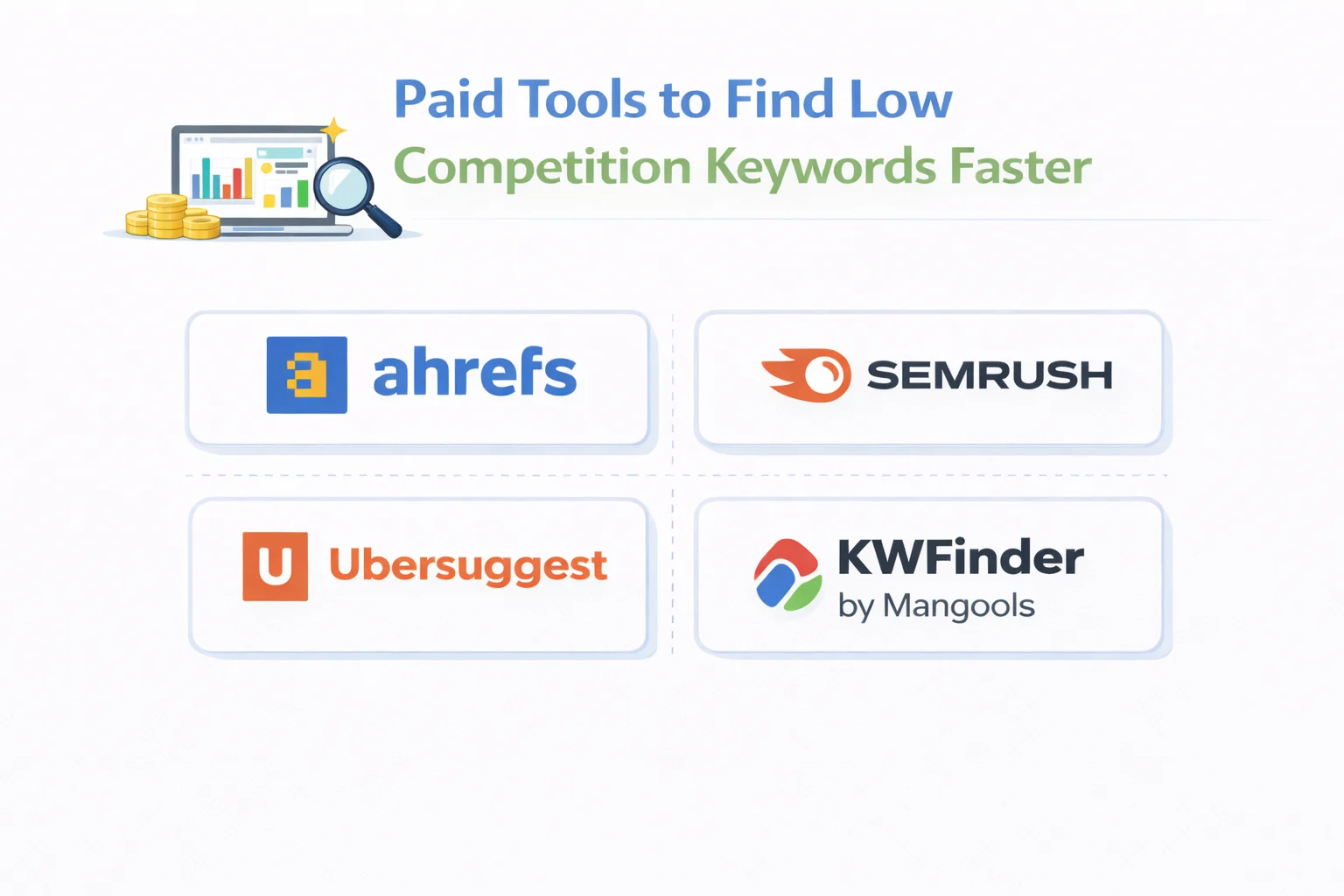
    Free tools are great for getting started, but paid SEO tools give you hard data keyword difficulty scores, monthly search volumes, click-through rates, and competitive analysis. Here are the top ones worth knowing.

    Ahrefs Keywords Explorer

    Ahrefs is widely considered the gold standard for keyword research. Use Keywords Explorer to enter your seed keyword, then filter results by KD (Keyword Difficulty) to show only keywords with a score under 20. Pay special attention to the SERP overview — you can see the exact backlink count and domain rating for each page currently ranking.

    • Best for: deep SERP analysis and backlink data
    • Filter: KD under 20, volume above 100
    • Bonus: check “Parent Topic” to see what keyword your page could also rank for

    SEMrush Keyword Magic Tool

    SEMrush’s Keyword Magic Tool lets you enter a broad topic and immediately generates thousands of related keyword ideas. You can then filter by keyword difficulty and sort by search volume to quickly identify the best low competition opportunities. The platform also has an On-Page SEO Checker that compares your content to competitors and suggests improvements.

    KWFinder by Mangools

    KWFinder is beginner-friendly and uses a color-coded difficulty system (green = easy, red = hard). It is one of the most straightforward tools for finding low competition keywords without needing a deep technical background. Perfect for bloggers and small business owners.

    Ubersuggest

    Built by Neil Patel, Ubersuggest has a free tier that gives you solid keyword data including difficulty scores, search volume, and content ideas. It is a solid choice if you are on a tight budget.

    How to Find Low Competition Keywords by Analyzing Competitors

    Your competitors have already done a lot of the keyword research for you — you just need to know where to look.

    Step 1: Identify Your Real SEO Competitors

    Your SEO competitors are not necessarily the businesses you compete with in real life. They are the websites that rank for the same keywords you want to target. Use Ahrefs or SEMrush to search a core keyword in your niche and see which websites appear most often in the results. Those are your true SEO competitors.

    Step 2: Find Their Weak Rankings

    In any keyword research tool, look for pages on your competitors’ sites that rank on page two or page three of Google. These are keywords where they have some presence but have not fully invested in winning. If they are struggling to rank well for something, it is usually an easier keyword for you to target with a better piece of content.

    Step 3: Run a Content Gap Analysis

    A content gap tool (available in both Ahrefs and SEMrush) compares your website to a competitor and shows keywords they rank for that you do not. This reveals entire topic areas and keyword opportunities you may be completely ignoring. It is one of the fastest ways to build a list of low competition keywords worth targeting.

    How to Evaluate and Choose the Right Keywords

    Not every low competition keyword is worth targeting. A low KD score alone does not make a keyword valuable. Here is a simple four-part filter to decide whether a keyword belongs on your list.

    Filter 1: Keyword Difficulty (KD)

    Aim for a KD score below 20 for new websites, and below 35 for websites with some established authority. These numbers vary slightly by tool, but the principle is the same — the lower the score, the easier it is to rank.

    Filter 2: Search Volume

    The sweet spot for low competition keywords is 100 to 2,000 monthly searches. Keywords with zero searches are not worth the effort (even if they are easy to rank for), and keywords with high volume are usually highly competitive. That 100–2,000 range is where you can realistically win traffic.

    Filter 3: Search Intent

    Always match your content format to what the searcher actually wants. There are four main intent types:

    • Informational — User wants to learn (“how to find low competition keywords”). Write a detailed guide.
    • Commercial — User is comparing options (“best keyword research tools”). Write a comparison or review.
    • Transactional — User wants to buy (“buy SEMrush plan”). Write a landing page or product page.
    • Navigational — User wants a specific site (“Ahrefs login”). Not usually worth targeting for content.

    Filter 4: SERP Quality

    Before writing anything, manually check the top 10 results for your keyword. Ask yourself: Is the content thin? Are the rankings held by low-authority sites? Is there a clear gap in what the existing articles cover? If the answer is yes, you have found a keyword worth targeting.

    How to Use Low Competition Keywords in Your Content

    Finding the keyword is half the battle. The other half is using it correctly in your content so search engines can understand what your page is about.

    Keyword Placement Checklist

    • Title tag (H1) — Include the keyword naturally near the beginning
    • Meta description — Mention it within the first 20 words
    • First paragraph — Use it within the opening 100 words
    • URL slug — Keep it short and keyword-inclusive
    • 2–3 subheadings (H2/H3) — Use variations and related phrases
    • Image alt text — Describe images using related keywords
    • Body text — Use it naturally 3–5 times throughout the article

    Build Topic Clusters for More Authority

    Instead of writing a single article and hoping for the best, build a content cluster. Pick one main topic (your pillar page) and then write several supporting articles that target related low competition keywords. Connect all of them with internal links.

    For example, if your pillar page is about “keyword research”, your supporting articles might target: “how to find low competition keywords”, “best free keyword research tools”, “what is keyword difficulty”, and “long-tail keywords for beginners”. This structure signals topical authority to Google.

    Optimize for Featured Snippets

    For question-based keywords, write a concise answer (40–60 words) directly after the H2 heading. Use a numbered list for step-by-step processes. This format is exactly what Google pulls into featured snippets, which can dramatically increase your click-through rate even without a number one ranking.

    Common Mistakes to Avoid

    Even experienced SEOs make mistakes when targeting low competition keywords. Here are the most common ones — and how to avoid them.

    Mistake 1: Targeting Keywords with Zero Search Volume

    Low competition does not always mean low volume. However, some people chase KD scores so aggressively that they end up targeting keywords nobody actually searches for. Always cross-reference with search volume data before committing to a topic.

    Mistake 2: Ignoring Search Intent

    You could rank number one for a keyword and still get almost no clicks — if you wrote the wrong type of content. A user searching “best running shoes for flat feet” wants a comparison list, not a history of running shoe design. Match the format to the intent.

    Mistake 3: Sorting by KD and Picking Blindly

    The most common mistake is opening a keyword tool, filtering by low difficulty, grabbing the biggest volume numbers, and hitting publish. Without SERP analysis and intent matching, this approach rarely leads to rankings. The tool gives you candidates — you still need to qualify them manually.

    Mistake 4: Keyword Stuffing

    Using your keyword dozens of times in hopes of ranking faster will actually get your content penalized by Google. Write naturally. If your article is genuinely about the topic, the keyword will appear the right number of times on its own.

    Mistake 5: Never Updating Old Content

    Low competition keywords that ranked six months ago may slip if you never refresh the content. Update your posts every 6–12 months to keep information current, add new data points, and maintain your rankings.

    Your 4-Week Action Plan to Start Ranking

    Here is a practical roadmap to go from zero to published content targeting low competition keywords — in just one month.

    Week 1: Discover and Collect

    • Pick 2–3 seed topics in your niche
    • Use Google Autocomplete, PAA, and Reddit to collect 100–200 keyword ideas
    • Log everything in a spreadsheet with topic, keyword idea, and intent

    Week 2: Validate and Shortlist

    • Run your top candidates through an SEO tool to check KD and volume
    • Manually check the SERP for your top 20 keyword ideas
    • Shortlist 8–10 keywords where competition looks beatable and intent is clear

    Week 3: Write and Publish

    • Draft and publish your first 3–4 articles, each targeting one primary keyword
    • Include related LSI (Latent Semantic Indexing) terms naturally throughout
    • Optimize titles, meta descriptions, headings, and internal links

    Week 4: Monitor and Expand

    • Submit all new pages to Google Search Console for indexing
    • Track rankings weekly for the first 8–12 weeks
    • Publish 3–5 more articles and build internal links between related pieces

    Frequently Asked Questions

    What KD score is considered low competition?

    Most SEO professionals consider a Keyword Difficulty score below 20 to be low competition, especially for newer websites. Sites with some authority can target keywords up to KD 35 and still rank relatively quickly.

    Can I find low competition keywords for free?

    Yes. Tools like Google Autocomplete, People Also Ask, Google Search Console, Answer The Public, and forum research (Reddit, Quora) can generate excellent keyword ideas at no cost. Paid tools add speed and precision but are not required to get started.

    How long does it take to rank for low competition keywords?

    With well-optimized content and basic on-page SEO, many pages targeting low competition keywords start ranking within 3 to 6 months. Some simpler keywords in very low-competition niches can rank in as little as a few weeks.

    Are low competition keywords worth targeting in 2025?

    Absolutely. In fact, they are more valuable than ever in 2025. With AI overviews changing the search landscape and big brands dominating broad keywords, finding specific, intent-driven, low competition keywords is the most reliable strategy for growing organic traffic — regardless of your website’s age or authority.

    How many low competition keywords should I target per article?

    Focus on one primary keyword per article. You can naturally incorporate 3–6 related secondary keywords throughout your headings and body text. Trying to target too many keywords in one piece of content dilutes your focus and usually hurts rankings.

    Conclusion

    Chasing the most popular keywords in your industry is tempting, but for most websites it is a recipe for frustration. The smarter strategy especially when you are building authority from scratch is to go after low competition keywords that give you a real, achievable shot at page one.

    Start with a clear definition of what your audience is actually searching for. Use the free methods in this guide to build your initial keyword list. Validate your best ideas with SERP analysis. Then write genuinely helpful, well-structured content around each one.

    It does not have to be complicated. Pick one low competition keyword today. Research it, write a helpful article around it, and watch what happens. That first ranking is often all the motivation you need to keep going and over time, those small wins stack up into serious organic traffic.

  • Core Web Vitals Optimization: A Complete Guide to Boost Rankings in 2026

    Core Web Vitals Optimization: A Complete Guide to Boost Rankings in 2026

    Have you ever clicked on a website and just waited? The screen sits there, loading, while you start wondering if you should just go somewhere else. That moment of frustration? That’s exactly what Core Web Vitals optimization is trying to eliminate.

    Here’s the thing slow websites don’t just annoy visitors. They actively cost you money, rankings, and credibility. Studies show a single second of delay can reduce conversions by up to 7–20%. And in 2026, Google’s algorithm places more weight on page experience signals than ever before.

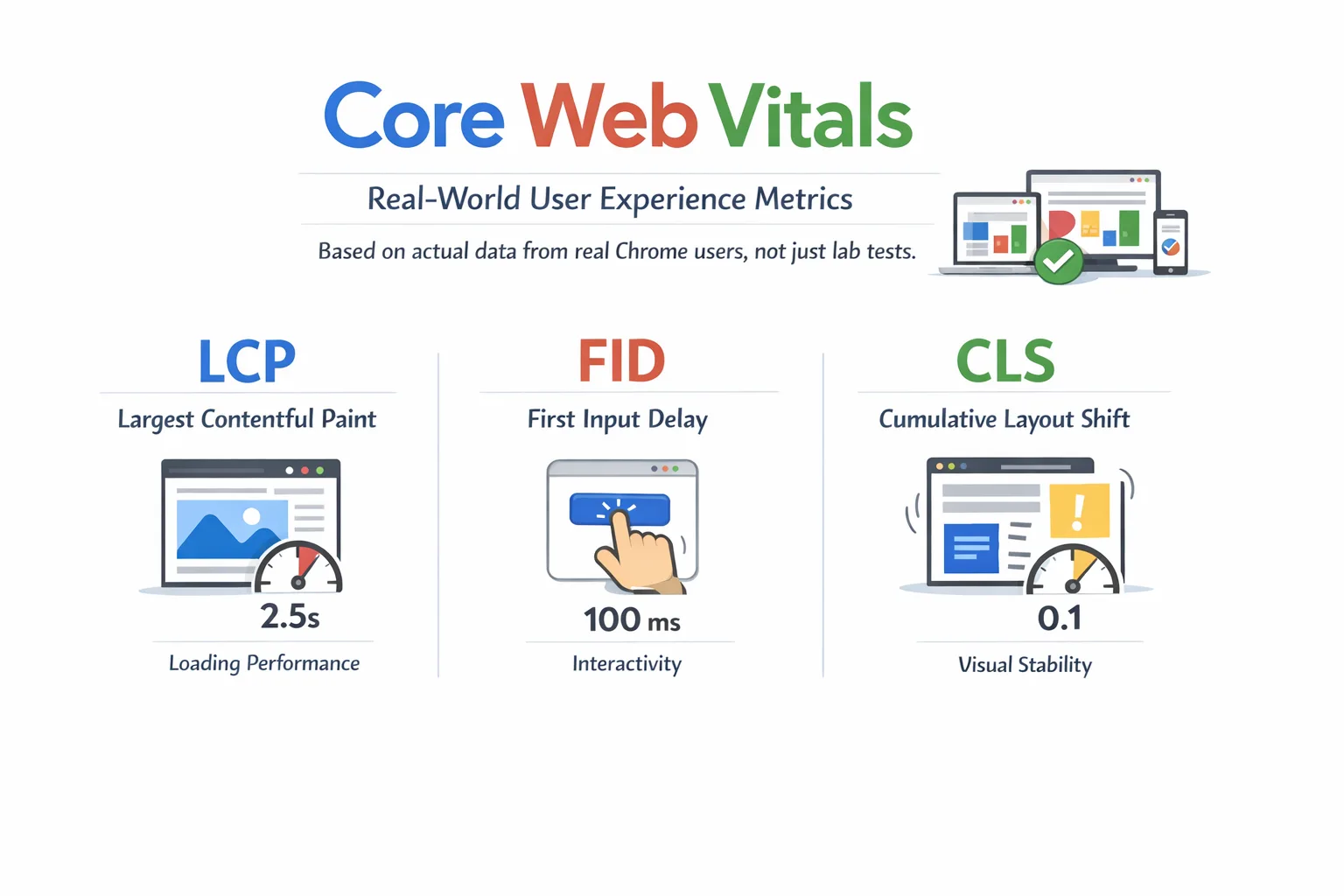
    Core Web Vitals are Google’s official metrics for measuring real-user experience on your site. They cover three things that matter most to people browsing the web: how fast the main content loads, how quickly the page responds to clicks, and whether the layout stays stable while loading.

    What Are Core Web Vitals?

    Core Web Vitals
    Core Web Vitals are a set of three specific performance metrics that Google uses to evaluate the real-world user experience on a webpage. Unlike general page speed scores, these metrics are based on actual data collected from real Chrome users not just simulated lab tests.

    Google introduced them as part of its Page Experience update and has steadily increased their influence on search rankings. Think of them as a report card for how your website feels to the people visiting it.

    The Three Core Web Vitals at a Glance

    MetricWhat It MeasuresGood ScorePoor Score
    LCPLoading speedUnder 2.5sOver 4s
    INPResponsivenessUnder 200msOver 500ms
    CLSVisual stabilityUnder 0.1Over 0.25

    LCP — Largest Contentful Paint: How to Fix Slow Loading

    LCP measures how long it takes for the largest visible element on your page to fully load and appear on screen. That element is usually your hero image, a large heading, or a banner video — whatever dominates the top portion of the page when someone first lands on it.

    Target: LCP under 2.5 secondsIf your LCP is between 2.5 and 4 seconds, Google marks it as ‘Needs Improvement.’ Over 4 seconds is considered poor. Most users will bounce well before that.

    Why LCP Matters in Real Life

    Imagine visiting an online store. You click on a product, but the main image takes 5 seconds to appear. You don’t know if it’s working. You leave. That’s a lost sale — and a ranking signal that tells Google this page isn’t delivering a good experience.

    Common Causes of Poor LCP

    • Large, uncompressed images — the number one culprit on most sites
    • Render-blocking JavaScript or CSS that delays page painting
    • Slow server response times (high Time to First Byte, or TTFB)
    • No Content Delivery Network (CDN), so every visitor loads assets from the same distant server
    • Client-side rendering — the page is built entirely by JavaScript after load

    How to Improve Your LCP

    • Convert images to WebP or AVIF format — these are 25–50% smaller than JPEGs with no visible quality loss
    • Add fetchpriority=”high” to your LCP image element — this tells the browser to load it first, a small but powerful change
    • Use a CDN to serve assets from a server physically close to the visitor
    • Defer non-critical JavaScript so it doesn’t block the initial page render
    • Preload your LCP image using <link rel=”preload”> in the HTML head
    • Upgrade your hosting or enable server-side caching to reduce TTFB

    INP — Interaction to Next Paint: The Responsiveness Metric

    inp replaced fib
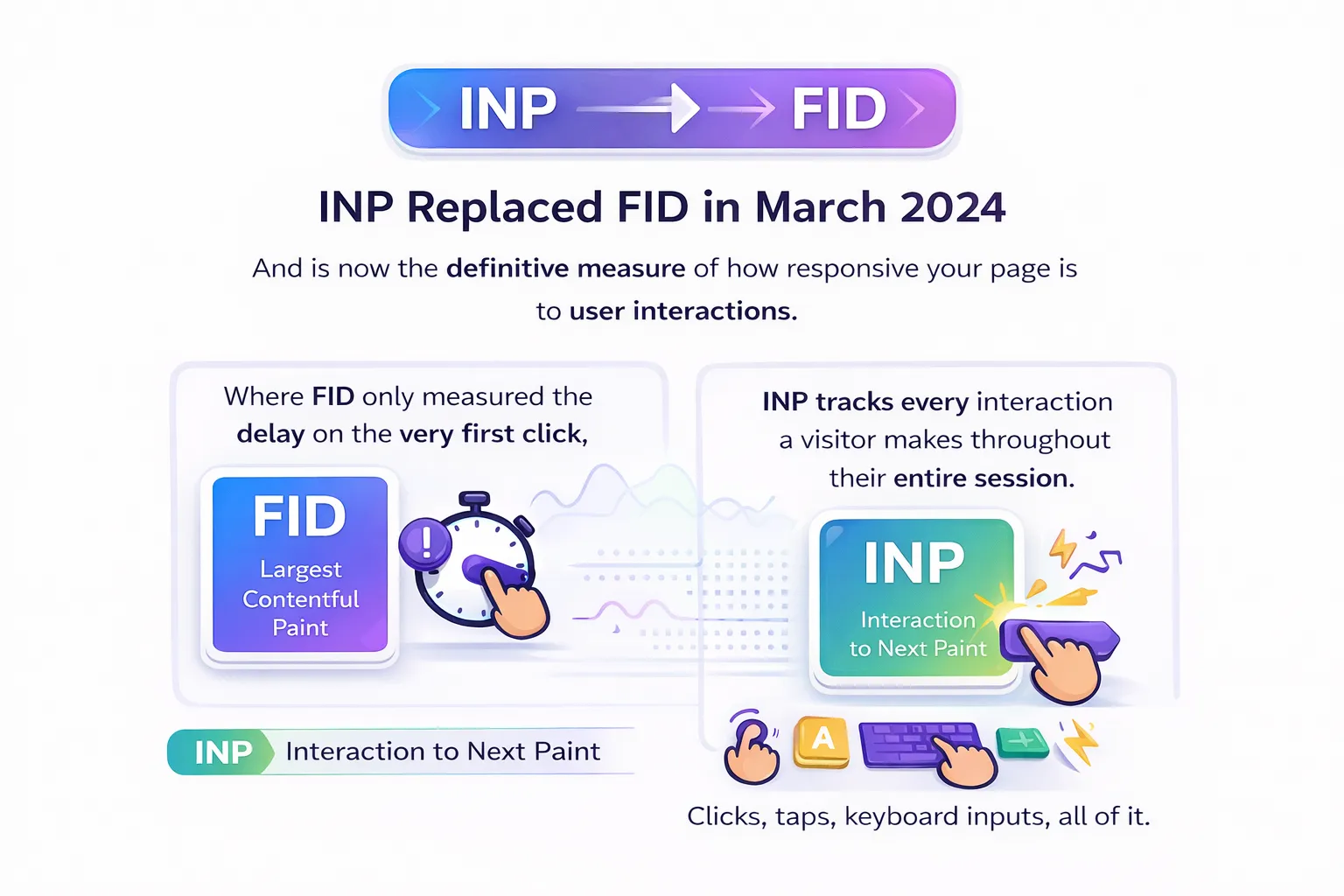
    INP replaced FID in March 2024 and is now the definitive measure of how responsive your page is to user interactions. Where FID only measured the delay on the very first click, INP tracks every interaction a visitor makes throughout their entire session clicks, taps, keyboard inputs, all of it.

    Target: INP under 200msBetween 200ms and 500ms needs improvement. Anything over 500ms is considered poor. At that level, users can actually feel the lag — the page feels sluggish or broken.

    What Causes Poor INP

    The biggest culprit is JavaScript. When the browser’s main thread is busy executing JavaScript, it can’t respond to user inputs. That creates the delay INP measures.

    • Heavy JavaScript bundles that take too long to parse and execute
    • Third-party scripts (analytics, chat widgets, ad networks) hogging the main thread
    • Heavy WordPress plugins — one of the most common INP issues for WordPress sites
    • Long tasks that block the browser from responding quickly

    How to Improve INP

    • Break up long JavaScript tasks into smaller, asynchronous chunks
    • Use web workers to offload expensive calculations off the main thread
    • Lazy load JavaScript that isn’t needed immediately on page load
    • Audit and reduce third-party scripts — audit every single one and ask if it’s truly necessary
    • For WordPress: deactivate and remove bloated plugins; test each one’s impact on INP using Chrome DevTools
    • Use the Total Blocking Time (TBT) metric in Lighthouse as a proxy when INP data isn’t yet available

    CLS — Cumulative Layout Shift: Stop Your Page from Jumping

    CLS measures how much the visual layout of your page shifts unexpectedly while it’s loading. You’ve definitely experienced bad CLS — you go to click a button, the page suddenly jumps because an image or ad loaded above it, and you end up clicking the wrong thing.

    Target: CLS under 0.1A score between 0.1 and 0.25 needs improvement. Over 0.25 is poor. The score represents the total area of the viewport affected by unexpected shifts, weighted by the distance elements move.

    What Causes Layout Shifts

    • Images without explicit width and height attributes — the browser doesn’t know how much space to reserve
    • Ads or embeds that load after the initial content and push everything down
    • Web fonts loading late and causing text to reflow
    • Dynamically injected content (banners, popups, cookie notices) added above existing content

    How to Improve CLS

    • Always set explicit width and height on every image and video element — this is the single biggest fix
    • Use the CSS aspect-ratio property to reserve space for media before it loads
    • Preload critical fonts using <link rel=”preload”> and use font-display: optional or swap
    • Reserve space for ads and dynamic banners with a fixed-height container before they render
    • For advanced use cases: apply CSS containment (contain: layout style paint) on dynamic components to isolate their rendering impact

    Best Free Tools to Measure Your Core Web Vitals

    Before you can fix anything, you need to know what’s broken. These are the four tools you should be using regularly — and they’re all free.

    1. Google Search Console

    This is your most important tool. The Core Web Vitals report in Search Console shows your entire site grouped by status: Good, Needs Improvement, and Poor. The data comes from real Chrome users, which is exactly the data Google uses for rankings. Check this first.

    2. PageSpeed Insights

    Enter any URL and get both field data (real user CrUX data) and lab data (simulated). It provides specific, actionable recommendations for each metric — what to fix and how. A great tool for diagnosing individual pages.

    3. Chrome DevTools + Lighthouse

    Built into Chrome, Lighthouse gives you a full performance audit during development. Use it to test changes before they go live. The Performance panel lets you trace exactly which scripts and resources are causing delays.

    4. Web Vitals Chrome Extension

    A lightweight extension that shows real-time LCP, INP, and CLS scores as you browse your own site. Perfect for quick checks across multiple pages without running a full audit.

    Quick Wins: Core Web Vitals Optimization Tips You Can Apply Today

    You don’t have to tackle everything at once. These are the highest-impact changes you can make right now, regardless of your platform:

    1. Enable browser caching and use a CDN This alone can dramatically improve LCP for returning visitors.
    2. Convert images to WebP or AVIF Compress before uploading. Never lazy load your LCP image.
    3. Defer render-blocking JavaScript Add async or defer to script tags that don’t need to run during initial page load.
    4. Audit every third-party script Analytics, chat widgets, and ad scripts are often the biggest hidden performance killers.
    5. Add width and height to all images The fastest fix for CLS. One attribute prevents layout shifts instantly.
    6. Upgrade your hosting Cheap shared hosting often has terrible TTFB, which directly hurts LCP. Server speed is the foundation.
    7. WordPress users: install a caching plugin Tools like WP Rocket or LiteSpeed Cache can improve all three metrics without touching code.

    Core Web Vitals and SEO: The Direct Ranking Connection

    Let’s be clear about something: Core Web Vitals are a confirmed Google ranking factor. They don’t override the importance of content quality or backlinks, but when two pages are equally relevant to a search query, the one with better Core Web Vitals will rank higher.

    What’s New in 2026

    • Google’s 2025–2026 updates increased the weight given to page experience signals in the ranking algorithm
    • AI Overviews and Generative Engine Optimization (GEO) now use Core Web Vitals as a baseline requirement sites that fail them may not appear in AI-generated search results
    • Mobile-first indexing is fully in effect Google uses your mobile Core Web Vitals data for rankings, not desktop

    The Business Case Beyond Rankings

    • Faster pages = lower bounce rates = more time on site = better conversions
    • Amazon found that every 100ms of added latency cost them 1% in sales tiny delays have real revenue impact
    • Pages that don’t shift during loading build unconscious trust users complete forms and purchases with more confidence

    Common Mistakes to Avoid

    Even experienced developers make these errors when working on Core Web Vitals. Here’s what to watch out for:

    1. Lazy Loading Your LCP Image

    This is the most common and damaging mistake. The lazy load attribute tells the browser to delay loading an image which is great for images below the fold, but catastrophic for your LCP element. Never use loading=”lazy” on your hero image.

    2. Chasing Lab Scores Instead of Field Data

    A perfect PageSpeed Insights score in the lab means nothing if real users are having a different experience. Google ranks on field data (CrUX). Always monitor your Search Console Core Web Vitals report alongside lab tools.

    3. Ignoring Mobile

    Google uses mobile field data for rankings. Many teams optimize desktop performance and neglect mobile, then wonder why rankings don’t improve. Always test and optimize for mobile first.

    4. Treating It as a One-Time Fix

    New plugins, design updates, A/B tests, and third-party script additions can all degrade Core Web Vitals over time. Performance requires ongoing monitoring, not a single audit.

    5. Not Auditing Third-Party Scripts

    Your own code might be beautifully optimized, but six analytics tools and three ad networks running in the background can destroy your INP and LCP. Audit everything. Keep only what you genuinely need.

    Frequently Asked Questions

    What are Core Web Vitals and why do they matter?

    Core Web Vitals are three metrics Google uses to measure real-user experience on a webpage: LCP (loading speed), INP (responsiveness), and CLS (visual stability). They matter because they directly influence your Google search rankings and the experience visitors have on your site.

    What is a good Core Web Vitals score?

    For LCP: under 2.5 seconds. For INP: under 200 milliseconds. For CLS: under 0.1. Hitting all three puts your page in the ‘Good’ range across all metrics.

    How do I check my Core Web Vitals for free?

    Start with Google Search Console it shows site-wide data based on real users. For individual page diagnostics, use PageSpeed Insights (pagespeed.web.dev). Both are completely free.

    Does Core Web Vitals directly affect my Google rankings?

    Yes. Google confirmed Core Web Vitals as a ranking signal. They act as a tiebreaker when two pages have similar content quality, the page with better Core Web Vitals scores will typically rank higher.

    How long does it take to see improvements after optimization?

    Field data in Google Search Console updates based on a 28-day rolling window, so you’ll typically see movement within 4–6 weeks of implementing fixes. Lab data (PageSpeed Insights) reflects changes immediately.

    Conclusion

    Core Web Vitals optimization has moved from a nice-to-have to a must-have. In 2026, Google is not just looking at what your site says it’s measuring how your site feels to every person who lands on it.The three metrics are straightforward once you break them down: LCP under 2.5s so content loads fast, INP under 200ms so the page feels responsive, and CLS under 0.1 so nothing unexpectedly jumps around. Each one is fixable.

    Start with Google Search Console today. Find your worst-performing URLs. Run them through PageSpeed Insights. Pick one fix optimize your LCP image, add dimensions to images, defer a script and work through the list from there.The websites winning in search right now are not just the ones with the best content. They’re the ones that load fast, respond instantly, and stay stable while doing it. Core Web Vitals optimization is how you get there.

  • URL Structure & Site Architecture: The Complete SEO Guide

    URL Structure & Site Architecture: The Complete SEO Guide

    Most websites don’t fail because of bad content they fail because search engines can’t find, understand, or navigate them properly. And more often than not, the root cause comes down to two things: poor URL structure and messy site architecture. If you’ve ever wondered why a competitor with less content is outranking you, or why certain pages on your site never seem to get indexed this is likely where the problem starts.

    we’re going to break down exactly what URL structure and site architecture mean, why they matter for SEO, and most importantly what you can do right now to improve both. No jargon walls, no fluff. Just practical, actionable guidance backed by how Google actually works.

    1. What Is URL Structure & Site Architecture?

    url structure
    URL Structure Explained

    A URL (Uniform Resource Locator) is simply the web address of a page. But it is made up of several distinct parts, each of which plays a role:

    • Protocol https:// (secure) or http://
    • Domain name your main website address (e.g., yoursite.com)
    • Subdirectory / subfolder a folder within your site (e.g., /blog/ or /products/)
    • Slug the specific page identifier at the end (e.g., /url-structure-guide)

    So a well-structured URL might look like: https://yoursite.com/seo/url-structure-guide

    Every part of that URL is readable, logical, and descriptive. Compare that to something like: https://yoursite.com/?p=2847&ref=home — which tells nobody anything.

    Site Architecture Explained

    Site architecture refers to how all the pages on your website are organized, linked, and presented  both to visitors and to search engine crawlers. Think of it like the floor plan of a building. A good floor plan makes it easy to find any room quickly. A bad one leaves you wandering in circles.

    At a high level, site architecture covers: how your content is grouped into categories, how pages link to each other internally, how deep users need to go to reach any given page, and how your navigation menus are structured.

    Together, URL structure and site architecture form the backbone of technical SEO. Get them right and everything else  content, links, speed becomes far more effective.

    2. Why URL Structure & Site Architecture Matter for SEO

    It’s tempting to think of URLs as just addresses  labels that don’t have much impact on how well a page ranks. But that undersells their importance significantly. Here’s why they matter:

    Crawlability & Indexing

    Google sends bots (called Googlebot) to crawl your site by following links from page to page. If your site architecture is poorly organized  with orphaned pages, broken links, or pages buried too deep  the crawler may never find all your content. Pages it can’t find can’t be indexed. Pages that aren’t indexed can’t rank.

    A clean, logical site structure acts like a well-lit road map for Googlebot. It makes sure every important page is reachable and gets crawled regularly.

    Crawl Budget

    Google allocates a certain amount of crawl activity to each site this is known as crawl budget. If your site wastes it on low-value pages (duplicates, thin content, junk URLs from session IDs and parameters), your important pages get crawled less frequently. A well-structured site uses crawl budget efficiently.

    Internal Linking & Page Authority

    Here’s something Google’s John Mueller has said clearly: the number of slashes in a URL does not tell Google how important a page is. It’s the internal linking structure that matters. Pages that receive more internal links from high-authority pages are treated as more important, regardless of how deep they sit in the URL path.

    This is why thoughtful internal linking not just a clean URL is what truly determines page hierarchy in Google’s eyes.

    User Experience & Click-Through Rate

    Users make snap judgments in search results. A clear, readable URL tells someone immediately what to expect before they click which directly influences click-through rate (CTR). A URL like /seo/url-structure-guide is far more reassuring than /index.php?id=44921&cat=7.

    3. Types of Site Architecture

    Flat Architecture (Recommended)

    A flat site architecture is one where any page on your site can be reached from the homepage in four clicks or fewer. This is generally the best setup for SEO because:

    • Link authority flows efficiently from high-authority pages (like your homepage) down to content pages
    • Google can crawl the full site with minimal resources
    • Users can find what they need quickly

    Example structure: Homepage -> Category page -> Individual post or product. Simple, clean, effective.

    Deep/Hierarchical Architecture (Use With Care)

    A deep architecture buries pages many clicks away from the homepage. This is common on large ecommerce sites that haven’t been carefully planned. It hurts SEO because pages buried deep receive less crawl attention and less internal link authority meaning they’re harder to rank.

    Silo / Topic Cluster Structure

    The silo model groups related content into topical clusters. You have a pillar page covering a broad topic, then multiple supporting pages diving into subtopics all interlinked. This structure signals topical authority to Google and is particularly powerful for content-heavy sites and blogs.

    For example, a pillar page on ‘SEO Basics’ would link out to individual posts on keyword research, on-page SEO, link building  and all of those posts would link back to the pillar.

    4. URL Structure Best Practices

    Let’s get into the specifics. Here are the URL structure rules that actually matter — and why each one exists.

    Keep URLs Short and Descriptive

    Shorter URLs are easier to read, share, and remember. Strip out unnecessary words. Instead of /blog/how-to-improve-the-url-structure-of-your-website-for-seo/, go with /url-structure-seo/. You want every word to earn its place.

    Use Hyphens, Not Underscores

    Google treats hyphens as word separators. So /url-structure/ is read as two words: ‘url’ and ‘structure.’ Underscores, on the other hand, join words together — so /url_structure/ is read as a single word: ‘urlstructure.’ Always use hyphens.

    Include Your Target Keyword in the Slug

    The slug (the last part of the URL) should reflect the primary keyword you’re targeting. While Google’s own John Mueller has said keywords in URLs are a minor ranking factor, they still provide context and improve CTR. Don’t stuff keywords, but do be intentional.

    Use Lowercase Letters Only

    URLs are case-sensitive on most servers. /URL-Structure/ and /url-structure/ could be treated as two separate pages, creating duplicate content issues. Stick to all lowercase across the board.

    Avoid Dynamic Parameters Where Possible

    Dynamic URLs like /products?color=red&size=M&sort=price-asc create enormous numbers of unique URLs pointing to similar content. This confuses crawlers and can tank your crawl budget. Use static, descriptive URLs instead.

    Use Subfolders, Not Subdomains

    Subdomains (like blog.yoursite.com) are treated by Google as separate entities from your main domain. This splits your authority. Subfolders (yoursite.com/blog/) keep all authority consolidated under one domain. Unless you have a very strong reason, use subfolders.

    Reuse Seasonal URLs Year Over Year

    If you have a page for Black Friday deals, don’t create /black-friday-2024/ and then /black-friday-2025/ next year. Use a single, evergreen URL like /black-friday/ and update the content each year. All the links and authority built up around that URL carry forward instead of starting from zero every season.

    Avoid Dates in URLs (For Most Content)

    Adding a year or date to a URL (/2023/seo-guide/) makes content look outdated immediately, even if you update it. Evergreen URLs hold value longer. The exception is news content, where publication date is part of the content’s identity.

    5. How to Build an SEO-Friendly Site Architecture

    Building a solid site architecture isn’t just a technical task — it starts with strategy. Here’s a step-by-step approach:

    1. Start with keyword research — Map your target keywords to page types. What are the broad topics? What are the subtopics? This becomes the blueprint for your categories and content pages.
    2. Group content into logical categories — Each category should represent a clear topic or product group. Avoid overlap.
    3. Map the hierarchy visually before building — Sketch it out using a tool like Miro or a simple spreadsheet. You want to see the full structure before writing a single URL.
    4. Set up navigation menus linking homepage to categories to pages — Your main navigation should link directly to your top-level categories. Category pages should link to individual content or product pages.
    5. Build internal links with keyword-rich anchor text  Don’t just say ‘click here.’ Link using descriptive text like ‘learn more about URL structure best practices.’
    6. Add breadcrumbs  Breadcrumbs improve user navigation and provide structured data signals to Google about page hierarchy. Use schema markup for maximum benefit.
    7. Create and submit an XML sitemap — A sitemap tells Google every page you want indexed. Submit it via Google Search Console and update it whenever you add or remove significant pages.

    The golden rule: any page on your site should be reachable within four clicks from the homepage. If it takes more than that, the page is probably too deep.

    6. Common URL Structure Mistakes to Avoid

    Even experienced site owners make these mistakes. Here’s what to watch out for:

    • Keyword stuffing in the slug  /seo-seo-url-seo-structure-seo/ looks manipulative, confuses users, and provides no benefit
    • Dynamic URLs with multiple parameters — creates massive duplicate content problems and wastes crawl budget
    • Mixing www and non-www, or HTTP and HTTPS  pick one canonical version and 301 redirect everything else
    • Changing URLs unnecessarily  every URL change breaks existing backlinks unless you set up redirects. If a URL is working, leave it alone.
    • Deep nesting  pages more than 4-5 clicks from the homepage are treated as less important by both users and Google
    • Special characters in URLs  avoid ?, &, !, *, @, and spaces (which become %20). These cause indexing problems.
    • No 301 redirects after URL changes — if you do change a URL, always set up a 301 redirect from old to new immediately

    7. Internal Linking: The Hidden Engine of Site Architecture

    Here’s something that surprises a lot of people: Google cares more about your internal linking structure than the number of subfolders in your URL. Mueller confirmed this directly — what matters is how quickly Google can get from your homepage to any given page by following links.

    That means internal linking isn’t just an SEO afterthought. It’s one of the most powerful tools you have for shaping how Google understands your site.

    Hub-and-Spoke Internal Linking

    The hub-and-spoke model works perfectly alongside a silo architecture. Your pillar page (hub) links out to all related supporting posts (spokes), and each spoke links back to the hub. This creates a tightly interconnected cluster that signals topical depth to search engines.

    Best Practices for Internal Links

    • Use descriptive anchor text not ‘click here’ but ‘complete guide to site architecture’
    • Link from high-traffic pages to pages you want to rank pass authority intentionally
    • Add ‘related posts’ or ‘keep learning’ sections at the bottom of articles
    • Audit internal links regularly  broken internal links are crawl dead ends
    • Add breadcrumb navigation and mark it up with schema.org BreadcrumbList

    8. URL Structure & Site Architecture for Ecommerce Sites

    Ecommerce sites face unique architectural challenges. When you have thousands of product pages  plus filters, facets, and variants keeping a clean structure becomes genuinely difficult. Here’s how to approach it:

    Recommended URL Pattern

    Use a simple, consistent format like: /category/subcategory/product-name/. For example: /shoes/running/nike-pegasus-40/. Every product URL tells both users and Google exactly where it sits in your product hierarchy.

    Handling Faceted Navigation

    Faceted navigation (filters like color, size, price range) generates enormous numbers of URL combinations. Left unmanaged, this destroys your crawl budget with near-duplicate pages. Solutions include using canonical tags pointing to the main category page, adding noindex to filter pages, or blocking them via robots.txt  depending on whether any filtered pages have enough unique search volume to justify indexing.

    9. How to Audit Your Current URL Structure & Site Architecture

    Before making changes, you need a clear picture of what you’re working with. Here’s how to audit your existing setup:

    Tools to Use

    • Google Search Console  check index coverage, find crawl errors, and see which URLs are indexed
    • Screaming Frog  crawl your site like Google does, and see your full URL structure in a spreadsheet
    • Ahrefs Site Explorer  use the Site Structure report to visualize your hierarchy and find orphan pages
    • Lumar / Deepcrawl  enterprise-grade crawling with advanced structural analysis

    What to Look For

    • Orphan pages  pages with no internal links pointing to them (Google may never find these)
    • Pages buried too deep  anything requiring more than 4 clicks to reach from the homepage
    • Redirect chains — old URL redirects to another redirect, which redirects to the final URL (wasteful and slow)
    • Duplicate content from URL variants  same content accessible via multiple URLs
    • Inconsistent URL patterns some pages with dates, some without; some with trailing slashes, some without

    After identifying issues, prioritize fixes by impact. Orphan pages and redirect chains typically offer the fastest wins.

    10. Changing Your URL Structure Without Losing Rankings

    Sometimes a URL structure change is unavoidable  maybe you’re rebranding, migrating to a new CMS, or correcting years of messy URLs. Here’s how to do it without tanking your rankings:

    • Plan every URL change before touching anything create a complete mapping of old URL to new URL, one-to-one.
    • Prefer server-side URL rewriting where possible  this keeps the same URL visible to Google while changing the underlying structure. It’s the least disruptive option.
    • Set up 301 redirects for every URL you change a 301 tells Google ‘permanently moved’ and passes almost all of the original page’s authority to the new URL.
    • Update all internal links to point to the new URLs don’t rely on redirects as a permanent solution; update the links themselves.
    • Update your XML sitemap  submit the updated sitemap in Google Search Console.
    • Monitor in Google Search Console watch for crawl errors, coverage drops, and impression changes over the 4 to 6 weeks following the migration.

    One important note from Google: a 301 redirect is a stronger signal for URL migration than using canonical tags. If you’re moving content, use redirects not canonicals.

    Frequently Asked Questions

    What is the best URL structure for SEO?

    The best URL structure for SEO is short, descriptive, and uses hyphens to separate words. It includes a relevant target keyword in the slug, avoids dynamic parameters, and sits within a logical folder hierarchy. Example: yoursite.com/seo/url-structure-guide.

    Does URL structure affect Google rankings?

    Directly, it’s a minor ranking factor. Indirectly, it has a significant impact — through crawlability, user experience, click-through rate, and internal linking efficiency. A clean URL structure makes everything else about your SEO work better.

    What is site architecture in SEO?

    Site architecture in SEO refers to how your website’s pages are organized, grouped, and interlinked. It determines how easily Google can crawl the site, how authority flows between pages, and how users navigate your content. A well-architected site is both crawler-friendly and user-friendly.

    How many subfolders should a URL have?

    As few as possible. A flat URL structure — like yoursite.com/category/page/ — is better than a deep one like yoursite.com/section/category/subcategory/topic/page/. Google has confirmed it uses internal links (not URL depth) to determine page importance, but fewer subfolders generally keeps things cleaner and more crawlable.

    What happens if I change my URL structure?

    If you change URLs without setting up 301 redirects, you will lose the backlinks and authority associated with the old URLs, and potentially see ranking drops. Always implement 301 redirects immediately after any URL change and monitor Google Search Console closely afterward.

    Conclusion

    URL structure and site architecture aren’t the most glamorous parts of SEO but they are some of the most foundational. Get them right, and you give every other part of your SEO strategy a better chance of working. Get them wrong, and no amount of content or link building will fully compensate.

    The good news is that the principles aren’t complicated: keep URLs clean and readable, organize your content logically, link pages together with purpose, and make it easy for both users and Google to find everything on your site within a few clicks.

    Start with an audit of your current setup using the tools mentioned above. Identify the most pressing issues orphan pages, redirect chains, inconsistent URL patterns and work through them systematically. Small improvements compound into real ranking gains over time.If you haven’t thought seriously about your URL structure and site architecture before, now is a great time to start. Your future rankings will thank you

  • Fixing Technical SEO Errors: A Complete Guide to Diagnose & Rank in 2026

    Fixing Technical SEO Errors: A Complete Guide to Diagnose & Rank in 2026

    Your content is great. Your design looks clean. Yet Google still isn’t ranking your pages. Sound familiar? The culprit is almost always technical SEO errors working silently in the background invisible to the naked eye, but crystal clear to search engine bots.

    Technical SEO errors are problems within your website’s infrastructure that stop search engines from properly crawling, indexing, and ranking your pages. Unlike content issues, these errors don’t always show up visibly. Your site can look perfectly fine to a visitor while Google’s bots struggle to make sense of it.

    Here’s a sobering reality: 53% of users abandon a site that takes longer than 3 seconds to load and even the best content stays completely invisible if search engines can’t access or understand it. In 2026, with AI systems like ChatGPT and Perplexity also crawling websites to generate answers, fixing technical SEO errors has never been more important.

    What Are Technical SEO Errors?

    technical seo error
    Technical SEO errors are problems that live inside your website’s code, structure, and server settings not in your content or your backlinks. They’re the behind-the-scenes issues that prevent search engines from doing their job properly.

    Here’s a simple way to think about it: imagine your website is a book. Even if the content is brilliant, a torn spine, missing chapters, and unreadable font will stop readers from ever getting to the good parts. Technical SEO errors are essentially those structural problems they stop Google from “reading” your site.

    Technical SEO is different from on-page SEO (which covers keywords, headers, and content quality) and off-page SEO (which covers backlinks and authority). Technical SEO deals with:

    • How easily search bots can crawl your site
    • Whether your pages are being indexed correctly
    • How fast your site loads
    • How your site behaves on mobile devices
    • How your URLs, redirects, and internal structure are set up

    Every website goes through a process before appearing on Google: crawling first, then indexing, then ranking. If technical errors exist at any of these stages, your pages simply don’t show up no matter how good your content is.

    Why Fixing Technical SEO Errors Matters More in 2026

    Google's algorithms
    Google’s algorithms have become significantly smarter over the past few years. They no longer just check if your keywords match a query  they deeply evaluate how your entire website performs. And even small technical oversights can now have major ranking consequences.

    Here’s what’s changed in 2026 that makes technical SEO even more critical:

    AI Search Engines Are Crawling Your Site Too

    It’s not just Google anymore. ChatGPT Search, Perplexity, and other AI-powered answer engines now crawl websites to pull real-time information. If your site has technical errors that block crawling like restrictive robots.txt settings or slow load speeds  you miss the opportunity to appear in AI-generated answers entirely.

    Core Web Vitals Are a Confirmed Ranking Signal

    Google officially uses Core Web Vitals metrics that measure real user experience  as part of its ranking algorithm. Sites that meet these performance benchmarks see measurably better rankings and engagement. Sites that fail these checks get quietly pushed down.

    Mobile-First Indexing Is the Default

    Google now primarily evaluates the mobile version of your website, not the desktop version. If your mobile site has technical problems slow loading, broken layouts, or blocked resources your rankings suffer across all devices.

    Content Alone Won’t Save You

    Even the best-written, most thoroughly researched article won’t rank if it sits on a page that search engines can’t properly access. Technical SEO is the foundation without it, all other SEO efforts lose their effectiveness.

    How to Run a Technical SEO Audit (Before Fixing Anything)

    Before you fix a single thing, you need a clear picture of what’s actually broken. This is where a technical SEO audit comes in. Think of it as a health check for your website.

    Step 1: Choose Your Tools

    You don’t need a huge toolkit. These are the essential tools used by professionals:

    • Google Search Console (free)  your first stop for indexing issues, crawl errors, Core Web Vitals data, and mobile usability reports
    • Screaming Frog crawls your entire site like a search engine, surfacing broken links, redirect chains, missing meta tags, and more
    • Semrush Site Audit  provides a full health score, flags technical issues, and tracks improvements over time
    • PageSpeed Insights / Google Lighthouse analyses page speed and Core Web Vitals in detail
    • Google’s Rich Results Test  validates structured data and schema markup

    Step 2: Crawl Your Site

    Run Screaming Frog or Semrush’s Site Audit tool. This will give you a complete inventory of every page on your site and flag issues like broken links, duplicate content, missing meta tags, redirect problems, and poor structure.

    Step 3: Check Google Search Console

    Open GSC and review these three reports specifically:

    1. Pages Report shows which pages are indexed and which are excluded, and why
    2. Core Web Vitals Report  highlights pages with poor loading, interactivity, or visual stability scores
    3. Mobile Usability Report  flags pages with mobile-specific issues

    Step 4: Categorize Issues by Priority

    Once you have your data, don’t try to fix everything at once. Organize issues into three buckets:

    • Critical fix immediately (these are actively harming your rankings or blocking indexing)
    • Important fix within the next 1-2 weeks
    • Nice-to-have address during your next planned maintenance

    Working in this order saves you time and gets you results faster.

    The 10 Most Common Technical SEO Errors (And How to Fix Them)

    These are the issues that show up most often in technical SEO audits — and the ones most likely to be hurting your rankings right now.

    1. Crawlability & Indexing Errors

    If search engines can’t crawl your site, they can’t index it. If they can’t index it, it won’t rank. This is the most fundamental category of technical SEO errors.

    Common causes:

    • Robots.txt file accidentally blocking important pages (often left over from a staging environment)
    • Noindex tags placed on pages that should be indexed — sometimes added by a developer and never removed
    • Pages only accessible via JavaScript, which some bots struggle to render

    How to fix it:

    • Open your robots.txt file (yoursite.com/robots.txt) and check for any Disallow rules blocking important URLs
    • In Google Search Console, go to the Pages report and look for pages excluded due to ‘noindex’ or ‘blocked by robots.txt’
    • Use the URL Inspection tool in GSC to test individual pages and see how Googlebot views them

    2. Broken Links & 404 Errors

    Broken links — both internal and external create a poor experience for visitors and waste crawl budget. When a user (or a bot) clicks a link and lands on a 404 error page, that’s a dead end.

    How to fix it:

    • Use Screaming Frog to crawl your site and export all 4xx errors
    • For pages that previously received traffic or had backlinks, set up a 301 redirect to the most relevant existing page
    • For pages that were never important, a 404 is fine — no need to create a redirect
    • Set up a custom 404 page that helps visitors find what they were looking for

    3. Slow Page Speed & Core Web Vitals Failures

    Page speed is both a user experience issue and a direct ranking factor. Google measures Core Web Vitals  specifically Largest Contentful Paint (LCP), Cumulative Layout Shift (CLS), and Interaction to Next Paint (INP) and uses them in its ranking algorithm.

    What each metric means in plain English:

    • LCP how long it takes for the main content on a page to load. Aim for under 2.5 seconds
    • CLS how much the page layout shifts around while loading. Aim for a score below 0.1
    • INP  how quickly your page responds when a user clicks or taps something. Aim for under 200ms

    How to fix it:

    • Compress and resize images (use WebP format where possible)
    • Use a Content Delivery Network (CDN) to serve content faster to users in different locations
    • Minify JavaScript and CSS files
    • Enable browser caching so returning visitors load pages faster
    • Reserve space for images and ads so they don’t cause layout shifts

    4. Duplicate Content Issues

    Duplicate content confuses search engines. When the same content exists at multiple URLs, Google doesn’t know which version to rank — so it might not rank any of them well, or it ranks the wrong one.

    Common causes:

    • www vs non-www versions of pages (e.g., www.yoursite.com/page and yoursite.com/page)
    • HTTP vs HTTPS versions
    • URL parameters creating multiple versions of the same page (e.g., /page?ref=newsletter)
    • Printer-friendly or mobile versions of pages without canonicals

    How to fix it:

    • Set canonical tags (<link rel=”canonical”>) on all pages pointing to the preferred version
    • Redirect all non-preferred versions (http, www, trailing slash variations) to a single canonical URL
    • Use Google Search Console to identify and consolidate duplicate pages

    5. Missing or Broken XML Sitemap

    Your XML sitemap acts as a roadmap for search engines  it tells them which pages exist on your site and when they were last updated. A missing, outdated, or broken sitemap means bots have to discover your pages on their own, which can lead to important content being missed.

    Signs your sitemap has issues:

    • GSC shows errors like ‘Submitted URL not found (404)’ in the Sitemaps report
    • The sitemap includes redirected or noindexed URLs
    • The sitemap hasn’t been updated to reflect new pages

    How to fix it:

    • Regenerate your sitemap (most CMS platforms like WordPress have plugins that do this automatically)
    • Submit your sitemap to Google Search Console under the Sitemaps section
    • Make sure your sitemap only includes pages you actually want indexed

    6. HTTPS / SSL Certificate Errors

    If your site isn’t served over HTTPS, browsers display a ‘Not Secure’ warning in the address bar. This immediately damages trust and Google uses HTTPS as a ranking signal.

    How to fix it:

    • Install an SSL certificate from a trusted provider (many hosting providers offer free SSL via Let’s Encrypt)
    • Force all pages to redirect from HTTP to HTTPS
    • Fix ‘mixed content’ issues  these happen when an HTTPS page loads resources (images, scripts) over HTTP
    • Use Screaming Frog or your browser’s developer tools to find mixed content warnings

    7. Missing or Weak Meta Tags

    Meta titles and meta descriptions are what users see in search results. If they’re missing, duplicated, or poorly written, your click-through rate suffers  and so does your ranking potential.

    Common issues:

    • Pages with no meta title or meta description
    • Multiple pages sharing the same title tag
    • Titles that are too long (over 60 characters) or too short (under 30 characters)
    • Meta descriptions that don’t include the target keyword or fail to entice clicks

    How to fix it:

    • Use Screaming Frog to export all meta titles and descriptions and identify duplicates or missing ones
    • Write a unique, compelling title (50–60 characters) and meta description (150–160 characters) for every page
    • Include your focused keyword naturally  don’t stuff it

    8. Mobile Usability Problems

    Google uses mobile-first indexing, which means it primarily uses the mobile version of your site for crawling and ranking. If your mobile site has issues, your rankings take the hit — even for desktop searches.

    Common mobile issues:

    • Text too small to read without zooming
    • Buttons and links too close together to tap accurately
    • Intrusive pop-ups or interstitials blocking content
    • Viewport not configured correctly

    How to fix it:

    • Run your site through Google’s Mobile-Friendly Test
    • Add the viewport meta tag: <meta name=’viewport’ content=’width=device-width, initial-scale=1′>
    • Avoid large pop-ups that cover the main content on mobile — Google penalizes these
    • Test key pages on real devices, not just browser emulators

    9. Structured Data / Schema Markup Errors

    Schema markup is code added to your pages that helps search engines understand what your content is about. It also enables rich results — things like star ratings, FAQs, breadcrumbs, and recipe cards in search results. These dramatically improve click-through rates.

    How to fix it:

    • Use Google’s Rich Results Test to check your existing schema for errors
    • Add relevant schema types for your content — Article, FAQ, Product, BreadcrumbList, Review, and LocalBusiness are the most common
    • Implement schema using JSON-LD format (Google’s preferred method)
    • Don’t mark up content that isn’t visible on the page — Google considers this deceptive

    10. Redirect Chains & Loops

    A redirect chain happens when page A redirects to page B, which redirects to page C, and so on. A redirect loop is when page A redirects to page B which redirects back to page A. Both are bad news for SEO.

    They waste crawl budget, dilute link authority, and slow down page loading — all of which negatively impact your rankings.

    How to fix it:

    • Use Screaming Frog to crawl your site and identify redirect chains (look for pages with 301 chains)
    • Update all redirects to point directly to the final destination URL — no middlemen
    • If a redirect loop exists, trace it back and break the cycle by pointing one of the redirects to the correct final URL

    How Often Should You Fix Technical SEO Errors?

    Technical SEO isn’t a one-time task. Your website changes. Google’s algorithms evolve. New pages get added, old pages get removed, and server configurations get updated. Any of these changes can introduce new technical issues.

    Here’s a simple maintenance schedule to follow:

    • Monthly — check Google Search Console for new crawl errors, coverage issues, and Core Web Vitals changes
    • Quarterly — run a full technical SEO audit using Screaming Frog or Semrush
    • After major site changes — always run a quick audit after a redesign, migration, or significant content update

    The earlier you catch issues, the less damage they do. A small crawl error ignored for six months can quietly cost you thousands of organic visitors.

    Quick Technical SEO Error Checklist

    Use this table as your go-to reference when running an audit or reviewing your site’s health:

    Technical SEO ErrorDetection ToolQuick FixPriority
    Crawlability & Indexing ErrorsScreaming Frog / GSCFix robots.txt, remove noindexHigh
    Broken Links / 404 ErrorsScreaming Frog / AhrefsSet up 301 redirectsHigh
    Slow Page Speed / Core Web VitalsPageSpeed Insights / LighthouseCompress images, use CDNHigh
    Duplicate ContentSemrush / Screaming FrogAdd canonical tagsHigh
    Broken / Missing XML SitemapGoogle Search ConsoleRegenerate & resubmit sitemapHigh
    HTTPS / SSL ErrorsBrowser / Screaming FrogInstall SSL, fix mixed contentHigh
    Missing Meta TagsScreaming Frog / SemrushWrite unique titles & meta descMedium
    Mobile Usability IssuesGoogle Mobile-Friendly TestFix viewport, remove interstitialsMedium
    Structured Data / Schema ErrorsRich Results TestAdd & validate schema markupMedium
    Redirect Chains & LoopsScreaming FrogPoint to final destination URLMedium

    Frequently Asked Questions

    What are technical SEO errors?

    Technical SEO errors are problems within a website’s infrastructure — such as crawlability issues, broken links, slow page speed, or misconfigured redirects — that prevent search engines from properly accessing, indexing, and ranking the site’s pages.

    How do I find technical SEO errors on my website?

    The best starting point is Google Search Console, which is free and identifies crawl errors, indexing issues, and Core Web Vitals problems. For a deeper audit, use Screaming Frog (which crawls your entire site) and Semrush’s Site Audit tool. Both flag detailed issues with explanations and priority levels.

    Can technical SEO errors cause a ranking drop?

    Yes — and they’re often the hidden cause behind unexplained traffic drops. Issues like accidental noindex tags, blocked resources in robots.txt, or sudden page speed declines can cause rapid ranking decreases that look mysterious until the technical audit reveals the root cause.

    How long does it take to fix technical SEO errors?

    Simple fixes (like adding a missing meta tag or setting a canonical URL) can be done in minutes. More complex issues — like resolving widespread duplicate content or overhauling a slow site’s performance — can take days or weeks. Prioritizing critical issues first helps you get results faster.

    What is the most common technical SEO error?

    Crawlability and indexing errors tend to be the most impactful, but broken links (404 errors) and slow page speed are the most commonly found across websites of all sizes. Missing or incorrect meta tags are also extremely prevalent and easy to overlook.

    Conclusion

    Technical SEO errors are not the end of the world but they are the kind of problem that quietly compounds over time. The longer they go unfixed, the more rankings they cost you, and the harder it becomes to dig out of the hole.

    The good news? Almost every technical SEO error on this list is fixable with the right tools and a little methodical effort. Start with a Google Search Console audit  it’s free, takes about 15 minutes, and will immediately surface the most critical problems on your site.

    From there, work through the checklist above in priority order. Fix the high-impact issues first (crawlability, indexing, page speed), then tackle the medium-priority items. With each fix, you’re building a stronger foundation that makes all your content and link-building efforts actually pay off. Remember: great content sitting on a broken website is like a great book locked in a room nobody can enter. Fix the technical SEO errors first then everything else starts working the way it should

  • How to Build High-Quality Backlinks in 2026: The Complete Guide

    How to Build High-Quality Backlinks in 2026: The Complete Guide

    You’ve published a well-researched blog post. You’ve nailed your on-page SEO. You’ve even shared it on social media. But weeks later, the rankings haven’t moved. Sound familiar? Here’s the uncomfortable truth: content alone is rarely enough. To rank at the top of Google in 2026, you need other trusted websites to vouch for yours. That’s exactly what backlinks do.

    you’ll learn exactly how to build high-quality backlinks that actually move the needle not just collect links that sit there doing nothing. We’ll cover what makes a backlink genuinely valuable, 10 proven strategies that still work in 2026, the tools you need, and the mistakes that can get your site penalized. the rules of link building have shifted. Google’s AI-powered algorithms including AI Overviews now evaluate links through the lens of authority, relevance, and real-world trust. Chasing raw link count is a 2015 strategy. Let’s talk about what actually works today.

    What Are High-Quality Backlinks? (And Why They Still Matter)


    A backlink is simply a link from one website pointing to yours. Think of it as a vote of confidence. When a trusted website links to your content, it’s essentially telling Google: “This page is worth reading.” The more credible the voter, the more weight that vote carries. But not all backlinks are created equal. A link from a relevant, high-traffic, authoritative website is worth far more than ten links from random low-quality sites. In fact, irrelevant or spammy links can actively hurt your rankings.
    what is backlinks

    5 traits of a high-quality backlink in 2026:

    • Relevance: The linking site covers your niche or a closely related topic. A DR 35 site in your industry often outranks a DR 70 site that has nothing to do with your space.
    • Real traffic: The linking page actually gets visitors. A site with zero traffic is a risk, not an asset.
    • Contextual placement: The link appears naturally within the body content  not buried in a footer or sidebar.
    • Natural anchor text: The clickable words feel organic, not forced. Over-optimized anchors like “best cheap SEO backlinks buy now” are a red flag.
    • Clean link neighborhood: The site doesn’t link out to spammy or low-quality websites.

    Dofollow vs. Nofollow  what actually matters:

    Dofollow links pass “link equity” (ranking power) from one site to yours. Nofollow links don’t pass equity directly, but they still drive real traffic and help build a natural-looking link profile. A backlink strategy that includes both is healthier than one that chases only dofollow links.

    Backlinks in the age of AI search: Google’s AI Overviews and LLM-powered search engines use backlinks as credibility signals when deciding which sources to cite. Pages with strong, relevant link profiles consistently appear in AI-generated answers. Building quality links today also means building visibility in tomorrow’s search landscape.

    Get Your Site Ready Before You Start Building Links

    Here’s something most link-building guides skip: your site needs to be “link-ready” before you start reaching out. If your pages are slow, your content is thin, or your internal linking is a mess, even great backlinks will underperform.
    site ready before link building

    Your pre-link-building checklist:

    • Fix the technical basics: Resolve 404 errors, ensure fast page loading, make the site mobile-friendly, and implement HTTPS.
    • Create linkable assets first: These are pages that naturally attract links  original data, free tools, comprehensive how-to guides, or unique infographics. If there’s nothing worth linking to, outreach won’t get far.
    • Build out your E-E-A-T signals: Add clear author bios, cite your sources, and make it easy for readers (and Google) to understand why you’re a credible source.
    • Strengthen internal linking: Make sure your best pages are connected to each other. Internal links help Google discover your content and distribute link equity across your site.

    10 Proven Strategies to Build High-Quality Backlinks in 2026

    These are the strategies that consistently work not the outdated shortcuts that Google has already cracked down on.

    1. Guest Posting (Done the Right Way)

    Guest posting still works in 2026, but the bar is higher. Cranking out a generic 500-word article and dropping a keyword-rich link no longer flies. Google ignores most of those links, and AI tools don’t trust them either.

    What actually works: writing genuinely helpful, in-depth content for relevant websites that have real audiences. Focus on sites where your target readers actually hang out, not just any site that has a “Write for Us” page.

    How to do it right: Use Ahrefs or SEMrush to identify niche sites with real traffic (not just high DR). Pitch original angles  not topics they’ve already covered ten times. Write like a guest, not like someone trying to sneak in a link.

    2. Digital PR and Original Research

    Journalists need data. If you create it, they’ll cite it — and cite it with a link from a high-authority news outlet.

    This is one of the highest-ROI strategies in 2026. Publishing an original study, survey, or industry report gives you an asset that earns links passively for months or years. Titles like “2026 State of [Your Industry]: Key Findings from Our Survey” tend to attract backlinks from bloggers, journalists, and researchers.

    Quick start: Survey 200–500 people in your niche using a free tool like Typeform. Write up the findings with clear data visualizations. Promote it to journalists covering your topic via email outreach.

    3. Broken Link Building

    This technique involves finding dead links on relevant websites and offering your content as a replacement. It’s a win-win: you help the site owner fix a broken page, and you earn a contextual backlink.

    Step-by-step: Use Ahrefs’ Broken Backlinks report or Screaming Frog to find broken outbound links on sites in your niche. Check if you have (or can create) content that matches the original resource. Reach out politely, pointing out the broken link and suggesting your page as a replacement. Keep the email short and focused on helping them.

    4. HARO and Expert Platforms

    HARO (Help a Reporter Out) has evolved into a broader ecosystem. Platforms like Featured.com, Qwoted, and Terkel connect journalists with expert sources. When you respond to a relevant query with a sharp, insightful quote, you often get cited with a backlink from a major publication.

    Pro tip: Speed matters here. Reporters often go with the first few good responses they receive. Set up email alerts for queries in your niche and keep your pitches concise — two or three sentences of genuine insight beats a paragraph of filler every time.

    5. Resource Page Link Building

    Many websites maintain “resources” or “useful links” pages that curate the best content in their niche. Getting your content listed on these pages is one of the cleanest, most natural ways to build high-quality backlinks.

    How to find them: Use search operators like intitle:”resources” + [your keyword] or “useful links” + [your topic] in Google. Evaluate each page to make sure it’s relevant and maintained. Then pitch your content by explaining exactly why it belongs on their list and what value it adds for their readers.

    6. Create Linkable Assets

    Some content earns links passively just by being genuinely useful. Think: free templates, calculators, comprehensive comparison guides, original infographics, or glossaries. When other writers reference these resources, they link to them  often without any outreach on your part.

    The key: host your asset on a dedicated, well-optimized page. State clearly that others can use it (with attribution). Promote it once to relevant communities and journalists. Then let it compound.

    7. The Skyscraper Technique

    Find content in your niche that has already earned a lot of backlinks, create something noticeably better (more current, more detailed, better designed), and then reach out to everyone linking to the original to let them know your updated version exists.

    This works because you’re not cold-pitching you’re reaching out to people who have already demonstrated they care about this exact topic.

    Important: “better” doesn’t just mean longer. It means more accurate, more useful, and more relevant to what readers actually need in 2026.

    8. Community and Forum Participation

    Reddit, niche Discord servers, and private forums are goldmines for contextual links  but only if you approach them the right way. Dropping a link in your first post will get you ignored (or banned).

    The strategy that works: spend 30 days genuinely contributing to the community — answering questions, sharing knowledge, building a reputation. Then, when you share your content, it lands as a recommendation from a trusted member, not spam.

    These links are often nofollow, but they drive real traffic and signal organic brand authority to Google.

    9. Collaborate with Industry Partners

    Co-authoring content, sponsoring academic research, partnering with non-profits, or being featured in roundup posts alongside respected names in your industry — all of these generate high-trust, contextual backlinks.

    The best part? These collaborations often lead to ongoing link opportunities. One research partnership can produce multiple articles, press releases, and citations across different publications.

    10. Reclaim Unlinked Brand Mentions

    Someone may have already mentioned your brand, product, or content somewhere online — just without linking to you. Turning these unlinked mentions into actual backlinks is one of the easiest wins in link building.

    How to find them: Set up a Google Alert for your brand name. Use Ahrefs’ Content Explorer or Mention.com to surface recent mentions. Then send a friendly, short email thanking the writer and asking if they’d mind adding a link. Most are happy to — it takes them 20 seconds.

    Best Tools to Build and Track High-Quality Backlinks

    You don’t need to use all of these. Pick the ones that fit your budget and goals. For most sites starting out, Google Search Console (free) and one paid tool like Ahrefs or SEMrush is more than enough.

    ToolCostBest For
    AhrefsPaidBacklink analysis, competitor gaps, broken links
    SEMrushPaidLink gap analysis, anchor text audits, outreach tracking
    Google Search ConsoleFreeSee who already links to your site
    BuzzSumoFree/PaidFind most-shared content for Skyscraper targets
    Hunter.ioFree/PaidFind email addresses for outreach
    PitchboxPaidScale outreach campaigns without sounding spammy
    Moz Link ExplorerFree/PaidDomain Authority checks, spam score analysis

    Backlink Mistakes to Avoid in 2026

    The strategies above work. These will get you penalized or waste your time:

    • Buying links: Still a manual penalty risk from Google. No matter how convincing the sales pitch sounds, paid link schemes violate Google’s guidelines.
    • Link farms and PBNs: Private Blog Networks are networks of fake sites built purely to sell links. Google is very good at identifying these, and getting caught means a serious ranking drop.
    • Over-optimized anchor text: Using your exact keyword phrase in every anchor link looks unnatural. Real editorial links use varied, contextual language.
    • Low-quality guest posts: Publishing on “write for us” farms with zero real traffic is a waste of effort at best, and a risk at worst.
    • Unnatural link velocity: Going from 10 to 500 backlinks in a single week raises red flags. A natural link growth curve is gradual and consistent.

    How to Know If Your Backlinks Are Actually Working

    Building links is one thing. Knowing whether they’re moving the needle is another. Here’s what to track:

    • Domain Rating (DR) / Domain Authority (DA): Tracks the overall strength of your backlink profile over time.
    • Referring domains: The number of unique sites linking to you. More unique domains = stronger signal.
    • Organic traffic growth: The ultimate measure. Are you getting more visitors from search?
    • Keyword ranking improvements: Track your target keywords in Ahrefs, SEMrush, or Google Search Console.
    • AI Overview appearances: A newer but increasingly important metric — are you showing up in Google’s AI-generated answers?

    Realistic timelines: Most backlinks show ranking impact within 30–120 days. Large authority links (DR 70+) can move rankings in a matter of weeks. Cluster-level link building often compounds over 3–6 months. Don’t panic if you don’t see instant results.

    Frequently Asked Questions

    How long does it take to build high-quality backlinks?

    Building meaningful links takes consistent effort over weeks and months, not days. Most outreach campaigns start showing real results within 30–60 days, with compounding growth over 3–6 months of sustained effort.

    How many backlinks do I need to rank on page 1?

    There’s no magic number. The right answer is: more than your competitors have, from more relevant sources. Use Ahrefs or SEMrush to analyze the backlink profiles of the current page-1 results for your target keyword, then build a strategy to close that gap.

    Are nofollow backlinks worth getting?

    Yes. Nofollow links don’t pass link equity, but they drive real traffic, diversify your link profile, and signal organic brand authority. A healthy backlink profile includes a natural mix of both dofollow and nofollow links.

    Is it safe to buy backlinks in 2026?

    No. Buying links violates Google’s Webmaster Guidelines and can result in a manual penalty. If you’re tempted by cheap backlink packages, know that the risk is not worth the short-term gain.

    What makes a backlink “high quality”?

    Relevance, real traffic on the linking page, natural anchor text, contextual placement in the body of the content, and a clean link neighborhood. A DR 35 site that’s perfectly relevant often beats a DR 70 site with no topical connection to your content.

    Does guest posting still work for link building?

    Yes when done right. Guest posts on genuinely relevant, high-traffic sites with a real audience still produce excellent results. The strategy has a bad reputation because most people execute it badly. Focus on quality over quantity.

    How do I check my backlinks for free?

    Google Search Console is the best free option — it shows you all the links Google has found pointing to your site. Ahrefs and Moz both offer free limited versions that let you check a small number of backlinks per day.

    Conclusion

    Building high-quality backlinks isn’t about gaming the system. It’s about creating something genuinely worth linking to, putting it in front of the right people, and being consistent over time. The sites that win in 2026 are the ones that earn links through real value — helpful content, original data, genuine relationships, and smart outreach. If you’re just getting started, don’t try to implement all 10 strategies at once. Pick one broken link building and HARO are great starting points — and focus on doing it well before expanding.

  • Anchor Text Strategy: The Complete SEO Guide for 2026

    Anchor Text Strategy: The Complete SEO Guide for 2026

    You spend hours building backlinks. You reach out, negotiate placements, and finally get that link live. But your rankings barely move. What went wrong?

    Nine times out of ten, the problem isn’t the link itself it’s the anchor text. The few words someone clicks to reach your page carry more SEO weight than most people realize. And without a clear anchor text strategy, even a strong backlink profile can stall your rankings or worse, trigger a Google penalty.

    you’ll learn exactly what anchor text is, why it matters so much in 2026, and how to build an anchor text strategy that’s natural, Google-safe, and built to rank. No fluff, no outdated advice just what actually works right now.

    What Is Anchor Text and Why Does It Matter?

    What Is Anchor Text
    Anchor text is the visible, clickable text inside a hyperlink. For example, in the sentence “best SEO tools for beginners” that highlighted phrase is the anchor text.

    When Google crawls your site, it reads this text to figure out what the linked page is actually about. Think of it as a label. If dozens of reputable websites link to your page using the words “keyword research tips,” Google gets a strong signal that your page is relevant to that topic.

    Done right, anchor text helps you:

    • Strengthen topical relevance for your target keywords
    • Distribute link authority to your most important pages
    • Improve how search engines crawl and understand your site
    • Guide real users naturally through your content

    But here’s the flip side: get it wrong — by overusing exact-match keywords or using the same anchor text repeatedly — and you risk confusing search crawlers, weakening your relevance signals, or even triggering a manual penalty.

    The 6 Types of Anchor Text (With Examples)

    Types of Anchor Text
    Not all anchor text works the same way. Each type sends a different signal to search engines, and knowing how to use each one is the foundation of any solid anchor text strategy.

    1. Exact Match

    This is when the anchor text matches your target keyword word-for-word. For example, linking to a page about “anchor text strategy” using the anchor text “anchor text strategy.”

    This type carries the strongest relevance signal but it’s also the most dangerous when overused. Limit exact-match anchors to 1–5% of your total backlink profile.

    2. Partial Match

    Partial match anchors include your target keyword alongside other words. For example: “tips for a better anchor text strategy” or “how anchor text works in SEO.” These are safer than exact match and feel more natural in real content.

    3. Branded

    Branded anchors use your company or website name, like “Ahrefs guide” or “Moz research.” These are the safest type and should make up the largest share of your link profile — typically 40–50%.

    4. Naked URL

    A naked URL uses the raw link as the anchor text, such as “https://yoursite.com/blog.” It looks natural because people often just paste links, and it adds diversity to your profile.

    5. Generic

    Generic anchors include phrases like “click here,” “read more,” or “visit this page.” They carry almost no SEO value, but sprinkling them in keeps your profile looking natural and human.

    6. LSI / Semantic / Long-tail

    These are variations, synonyms, or topically related phrases. For example, “internal linking best practices” or “how to optimize backlinks for Google” when your target page is about anchor text. Google’s NLP algorithms love this variety.

    Building a Smart Anchor Text Strategy — Step by Step

    Now that you know the types, here’s how to put them together into a strategy that actually improves your rankings.

    Step 1: Audit Your Existing Anchor Profile

    Before you build anything new, you need to know where you stand. Use a tool like Ahrefs, SEMrush, Screaming Frog, or process mining software to crawl your site and pull a full list of your internal and external anchor texts

    Look for:

    • Repeated exact-match anchors across many links
    • Overuse of generic phrases like “click here”
    • Anchors that don’t accurately describe the destination page
    • Any suspicious or spammy-looking patterns

    This audit gives you a clear baseline and reveals quick wins you can act on immediately.

    Step 2: Follow the Right Anchor Text Ratio

    There’s no universal magic number, but analysing top-ranking sites shows a fairly consistent pattern. Here’s a safe distribution to aim for:

    Anchor Text TypeRecommended RatioRisk Level
    Branded40–50%Very Low
    Partial Match20–25%Low
    Naked URL10–15%Low
    Generic (click here, etc.)8–10%Low
    LSI / Semantic5–8%Low
    Exact Match1–5%High (if overused)

    Notice how small the exact-match category is. That’s not a mistake it’s intentional. The sites that rank well aren’t the ones hammering one keyword. They’re the ones that look natural.

    Step 3: Match Your Anchor Text to Search Intent

    Your anchor text should feel like it belongs in the sentence not like it was shoehorned in for SEO purposes. Ask yourself: “If I read this aloud, does it sound like something a real person would write?”

    Google now evaluates anchor text as part of the broader context of the surrounding paragraph. A link that fits seamlessly into its sentence is always going to outperform one that looks forced.

    Step 4: Use Semantic Variation

    Instead of using “anchor text strategy” in every single backlink you build, rotate your phrasing. Use related terms like:

    • “how to optimize anchor text”
    • “link text best practices”
    • “building a natural link profile”
    • “SEO anchor text tips”

    Google’s Natural Language Processing picks up on semantic variation. Using a range of topically related phrases actually reinforces your page’s relevance more effectively than repeating one keyword over and over.

    Step 5: Optimize the Text Around Your Anchor

    Here’s something many SEOs overlook: the words surrounding your anchor text matter too. Google reads the entire sentence not just the clickable part to understand the link’s context.

    Compare these two examples:

    • “Click here to learn more.”  Low value, no context
    • “For a full breakdown of how to build a natural link profile, check out this anchor text strategy guide.”  Rich context, high value

    The second example tells Google exactly what the linked page is about before the crawler even visits it. That’s the kind of contextual signal that moves rankings.

    Internal vs. External Anchor Text Strategy

    Internal Links: Your Most Controllable SEO Asset

    With internal links, you have 100% control over the anchor text so use it wisely. Your internal linking strategy should:

    • Guide users from one related piece of content to another
    • Use descriptive anchors that hint at what the destination page covers
    • Point to your most important pages using strategically chosen anchor text
    • Avoid using the same anchor text on every internal link pointing to one page

    External Backlinks: Quality and Relevance Above All

    With external links, you don’t always control the anchor text — but you can influence it through guest posts, outreach messaging, and the context you provide to other writers.

    A few rules of thumb for external anchor text:

    • Prioritize links from sites relevant to your niche over high-DA sites with zero topical overlap
    • When doing outreach, suggest natural anchor text rather than exact-match keywords
    • One strong link from a genuinely authoritative, relevant domain is worth more than ten from random sites
    • Disavow toxic links that use spammy or unrelated anchor text — they can drag your entire profile down

    5 Anchor Text Mistakes That Can Hurt Your Rankings

    These are the most common errors and they’re surprisingly easy to make, even by experienced SEOs.

    1. Over-using exact-match anchors. If 30% of your backlinks say “buy cheap laptops,” Google will see a manipulated profile. Keep exact-match usage minimal and strategic.
    2. Repeating the same anchor text across dozens of links. Even if the anchor looks natural once, seeing it hundreds of times is a red flag. Rotate your phrasing.
    3. Using “click here” or “this link” everywhere. These add zero topical value. Replace them with descriptive alternatives whenever possible.
    4. Ignoring image alt text. When an image is hyperlinked, the alt text acts as the anchor text. Leaving it blank or writing “image1.jpg” wastes a valuable SEO signal.
    5. Not auditing regularly. Your link profile is not a “set it and forget it” thing. Competitors build links, contexts change, and spammy sites can link to you without warning. Audit at least once a quarter.

    Anchor Text Strategy in 2026: What’s Changed?

    The days of keyword-stuffing your anchor text to rank are long gone. Google’s algorithms are far more sophisticated now, and what worked in 2014 can actually hurt you today.

    Here’s what’s different heading into 2026:

    Context Beats Keywords

    Google evaluates anchor text as part of a broader contextual framework — the surrounding content, the linking page’s authority, and the destination page’s topic all factor in. An anchor that fits perfectly in context will always outperform a keyword-heavy one that looks forced.

    AI Search Is Now Part of the Picture

    ChatGPT, Gemini, Perplexity, and other AI tools are increasingly how people discover brands and content. These systems make recommendations based on how consistently and naturally your brand appears in quality documents across the web. Your anchor text strategy feeds directly into those entity signals  every well-placed, natural backlink helps AI models associate you with your topic.

    Semantic Understanding Has Replaced Mechanical Optimization

    Google now understands synonyms, related topics, and natural language patterns. This means a page can rank for a keyword even if that exact phrase never appears in an anchor text. What matters more is whether your content and its surrounding links form a coherent, trustworthy topical cluster.

    Quick Anchor Text Audit Checklist

    Use this checklist every quarter to keep your link profile clean and effective:

    • Crawl your site using Screaming Frog, Ahrefs, or SEMrush
    • Export all internal and external anchor texts
    • Flag any exact-match anchors appearing more than a handful of times
    • Identify clusters of generic anchors (“click here,” “read more”)
    • Check that each anchor accurately describes its destination page
    • Look for incoming links from irrelevant or spammy domains
    • Map your most important pages and ensure they’re being linked to with varied, descriptive anchors
    • Schedule the next audit in 90 days

    Frequently Asked Questions

    What is anchor text in SEO?

    Anchor text is the visible, clickable text in a hyperlink. It helps both users and search engines understand what the linked page is about. In SEO, it acts as a relevance signal the text tells Google the topic of the destination page.

    What is the best anchor text strategy for backlinks?

    The best anchor text strategy is one that’s diverse and natural. Prioritize branded anchors (40–50%), use partial-match anchors for keyword relevance, and keep exact-match anchors below 5%. Always match the anchor to the context of the surrounding sentence.

    How many exact-match anchors are safe?

    Most SEO experts recommend keeping exact-match anchors between 1% and 5% of your total backlink profile. Beyond that, the pattern starts to look manipulative to Google’s Penguin algorithm.

    Does anchor text still affect rankings in 2026?

    Yes — but indirectly. Anchor text remains a relevance signal, but it works best when paired with strong contextual content, a high-quality linking domain, and clear search intent alignment. It’s one piece of a larger puzzle, not a standalone ranking lever.

    What is a healthy anchor text ratio?

    A healthy anchor text ratio is dominated by branded and partial-match anchors, with small percentages of naked URLs, generic anchors, and exact-match keywords. Exact match should never exceed 5% of your total profile.

    What happens if I over-optimize my anchor text?

    Over-optimization can trigger Google’s Penguin algorithm, which may suppress or penalize your site’s rankings. In severe cases, you may receive a manual action from Google. The fix is to diversify your anchor text profile gradually and disavow any toxic links.

    Final Thoughts

    A well-executed anchor text strategy isn’t about tricking Google — it’s about helping Google understand your content clearly and naturally.

    The sites that rank at the top aren’t the ones with the most keyword-stuffed backlinks. They’re the ones that built diverse, contextually relevant link profiles over time — profiles that look like they happened organically, even when they were intentionally planned.

    Start simple: audit what you have, fix the obvious problems, and build every future link with your anchor text strategy in mind. Those small, consistent decisions compound into rankings that actually stick.

  • Guest Posting vs Link Insertion: Which SEO Strategy Actually Works in 2026?

    Guest Posting vs Link Insertion: Which SEO Strategy Actually Works in 2026?

    If you have spent any time doing SEO, you have probably faced this exact question should I go with guest posting or link insertion? Both strategies build backlinks, both can improve your rankings, and both are widely used by SEO professionals around the world. But they work in very different ways, suit different goals, and come with their own sets of advantages and risks.

    When it comes to guest posting vs link insertion, there is no universal right answer. The best choice depends on your website’s age, your budget, your timeline, and what you are ultimately trying to achieve whether that is building brand authority, gaining quick ranking boosts, or both.

    we will break down exactly what each strategy involves, how they differ, their pros and cons, and most importantly when you should use one, the other, or a smart combination of both. By the end, you will have a clear picture of which approach fits your SEO goals in 2026.

    What Is Guest Posting?

    Guest posting (also called guest blogging) is the practice of writing and publishing a brand-new article on someone else’s website or blog. In exchange, you typically receive a backlink to your own site — either within the body of the article or in the author bio.
    guest posting

    Here is how the process usually works:

    • Find websites in your niche that accept guest contributions
    • Pitch a topic idea that fits their audience and editorial guidelines
    • Write a high-quality, original article tailored for their readers
    • Get it published with a contextual backlink pointing to your site

    Guest posts look completely natural to Google because you are genuinely contributing value to another site. You choose the topic, the anchor text, and the website giving you full control over the quality and context of your backlink.

    Example: A fitness brand writing a guest post for a health magazine titled “5 Science-Backed Recovery Tips for Athletes” with a link back to their supplement store. The result is a natural, authoritative backlink from a relevant domain plus exposure to a targeted audience.

    What Is Link Insertion?

    Link insertion also called niche edits is a different approach. Instead of writing a new article, you find already-published, indexed content on another website and ask the site owner to add your link into that existing piece.

    Here is how it typically works:

    • Find relevant, high-performing articles on third-party websites
    • Reach out to the site owner with a pitch to add your link contextually
    • They edit the existing article to include your anchor text and link
    • Your link is now live on a page that already has authority and traffic

    The core advantage here is speed and efficiency. You skip the content creation process entirely and tap into a page that Google has already evaluated and ranked. Since the content is already indexed, the SEO impact can be felt more quickly.

    Example: A local home services company gets a link inserted into a popular “Home Energy Savings Tips” blog post that already ranks on page one. They get a contextual, relevant backlink without writing a single word of new content.

    Guest Posting vs Link Insertion: Key Differences at a Glance

    Before diving deeper, here is a quick side-by-side comparison of both strategies across the most important SEO factors:

    FactorGuest PostingLink Insertion
    Content RequiredYes — full new articleNo — uses existing content
    Time to ImplementSlower (days to weeks)Faster (hours to days)
    SEO Results TimelineLong-term gainsQuicker initial boost
    CostHigherLower
    Control Over ContentFull controlLimited control
    Brand AuthorityHighLow to Medium
    Risk LevelLowerMedium (if overdone)
    Indexing SpeedSlower (new content)Faster (already indexed)
    Anchor Text ControlFullPartial

    As the table shows, both strategies have a clear role to play. Guest posting wins on control, authority, and long-term brand building. Link insertion wins on speed, cost, and scalability. Let us look at each in more detail.

    Pros and Cons of Guest Posting

    Pros of Guest Posting

    •  Full control over content, messaging, and anchor text — you shape the narrative
    •  Builds brand authority by positioning you as an expert in your niche
    •  Drives referral traffic from the host site’s existing readership
    •  Guest posts tend to stay published for longer since they are purpose-built, making them a more sustainable backlink source
    •  Safer from a Google penalty standpoint looks completely natural
    •  Helps with relationship building you network with editors, bloggers, and industry influencers
    • You can target high-authority sites in your niche with custom-written content

    Cons of Guest Posting

    • Time-consuming research, outreach, writing, editing, and follow-up all take real effort
    • No guarantee the post gets published or ranks well once live
    • A guest post link delivers power from a brand-new page that has no backlinks pointing to it yet so the SEO punch can be delayed
    • Some high-authority sites have strict editorial guidelines or do not accept guest posts at all
    • Ongoing promotion is needed the post does not market itself

    Pros and Cons of Link Insertion

    Pros of Link Insertion

    • Quick results — since the content is already live and indexed, link benefits can appear faster
    • No content creation required saves significant time and resources
    • You can analyze the exact URL using tools like Ahrefs or SEMrush before committing, giving you predictable SEO value
    • Generally cheaper than commissioning full guest posts
    • Leverages established page authority you ride the trust the page has already earned with Google
    • Broader outreach potential not limited to sites that have a “Write for Us” page

    Cons of Link Insertion

    • Limited control over how your link is introduced the surrounding context is already set
    • Search engines in 2026 are well-equipped to detect unnatural link patterns, which can trigger penalties if overdone
    • Harder to find truly relevant and high-quality pages that are a natural fit for your link
    • No brand visibility no byline, no author profile, no audience exposure
    • Inserted links can sometimes feel forced, especially if the existing content does not naturally lead to your topic

    Which One Is Better for SEO? (Honest Breakdown)

    Here is the truth: neither strategy is universally better. The right choice depends entirely on where you are in your SEO journey, what your goals are, and what resources you have available.
    Use Guest Posting and Link Insertion Together

    Choose Guest Posting When…

    • You are building a new or relatively young website and need to establish authority from scratch
    • Brand awareness and referral traffic matter as much as rankings to you
    • You want full creative control over your backlinks and their context
    • You are targeting high-authority sites in your niche where a byline matters
    • You don’t have much existing content to pitch for link insertion — guest posting gives you a better starting point

    Choose Link Insertion When…

    • You already have great content on your site that deserves more inbound links
    • You need faster results and are working with a tighter deadline
    • Your budget is limited and you cannot afford full content creation
    • You want an SEO boost without writing a new piece of content from scratch
    • You are looking to scale your backlink profile efficiently alongside other link-building efforts

    Use Both When…

    The smartest SEO strategies in 2026 are not choosing one over the other — they are using both together. Guest posts build the long-term foundation of authority and trust. Link insertions provide quick wins and fill in gaps in your backlink profile. Together, they create a diverse, natural-looking link portfolio that Google rewards.

    How to Use Guest Posting and Link Insertion Together

    A well-rounded link-building campaign uses both strategies in a way that feels organic and serves your specific goals at each stage of growth.

    Here is a simple framework to think about the right balance:

    • New websites (0–6 months): Focus 70–80% on guest posting to build initial authority and trust signals, with 20–30% on link insertions in highly relevant existing articles.
    • Growing websites (6–18 months): Shift toward a 50/50 split. Use guest posts for branded authority and link insertions to accelerate rankings on competitive pages.
    • Established websites (18+ months): Link insertions become more valuable here. Use them to quickly boost specific pages. Reserve guest posting for high-authority publications and thought leadership.

    Recommended tools for finding opportunities in both categories include Ahrefs (for competitor backlink analysis), SEMrush (for identifying ranking pages for link insertion), BuzzStream (for outreach management), and Google Search operators like “write for us” + your niche keyword.

    Common Mistakes to Avoid

    Both strategies can backfire if done carelessly. Here are the most common pitfalls and how to steer clear of them:

    Guest Posting Mistakes

    • Publishing on low-quality or irrelevant sites just to get a link — Google sees through this
    • Writing generic, thin content that adds no value to the host site’s audience
    • Using exact-match anchor text too aggressively it triggers spam signals
    • Forgetting to promote the published post a guest post that nobody reads delivers minimal referral benefit

    Link Insertion Mistakes

    • Inserting links into articles that are loosely or not at all related to your niche
    • Building link insertions in bulk over a short period unnatural patterns are easy for search engines to detect, especially when done at scale
    • Not vetting the page a high domain authority site with a low-traffic page offers less value than expected
    • Ignoring the surrounding content if your link feels forced or out of place, readers and algorithms will notice

    Pro Tip: Always evaluate sites at the page level, not just the domain level. A DA 30 site with a highly relevant, traffic-driving article beats a DA 70 site with an unrelated or low-traffic page every single time.

    Frequently Asked Questions (FAQs)

    Q: What is the main difference between guest posting and link insertion?

    A: Guest posting involves writing and publishing a brand-new article on another website with a backlink to your site. Link insertion (also called niche edits) involves adding your link into an already-published, indexed piece of content on a third-party site. The key difference is content creation — guest posting requires it; link insertion does not.

    Q: Is link insertion safe for SEO in 2026?

    A: Yes, when done correctly and in moderation. Link insertions are safe as long as they are placed in genuinely relevant content, use natural anchor text, and are not built in unnatural bulk. Google’s algorithms are advanced enough to detect manipulation, so always prioritize quality and relevance over quantity.

    Q: Which is cheaper — guest posting or link insertion?

    A: Link insertion is generally cheaper because it eliminates the content creation cost. A typical guest post can cost $100–$500+ depending on the site, whereas link insertions on similar sites often cost less since no new article is required.

    Q: Can I do both guest posting and link insertion at the same time?

    A: Absolutely — and you should. Combining both strategies gives you the long-term authority-building benefits of guest posting alongside the speed and efficiency of link insertions. A mixed backlink profile also looks more natural to search engines, which reduces penalty risk.

    Q: How many link insertions are too many?

    A: There is no fixed number, but the key rule is: build links at a pace that mirrors natural growth for a site of your size. Acquiring dozens of link insertions within days is a red flag. A steady, consistent pace of high-quality links over time is always safer and more effective.

    Conclusion

    When it comes to guest posting vs link insertion, the real winner is the SEO professional who knows how to use both strategically. Guest posting builds the kind of long-term authority, brand recognition, and referral traffic that no shortcut can replicate. Link insertion, on the other hand, offers efficiency, speed, and the ability to leverage existing authority when time and budget are tight.

    The smartest approach in 2026 is not picking a side — it is understanding what each strategy does best and applying it at the right stage of your SEO campaign. Start by auditing your current backlink profile. Identify where you need depth and authority (guest posting) and where you need quick wins on specific pages (link insertion). Then build a plan that uses both in harmony.

    A diverse, natural-looking backlink profile is what Google rewards. And now you have everything you need to build one.