Unlucid AI is one of the few genuinely free AI creative platforms in 2026 that gives you real tools image generation, photo editing, and video animation without demanding a credit card on day one. But free does not always mean good, and fewer restrictions does not always mean better results.
What Is Unlucid AI?
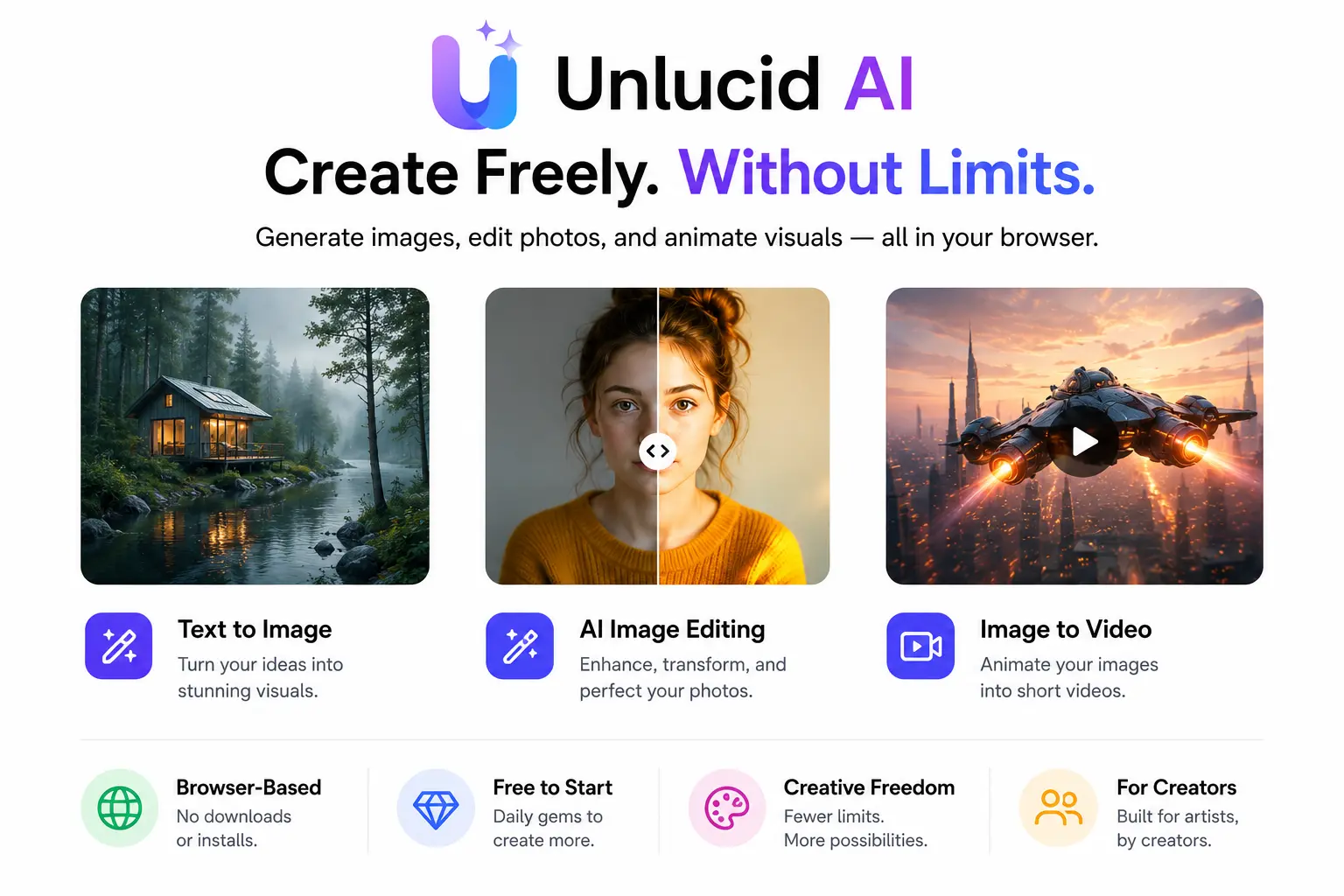
Unlucid AI is a browser-based creative platform that uses artificial intelligence to help users generate images from text prompts, edit existing photos, and animate still images into short video clips. It runs entirely in your browser nothing to download, nothing to install.
The platform launched with one core idea in mind: creative freedom. While tools like Midjourney, Adobe Firefly, and Canva AI apply strict content filters that regularly reject unusual or edgy prompts, Unlucid AI takes a much more relaxed approach. This has made it especially popular among digital artists, social media creators, and anyone who has been frustrated by mainstream AI tools shutting down their ideas mid-prompt.
In 2026, the platform supports text-to-image generation, smart image editing, and video animation all under one roof, all accessible for free with a daily gem allowance. It is not a business tool or a data platform. Think of it as a lightweight, no-barrier creative studio for people who want to produce visual content fast.
How Does Unlucid AI Work?
Unlucid AI is built on diffusion model technology the same foundational approach that powers tools like Stable Diffusion and Midjourney. Diffusion models work by starting with random noise and gradually refining it into a coherent image based on your prompt. The result is a system that is fast, flexible, and capable of producing a wide range of visual styles.
While users primarily interact with Unlucid AI through simple prompts and visual controls, many modern AI creative platforms increasingly rely on intelligent automation behind the scenes. Companies building advanced image generation, editing, and content personalization capabilities often invest in AI agent development services to create autonomous agents that can analyze user intent, recommend styles, optimize generation settings, moderate content, and automate multi-step creative workflows.
These AI-driven systems help deliver a more responsive and personalized user experience while reducing the amount of manual configuration required from end users.
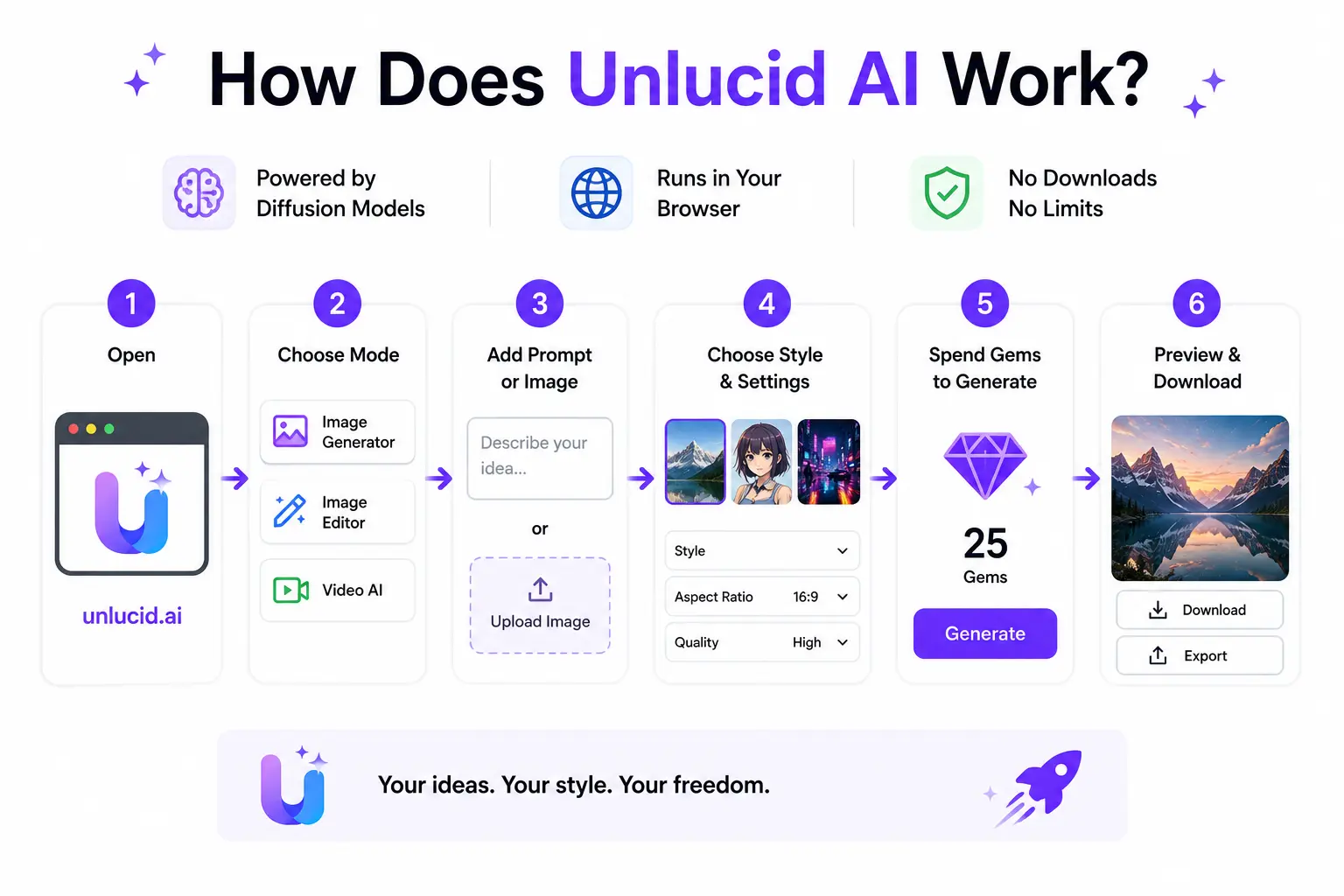
The whole experience happens in your web browser. You do not need to sign up to start, though creating an account lets you save and manage your projects. Once you are in, the workflow is straightforward:
- Go to unlucid.ai and open the platform.
- Choose your creation mode Image Generator, Image Editor, or Video AI.
- Type a text prompt or upload a source image depending on what you want to do.
- Select your style, effect, or settings.
- Spend gems to generate your output.
- Preview the result and download or export as needed.
The Gem System Explained
Gems are the currency that powers every action on Unlucid AI. Free users receive between 5 and 10 gems per day just by logging in. Each image generation or video effect typically costs between 5 and 10 gems depending on the complexity and resolution you choose.
In practice, that means free users can generate roughly one to two pieces of content per day without spending anything. If you need more output, you can purchase gem packs. The key thing to understand is that the free tier is genuinely functional it is not a trial with a hard cutoff, it is a daily replenishing allowance that resets every 24 hours.
Key Features of Unlucid AI
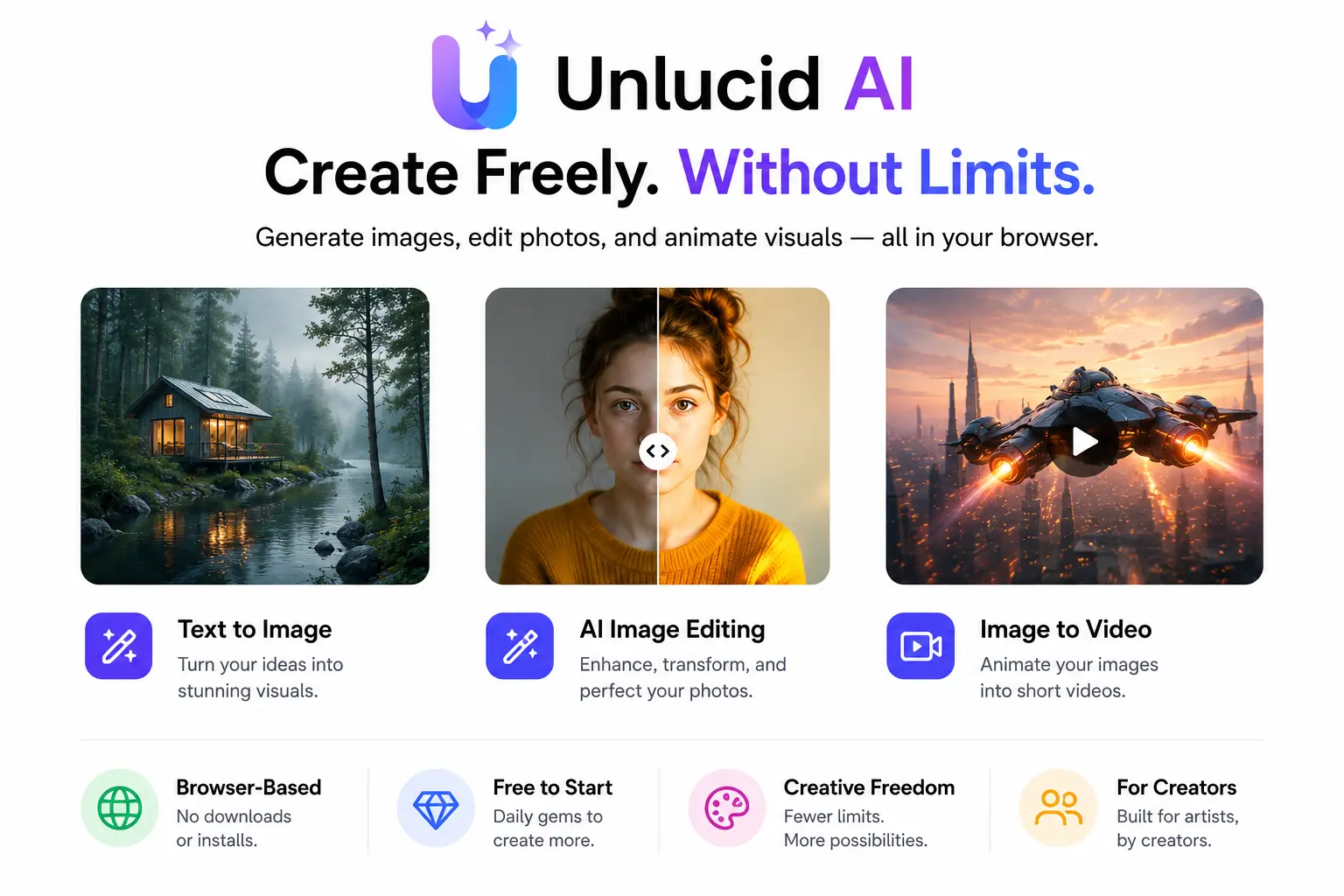
What separates Unlucid AI from the dozens of other AI image tools out there is not any single feature it is the combination of tools it puts in one free, no-download package. Here is what you actually get:
Text-to-Image Generation
Type a prompt whether it is ‘a neon-lit Tokyo alley at midnight’ or ‘a surrealist portrait of a fox in a business suit’ and Unlucid AI turns it into a styled image in seconds. The platform supports multiple art styles, from photorealistic to anime to painterly illustration, making it versatile for different creative needs.
Output quality is decent for a free tool, though it does not match the sharpness of paid tools like Midjourney V6 at higher resolutions. Where it excels is speed and accessibility there is no prompt queue, no waiting hours, and no skill requirement to get started.
AI Image Editing
Beyond generation, Unlucid AI includes a solid set of editing tools. You can remove unwanted objects from photos, swap backgrounds, change color grading, and even restyle an entire image into a different art form with a single click. Think of it as a streamlined Photoshop alternative that requires zero design experience.
The editing tools are particularly useful for social media managers who need to quickly repurpose or clean up existing photos rather than generate new ones from scratch.
Video and Animation Tools
This is arguably where Unlucid AI stands out most. The platform offers 15+ video effects that let you take a static image and animate it into a short video clip flying through clouds, slowing down action, zooming into a scene, and more. You can also go AI text-to-video, describing a scene and generating a video without needing any source imagery.
Export is in MP4 format and the outputs are designed specifically for short-form social content TikTok, Instagram Reels, YouTube Shorts. If you are a creator who needs quick animated content without a full video production setup, this AI video maker is one of the most practical free options available right now.
Uncensored Creative Freedom
This is the feature that gets the most attention. Unlike mainstream tools that block surreal, fantasy, mature, or experimental content, Unlucid AI applies far fewer restrictions. The platform describes this as empowering creative expression not promoting harmful content — and users are still expected to comply with applicable laws and the platform’s own usage policy.
What this means in practice is that prompts which would be immediately rejected by Adobe Firefly or Canva AI often go through on Unlucid. For artists working in experimental, fantastical, or adult-oriented genres, that freedom is the main reason they choose this platform over better-known alternatives.
No Download, No Sign-Up Barrier
The platform runs entirely in your browser on both desktop and mobile. You do not need to install anything and you can start creating immediately without creating an account. Registration only becomes necessary if you want to save and revisit your projects. This zero-friction entry point is one of the things users consistently highlight as a reason they keep coming back.
Unlucid AI Pricing: What Does It Actually Cost?
Unlucid AI uses a freemium model built around gems. The free tier is genuinely functional — not a demo. Here is how the pricing breaks down:
| Plan | Daily Gems | Cost | Best For |
| Free | 5–10 gems | $0 | Beginners & casual use |
| Gem Packs (Small) | ~50 gems | Pay per pack | Regular creators |
| Gem Packs (Large) | 100+ gems | Discounted rate | Power users & teams |
The key thing to understand about the gem system is that each generation action has a different gem cost depending on complexity. A standard image generation might cost 5 gems while a high-resolution or animated output could cost 10. Monitoring your gem balance in the dashboard before starting a batch of work will save you surprises.
One practical tip: preview in low resolution first before committing full gems to a final high-quality export. This way you iterate cheaply and only spend on the outputs you actually want to keep.
How to Get Started with Unlucid AI (Step by Step)
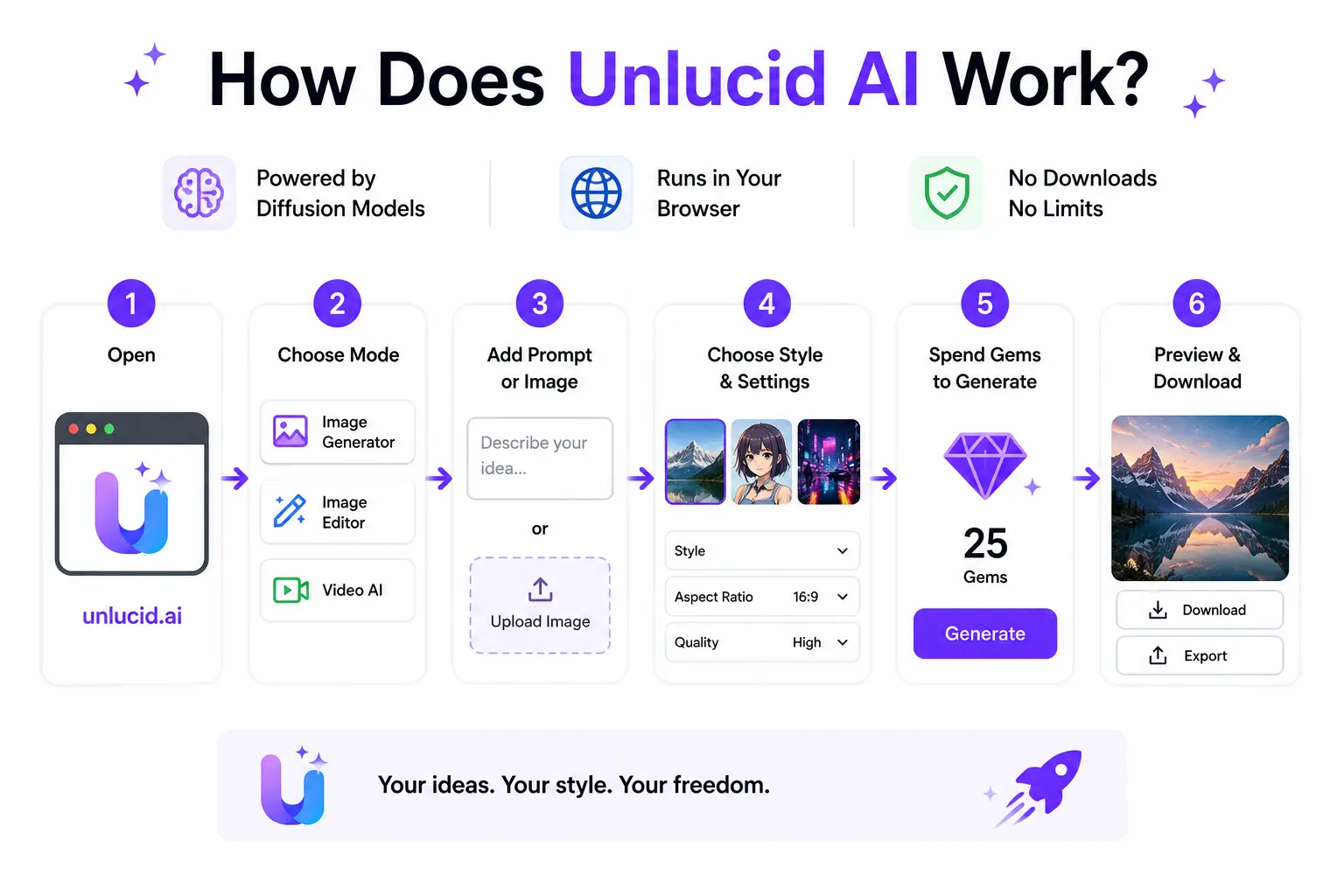
Getting your first output from Unlucid AI takes less than five minutes. Here is a walk-through written for someone opening the platform for the first time:
- Open unlucid.ai in your browser. No app download needed.
- Click ‘Try Now’ or ‘Create Now’ on the homepage. You do not need an account to start.
- Choose your workspace: Image Generator for text-to-image, Image Editor to modify an existing photo, or Video AI for animation effects.
- If you chose Image Generator, type your prompt in the text box. Be specific ‘a cyberpunk city at dusk, digital art, vibrant colours’ will give you better results than just ‘city’.
- Select a style or art direction if prompted. Unlucid supports multiple visual styles choose the one closest to your vision.
- Click Generate. The platform will spend gems from your daily balance and produce the output in seconds.
- Preview the result. If you are happy, download it. If not, refine your prompt and try again iteration is free until you hit your daily gem limit.
- Create a free account to save your project history and manage future outputs.
Unlucid AI Pros and Cons
Every tool has trade-offs. Here is an honest breakdown based on real use rather than the marketing page:
What Unlucid AI Does Well
- Genuinely free with no hard paywall the daily gem system gives real usable output every day without spending money.
- Zero setup runs in browser, works on mobile and desktop, no account needed to start.
- One of the most accessible AI video animation tools available for free in 2026.
- Creative freedom that mainstream tools refuse fewer content restrictions for experimental and artistic work.
- Beginner-friendly interface intuitive controls, helpful prompt guides, and quick iteration cycles.
- Outputs are yours you can use them for personal or commercial projects without attribution.
Where It Falls Short
- Output depth is limited video clips are single-scene rather than multi-shot narratives, which limits professional use.
- Trust score concerns Scamadviser flags the domain with a low trust score citing limited company transparency and hidden WHOIS data.
- Mixed user reports some users mention account suspensions without clear explanation and limited customer support to resolve issues.
- No dedicated mobile app the browser experience on mobile is functional but lacks native app polish.
- Model transparency is low Unlucid does not publicly disclose which AI models power its generation tools.
- Privacy considerations users should avoid uploading sensitive personal images given limited clarity on data retention policies.
Who Should Use Unlucid AI?
Unlucid AI is a strong fit for a specific type of user. If you fall into one of these categories, it is worth trying:
- Social media creators who need quick animated content for Reels, TikTok, or Shorts without a production budget.
- Hobbyists and digital artists who want to experiment with AI generation without committing to a paid subscription.
- Marketers who need fast visual drafts to test concepts before investing in polished production.Marketers who need fast visual drafts to test concepts before investing in polished production, whether for creative campaigns, SEO, or AI search visibility initiatives with partners like Omnius.
- Indie filmmakers and students who want to pre-visualise scenes or produce concept art quickly.
- Anyone frustrated by the content restrictions on Midjourney, Firefly, or Canva AI.
On the other hand, Unlucid AI is probably not the right choice if you need multi-scene video with consistent characters, are working on a brand safety-sensitive campaign, require a dedicated support team, or need AI services with guaranteed uptime and service reliability for professional deadlines
Is Unlucid AI Safe to Use?
This is a question worth taking seriously. Scamadviser has flagged the unlucid.ai domain with a low trust score, citing limited company transparency, hidden WHOIS data, and negative user reviews. These are legitimate concerns and they do not mean the platform does not work, but they do mean you should go in with your eyes open.
Here is what the evidence actually shows: the platform does deliver on its core promise it generates images and animations and lets you download them. Where the concerns are real is around account stability (some users report unexpected suspensions with no explanation), limited customer support for payment disputes, and unclear data policies on uploaded content.
Practical safety tips when using Unlucid AI:
- Do not upload personal photos, photos of identifiable people, or anything sensitive the data retention policy is not clearly documented.
- Start with small gem purchases before committing to large top-ups, since refund policies are unclear.
- Keep backups of any generated content you want to keep do not rely on the platform as your only storage.
- Use a secondary email address if privacy is a concern, since account creation is optional anyway.
Unlucid AI vs. Top Competitors
How does Unlucid AI stack up against the tools people usually compare it to? Here is a straight comparison:
| Tool | Price | Ease of Use | Video Support | Uncensored |
| Unlucid AI | Free (gems) | ⭐⭐⭐⭐⭐ | ✅ Yes | ✅ Yes |
| Midjourney | $10+/mo | ⭐⭐⭐ | ❌ No | ❌ No |
| Adobe Firefly | $5+/mo | ⭐⭐⭐⭐ | ✅ Yes | ❌ No |
| Runway Gen-4 | $15+/mo | ⭐⭐⭐⭐ | ✅ Yes | ⚠️ Partial |
| Canva AI | Free/$13/mo | ⭐⭐⭐⭐⭐ | ⚠️ Limited | ❌ No |
| Pika Labs | Free/$8+/mo | ⭐⭐⭐⭐ | ✅ Yes | ⚠️ Partial |
The takeaway from this comparison is that Unlucid AI wins on price and creative freedom, but loses on output quality and platform reliability compared to paid tools. For casual creators who want to experiment without spending money, that trade-off is usually worth it. For professional workflows where output consistency and support matter, tools like Runway Gen-4 or Adobe Firefly are the safer choice.
Best Unlucid AI Alternatives
If Unlucid AI does not quite fit your needs, these are the alternatives most worth your time in 2026:
1. Runway Gen-4 Turbo
The best overall AI video tool for creators who need professional-quality output. Runway Gen-4 produces multi-scene videos with consistent subjects and guided motion a significant step up from Unlucid’s single-clip outputs. The free tier is limited, but the paid plans start at $15/month and are worth every cent if video quality is your priority.
2. Pika Labs
A genuinely strong free-tier competitor to Unlucid for short video animations. Pika is cleaner, better supported, and produces more consistent outputs. It does apply content restrictions that Unlucid does not, but for creators who do not need uncensored content, Pika is arguably the better free choice.
3. Adobe Firefly
Adobe’s AI creative suite is the go-to for brand-safe, commercially usable content. It is more expensive, strictly filtered, and requires an Adobe subscription, but the output quality and reliability are in a different league. If you work in a professional context where the quality bar matters, Firefly is worth the cost.
4. Kling 2.0
One of the strongest image-to-video tools available in 2026. Kling’s Master model produces high visual coherence and supports longer clips than most competitors. The free tier is generous enough to evaluate the platform seriously before paying.
5. LensGo
A free AI tool for style transfer and single-image animation. LensGo is simpler than Unlucid but more stable, making it a good pick for creators who want consistent results without worrying about account suspensions or trust score red flags.
6. PixVerse V4.5
A newer contender with excellent motion quality and a free tier that rivals Unlucid’s. PixVerse has been drawing attention from creators who want smoother video outputs than Unlucid typically produces. Worth bookmarking even if you stick with Unlucid as your primary tool.
FAQ
Is Unlucid AI free?
Yes. Unlucid AI is genuinely free with no credit card required. Free users receive between 5 and 10 gems per day that replenish every 24 hours. Each generation action costs gems, so you can typically produce one to two pieces of content per day without spending anything. Paid gem packs are available if you need higher volume.
Is Unlucid AI safe to use?
The platform delivers on its creative tools, but there are legitimate concerns around transparency. Scamadviser flags the domain with a low trust score due to limited company information. Be cautious about uploading personal photos, avoid purchasing large gem packs until you have tested the platform, and keep copies of any content you generate.
How do I get more gems on Unlucid AI for free?
Your free gems replenish daily by simply logging in. Some users report that watching brief ads or completing in-platform actions can earn bonus gems, though availability varies. The most reliable free route is consistent daily login and efficient use of your gem allowance preview at low resolution before spending gems on high-quality exports.
Can I use Unlucid AI on my phone?
Yes. Unlucid AI runs in the browser, which means it works on both desktop and mobile devices without a dedicated app. The mobile experience is functional, though a full desktop browser gives you more screen real estate for the editing tools.
What is the difference between Unlucid AI and Midjourney?
Midjourney focuses exclusively on high-quality text-to-image generation with a paid subscription starting at around $10/month. It produces sharper and more detailed images than Unlucid but does not offer video animation and applies strict content filters. Unlucid AI is free, includes video tools, and applies far fewer content restrictions but the image quality ceiling is lower than Midjourney at comparable settings.
Are Unlucid AI outputs copyright-free?
Generally yes you can use generated visuals for personal and commercial projects. However, Unlucid’s terms and licensing documentation should be checked directly, as policies can change. When in doubt, review the platform’s current Terms of Service before using generated content in commercial contexts.
Does Unlucid AI have a mobile app?
There is no official Unlucid AI mobile app from the company itself. A third-party guide app exists on Google Play that offers tutorials for using the platform, but it is independent and not affiliated with Unlucid. The platform’s browser version works on mobile.
What video formats does Unlucid AI export?
Unlucid AI exports videos in MP4 format, which is compatible with all major platforms including TikTok, Instagram, YouTube, and most video editors. Resolutions up to 4K are supported depending on gem cost, and the platform does not add watermarks to exported content
Conclusion
Here is the straight answer: yes, for the right type of creator.
If you are a social media creator, hobbyist, or digital artist who wants a genuinely free AI tool with real creative freedom and no subscription commitment, Unlucid AI delivers. The daily gem system gives you enough to produce meaningful content every day, the video animation tools are some of the best available for free in 2026, and the zero-setup browser experience makes it easy to just open a tab and start creating.
The trust score concerns and lack of company transparency are real, and they mean you should be careful about what you upload and how much you spend. But as a free creative sandbox one that does not shut down your ideas the moment they get interesting Unlucid AI has a genuine place in any creator’s toolkit.
The creators who will get the most out of it are those who use it for what it is actually good at: quick social content, visual experimentation, and animated short-form video. If you need professional multi-scene video or brand-safe commercial content, look at Runway or Adobe Firefly instead.