Category: blogs

  • A Visual Guide to Keyword Targeting and On-Page SEO

    A Visual Guide to Keyword Targeting and On-Page SEO

    Most pages don’t fail because of bad content they fail because no one ever finds them. Keyword targeting and on-page SEO are what bridge the gap between a page that exists and a page that ranks. This shows you exactly where to place your keywords, how to structure your page, and what Google actually looks for in 2026.

    How do I build the perfectly optimized page?

    build the perfectly optimized page
    This is a question almost every website owner, blogger, and digital marketer asks at some point. There are hundreds of “best practices” lists floating around for keyword targeting and on-page SEO but as search engines have grown smarter, and as user behavior has shifted, the very definition of “perfectly optimized” keeps moving.

    Stuffing your keyword into every paragraph? That used to work in 2010. Today, it gets you penalized. Writing long content just for the sake of word count? Also a trap. The truth is, great keyword targeting and on-page SEO is less about rules and more about understanding what a real person is looking for and making sure your page delivers exactly that, clearly and quickly.

    This guide walks you through every element of an optimized page visually, practically, and in plain language so you can stop guessing and start ranking.

    What exactly is keyword targeting, and why does it matter so much?

    What exactly is keyword targeting, and why does it matter so much?
    Imagine someone opening Google and typing “best noise-cancelling headphones under $50.” They’re not looking for a history of headphone technology. They want a recommendation, a price, and a reason to trust it. Keyword targeting is what connects your page to that exact moment.

    Keyword targeting is the process of selecting and placing specific search terms throughout your content so that search engines understand what your page is about and serve it to the right people at the right time. Done well, it shapes everything: your page title, your headings, your URL, even the name of your images.

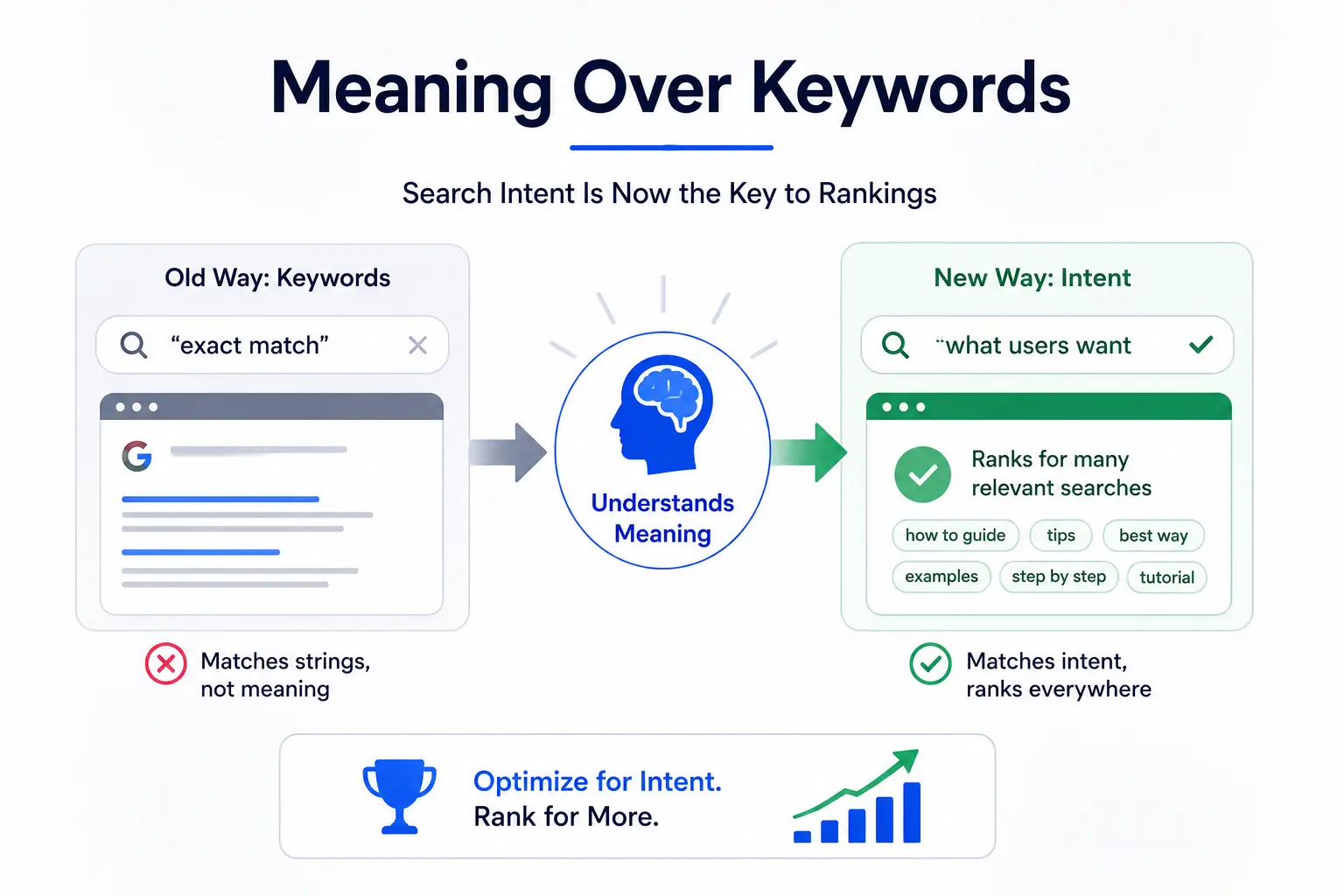
    The mistake most people make is treating keyword targeting as a numbers game “use this keyword 10 times and you’ll rank.” That hasn’t been true for years. Google’s algorithm is sophisticated enough to understand context, synonyms, and intent. What it really wants to see is a page that genuinely answers the question behind the keyword.

    What is on-page SEO, and how is it different from off-page SEO?

    What is on-page SEO,
    On-page SEO refers to everything you do directly on your page to help it rank better. That includes your title tag, your content, your headings, your images, your URL, and your internal links. You control all of it.

    Off-page SEO, by contrast, is what happens elsewhere other websites linking to you, brand mentions, social signals. You influence it, but you don’t fully control it.

    Think of it this way: on-page SEO is your side of the conversation with Google. You’re telling the search engine, “Here’s what this page is about, here’s who it’s for, and here’s why it deserves to rank.” Off-page SEO is what other people say about you when you’re not in the room.

    Getting keyword targeting and on-page SEO right is the foundation. Without it, even the best backlink profile won’t save a page that’s confusing to both users and search engines.

    Where exactly should you place your target keyword on the page?

    target keyword on the page
    This is where most guides dump a checklist and call it a day. Instead, let’s walk through a real page element by element and show you precisely where your keyword needs to live, and why.

    1. The Meta Title (Title Tag)

    Your title tag is the single most important on-page SEO element. It’s what appears as the clickable link in Google search results, and it’s the first thing both users and crawlers read.

    Your focused keyword should appear as close to the beginning of the title tag as possible. Keep it under 60 characters so it doesn’t get cut off on smaller screens. Add a modifier a year, a power word, or a qualifier to increase click-through rate.

    Weak: On-Page SEO Tips for Websites

    Strong: Keyword Targeting and On-Page SEO: A Visual Guide [2026]

    The second version front-loads the keyword, signals freshness with the year, and tells the reader exactly what format to expect.

    2. The Meta Description

    Your meta description doesn’t directly affect ranking but it directly affects clicks. And clicks affect rankings. Include your focused keyword naturally, write it like a human talking to another human, and end with a soft call to action.

    Keep it between 150–160 characters. Write it for the reader, not the algorithm.

    Example: Learn keyword targeting and on-page SEO with our visual guide. Discover where to place keywords, how to structure pages, and rank higher in 2026.

    3. The URL Slug

    Your URL should be short, lowercase, and descriptive. Use hyphens to separate words. Include your keyword, but keep it clean no dates, no ID numbers, no stop words unless they’re part of the keyword itself.

    Wrong: /blog/post?id=4527

    Right: /visual-guide-to-keyword-targeting-and-on-page-seo

    A clean URL also builds trust. People glance at URLs before clicking. A readable URL tells them immediately that the page is relevant.

    4. The H1 Tag

    Every page gets exactly one H1. It’s the headline readers see when they land on your page, and it should contain your focused keyword ideally near the front.

    Your H1 and title tag don’t have to be identical, though they often are. The title tag is for search results; the H1 is for the page itself.

    Example H1: A Visual Guide to Keyword Targeting and On-Page SEO (Updated 2026)

    5. The Introduction First 100 Words

    Drop your keyword naturally within the first 100 words of your content. Not forced. Not twice. Just once, early, in a sentence that actually makes sense to read.

    This tells Google immediately what the page is about. It also reassures readers that they landed in the right place which reduces bounce rate and improves time on page.

    6. Subheadings (H2, H3, H4)

    Your H2s and H3s give your page structure. They help readers scan, and they help crawlers understand the depth of your coverage. Use keyword variations, related questions, and semantic terms in your subheadings not the same exact phrase repeated over and over.

    7. Body Content Keyword Frequency and LSI Terms

    In 2026, keyword density is less about hitting a number and more about natural coverage. If you’re writing a 1,500-word article, mentioning your primary keyword 4–6 times is reasonable. Going beyond that starts to look forced to both readers and algorithms.

    More importantly, use related terms. If you’re writing about keyword targeting, Google expects to also see terms like “search intent,” “meta description,” “title tag,” “organic traffic,” and “SERP.” These are called LSI (Latent Semantic Indexing) keywords, and they signal topical depth.

    8. Image File Names and Alt Text

    Most people upload images named “screenshot-2026-01-04.png.” That’s a wasted opportunity. Rename your image files to describe what they show, using hyphens and including your keyword where it fits naturally.

    Wrong file name: IMG_00483.jpg

    Right file name: keyword-targeting-page-diagram.jpg

    Alt text describes the image for screen readers and for search engine crawlers. Write it as a natural description of what’s in the image. Include your keyword if it fits — if it doesn’t, don’t force it.

    What is search intent, and why does it matter more than keywords?

    What is search intent,
    Here’s a scenario: two people search Google on the same day. One types “keyword targeting.” The other types “how to do keyword targeting for a new blog.” Same general topic. Completely different intent.

    The first person might be looking for a definition, a tool, or a course. The second person wants a step-by-step guide. If your page tries to serve both with the same content, it’ll likely satisfy neither.

    Search intent is the “why” behind a search query. Google categorizes it into four types:

    • Informational: the user wants to learn something (“what is on-page SEO”)
    • Navigational: the user wants to find a specific site (“Moz on-page SEO guide”)
    • Commercial: the user is researching before buying (“best SEO tools 2026”)
    • Transactional: the user is ready to act (“buy Ahrefs subscription”)

    Before you write a single word, Google the keyword you’re targeting. Look at the top 5 results. Are they blog posts? Product pages? Videos? That tells you what Google believes users want — and your content needs to match that format.

    How do LSI keywords and semantic SEO fit into on-page optimization?

    Google stopped reading pages like a keyword-matching machine a long time ago. Today it reads more like a knowledgeable editor evaluating whether your content genuinely covers a topic, or just repeats the same phrase in different sentences.

    That’s where semantic SEO comes in. Instead of targeting a single keyword in isolation, you build content that covers a topic comprehensively. LSI keywords  terms that are conceptually related to your main keyword are the building blocks of this.

    If you’re writing about keyword targeting and on-page SEO, semantically related terms include: title tags, meta descriptions, header tags, anchor text, crawlability, keyword density, SERP, organic traffic, and search intent. Work these in naturally, and your page sends stronger relevance signals without ever feeling keyword-stuffed.

    Tools like Google’s “People Also Ask” section, the “Related Searches” at the bottom of a SERP, and keyword research platforms like Ahrefs or Semrush all help you find these related terms quickly.

    What on-page SEO mistakes quietly kill your rankings?

    You can do everything right and still rank poorly if you’re making one of these common errors without realizing it.

    Keyword cannibalization happens when two or more pages on your site target the same keyword. Instead of both pages ranking, they compete against each other and neither wins. The fix is to consolidate them into one comprehensive page, or clearly differentiate the keyword focus of each.

    Keyword stuffing is the practice of forcing your keyword into content at an unnatural frequency. Google’s algorithms detect it easily, and it also makes your content unpleasant to read. Natural placement beats repetition every time.

    Thin content — pages with very little substance don’t rank well in 2026. A 200-word page targeting a competitive keyword isn’t going to cut it, no matter how well-optimized the title tag is. Depth signals authority.

    Duplicate title tags and meta descriptions across multiple pages confuse crawlers and dilute your relevance signals. Every page should have a unique title and description.

    Ignoring mobile UX is increasingly costly. Google indexes the mobile version of your site first. If your page is difficult to read or navigate on a phone, your rankings will reflect that.

    How do page speed and Core Web Vitals affect on-page SEO?

    On-page SEO isn’t only about text. The technical health of your page plays a direct role in rankings and in whether users stick around long enough to read what you’ve written.

    Core Web Vitals are Google’s set of measurable, user-experience metrics:

    • LCP (Largest Contentful Paint) — how quickly the main content loads. Aim for under 2.5 seconds.
    • CLS (Cumulative Layout Shift) — how stable the page layout is as it loads. Avoid elements that jump around.
    • INP (Interaction to Next Paint) — how quickly the page responds to user input.

    A slow page with great content will rank below a fast page with equally great content. Compress your images. Use a reliable host. Minimize render-blocking scripts. These aren’t glamorous tasks, but they matter.

    You can check your Core Web Vitals for free using Google Search Console and Google PageSpeed Insights.

    What does a complete on-page SEO checklist look like in 2026?

    Before you hit publish on any page, run through this checklist. After you publish, revisit it every few months to make sure the page is still performing.

    Pre-Publish Checklist

    • Focused keyword identified and mapped to a single page
    • Keyword in meta title (within 60 characters, near the front)
    • Keyword in meta description (150–160 characters, includes CTA)
    • Keyword in H1 (one H1 only)
    • Keyword in the first 100 words of the introduction
    • Keyword variations in at least 2–3 H2 subheadings
    • LSI keywords distributed naturally throughout the body
    • URL is short, lowercase, hyphens only, includes keyword
    • All images have descriptive file names and alt text
    • Internal links added from relevant existing pages
    • Descriptive anchor text used (not “click here”)
    • No duplicate title or meta tags on other pages
    • Page loads in under 3 seconds on mobile
    • Content fully answers the search intent behind the keyword

    Post-Publish Checklist

    • Page indexed in Google Search Console
    • Impressions and clicks monitored over first 30 days
    • Page updated if rankings plateau after 60–90 days
    • Broken links checked and repaired
    • Schema markup added if eligible for featured snippets (FAQ, How-To)

    FAQ

    What is the difference between keyword targeting and on-page SEO?

    Keyword targeting is the process of choosing which search terms to focus on. On-page SEO is the broader practice of optimizing your page so it ranks for those terms. They work together — keyword targeting tells you what to optimize for, and on-page SEO is how you do it.

    How many keywords should I use per page?

    Target one primary keyword (or keyword theme) per page. You can also include secondary keywords and LSI terms, but avoid targeting multiple unrelated keywords on a single page — that dilutes your relevance signals.

    Where exactly should the focus keyword appear?

    At a minimum: the meta title, the meta description, the H1, the URL slug, and the first 100 words of the body. From there, use it naturally throughout the content without forcing it.

    Does keyword density still matter in 2026?

    It matters less than it used to. There’s no magic number. What matters is that your keyword appears naturally, at a frequency that makes the content readable and relevant — typically 3–6 times per 1,000 words for the primary keyword.

    How do I know if my on-page SEO is working?

    Check Google Search Console. Look for impressions, clicks, average position, and CTR for your target keyword. If impressions are growing but clicks are low, your title or meta description may need work. If you’re not appearing at all, check indexing and content depth.

    Conclusion

    Keyword targeting and on-page SEO aren’t one-time tasks they’re ongoing habits. The pages that hold their rankings in 2026 are the ones that were built thoughtfully, updated regularly, and written for real people first.

    Start with one page. Run it through the checklist above. Look at how your focused keyword sits in the title, the H1, the introduction, the subheadings. Make sure the content actually answers the question your keyword represents. Then move to the next page.

    Small, consistent improvements compound over time. That’s the real secret to keyword targeting and on-page SEO that lasts.

  • What Is Traffic Analysis? And Why It Matters

    What Is Traffic Analysis? And Why It Matters

    Traffic analysis, in the context of digital marketing, is the practice of collecting and interpreting data about how visitors interact with your website. Think of it as your website’s health check  it tells you what is working, what is not, and what needs attention.

    Here is the key distinction that most beginners miss: traffic numbers and traffic insights are very different things. Knowing that you got 10,000 visits last month means nothing on its own. Knowing that 8,000 of those visits came from one blog post, and 60% of those visitors clicked through to your pricing page that is insight.

    Why Traffic Analysis Matters for Every Business

    • It shows you where your marketing budget is actually paying off
    • It reveals which content your audience finds valuable
    • It helps you spot problems before they become expensive
    • It gives you data to justify decisions to stakeholders
    • It uncovers growth opportunities your competitors might be missing

    Types of Website Traffic You Need to Know

    TYPES OF WEBSITE TRAFFIC
    Before diving into analysis, you need to understand the different types of traffic your website can receive. Each source tells a different story about how people are finding you.

    1. Organic Traffic

    This is visitors who found your website through a search engine like Google or Bing without clicking on an ad. Organic traffic is the gold standard it’s free, sustainable, and signals that your content is genuinely valuable. Strong organic traffic is the result of good SEO, quality content, and a technically healthy website.

    2. Direct Traffic

    Direct traffic comes from people who typed your URL directly into their browser or clicked a saved bookmark. This often indicates strong brand recognition. However, it can also include traffic that cannot be properly attributed to another source.

    3. Referral Traffic

    Referral traffic arrives when another website links to yours and a visitor clicks that link. Getting referral traffic from high-authority sites is excellent for both traffic and SEO it signals that others trust your content enough to share it.

    4. Social Traffic

    Visitors from social media platforms like Facebook, Instagram, LinkedIn, Twitter/X, TikTok, or Pinterest fall into this category. Social traffic can be great for awareness, but it often has higher bounce rates compared to organic traffic.

    5. Paid Traffic

    Paid traffic, also known as PPC (pay-per-click), comes from ads you run on Google, Meta, or other platforms. It can bring in visitors quickly, but the moment you stop paying, the traffic stops too.

    6. Email Traffic

    When subscribers click a link in your email newsletter or campaign and visit your site, that’s email traffic. This tends to be some of the highest-quality traffic because these visitors already know and trust your brand.

    7. AI Traffic (The New Channel to Watch)

    This is one of the most exciting developments in 2025. Platforms like ChatGPT, Perplexity, Gemini, and Copilot are now sending referral traffic to websites they recommend. If you see traffic from these sources, your content is being used by AI assistants to answer real questions a powerful signal of authority.

    Key Traffic Metrics You Should Actually Track

    There are dozens of metrics available in any analytics platform. Tracking all of them leads to confusion, not clarity. Here are the metrics that genuinely move the needle and what each one is trying to tell you.

    MetricWhat It Tells YouGood Benchmark
    SessionsTotal number of visits to your siteDepends on industry & goals
    Bounce Rate% of visitors who left without engagingUnder 40% is strong
    Avg. Session DurationHow long visitors stay on your site2+ minutes is healthy
    Pages/SessionHow many pages each visitor views2-4 pages per session
    CTR% who click after seeing you in search3-5% for organic search
    Conversion Rate% of visitors who complete a goal2-5% industry average

    A Closer Look at the Metrics That Matter Most

    Sessions & Users: A session is a single visit to your website, which can include multiple page views. A user is an individual visitor. Tracking both helps you understand how many unique people are visiting and how often they return.

    Bounce Rate: This measures the percentage of visitors who leave after viewing only one page. A high bounce rate is not always bad if someone reads your entire blog post and then leaves, that is a successful visit. Context matters.

    Click-Through Rate (CTR): Your CTR in search results tells you how attractive your title and meta description are. Even if you rank on page one, a weak CTR means you are missing out on traffic that is rightfully yours.

    Conversion Rate: This is the metric that connects traffic to revenue. It measures the percentage of visitors who complete a desired action a purchase, a form submission, a newsletter signup. Traffic without conversions is just a vanity number.

    How to Do Traffic Analysis Step by Step

    TRAFFIC ANALYSIS STEP
    Traffic analysis is not a one-time task it is an ongoing process. Here is a practical, repeatable framework you can follow every month.

    Step 1: Define Your Goals Before Looking at Data

    This is the step most people skip, and it is the most important. Before opening any analytics tool, ask yourself: what does success look like for my website right now? Are you trying to grow organic traffic, improve conversions, reduce bounce rate, or understand where your audience comes from? Your goals determine which metrics matter and which are noise.

    Step 2: Connect the Right Tools

    At a minimum, you need Google Analytics 4 (GA4) and Google Search Console. GA4 tells you what happens on your website after visitors arrive. Search Console tells you how your site performs in Google search — which keywords bring traffic, how often your pages appear, and what your CTR looks like. Together, they give you a complete picture of your organic performance.

    Step 3: Identify Your Traffic Sources

    Head to your acquisition reports and look at where your visitors are coming from. Which channels are growing? Which are declining? If social traffic is dropping while organic is rising, that tells you something very specific about where to invest your time and resources.

    Step 4: Dig Into Your Top-Performing Pages

    Look at which pages are bringing in the most traffic and why. Is there a pattern? Do long-form guides outperform short posts? Do product pages convert better when they have more images? Understanding what already works gives you a repeatable formula for creating more content that performs.

    Step 5: Spot Traffic Drops or Unexpected Spikes

    Unusual traffic patterns are signals, not just statistics. A sudden spike might mean a piece of content went viral or someone with a large audience linked to you. A drop could signal a Google algorithm update, a technical issue like broken pages, or seasonal shifts in search demand. Always investigate before drawing conclusions.

    Step 6: Compare Time Periods Intelligently

    Never evaluate traffic in isolation. Compare month-over-month to spot trends, and year-over-year to account for seasonality. A 20% drop in traffic in December may look alarming until you realize the same thing happened last December — and the year before that.

    Step 7: Turn Data Into Decisions

    This is where most traffic analysis fails. People collect the data, stare at the charts, and then nothing changes. Every traffic analysis session should end with at least one specific action item: update a page that is losing traffic, improve the meta title on a page with low CTR, or double down on a channel that is outperforming expectations.

    Best Traffic Analysis Tools in 2025

    The tool you use matters less than how consistently you use it. That said, using the right tool for the job makes a real difference. Here is a breakdown of the best traffic analysis tools available today.

    ToolBest ForFree?Skill Level
    Google Analytics 4Complete traffic tracking & user behaviorYesBeginner
    Google Search ConsoleOrganic search data & keyword performanceYesBeginner
    SemrushCompetitor traffic analysis & keyword gapsPaidBeginner
    AhrefsBacklink profile & organic traffic estimatesPaidBeginner
    HubSpot AnalyticsMarketing & traffic reporting combinedFreemiumBeginner
    Looker StudioCustom dashboards & shareable reportsYesBeginner
    DashThisAutomated client reporting & KPIsPaidBeginner

    How to Choose the Right Tool

    If you are just starting out, Google Analytics 4 and Google Search Console are all you need — and both are completely free. Once you want to understand competitor traffic or find keyword gaps, tools like Semrush or Ahrefs add real value. For reporting and client dashboards, Looker Studio (free) and DashThis (paid) are excellent choices.

    Best Combo: GA4 + Google Search Console gives you the most complete and accurate picture of your own website traffic and it costs nothing.

    Traffic Reporting How to Build Reports People Actually Read

    TRAFFIC REPORTING
    Here is an uncomfortable truth: most traffic reports are ignored. They are either too long, full of numbers that mean nothing to the reader, or they present data without any story behind it. A great traffic report does not just show what happened it explains why it happened and what to do next.

    The Anatomy of a Strong Traffic Report

    Every solid traffic report should include these core sections:

    • Executive Summary: a plain-English overview of the key takeaways in 3-5 sentences
    • Traffic Overview: total sessions, users, and comparison to the previous period
    • Traffic by Source: which channels drove the most visits and how each is trending
    • Top Pages: which content performed best and why it worked
    • Keyword Performance: which search terms are driving organic traffic
    • Conversions: how many visitors completed a goal, broken down by source
    • Recommended Actions: specific next steps, not vague suggestions

    Tailor Your Report to Your Audience

    A marketing manager wants to see channel performance and content metrics. A CEO wants to see how traffic is connecting to revenue. A developer cares about technical issues that might be impacting load speed and crawlability. The same data, packaged differently, resonates with different people. Know who you are writing for.

    How Often Should You Run Traffic Reports?

    • Weekly: for fast-moving campaigns or new website launches
    • Monthly: the standard for most businesses tracking ongoing performance
    • Quarterly: ideal for strategic reviews and stakeholder presentations
    • Year-over-year: essential for understanding seasonal patterns

    Common Traffic Analysis Mistakes to Avoid

    Even experienced marketers fall into these traps. Here is what to watch out for and how to avoid each one.

    Mistake 1: Chasing Vanity Metrics

    Page views feel impressive, but they rarely tell you anything useful. One page view from a highly targeted visitor who converts is worth more than a hundred random visits. Always ask: what does this number actually mean for my business?

    Mistake 2: Not Filtering Out Bots and Internal Traffic

    If your team visits your website constantly while developing or testing it, that traffic will inflate your numbers and skew your data. Make sure to exclude your own IP addresses and filter known bot traffic from your reports in GA4.

    Mistake 3: Ignoring Mobile Traffic

    Around 59% of all internet traffic now comes from mobile devices. If you are not looking at how your mobile visitors behave differently from desktop users different bounce rates, different conversion paths you are missing a huge piece of the picture.

    Mistake 4: Comparing the Wrong Time Periods

    Comparing this December to last November will give you meaningless data. Always compare equivalent periods this month vs. the same month last year, or this quarter vs. the same quarter last year. Seasonal shifts are real and they will mislead you if you are not accounting for them.

    Mistake 5: Analyzing Traffic Without Tying It to Goals

    Traffic is a means to an end, not the end itself. If your traffic doubles but your revenue stays flat, something is wrong. Always connect traffic trends to business outcomes leads generated, products sold, sign-ups completed.

    Traffic Analysis in the Age of AI Search (2025 Update)

    The search landscape is changing faster than at any point in the last decade. AI-powered features like Google’s AI Overviews are reshaping how people find information and how traffic flows across the web. Here is what every marketer needs to understand right now.

    Zero-Click Searches Are on the Rise

    Around 60% of searches now end without a click, because Google answers the question directly in the search results. This means rankings alone no longer guarantee traffic. Your traffic analysis needs to account for impressions alongside clicks a page can be performing well in search even if CTR appears to drop.

    AI Tools Are Becoming Referral Sources

    ChatGPT, Perplexity, Gemini, and similar tools are increasingly sending traffic to websites they recommend. If your content is showing up as a source in AI-generated answers, you will start to see these as referral traffic sources in GA4. This is a strong signal that your content has earned real authority.

    How to Adapt Your Traffic Analysis Strategy

    • Track AI referral traffic as a separate source and watch it grow over time
    • Monitor impressions in Google Search Console, not just clicks
    • Focus on content that directly answers specific questions — the format AI tools prefer
    • Measure brand awareness metrics alongside standard traffic data
    • Diversify your traffic sources so you are not dependent on any single channel

    Forward Thinking: AI Visibility how often your brand is mentioned in AI-generated answers — is becoming as important as traditional keyword rankings. Start tracking it now.

    Traffic Analysis vs. SEO Reporting What Is the Difference?

    These two terms are often used interchangeably, but they are not the same thing and understanding the difference will make your reporting much sharper.

    Traffic Analysis is the broad study of all visitor behavior across all channels. It covers where people come from, what they do on your site, how long they stay, and whether they convert. It looks at organic, paid, social, direct, and referral traffic equally.

    SEO Reporting is specifically focused on how your website performs in search engines. It dives into keyword rankings, organic click-through rates, crawlability, backlinks, and technical health all the factors that determine how well Google ranks your pages.

    You need both. Traffic analysis tells you whether your overall digital presence is healthy. SEO reporting tells you whether your investment in organic search is paying off. When used together, they give you a complete view of where your audience is coming from and how to attract more of the right people.

    Frequently Asked Questions

    Q: What is traffic analysis in digital marketing?

    A: Traffic analysis in digital marketing is the process of collecting and interpreting data about how visitors find and interact with your website. It covers traffic sources, user behavior, engagement metrics, and conversions — helping you make smarter decisions about content, advertising, and SEO.

    Q: How do I analyze website traffic for free?

    A: You can do thorough traffic analysis completely for free using Google Analytics 4 and Google Search Console. GA4 tracks on-site behavior, traffic sources, and conversions. Google Search Console shows you keyword performance, impressions, and click-through rates from organic search.

    Q: What are the most important traffic metrics to track?

    A: The most important metrics are: sessions and users (volume), traffic by source (where visitors come from), bounce rate (engagement quality), conversion rate (business impact), top landing pages (content performance), and CTR from search (SEO effectiveness). Start with these before adding complexity.

    Q: How often should I do traffic analysis?

    A: For most businesses, monthly traffic analysis is the sweet spot it gives you enough data to spot meaningful trends without getting lost in daily noise. Add weekly check-ins during active campaigns and do a thorough quarterly review for strategic planning.

    Q: What is a good amount of website traffic?

    A: There is no universal benchmark it completely depends on your industry, business model, and goals. A B2B SaaS company converting 5% of 500 monthly visitors into enterprise clients can be far more successful than an e-commerce store with 50,000 visitors but a 0.1% conversion rate. Focus on traffic quality and conversion, not volume alone.

    Q: What is the difference between sessions and users in GA4?

    A: In GA4, a user is a unique individual who visits your site, while a session is a single visit. One user can have multiple sessions for example, if someone visits your site on Monday and again on Friday, that counts as one user but two sessions. Tracking both gives you a fuller picture of your audience size and engagement frequency.

    Conclusion

    Traffic analysis is not about drowning in dashboards and spreadsheets. At its core, it is about asking the right questions and finding clear answers in your data then using those answers to make better decisions.You do not need to track every metric or master every tool on day one. Start simple. Pick three to five metrics that directly connect to your business goals, check them consistently, and build your analysis practice from there. Over time, the patterns become obvious, the insights come faster, and the decisions get easier.

    The websites that grow consistently are not the ones with the most traffic they are the ones run by people who understand their traffic. They know what is working, they double down on it, they fix what is broken, and they never stop paying attention. Now you have the framework to do the same. Open your analytics, start with the basics, and let the data guide you.

  • What Are SEO KPIs? And How Are They Different from SEO Metrics?

    What Are SEO KPIs? And How Are They Different from SEO Metrics?

    SEO KPIs are metrics that are tied to a goal. For example, organic conversion rate is a KPI because it tells you whether your organic traffic is turning into customers. Page views alone? That is just a metric.

    Here is a simple way to think about it: imagine you are on a road trip. SEO metrics are your mile markers they tell you how far you have come. SEO KPIs are your destination. You need both, but reaching the destination is what actually matters.

    Leading vs. Lagging Indicators

    SEO KPIs fall into two types:

    • Leading indicators: metrics that show early progress, like keyword rankings, impressions, and organic traffic. These signal whether you are on the right track.
    • Lagging indicators: the real business outcomes, like leads, sales, and revenue from organic. These take longer to move but confirm actual success.

    Strong leading indicators done consistently over time tend to produce strong lagging indicators. Track both.

    How Many SEO KPIs Should You Track?

    The answer most SEO professionals agree on: 5 to 7 core KPIs. Any more than that and you risk analysis paralysis spending more time reading dashboards than actually improving your site.

    How to Choose the Right SEO KPIs for Your Business

    right seo Kpis
    There is no single list of SEO KPIs that works for every business. The right ones depend on your goals, your industry, and where your site is in its growth.

    Match Your KPIs to Your Business Type

    • E-commerce: organic revenue, conversion rate, product page rankings, cart abandonment from organic traffic
    • B2B SaaS: non-branded organic traffic, demo/trial signups, content-assisted deals, cost per acquisition
    • Local business: Google Business Profile visibility, local keyword rankings, direction requests, call clicks
    • Blog/media: organic traffic, engagement rate, email signups, returning visitors

    Use the SMART Framework to Set Targets

    Every KPI should be SMART: Specific, Measurable, Achievable, Relevant, and Time-bound. Instead of saying ‘I want more organic traffic,’ say: ‘I want to increase non-branded organic traffic by 20% over the next 90 days by publishing 8 optimised blog posts.’

    That is a KPI you can act on and measure.

    Consider Your Site’s Stage

    • New site (0–6 months): Focus on indexed pages, impressions, and crawl health. Conversions can wait until you have traffic.
    • Growing site (6–18 months): Shift focus to keyword rankings, CTR, and organic traffic growth.
    • Established site (18+ months): Prioritise conversion rate, revenue from organic, and domain authority trends.

    The 15 Most Important SEO KPIs to Track in 2026

    Below are 15 SEO KPIs organised into four categories. For each one, you will find what it is, why it matters, how to track it, and a benchmark to aim for.

    Visibility KPIs

    KPI 1: Organic Traffic
    What it isThe number of visitors who land on your site through unpaid search results.
    Why it mattersIt is the most direct output of your SEO work. More visibility in search = more organic visitors.
    How to trackGA4 → Reports → Acquisition → Traffic acquisition → Filter by ‘Organic Search’
    BenchmarkHealthy sites see 50–70% of total traffic from organic. Aim for 5–10% month-over-month growth.
    Pro tipSegment by branded vs. non-branded. Growth in non-branded traffic is a stronger SEO signal.
    KPI 2: Keyword Rankings
    What it isWhere your pages appear in Google search results for your target keywords.
    Why it mattersRankings drive traffic — position 1 gets ~27.6% of clicks, position 2 gets ~15.8%, position 3 gets ~11%.
    How to trackAhrefs Rank Tracker, Semrush Position Tracking, or Google Search Console (average position)
    BenchmarkTrack position for 20–50 high-value target keywords. Aim for page 1 visibility within 6 months.
    Pro tipDo not chase every keyword. Focus on the ones that drive qualified traffic and conversions.
    KPI 3: Impressions
    What it isHow many times your pages appeared in Google search results, whether clicked or not.
    Why it mattersHigh impressions with low CTR means your titles and meta descriptions need work. It is a visibility signal before the click.
    How to trackGoogle Search Console → Performance → Total impressions
    BenchmarkGrowing impressions month-over-month is a positive sign, especially for new content.
    Pro tipPair impressions with CTR. Low CTR on high-impression pages is a quick-win optimisation opportunity.
    KPI 4: AI Overview / AI Citation Visibility
    What it isHow often your brand or content is cited inside AI-generated answers (Google AI Overviews, ChatGPT, Perplexity).
    Why it mattersIn 2026, AI answers often replace traditional search results. If your content is not cited, you are invisible — even if you rank well.
    How to trackPrompt-based monitoring tools, brand mention trackers. Cross-reference with Search Console query data.
    BenchmarkTracking this as a trend is more useful than absolute numbers. Aim to appear in AI answers for your top 10–20 target queries.
    Pro tipContent that is clear, authoritative, well-structured, and cites credible sources tends to get picked up by AI systems.
    KPI 5: Branded vs. Non-Branded Traffic Split
    What it isThe ratio of visitors searching for your brand name vs. visitors finding you through generic topic searches.
    Why it mattersBranded spikes from PR campaigns can mask flat organic growth. Non-branded growth is pure SEO performance.
    How to trackSearch Console → Filter queries → Exclude brand name variations
    BenchmarkFor most sites, 60–70% non-branded traffic indicates healthy SEO reach.
    Pro tipIf branded traffic is consistently rising but non-branded is flat, your content strategy needs attention.

    Engagement KPIs

    KPI 6: Click-Through Rate (CTR)
    What it isThe percentage of users who click your listing after seeing it in search results.
    Why it mattersCTR is the bridge between visibility and traffic. A low CTR on a high-ranking page means your title or meta description is not compelling enough.
    How to trackGoogle Search Console → Performance → CTR column (not third-party estimated CTR curves)
    BenchmarkPosition 1: ~27.6% | Position 2: ~15.8% | Position 3: ~11.0% (Backlinko, 2026)
    Pro tipPages with impressions above 1,000 but CTR below 2% are your fastest-win optimisation targets.
    KPI 7: Engagement Rate (GA4)
    What it isThe percentage of sessions that are ‘engaged’ — meaning the user spent 10+ seconds on site, viewed 2+ pages, or completed a conversion event.
    Why it mattersGA4 replaced bounce rate with engagement rate. It is a better measure of whether users found what they were looking for.
    How to trackGA4 → Reports → Engagement → Pages and screens
    Benchmark55%+ for blog pages, 70%+ for landing pages, 80%+ for product pages.
    Pro tipLow engagement rate on a high-traffic page usually signals a content-intent mismatch. The page is ranking for the wrong query.
    KPI 8: Average Session Duration / Pages Per Session
    What it isHow long users spend on your site and how many pages they visit in one session.
    Why it mattersThese engagement signals tell Google that users found your content valuable — which positively influences future rankings.
    How to trackGA4 → Reports → Acquisition → Traffic acquisition → Average engagement time per session
    Benchmark2+ minutes average session duration and 2+ pages per session are healthy signs.
    Pro tipInternal linking is one of the fastest ways to improve pages-per-session and reduce drop-offs.
    KPI 9: Core Web Vitals (LCP, INP, CLS)
    What it isGoogle’s three user experience metrics: Largest Contentful Paint (page load speed), Interaction to Next Paint (responsiveness), and Cumulative Layout Shift (visual stability).
    Why it mattersGoogle uses Core Web Vitals as a ranking signal. More importantly, poor vitals hurt conversions — even when rankings are fine.
    How to trackGoogle PageSpeed Insights, Search Console → Core Web Vitals report
    BenchmarkLCP < 2.5 seconds, INP < 200ms, CLS < 0.1 — all in the ‘Good’ range per Google’s thresholds.
    Pro tipCore Web Vitals impact conversions more than rankings alone. Fix them even if you are not seeing a ranking drop.

    Authority & Technical KPIs

    KPI 10: Domain Authority / Domain Rating
    What it isA third-party score (Moz’s DA, Ahrefs’ DR, Semrush’s AS) that estimates how well your domain could rank based on its backlink profile.
    Why it mattersIt is a useful trend indicator. A rising DR/DA over time signals that your link-building efforts are working.
    How to trackAhrefs Site Explorer (Domain Rating), Moz Link Explorer (Domain Authority), Semrush (Authority Score)
    BenchmarkA gain of 3–5 points per year is solid for a mid-sized site. Compare against direct competitors, not the whole internet.
    Pro tipNever use DA/DR as an absolute number. It is only meaningful relative to your competitors and your own historical trend.
    KPI 11: Referring Domains
    What it isThe count of unique websites linking to your domain (distinct from total backlink count).
    Why it matters50 links from one spammy site is far less valuable than 50 links from 50 different authoritative sites. Referring domains is the metric that actually matters.
    How to trackAhrefs → Referring domains report | Semrush → Backlink Analytics → Referring domains
    Benchmark5–15 new referring domains per month from outreach and digital PR is healthy for most mid-sized sites.
    Pro tipTrack net growth (new vs. lost referring domains). Losing domains fast can indicate a backlink quality problem.
    KPI 12: Indexed Pages
    What it isThe number of your pages that Google has crawled and included in its search index.
    Why it mattersPages that are not indexed cannot rank. This is your most fundamental technical SEO check.
    How to trackGoogle Search Console → Index → Pages report. Check both ‘Indexed’ and ‘Not indexed’ tabs.
    BenchmarkAll important pages should be indexed. A large number of ‘not indexed’ pages signals crawl or content quality issues.
    Pro tipRun a monthly audit. Do not over-interpret single alerts cross-check crawl data with impressions data to separate noise from signal.

    Conversion & Revenue KPIs

    KPI 13: Organic Conversion Rate
    What it isThe percentage of organic visitors who complete a goal a purchase, form submission, free trial signup, or phone call.
    Why it mattersRankings without conversions are vanity. This KPI ties your SEO directly to revenue. It is the most important lagging indicator.
    How to trackGA4 → Conversions → Filter by ‘Organic Search’ traffic source
    BenchmarkE-commerce: 2–3% | B2B: 3–5% | SaaS: 5–7%. Always compare against your own historical baseline first.
    Pro tipExclude spam, bot traffic, and wrong-country sessions to avoid inflating your conversion numbers.
    KPI 14: Organic Revenue & Leads
    What it isThe actual revenue or qualified leads generated through organic search traffic.
    Why it mattersThis is the ultimate proof of SEO ROI. If you cannot connect SEO to revenue, you cannot defend the SEO budget.
    How to trackGA4 with e-commerce tracking or goal completions. Connect to CRM (HubSpot, Salesforce) to track MQL/SQL stages from organic.
    BenchmarkDepends entirely on your business model and average deal size. Set a month-over-month growth target instead.
    Pro tipTrack content-assisted deals as well as direct organic conversions. SEO often plays a role earlier in the funnel than last-click attribution shows.
    KPI 15: Cost Per Acquisition (CPA) from Organic
    What it isTotal SEO investment divided by the number of customers acquired through organic search.
    Why it mattersOrganic CPA is typically 3–5x lower than paid CPA over time. This comparison is your most powerful argument for continued SEO investment.
    How to trackCPA = Total SEO costs for the period / Number of organic conversions in the same period
    BenchmarkB2B common benchmarks: 1–3% conversion rate, 3–5% CTR, and 200%+ ROI from SEO are reference points.
    Pro tipOrganic CPA improves over time as content compounds. Show stakeholders a 12-month trend, not just a single month.

    SEO KPI Quick-Reference Benchmark Table

    Here is a summary of all 15 SEO KPIs with their benchmarks and tracking tools in one place:

    KPIBeginner BenchmarkHealthy RangeTracking Tool
    Organic Traffic500–1k sessions/mo5–10% MoM growthGA4
    Keyword RankingsTop 20Position 1–3 for target KWsAhrefs / Semrush
    CTR1–2%3–5% (position 1 = ~27.6%)Search Console
    Engagement Rate40–55%55–70%+ (blog pages)GA4
    Core Web VitalsNeeds improvementGood (LCP < 2.5s, CLS < 0.1)PageSpeed Insights
    Domain Rating (DR)0–203–5 point gain/yearAhrefs
    Referring Domains< 505–15 new/monthAhrefs / Semrush
    Organic Conv. Rate< 1%E-com 2–3%, B2B 3–5%, SaaS 5–7%GA4

    How to Track SEO KPIs: The Best Tools

    SEO kPI TOOLS
    You do not need to pay for ten different tools. Here is how to cover all 15 KPIs with a lean, efficient setup:

    Free Tools

    • Google Search Console: best for impressions, CTR, keyword rankings, indexation, and Core Web Vitals. If you use one tool, use this one.
    • Google Analytics 4 (GA4): tracks organic traffic, engagement rate, session duration, and conversions. Essential for connecting SEO to revenue.
    • Google PageSpeed Insights: measures Core Web Vitals (LCP, INP, CLS) for any page, on mobile and desktop.

    Paid Tools (Worth the Investment)

    • Ahrefs: keyword rankings, referring domains, domain rating, competitor gap analysis, and backlink monitoring. Best all-rounder for authority KPIs.
    • Semrush: similar to Ahrefs with strong site audit features. Excellent for technical SEO monitoring and position tracking.
    • Moz Pro: good for domain authority tracking and local SEO KPIs.

    Reporting Dashboards

    • DashThis: pulls data from GA4, Search Console, Ahrefs, Semrush, and 30+ sources into a single automated report.
    • AgencyAnalytics: popular for agencies. Includes automated KPI dashboards, GSC integration, and white-label reporting.

    AI Visibility Tracking (2026)

    This is a new category with no dominant tool yet. The most practical approach is prompt-based monitoring: regularly test your brand’s top 10–20 queries in Google AI Overviews, ChatGPT, and Perplexity. Log whether your brand or URL is cited. Over time, this becomes a trackable trend.

    How Often Should You Review SEO KPIs?

    SEO KPI REVIEW
    Checking your rankings every morning is a fast track to anxiety, not insight. SEO moves slowly, and over-monitoring creates noise. Here is a sensible review cadence:

    Weekly

    • Core Web Vitals scores: catch technical regressions early
    • Crawl errors and indexation issues: via Search Console
    • Sudden drops in organic traffic: check for manual penalties or algorithm updates

    Monthly

    • Organic traffic (total and segmented by branded vs. non-branded)
    • CTR by page and query
    • Engagement rate and average session duration
    • Keyword rankings for your top 20–50 target keywords
    • Conversions and organic revenue

    Quarterly

    • Domain authority / domain rating trends
    • Referring domain growth and backlink profile health
    • Content performance audit — which pages grew, which declined, and why
    • Full SEO strategy review — are your KPI targets still aligned with business goals?

    Common SEO KPI Mistakes to Avoid

    Even experienced SEO professionals fall into these traps. Knowing them in advance saves you months of misdirected effort.

    Tracking Too Many KPIs

    If you track everything, you act on nothing. Stick to 5–7 KPIs that directly connect to your business goals. The rest are context metrics useful when diagnosing problems, not for weekly reporting.

    Relying on Rankings Alone

    Keyword rankings are important, but they no longer tell the full story. In 2026, AI Overviews frequently reduce clicks from ranked pages. A page can hold position 1 while organic clicks to it decline. Rankings need to be paired with CTR and traffic data to mean anything.

    Ignoring the Branded vs. Non-Branded Split

    A brand awareness campaign or press mention can spike your organic traffic dramatically but that is not SEO performance. Always separate branded and non-branded traffic before drawing conclusions about your SEO strategy.

    Working with Site-Wide Averages

    Averages hide everything. A 3% site-wide CTR might look fine until you realise that your highest-impression pages have 0.5% CTR. Segment by page, query, device, and country. That is where the real insights live.

    Failing to Connect SEO to Revenue

    If your monthly SEO report shows traffic and rankings but does not mention leads, conversions, or revenue, it will not survive the next budget conversation. Make sure at least one of your core KPIs ties directly to business outcomes.

    Frequently Asked Questions about SEO KPIs

    What are SEO KPIs?

    SEO KPIs (Key Performance Indicators) are measurable values that show whether your SEO strategy is achieving your business goals. Unlike general SEO metrics (which just report data), KPIs are tied to specific outcomes like traffic growth, leads, or revenue.

    What is the most important SEO KPI?

    It depends on your business goal. For most sites, organic conversion rate or organic revenue is the most important because it directly ties SEO to business results. For newer sites still building visibility, organic traffic and keyword rankings take priority.

    How do I set SEO KPI benchmarks?

    Start with your own historical data before comparing to industry averages. Set a baseline for each KPI, then define a realistic target (e.g. 10% traffic growth over 90 days). Use industry benchmarks as a reference, not as a standard you must hit.

    What SEO KPIs should I report to clients?

    Focus on KPIs that connect to their business goals: organic traffic, keyword rankings, conversions, and revenue from organic search. Pair these with a leading indicator (like CTR or engagement rate) to show both progress and outcomes.

    Are keyword rankings still a good SEO KPI in 2026?

    Yes, but only when used intelligently. Rankings need to be paired with CTR and organic traffic data to be meaningful. With AI Overviews reducing clicks from ranked pages, a page can hold position 1 while receiving fewer visits than before. Always look at rankings in context.

    Conclusion: Start Tracking the Right SEO KPIs Today

    SEO without clear KPIs is just guesswork dressed up in charts. The businesses that grow their organic presence consistently are not the ones tracking the most metrics they are the ones tracking the right ones.

    Here is your action plan:

    • Set up Google Search Console and GA4 if you have not already
    • Pick 5–7 SEO KPIs that align with your current business goal
    • Define your baseline for each KPI using the past 3–6 months of data
    • Set SMART targets and a review cadence (monthly for most KPIs)

    Connect at least one KPI directly to revenue or leads

  • What Is Google Search Console And Why Your Workflow Matters

    What Is Google Search Console And Why Your Workflow Matters

    Google Search Console (GSC) is a free tool from Google that shows you how your website performs in Google Search. Think of it as a direct line of communication between your site and Google’s crawlers.

    It tells you:

    1. Which search queries are bringing people to your site
    2. Which pages are indexed and which are being ignored
    3. Whether Google can crawl your site without errors
    4. How your Core Web Vitals are performing
    5. If you have any manual penalties or security issues

    GSC vs. Google Analytics What’s the Difference?

    gsc vs google  analytics
    People mix these up all the time. Here’s the simple version:

    Google Search ConsoleGoogle Analytics
    Pre-click dataPost-click data
    What happens in Google SearchWhat happens on your website
    Keywords, impressions, CTR, positionSessions, pageviews, bounce rate, conversions
    Crawl & index healthUser behavior & journeys

    Both tools are essential. Neither replaces the other. But for understanding what Google thinks of your site, GSC is the one you need.

    The reason a structured workflow matters: most people only open GSC when there’s a problem a traffic drop, a manual action email. By then, you’re already behind. A consistent workflow lets you catch issues early and act on opportunities before your competitors do.

    Setting Up GSC the Right Way (One-Time Foundation)

    set up google search console
    Before any workflow makes sense, your setup needs to be solid. These are one-time steps, but they affect every report you’ll ever look at.

    Step 1: Choose the Right Property Type

    When you add your site to GSC, you’ll pick between two property types:

    1. Domain Property: covers your entire domain including all subdomains (www, http, https, etc.). Best for most sites.
    2. URL Prefix: covers only a specific URL. Easier to verify, but you might miss data from other subdomains.

    Step 2: Verify Ownership

    Google needs to confirm you actually own the site. There are several ways to do this:

    • DNS TXT record: best for Domain properties. Add a TXT record in your domain registrar.
    • HTML meta tag: paste into your site’s <head> section. Works well with WordPress + SEO plugins.
    • HTML file upload: download a file from GSC and upload it to your root directory.
    • Google Analytics / Tag Manager: automatically verifies if you use the same Google account.

    Step 3: Submit Your XML Sitemap

    Your sitemap is like handing Google a map of your entire website. It speeds up discovery and helps ensure important pages don’t get missed.

    Go to Sitemaps in the GSC sidebar, enter your sitemap URL (usually yourdomain.com/sitemap.xml), and hit Submit. Once processed, GSC will show the number of submitted vs. indexed URLs. If those numbers are far apart, that’s your first clue something needs attention.

    Step 4: Set Up User Access

    If you work with a team, you can add users under Settings > Users and Permissions. There are three roles to know:

    • Verified Owner: full access. Can change settings and manage users.
    • Delegated Owner: same permissions as verified owner, granted by one.
    • User: can view data but has limited settings access.

    Step 5: Link GSC with Google Analytics 4

    This is optional but highly recommended. Linking the two tools lets you see organic search performance alongside on-site behavior so you can understand not just who clicked, but what they did after landing on your page. Do this inside your GA4 settings under ‘Search Console links.’

    The Core Google Search Console Workflow

    core google search console
    This is what separates sites that grow steadily from sites that plateau. The Google Search Console workflow below is built around the reports that move the needle. Use it consistently, and you’ll always know where to focus your energy.

    a. Start With the Performance Report

    The Performance Report is the heartbeat of GSC. It shows clicks, impressions, click-through rate (CTR), and average position for all your pages and keywords data you literally cannot get anywhere else for free.

    Here’s how to work through it effectively:

    1. Set your date range to the last 90 days for a meaningful trend view.
    2. Go to the Queries tab and sort by impressions descending.
    3. Filter by average position between 8 and 20. These are your quick wins Google already considers your content relevant enough to show it, but not quite enough to put it on the front page.
    4. Update, expand, or restructure the pages ranking in that zone. You’re polishing, not rebuilding

    b. Check the Indexing / Pages Report

    Under Indexing > Pages, you’ll see every URL on your site that Google knows about split between indexed and not indexed. If a page isn’t indexed, it doesn’t exist in Google’s eyes, no matter how good the content is.

    Common reasons pages get excluded:

    • noindex tag accidentally added (often from a plugin setting)
    • Page blocked by robots.txt
    • Soft 404 errors (page loads but has no real content)
    • Duplicate content (Google chooses one version to index)
    • Crawled but currently not indexed (content may be too thin)

    Go through the ‘Excluded’ section monthly. Fix the avoidable errors first a noindex tag on an important page is a five-second fix that can unlock significant traffic.

    c. Use the URL Inspection Tool

    Think of the URL Inspection Tool as your page-level X-ray. Paste any URL and GSC shows you exactly what Google sees: the last crawl date, how it was rendered, what canonical URL was assigned, and whether the page is indexed.

    Use it after:

    • Publishing new content request indexing to speed things up.
    • Updating an existing article tell Google to come back and recrawl.
    • Fixing a 404 error with a redirect confirm Google processed it correctly.
    • Adding or changing canonical tags verify Google is reading the right one.

    d. Monitor Core Web Vitals

    Google uses Core Web Vitals (CWV) as a ranking signal, and GSC gives you real-world data on how your pages perform for actual visitors. The three metrics to know:

    MetricWhat It MeasuresTarget
    LCPLargest Contentful Paint — how fast the main content loadsUnder 2.5 seconds
    INPInteraction to Next Paint — how fast the page responds to clicksUnder 200ms
    CLSCumulative Layout Shift — how stable the layout is while loadingUnder 0.1

    Workflow for fixing CWV issues: Open the report, click into Poor URLs, note which metric is failing, run those URLs through PageSpeed Insights for specific recommendations, fix the root cause, then use GSC to validate the fix.

    e. Review the Links Report

    The Links Report shows you two types of links: external (other websites linking to yours) and internal (how your own pages connect to each other). Both matter more than people realize.

    For external links: check your top linking sites and ensure they’re relevant to your niche. Spammy or irrelevant links are a red flag. If you spot any, you can disavow them directly through GSC.

    For internal links: look for important pages that have very few internal links pointing to them. If a page you care about isn’t getting linked from other pages on your site, Google’s crawlers will have a harder time finding and prioritizing it.

    f. Check Manual Actions and Security Issues

    This section is easy to overlook until it’s too late. A manual action is a human-reviewed penalty from a Google employee for violating their guidelines. It can suppress your rankings for specific pages or your entire site.

    Security Issues is equally critical. If Google detects your site has been hacked, is serving malware, or used for phishing, it will warn users in search results and that’s devastating for both rankings and trust.

    Your Weekly vs. Monthly GSC Workflow Checklist

    Consistency is the whole game with Google Search Console. Here’s a practical checklist you can follow without it taking over your life.

    Weekly (5-10 minutes)

    • Check for new manual actions or security alerts (these need immediate attention)
    • Review any sudden indexing drops or crawl errors
    • Request indexing for any newly published or updated pages

    Monthly (30-60 minutes)

    • Performance report: identify CTR drops, ranking shifts, and quick-win opportunities (positions 8-20)
    • Index coverage: work through excluded pages and fix avoidable errors
    • Core Web Vitals: check for new ‘Poor’ URLs
    • Links report: review new backlinks and internal link gaps
    • Sitemap: resubmit if you’ve published a significant number of new pages

    Using GSC for Keyword Research

    Most people don’t realize that GSC is also one of the best keyword research tools available and unlike third-party tools, the data comes directly from Google. No estimates. No approximations.

    Here’s the content strategy workflow that pros use:

    1. Open the Performance report and switch the view to Pages.
    2. Sort by impressions and click on a page you want to improve.
    3. Add the ‘Queries’ filter to see every keyword that URL ranks for.
    4. Look for queries that are getting good impressions but low clicks these are your content gaps.
    5. Update the page to better address those queries. Add relevant sections, improve headings, clarify intent.

    Pages that rank for 30 or more queries but average below position 15 for most of them are consolidation candidates they’re spreading authority thin. Consider restructuring or merging content to build stronger topical depth.

    Also: always update an existing page before creating a new one for a similar topic. If you already rank for something, build on that authority rather than starting from scratch.

    Common Google Search Console Mistakes to Avoid

    Even experienced SEOs make these mistakes. Here’s what to watch out for:

    • Not resubmitting the sitemap after publishing new pages Google can discover pages on its own, but a fresh sitemap submission speeds things up significantly.
    • Ignoring the Excluded section this is where hidden traffic killers live. Noindex tags, duplicate content, and redirect issues often hide here for months.
    • Only opening GSC when traffic drops at that point, you’re already losing. A monthly workflow means you spot issues before they compound.
    • Confusing impressions with traffic impressions just mean your page appeared in search results. The click is what matters.
    • Ignoring mobile Core Web Vitals desktop scores are good to know, but mobile CWV is what Google primarily evaluates.
    • Using only one verification method always set up a backup so a plugin update or theme change doesn’t accidentally lock you out.

    Taking Your GSC Workflow to the Next Level

    gsc workflow to the next level
    Once you’re comfortable with the basics, there are a few ways to get even more out of GSC without spending a single dollar.

    Connect GSC to Looker Studio

    Google’s free Looker Studio (formerly Data Studio) lets you pull your GSC data into custom dashboards. You can build reports that show exactly what you care about no manual filtering required every time you log in. Great for teams and agencies who need to share performance data regularly.

    Use the GSC API for Scale

    If you manage multiple sites or need to analyze data in bulk, the Google Search Console API lets you pull queries, impressions, clicks, positions, and sitemap data programmatically. You can feed this into Python scripts, spreadsheets, or custom reporting tools. It’s more technical, but it removes the manual work entirely.

    Set Up Email Alerts

    GSC automatically sends email alerts for critical issues manual actions, security problems, and significant drops. Make sure the email on your Google account is one you actually check. You don’t want to find out about a penalty three weeks later because the alert landed in a tab you never open.

    Automate With Third-Party Tools

    Platforms like n8n and Make (formerly Integromat) let you build automated workflows around GSC data. For example: automatically pull weekly performance reports into a Google Sheet, or get a Slack notification any time a page drops below position 10. These tools don’t require coding knowledge and can save hours of manual reporting each month.

    SEO Optimization Checklist for This Article

    SEO ElementStatus / Recommendation
    Focus Keyword in TitleGoogle Search Console Workflow: A Complete Guide (2026)
    Focus Keyword in Meta DescIncluded in first 20 words of meta description
    Focus Keyword in IntroUsed naturally within first 100 words
    H1 / H2 UsageFocus keyword in H1; secondary keywords in H2s
    Word CountAim for 2,500 – 3,500 words to compete with top results
    Internal LinksLink to related SEO content on your site
    External LinksLink to Google’s official GSC documentation
    Images & Alt TextAdd annotated GSC screenshots with descriptive alt text
    Schema MarkupAdd HowTo or Article schema to help with rich snippets
    Table of ContentsAdd a jump-link TOC near the top for UX and SEO
    FAQ SectionInclude 3-5 questions targeting featured snippet positions

    Frequently Asked Questions

    What is a Google Search Console workflow?

    A Google Search Console workflow is a repeatable, structured process for reviewing GSC reports on a regular schedule. Instead of opening the tool randomly, you follow a defined sequence checking performance data, indexing status, Core Web Vitals, links, and security issues so nothing important slips through the cracks.

    How often should I check Google Search Console?

    A good rule of thumb: do a quick 5-10 minute check weekly for critical issues (manual actions, security alerts, indexing drops), and a deeper 30-60 minute monthly review of performance trends, coverage errors, and CWV. You can also set up email alerts so GSC notifies you about serious problems automatically.

    What’s the difference between Google Search Console and Google Analytics?

    GSC covers everything that happens before a user visits your site keyword rankings, impressions, CTR, crawl and index health. Google Analytics covers what happens after a visitor lands on your site sessions, behavior, conversions. Both are essential, and linking them gives you the full picture.

    How do I fix indexing issues in Google Search Console?

    Go to Indexing > Pages and review the ‘Not Indexed’ section. Click on each exclusion reason to see which URLs are affected. Common fixes include removing accidental noindex tags, fixing robots.txt blocks, improving thin content, and resolving redirect errors. After fixing, use the URL Inspection Tool to request indexing.

    Can beginners use Google Search Console without coding knowledge?

    Absolutely. The core Google Search Console workflow checking the Performance report, reviewing indexing status, monitoring Core Web Vitals, and using the URL Inspection Tool requires zero coding. It does take some time to understand what the data means, but this guide gives you the foundation to start making informed decisions from day one.

    Conclusion

    A solid Google Search Console workflow isn’t about spending hours in the tool every day. It’s about showing up consistently, knowing which reports to look at, and turning data into action.

    The sites that grow steadily in organic search aren’t always the ones with the biggest budgets or the most content. They’re the ones where someone is paying attention catching issues early, spotting opportunities before competitors do, and making small, consistent improvements that compound over time.

    Pick one section from this guide and start there. You don’t have to overhaul everything at once. Check the Performance report. Look at your excluded pages. Run the URL Inspection tool on your last published post. Each small step adds up.

    GSC gives you first-party data straight from Google. That’s something no third-party tool can replicate. Use it wisely, and it will keep paying you back.

  • What Is Keyword Rank Tracking? (And What It’s NOT)

    What Is Keyword Rank Tracking? (And What It’s NOT)

    Keyword rank tracking is the process of monitoring where your web pages appear in Google search results for specific search queries  and watching how those positions change over time. It’s how you answer the question: “Is my SEO actually working?”

    Key metrics that rank tracking covers include:

    • Position: the rank your page holds for a given keyword (e.g., #3 on Google)
    • Impressions: how many times your page appeared in search results
    • Click-through rate (CTR): the percentage of searchers who clicked your link
    • SERP features: whether your page shows in featured snippets, People Also Ask, AI Overviews, etc.

    Why Manually Googling Your Keywords Doesn’t Work

    Googling Your Keywords Doesn't Work
    Most people start by searching for their keywords in an incognito window and checking where they land. It feels logical, but it’s one of the most unreliable methods out there. Here’s why:

    • Google personalizes results based on your location, browsing history, and device
    • What you see in London or Mumbai is completely different from what a user in New York sees
    • Your own browsing patterns can inflate or deflate your perceived ranking

    A proper rank tracking setup removes all that noise. It gives you consistent, location-specific, device-aware data you can actually rely on.

    Why You Need to Track Keyword Rankings (Real Business Reasons)

    Track Keyword Rankings
    Beyond just satisfying curiosity, tracking your rankings delivers measurable business value. Here’s what it actually helps you do:

    Validate Your SEO Investment

    If you’re spending time or money on SEO writing content, building links, fixing technical issues you need proof it’s working. Rank tracking gives you that proof. You can tie specific content actions to specific ranking changes.

    Catch Drops Before They Hurt Revenue

    The first organic result on Google receives around 31.7% of all clicks. Dropping from position 1 to position 5 can cut your traffic from that keyword by more than half. Without rank tracking, you might not notice a drop until your overall organic traffic tanks weeks later.

    Spot ‘Striking Distance’ Keywords

    Some of your most valuable SEO opportunities are hiding in positions 5 through 15 keywords you’re already ranking for, just not quite on page one. A small optimization push can move these to positions 1–3, often without creating new content. Rank tracking makes these visible.

    Track Competitor Movements

    When a competitor suddenly overtakes you for a key term, you want to know about it immediately. Rank tracking lets you run competitor analysis alongside your own data, so you can study what they did and respond strategically.

    Identify Seasonal Patterns

    Keywords behave differently across seasons, news cycles, and industry trends. Tracking rankings over time reveals these patterns so you can plan content and optimization efforts in advance.

    Which Keywords Should You Actually Track?

    The temptation is to track everything. Resist it. A bloated keyword list with 500 terms and no response process is far less valuable than a focused list of 100 keywords with a clear protocol for acting on the data.

    Here are the five keyword categories worth tracking:

    • Branded keywords: Branded keywords  
    • Top non-branded keywords: high-traffic terms that don’t include your brand name, showing your organic reach to new audiences
    • Product or service keywords: specific terms tied to what you sell or offer
    • New initiative keywords: terms related to recent content, campaigns, or product launches you want to gain traction
    • Competitor keywords: terms your competitors rank for that you’re currently missing

    How Many Keywords Per Page?

    A reasonable starting point is 3–8 keywords per important page. This should include your primary target keyword, 2–3 semantic variations (related terms that cover the same intent), and 1–2 long-tail variants. For a site with 50 key pages, that’s roughly 150–400 tracked keywords total.

    Best Free Tools to Track Keyword Rankings

    Best Free Tools to Track Keyword Rankings
    You don’t need to spend money to get started. These free tools give you a solid foundation:

    Google Search Console (GSC)

    This is the most important free tool in any SEO toolkit, and it comes directly from Google. Search Console shows you which queries users searched to find your site, your average position for each query, impressions, and click-through rate going back up to 16 months.

    Limitations to be aware of:

    • Tracks only up to 1,000 keywords per property and you can’t choose which ones
    • No custom keyword grouping or trend segmentation
    • No alerts you won’t be notified of sudden ranking drops
    • No competitor tracking

    Despite these limits, GSC is the most accurate source of ranking data available because it comes straight from Google. It should be your starting point, even if you later add a paid tool.

    Google Analytics 4 (GA4)

    GA4 complements GSC by tracking what happens after someone clicks. It measures sessions, conversions, bounce rate, and user behavior on your site. Used together, GSC + GA4 gives you the full picture: how you rank, how many people click, and what they do once they arrive.

    Google Analytics 4 (GA4)

    Often overlooked, Bing Webmaster Tools provides free ranking data for Bing and Yahoo search results. Depending on your audience, this can represent 5–15% of your search traffic worth monitoring.

    Best Paid Tools to Track Keyword Rankings

    Free tools get you started. Paid tools give you control, history, alerts, and competitor data that free tools can’t match. Here’s how the main players compare:

    ToolUpdate FrequencyMobile/DesktopLocal TrackingCompetitor TrackingBest For
    AhrefsDailyBothYesYesIn-depth history, content teams
    SEMrushDailyBothYesYesAll-in-one SEO suites
    SE RankingDailyBothYesYesMid-budget teams, agencies
    AccuRankerOn-demandBothYesYesHigh-volume rank tracking
    Google Search ConsoleDaily (sample)BothNoNoFree baseline tracking

    For most small to mid-sized businesses, SE Ranking offers the best balance of accuracy, features, and price. For larger teams or agencies managing multiple clients, Ahrefs or SEMrush tend to be worth the investment.

    How to Set Up Keyword Rank Tracking Step by Step

    Here’s the exact process to get a reliable rank tracking system running, whether you use a free or paid tool:

    1. Connect Google Search Console to your site. If you haven’t verified your property in GSC yet, do this first. It’s free and takes about 10 minutes. This gives you a solid baseline of organic performance data.
    2. Build your keyword list. Start with your most important pages your homepage, top service pages, and best-performing content. For each page, add the primary keyword you’re targeting plus 2–3 close variants. Don’t try to track everything at once.
    3. Set up a project in your rank tracking tool. Configure the target location (city, country, or both) and select device types. Always track both mobile and desktop they can show very different results.
    4. Add your top 3–5 competitors to the same project. This turns your rank tracker into a competitive intelligence tool. When a competitor jumps 10 positions overnight, you’ll know about it and can investigate why.
    5. Set up automated alerts for drops of 5+ positions in a single day. These sudden drops almost always indicate a specific, fixable issue and the sooner you catch them, the less damage they cause.
    6. Map each tracked keyword to its target URL. This helps you spot keyword cannibalization when two or more of your own pages compete against each other for the same term. It also makes it easy to identify which URL needs attention when a ranking changes.

    How to Read and Interpret Your Ranking Data

    Once your tracking is set up, the data can feel overwhelming at first. Here’s how to make sense of what you’re seeing.

    Position Numbers Aren’t the Whole Story

    A page ranking #3 with a 12% CTR and strong conversion rate can outperform a #1 ranking that generates zero clicks. Why? Because SERP features AI overviews, featured snippets, shopping ads often appear above organic position #1 and absorb the clicks instead.

    Always evaluate position alongside impressions and CTR. If your ranking is high but CTR is low, your title and meta description need work, not your content.

    Understanding Position Distribution

    Most rank trackers show a “position distribution” chart that breaks your keywords into buckets: top 3, positions 4–10, positions 11–20, and beyond. This is more useful than looking at individual keywords, because it shows the overall health of your SEO at a glance.

    Annotate Your Timeline

    Whenever you make a significant change publishing new content, earning a major backlink, updating a page, or fixing a technical issue add an annotation to your tracking timeline. Without these markers, your ranking charts become almost impossible to interpret after a few months. Future-you will be very grateful.

    Spotting Algorithm Updates vs. Competitor Moves

    If rankings across many different keywords drop at the same time, that usually signals a Google algorithm update or a broad site issue. If only one or two keywords drop, it’s more likely a competitor earned a strong new link or published better content for that specific term.

    Advanced Tracking: Local, Mobile, and SERP Features

    Advanced Tracking
    Once you have the basics down, these advanced tracking areas give you a significant competitive edge.

    Local Keyword Tracking

    If your business serves specific cities or regions, national rankings are almost meaningless. A plumber in Chicago doesn’t care about ranking #1 nationally they need to rank in Chicago. Set up location-specific tracking at the city or postal code level to get data that actually reflects your customers’ experience.

    For local businesses, also connect your Google Business Profile to track map-based visibility separately from your website’s organic rankings they behave differently and need different optimization strategies.

    Mobile vs. Desktop Rankings

    Google primarily indexes and ranks pages based on their mobile version. But mobile and desktop rankings can still differ significantly, especially for local queries. Always track both a page that ranks #2 on desktop but #11 on mobile is a major problem that will only show up if you’re tracking both.

    SERP Feature Tracking

    This is one of the most important and most overlooked parts of modern rank tracking. A page that holds the #1 organic position but loses its featured snippet to a competitor can see a 30–40% drop in clicks without any change in its rank number.

    In 2026, SERP features to monitor include:

    • Featured snippets (Position Zero) answer boxes that appear above organic results
    • AI Overviews Google’s AI-generated summaries that now appear for many informational queries
    • People Also Ask boxes expandable question-and-answer sections
    • Local packs the map + business listing results for local queries
    • Shopping results product carousels that push organic results further down

    Common Keyword Tracking Mistakes (and How to Avoid Them)

    Even experienced SEOs make these errors. Here’s what to watch out for:

    Tracking Too Many Vanity Keywords

    It’s tempting to track broad, high-volume keywords that sound impressive but never actually convert. Focus your tracked list on terms that connect to real business outcomes leads, sales, sign-ups. A keyword ranking #1 that brings in zero buyers is just noise in your reports.

    Using a Browser to Check Rankings Manually

    Searching for your keywords in an incognito window feels like a quick check, but it gives you personalized, location-biased data that doesn’t reflect what your audience actually sees. Always use a dedicated rank tracking tool for reliable data.

    Mixing Branded and Non-Branded Keywords

    Branded keywords (searches that include your company name) behave very differently from non-branded terms. They’re easier to rank for, less volatile, and reflect awareness rather than organic reach. Mix them together and both signals get muddied. Track them in separate groups and report on them separately.

    Not Setting Up Alerts

    The whole point of rank tracking is to catch problems early. If you’re only checking rankings once a month, a drop that happened on day 2 has already cost you 28 days of traffic before you noticed. Set up automated alerts for significant drops — most tools let you configure these to arrive by email or Slack.

    Collecting Data Without Acting on It

    This is the biggest waste in SEO. Many teams spend time and money tracking hundreds of keywords, generate weekly reports, and then do nothing differently. Ranking data is only valuable when it drives decisions. Set a monthly review rhythm and come in with a list of questions: What moved? Why? What are we doing about it?

    How to Turn Ranking Data Into Real SEO Action

    Data without action is just noise. Here’s a simple decision framework for responding to what your rank tracker tells you:

    Rankings Trending Up

    Double down. Add more internal links pointing to that page from other relevant content. Update the page to keep it fresh. Look for long-tail variations of the keyword to target in related content. Momentum is valuable — capitalize on it.

    Rankings Plateauing (Stuck in Positions 5–15)

    This is your striking-distance opportunity. Audit the page for content depth, page speed, and internal linking. Compare it side-by-side with the pages ranking above you: what are they covering that you’re not? Even small improvements to a page in this position can push it to page one.

    Rankings Dropping Quickly

    Act immediately. Check that the page is still indexed (search site:yourwebsite.com/page-url in Google). Review Google Search Console for any manual actions or coverage issues. Check if a competitor recently published stronger content or earned a significant new backlink. If the drop coincides with a broad Google algorithm update, review your content quality against Google’s helpful content guidelines.

    Monthly Review Rhythm

    Set a recurring monthly SEO review with a consistent structure:

    • Review overall ranking trends across all tracked keywords
    • Identify your top 3 movers (improved) and top 3 losers (dropped)
    • Check competitor movements — did anyone overtake you on key terms?
    • Set 2–3 specific optimization priorities for the next 30 days
    • Annotate any significant actions from the past month on your tracking timeline

    Frequently Asked Questions

    How often should I check my keyword rankings?

    Set up daily automated alerts for sudden drops (5+ positions) and do a thorough weekly or monthly review of overall trends. Checking rankings every single day manually tends to cause anxiety without producing insight — small daily fluctuations are normal and usually meaningless.

    Can I track keyword rankings for free?

    Yes. Google Search Console gives you ranking data for free, directly from Google. The main limitations are that you can’t choose which keywords to track (Google picks them based on your site’s search activity), you’re limited to around 1,000 queries, and there are no alerts. For a small site just getting started, GSC is perfectly sufficient.

    How long does it take to see ranking improvements after optimization?

    For new content targeting low-competition keywords, you might see movement in 4–8 weeks. For more competitive terms or established sites working to improve existing pages, realistic timelines are 3–6 months. SEO is a long-term investment — the data from rank tracking is what helps you stay patient and strategic rather than reactive.

    Should I track branded and non-branded keywords in the same report?

    No. Always separate them. Branded rankings reflect how well-known your brand is. Non-branded rankings reflect your SEO program’s effectiveness at reaching new audiences who haven’t heard of you yet. Mixing them makes it hard to evaluate either one clearly.

    Does ranking #1 always guarantee the most traffic?

    Not anymore. AI Overviews, featured snippets, local packs, and other SERP features appear above organic position #1 for many queries. A page ranking #1 but competing with three SERP features above it may receive less traffic than a page ranking #4 for a query with a clean SERP and no features. This is why tracking CTR alongside position is so important.

    Conclusion

    Learning how to track keyword rankings is one of the most valuable skills you can build as an SEO practitioner or business owner. It transforms SEO from a vague, hope-and-wait exercise into a measurable, actionable system.

    Start simple — connect Google Search Console, identify your 10–20 most important keywords, and set up a basic review rhythm. As you grow more comfortable with the data, layer in a paid rank tracking tool, add competitor tracking, and start monitoring SERP features.

    The goal was never to obsess over ranking numbers. The goal is to build a system that tells you what’s working, what needs attention, and where your next opportunity is — so every SEO decision you make is grounded in evidence rather than instinct.

    Now go set it up. Your future self will thank you.

  • How Rankller Helps Improve Google Rankings Fast

    How Rankller Helps Improve Google Rankings Fast

    Most website owners know the frustration all too well. You publish content, wait, check your rankings, and nothing. Days turn into weeks, weeks into months, and your site is still buried on page two or three of Google.

    Here’s the truth: slow rankings aren’t always about what you’re doing wrong. Most of the time, they’re about what you haven’t fixed yet. Hidden technical issues, weak metadata, broken links, and slow page speeds quietly drag your rankings down  and without the right tool, you won’t even know they’re there.

    That’s exactly where Rankller comes in. If you want to improve Google rankings fast, Rankller gives you the precise, actionable insights you need to fix the right problems quickly, affordably, and without hiring an expensive SEO agency.

    we’ll cover why so many sites struggle to rank, how Rankller directly addresses those issues, and how you can start seeing real results in less time than you might think.

    Why Most Sites Struggle to Rank on Google

    rank on google
    Before we get into the solution, it helps to understand the problem. If your site isn’t ranking where it should be, one or more of these common culprits is likely to blame:

    • Slow page speed: Google treats page speed as a direct ranking factor. If your pages take more than three seconds to load, you’re already at a disadvantage.
    • Weak on-page SEO: Missing or poorly written title tags and meta descriptions reduce your click-through rate and signal to Google that your pages aren’t fully optimised.
    • Broken links: Both internal and external broken links hurt user experience and waste your crawl budget.
    • Duplicate content: When Google finds the same content on multiple pages, it struggles to decide which one to rank so it often ranks neither.
    • Thin or irrelevant content: Pages that don’t match what users are actually searching for get pushed down, regardless of how well everything else is set up.

    On top of these technical issues, Google’s 2026 ranking signals are more demanding than ever. The algorithm now heavily weighs relevance, user experience, and topical authority. A site that loads fast, answers questions clearly, and earns trust from other credible sources will always outperform one that doesn’t even if that other site has been around longer.

    The real problem? Most people try to fix these issues by guessing. They tweak a title tag here, add a keyword there, and hope for the best. Without a systematic audit, you’re working in the dark. That’s exactly what Rankller was built to solve.

    How Rankller Helps You Improve Google Rankings Fast

    improve google ranking
    Rankller is a fast, accurate on-page SEO crawler and website audit tool designed to surface exactly what’s holding your site back. Instead of giving you mountains of data you don’t know what to do with, it gives you clear, prioritised recommendations you can act on immediately.

    Here’s a closer look at the key features that make a real difference to your rankings:

    1. Instant On-Page SEO Audits

    Rankller crawls your entire website and generates a detailed report in minutes not hours. It checks every page for on-page SEO issues that affect how Google reads and ranks your content. Whether you have ten pages or ten thousand, the crawler works fast and delivers results you can actually understand.

    This is the foundation of improving your Google rankings fast: knowing exactly what’s broken before you start fixing things.

    2. Metadata Optimisation

    Your title tag and meta description are the first things people see in Google’s search results. They directly influence whether someone clicks on your page or scrolls past it. Rankller audits every page’s metadata and flags issues like missing titles, duplicate meta descriptions, or tags that are too long or too short.

    Getting your metadata right is one of the quickest wins you can achieve and Rankller tells you exactly where the problems are.

    3. Page Speed Insights

    Page speed is both a ranking factor and a user experience issue. Rankller identifies slow-loading pages on your site and tells you what’s causing the slowdown. Whether it’s uncompressed images, render-blocking scripts, or a missing CDN, you’ll know what to fix instead of guessing.

    4. Duplicate Content Detection

    Duplicate content is one of the sneakiest ranking killers. You might not even know it’s there — it often happens when CMS systems generate multiple URLs for the same page, or when product descriptions are copied across multiple pages. Rankller automatically flags duplicate content so you can consolidate it and give Google a clear signal about which page to rank.

    5. Broken Link Finder

    Broken links frustrate users and waste your crawl budget. Rankller scans your site for both internal and external broken links and lists them in your report, making it easy to fix or redirect them. One of Rankller’s users noted that the tool “saved hours of manual checking across hundreds of pages” and that’s the kind of time saving that adds up fast.

    6. Real-Time, Actionable Recommendations

    This is where Rankller really stands out from generic SEO tools. It doesn’t just dump raw data on you. It provides clear, prioritised recommendations that tell you what to fix first and why. No SEO degree required. The interface is clean, the insights are straightforward, and the recommendations actually make sense.

    Rankller vs. Manual SEO Audits: What’s the Difference?

    You might be wondering: can’t I just audit my site manually? Technically, yes. But here’s what that actually looks like in practice:

    FeatureManual AuditRankller
    SpeedHours or daysMinutes
    ConsistencyVaries by personAlways consistent
    CostAgency fees applyFraction of the cost
    Broken link detectionEasy to missAutomated & complete
    Duplicate content checkRequires extra toolsBuilt-in
    Real-time fix suggestionsNoYes
    Suitable for beginnersDifficultYes — very easy

    Manual audits are time-consuming, inconsistent, and easy to get wrong — especially when you’re managing a large site. Rankller automates the process, catches things humans miss, and delivers consistent results every single time you run it.

    And the cost? You get premium-level SEO insights at a fraction of what you’d pay an agency. That’s not just a feature it’s the whole point of Rankller.

    Step-by-Step: How to Use Rankller to Rank Higher on Google

    rank higher on google
    Getting started with Rankller is straightforward, even if you’ve never run an SEO audit before. Here’s the process:

    1. Sign up and add your website URL at rankller.com. The setup takes just a few minutes.
    2. Run a full site crawl audit. Rankller’s crawler will go through every page on your site and gather data.
    3. Review your detailed crawl report. You’ll see a breakdown of every issue found, categorised by type and priority.
    4. Prioritise your fixes. Start with the high-impact issues first  typically page speed, missing metadata, and broken links.
    5. Implement the recommended changes. Rankller’s suggestions are specific enough that you can act on them immediately, even without a developer.
    6. Re-audit to confirm improvements. Once you’ve made your fixes, run another audit to verify the issues are resolved and check for anything new.
    7. Repeat weekly. Consistency is key. Running regular audits keeps your site in top shape and catches new issues before they hurt your rankings.

    Extra SEO Habits That Speed Up Your Rankings

    Rankller handles the technical audit side of SEO, but rankings are also influenced by the content and strategy decisions you make. Here are a few habits worth building alongside your Rankller audits:

    Match your content to search intent

    Google’s algorithm is very good at understanding what people actually want when they search for something. If you’re writing a blog post targeting a keyword, make sure the content format and depth match what’s already ranking. How-to guides, listicles, and comparison articles each serve different intents.

    Build smart internal links

    Linking between related pages on your site helps Google understand your site’s structure and passes authority from your stronger pages to your newer or less visible ones. Use descriptive anchor text and link naturally within the flow of your content.

    Earn backlinks from trusted sources

    Links from other reputable websites in your niche act as votes of confidence in your content. Guest posting, creating original research, and producing genuinely useful resources are reliable ways to earn quality backlinks over time.

    Optimise for mobile

    Google uses mobile-first indexing, which means it primarily evaluates the mobile version of your site when deciding how to rank it. Make sure your pages load fast on mobile, buttons are easy to tap, and pop-ups don’t block content.

    Use schema markup

    Adding schema markup to your pages makes your content eligible for rich results in Google — things like star ratings, FAQ boxes, and featured snippets. These don’t just look good; they increase your click-through rate significantly.

    All of these habits become much easier to maintain when Rankller is handling the technical audit work in the background. You spend less time troubleshooting and more time on the things that move the needle.

    Frequently Asked Questions

    How fast can I improve Google rankings with Rankller?

    It depends on how many issues your site currently has and how quickly you act on the recommendations. Many users report seeing measurable improvements within a few weeks of fixing the issues Rankller identifies. Technical fixes like page speed and metadata updates tend to have the fastest impact.

    Is Rankller suitable for beginners with no SEO experience?

    Absolutely. Rankller is built with clarity in mind. You don’t need to know what a canonical tag is or how to read server logs to benefit from it. The reports are written in plain language, and the recommendations are specific enough to act on without any prior SEO knowledge.

    How often should I run a site audit?

    At a minimum, once a week. Sites change constantly new pages get published, links break, and content gets updated. Running a weekly audit with Rankller ensures you catch issues early before they have a chance to drag your rankings down.

    Does Rankller replace the need for an SEO agency?

    For many small and medium-sized businesses, yes. Rankller gives you the same level of on-page SEO insight that agencies provide, but at a fraction of the cost and without the waiting. You stay in control, you move at your own pace, and you don’t need to pay a monthly retainer for basic technical fixes.

    What makes Rankller different from free SEO tools?

    Free tools often give you partial data, outdated insights, or limit the number of pages they’ll crawl. Rankller provides fast, accurate, and complete crawl reports with actionable recommendations not just raw numbers. It’s built for people who want to fix problems, not just find them.

    Conclusion

    If you want to improve Google rankings fast, the answer isn’t to publish more content and hope for the best. It’s to find out exactly what’s holding your site back and fix it.

    Rankller makes that process fast, affordable, and genuinely straightforward. From instant on-page audits to duplicate content detection, broken link scanning, and clear prioritised recommendations, it gives you everything you need to stop guessing and start climbing.

    No expensive agency. No confusing data. Just the insights you need, when you need them.

  • Advantages of Rankller: Why It’s the Smart SEO Tool Your Website Actually Needs

    Advantages of Rankller: Why It’s the Smart SEO Tool Your Website Actually Needs

    Let’s be honest managing your website’s SEO can feel overwhelming. You publish content regularly, you try to keep things organized, and yet your Google rankings barely budge. You know something is wrong, but figuring out exactly what is another story entirely.

    Maybe your pages are loading slowly. Maybe there are broken links you never noticed. Maybe your meta descriptions are missing on half your posts, or your content is accidentally duplicated across multiple URLs. These are the kinds of silent issues that drag your rankings down without giving you any obvious warning signs.

    Most website owners resort to one of two options: either they hire an expensive SEO agency to run audits for them, or they try to manually comb through their site themselves which takes forever and still misses things. Neither option is ideal.

    That’s exactly why Rankller exists. Rankller is a fast, intelligent on-page SEO crawler and website audit tool designed to take the guesswork out of SEO entirely. With Rankller, you enter your website URL and within seconds, you get a complete, prioritized breakdown of every issue that could be hurting your rankings along with clear guidance on how to fix it.

    we’re breaking down the key advantages of Rankller in detail what it does better than other tools, why it matters for your rankings, and who it’s best suited for. Whether you’re a solo blogger, a growing business, or a digital marketing agency, there’s a reason over 250 websites trust Rankller as part of their SEO workflow.

    What Is Rankller? (Understanding the Tool Before the Benefits)

    what is rankller
    Before we talk about advantages, it’s worth understanding what Rankller actually is and what problem it was built to solve.

    Rankller is an all-in-one on-page SEO analysis and website audit platform. It uses an intelligent crawler that visits every page of your website  much like how Google’s own bots crawl the web  and collects detailed data about each page’s SEO health. It then organizes that data into clear, actionable insights so you know exactly what to fix and in what order.

    The platform is built around three core principles:

    • Analyze  get a comprehensive picture of your website’s current SEO health
    • Optimize  receive specific, prioritized recommendations to fix what’s hurting your rankings
    • Rank  implement those fixes and watch your search engine visibility improve over time

    Rankller is trusted by 250+ website owners, marketers, SEO professionals, and digital agencies globally. It boasts a 95% client satisfaction rate a number that reflects not just the quality of its data, but the clarity of how that data is presented and acted upon.

    Unlike many tools that require technical knowledge to interpret, Rankller was designed to be accessible. You don’t need to know what a canonical tag is before using Rankller the tool explains it to you and tells you exactly what to do about it. That accessibility is one of its greatest strengths.

    Now, let’s get into the specific advantages that make Rankller stand out.

    Lightning-Fast Website Crawling That Saves You Hours Every Week

    Fast Website Crawling
    Speed is one of the first things users notice about Rankller and for good reason. In the world of SEO, every hour you spend waiting for an audit is an hour your rankings could be slipping. Rankller’s crawler is engineered for speed, scanning your entire website in a matter of seconds and delivering a full diagnostic report almost instantly.

    How Fast Is Rankller Really?

    To put it in perspective: manually auditing a 100-page website checking meta tags, looking for broken links, reviewing heading structures, testing page speeds could take an experienced SEO professional anywhere from 4 to 8 hours. That’s a full working day for one website.

    Rankller handles the same audit in seconds. For larger sites with hundreds or thousands of pages, Rankller still completes the crawl in minutes a task that would otherwise require days of manual work or an expensive team of people.

    Why Audit Speed Matters for Your SEO

    You might wonder does it really matter how fast the audit runs, as long as the results are accurate? The answer is yes, for several important reasons:

    • Faster audits mean faster fixes. Every day a technical SEO issue sits unresolved is a day search engines may be penalizing your rankings. Speed eliminates this delay.
    • You can audit more frequently. Many website owners avoid regular audits because they’re time-consuming. With Rankller’s speed, a weekly audit becomes completely realistic which is exactly how often it should be done.
    • You can react to changes instantly. Just updated your site structure? Launched new pages? Migrated to a new CMS? A fast tool lets you run an immediate post-change audit to make sure nothing broke.
    • It fits into your workflow. With Rankller, SEO auditing stops being a major project and becomes a regular part of your weekly routine like checking your email or reviewing analytics.

    The speed advantage alone is enough reason to switch to Rankller from manual auditing. But the tool doesn’t stop there  fast results are only valuable if they’re also thorough and accurate, which brings us to the next advantage.

    Comprehensive On-Page SEO Detection That Misses Nothing

    Comprehensive On-Page SEO
    Speed without depth is useless. That’s why Rankller’s second major advantage is the sheer comprehensiveness of its on-page SEO detection. It doesn’t just skim your pages it examines every SEO-relevant element in detail, giving you a complete picture of what’s working and what’s costing you rankings.

    What Rankller Checks on Every Page

    When Rankller crawls your website, it analyses a wide range of on-page elements across every single URL:

    • Title Tags: Detects missing, duplicate, too-long, or too-short title tags — all of which impact click-through rates and ranking signals
    • Meta Descriptions: Identifies missing or duplicate meta descriptions, which affect how your pages appear in search results
    • Duplicate Content: Flags pages with near-identical content that may be competing against each other in search results
    • Broken Links: Discovers all internal and external links returning 404 errors, which damage user experience and crawlability
    • Low Word Count Pages: Highlights thin content pages that may not meet search engine standards for relevance and depth
    • Heading Structure: Checks H1, H2, and H3 usage for proper hierarchy, missing headings, and duplicate H1 tags
    • Keyword Gaps: Identifies pages where on-page keyword optimization opportunities have been missed
    • Content Readability: Evaluates whether your content is structured and written in a way that’s easy to read and navigate
    • Keyword Density: Checks if your target keywords appear at the right frequency not too little, not over-optimized

    Why Comprehensive Detection Matters

    Here’s the thing about on-page SEO issues: they rarely announce themselves. A missing meta description on one of your most important pages won’t throw an error. A piece of duplicate content won’t send you a notification. These are silent problems that slowly erode your rankings over time without any obvious warning.

    Rankller brings all of these hidden issues to the surface in one scan. Instead of discovering problems months later when you notice a traffic drop, you catch them immediately while they’re still easy to fix and before they cause serious damage.

    This is the kind of thorough, systematic checking that separates websites that rank consistently from those that seem stuck no matter how much content they publish.

    Technical SEO Audits That Go Beneath the Surface

    On-page content is only one layer of SEO. Beneath the content, your website has a technical structure that either helps or hurts how search engines crawl, index, and rank your pages. This is the realm of technical SEO and it’s where many websites have serious problems they don’t even know about.

    Rankller’s technical audit capabilities are one of its most powerful features, and they’re designed to make technical SEO accessible to everyone, not just developers.

    Redirect Analysis and Link Structure

    Redirect chains are a common and often overlooked technical problem. When one URL redirects to another, which then redirects to another, search engines lose link equity and crawl efficiency with each hop. Rankller identifies these chains and loops so you can consolidate them into direct, clean redirects — preserving your link equity and improving crawl efficiency.

    It also reviews your overall internal link structure, identifying orphaned pages (pages with no internal links pointing to them) that search engines may never discover, and highlighting opportunities to strengthen your site’s internal linking architecture.

    Canonical Tag Verification

    Canonical tags tell search engines which version of a page is the ‘official’ one essential for avoiding duplicate content penalties and making sure link equity is concentrated on the right URLs. Rankller verifies that canonical tags are correctly implemented across your site, and flags any pages where they’re missing, incorrect, or conflicting.

    This is particularly critical for e-commerce websites where the same product may appear on multiple URLs due to filtering, sorting, or parameter-based navigation.

    Indexing and Crawlability Issues

    If search engines can’t crawl or index your pages, those pages simply don’t exist in search results regardless of how good the content is. Rankller checks for:

    • Pages accidentally blocked by robots.txt directives
    • Noindex tags on pages that should be indexed
    • Pages missing from your XML sitemap
    • Crawl depth issues — important pages buried too deep in your site structure for efficient crawling

    Performance and Page Speed Bottlenecks

    Page speed is a confirmed Google ranking factor, and it also directly affects your bounce rate and user experience. Rankller identifies performance bottlenecks that are slowing your pages down from unoptimized images and render-blocking resources to server response time issues so you can prioritize fixes that improve both rankings and user satisfaction.

    What makes Rankller special here is not just that it finds these issues, but that it explains them clearly. You don’t need to know what a redirect chain is or why canonical tags matter before starting Rankller educates you as it guides you through the fixes.

    A Clean, Intuitive Interface with Professional Reports You Can Actually Share

    Here’s a problem with a lot of powerful SEO tools: they’re built for SEO experts, not for the rest of us. The dashboards are cluttered, the terminology is impenetrable, and you need to watch hours of tutorial videos just to understand what you’re looking at. That creates a massive barrier between having an SEO tool and actually using it effectively.

    Rankller was designed with a completely different philosophy: make it simple enough for a beginner, powerful enough for a professional.

    An Interface That Makes Sense From Day One

    When you log into Rankller, you’re not greeted with 50 different graphs and data widgets fighting for your attention. The interface is clean, organized, and logical. Issues are clearly categorized, prioritized by severity, and explained in plain English. You always know what you’re looking at, what it means, and what to do about it.

    This matters enormously for adoption. An SEO tool that’s confusing gets ignored. Rankller’s interface is designed to be used which means you actually fix the issues it surfaces, rather than getting overwhelmed and closing the tab.

    Reports That Impress Clients and Stakeholders

    For agencies and freelancers, the quality of your reports is a direct reflection of your professional credibility. Rankller generates polished, downloadable reports that present SEO findings in a structured, visual, and client-friendly format.

    These reports don’t require the client to have any SEO background. They can see at a glance what issues their website has, how serious they are, and what the potential impact on their rankings might be. That kind of clarity builds client trust and makes your recommendations land with authority.

    Built for Teams and Agencies

    Rankller’s reporting features make it particularly well-suited for agencies managing multiple clients simultaneously. You can run audits for different client websites, generate separate reports for each, and maintain a consistent workflow across your entire client base all within one platform. This consistency is something clients notice and appreciate.

    Real Value at a Price That Actually Makes Sense

    One of the most frustrating things about the SEO tools market is the pricing. Many of the most powerful tools are priced exclusively for large agencies and enterprises, putting them completely out of reach for small businesses, freelancers, and growing websites.

    Rankller breaks that pattern. It was built from the ground up to deliver enterprise-quality SEO insights at a price point that makes sense for every type of user.

    How Rankller Compares to the Alternatives

    To understand Rankller’s value, it helps to compare it to the alternatives:

    • Screaming Frog: A powerful desktop crawler that requires installation, has a steep learning curve, and whose reports are difficult for non-technical users to interpret. It’s excellent for developers but can be alienating for business owners.
    • Semrush / Ahrefs: Comprehensive platforms with many features, but monthly subscription costs often start at $100–$300 per month. Many features go unused by users who only need SEO auditing.
    • Enterprise tools (Lumar, Oncrawl): Excellent for very large websites but priced from $500/month — far beyond the budget of most businesses.
    • Manual auditing: Free in terms of tool cost, but expensive in terms of time and prone to human error.

    Rankller offers a compelling alternative: professional-grade crawling and auditing capabilities at an accessible price, without the complexity of enterprise platforms or the time investment of manual methods.

    The Free Audit: Zero Risk, Immediate Value

    Rankller also offers a completely free website audit to get started. This means you can experience the platform’s capabilities and see real insights about your own website before making any financial commitment. Simply visit audit.rankller.com, enter your URL, and Rankller delivers a full analysis no credit card required.

    This free entry point is a reflection of Rankller’s confidence in its product and its commitment to making great SEO accessible. Most business owners who run their first free audit are immediately converted not because of clever marketing, but because the insights are genuinely useful and the experience is smooth.

    With a 98% client satisfaction rate, Rankller’s value proposition is validated not by its own claims, but by the results its users actually get. That’s the kind of social proof that matters.

    Trusted by 250+ Websites Proven Results at Scale

    It’s one thing for a tool to claim it delivers results. It’s another thing entirely when 250+ website owners, marketers, and agencies rely on it consistently enough that it becomes a core part of their workflow.

    Rankller’s user base spans the full spectrum of the digital world:

    • Bloggers and content creators running personal websites who want to make sure their hard work is visible in search results
    • E-commerce businesses monitoring the SEO health of hundreds of product pages to protect their revenue
    • Marketing agencies managing client portfolios and needing reliable, repeatable audit workflows
    • In-house SEO teams at growing companies who need a fast, accurate tool for weekly monitoring
    • Startups building their first website and wanting to get SEO right from the beginning

    The diversity of Rankller’s user base is itself an advantage. The tool has been tested, refined, and improved based on feedback from thousands of different use cases which means it’s robust enough to handle whatever your website throws at it.

    When a tool achieves this kind of adoption across such a wide range of users, it’s because it consistently delivers on its core promise. Rankller’s promise is simple: give you fast, accurate, actionable SEO insights that help your website rank higher. And based on the numbers, it’s keeping that promise.

    Who Should Use Rankller?

    By now you might be asking: is Rankller right for me? The honest answer is that Rankller was designed to be useful across a very wide range of users. But here’s a quick breakdown of who gets the most value from it:

    Freelance SEO Professionals and Consultants

    If you’re running SEO audits for clients as a freelancer, Rankller gives you a fast, reliable workflow. You can audit a client’s site quickly, generate a professional report, and present findings in a format that impresses even non-technical decision-makers. It makes you look more professional and saves you significant time on every project.

    Digital Marketing Agencies

    Agencies managing multiple client websites need a tool they can rely on consistently and at scale. Rankller’s fast crawls, clear reports, and repeatable workflow make it ideal for agency use. You can onboard a new client, run a full audit, and have a findings report ready to present all within the same day.

    Business Owners and Entrepreneurs

    You don’t need to be an SEO expert to use Rankller effectively. If you run a business and you have a website, Rankller tells you exactly what SEO issues you have and explains what they mean. You get actionable insights without needing to learn the technical language of SEO first.

    E-Commerce Website Owners

    For e-commerce sites, SEO health directly translates to revenue. A broken link to a product page, a duplicate content issue across filter pages, or a slow-loading checkout page can all hurt your rankings and cost you sales. Rankller’s ongoing monitoring capabilities make it easy to stay on top of your site’s health consistently.

    Bloggers and Content Creators

    Even if you’re running a personal blog or a content-focused website, SEO fundamentals matter. Rankller helps you make sure every post you publish is properly optimized right title tags, correct heading structure, no duplicate content so your content has the best possible chance of ranking for the keywords you’re targeting.

    Frequently Asked Questions About Rankller

    What does Rankller do?

    Rankller scans your entire website and checks for SEO issues broken links, missing meta tags, duplicate content, indexing problems, and keyword gaps. It then gives you a clear, prioritized list of fixes so you know exactly what to do and where to start.

    Is Rankller good for beginners?

    Yes. The interface is clean and straightforward, and every issue is explained in plain language. You don’t need any SEO background to understand the results or act on them.

    Is there a free audit available?

    Yes head to audit.rankller.com, enter your URL, and get a full site audit for free. No credit card required.

    How often should I run an audit?

    Once a week is ideal for most websites. Also run one immediately after any major site changes a redesign, new pages, or a CMS update.

    Can I use Rankller for multiple websites?

    Yes. Rankller works well for managing audits across multiple sites, making it a solid choice for agencies and freelancers handling several clients at once.

    Conclusion

    Rankller makes SEO auditing fast, clear, and genuinely actionable. Whether you’re a blogger, a business owner, or an agency managing dozens of client sites, it gives you the insights you need to fix issues and improve your rankings without the complexity of expensive enterprise tools.With 250+ users and a 95% satisfaction rate, the proof is in the results. Try your free audit at rankller.com and see what’s holding your site back.

  • How Rankller Works: A Complete Breakdown of the On-Page SEO Crawler Built to Boost Your Rankings

    How Rankller Works: A Complete Breakdown of the On-Page SEO Crawler Built to Boost Your Rankings

    If you’ve ever felt like your website should be ranking higher but couldn’t figure out why, you’re not alone. Most website owners know something is off with their on-page SEO broken links, missing meta tags, slow load times but tracking down every issue manually is exhausting, time-consuming, and frankly, a bit of a nightmare.

    That’s exactly where Rankller steps in.

    Rankller is a fast, powerful, and surprisingly easy-to-use on-page SEO crawler trusted by 25,000+ website owners, digital marketers, and agencies around the world. It scans your entire website in seconds, pinpoints every issue hurting your rankings, and tells you exactly what to fix no guesswork, no jargon, no technical degree required.

    we’ll walk you through exactly how Rankller works from the moment you enter your URL to the moment you download a professional audit report ready to share with your team or clients. By the end, you’ll understand what makes Rankller different from every other SEO tool out there.

    What Is Rankller?

    what is rankller
    Rankller is an all-in-one on-page SEO analysis platform built to help businesses of all sizes find and fix the issues that are quietly holding their website back from ranking at the top of Google.

    At its core, Rankller is a website crawler a smart tool that visits every page on your site, checks hundreds of on-page SEO factors, and returns a clear, organized report with actionable recommendations. Not raw data you have to decode. Not a spreadsheet full of numbers with no context. Actual, usable guidance.

    The mission behind Rankller is refreshingly simple: make on-page SEO easy, automated, and accessible for every business no technical expertise required. Whether you’re managing a 10-page portfolio site or a 100,000-page e-commerce store, Rankller has you covered.

    How Rankller Works Step by Step

    Rankller Works Step by Step
    Using Rankller doesn’t require any setup, installation, or technical know-how. Here’s exactly what happens from start to finish:

    Step 1: Enter Your Website URL

    Head over to audit.rankller.com and type in your website address. That’s it. No plugin to install, no code to add to your site, no configuration screens to wade through. Rankller is a cloud-based tool, so everything happens on their end you just show up and let it do the work.

    Step 2: The Crawler Scans Your Entire Site

    Once you hit start, Rankller’s crawler gets to work. It moves through your website much like Google’s own Googlebot does following internal links, visiting every URL it finds, checking HTTP status codes, reading your metadata, evaluating your content structure, and flagging anything that doesn’t look right.

    The key difference from Google’s crawler? Rankller does this in seconds and gives you the results in a human-friendly format you can actually act on.

    Step 3: Issues Are Detected & Categorized

    Once the crawl is complete, Rankller organizes everything it found into clear, logical categories. Instead of dumping thousands of rows of data on you, it groups issues like broken links, missing title tags, duplicate content, redirect chains, and low word count pages so you can see at a glance where the biggest problems are.

    You’re not left hunting through raw exports the platform does the sorting for you.

    Step 4: You Get Actionable Recommendations

    This is where Rankller genuinely stands out from most SEO tools. It doesn’t just show you what’s wrong — it tells you what to do about it. Recommendations are tailored based on your website type, your industry, and current SEO best practices, so you’re not getting generic advice that may or may not apply to your situation.

    Clear, specific, and prioritized the kind of guidance that lets you start fixing things right away.

    Step 5: Download & Share Professional Reports

    When you’re ready, Rankller lets you generate clean, client-ready audit reports you can download and share instantly. For agencies, this is a huge time-saver — instead of spending hours building a presentation explaining SEO issues to a non-technical client, you hand them a polished report that makes it all crystal clear.

    What Does Rankller Check? (Core Features Explained)

    how rankller works
    Rankller covers every major area of on-page SEO in one place. Here’s a breakdown of what the platform audits:

    1. On-Page Crawling & SEO Audits

    Rankller checks for all the classic on-page issues that affect your ability to rank missing or poorly written title tags, absent or duplicated meta descriptions, broken internal and external links, thin or duplicate content, and pages that don’t have enough content to compete. These are often the highest-impact fixes you can make.

    2. On-Page Crawling & SEO Audits

    Beyond just finding technical errors, Rankller also helps you identify where keyword gaps exist across your pages. If your target keywords aren’t appearing in the right places — your headings, your page copy, your meta tags Rankller surfaces those opportunities so you can optimize before your competitors do.

    3. Technical SEO Checks

    Rankller digs into the technical side of your site too. It analyzes URL structure, redirect chains, canonical tag usage, and indexing signals to make sure search engines can properly crawl and understand your site. Issues here often go undetected for months but they can quietly tank your rankings.

    4. Page Speed & Core Web Vitals Analysis

    Page speed is a confirmed Google ranking factor, and Core Web Vitals matter more than ever in 2026. Rankller identifies performance bottlenecks slow server response times, unoptimized images, render-blocking scripts that hurt both your rankings and the experience people have on your site.

    5. Content Quality Evaluation

    Good SEO isn’t just about technical fixes. Rankller also evaluates the quality of your content checking readability scores, heading structure, content density, and duplication signals. This helps ensure your pages are built to satisfy both Google’s algorithms and the actual humans reading them.

    6. Complete SEO Reporting & Analytics

    All of this data is compiled into downloadable, shareable reports that are professional enough for client presentations and detailed enough for your technical team. No manual data pulling, no formatting work Rankller handles it.

    Who Is Rankller Built For?

    One of the best things about Rankller is that it’s genuinely useful for a wide range of people, not just seasoned SEO professionals. Here’s who gets the most out of it:

    • Small business owners who need simple but powerful insights without hiring a full-time SEO agency.
    • SEO professionals who want faster, more repeatable audits across multiple client sites.
    • Marketing agencies that need professional client-facing reports at scale, quickly.
    • E-commerce stores managing hundreds or thousands of product pages where manual auditing simply isn’t possible.
    • Bloggers and content creators who want to keep their site technically clean so their content has the best possible chance of ranking.

    If you have a website and you care about where it appears in search results, Rankller was built for you.

    Why Rankller Stands Out From Other SEO Tools

    There’s no shortage of SEO tools on the market. So why do 25,000+ users trust Rankller? Here’s what makes it different:

    • Scans your entire site in seconds, not hours speed matters when you’re managing multiple projects.
    • No technical expertise required. If you can type a URL, you can use Rankller.
    • Works for any website size, from a 10-page brochure site to a 100,000-page platform.
    • Gives you recommendations, not just raw data. Other tools show you the problem. Rankller tells you how to fix it.
    • Affordable and cost-effective. You get premium-level SEO insights at a fraction of what an agency would charge.
    • Reports are clean, professional, and ready to share with clients or stakeholders.
    • 98% client satisfaction rate, built on real results from real websites.

    Compare that to tools like Screaming Frog, which is powerful but desktop-heavy and designed for technical SEO specialists. Rankller is built for clarity and speed so you spend less time interpreting data and more time actually improving your site.

    Real Results — What Rankller Users Say

    “As a small business owner, I needed something simple yet powerful. Rankller delivered exactly that. The insights were accurate, and I started seeing improvements within weeks.” — Emily C.
    “Rankller helped us identify duplicate content and broken links across hundreds of pages. The crawler is fast and saved us hours of manual checking.” — Ahmed K.
    “Our team uses Rankller for every new client. The reports are professional, easy to download, and perfect for explaining SEO issues to non-technical people.” — Sofia M.

    These aren’t just reviews they’re outcomes. Rankller reports a 68% average boost in business visibility for websites that act on its recommendations, and a 42% improvement in conversion rates from better-optimized pages.

    How to Get Started With Rankller (It’s Free)

    Getting started with Rankller takes less than two minutes. Here’s how:

    1. Go to rankller.com
    2. Click the “Start Free Audit” button
    3. Enter your website URL
    4. Let Rankller crawl and analyze your site
    5. Review your report and start fixing the issues that matter most

    Not sure where to start once you have your report? Rankller also offers free consultations for businesses that want expert guidance alongside the tool. You get the data and the support — without the agency price tag.

    Frequently Asked QuestionsQ1:

    Q1: What is Rankller?

    A: Rankller is a fast, cloud-based on-page SEO crawler and website audit tool that scans your site for SEO issues and provides clear, actionable recommendations to improve your rankings

    Q2: Is Rankller free to use?

    A: Yes — Rankller offers a free audit at audit.rankller.com. You can start scanning your website instantly without any credit card or installation

    Q3: How long does a crawl take?

    A: Rankller can scan your entire website in seconds. The exact time depends on the number of pages on your site.

    Q4: Does Rankller work for large websites?

    A: Yes. Rankller is designed to handle websites of all sizes — from small sites with 10 pages to large sites with over 100,000 pages — while maintaining speed and accuracy.

    Q5: Do I need SEO knowledge to use Rankller?

    A: No. Rankller is beginner-friendly and requires no technical SEO knowledge, while still offering powerful insights for professionals

    Q6: What reports does Rankller generate?

    A: Rankller provides clean, downloadable, and client-ready audit reports covering all major on-page SEO issues, making it easy to share with teams or clients.

    Q7: How is Rankller different from Ahrefs or Screaming Frog?

    A: Ahrefs focuses on backlinks and keyword research, while Screaming Frog is a desktop-based technical crawler for advanced users. Rankller, on the other hand, focuses on on-page SEO audits, is cloud-based, requires no installation, and provides actionable recommendations instead of just raw data.

    Conclusion

    SEO doesn’t have to be complicated. For years, on-page optimization felt like something only technical experts could do properly and that left a lot of great websites stuck on page 2 (or worse) through no fault of their own.

    Rankller changes that.

    By automating the entire audit process and turning complex crawl data into plain-language recommendations, Rankller puts professional-grade SEO within reach of every business owner, marketer, and agency. Whether you manage one website or fifty, Rankller gives you the clarity and confidence to fix what’s broken, optimize what’s working, and rank higher faster.

  • What is Rankller? A Complete Guide to the On-Page SEO Crawler That Helps You Rank Higher

    What is Rankller? A Complete Guide to the On-Page SEO Crawler That Helps You Rank Higher

    Rankller is a fast, intelligent on-page SEO crawler and website audit platform that scans your entire site, identifies what’s hurting your rankings, and tells you exactly how to fix it. No technical background required, no expensive agency needed. Just clear, actionable insights you can act on right away.

    Trusted by over 25,000 website owners, marketers, and agencies across multiple countries, Rankller has become a go-to tool for anyone serious about improving their search engine visibility. we’ll cover everything you need to know: what Rankller is, how it works, what features it offers, who it’s built for, and why it might be the most practical SEO investment you can make in 2026.

    What is Rankller?

    website crawling platform
    Rankller is an on-page SEO analysis and website crawling platform designed to help website owners, marketers, and agencies identify technical and content-related issues that are holding back their search rankings.

    Think of it as a health checkup for your website. Just like a doctor checks your blood pressure and flags anything unusual, Rankller crawls every single page on your site and surfaces every SEO problem broken links, missing metadata, duplicate content, slow load times, keyword placement issues, and more all in one easy-to-read report.

    The platform was built around one clear philosophy: make on-page SEO accessible for everyone. SEO has a reputation for being complex and technical, which has traditionally meant that only large businesses with dedicated SEO teams or expensive agency retainers could do it well. Rankller changes that. Its mission is to

    Whether you run a local bakery website, a SaaS product blog, an e-commerce store, or a portfolio of client sites, Rankller works the same way: scan your site, find the problems, fix them, and rank higher.

    Who is Rankller Built For?

    Rankller is designed to serve a broad range of users, but it’s particularly valuable for:

    • Small business owners who want SEO insights without hiring an expensive agency
    • Freelance SEO consultants who need to run fast, accurate audits for client sites
    • Digital marketing agencies looking to produce professional, downloadable reports
    • In-house marketing teams responsible for ongoing website health and performance
    • Bloggers and content creators who want to handle their own on-page SEO without drowning in technical jargon

    If you have a website and you care about ranking on Google, Rankller is relevant to you.

    How Does Rankller Work?

    One of the things that makes Rankller stand out is how simple it is to use, even for people who have never run an SEO audit before. The entire process takes just a few minutes to kick off, and the results are easy to understand without any prior SEO knowledge.

    Here’s how it works, step by step:

    1. Go to rankller.com and click the “Start Free Audit” button
    2. Enter your full website URL into the crawler dashboard
    3. Rankller’s crawler automatically scans every page of your site
    4. You receive a detailed audit report showing every SEO issue found, categorized by severity
    5. Review the prioritized, plain-English recommendations for fixing each issue
    6. Make the fixes on your website or share the report with your developer or client
    7. Schedule regular audits to keep your site optimized over time

    What Rankller does particularly well is the way it presents information. Instead of dumping raw data on you and expecting you to know what to do with it, it explains each issue in plain language, tells you why it matters, and gives you a clear action step. That’s a big deal if you’re not an SEO expert.

    The crawler also works at scale. Whether your site has 10 pages or 100,000 pages, Rankller can handle the crawl and deliver results quickly something that would take hours to do manually.

    Key Features of Rankller

    Key Features of Rankller
    Rankller brings together a focused set of on-page SEO tools, each designed to address a specific part of your website’s health. Here’s a closer look at what’s included:

    1. On-Page Crawling & SEO Audits

    This is the heart of what Rankller does. The crawler scans your entire website and builds a comprehensive report covering every on-page SEO issue it detects. This includes missing or duplicate title tags, missing meta descriptions, broken internal and external links, pages with thin or duplicate content, images without alt text, and much more.

    The audit is visual, organized, and easy to navigate. Issues are typically categorized by type and severity, so you know which problems to fix first and which ones are lower priority. It’s the kind of clarity that usually takes hours to achieve manually Rankller delivers it in seconds.

    2. Keyword Optimization Insights

    Good content alone doesn’t guarantee rankings. Your target keywords need to appear in the right places your title tag, your H1, your opening paragraph, your meta description, and naturally throughout the body of your content.

    Rankller analyzes your pages for keyword placement and surfaces gaps where your focus keywords are missing or underused. This makes it easy to optimize existing content without having to manually read through every page yourself. It’s especially useful when you’re managing a large site with hundreds of articles or product pages.

    3. Technical SEO Checks

    Technical SEO is the part of optimization that happens behind the scenes things like redirect chains, URL structure, canonical tags, and crawlability. These issues don’t usually affect how your site looks to visitors, but they have a significant impact on how search engines read and index your pages.

    Rankller digs into all of this and flags any technical problems that could be causing Google to misread, skip, or penalize your pages. If you have redirect loops, broken canonical tags, or pages accidentally blocked from indexing, Rankller will find them.

    4. Page Speed & Core Web Vitals Analysis

    Since Google officially made Core Web Vitals a ranking factor, page speed has become more important than ever. Slow-loading pages don’t just frustrate users they also rank lower in search results.

    Rankller identifies the specific performance bottlenecks slowing your site down, whether that’s unoptimized images, render-blocking scripts, excessive CSS, or slow server response times. You get a clear picture of what’s causing the problem and what to fix, rather than just a vague “your page is slow” warning.

    5. Content Quality Evaluation

    SEO isn’t just a technical game. The quality and structure of your content matters too. Rankller evaluates your pages for readability, heading hierarchy (H1, H2, H3 structure), content length, keyword density, and duplicate content.

    If two pages on your site are saying essentially the same thing, Google may not rank either of them well. Rankller catches these conflicts and helps you clean them up before they cost you rankings. It also flags pages that are too thin on content to compete, giving you a roadmap for what to expand or improve.

    6. Complete SEO Reporting & Analytics

    One of the most practical features of Rankller especially for agencies and consultants is the ability to download clean, professional, client-ready reports. These reports are designed to be shared, not just read internally.

    If you work with clients who aren’t SEO experts, these reports make it easy to show them exactly what’s wrong, why it matters, and what the plan is to fix it. No raw spreadsheets, no confusing dashboards just clear, professional documentation that builds trust and shows results.

    Why Use Rankller Over Other SEO Tools?

    There’s no shortage of SEO tools on the market. Ahrefs, SEMrush, SE Ranking, Moz, Screaming Frog the list goes on. So why would you choose Rankller?

    The honest answer is that it depends on what you need. Big all-in-one platforms are powerful, but they’re also expensive, complex, and packed with features that a lot of users never touch. If you’re a small business owner or a freelancer who primarily needs to know “what’s wrong with my site and how do I fix it,” paying for a full suite of backlink analysis and competitor research tools can feel like renting a stadium when all you need is a room.

    Rankller’s strength is its focus. It does on-page SEO auditing extremely well, and it does it in a way that’s fast, affordable, and genuinely easy to use. That focused approach means you’re not paying for things you don’t need, and you’re not spending hours learning a complex platform before you can get useful results.

    Here’s a quick side-by-side comparison:

    FeatureRankllerTypical All-in-One Tool
    On-Page Audit✅ Core Focus✅ Available
    Ease of Use✅ Beginner-Friendly⚠️ Steeper Learning Curve
    Pricing✅ Affordable⚠️ Often $99–$399/mo
    Backlink Analysis❌ Not Included✅ Available
    Client-Ready Reports✅ Included⚠️ Varies by Plan
    Free Audit Option✅ Yes⚠️ Limited Trials Only
    Works for Large Sites✅ Up to 100,000 pages✅ Yes

    It’s also worth noting that Rankller has a 98% client satisfaction rate a number that reflects genuine user experience, not just marketing copy. Real users have reported seeing meaningful improvements in their rankings within weeks of using the platform, and the consistent feedback is that the insights are accurate, actionable, and easy to understand.

    What Real Users Say About Rankller

    The best way to understand any tool is to hear from the people actually using it. Rankller users range from solo entrepreneurs to full-service digital agencies, and the feedback paints a consistent picture.

    Small business owners appreciate that they can finally understand what’s happening with their SEO without needing a technical background. One user noted that the insights were accurate and that improvements started showing up within weeks of acting on Rankller’s recommendations.

    SEO consultants and agencies value the crawler’s speed and the quality of the reports. When you’re managing multiple client sites, being able to run a full audit in seconds and immediately hand a professional report to a client — saves hours of work every week.

    For teams managing large sites, Rankller’s ability to crawl hundreds of pages and surface issues like duplicate content and broken links at scale has been described as a significant time-saver. One user mentioned using it to audit a site with hundreds of pages, catching duplicate content and broken links that would have taken days to find manually.

    The common thread across all these users is the same: Rankller makes SEO feel manageable. That’s not a small thing.

    Using Rankller as an Agency or Freelancer

    Agency or Freelance
    If you work with clients on their SEO, Rankller is worth a particularly close look. The platform is built with agency workflows in mind, and a few features stand out for this use case.

    First, the reporting. Client-ready reports are one of Rankller’s strongest selling points for agencies. Instead of exporting raw data from a crawler and spending time cleaning it up and turning it into something presentable, Rankller generates reports that are already formatted for non-technical audiences. You can hand them directly to a client or use them as the foundation for a strategy presentation.

    Second, the speed. When you’re managing five, ten, or twenty client sites, the time you spend on audits adds up fast. Rankller’s fast crawling technology means you can audit multiple sites in the time it would otherwise take to audit one manually.

    Third, the scalability. Rankller works equally well on a 15-page local business site as it does on a 50,000-page e-commerce store. You don’t need different tools for different client types one platform handles all of it.

    For freelancers in particular, the affordable pricing model means you get premium-level SEO insights without eating into your margins. Compare that to some enterprise SEO tools that charge hundreds of dollars per month, and Rankller starts to look like a very smart business decision.

    Is Rankller Free to Use?

    Rankller offers a free audit option at audit.rankller.com, which lets you run a full website crawl at no cost. This is a great starting point if you want to see what the platform can do before committing to anything.

    The free audit gives you a real look at your site’s SEO health not a watered-down preview or a teaser designed to frustrate you into upgrading. You get genuine, actionable data from day one.

    For users who need more more frequent crawls, larger site coverage, downloadable reports, or agency-level features Rankller’s paid plans are priced to be accessible. The platform is explicitly positioned as a cost-effective alternative to expensive SEO agencies, and that philosophy carries through to the pricing structure.

    You can also request a free consultation directly through the Rankller website if you want to talk through your specific needs before getting started.

    How to Get Started with Rankller Today

    Getting your first Rankller audit up and running takes about five minutes. Here’s the full process:

    • Visit rankller.com in your browser
    • Click “Start Free Audit” on the homepage
    • Enter your full website URL in the crawler field
    • Allow Rankller to crawl and analyze your site (this typically takes seconds to a few minutes depending on your site size)
    • Review your SEO audit report pay attention to high-severity issues first
    • Work through the recommendations, fixing issues in order of priority
    • Download and share your report if you’re working with a team or client
    • Schedule regular audits monthly at minimum, or after any major site changes

    Frequently Asked Questions

    What is Rankller used for?
    Rankller audits websites to find on-page SEO issues and gives clear fixes to improve rankings.

    IsRankller free to use?
    Yes, it offers a free audit with no signup. Paid plans unlock advanced features.

    How is Rankller different from Ahrefs or SEMrush?
    Rankller focuses on on-page SEO audits, making it simpler and more affordable than all-in-one tools.

    How often should I audit my website?
    Monthly is ideal, or more often if your site updates frequently.

    Does Rankller work for small websites?
    Yes, it works for all site sizes and is especially useful for small businesses.

    Can I use Rankller for client audits?
    Yes, it provides professional reports that are easy to share with clients.

    What issues does Rankller detect?
    It detects issues like broken links, missing tags, duplicate content, slow speed, and more.

    conclusion

    If you’ve been frustrated by your website’s performance in search results, chances are the answer isn’t more content or a bigger budget. More often than not, it’s a handful of technical and on-page issues that are quietly holding everything back. Missing meta descriptions. Broken internal links. Pages with duplicate content. Images without alt text. Redirect chains that confuse crawlers. These problems are invisible to the average visitor, but they’re very visible to Google and they can be the difference between ranking on page one and not ranking at all.Rankller makes it easy to find every one of these issues and fix them. It’s fast, it’s affordable, it’s built for real people rather than SEO engineers, and it genuinely delivers results. Whether you’re managing your own site or running SEO for clients, it’s one of the most practical tools you can add to your workflow.

  • Keyword Clustering & Topic Mapping: The Complete Guide to Dominating Search in 2026

    Keyword Clustering & Topic Mapping: The Complete Guide to Dominating Search in 2026

    Keyword clustering is the process of grouping related keywords that share the same search intent into a single content piece instead of creating separate pages for each one.

    Think of it this way: if someone searches “best email marketing tools” and another person searches “top email marketing platforms,” they want the same thing. Google knows this. Rather than building two competing articles, you build one comprehensive guide that satisfies both searches.

    Instead of 50 weak, scattered pages fighting over similar keywords, you end up with 10 strong, authoritative pages that each own their topic.

    Topic mapping is the strategic process of visually organizing your keyword clusters into a content architecture. Where clustering tells you which keywords belong together, topic mapping tells you how those groups connect across your entire website.

    A topic map shows you:

    • Which topics become pillar pages (broad, high-volume cornerstone content)
    • Which topics become cluster articles (focused, supporting content)
    • How all pages link to each other through internal links
    • Where your content gaps are

    Keyword Clustering vs. Topic Mapping — What is the Difference?

    AspectKeyword ClusteringTopic Mapping
    DefinitionGrouping keywords that share the same search intent onto one pagePlanning how all those keyword groups fit together into your site’s content architecture
    FocusIndividual keywords and their relationshipsThe big-picture structure of your entire content strategy
    LevelPage-level — decides what goes on a single pageSite-level — decides how all pages connect to each other
    OutputGroups of related keywords assigned to specific pagesA visual map of pillar pages, cluster articles, and internal links
    GoalRank for multiple related keywords with one strong pageBuild topical authority across your entire website
    PreventsKeyword cannibalization — multiple pages competing for the same termContent silos — isolated pages with no topical connection
    Tools usedAhrefs, Semrush, Answer Socrates, KeyClustersSearch Atlas, Semrush Content Planner, Google Sheets, Screaming Frog
    When to do itAfter keyword research, before writing any contentAfter clustering, before building your editorial calendar
    AnalogyDeciding which chapters belong in one bookDesigning the library that holds all your books

    Why Keyword Clustering & Topic Mapping Matter for SEO
    Keyword Clustering & Topic Mapping

    1: Builds Topical Authority

    When you group related content under a central pillar page, you signal to search engines that your site is a comprehensive source on a subject. This is what SEOs call topical authority and it is one of the strongest ranking signals in 2026, especially after Google’s core updates that prioritized depth and credibility over keyword density.

    2: Prevents Keyword Cannibalization

    Keyword cannibalization happens when two or more of your articles fight for the same keyword, splitting authority and causing neither to rank well. This is one of the most common and costly mistakes in content SEO. Keyword clustering prevents it by mapping every keyword to exactly one page before you write anything.

    3: Improves Site Architecture

    A properly mapped content structure gives search engine crawlers a clear path through your site. It makes it easier to index your pages and understand the relationships between them — which directly improves how your content ranks.

    4: Boosts User Experience

    When your content is organized around topics, readers can naturally navigate from one related article to the next. This reduces bounce rates, increases time on site, and signals to Google that your content is genuinely useful all positive ranking signals.

    5: Scales Your Content Output Efficiently

    A single well-researched topic cluster can rank for 30 to 50 keyword variations. That means fewer articles to maintain, more keywords to rank for, and a content strategy that compounds over time instead of fading after each publish.

    Types of Keyword Clustering

    Types of keywords
    1. Lemma-Based Clustering

    This method groups keywords by shared root words. For example, ‘cluster,’ ‘clusters,’ and ‘clustering’ share the same root. It is the most basic approach and is used by many free tools. It is fast but misses intent nuances.

    2. SERP-Based Clustering

    This is the gold standard. The tool searches each keyword on Google and groups keywords together when the same URLs appear in their top results. The logic is simple: if Google shows the same pages for two keywords, they share the same intent. This method directly reflects how Google thinks about topics.

    3. Semantic / NLP-Based Clustering

    This uses natural language processing and AI (similar to Google’s BERT model) to understand meaning and intent — not just word similarity. It can catch connections that SERP-based tools miss, especially for niche topics with limited search volume.

    Step-by-Step: How to Do Keyword Clustering & Topic Mapping

    Step 1: Collect Your Seed Keywords

    Start with 3 to 5 broad topics that are most relevant to your business. Use tools like Ahrefs, SEMrush, or Google Keyword Planner to pull a full keyword list. For each keyword, gather search volume, keyword difficulty, and the top-ranking URLs. This raw list becomes the foundation of your topic map.

    Step 2: Clean Your Keyword List

    Before grouping anything, remove duplicates, off-topic phrases, and irrelevant terms. Add rough topic labels (like ’email marketing,’ ‘SEO tools,’ or ‘content strategy’) to give yourself a head start. This step saves hours later.

    Step 3: Group by Search Intent

    Search intent is the most critical factor when clustering. Keywords can look similar but serve completely different purposes. Always categorize your keywords before grouping:

    • Informational — ‘How to do keyword clustering’ (people learning)
    • Commercial — ‘Best keyword clustering tools’ (people comparing options)
    • Transactional — ‘Buy Semrush subscription’ (people ready to act)

    Mixing intents in a single cluster confuses both users and search engines. Group only keywords that share the same intent on the same page.

    Step 4: Identify Your Pillar Topics

    Choose 3 to 5 main themes as your pillar pages. Each pillar should be a broad, high-volume keyword that can serve as an umbrella for multiple related subtopics. For example, if your niche is SEO, a pillar might be ‘keyword research’ — with clusters branching into ‘how to do keyword research,’ ‘keyword research tools,’ and ‘long-tail keywords.’

    Step 5: Map Your Cluster (Supporting) Content

    For each pillar, plan 5 to 10 supporting articles that cover specific angles, subtopics, questions, and use cases. The best clusters cover:

    • Definitions and beginner guides
    • How-to tutorials
    • Comparisons and alternatives
    • Troubleshooting and FAQs
    • Advanced use cases and case studies

    Step 6: Build Your Topic Map

    Now create a visual or spreadsheet map showing the pillar-to-cluster relationships. Tools like Search Atlas, Semrush’s Content Planner, or even a well-organized Google Sheet work great here. The goal is to see your entire content architecture on one page before you write a single word.

    Step 7: Build Internal Links

    After publishing, connect your cluster articles to their pillar page and to each other using natural anchor text. Instead of forcing keyword-stuffed links, write naturally: ‘read our full guide on topic mapping’ or ‘learn more about pillar page strategy.’ This internal linking structure is what tells Google your site is an authority — not just a collection of unrelated posts.

    Step 8: Publish, Track, and Refine

    Launch your cluster content, then monitor performance at the cluster level — not just individual pages. Set up dashboards in Google Search Console or Ahrefs to track which keywords each cluster ranks for, where there is cannibalization, and where clusters need to be expanded or split. Keyword clustering is a living system, not a one-time task.

    Best Tools for Keyword Clustering & Topic Mapping in 2026

    You do not need to do this manually. Here are the best tools to streamline your keyword clustering and topic mapping workflow:

    ToolBest For
    Semrush Keyword Strategy BuilderAuto-clusters keywords using SERP data; great for large keyword lists
    AhrefsBest for raw keyword extraction, competitor research, and SERP analysis
    Search AtlasAI-powered topical map generator with one-click article publishing
    Answer SocratesFinds question-based keywords other tools miss; generous free plan
    Google Search ConsoleFree tool to discover existing content already attracting traffic
    KeyClustersSERP-based clustering with pay-as-you-go pricing; flexible for agencies
    ThruuuAnalyzes competitor data within each keyword cluster; great for content briefs

    Common Mistakes to Avoid

    1: Splitting Clusters Too Small

    If you create a cluster for every tiny keyword variation, you end up with dozens of thin pages that compete with each other. Group generously if two keywords have the same intent and the same SERP results, they belong on the same page.

    2: Grouping by Word Similarity Instead of Intent

    ‘Email marketing software’ and ’email marketing history’ contain the same words but serve completely different purposes. Always cluster by what the searcher wants to accomplish, not by what the words look like.

    3: Ignoring Cannibalization After Publishing

    Keyword clustering prevents cannibalization before you publish but it can still happen as your site grows. Audit your clusters every 3 to 6 months and look for pages accidentally competing for the same terms.

    4: Skipping Internal Linking

    The most common mistake after building a cluster structure is not linking the pages together. Internal links are what activate the topical authority signal. Without them, your cluster is just a folder of isolated articles.

    5: Letting Clusters Go Stale

    SERPs change. New competitors appear. Search intent evolves. Revisit your topic map quarterly and update clusters that are losing rankings or missing new keyword opportunities.

    Keyword Clustering & Topic Mapping for Different Use Cases

    1: For Bloggers

    Use keyword clustering to build a content calendar that guarantees every article you write contributes to a broader topical authority strategy. Instead of publishing randomly, publish in clusters — launch your pillar first, then release supporting articles one by one over the following weeks.

    2: For eCommerce Sites

    Map product category pages as your pillar pages, with supporting content covering buying guides, comparison articles, how-to posts, and FAQ pages. This connects your product pages to high-intent informational content, which drives both rankings and conversions.

    3: For SaaS Brands

    Map your keyword clusters to funnel stages. Informational clusters build awareness, commercial clusters drive consideration, and transactional clusters close the deal. This ensures your content strategy is not just driving traffic it is driving qualified leads at every stage of the buyer journey.

    4:For Agencies

    Use topic maps as a client deliverable. A visual content architecture is far easier to explain than a spreadsheet of keywords. It shows clients exactly what you plan to build, why, and how each piece contributes to their ranking goals.

    How to Measure the Success of Your Clusters

    Do not just track individual page rankings. Track the entire cluster.

    Key metrics to monitor:

    • Organic traffic per cluster: is the cluster as a whole driving more visitors over time?
    • Keyword coverage rate: what percentage of your target keywords within each cluster rank in the top 10?
    • Ranking improvements: are pillar and cluster pages moving up together?
    • Cannibalization signals: are multiple pages from the same cluster appearing for the same query?
    • AI Overview citations: is your content being referenced in Google’s AI-generated answers?

    Set up a shared dashboard in Google Search Console or Ahrefs that groups your pages by cluster. Review it monthly and treat it as a living content strategy document — not a one-time report.

    Frequently Asked Questions

    Q: What is keyword clustering in SEO?

    A: Keyword clustering is the process of grouping related keywords that share the same search intent into a single page instead of creating separate articles for each one. It helps you rank for multiple queries with less content while building topical authority.

    Q: What is the difference between keyword clustering and topic mapping?

    A: Keyword clustering groups keywords by intent onto a single page. Topic mapping is the broader process of organizing all your clusters into a site-wide content architecture, showing which pages are pillars, which are supporting articles, and how they link together.

    Q: How many keywords should be in a cluster?

    A: There is no fixed number. A cluster can have 3 keywords or 30, depending on how many share the same search intent and SERP results. Focus on intent match, not quantity.

    Q: What is the best free keyword clustering tool?

    A: Answer Socrates and Google Search Console are excellent free options. Answer Socrates finds question-based keywords and clusters them semantically, while GSC shows you which keywords your existing pages already rank for.

    Q: Does keyword clustering help with Google rankings?

    A: Yes, significantly. By targeting multiple related keywords with one strong page, you build topical authority, reduce keyword cannibalization, and give Google a clearer signal of your expertise — all of which improve rankings.

    Q: How often should I update my topic map?

    A: Review your topic map every quarter. SERPs evolve, new competitor content appears, and search intent shifts over time. Regular audits ensure your clusters stay relevant and continue compounding authority.

    Conclusion

    Keyword clustering is the process of grouping related keywords by search intent onto one page, while topic mapping is the strategic planning of how all those pages connect across your site. Together, they form the core of topical authority the single most important ranking signal in modern SEO.

    Their relevance is direct: Google no longer ranks isolated pages, it ranks websites that demonstrate structured, comprehensive expertise. Keyword clustering & topic mapping give your content that structure. Sites using this approach rank for more keywords, attract more organic traffic, and hold their positions longer than those relying on single-keyword targeting.