
A single podcast episode can contain dozens of interesting conversations, useful insights, memorable statements, and entertaining moments. However, most of these moments often remain within the original episode, even though they could work just as well as individual social media videos.
Repurposing podcasts into shorter videos gives creators an opportunity to reach audiences who may not have the time to watch or listen to an entire episode. A useful discussion from a 60-minute interview could become an Instagram Reel, a YouTube Short, or a LinkedIn video that introduces the topic to a new audience.
The challenge is that finding these moments and turning them into polished clips takes time. Editors need to review recordings, identify strong segments, trim unnecessary sections, add captions, and prepare different versions for each platform.
AI is making this process easier by helping creators understand long recordings, identify interesting moments, and speed up repetitive editing tasks. With the right approach, one podcast episode can become a collection of social media videos without requiring creators to edit every clip from scratch.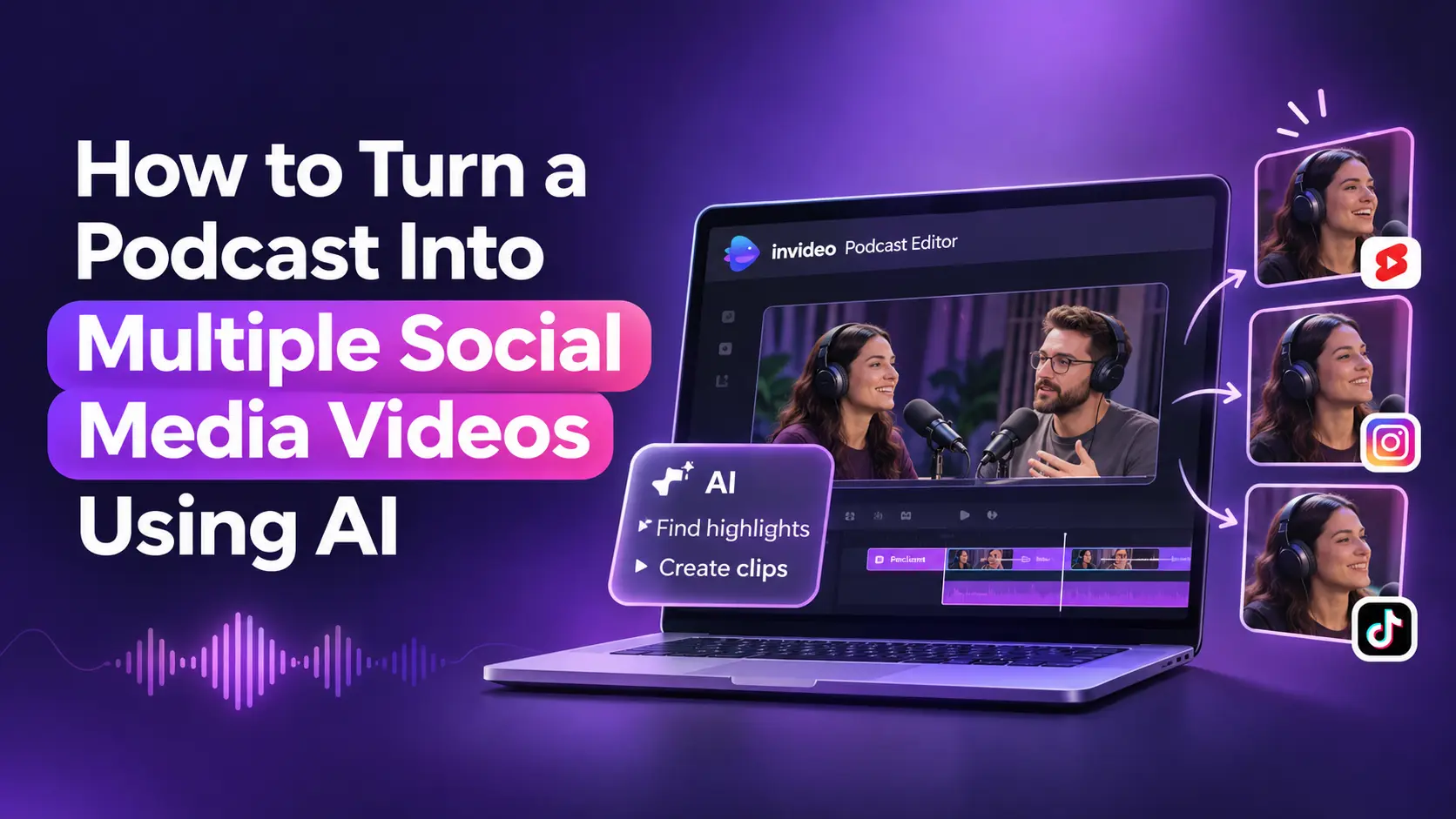
Why Should You Repurpose Podcasts Into Social Media Videos?
Podcasts are usually designed for longer conversations, but social media audiences often prefer shorter content that delivers a clear idea quickly. Turning podcast discussions into short videos helps creators present their best insights in a format that is easier to discover and share.
For example, a business podcast featuring an entrepreneur might include discussions about marketing strategies, business challenges, leadership, and personal experiences. Each topic can become a separate short video with its own opening and context.
This approach also helps creators maintain a more consistent publishing schedule. Instead of recording new content for every social platform, they can reuse valuable material from existing episodes.
The key is to select moments that work independently rather than simply cutting random sections from a longer recording. Each clip should communicate one clear idea and give viewers a reason to watch the entire video.
How AI Makes Podcast Repurposing Easier
Traditionally, creating multiple clips from a podcast required editors to watch the entire recording, mark interesting sections, and manually create individual edits. This could become particularly time-consuming when episodes included multiple speakers and camera angles.
AI can simplify several parts of this process. It can analyze conversations, identify speakers, locate specific topics, detect pauses, and help find sections that could work as standalone clips.
It can also assist with transcription, caption creation, audio cleanup, and preparing different video formats. Instead of performing every operation manually, creators can use AI to handle repetitive editing tasks and focus on selecting the moments that best represent their content.
However, AI-generated highlights still need human review. A statement might sound interesting when viewed independently but lose its meaning without the surrounding conversation. Reviewing the selected clips ensures that the original message and speaker’s intent remain intact.
Step-by-Step Guide to Turning Podcasts Into Multiple Social Media Videos Using AI
Once you understand the benefits of repurposing, the next step is building a repeatable process. The following steps explain how to move from a full podcast recording to multiple platform-ready videos.
Step 1: Review the Full Podcast and Identify Interesting Moments
Start by understanding what the episode contains. Before creating short clips, identify conversations that offer useful information, entertainment, or a strong point of view.
Look for sections where the host or guest shares a practical tip, explains an interesting concept, tells a personal story, or makes a statement that could encourage discussion.
AI can speed up this stage by analyzing recordings and helping locate specific topics, speakers, and sections of dialogue. Instead of manually scrubbing through the entire episode, creators can describe the moments they want to find and review the relevant sections.
For example, if a podcast covers five marketing strategies, you can look for the part where the guest explains each strategy. These sections can become individual clips rather than forcing all five ideas into one short video.
Step 2: Select Highlights That Work as Standalone Videos
Not every interesting conversation makes a good social media clip. A strong highlight should communicate one clear idea without requiring viewers to watch the full episode to understand it.
A useful clip generally has a clear opening, a meaningful discussion, and a conclusion that gives viewers something to take away. A guest sharing a practical lesson or explaining a common mistake can often work better than a random sentence taken from the middle of a conversation.
It is also important to preserve context. Cutting a response too aggressively can change its meaning or make the speaker’s statement difficult to understand. AI can help identify potential highlights, but creators should review the selected sections before using them.
A good approach is to shortlist several moments from the episode, compare their value, and select clips that cover different topics. This prevents the final collection from feeling repetitive.
Step 3: Trim Clips and Improve Their Pacing
Once the highlights are selected, the next step is to turn them into focused videos.
Long pauses, repeated statements, false starts, and unnecessary introductions can make short clips feel slow. Removing these sections helps the main message reach viewers faster.
AI-assisted editing can help identify silence, filler words, repeated lines, and sections that may not contribute to the conversation. Editors can then review these suggestions and decide which cuts make sense.
However, shorter does not always mean better. Some pauses are important for natural conversation, and removing every silence can make speakers sound rushed. The goal is to improve pacing without losing the speaker’s personality or the meaning of the discussion.
For example, a guest explaining a business lesson may need a few seconds of context before reaching the main point. Keeping that context can make the clip more understandable, even if it makes the video slightly longer.
Step 4: Synchronize Camera Angles and Improve Audio
Video podcasts often use multiple cameras to capture the host, guest, and wider conversation. These angles make short clips more dynamic, but they also create additional editing work.
Editors need to synchronize recordings, match the audio, and switch between camera angles based on who is speaking. Doing this manually for every social media clip can become repetitive.
AI can assist with multicamera synchronization by aligning camera recordings to a selected audio source and switching to the person speaking as the conversation moves between speakers.
Audio quality also deserves attention. Voice isolation, noise reduction, and automatic leveling can help make dialogue clearer and balance differences between speakers. Background music can be adjusted to sit beneath the conversation without overpowering it.
For audio-only podcasts, creators can work with the separate voice tracks and add suitable supporting visuals, such as relevant B-roll, graphics, or topic cards, when preparing a video version.
Step 5: Add Captions and Supporting Visuals
Many people browse social media without turning on their sound. Captions help them follow conversations and understand the main message even when they are watching silently.
AI can generate subtitles from the conversation, after which creators can check spelling, punctuation, speaker names, and timing. Titles and topic cards can also provide context about what the clip discusses.
Visual elements should support the conversation rather than distract from it. For example, a clip about a marketing strategy might benefit from a short title identifying the topic, while a guest discussing a particular product could be supported by relevant B-roll.
The aim is to make the video easier to follow without overcrowding the screen.
Step 6: Edit and Create Multiple Clips Using an AI Podcast Editor
Finding highlights and editing them individually can take considerable time, especially when an episode contains several speakers or multiple camera recordings. A dedicated podcast editing environment can make this process easier by bringing footage review, editing, audio refinement, and clip creation together.
Invideo’s AI Podcast Editor is designed around this type of workflow. It combines AI editing agents with a multitrack timeline, allowing creators to upload podcast recordings, describe what they want to keep or remove, and get an editable first cut of the episode.
Creators can also tell the agent which topics or moments they want to extract, along with the preferred clip length and format. It can find those sections and prepare individual editable clips for YouTube, Instagram, and TikTok.
The editor also supports multicamera synchronization, filler and silence removal, voice cleanup, automatic leveling, and editable captions. Once the initial edits are ready, creators can review camera switches, adjust trims, refine audio levels, and make further changes directly on the timeline.
This is particularly useful when one podcast episode needs to produce several social media videos. Rather than starting each clip from scratch, creators can work from the same recording, generate multiple highlights, and refine each one according to its intended audience.
Step 7: Adapt Each Clip for Different Social Media Platforms
A podcast highlight may contain a great message, but its presentation needs to suit the platform where it will appear.
For example, vertical videos are generally more appropriate for Instagram Reels, TikTok, and YouTube Shorts, while horizontal versions may work better for longer YouTube content or website embeds.
Creators should also consider how the opening, captions, and overall pacing work in each format. A clip intended for LinkedIn may benefit from a clear professional introduction, while a TikTok clip may need to communicate its main idea much faster.
Instead of simply resizing the original video, check that the speaker remains visible, important text stays within the safe viewing area, and captions are easy to read on smaller screens.
Creating platform-specific versions helps the same podcast content feel more appropriate for different audiences.
Step 8: Organize and Schedule Your Podcast Clips
Once the videos are ready, organize them into a publishing plan rather than uploading everything at once.
A single podcast episode might provide enough material for several days of social media content. You could publish one clip introducing an interesting idea, another highlighting a guest’s advice, and a third focusing on a memorable discussion.
It also helps to maintain a simple content library with the original episode, selected highlights, final exports, captions, and publishing dates. This makes it easier to revisit older recordings and find material for future campaigns.
Pay attention to audience responses as well. Comments, shares, watch time, and completion rates can help identify which topics and conversation styles resonate most with viewers. Use those insights when selecting highlights from upcoming episodes.
Common Mistakes to Avoid When Repurposing Podcasts
Even with AI assistance, some editing decisions can affect the quality and usefulness of the final clips.
Removing Too Much Context
A short clip should still communicate a complete idea. Cutting too much of the original conversation can make statements confusing or change their intended meaning.
Choosing Highlights Only by Length
The shortest clips are not automatically the most engaging. A useful explanation or personal story may need more time to make sense. Prioritize the value of the conversation over an arbitrary duration.
Ignoring Audio Quality
Viewers may tolerate simple visuals, but unclear dialogue can make a podcast clip difficult to watch. Check speaker levels, background noise, and audio synchronization before publishing.
Using the Same Format Everywhere
Different platforms have different viewing habits and presentation requirements. Adjust dimensions, captions, introductions, and pacing rather than uploading the exact same version everywhere.
Publishing Without Reviewing AI Edits
AI can speed up editing, but it may miss context, remove an important pause, or select a section that needs additional explanation. Always review the finished clips before publishing.
How AI Is Changing Podcast Content Repurposing
AI is changing podcast production by making it easier to get more content from existing recordings. Tasks that once required editors to review entire episodes and manually create every clip can now be partially automated.
AI can help identify topics, find highlights, remove unnecessary sections, synchronize camera angles, generate captions, and prepare different versions of a recording. This reduces repetitive work and makes it easier for creators to maintain a regular publishing schedule.
The broader shift is toward editing environments where AI agents can perform multiple connected tasks rather than simply providing isolated features. invideo Editor follows this approach by combining agent-assisted editing with a professional timeline. Creators can delegate parts of the editing process, inspect the results, and continue refining the video manually.
However, automation should support the creative process rather than control every decision. Creators still need to decide which conversations represent their brand, which moments deserve attention, and how each clip should connect with its intended audience.
The most effective approach combines AI-assisted editing with human review, allowing creators to produce more content without losing the original personality of their podcasts.
Final Thoughts
Turning a podcast into multiple social media videos is a practical way to extend the value of every recording. Instead of relying on a single long episode, creators can identify useful conversations, create focused clips, add captions, and prepare different versions for multiple platforms.
AI makes this process more manageable by helping with footage review, highlight selection, editing, and formatting. Dedicated podcast editing environments can simplify the process further by bringing these tasks into an editable timeline.
The goal is not to turn every sentence into a short video. It is to identify the moments that offer genuine value and present them in a format that makes people want to watch, understand, and share them.
Frequently Asked Questions
1. How can I turn a long podcast into multiple short videos?
Start by reviewing the full episode and identifying interesting discussions, useful advice, and memorable moments. Select sections that communicate one clear idea, trim unnecessary footage, add captions, and prepare separate versions for your chosen social media platforms. AI editing tools can help automate parts of this process.
2. Can AI automatically find highlights in a podcast?
Yes. Some AI-powered podcast editors can analyze recordings and identify moments based on topics or instructions. Creators can specify the types of moments they want, then review the suggested clips before publishing.
3. How many social media clips can I create from one podcast?
There is no fixed number. It depends on the episode length, conversation quality, and number of distinct topics discussed. A longer episode with several useful discussions may provide multiple independent clips, while a shorter conversation may offer fewer suitable highlights.
4. Which social media platforms are suitable for podcast clips?
YouTube Shorts, Instagram Reels, TikTok, and LinkedIn are useful platforms for sharing podcast highlights. The best choice depends on your audience, subject matter, and content goals.
5. Can I turn an audio-only podcast into social media videos?
Yes, but audio-only recordings need visual elements to create a video experience. Creators can combine the original audio with captions, animated waveforms, topic cards, relevant B-roll, or other supporting visuals.
6. How does invideo’s Podcast Editor help create social media clips?
invideo’s Podcast Editor allows creators to upload podcast recordings, use AI agents to identify highlights, and create editable clips based on selected topics, lengths, and formats. It also supports camera synchronization, audio cleanup, captions, and manual timeline refinement.
7. Should I edit podcast clips manually or use AI?
A combination of both is generally effective. AI can help with repetitive work such as finding highlights, removing pauses, and generating captions, while manual editing allows creators to preserve context, improve pacing, and maintain their preferred style.