Most teams post on social media every week and have no clear idea which posts, platforms, or habits are paying off. The numbers sit in five different dashboards, and nobody has time to dig through them.
That’s why you need to know how to conduct a speedy social media audit. You don’t need a 40-page report. You need a short, repeatable review that answers three questions: what’s working, what isn’t, and what to fix first.
This guide walks you through a seven-step process you can finish in 30 to 60 minutes. That timing fits a small number of accounts with analytics you can already access. If you run a dozen profiles across several brands, plan for longer.
What Is a Social Media Audit?
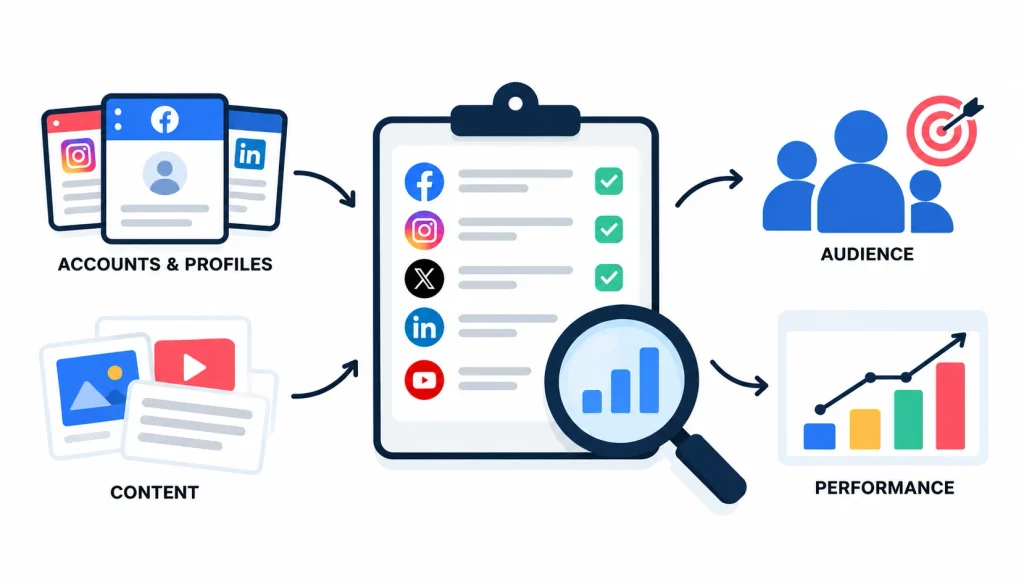
A social media audit is a systematic review of your social media accounts, profiles, content, audience, and performance numbers. It shows what’s working, what needs improvement, and which changes will move your accounts closer to your business goals.
Think of it like a health check. You aren’t treating anything yet. You’re finding out where the problems are so you can treat the right ones.
Why a Quick Social Media Audit Matters
A short audit gives you a fast read on your accounts without eating your week. It helps you:
- Spot profile mistakes, like a dead website link
- See which content gets results
- Notice when performance drops
- Pick a few improvements instead of twenty
- Tie social activity back to leads or sales
Because it’s short, you can repeat it often. A review you do every month beats a perfect one you never get around to.
Quick Audit vs. Comprehensive Social Media Audit
A quick audit and a full audit do different jobs. Here’s how they compare.
| Quick audit | Comprehensive audit | |
| Time | About 30–60 minutes for a few accounts | Several hours or more |
| Data | Essential metrics only | Broader history and strategy data |
| Output | A short action list | A detailed strategic plan |
| Best for | Routine check-ins | Major strategy reviews |
| Goal | Find obvious problems | Find underlying causes |
The times above are rough guides. They shift with the number of platforms and how easy your data is to reach.
How to Prepare for a Speedy Social Media Audit
Ten minutes of prep saves you from hunting for logins halfway through. Do these four things first.
1. List Your Active Social Media Accounts
Write down every account your brand owns. Include the platform, profile URL, username, who manages it, and whether it’s active.
Check for forgotten profiles too. Old accounts from a past campaign or a former employee often turn up here.
You don’t need to audit every platform. Focus on the channels where your customers actually spend time.
2. Choose a Review Period
Pick one time window and use it for every account. Thirty days work for brands that post daily. Ninety days gives a better picture if you post a few times a week.
Consistent periods make comparisons fair. LinkedIn, for example, lets Page admins view analytics for the past 15, 30, 90, or 365 days, so matching your window across platforms is easy to do. (LinkedIn Nonprofit Resource Hub)
3. Gather Your Essential Analytics
Open the built-in analytics for each platform and keep the tabs ready. Look at reach, engagement, follower changes, and link clicks. If you have Google Analytics 4 set up, open that too so you can see website visits that came from social.
4. Set Up a Simple Audit Spreadsheet
A plain Google Sheet is enough. Use these columns:
- Platform
- Account URL
- Followers
- Reach
- Engagement
- Clicks or conversions
- Main finding
- Recommended action
One row per account. You’ll fill it in as you go.
How to Conduct a Speedy Social Media Audit in 7 Steps
Here’s the full process on a clock. Treat the times as targets for a small account set, not promises.
| Time | Task | What you end up with |
| 0–5 min | Inventory your profiles | A list of accounts |
| 5–15 min | Check profiles and branding | A list of profile fixes |
| 15–25 min | Review core metrics | A performance snapshot |
| 25–35 min | Find top and bottom content | Content patterns |
| 35–45 min | Check audience and engagement | A list of concerns |
| 45–60 min | Prioritize | Three to five actions |
Steps 5 and 6 below (cross-platform comparison and competitors) fit inside those blocks, and you can skip competitors when you’re short on time.
Step 1: Check Every Social Media Profile
Open each profile like a first-time visitor. Look at the profile image, name, username, bio, website link, and contact details. On platforms that allow it, check pinned or featured posts too.
Ask yourself: does this still describe the business today? Common finds are old phone numbers, broken links, and bios that mention a promotion from last year.
Also check that your name and visuals match across platforms. People who find you on Instagram and then on LinkedIn should feel they’ve landed in the same place.
Step 2: Review Your Core Social Media Metrics
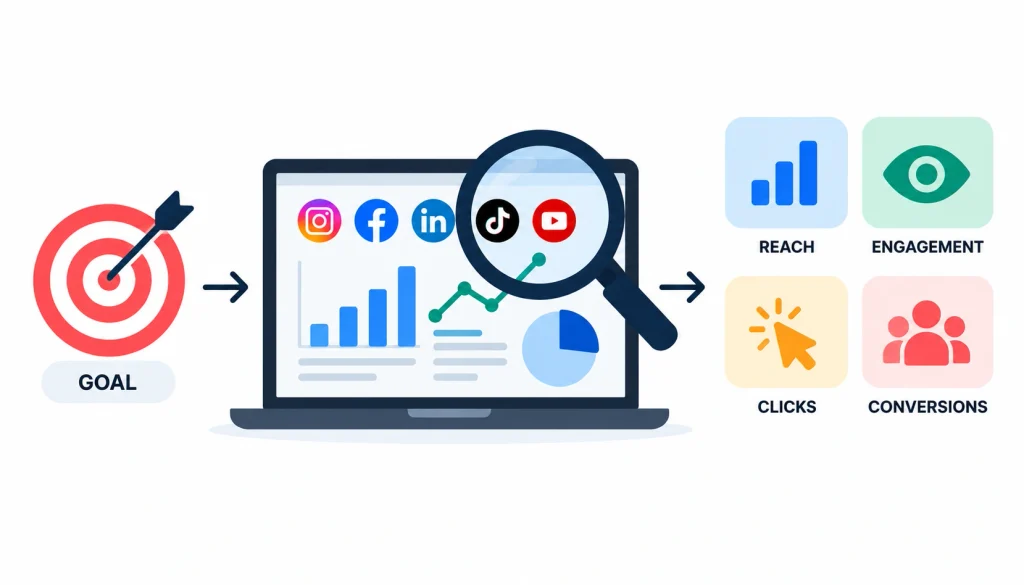
Metrics only mean something next to a goal. A brand trying to get known cares about different numbers than a brand trying to get enquiries. Choose the few that fit your goal and ignore the rest for now.
Reach and Impressions
Reach is the number of unique accounts that saw your content. Impressions count every time the content was displayed, so one person seeing a post three times adds three impressions but one reach.
If impressions are far higher than reach, your content may be repeating to the same small group.
Engagement Rate
Engagement rate shows how much people interact with your content compared with how many people could have. It usually counts likes, comments, shares, and saves.
There’s no universal formula. Some tools divide by followers and others divide by reach or impressions, and industry writers have pointed out that this makes comparisons across tools messy. (MediaPost) Pick one formula, write it in your sheet, and use it every time.
Website Clicks and Conversions
Likes are nice. Visits and enquiries pay the bills. Check how many link clicks your posts earned and, in Google Analytics 4, how many of those visitors took an action like filling in a form or buying.
If you can’t see conversions yet, note that as a finding. Missing tracking is a problem worth fixing.
To understand how website traffic and search performance fit together, explore this guide to Google Analytics and Search Console, which explains how these tools help you evaluate website activity and search visibility.
Step 3: Identify Your Best- and Worst-Performing Content
Pull up your posts from the review period. Pick the three strongest and the three weakest, judged against your main goal.
Then compare them. Look at topic, format (video, carousel, text, image), the opening line, the call to action, and the posting time.
You’re hunting for patterns, not proof. If your three best posts were all short how-to videos and your three worst were promotional images, that’s a useful lead.
Step 4: Check Your Audience and Engagement
Open the audience data and ask whether the people following you are the people you want. Check location, age range, and, on LinkedIn, job function and industry where available.
Then read the comments and messages. Are people asking questions you haven’t answered? Are customers waiting days for a reply?
A smaller group of the right people beats a big group of the wrong ones.
Step 5: Compare Performance Across Platforms
Judge each account against its own goal and its own history. Don’t compare a LinkedIn Page with 800 followers to an Instagram account with 8,000 and call LinkedIn the loser.
A small account that sends you three qualified leads a month may be doing more for you than a big one that sends none. Platform numbers also aren’t built the same way, so avoid direct comparisons of raw figures.
Step 6: Check Competitors for Quick Insights
Pick two or three competitors you respect. Spend five minutes on each.
Note how often they post, which formats they use, what themes repeat, and what their audience responds to. Use what you see to spot gaps in your own content, not to copy theirs.
Their follower counts are context only. They tell you nothing about how well the business is doing.
Step 7: Record Your Findings and Prioritize Improvements
Fill in the “main finding” and “recommended action” columns for each account. Then step back and choose the three to five fixes that matter most.
Stop there. A list of twenty items gets ignored. A list of four gets done.
Social Media Audit Checklist
Print this or paste it into your sheet. If you can answer yes to most of it, your accounts are in decent shape.
1. Profile and Branding Checklist
- Are all profiles complete?
- Do the business name and visuals match across platforms?
- Do website and contact links work?
- Is every detail current?
2. Content Performance Checklist
- Which posts produced the strongest results?
- Which formats performed best?
- Which content missed its goal?
- Is the call to action clear?
3. Analytics Checklist
- Do your chosen KPIs fit your business goals?
- Is performance rising or falling?
- Are clicks and conversions tracked where they should be?
- Are you comparing the same time periods?
4. Account Management Checklist
- Are owners and admins correct?
- Have old or duplicate profiles been dealt with?
- Is two-factor authentication turned on?
- Does each account have one named person responsible?
Two-factor authentication is a login method that asks for a second proof of identity, such as a code on your phone, so a stolen password alone isn’t enough. (Wikipedia: Multi-factor authentication)
Also remove anyone who has left the company. Former staff with admin rights are an easy risk to miss.
Which Social Media Metrics Should You Prioritize?
Start with the goal for each account, then pick the numbers that measure it. A key performance indicator (KPI) is simply a measurable value that shows how well you’re reaching a goal. (Wikipedia: Key performance indicator)
Choosing the right metrics is essential for evaluating any digital marketing channel. You can also explore these key performance indicators (KPIs) to understand how businesses measure website visibility, engagement, and conversions.
| Business goal | Priority metrics |
| Brand awareness | Reach, impressions, audience growth |
| Engagement | Engagement rate, comments, shares, saves |
| Website traffic | Link clicks, referral sessions, landing-page engagement |
| Lead generation | Qualified enquiries, form submissions, cost per lead |
| Sales | Attributed purchases, conversion rate, revenue |
| Customer support | Response time, unresolved messages |
1. Metrics for Brand Awareness
Watch reach, impressions, and audience growth. Growth matters most when the new followers look like your customers.
2. Metrics for Engagement
Track engagement rate along with comments, shares, and saves. Saves and shares often signal that someone found the post useful enough to come back to.
3. Metrics for Website Traffic
Use link clicks and referral sessions from Google Analytics 4. Then check whether those visitors stay on the page or leave at once.
4. Metrics for Leads and Sales
Count enquiries and purchases that trace back to social. Attribution is hard, so be honest about what you can and can’t prove.
When you’re not sure what numbers other marketers watch, communities like socialmedia and DigitalMarketing on Reddit are good places to see real discussions. Treat advice there as opinion, and test it against your own data.
Best Tools for a Quick Social Media Audit
You can finish a quick audit with free tools. Add paid software only when it saves you real time.
1. Native Social Media Analytics
Each platform has its own dashboard: Instagram Insights, Meta Business Suite for Facebook and Instagram, LinkedIn Page analytics, TikTok Analytics, and YouTube Studio. For one to four accounts, these are usually enough.
The catch is that every dashboard names and calculates things a little differently. Read the definitions before you compare.
2. Google Analytics 4 for Social Media Traffic
Google Analytics 4 shows what visitors do on your website after they arrive from social media. It’s the best free way to connect social activity to enquiries and sales. (Wikipedia: Google Analytics)
3. Google Sheets for Recording Audit Findings
Sheets give you one place for everything. Keep one tab per audit and copy last month’s tab to start the next one, so you can see change over time.
4. Social Media Management Tools
Platforms such as Sprout Social and Hootsuite pull analytics from several networks into one report. They make sense when you manage many accounts or send reports to clients. For a small setup they’re often more than you need.
How to Score Your Social Media Performance
A simple score helps you see which account needs help first. It’s an internal tool, not an industry benchmark.
Use a 1–5 Rating System
- 1: Major problems
- 2: Needs improvement
- 3: Acceptable
- 4: Performing well
- 5: Strong
Evaluate Four Areas
Score each account on profile and branding, content performance, audience and engagement, and fit with your business goals. That gives you a total out of 20.
Identify the Accounts That Need Attention First
Start with the lowest total. If two accounts tie, fix the one closer to revenue.
A hypothetical example. Say a small bakery reviews three accounts. On Instagram, Reels earn more saves than photos, so the owner plans more recipe videos. On Facebook, engagement is low but customers keep sending order enquiries, so the owner judges lead quality instead of likes. On LinkedIn, posts get views but no site visits, so the call to action needs work.
The point is that each finding leads to a decision. That’s what makes it an audit rather than a report.
How to Turn Your Social Media Audit Into an Action Plan
A finding with no owner and no date rarely gets fixed. Turn your notes into tasks right away.
1. Separate Quick Wins From Long-Term Improvements
Quick wins take minutes: fixing a broken bio link, updating an old address, removing a duplicate profile. Longer jobs include changing your content mix or setting up proper conversion tracking.
Once you’ve identified the main issues, consider how they fit into your wider marketing plan. These performance marketing strategies can help you connect campaign activity, conversion tracking, and landing-page optimization with measurable business outcomes.
2. Prioritize Actions by Impact and Effort
| Priority | Impact | Effort | What to do |
| 1 | High | Low | Do it now |
| 2 | High | High | Plan and schedule it |
| 3 | Low | Low | Do it when convenient |
| 4 | Low | High | Reconsider or skip |
3. Assign Owners and Deadlines
For each action, write down what changes, who does it, when it’s due, and which metric will show it worked. Keep it to one line per action.
4. Schedule Your Next Audit
Put the next review on the calendar before you close the sheet. Otherwise it won’t happen.
How Often Should You Conduct a Social Media Audit?
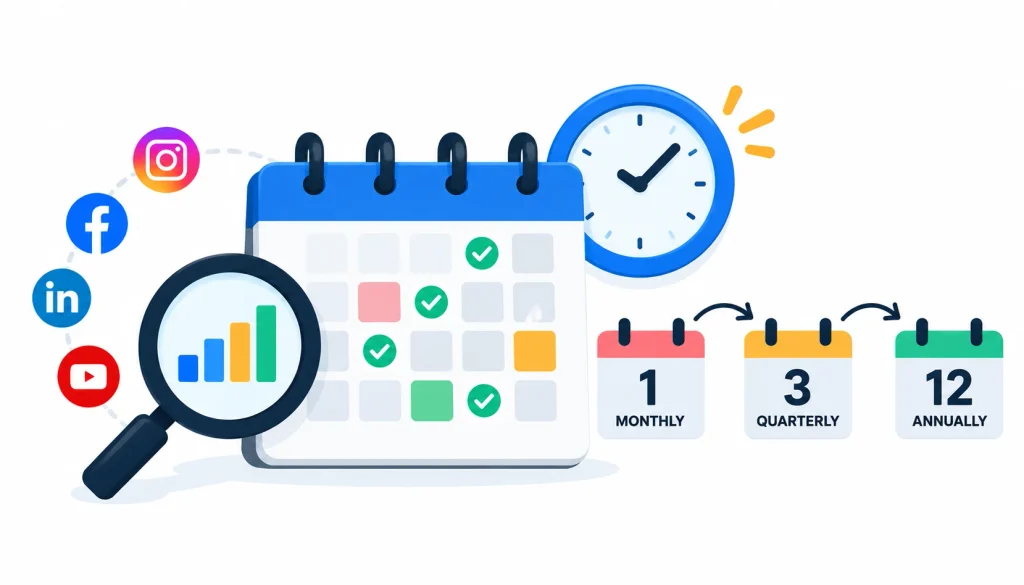
The right schedule depends on how much you post and how fast your goals change.
1. Monthly Quick Audits
A 30-minute check each month catches sudden drops and broken links early. LinkedIn’s own guidance suggests setting aside a few minutes each week to look at Page analytics, so a monthly review is a modest ask. (LinkedIn Nonprofit Resource Hub)
2. Quarterly Performance Reviews
Every three months, look at trends. Are you closer to your goals than last quarter? Did the changes you made help?
3. When to Conduct an Immediate Audit
Run one right away after a major campaign, a sharp change in engagement, a rebrand, or a shift in business goals.
Frequently Asked Questions
What Is a Social Media Audit?
It’s a structured review of your accounts, content, audience, and results. The aim is to find what works, what doesn’t, and what to change.
How Do You Conduct a Speedy Social Media Audit?
- List your active accounts.
- Check profile details and branding.
- Review reach, engagement, and goal-related metrics.
- Find your best and worst content.
- Check audience fit and community engagement.
- Look at a few competitors if time allows.
- Record findings and pick three to five fixes.
How Long Should a Social Media Audit Take?
A quick audit usually takes 30 to 60 minutes for a small number of accounts. A comprehensive audit takes much longer.
What Should a Social Media Audit Checklist Include?
Profile completeness, brand consistency, content performance, reach and engagement, audience fit, clicks and conversions, account access and security, and an action plan.
Which Metrics Matter Most in a Social Media Audit?
The ones tied to your goal. Awareness points to reach, sales points to conversions, and so on.
How Often Should You Audit Your Social Media Accounts?
Run a quick audit monthly and a deeper review each quarter. Add one after any big change.
Final Verdict
A speedy social media audit works because it’s small. List your accounts, check a handful of numbers, study a few posts, and walk away with three to five fixes.
You won’t uncover every problem in an hour, and that’s fine. If something looks odd, you can dig deeper next time.
Block out the time now, and use the table above as your clock. The best audit is the one you actually finish and act on.