
Most WordPress users set one keyword and call it a day. But here’s the truth – that single-keyword approach is limiting your reach more than you realise. If you’ve been using Yoast SEO and wondering whether you can target more than one search term per post, the answer is yes. Using multiple keywords Yoast provides is one of the smartest moves you can make to grow your organic traffic without publishing more content.
you’ll learn exactly what multiple keywords in Yoast SEO are, how to add them, how to use them without sounding robotic, and how to avoid the common mistakes that trip people up. Whether you’re brand new to Yoast or have been using it for years, there’s something here for you.
What Are Multiple Keywords in Yoast SEO?
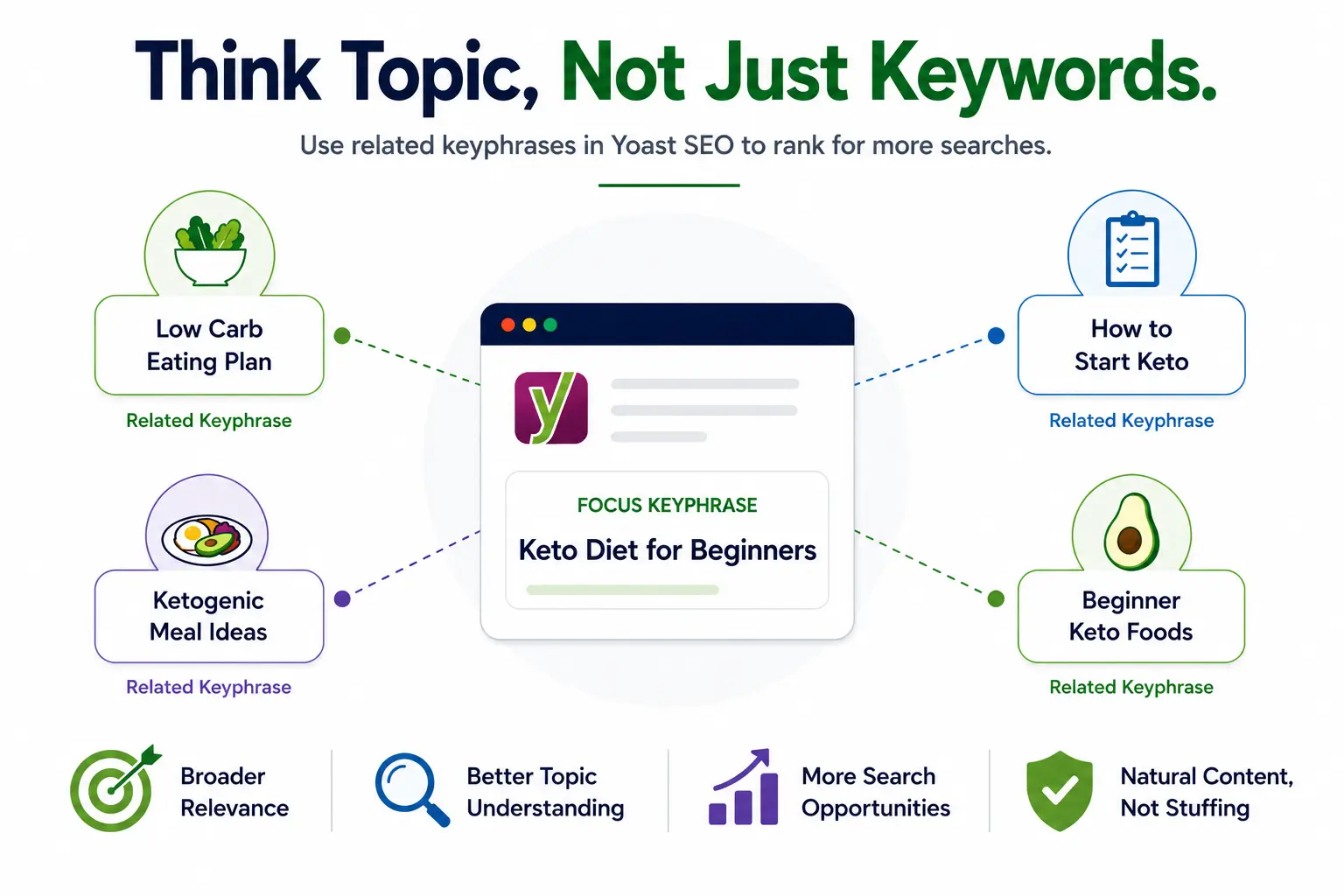
Now, imagine you’re writing about the keto diet. Your focus keyphrase might be ‘keto diet for beginners.’ But real people also search for ‘low carb eating plan,’ ‘how to start keto,’ or ‘ketogenic meal ideas.’ These are your related keyphrases – different phrases that point toward the same topic.
Multiple keywords Yoast calls ‘related keyphrases’ are extra search terms you can add so that Yoast analyses your content against all of them, not just the main one. The result? Your page becomes relevant to a broader set of searches, and Google can better understand the full scope of your content.
This is very different from old-school keyword stuffing. You’re not cramming the same phrase in dozens of times you’re writing naturally about a topic while making sure you’ve covered the angles your audience is actually searching for.
Free Version vs. Premium – What’s the Real Difference?
This is where most people get confused, so let’s be direct about it.
With the free version of Yoast SEO, you can only set one focus keyphrase per post or page. That’s your limit. The analysis, the green/orange/red feedback bullets – everything runs against that one term only.
Yoast SEO Premium changes the game. It unlocks the ability to add up to four related keyphrases on top of your primary one, giving you five keyphrases total per piece of content. Here’s a quick breakdown of what changes:
| Feature | Free | Premium |
| Focus Keyphrases | 1 only | Up to 5 (1 primary + 4 related) |
| Synonyms Support | No | Yes |
| Semrush Integration | No | Yes (built-in) |
| Keyphrase Analysis | Single | Per keyphrase (green/orange/red) |
| Duplicate Keyphrase Check | No | Yes |
| Internal Linking Suggestions | Basic | Advanced AI-powered |
How to Add Multiple Keywords in Yoast SEO (Step-by-Step)
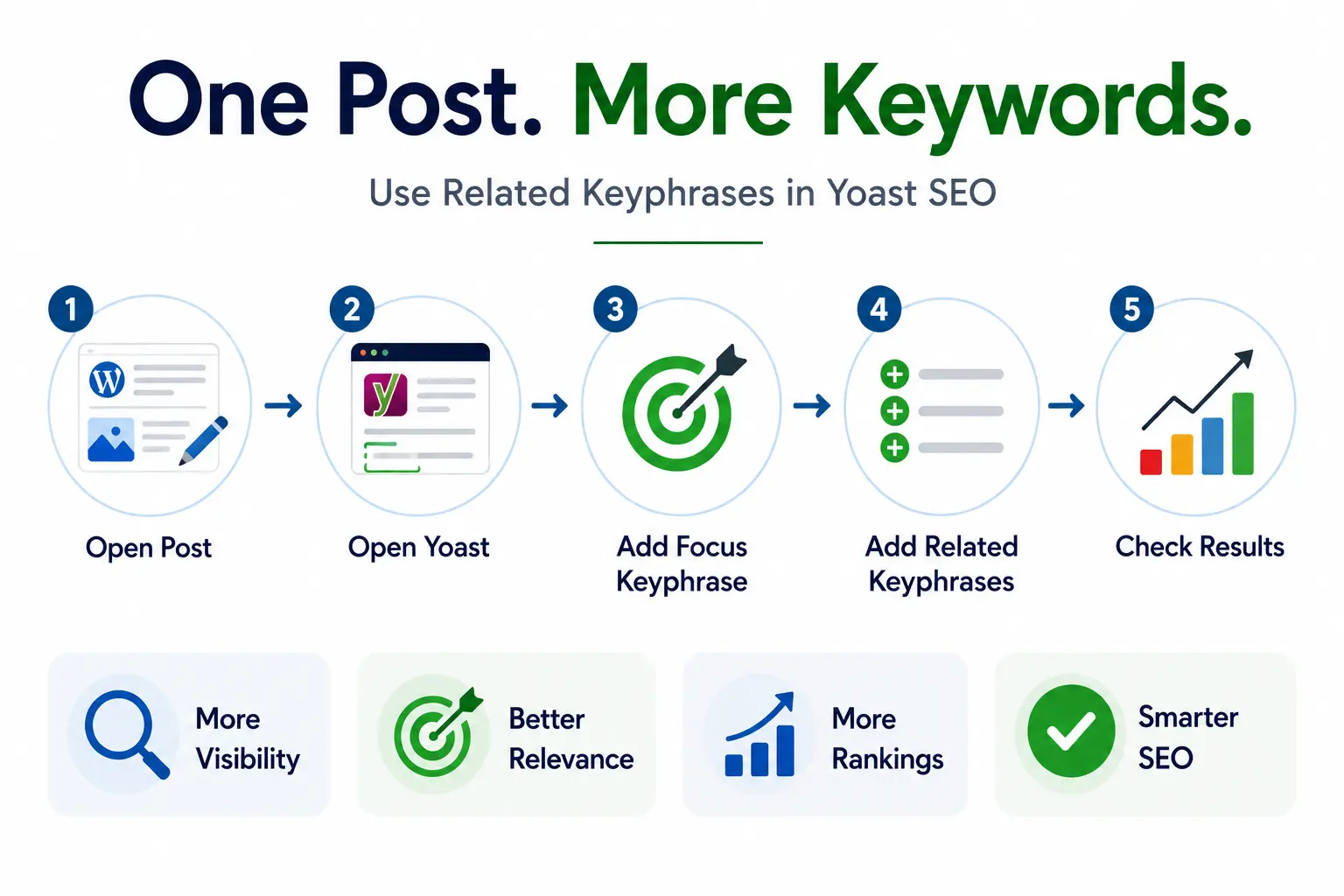
If you have Yoast SEO Premium, here’s exactly how to put it to work. The process is simple once you know where to look.
- Open your WordPress post or page in the block editor (Gutenberg).
- Scroll down to the Yoast SEO metabox below the content area, or find it in the right sidebar.
- Click the SEO tab in the Yoast panel.
- Type your primary focus keyphrase in the main field – this is your most important search term.
- Below that, click ‘Add related keyphrase.’ A new field will appear (Premium only).
- Enter your first related keyphrase. Click ‘Add related keyphrase’ again for more up to four additional ones.
- Yoast will now run a separate analysis for each keyphrase and show individual green/orange/red results.
- Click ‘Get related keyphrases’ to use the built-in Semrush integration and find high-performing suggestions right inside WordPress.
How to Choose the Right Keywords for Yoast (Without Guessing)
Adding multiple keywords Yoast can analyse is only valuable if you pick the right ones. Here’s how to make smart choices:
- Stay distinct: Target related but distinct phrases. Don’t add near-identical variations like ‘yoast multiple keywords’ and ‘yoast multiple keywords seo’ – they’re too similar. Instead, go for phrases that cover slightly different angles of the same topic.
- Match intent: Match search intent. Each keyphrase should reflect something your article actually answers. If your article is a how-to guide, your related keyphrases should also align with how-to searches.
- Validate demand: Check real search volume. Use Google Search Console, Semrush, or even Google’s autocomplete to confirm people are actually searching for these phrases.
- Go long-tail: Think about long-tail variations. Longer, more specific phrases often have lower competition and higher conversion rates. ‘yoast seo add related keyphrase tutorial’ is more targeted than just ‘yoast seo.’
- Prevent cannibalization: Avoid cannibalization. Don’t target the same keyphrase on two different posts. Yoast Premium flags this, but it’s better to catch it during planning.
Tips to Use Multiple Keywords Naturally in Your Content
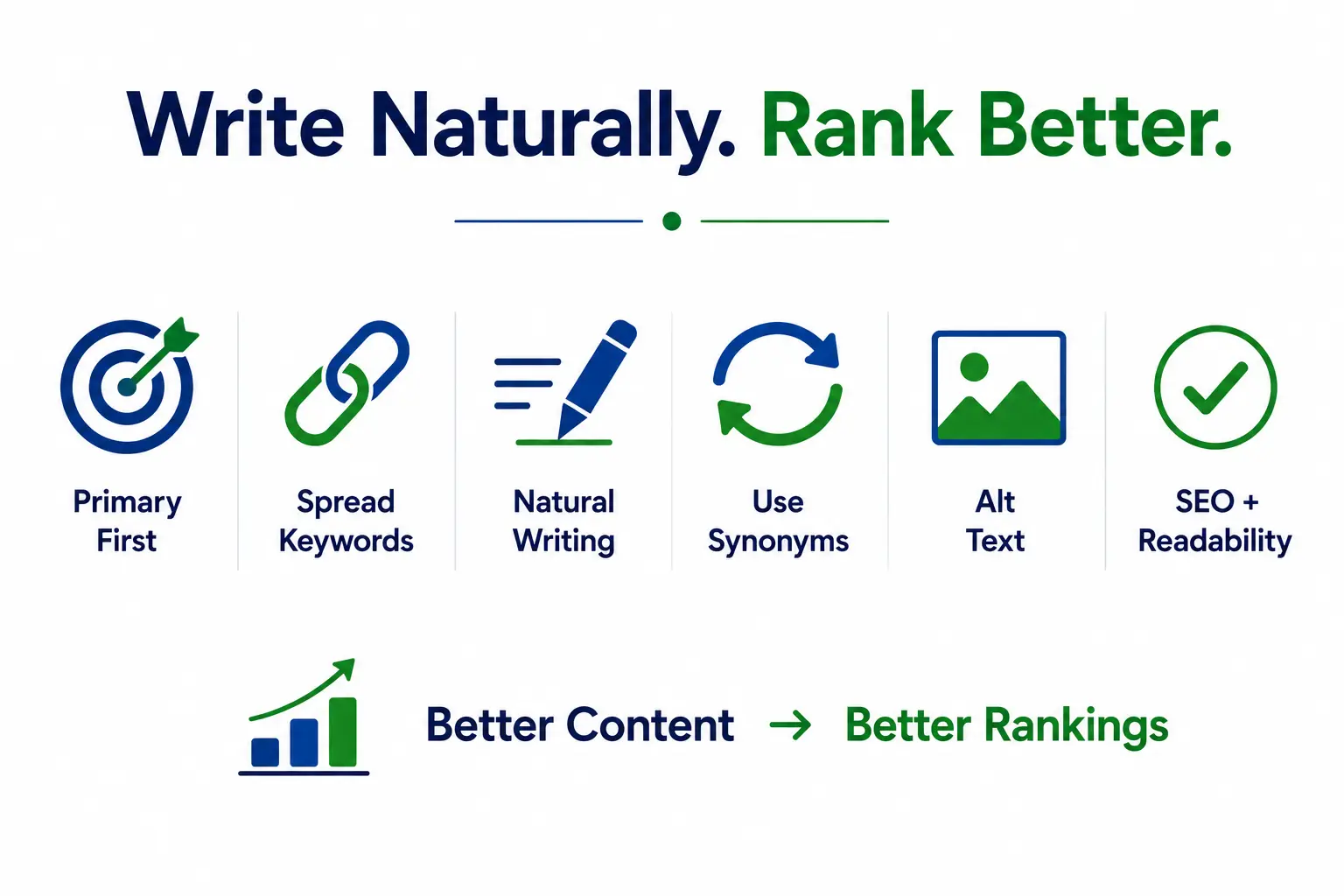
This is the part most guides skip. Knowing how to add the keyphrases is easy. Writing content that naturally includes all of them – without sounding like a robot wrote it – is the real skill.
- Primary keyphrase placement: Put your primary keyword in the title, first paragraph, one H2 heading, and meta description. This is where it matters most.
- Spread related phrases: Weave related keyphrases into subheadings and mid-article sections. Avoid clustering all your keywords in one block spread them throughout.
- Write naturally: Write full sentences, not keyword-padded fragments. ‘Using multiple keywords Yoast SEO offers can help you appear in more searches’ reads naturally. ‘Multiple keywords Yoast, best multiple keywords Yoast free’ does not.
- Use synonyms: Use synonyms and variations. Yoast Premium’s synonyms feature lets you add alternate phrasings. Use it it keeps your writing from getting repetitive.
- Alt text matters: Put keywords in image alt text where it genuinely describes the image. Don’t force it, but don’t miss the opportunity either.
- Balance readability and SEO: Review readability alongside SEO. A high SEO score with a poor readability score defeats the purpose. Both tabs in Yoast should ideally show green.
Benefits of Using Multiple Keywords in Yoast SEO
Here’s what actually changes when you start doing this consistently:
- You rank in more search positions with the same piece of content – more chances to show up without writing more articles.
- You attract readers with different search habits. Some people search precisely, others use casual phrasing. Multiple keywords lets you catch both.
- Your content becomes genuinely more useful. Covering a topic from multiple angles answers more questions, which keeps readers on the page longer.
- You build topical authority. When your page comprehensively addresses a subject, Google sees it as a credible resource on that topic.
- You reduce keyword cannibalization across your site. One strong page beats five thin ones targeting similar terms.
- You save time in the long run. Instead of writing new content constantly, you can deepen existing posts and make them work harder.
Common Mistakes to Avoid
Even with a tool as helpful as Yoast, it’s easy to slip into bad habits. Watch out for these:
- Unrelated keyphrases: Choosing keyphrases that don’t actually relate to your article. Adding ‘website speed tips’ as a related keyphrase in a post about Yoast keywords makes no sense – and Google will notice.
- Keyword stuffing: Stuffing multiple exact phrases into a single paragraph. It reads terribly and search engines are very good at detecting it in 2025.
- Duplicate keyphrases: Using the same primary keyphrase on multiple pages. This splits your authority and confuses Google about which page to rank.
- Chasing scores: Obsessing over green lights instead of quality. The Yoast analysis is a guide, not a guarantee. A green score on a badly-written article still won’t rank well.
- Ignoring old content: Forgetting to update old posts. Your highest-performing older articles are prime candidates for this treatment. Go back and add two or three related keyphrases you might see a noticeable boost.
FAQ
Q: Can I use multiple keywords in Yoast SEO for free?
A: Not officially. The free version only supports one focus keyphrase. You can manually include related terms in your content, but Yoast won’t analyse them. To get full multi-keyphrase analysis, you need Yoast SEO Premium.
Q: How many keywords can I add in Yoast Premium?
A: You can add up to five keyphrases total one primary focus keyphrase and four related ones. Each gets its own analysis with individual green, orange, or red feedback.
Q: What’s the difference between related keyphrases and synonyms in Yoast?
A: Related keyphrases are distinct search terms targeting different angles of your topic. Synonyms are alternate ways to say the same phrase for example, ‘couch’ as a synonym for ‘sofa.’ Yoast Premium supports both, and both help your analysis be more flexible.
Q: Will using multiple keywords hurt my SEO if done wrong?
A: Yes if you force them in unnaturally or choose unrelated terms, it can make your content worse for readers and signal low quality to Google. Used correctly, multiple keyphrases should improve both your rankings and user experience.
Q: Should I add multiple keywords to every post?
A: No. Short posts, news updates, or simple informational pages can stick with one keyphrase. Save the multi-keyphrase approach for your in-depth cornerstone content where it genuinely makes the page stronger.
Q: Does Yoast check for duplicate keyphrases across my site?
A: Yes, Yoast SEO Premium includes a duplicate keyphrase checker that alerts you if you’re targeting the same term on multiple pages. It’s a handy safety net for larger sites.
Conclusion
Using multiple keywords Yoast offers is one of those upgrades that feels small but pays off significantly over time. Instead of chasing one search term per page, you open your content up to a whole range of related searches without writing a single extra article.
The key is to be intentional. Pick keyphrases that genuinely relate to what you’ve written. Work them in naturally. Pay attention to both the SEO and readability analysis. And don’t forget to go back to your existing best posts and give them the same treatment.
Start with one post today. Pick something you’ve already written that gets decent traffic, add two or three related keyphrases through Yoast Premium, tweak the content slightly, and watch what happens over the next few weeks. That’s all it takes to see this strategy in action.
Once you get comfortable, it stops feeling like an SEO task and starts feeling like just good writing which, honestly, is exactly what it is.