Bot management is the process of identifying, classifying, and controlling automated traffic on websites, apps, and APIs. It lets helpful bots, like search engine crawlers, do their work. It detects and limits harmful bots that scrape content, stuff stolen passwords into login forms, or hoard inventory.
If you run a website, a big share of your visitors may not be people. Some of those visitors help you. Others cost you money, slow your site, or attack your customers. Bot management exists to tell them apart and respond sensibly.
This guide explains how it works in plain English, then goes deeper into techniques, implementation, and what is changing as AI agents start browsing the web.
What Is Bot Management?
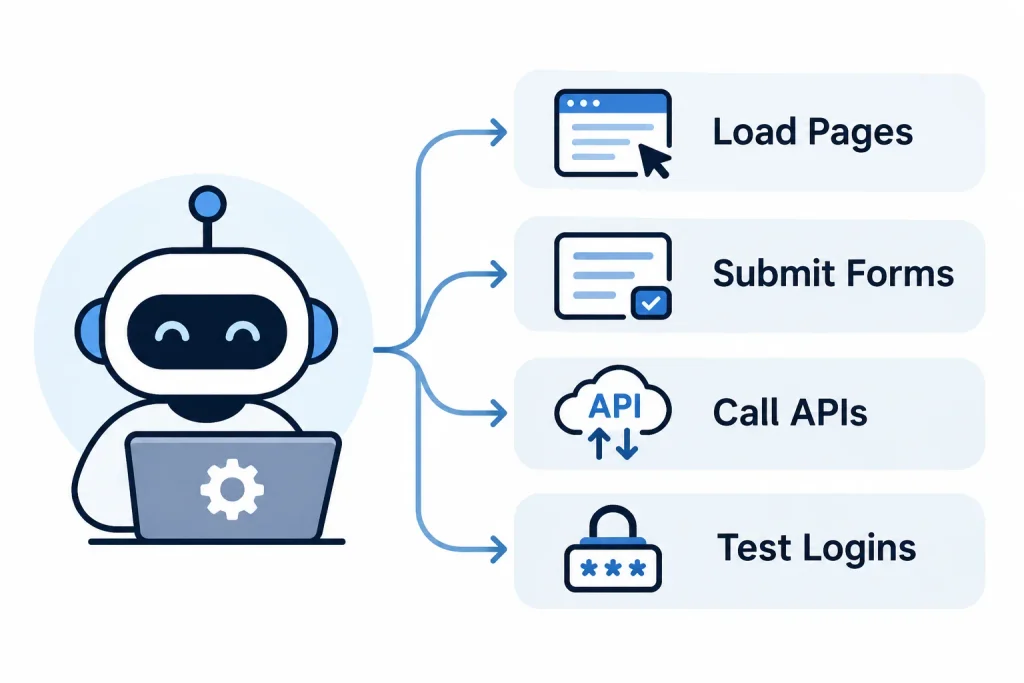
A bot is software that performs tasks on the internet without a person clicking each step. Bots can load pages, submit forms, call APIs, and test logins far faster than any human.
Bot management is the set of tools and policies that decide what to do with that traffic. It does not simply block everything automated. Blocking all bots would remove you from Google Search and break your own monitoring tools.
A good bot management setup answers three questions for every request:
- Is this a person or a bot?
- If it’s a bot, is it one I want?
- What should I do about it: allow, challenge, slow down, or block?
1. What Is a Bot Manager?
A bot manager is the software or service that does this work. It sits in front of your site or API, inspects incoming requests, scores the risk, and applies your rules. Many bot managers run at the network edge, through a CDN or security provider, so bad traffic is stopped before it reaches your servers.
2. Bot Management vs. Bot Detection vs. Bot Mitigation
People use these terms loosely, but they mean different things.
| Concept | What it does | Scope |
| Bot detection | Spots automated traffic | One step: identification |
| Bot mitigation | Reduces harm from bad bots (block, challenge, throttle) | One step: response |
| Bot management | Detects, classifies, decides, responds, and monitors | The full lifecycle |
Think of detection as the smoke alarm, mitigation as the sprinkler, and bot management as the whole fire safety plan.
What Is the Difference Between Good Bots and Bad Bots?
Not every bot is a threat. The Wikipedia entry on internet bots is a good starting point if you want a broader background. For security purposes, the split is simple: good bots follow your rules and bring value, and bad bots don’t.
1. What Are Good Bots?
Good bots do useful, expected work. Common examples include:
- Search engine crawlers that index your pages
- Uptime and performance monitors
- Chatbots that help customers
- Authorized partner integrations and feed readers
2. What Are Bad Bots?
Bad bots exist to take something from you or harm you. Common examples include:
- Scrapers that copy your content or prices
- Credential stuffing and account takeover bots
- Spam bots that fill forms and comment sections
- Inventory hoarding bots that grab limited stock
- Click fraud bots that drain ad budgets
3. Good Bots vs. Bad Bots: Key Differences
| Good bots | Bad bots |
| Do legitimate, agreed-upon tasks | Do abusive or fraudulent tasks |
| Usually respect robots.txt | Usually ignore it |
| Identify themselves honestly | Often disguise themselves as browsers or people |
| Support discovery and operations | Cause fraud, downtime, and data loss |
4. Why Should Websites Allow Legitimate Bots?
Blocking good bots can hurt you directly. If you block a search crawler, your pages can drop out of search results. If you block your own monitoring tools, you lose visibility into outages.
A common mistake is relying on robots.txt alone. It is a polite request, not a security control. Well-behaved bots follow it, and malicious bots simply ignore it.
Understanding how robots.txt, crawl directives, and website configurations work is an important part of SEO-friendly website coding, especially when managing search engine crawler access.
Why Is Bot Management Important?
Automated abuse is quiet. It rarely looks like a dramatic attack. It looks like slightly odd analytics, a slow checkout, or a support ticket from a customer whose account was drained.
1. It Protects Against Automated Attacks
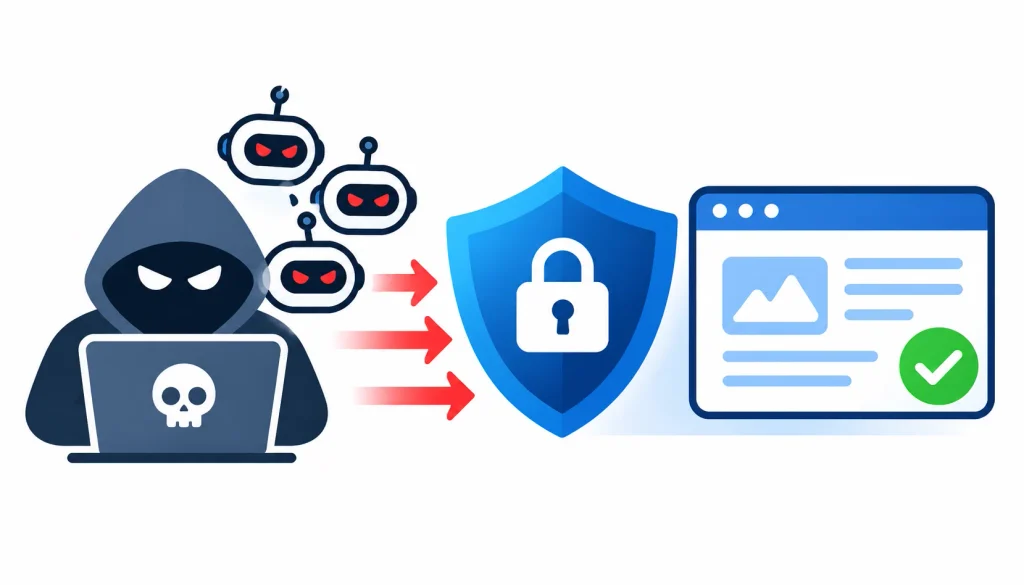
Attackers use bots because bots scale. One person with a script can attempt millions of actions. Bot management limits what that script can do.
2. It Prevents Account Takeover and Credential Abuse
Credential stuffing means trying username and password pairs leaked from other breaches. Because many people reuse passwords, some pairs work. Bots make this cheap to run at scale.
3. It Protects Website Performance
Heavy automated traffic eats bandwidth, database queries, and server capacity. Real customers then see slow pages or errors.
4. It Stops Unauthorized Scraping
Web scraping can expose pricing, product catalogs, and original content. Some scraping is harmless. Competitive price scraping and content theft are not.
5. It Reduces Advertising and Payment Fraud
Click fraud wastes ad budgets. Carding bots test stolen card numbers through small purchases, which creates chargebacks and damages your payment reputation.
6. It Protects Customers and Revenue
When bots buy out limited stock or flood your login page, real customers lose out. Over time, that costs trust as well as sales.
How Does Bot Management Work?
Most bot management systems follow the same lifecycle: detect, analyze, classify, assess risk, respond, and monitor. Here is each step in plain terms.
Step 1: Detect Incoming Traffic
Every request carries signals: the IP address, headers, the browser’s characteristics, and the path it asks for. The system collects these as requests arrive.
Step 2: Analyze Behavior
Next, it looks at patterns. How fast are requests coming? Does the visitor move through pages like a person, or hit one endpoint 500 times? Do mouse movements and timing look natural?
Step 3: Classify the Visitor
The system sorts traffic into rough groups:
- Likely humans
- Verified good bots
- Unknown automation
- Likely malicious bots
Verified good bots matter here. For example, Google documents how to confirm a request really comes from Googlebot using a reverse DNS check. Anyone can fake a user-agent string, but faking DNS records is much harder.
Step 4: Assess Risk
Instead of a simple yes or no, most modern tools produce a risk score. A request from a clean IP with human-like behavior scores low. A request from a flagged network that hammers your login page scores high.
Step 5: Apply a Response
The response should match the risk. Options include:
- Allow the request
- Monitor and log it
- Show a CAPTCHA or other challenge
- Rate limit the visitor
- Block the request
- Restrict access to sensitive pages
Step 6: Monitor and Tune
Attackers adapt, so your rules must too. Teams review blocked traffic, look for false positives, and adjust policies regularly.
What Techniques Are Used in Bot Management?
No single technique catches everything. Strong systems layer several signals together.
1. IP Reputation Analysis
Systems check whether an IP address has a history of abuse, belongs to a known hosting provider, or is part of a botnet. It is fast and simple. Its weakness is that attackers rotate IPs and use residential proxies.
2. Browser and Device Fingerprinting
Browser fingerprinting combines details like browser version, screen size, fonts, and rendering behavior into a profile. Automated tools often show inconsistencies that real browsers don’t. Fingerprinting also raises privacy questions, so use it with care and check your local regulations.
3. Behavioral Analysis
This looks at how a visitor acts: timing between clicks, scroll patterns, navigation order. Humans are messy and bots tend to be precise. Advanced bots now imitate human behavior, so this signal works best alongside others.
4. CAPTCHA and JavaScript Challenges
A CAPTCHA asks a visitor to prove they are human. JavaScript challenges test whether the client behaves like a real browser. Both add friction, so use them selectively.
5. Machine Learning Detection
Machine learning models learn what normal traffic looks like and flag outliers. They can adapt faster than hand-written rules, but they need good data and regular review.
6. Rate Limiting
Rate limiting caps how many requests one visitor can make in a given time. It is simple and effective for login pages, search endpoints, and APIs.
7. Honeypots and Bot Traps
A honeypot is a hidden form field or link that humans never see or use. If something fills it in, it is almost certainly automated.
8. HTTP Request and Traffic Analysis
Header order, TLS characteristics, and connection patterns can reveal tools pretending to be browsers.
9. Technique Comparison
| Technique | Best for | Main limitation |
| IP reputation | Fast, low-cost filtering | Easy to evade with rotating or residential IPs |
| Fingerprinting | Spotting fake or inconsistent browsers | Privacy concerns; can be spoofed |
| Behavioral analysis | Catching scripted interactions | Advanced bots imitate humans |
| CAPTCHA / JS challenges | Gating high-risk actions | Adds friction; solving services exist |
| Machine learning | Detecting new patterns | Needs quality data and tuning |
| Rate limiting | Protecting logins and APIs | Distributed attacks stay under limits |
| Honeypots | Catching simple scrapers and spam | Misses sophisticated bots |
| Request analysis | Exposing disguised tools | Needs constant updating |
What Types of Bot Attacks Can Bot Management Prevent?
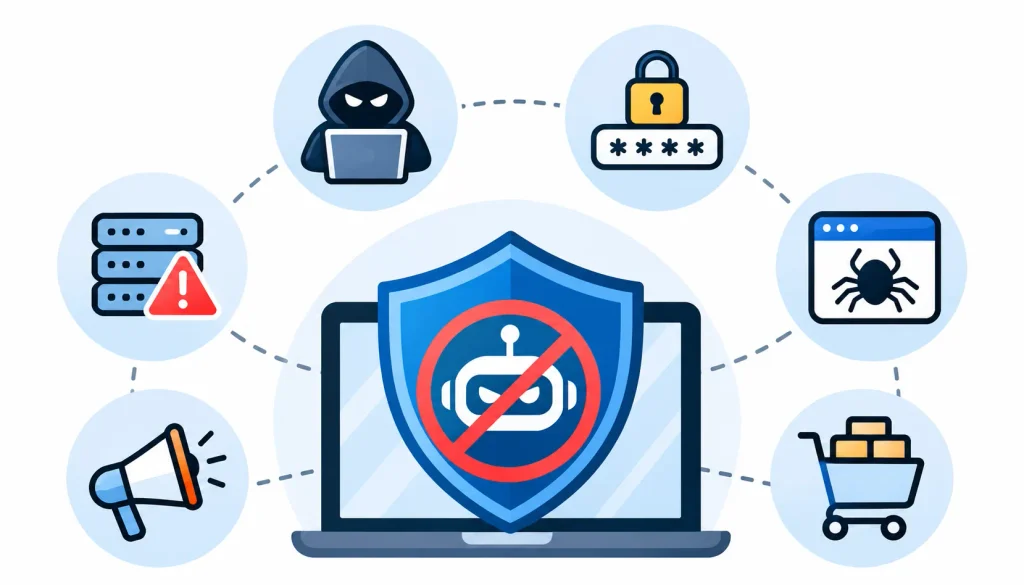
The OWASP Automated Threats to Web Applications project catalogs 21 types of automated abuse. These are the ones teams meet most often.
- DDoS attacks. Denial-of-service attacks flood a service with traffic. Bot management helps with application-layer floods, but large network-level attacks usually need dedicated DDoS protection too.
- Credential stuffing. Bots test leaked login pairs. Example: a bank sees thousands of failed logins from many IPs in one hour, each using a different username.
- Brute force attacks. Bots guess passwords repeatedly against one account.
- Web scraping. Bots copy pages in bulk. Example: a retailer sees a competitor’s bot requesting every product page every few minutes.
- Account takeover. After a successful login, attackers drain balances, steal data, or change account details.
- Click fraud. Bots click paid ads to burn budgets or inflate publisher revenue.
- Carding. Bots run small purchases to test stolen card numbers.
- Inventory hoarding and ticket scalping. Bots add limited items to carts or buy them instantly, then resell at higher prices.
- Spam and fake accounts. Bots register accounts, post links, and abuse forms.
- API abuse. Bots call API endpoints directly, skipping the website entirely. This is common and often overlooked.
What Are the Benefits of Bot Management?
- Stronger security. Fewer takeover attempts and less automated probing.
- Better performance. Servers spend resources on real customers.
- Lower fraud losses. Fewer chargebacks and wasted ad spend.
- Better data protection. Less scraping of content, prices, and user data.
- Cleaner analytics. Bot traffic can distort conversion rates and traffic reports.
- Better customer experience. Real users face fewer errors and less stock-out frustration.
- Lower infrastructure cost. Less wasted bandwidth and compute.
What Is the Difference Between Bot Management and a Web Application Firewall (WAF)?
A web application firewall filters HTTP traffic using rules and signatures. It is strong against known attack patterns like SQL injection and cross-site scripting.
Bot management focuses on a different question: is this visitor automated, and is that okay? A bot can send perfectly valid requests that no WAF rule would flag, such as a normal-looking login attempt.
| Feature | Bot management | WAF |
| Main purpose | Manage automated traffic | Protect web applications |
| Looks at | Behavior and automation signals | Request content and patterns |
| Typical threats | Scraping, stuffing, hoarding, fraud | Injection, XSS, known exploits |
| Common techniques | Fingerprinting, behavior, challenges | Rules, signatures, inspection |
They work best together. Many providers bundle both.
How to Implement Bot Management on a Website
You don’t need to buy a tool first. Start with understanding your traffic.
Step 1: Audit Your Traffic
Review analytics, server logs, and security logs. Look for spikes, odd user agents, unusual countries, and high request volumes on login, search, and checkout.
Alongside traffic monitoring, regular website crawling and SEO audits can help identify technical issues affecting how search engine crawlers access and navigate your website.
Step 2: Identify Good and Bad Bots
List the bots you rely on: search crawlers, monitors, partners. Mark everything else as unknown until proven otherwise.
Step 3: Choose a Solution
Weigh these factors:
- Traffic volume and architecture
- Need to protect APIs and mobile apps
- Detection accuracy and false-positive controls
- Integration with your existing stack
- Pricing and scalability
Step 4: Configure Detection Rules
Protect sensitive areas first: login, signup, password reset, checkout, and APIs. Not every page needs the same level of scrutiny.
Step 5: Add Rate Limiting and Verification
Use gentle controls on low-risk pages and stronger ones on high-risk actions. For example, you might allow normal browsing freely but challenge visitors after several failed logins.
Step 6: Monitor and Reduce False Positives
Review blocked and challenged traffic weekly at first. Check that customers using VPNs, corporate networks, or assistive tools aren’t being unfairly caught.
How to Choose the Right Bot Management Solution
Use this checklist when comparing vendors:
- Real-time detection: Does it decide before the request reaches your app?
- Behavioral analysis: Does it go beyond IP blocking?
- Machine learning: Is it used meaningfully, and can the vendor explain it?
- API and mobile coverage: Many attacks never touch your website.
- False-positive handling: Can you review decisions and create exceptions?
- Reporting: Can you see what was blocked and why?
- Integration: Does it fit your CDN, WAF, and identity systems?
- Scalability and cost: Does pricing stay reasonable as traffic grows?
Ask for a trial or proof of concept on your own traffic. Demo environments rarely match real-world conditions.
Popular Bot Management Solutions
This is a neutral overview, not a ranking. Capabilities change often, so check each vendor’s current documentation.
- Cloudflare Bot Management: Edge-based detection integrated with its CDN and security products.
- AWS (AWS WAF Bot Control): Bot controls inside AWS’s web application firewall, suited to teams already on AWS.
- HUMAN Security: A security vendor focused on automated traffic and fraud.
- hCaptcha: Known for human verification, now with broader bot detection.
- F5 and NetScaler: Application delivery and security vendors with bot protection features.
- Imperva: Application and data security with bot protection.
- Akamai: CDN and security provider with bot mitigation.
No provider is best for everyone. Your architecture, threats, and budget should drive the choice.
How Different Industries Use Bot Management
- E-commerce. Retailers face price scraping, checkout abuse, and inventory hoarding. Protecting product pages and cart endpoints is the priority.
- Banking and financial services. Credential stuffing and account takeover are the main concerns. Teams often combine bot detection with step-up authentication.
- SaaS companies. API abuse, fake signups, and free-trial abuse are common. Rate limiting and API-level controls matter most.
- Travel and hospitality. Bots scrape fares, hold reservations, and abuse booking systems.
- Media and publishing. Publishers deal with content scraping and ad fraud.
What Are the Challenges of Bot Management?
Bot management is not perfect. Being honest about that helps you plan better.
- Human-like bots. Modern bots imitate mouse movement and typing patterns.
- Rotating IPs and residential proxies. Attackers route traffic through ordinary home connections.
- CAPTCHA-solving services. Some services pay humans or use software to solve challenges.
- False positives. Blocking real customers costs revenue and trust.
- Scale. High traffic volumes make manual review impractical.
- Evolving AI automation. Tools improve on both sides.
The practical answer is layered defense, regular tuning, and measured responses rather than blanket blocks.
How Does Bot Management Handle AI Bots and Autonomous Agents?
What Are AI Bots and AI Agents?
Traditional bots follow fixed scripts. AI agents can interpret a goal, navigate a site, and adapt their steps. Some act for a legitimate user, such as booking a table. Others scrape or probe at scale.
Why Do AI Agents Create New Challenges?
An agent browsing in a real browser can look much like a human. It may complete multi-step flows, read content, and interact with forms. That makes behavior-only detection less reliable.
How Can Businesses Manage AI Agent Traffic?
Start with a policy, not a panic. As AI-powered crawlers and agents become more common, businesses should also evaluate their AI search readiness to ensure legitimate AI systems can access and understand permitted website content.
- Decide which agents you welcome and for what purpose.
- Use identification and authentication where vendors support it.
- Set clear access rules for content, APIs, and purchases.
- Apply rate limits and monitor usage.
- Review your robots.txt and terms of use, while remembering that robots.txt is not enforcement.
How Is AI Changing the Future of Bot Management?
Expect more focus on intent and context rather than a simple human-or-bot label. Industry standards for agent identification are still developing, so check current vendor and standards updates before committing to a long-term approach.
How to Measure the Effectiveness of Bot Management
You can’t improve what you don’t measure. Track these:
| Metric | Why it matters |
| Malicious bot traffic detected | Shows threat volume and trend |
| False-positive rate | Shows how many real users you are hurting |
| Account takeover attempts | Measures protection of customer accounts |
| API abuse volume | Shows coverage beyond the website |
| Page speed and server load | Shows performance gains |
| CAPTCHA completion rate | Reveals friction for real users |
| Conversion rate | Confirms security isn’t hurting sales |
Compare these before and after changes, and watch trends over time rather than single days.
Frequently Asked Questions About Bot Management
What is bot management in cybersecurity?
It is the practice of identifying and controlling automated traffic to protect websites, apps, and APIs from abuse while allowing helpful bots.
Why is bot management important?
Bots can steal content, take over accounts, commit fraud, and slow down your site. Bot management reduces that risk without blocking legitimate automation.
How does bot management work?
It detects incoming traffic, analyzes behavior, classifies visitors, scores risk, applies a response, and keeps monitoring.
What is the difference between bot management and bot detection?
Detection identifies automated traffic. Bot management also decides what to do about it and monitors results over time.
Can bot management prevent DDoS attacks?
It helps with application-layer floods. Large network-level attacks usually need dedicated DDoS protection as well.
Can bot management stop web scraping?
It can make scraping harder and more expensive. Determined scrapers can still adapt, so expect reduction, not elimination.
Does robots.txt prevent malicious bots?
No. It is a voluntary guideline that good bots follow and bad bots ignore.
Final Thoughts on Bot Management
Bot management is about control, not blanket blocking. You want helpful bots to keep working, and you want harmful automation stopped or slowed before it hurts customers.
Start by understanding your traffic. Protect your most sensitive endpoints first, layer your defenses, and review results regularly. Treat any tool as part of an ongoing process, because attackers and technology keep changing.
If you do only one thing this week, look at your login page traffic. It is often where the first signs of bot abuse