You have the name of a prospect, a company website, and no way to reach them. You could guess firstname@company.com and hope. Or you could use software built for this job.
This guide covers the top 10 email finder tools and how they differ. I compare them on how they find addresses, what they cost, how they handle verification, and who each one suits. I also explain how to read accuracy claims, because that’s where most buyers get misled.
A quick note on how I wrote this. The tool descriptions come from each vendor’s documented features, not from a lab test I ran on thousands of contacts. Where a number would need testing to be trusted, I tell you how to test it yourself instead of inventing one. If any link below is an affiliate link in your published version, add a disclosure here.
The Top 10 Email Finder Tools
Choosing the right email finder tool can make prospecting, lead generation, and outreach more efficient. Some tools focus on finding professional email addresses from company domains, while others provide extensive contact databases, LinkedIn integrations, bulk searches, and email verification.
The best option depends on your workflow, budget, target audience, and the number of contacts you need to find. Below are ten email finder tools, including their key features, ideal use cases, advantages, and limitations to consider before choosing one.
1. Hunter
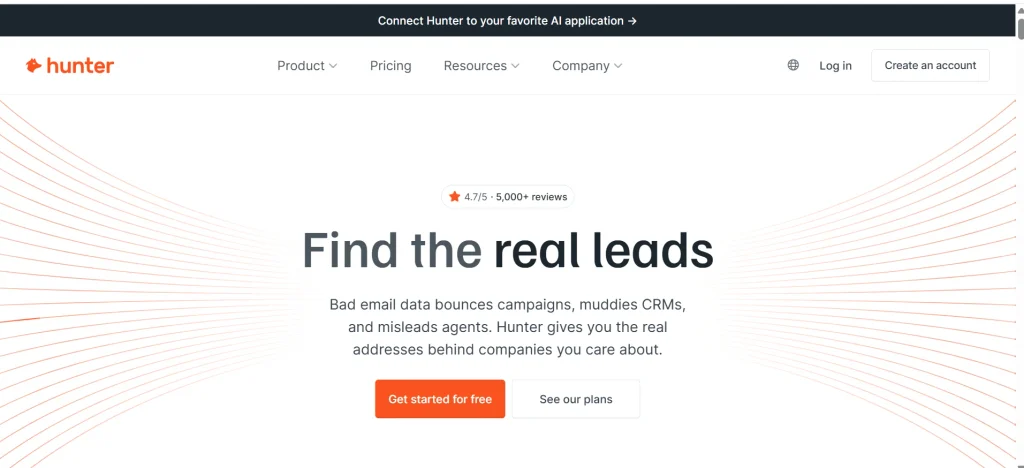
Hunter is an email finder tool designed primarily around company domain searches. You can enter a company’s website to discover publicly sourced email addresses associated with that domain. Where available, Hunter also provides source URLs and confidence scores to help you evaluate the results.
Its features include domain search, individual email lookup, email verification, bulk searches, and a Chrome extension. These capabilities make it useful for sales professionals, marketers, recruiters, and outreach specialists who need to identify contacts at specific organizations.
Hunter is particularly helpful when you want to understand how a company structures its professional email addresses or identify multiple contacts within the same organization. However, it is less focused on broad B2B prospecting databases than platforms that let you search extensively by job title, industry, company size, and other criteria.
Hunter offers a free plan with limited usage. Before choosing a subscription, check its official pricing page for current credit allowances, verification limits, and available features.
Best for: Finding professional email addresses through company domains and researching contacts at specific organizations.
2. Apollo
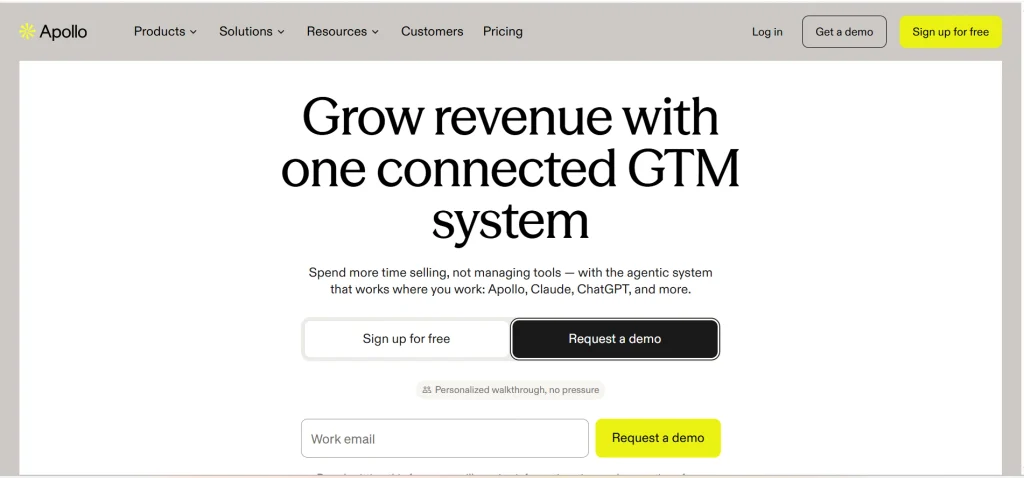
Apollo is a B2B sales intelligence and prospecting platform that combines contact discovery with sales engagement features. Users can search for potential customers using filters such as job title, industry, company size, location, and other professional attributes.
Beyond email discovery, Apollo offers features for building prospect lists, managing sales workflows, and conducting outreach. This makes it attractive to sales development representatives, marketing teams, and businesses that want to manage multiple prospecting activities in one platform.
One of Apollo’s main advantages is that you can identify potential contacts and organize your outreach without constantly switching between separate tools. However, its broader functionality can make the interface more complex than a dedicated email finder. Teams that only need occasional email lookups may not benefit from all its features.
Apollo provides a free tier, but usage limits and access to specific features can vary by plan. Review its current pricing and credit policies to understand what is included before committing to a paid subscription.
Best for: B2B sales teams that need contact discovery, targeted prospect lists, and integrated outreach capabilities.
3. Snov.io
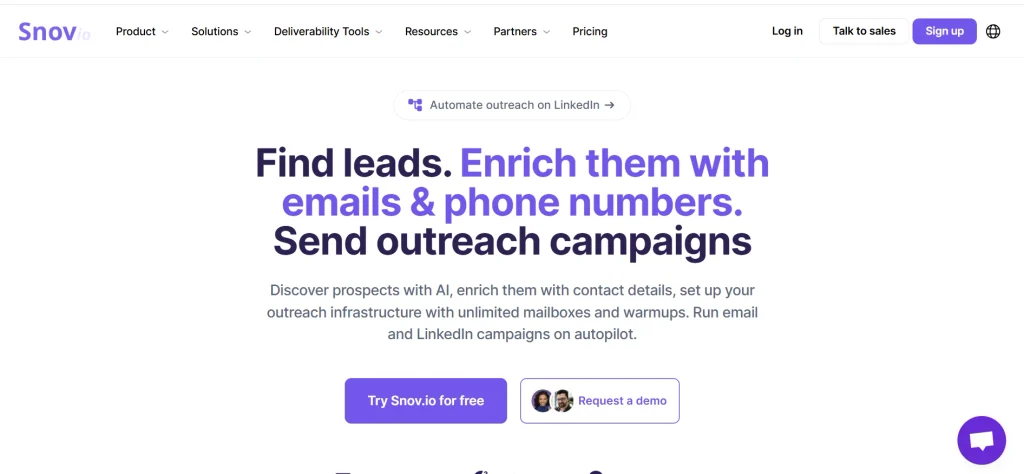
Snov.io combines email discovery, email verification, lead generation, and automated email campaigns in one platform. It is designed for businesses that want to identify prospects, check email addresses, and manage follow-up sequences without purchasing several separate tools.
The platform supports individual email searches, domain searches, bulk email finding, and browser-based prospecting. Its campaign features can also help users organize follow-ups and manage outreach activities from a central dashboard.
Snov.io is particularly suitable for small businesses, freelancers, and marketing teams that want an integrated prospecting and outreach workflow. Instead of finding contacts in one application and moving them manually into another, users can manage several stages of the process within the same ecosystem.
However, an all-in-one platform is not automatically the most cost-effective option. Compare its email-finding capabilities, verification limits, campaign restrictions, and credit consumption with your actual requirements. Testing the finder independently before committing to the complete package can help you determine whether the additional features justify the cost.
Best for: Small sales and marketing teams looking for email discovery, verification, and outreach automation in one platform.
4. Skrapp
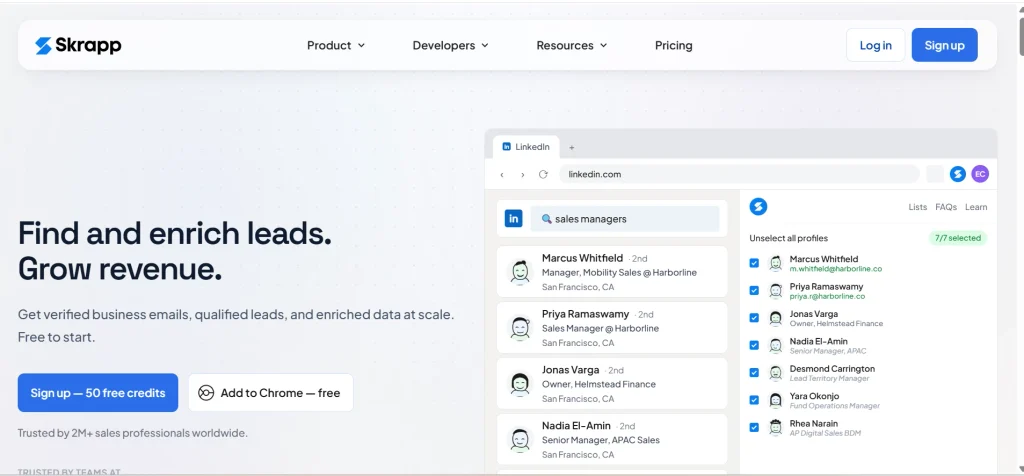
Skrapp is an email finder focused on discovering professional email addresses, particularly through LinkedIn-based prospecting and company research. It helps users identify potential business contacts and build lists for sales outreach, recruitment, and lead generation.
Its functionality includes email discovery, bulk lookups, and verification features. Browser-based workflows can be especially useful for people who research prospects directly on professional profiles rather than switching between multiple applications.
Skrapp is a practical option for sales representatives, recruiters, and B2B marketers who regularly identify decision-makers at specific companies. Finding contacts while researching their professional profiles can reduce the manual work involved in compiling prospect lists.
However, the best tool depends on where your research begins. If you primarily work with company domains, existing spreadsheets, or large contact databases, compare Skrapp’s bulk-processing and export capabilities with those of domain-based email finders.
Before purchasing, check its current credit limits, supported workflows, verification options, and subscription plans.
Best for: Sales professionals and recruiters who frequently research prospects through LinkedIn and need professional email addresses.
5. Lusha
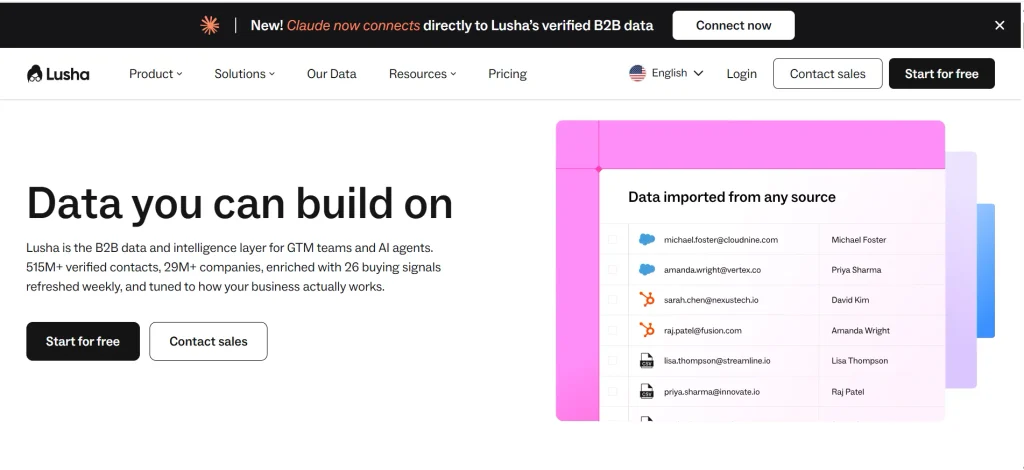
Lusha is a B2B contact intelligence platform that helps users discover business email addresses and phone numbers. It offers a browser extension and a web-based platform, making it possible to find contact information while researching companies and professionals online.
Its combination of email and phone data is particularly useful for sales teams that use multiple communication channels. Instead of relying exclusively on email, representatives can identify available contact details and choose an appropriate way to approach a prospect.
Lusha can also support prospect research and contact enrichment, depending on the features available in the selected plan. This makes it useful for businesses that need contact information while building or updating their sales pipelines.
One important consideration is its credit system. Email addresses and phone numbers may consume credits differently, and plan restrictions can affect how much information you can retrieve. Check the current billing rules, monthly allowances, and export limitations before subscribing.
As with any contact intelligence platform, data availability varies by individual, company, and market. Test Lusha against your actual target audience before relying on it for large-scale prospecting.
Best for: B2B sales representatives who need professional email addresses and phone numbers for prospecting.
6. RocketReach
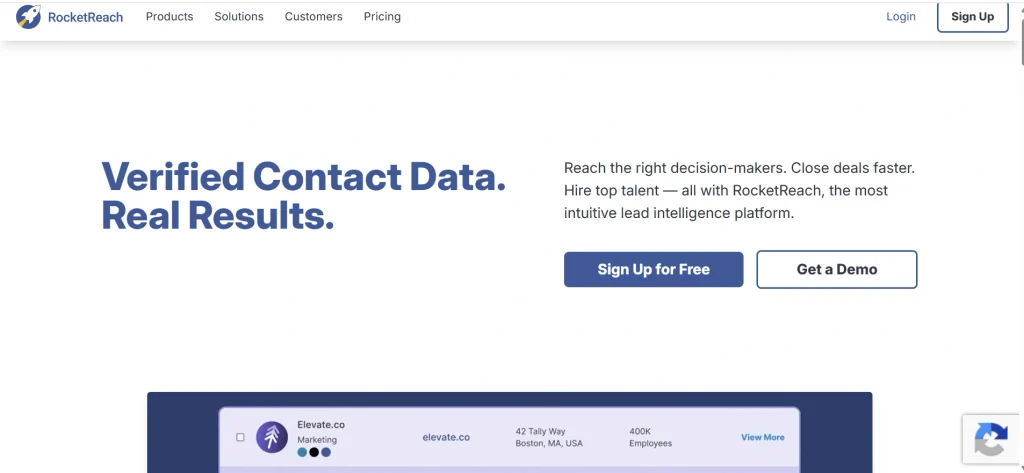
RocketReach is a professional contact discovery platform that helps users search for individuals using information such as names, companies, and job titles. It returns available contact details and provides features for researching professionals and building prospect lists.
The platform supports individual searches and bulk lookups, while API access can help businesses incorporate contact discovery into their existing applications or workflows. These capabilities make RocketReach relevant to sales teams, recruiters, researchers, and organizations that regularly need to enrich contact records.
RocketReach is particularly useful when you already have a list of named individuals and want to find their available professional contact information. Rather than manually searching for every person’s details, you can use the platform to process multiple contacts and organize the results.
However, database coverage can vary across industries, job roles, and geographic regions. A tool that performs well for one audience may return fewer useful results for another. Before purchasing a larger plan, test RocketReach using a representative sample of your intended contacts.
Also, compare its available export options, API limits, subscription restrictions, and total cost against your expected search volume.
Best for: Teams that need to find and enrich contact information for named professionals, including through bulk lookups or API-based workflows.
7. UpLead
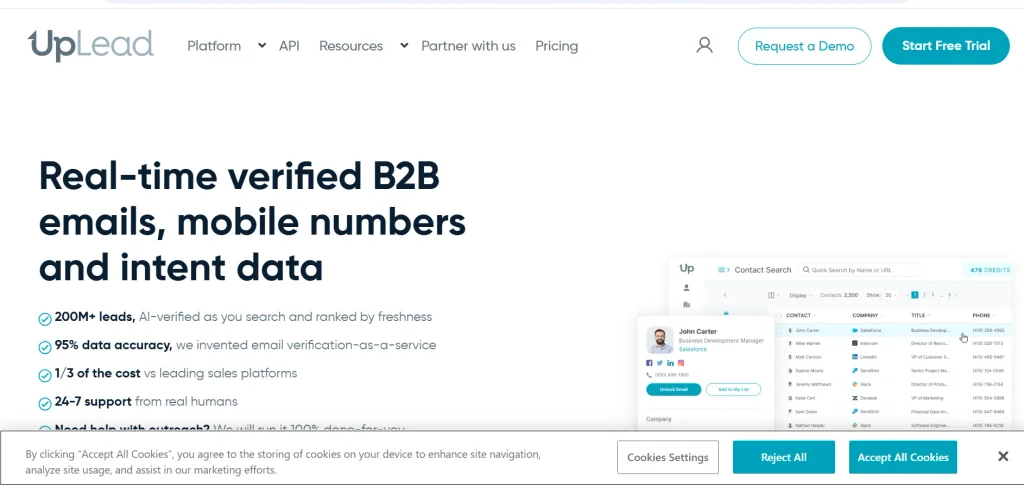
UpLead is a B2B contact database designed to help businesses identify potential customers and build targeted prospect lists. Users can apply filters to narrow searches according to professional and company characteristics, making it easier to focus on contacts who match their ideal customer profile.
The platform emphasizes contact data quality and offers email verification capabilities. These features can help sales and marketing teams evaluate prospect information before adding contacts to their outreach lists.
UpLead is especially useful for businesses that need more than occasional email lookups. Its database-oriented approach supports structured prospecting, allowing teams to build lists based on specific industries, organizations, roles, and other relevant criteria.
However, the platform may be more extensive than necessary for freelancers or small businesses that only need a few email addresses each week. In those situations, a simpler email finder could offer a more suitable combination of functionality and cost.
Before subscribing, compare its current pricing, credit allowances, verification process, available filters, and export capabilities. Testing the quality of results for your target market is also important when evaluating any B2B contact database.
Best for: Sales and marketing teams that need targeted B2B contact lists and structured prospecting workflows.
8. ContactOut
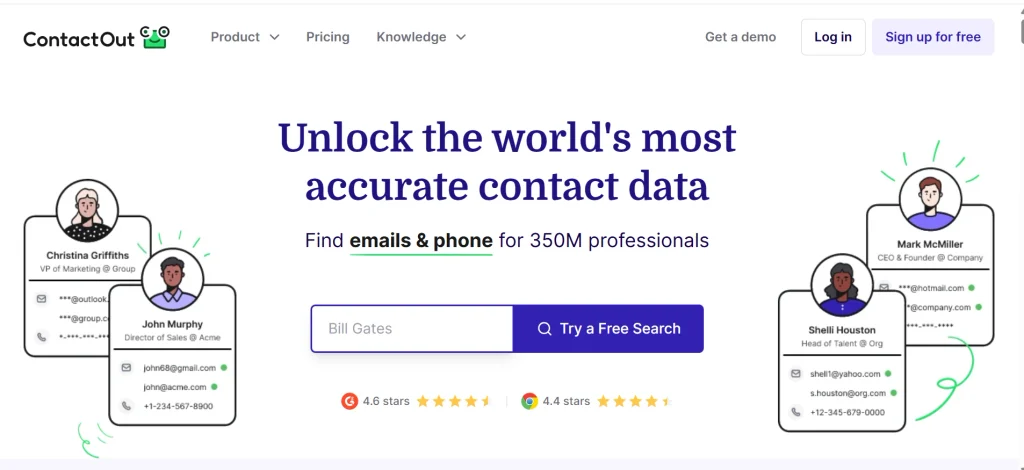
ContactOut is a contact discovery platform commonly associated with LinkedIn-based prospecting and recruiting. Its browser extension helps users discover available contact information while researching professional profiles, and its platform provides additional options for finding and managing contacts.
Depending on availability and the product features used, ContactOut can provide professional email addresses and other contact details, including personal email addresses. This can be particularly useful for recruiters trying to reach candidates who may not regularly check their professional inboxes.
The platform can also support contact list building and prospecting workflows, helping users organize information gathered during research. Its LinkedIn-oriented approach makes it especially relevant to recruiters and teams that identify potential candidates or business contacts through professional networks.
However, personal contact information requires additional care. Users should consider the purpose of their outreach, the source and permitted use of the data, and the privacy and marketing laws applicable to their activities.
Before choosing ContactOut, review its current feature availability, credit limits, integrations, and subscription options. Confirm that the product supports your intended workflow rather than assuming every capability is included in every plan.
Best for: Recruiters and professionals who discover contacts through LinkedIn and need additional contact information for legitimate outreach.
9. Voila Norbert
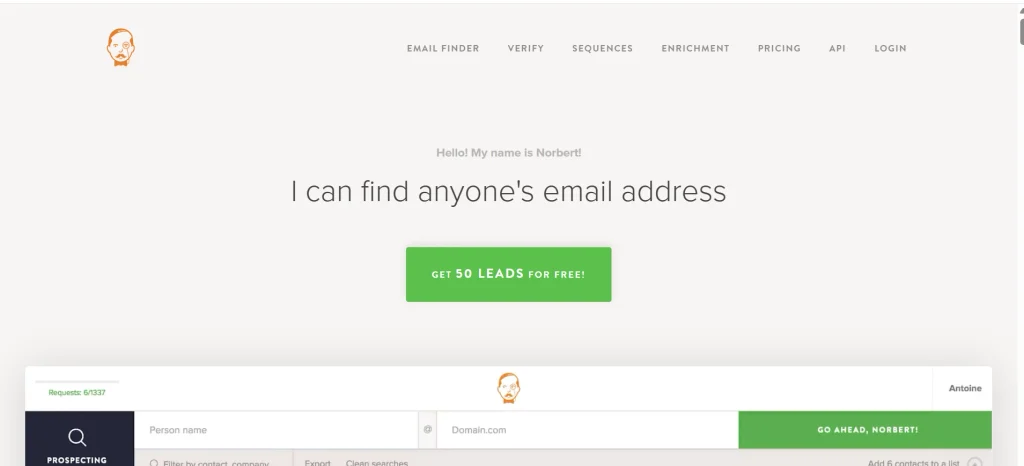
Voila Norbert is an email lookup tool designed to help users find professional email addresses using a person’s name and company domain. Its relatively straightforward workflow makes it suitable for people who want to find individual contacts without managing a complex sales prospecting platform.
Users can search for email addresses individually and use bulk lookup capabilities where supported. This can help sales representatives, marketers, and outreach specialists identify contacts for targeted campaigns or enrich existing prospect lists.
One of Voila Norbert’s main advantages is its focused approach. If you already know whom you want to contact and which company they work for, you may not need an extensive contact database or a full sales engagement platform.
However, its current feature set, integrations, and subscription options should be verified before making a purchase. Software offerings can change, and older reviews may describe features or pricing that are no longer available.
It is also important to verify the returned addresses before using them in an outreach campaign. A successful lookup does not automatically guarantee that an address is current or capable of receiving messages.
Best for: Freelancers, marketers, and sales professionals who want a straightforward way to find professional email addresses using names and company domains.
10. Findymail
Findymail combines email discovery with verification-oriented functionality and supports workflows for finding professional contact information. Depending on the current product features, users can search using names, company domains, and supported prospecting sources, including LinkedIn-related workflows.
Its focus on returning usable email results makes it relevant to sales teams, lead generation agencies, and outreach specialists who want to reduce the time spent researching contact information and checking results manually.
Findymail can be particularly useful for teams that process prospect lists or need contact discovery as part of a larger outreach workflow. When evaluating it, consider how it handles unsuccessful searches, verification results, bulk processing, and integrations with your existing sales tools.
Pricing is an important consideration. Email finder providers use different billing models: some charge credits for searches, while others may have specific rules for successful finds, verification, or enrichment. These differences can significantly affect the effective cost of obtaining usable contact information.
Before subscribing, review Findymail’s current pricing, credit policies, supported integrations, and terms. If possible, test it with a representative sample of your target contacts and compare the results with another tool.
Best for: Sales and outreach teams that prioritize email discovery, verification, and efficient prospect-list building.
Best Email Finder Tools at a Glance
The list below is ordered by use case, not by a performance score. No single tool wins for every team.
| Tool | Best for | Main workflow |
| Hunter | Finding every address at one company | Domain search and browser extension |
| Apollo | Prospecting and outreach in one place | Contact database with filters |
| Snov.io | Small teams that want finding and sending together | Email finder plus drip campaigns |
| Skrapp | LinkedIn-based prospecting | Browser extension and bulk lookup |
| Lusha | Reps who also need phone numbers | Browser extension and enrichment |
| RocketReach | Looking up specific professionals | Profile search and bulk lookup |
| UpLead | Building targeted B2B lists | Filtered database search |
| ContactOut | Recruiters and LinkedIn research | Browser extension |
| Voila Norbert | Simple name-plus-domain lookups | Single and bulk lookup |
| Findymail | Verified results from LinkedIn and name searches | Finder with built-in verification |
Most of these offer a free plan or a trial with a small credit allowance. The limits differ and shift over time, so check the current terms on each site.
What Is an Email Finder Tool?
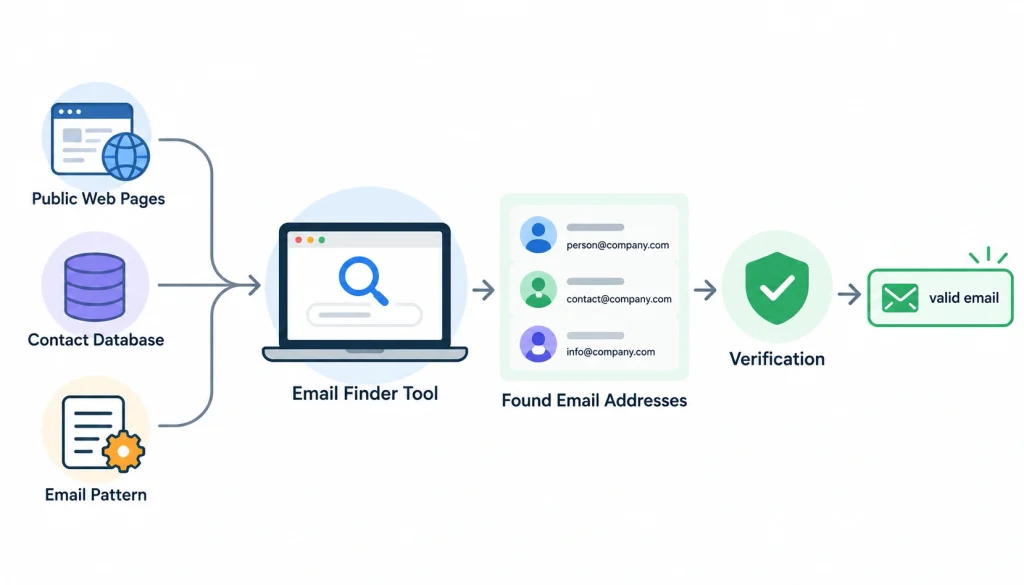
An email finder is software that helps you discover the email address of a specific person or the addresses linked to a company. Depending on the tool, it pulls from public web pages, its own contact database, or a pattern guess based on how a company formats its addresses. Many tools add a verification step to check whether the address is likely to work.
The address itself is just a mailbox on a domain. If you want the technical background, Wikipedia has a solid explainer on the email address format.
1. How Email Finder Tools Work
There are four methods behind almost every tool. Most products mix two or three of them.
Public-source discovery. The tool scans websites and other open pages for addresses and links each one to a person or domain. This is how a domain search works, and good tools show the source page so you can check it.
Contact database lookups. The vendor keeps a large database of professional contacts, built from its own collection methods and data partners. You search by name, title or company and get a record back. Coverage depends on how well the vendor’s database matches your target market.
Pattern prediction. Companies often format addresses in a consistent way, like first.last@company.com. If a tool knows the pattern, it can predict a person’s address. This works well until the company uses more than one format, or the person goes by a nickname.
Enrichment and verification. Enrichment fills in missing fields on a contact you already have. Verification checks whether an address looks deliverable. They sound similar but do different jobs.
2. Email Finder vs. Email Verifier
A finder gives you an address. A verifier tells you how likely that address is to work. Many products do both, but you should treat them as two separate steps when you read a vendor’s claims.
| Email finder | Email verifier |
| Discovers or predicts an address | Checks an address you already have |
| Uses public pages, databases or patterns | Uses technical signals such as domain and mail-server checks |
| Answer ‘what is this person’s email?’ | Answers ‘will this email probably be accepted?’ |
| May include verification | Does not necessarily find new addresses |
Verification usually involves checking the domain’s mail setup and, where possible, asking the receiving server whether a mailbox exists. That conversation runs over SMTP, and the domain’s mail servers are listed in its MX records. An MX record tells you where a domain’s mail goes. It does not prove that a particular person’s mailbox exists.
3. Work Email Finder vs. Personal Email Finder
These are different jobs. A work email finder looks for professional addresses at a company, which is what most B2B sales and outreach needs. A personal email finder looks for addresses like Gmail or Outlook accounts, which raises more privacy questions and is more tightly regulated in many places.
Some tools cover both, and some only do one. If you’re prospecting for a business, stick to professional addresses unless you have a clear, lawful reason to do otherwise.
How We Selected the Best Email Finder Tools
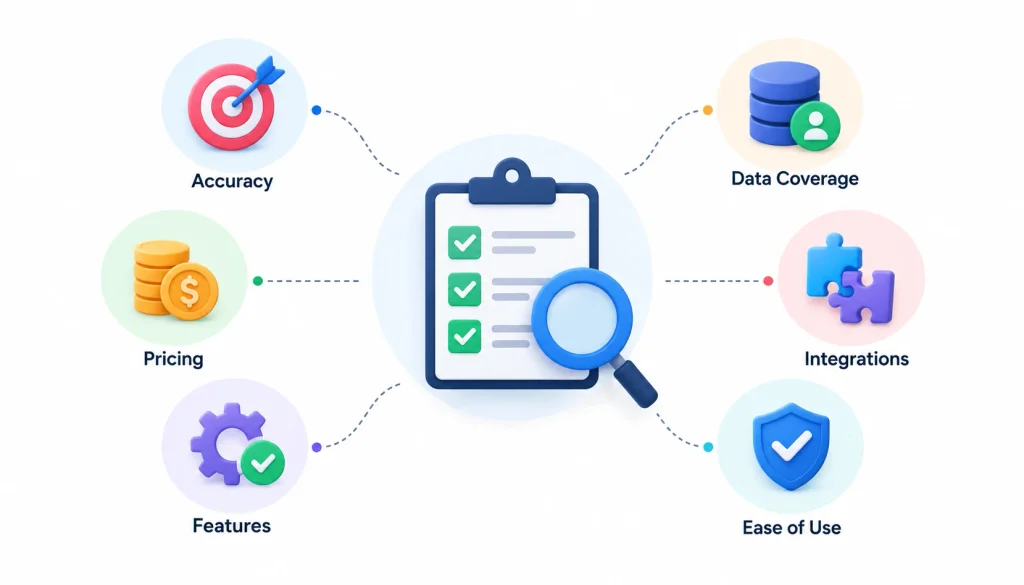
I looked at each tool across six areas. These are the same questions I’d ask before putting a card on file.
Email validity. Of the addresses a tool returns, how many actually work? This is the number most people mean when they say ‘accuracy.’
Contact coverage. Of the people you searched for, how many did the tool find an address for? A tool can have high validity and low coverage, or the reverse.
Pricing and credit rules. What does a usable address really cost once you count failed searches, verification and extra seats?
Verification and transparency. Does the tool show how it checked an address, and does it admit uncertainty?
Workflow fit. Does it have a browser extension, bulk upload, an API, and the integrations you use?
Data practices. Does the vendor explain where its data comes from and how people can ask for removal?
I did not run a controlled test for this article, so I don’t publish accuracy percentages. When a vendor states a figure, treat it as that vendor’s claim until you’ve checked it on your own list.
How Much Do Email Finder Tools Cost?
The monthly price is only part of the picture. What you really care about is the cost of each address that works.
Free Email Finder Tools
Free plans and trials are common, but they’re built to let you try the product, not run a campaign. Expect a small number of credits, and sometimes limits on exports or verification.
Use the free tier to run a small test. It’s the cheapest way to see whether a tool covers your market.
Hidden Costs to Check Before Buying
- Extra seats for teammates
- Separate charges for verification
- Credits that expire at month end
- Searches that cost credits even when nothing is found
- Bulk enrichment and API usage priced separately
- A separate subscription for sending emails
- Annual billing requirements
How to Calculate Cost per Valid Email
Use this formula:
Cost per valid email = total cost of the test ÷ number of valid addresses obtained
Here’s a made-up example to show the math, not a result from any real product. Say you pay $50 for a month and end up with 100 addresses that pass verification. Your cost per valid email is $0.50.
Now compare two tools on the same list. A cheaper plan that finds fewer valid addresses can cost more per result than a pricier plan that finds more.
How Accurate Are Email Finder Tools?
It depends on who you ask and what they’re measuring. That’s why you should be careful with any single percentage.
1. What ‘Accuracy’ Actually Means
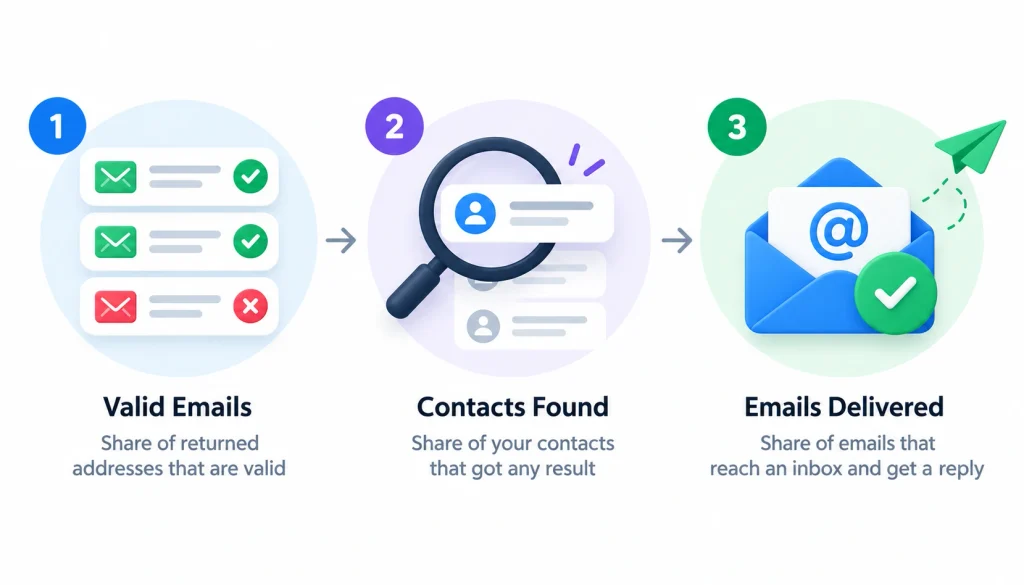
People use the word for at least three different things. One is the share of returned addresses that are valid. Another is the share of your contacts that got any result. The third is the share of emails that reach an inbox and get a reply.
Those are not the same. A tool that returns a few addresses can have a high validity rate. A tool that returns many can look better on coverage while sending you more bounces.
2. Why Finders Return Bad Addresses
The main causes are practical:
- The person changed jobs and the record is stale.
- The tool matched the wrong person with a similar name.
- The address was a pattern guess that was never confirmed.
- The domain is a catch-all, so it accepts mail for any name and verification can’t tell the difference.
- The vendor has thin coverage in that country or industry.
A bad address often ends as a bounce message, and a lot of bounces can hurt your sender reputation.
3. How to Verify an Address Before Sending
Run every list through a verifier, even if the finder already shows a confidence score. Treat catch-all results as unconfirmed and send them to them in small batches. Remove anything marked invalid, and re-check old lists before reusing them.
Verification lowers your bounce risk. It can’t promise inbox placement or a reply, and no honest vendor will say otherwise.
How to Choose the Right Email Finder Tool
Start with the job, not the brand. A recruiter, an agency owner and a sales rep need different things.
If you want to find every address at one company, a domain-search tool like Hunter fits. If you want to build lists by job title and industry, look at Apollo, UpLead or RocketReach.
For broader prospecting campaigns, explore these link building software solutions to understand how contact discovery tools fit into a complete link-building and outreach workflow.
If most of your research happens on LinkedIn, consider Skrapp, ContactOut or Lusha. If you want finding and sending in one place, Snov.io and Apollo are the obvious candidates.
Then check three more things. Make sure the plan covers your expected volume, the tool covers your target countries, and it connects with your CRM or spreadsheet.
If you’re using email finders to support content outreach, learn how keyword clustering and topic mapping can help organize related topics and identify relevant content opportunities. Verify integrations on your specific plan, because they aren’t always on every tier.
Test Two or Three Tools Before You Pay
This takes an afternoon and saves months of regret.
- Pick 30 to 50 real prospects and confirm each person’s current company.
- Run the same list through your two or three shortlisted tools.
- Verify every returned address with one consistent method.
- Record how many contacts each tool found and how many addresses were valid.
- Work out the cost per valid email.
- Check export limits, integrations and credit rules.
- Pick the tool that fits your workflow and budget.
A sample this small won’t give you statistical proof. It will show you obvious differences in coverage and quality.
How to Find Someone’s Email Address Step by Step
If you just need one address, here’s the process I’d follow.
- Confirm who they are. Get the full name and current employer. A LinkedIn profile is a quick check, and LinkedIn Sales Navigator is built for this kind of research.
- Check public pages first. Look at the company’s website, team page and press releases.
- Use an email finder. Search by name and domain, or from the person’s profile.
- Review the result. Check that it matches the right person, and look at any confidence score or source.
- Verify the address. Run it through a verifier before you send.
- Save it properly. Add it to your CRM or sheet and remove duplicates.
- Follow the rules. Include an opt-out, honor removal requests, and respect local law.
Once you have identified the right contact, follow this step-by-step link-building workflow to organize prospect research, outreach, and backlink acquisition more effectively.
Email Finders vs. Manual Research
You don’t always need software. If you’re contacting five people a month, a few minutes on a company website and LinkedIn may do the job.
Software starts to pay off when you repeat the task often, work from longer lists, or need verification and exports in one place. Many practitioners mix both. They use a tool for the first pass and confirm the important contacts by hand.
Cold email tactics get debated constantly, and the practitioner threads on sales and coldemail are worth skimming for real-world experiences. Treat them as anecdotes, not benchmarks.
| Manual research | Email finder tool | |
| Cost | Free, but costs your time | Subscription or credits |
| Scale | A few contacts | Hundreds or thousands |
| Verification | You do it yourself | Often built in |
| Best for | Occasional outreach | Regular prospecting |
Privacy, Compliance and Responsible Use
Finding an address is not the same as having the right to email it. The rules depend on where you and your recipient are located and what you’re sending.
For example, the EU’s GDPR governs how personal data is handled, and that can include business contact details. In the US, the FTC explains the requirements of the CAN-SPAM Act in its compliance guide for businesses. I’m not a lawyer, so talk to one if you’re running outreach at scale.
Before you buy, ask a few questions of any vendor:
- Where does your contact data come from?
- How can someone ask to be removed?
- What do you store about me and my searches?
- What terms limit how I can use the data?
Once you have the data, store only what you need, limit who can access it, and honor every opt-out quickly.
Frequently Asked Questions About Email Finder Tools
What is the best email finder tool?
There isn’t one best tool. Hunter suits domain searches, Apollo and UpLead suit list building, and Skrapp and ContactOut suit LinkedIn-heavy work. Test two or three on your own contacts.
Is there a free email finder tool?
Yes. Several tools on this list offer a free plan or trial with limited credits, including Hunter and Apollo. Limits change, so check each vendor’s current terms.
Are email finder tools accurate?
Accuracy varies by vendor, region and industry. Separate coverage from validity, and verify addresses before you send.
How do email finder tools work?
They search public web pages, query a contact database, or predict addresses from a company’s naming pattern. Many also verify the result.
What is the difference between an email finder and an email verifier?
A finder discovers an address. A verifier checks whether an existing address is likely to be deliverable.
Can I find emails in bulk?
Yes. Most tools here support CSV uploads or batch searches, and some offer an API. Check export limits and credit costs first.
Which email finder works with LinkedIn?
Skrapp, ContactOut, Lusha, Hunter, Apollo and others offer browser extensions that work with LinkedIn. Features and limits depend on your plan.
Are email finder tools legal?
It depends on your location, how the data was collected, and how you use it. Laws like GDPR and CAN-SPAM apply in different situations, so get legal advice for large campaigns.
Do email finders guarantee deliverability?
No. Verification reduces bounce risk, but nobody can guarantee inbox placement or replies.
How much does an email finder cost?
Plans range from free tiers to paid subscriptions, and the real figure is your cost per valid email. Use the formula above to compare tools fairly.
Final Verdict: Which Email Finder Should You Choose?
The top 10 email finder tools above cover different jobs, so your choice comes down to your workflow.
Choose Hunter if you work from company domains. Choose Apollo, UpLead or RocketReach if you build lists from titles and industries. Choose Skrapp, ContactOut or Lusha if you live on LinkedIn. Choose Snov.io if you want finding and sending together, and Voila Norbert or Findymail if you want a simple lookup with verification.
Whatever you pick, don’t buy on a feature list alone. Take 30 to 50 real prospects, run them through two or three tools, verify every result, and compare the cost per valid email. That one test will tell you more than any ranking, including this one.