A backlink report can show you 40,000 links in about ten seconds. That number tells you almost nothing. What matters is which of those links come from relevant sites, which ones your competitors earned that you didn’t, and which gaps are worth closing.
This guide to the top 10 backlink research tools compares each one on research depth, competitor analysis, link quality data, monitoring, pricing and best use case. Then it shows you how to turn the data into link-building decisions, because a tool is only useful if you know what to do with its output.
Pricing and plans change often, so I describe price levels rather than exact figures. Check each vendor’s site before you buy.
The Top 10 Backlink Research Tools
The best backlink research tool depends on what you actually need to learn from a link profile. A large backlink database is useful, but it is only one part of the picture. You also need to know which websites link to you, which sites link to competitors, which pages attract the most links, whether links are being gained or lost, and whether a potential link is relevant enough to pursue.
I evaluated these tools on backlink discovery, referring-domain data, competitor analysis, link-quality signals, historical and monitoring features, ease of use, pricing, and realistic SEO use cases. Some tools are designed for deep competitive research, while others are better for monitoring, content research, or free first-party data. Where a tool has clear limitations, I have included them rather than treating every platform as equally capable.
1. Ahrefs
Best for: serious competitor backlink research
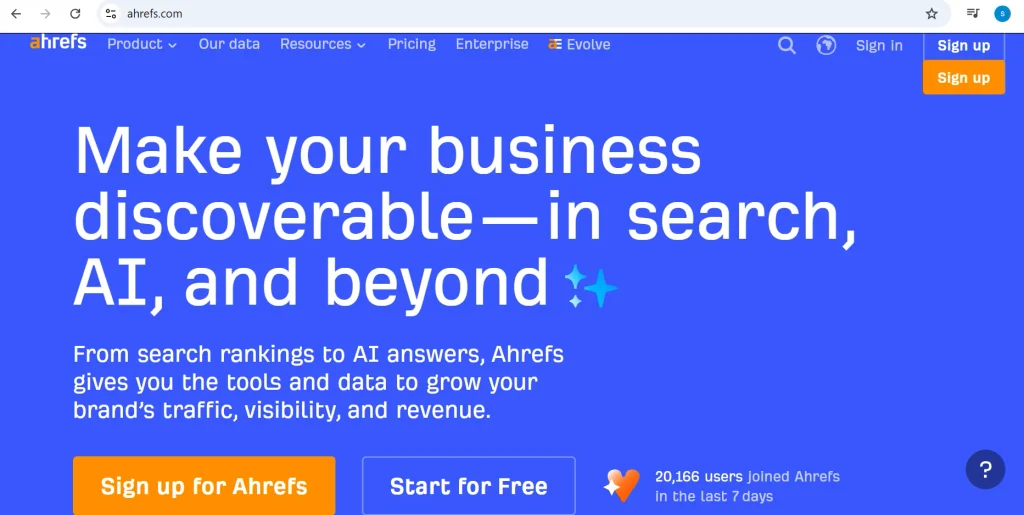
Ahrefs is one of the strongest options when your main goal is to understand where competitors are earning backlinks and find similar opportunities for your own website. Its Site Explorer lets you investigate a domain or URL and examine backlinks, referring domains, anchor text, linked pages, and changes in the link profile over time.
One of its most useful features for link building is Link Intersect. You can compare your website with several competitors and identify websites that link to them but not to you. These domains can become a starting point for prospecting, although you should still review each opportunity for relevance and quality before reaching out.
Ahrefs is also useful for identifying the pages that attract the most backlinks. For example, you may discover that a competitor’s original research report, statistics page, free tool, or detailed guide has earned hundreds of referring domains. That tells you more than simply knowing the competitor has a large backlink profile. It can show you what type of content is actually attracting links in your industry.
Its historical data can also help you investigate changes in a competitor’s link profile. If a site suddenly gains a large number of referring domains, you can examine where those links came from and whether they were associated with a new content campaign, digital PR activity, product launch, or another event.
Pros:
- Deep backlink research capabilities
- Strong competitor analysis
- Excellent filtering options
- Useful referring-domain and anchor-text data
- Strong historical analysis
- Link Intersect for finding competitor link gaps
- Useful for both SEO audits and link-building research
Cons:
- Pricing can be difficult for small websites or individual bloggers
- The number of features can feel overwhelming for beginners
- Not every backlink discovered should automatically be considered a quality link
Ahrefs also offers Webmaster Tools, which can provide free access to backlink and SEO data for verified websites. This is useful if you want to explore the platform before paying for a full subscription. However, free access to your own verified site should not be confused with the broader competitor research available through its paid products.
Best use case: Use Ahrefs when backlink intelligence and competitor research are central to your SEO strategy.
2. Semrush
Best for: backlink research inside a wider SEO toolkit
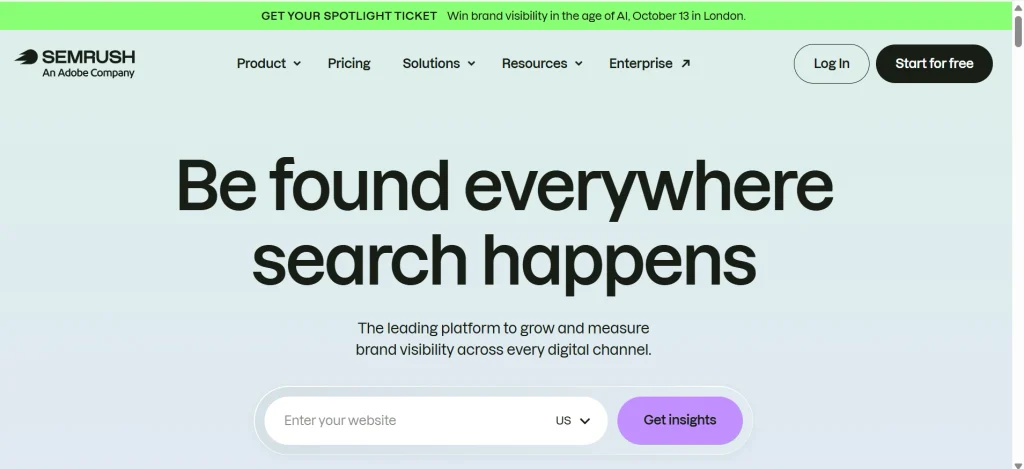
Semrush is a strong choice if you want backlink research alongside keyword research, technical SEO, content analysis, rank tracking, and competitive research. Instead of using a separate platform for every SEO task, you can keep much of your workflow inside one ecosystem.
Its Backlink Analytics tool lets you investigate backlink profiles, referring domains, anchor text, linked pages, and other link-related data. You can use it to examine both your own website and competitors.
One of its most useful features for link building is Backlink Gap. It allows you to compare your backlink profile with competitors and identify websites that link to them but not to you. This gives you a more focused prospect list than simply exporting thousands of backlinks and trying to sort through them manually.
Semrush also has a Backlink Audit workflow for reviewing your own backlink profile. This can help you investigate potentially problematic links, monitor changes, and organize backlink data for ongoing SEO work.
The platform also uses Authority Score, its proprietary metric for evaluating the overall strength and quality of a domain. Treat this as a Semrush-specific metric rather than a Google ranking factor. It should not be directly compared with Ahrefs Domain Rating or Moz Domain Authority as though all three scores measure the same thing.
Pros:
- Strong all-in-one SEO platform
- Useful Backlink Gap functionality
- Competitor backlink research
- Backlink monitoring and auditing
- Helpful reporting features
- Convenient if you already use Semrush for other SEO tasks
Cons:
- The interface can feel crowded
- The complete platform may be excessive if you only need backlink data
- Some advanced features require higher-tier plans
Best use case: Choose Semrush if backlink research is part of a broader SEO workflow and you want keyword, technical, competitor, and link data in one platform.
3. Moz Link Explorer
Best for: simple and readable backlink metrics
Moz Link Explorer is a good option for users who want backlink information presented in a relatively straightforward way. It provides information about linking domains, backlinks, anchor text, top linked pages, and other elements of a site’s link profile.
Moz is particularly known for metrics such as Domain Authority (DA), Page Authority (PA), and Spam Score. These can help organize and compare prospects, but they should be treated as third-party SEO metrics rather than direct measurements used by Google.
Domain Authority is a Moz-created metric. It is not a Google ranking factor, and it should not be treated as equivalent to Ahrefs Domain Rating, Semrush Authority Score, or Majestic Trust Flow.
One advantage of Moz is its accessibility. If you need to prepare backlink reports for clients, managers, or business owners who are not deeply familiar with SEO, its metrics can be easier to explain than a large collection of technical backlink fields.
For example, an SEO consultant could use Link Explorer to identify a site’s most important linking domains, review anchor-text patterns, and find pages that attract links. The information can then be combined with relevance and traffic considerations before deciding which domains are worth pursuing.
Pros:
- Easy-to-understand interface
- Well-known SEO metrics
- Useful link and referring-domain information
- Helpful for client reporting
- Spam Score provides an additional screening signal
Cons:
- May not provide the same depth of competitor research as the largest specialist platforms
- Proprietary metrics can be misunderstood as Google metrics
- Advanced users may want more granular data
Best use case: Moz works well for marketers, consultants, and businesses that want understandable backlink data without an overly complex research workflow.
4. Majestic
Best for: specialist link intelligence
Majestic takes a more specialized approach to backlink research. Rather than trying to be a complete SEO platform, it has historically focused heavily on link intelligence and the relationships between websites.
Two of its best-known metrics are Trust Flow and Citation Flow. Trust Flow is designed to indicate the quality of links pointing to a site, while Citation Flow focuses more on the quantity or influence of links. These are Majestic’s proprietary metrics, so they should be used for comparative analysis within the platform rather than treated as Google ranking scores.
Another useful feature is Topical Trust Flow, which helps categorize the subject areas associated with a site’s backlink profile. This can be particularly useful when relevance matters.
For example, suppose you are researching a technology website that has a high overall authority score but most of its links come from unrelated gambling, coupon, or general directory sites. A topical view can help you recognize that the site’s raw link numbers do not necessarily represent strong topical relevance.
Majestic can therefore be useful when your research goes beyond:
“How many backlinks does this domain have?”
and moves toward:
“What kind of websites are linking to this domain, and how relevant is that link profile to its subject?”
Pros:
- Strong focus on backlink intelligence
- Trust Flow and Citation Flow
- Topical Trust Flow
- Historical link information
- Useful for specialized link analysis
Cons:
- Interface can feel less modern than some competitors
- Proprietary metrics require some learning
- Less suitable if you want an all-in-one SEO platform
Best use case: Majestic is worth considering when detailed link intelligence and topical analysis matter more than having every SEO feature in one dashboard.
5. Ubersuggest
Best for: beginners and smaller budgets
Ubersuggest is aimed at users who want practical SEO data without the complexity of some enterprise-level platforms. Its backlink features can provide an overview of a website’s link profile and help users investigate competitor backlinks.
For someone new to link building, this can be enough to answer basic questions:
- Who links to my competitors?
- Which pages are receiving backlinks?
- What anchor text are other websites using?
- Which domains might be worth investigating?
The main trade-off is depth. Ubersuggest is not designed to replace the most advanced backlink databases for large-scale competitive research.
That is not necessarily a problem for a small business. If you are working on a local service website with a limited number of competitors, you may not need thousands of filters or an enormous database to identify useful opportunities.
For example, a small business could research five competing websites, identify common referring domains, inspect the relevant pages, and create a shortlist of realistic prospects.
Pros:
- Beginner-friendly
- Relatively affordable
- Simple backlink overview
- Useful for basic competitor research
- Combines backlink data with other SEO features
Cons:
- Less depth than specialist backlink platforms
- Fewer advanced filtering capabilities
- Not ideal for large-scale prospecting
Best use case: Ubersuggest is a practical starting point for beginners, freelancers, bloggers, and small businesses that need basic backlink intelligence without a large SEO budget.
6. SE Ranking
Best for: agencies and teams that want an integrated SEO platform
SE Ranking combines backlink research with other SEO functions such as rank tracking, website audits, competitor analysis, and reporting.
Its backlink tools can help you investigate referring domains, backlink profiles, competitor links, and link-building opportunities. Its Backlink Gap functionality is particularly useful when you want to identify domains that are linking to competitors but not to your site.
Another advantage is its focus on reporting and agency workflows. Agencies managing multiple clients often need more than raw backlink data. They also need to organize information, track changes, and communicate results to clients.
For example, an agency could monitor a client’s backlink profile throughout a campaign and use reporting features to show newly acquired links, lost links, and changes in the overall profile.
The important limitation is that SE Ranking is more of a balanced SEO platform than a pure backlink intelligence specialist. If your only objective is to conduct extremely deep competitor backlink research, a specialist database may provide more depth.
Pros:
- Balanced SEO feature set
- Backlink Gap functionality
- Link monitoring
- Useful reporting
- Agency-friendly workflow
- Combines backlink research with rank tracking and audits
Cons:
- Backlink depth may not match specialist platforms
- The broader platform can be more than a backlink-only user needs
Best use case: SE Ranking is a strong choice for agencies, consultants, and in-house teams that want backlink research integrated with the rest of their SEO workflow.
7. Google Search Console
Best for: free, first-party backlink data from your own website
Google Search Console is different from every commercial backlink database on this list. It is a free Google service that gives verified website owners access to search performance and technical information, including a Links report.
The Links report can show:
- Top linked pages
- Top linking sites
- Top linking text
That makes Search Console useful as a free source of first-party backlink information.
However, there is an important limitation. Google Search Console is not a complete backlink database and is not designed for competitor backlink research.
Google’s documentation explains that the Links report is a sample of links known to Google rather than a comprehensive list of every link.
This distinction matters when comparing Search Console with tools such as Ahrefs or Semrush.
For example, if you want to know:
“Which websites link to my competitor but not to me?”
Search Console cannot answer that because you do not have access to your competitor’s Search Console property.
If you want to know:
“Which websites are linking to my verified website?”
Search Console can provide useful first-party data.
What Search Console shows:
- Top linked pages
- Top linking sites
- Top linking text
- Sampled backlink information for your verified property
What it does not provide:
- Competitor backlink research
- A complete backlink database
- Third-party domain authority scores
- Full competitor link-gap analysis
- The same prospecting features as commercial backlink tools
The best approach is to use Search Console as a free source of first-party data and combine it with a commercial database when you need competitor intelligence.
Pros:
- Free
- First-party Google data
- Useful for checking your own site
- Helpful for identifying major linking sites and pages
Cons:
- No competitor research
- Not a complete backlink list
- Limited analysis compared with commercial platforms
- No comprehensive third-party backlink quality metrics
Best use case: Use Google Search Console as your free baseline for your own site’s backlink data, not as a replacement for a dedicated competitor research platform.
8. BuzzSumo
Best for: finding content that attracts links and media attention
BuzzSumo is different from traditional backlink checkers. Its primary strength is content research rather than maintaining a complete backlink database.
That distinction makes it useful when the question changes from:
“Who links to this website?”
to:
“What type of content attracts attention and links in this industry?”
You can use content research to identify popular articles, reports, studies, statistics, and other resources that receive significant attention. You can then study the topics and formats that perform well and use those findings to develop linkable content.
BuzzSumo can also be useful for digital PR. If you identify journalists, publications, or creators who regularly cover your topic, you can build a more targeted outreach strategy.
For example, suppose you are working in the cybersecurity industry. Rather than creating another generic “What Is Cybersecurity?” article, you might discover that original statistics, research reports, threat data, and expert commentary attract more attention. That insight can influence your content strategy before you begin outreach.
Pros:
- Strong content research
- Useful for digital PR
- Helps identify linkable content ideas
- Useful for finding publications and content creators
- Can complement traditional backlink tools
Cons:
- Not a complete backlink database
- Better for content and PR research than technical backlink auditing
- Should be combined with a backlink database for detailed link analysis
Best use case: Use BuzzSumo when your link-building strategy depends on creating content that journalists, publishers, bloggers, and industry websites want to reference.
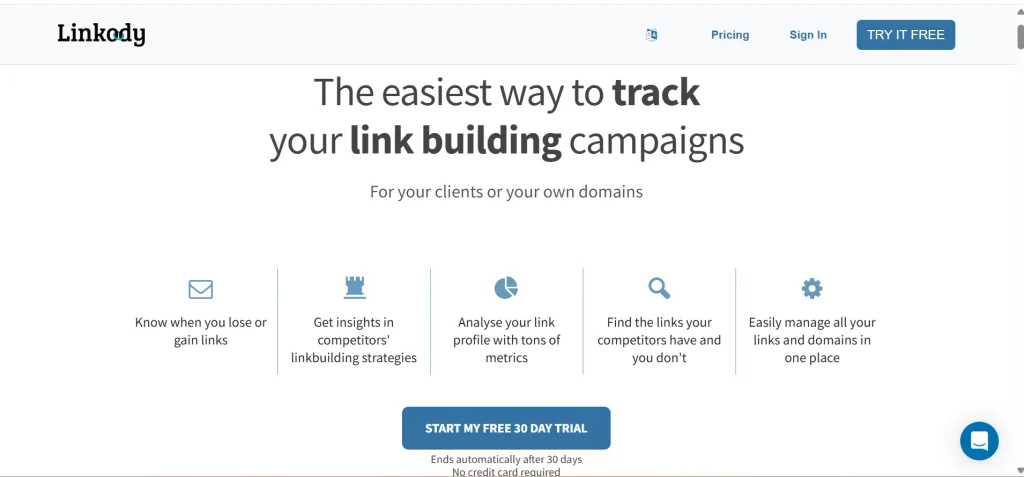
9. Linkody
Best for: backlink monitoring
Linkody focuses more on monitoring than large-scale backlink discovery. Once you have earned backlinks, the platform can help you keep track of what happens to them.
This is important because earning a backlink is not necessarily the end of the process. A link can disappear, change status, move to another page, or become inaccessible.
Monitoring can answer questions such as:
- Did a newly acquired backlink remain live?
- Did a previously earned backlink disappear?
- Has a link changed?
- Are new backlinks appearing?
- Which links need attention?
This makes Linkody particularly useful after an outreach campaign.
Imagine that you contacted 50 websites and secured 10 placements. Instead of manually checking all 10 pages every few weeks, a monitoring platform can help you keep track of those links over time.
The limitation is that Linkody is not intended to compete directly with the deepest competitor research databases.
Pros:
- Simple backlink monitoring
- New and lost link tracking
- Alerts
- Easy to understand
- Useful after link-building campaigns
Cons:
- Limited deep competitor discovery
- Not intended to replace a large backlink database
- Less suitable for advanced competitive research
Best use case: Choose Linkody when you already have a backlink acquisition process and need an easier way to monitor the links you earn.
10. Mangools LinkMiner
Best for: fast and simple backlink prospecting
LinkMiner is part of the Mangools SEO suite and takes a simpler approach to backlink research. You can enter a domain or URL and review its backlink opportunities without dealing with the complexity of a large enterprise SEO platform.
It can be useful for freelancers and beginners who need to research competitor links, investigate individual pages, and identify potential opportunities.
One particularly useful application is broken-link prospecting. If a competitor has a page that previously attracted backlinks but is now unavailable, that can sometimes reveal an opportunity. You can create a better replacement resource and contact relevant websites that previously linked to the missing page.
However, a broken backlink is not automatically a good prospect. You still need to check whether the linking website is relevant, trustworthy, and appropriate for your audience.
LinkMiner is therefore best viewed as a practical prospecting tool rather than a complete replacement for platforms such as Ahrefs or Semrush.
Pros:
- Simple interface
- Short learning curve
- Useful for competitor research
- Helpful for broken-link opportunities
- Suitable for freelancers and beginners
- Works well with the wider Mangools toolkit
Cons:
- Fewer advanced features
- Less suitable for enterprise-level research
- Smaller feature set than comprehensive SEO platforms
Best use case: Use LinkMiner when you want straightforward backlink prospecting without the complexity of a larger SEO platform.
Quick comparison of the top 10 backlink research tools
| Tool | Best for | Free option | Competitor research | Monitoring | Price level |
| Ahrefs | Deep backlink analysis | Free Webmaster Tools for sites you own | Yes | Yes (alerts) | High |
| Semrush | Backlink research inside a full SEO suite | Limited free account | Yes | Yes | High |
| Moz Link Explorer | Simple link metrics | Limited free queries | Yes | Limited | Mid |
| Majestic | Specialized link intelligence | Free for verified sites you own | Yes | Limited | Mid |
| Ubersuggest | Beginners and tight budgets | Limited free use | Basic | Limited | Low |
| SE Ranking | Agencies and all-in-one workflows | Free trial | Yes | Yes | Mid |
| Google Search Console | Free first-party data on your own site | Free | No | No | Free |
| BuzzSumo | Link-worthy content and digital PR | Limited free use | Content-focused | Alerts | Mid to high |
| Linkody | Backlink monitoring | Free trial | Basic | Yes | Low to mid |
| Mangools LinkMiner | Quick link prospecting | Limited free use | Yes | No | Low |
Free options change. Treat the column as a starting point and confirm on each vendor’s pricing page.
What is backlink research?
Backlink research is the process of finding and evaluating the links that point to a website, yours or a competitor’s. You look at who links, which pages earn links, what anchor text they use, and which links are new or lost. The goal is to spot link-building opportunities and judge link quality.
People use “backlink research,” “backlink checking” and “backlink analysis” almost interchangeably. In practice they mean slightly different things:
- Backlink checking is a quick look at which links exist.
- Backlink analysis is judging which of those links are good, bad or irrelevant.
- Backlink research is the full job, including competitor comparison and finding new opportunities.
This article treats them as steps in one process. I call that process Research, Intelligence, Action. Research asks what links exist. Intelligence asks which links, domains and patterns matter. Action asks which opportunities you should actually pursue.
If you want the background, Wikipedia has a solid overview of backlinks and of link building.
What makes a good backlink research tool?
A good backlink research tool covers these ten things, in roughly this order of importance:
- Backlink database coverage
- Referring domain data
- Competitor analysis
- Anchor text analysis
- New and lost link tracking
- Link quality and relevance signals
- Historical data
- Filters and exports
- Monitoring and alerts
- Pricing that fits how often you’ll use it
A few of these deserve more explanation.
Database coverage. Every tool runs its own crawler and builds its own index. No tool sees the whole web, and two tools will often report different numbers for the same site. That is normal. I’d rather see which links a tool finds that others miss than trust any claim of being “the biggest.”
Referring domains. A referring domain is a unique website that links to you. If one site links to you 500 times from its footer, you have 500 backlinks but one referring domain. Referring domains usually give a truer picture of how many sites vouch for you.
Filters and exports. This sounds boring until you have 8,000 prospects in a spreadsheet. Good filtering by language, link type, traffic and date saves hours.
Best backlink research tool by use case
No single tool wins every situation. Match the tool to the job.
| If you need | Start with |
| Best overall | Ahrefs |
| Competitor backlink analysis | Ahrefs or Semrush |
| Free backlink data for your site | Google Search Console |
| Beginners | Ubersuggest or Mangools LinkMiner |
| Agencies | SE Ranking or Semrush |
| Monitoring | Linkody or SE Ranking |
| Digital PR and link-worthy content | BuzzSumo |
| Budget-friendly research | Ubersuggest or Mangools |
How to research backlinks step by step
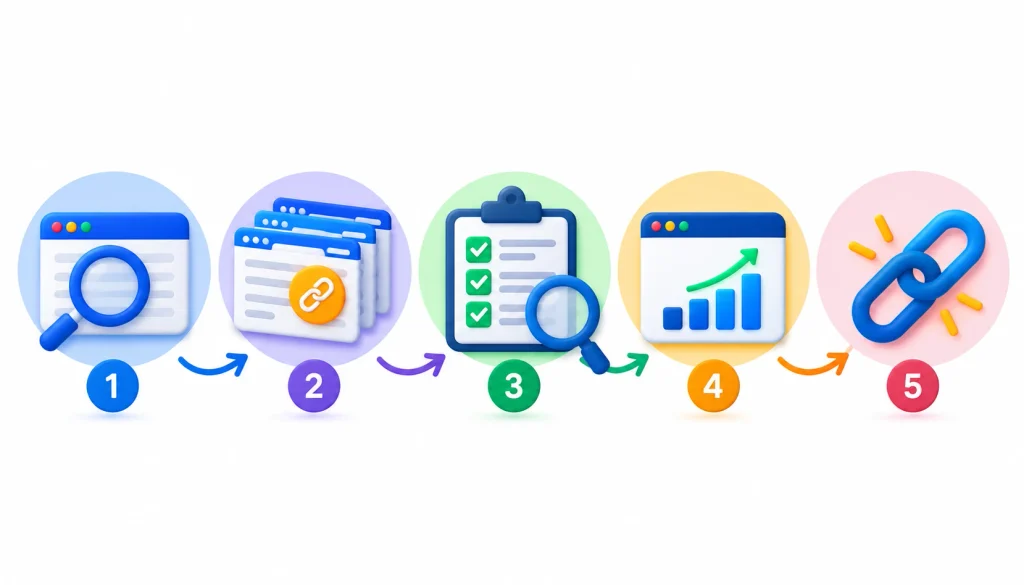
Here’s the process I’d follow for a new project. It takes an afternoon the first time.
- Start with your own domain. Pull your referring domains in Search Console and one paid tool. Compare them.
- Review referring domains. Sort by relevance first, not by authority score.
- Find your top linked pages. These show which content already earns links.
- Check anchor text. Look for natural variety. A pile of identical keyword anchors can look manipulated.
- Review new and lost links. Lost links from good sites are worth recovering.
- Pick three to five competitors. Choose sites that rank for the terms you want.
- Run a backlink gap analysis. Find domains that link to competitors but not you.
- Qualify each prospect. Open the actual linking page and ask why it linked.
- Prioritize. Rank by relevance and likelihood of a reply, not by metric alone.
- Turn findings into outreach or content ideas. Once you’ve identified the right prospects, follow a structured link building workflow to turn backlink research into consistent outreach and acquisition
How to find competitor backlinks
To find competitor backlinks, enter a competitor’s domain into a tool like Ahrefs or Semrush, export their referring domains, and compare them with yours. Focus on sites that link to several competitors but not to you. Those sites already cover your topic and have shown they link to resources like yours.
Here is a realistic example. Say you run a small project-management app, and three competitors each have links from the same industry blog. Don’t just add that blog to a list. Open the exact articles that link to them. Maybe it’s a “best free tools” roundup, a comparison post, or a template library.
Now you know what earned the link. You can pitch your own tool for the roundup, or build a stronger template and offer it to that editor. For more sustainable approaches, explore these white hat SEO link building strategies.
Look for broken-link opportunities
If a competitor’s page was linked from other sites and then deleted, those links now point to an error page. Tools like LinkMiner and Ahrefs can surface these. You can create a replacement resource and let the linking sites know it exists.
Separate good prospects from noise
Not every competitor link is worth copying. Skip forum spam, scraped directories and anything that looks paid. Copy the patterns that come from editorial mentions.
How to evaluate backlink quality
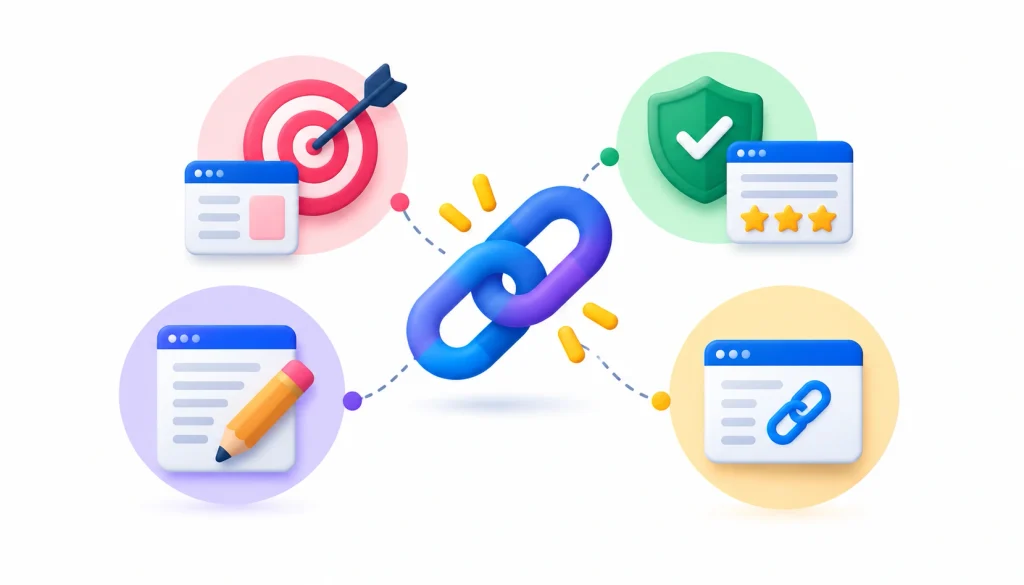
A high-quality backlink comes from a relevant, trustworthy page that links to you for a real reason. Relevance, linking-page quality, editorial context and anchor text matter more than any single score from a tool.
When I review a link, I ask these questions:
- Is the site about a related topic?
- Would a real person land on that page and click through?
- Is the link placed inside useful content, or hidden in a sidebar or footer?
- Does the site link to many unrelated sites?
- Does the page get any real traffic?
Anchor text deserves a note. Google’s link best practices recommend descriptive, relevant anchor text and warn against stuffing keywords into it. For a deeper look at choosing and using anchors, see this anchor text strategy guide.
Follow, nofollow, sponsored and UGC links
Google recognizes several link attributes. Nofollow is the original one, covered on Wikipedia’s nofollow page. Google also has rel=”sponsored” for paid links and rel=”ugc” for user-generated content. Google’s guidance on qualifying outbound links says paid links should be marked.
Nofollow links still send traffic and brand exposure, so don’t dismiss them. A nofollow mention in a respected publication can be better than a dofollow link from a junk site.
Signs of spammy links
Google’s spam policies list link spam practices. They include buying or selling links for ranking, excessive link exchanges, and automated link creation. Large-scale guest posting campaigns with keyword-rich anchors also fall under this. If a link looks like it exists only to move rankings, treat it as a risk.
Backlink metrics that matter most
Track these, and ignore most of the rest:
- Referring domains, not just total backlinks
- Link relevance to your topic
- Linking page quality
- Anchor text distribution
- New versus lost links over time
- Top linked pages
- Link velocity, meaning how fast links arrive
- Competitor overlap
One warning. Domain Authority (Moz), Domain Rating (Ahrefs), Authority Score (Semrush) and Trust Flow (Majestic) are different metrics built by different companies. None is a Google score, and you can’t compare them to each other. Pick one tool’s metric and use it consistently when you rank prospects. Google’s original link-based idea, PageRank, is not the same as any of these.
Free vs paid backlink research tools
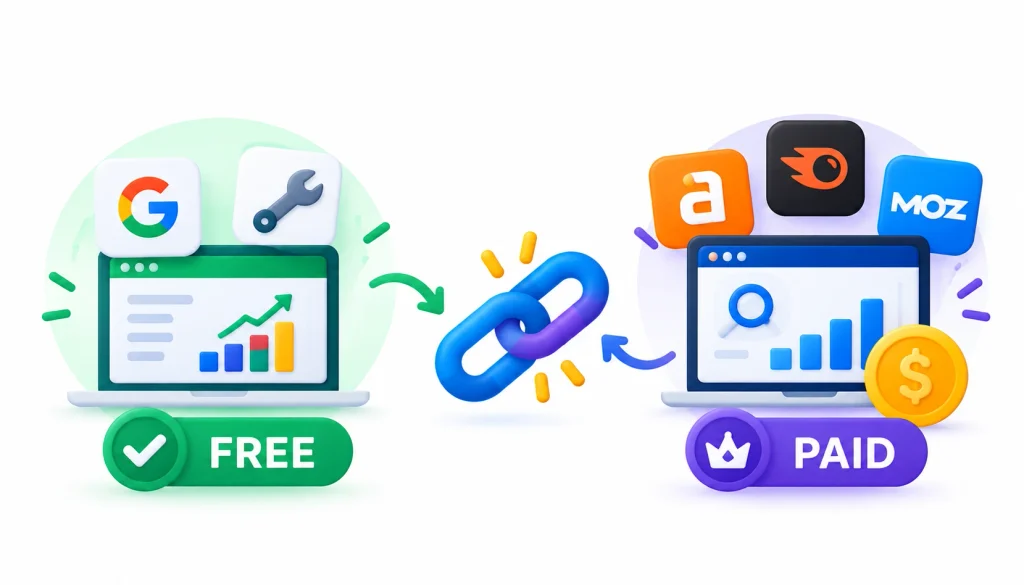
You can do a lot for free. Search Console covers your own site. Ahrefs Webmaster Tools gives you your own link data in more detail. Many paid tools also offer limited free checks of other sites.
Free tools are enough when you’re auditing your own site, learning the basics, or running a small local business.
You need a paid database when you want to study competitors in depth, build prospect lists at scale, or report to clients. Search Console can’t do those jobs because it only shows your own data and only a sample of it.
SEO practitioners trade tool tips often on SEO and r/bigseo. Treat advice there as opinion and test it yourself, but the threads are good for hearing how people use these tools in real projects.
Common backlink research mistakes
Looking only at total backlink count. A site with 10,000 links from three domains is weaker than one with 500 links from 300 domains.
Treating authority scores as quality. A high score on a site with no topical connection to yours rarely helps.
Ignoring relevance. A link from a related small blog usually beats one from a huge unrelated site.
Copying every competitor link. Some of those links are paid, spammy or outdated.
Ignoring lost links. A lost link from a good site is a quick win. Email the editor or fix the broken page.
Using a single database. Tools see different parts of the web. Cross-check when a decision matters.
Buying links to move rankings. This runs against Google’s spam policies and can backfire.
How often should you research your backlinks?
Check new and lost links monthly. Run a fuller audit every quarter. For most sites, that’s enough.
Do an immediate audit when:
- Traffic drops sharply
- You migrate or redesign the site
- A spam or core update rolls out and your rankings move
- A link campaign finishes
- You see a sudden spike in new links
- Important links vanish
Frequently asked questions about backlink research
What is the best backlink research tool?
Ahrefs is the strongest all-round choice for deep competitor work. Semrush is a close option if you want an all-in-one suite. The best choice depends on your budget and how often you’ll use it.
What is the best free backlink checker?
For your own site, Google Search Console is the best free source because the data comes directly from Google. Ahrefs Webmaster Tools adds more detail for sites you own.
Is Ahrefs or Semrush better for backlink research?
Ahrefs is often preferred for backlink depth and filtering. Semrush is often preferred when you want links, keywords and audits in one place. Try both free offerings if you can and test them on a site you know well.
Can I check competitor backlinks for free?
Partly. Several paid tools let you run a few free lookups on any domain. For ongoing competitor research, you’ll need a paid plan.
Does Google Search Console show every backlink?
No. Google describes the Links report as a sample of known links, not a full list.
How many referring domains should a website have?
There is no fixed number. Compare yourself with the competitors ranking for your target terms. Their referring domain counts are a more useful benchmark than any universal target.
How do I find high-quality backlinks?
Study which sites link to several competitors, check that the linking pages are relevant and editorial, and pitch them something useful. Quality comes from relevance and reason, not from a score.
Are nofollow backlinks useful?
Yes. They can bring traffic and awareness, and a natural link profile has a mix of link types.
How often should I run a backlink audit?
Monthly checks and quarterly audits suit most sites.
Conclusion: Choosing the Right Backlink Research Tool
The best backlink research tool is not necessarily the one that reports the most links. It is the one that helps you understand which links matter, where your competitors are earning links, and which opportunities are worth pursuing.
For deep competitor research, Ahrefs and Semrush are the strongest overall choices. Moz and Majestic are useful when you want established link metrics and specialized analysis, while Ubersuggest and Mangools LinkMiner make sense for beginners and smaller budgets.
SE Ranking is a practical option for agencies, Linkody is better suited to ongoing backlink monitoring, and BuzzSumo can help you discover content and digital PR opportunities that attract links. For free first-party data, Google Search Console remains an important starting point.
Whichever tool you choose, avoid judging a backlink profile by total link count or a single authority score. Look at relevance, referring domains, linking-page quality, anchor text, new and lost links, and competitor overlap. Then turn those findings into useful content, targeted outreach, or opportunities to recover valuable lost links.
In other words, backlink research should not end with a spreadsheet full of URLs. The real value comes from turning backlink data into better SEO decisions.