Running a YouTube channel is two jobs stacked on top of each other. There’s the creative work: planning, filming, cutting. Then there’s the grind around it. Watching niche content, leaving comments that aren’t garbage, keeping your subscriptions tidy. That second job eats hours. Anyone managing a few channels at once knows exactly how fast an afternoon disappears into it.
Phone-based automation is one way people claw that time back. Here’s how it works and where it makes sense.
How Mobile Automation Got Here
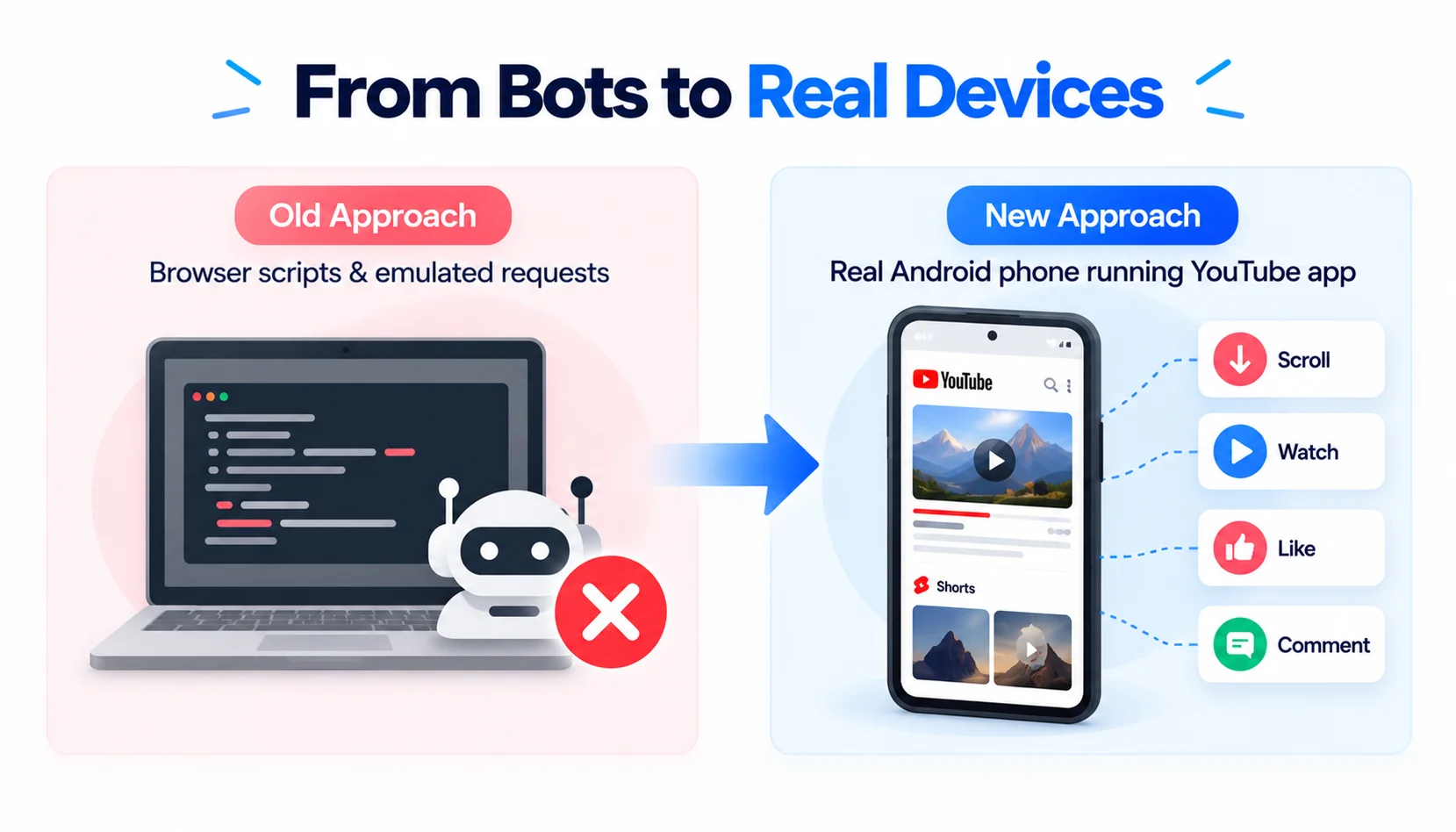
The old approach was browser scripts and emulated web requests. Cheap, fast, and easy to spot. Platforms got good at flagging them.
The newer approach flips it around. Instead of faking a browser, you use youtube phone automation to drive an actual Android phone running the actual YouTube app. It scrolls the feed, watches a full video or a Short, likes it, drops a comment. Same app, same touch input, same device fingerprint a normal viewer would have. That’s the whole pitch, and it’s a reasonable one.
What a Good Platform Gives You
Tools like SMTasker are built in modules. You pick the actions you want instead of running one giant script that does everything at once, which is usually where accounts get into trouble.
| Category | Function / Focus |
| Regular | Viewing standard videos |
| Shorts | Viewing short-form videos |
| Engagement | Interacting via Likes & Comments |
All components branch directly from and feed back into the Central Desktop Workspace.
What’s in the box:
- Separate viewers for long-form and Shorts. They behave nothing alike. Horizontal videos get watched for minutes, Shorts get flicked through, so they get their own routines.
- Likes and subscriptions aimed at niche keywords and specific channels.
- Comment publishing from pre-written, relevant comments on target content.
- Multi-account workspaces, each with its own profile, proxy, schedule and limits.
Cloud Bots vs. Real Phones
The foundation matters more than any feature list. Here’s the short version.
| Feature | Legacy Emulators / Cloud Bots | Android Phone-Based Automation |
| Execution Environment | Virtual web browsers / server APIs | Native YouTube Mobile App on real Android devices |
| Detection Risk | Higher, thanks to static signatures and flagged proxies | Lower, since it looks like an ordinary phone |
| Format Support | Often stuck with basic web video actions | Shorts, likes, comments and subscriptions |
| Control & Logs | Basic triggers, not much visibility | Live session review, device logs, active limits |
“Lower” isn’t “none.” Automated engagement can still break YouTube’s rules, and no setup makes that risk disappear. Go in knowing it.
Setting It Up Without Wrecking an Account
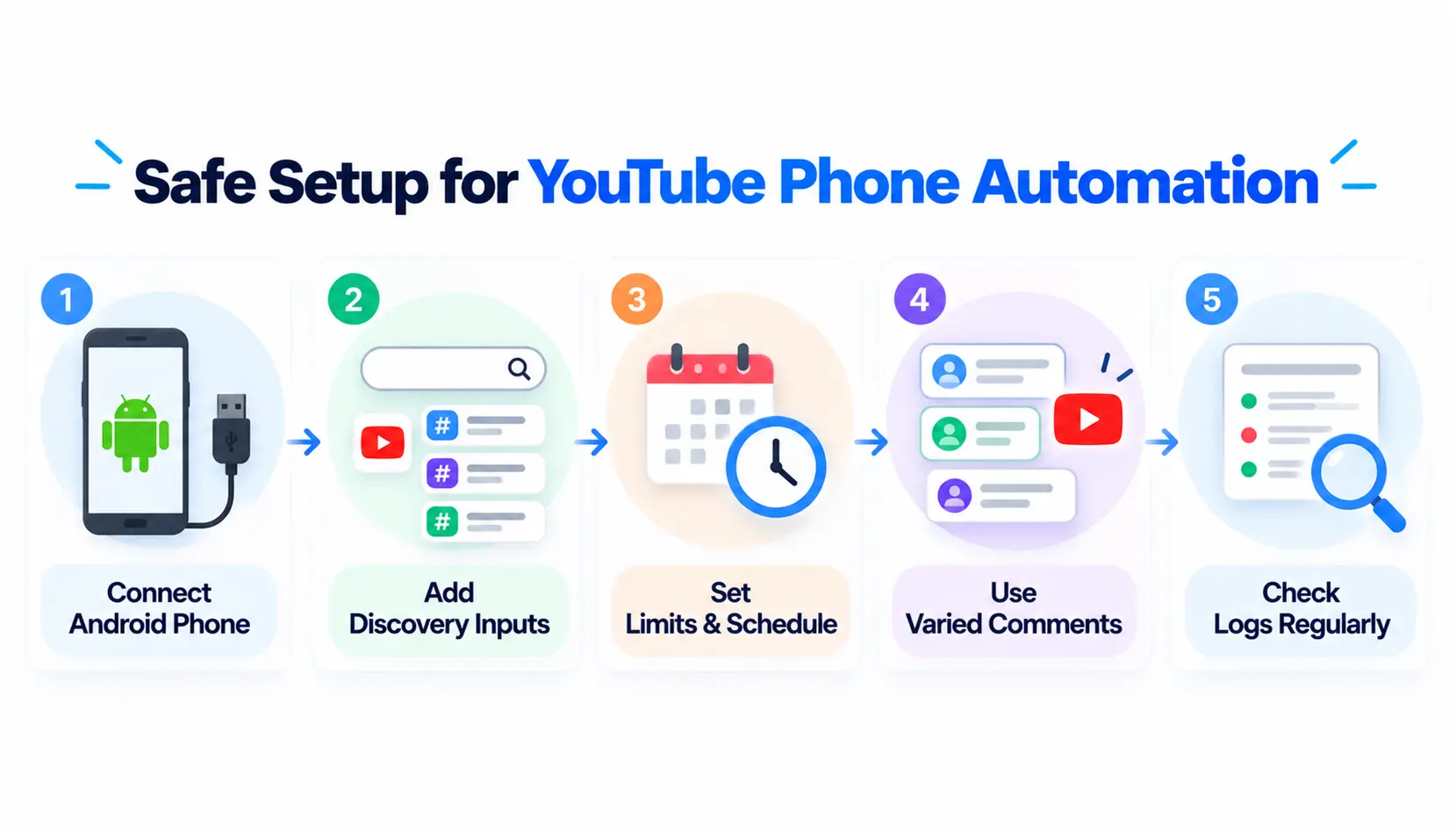
- Connect an Android phone. A dedicated one, not your daily driver. USB or local network both work.
- Feed it discovery inputs. Keywords, target channels, niche topics. Whatever you want it to find.
- Set limits and schedules. Be stingy here. A person doesn’t like 400 videos before lunch, so don’t let your account do it.
- Write varied comments. If ten comments read the same, they look like what they are. Mix them up and keep them relevant to the video.
- Read the logs. Regularly. They tell you what’s working and what’s getting ignored.
A Realistic Example
Say an agency runs five client accounts in different niches: tech reviews, fitness coaching, real estate. Juggling them in one desktop browser is a mess of logins and cross-contamination.
So each account gets its own Android phone, run through a tool. Each phone has its own IP session, its own target feeds, its own schedule. The fitness account never touches the real estate account’s routine. Clean separation, and it scales without turning into chaos.
Worth Remembering
- Real hardware beats web scripts for stability. Not close.
- Keep actions modular. Long-form viewing, Shorts, comments and subscriptions each get their own schedule.
- Cap everything. Daily limits and operating hours, on every account, no exceptions.
- Content still wins. Automation can nudge visibility, but nobody sticks around for a bad video.
Bottom Line
A good channel needs both great content and steady engagement, and most people are better at the first than the second. youtube phone automation covers the repetitive part so you can get back to making things. Dedicated devices, modular actions and firm account limits are what keep it sane. If you want to try it, SMTasker YouTube Automation is built around real mobile setups and gives you session tracking to see what’s happening.
FAQs
What is YouTube automation?
Software that controls a real Android phone to do repetitive things inside the YouTube app: watching, liking, commenting, subscribing.
How is it different from a browser bot?
The actions happen inside an actual phone app, so you get real hardware signatures and touchscreen input rather than scripted web requests. It looks a lot more like a person.
Can I run different routines for Shorts and regular videos?
Yes. Good platforms give each format its own module, so schedules and settings can be set independently.
Conclusion
YouTube phone automation can make repetitive channel management easier by handling routine actions through real Android devices instead of browser-based scripts. With separate workflows for videos, Shorts, likes, comments, and subscriptions, creators and agencies can keep activities organized and manageable.
However, automation is not a replacement for quality content or a guarantee against platform restrictions. The best approach is to use dedicated devices, reasonable limits, varied and relevant engagement, and regular monitoring. When used responsibly, tools like SMTasker can simplify repetitive tasks while giving you better control over your YouTube workflows.