Keeping tabs on your backlinks is simple when you have one site and about 50 links. Once you reach 500 links, juggle three clients, and rely on a spreadsheet last touched in March, it falls apart quickly.
Backlink management software fixes that. A good one alerts you when a link vanishes, reveals which sites link to your competitors but not you, and keeps your outreach notes together. A poor one hands you a polished dashboard and leaves the spreadsheet problem untouched.
The catch is that the label covers four separate jobs: research, monitoring, outreach, and reporting. Very few products handle all four well. This guide groups 12 tools by what they really do, so you can choose based on how you work rather than how long a feature list is.
10+ Best Backlink Management Tools in 2026
Each review follows the same pattern: what the tool does, where it shines, where it falls short, how pricing works, and who should use it. Some tools specialize in research and monitoring, while others focus on outreach, contacts, or general SEO workflows. Plans and features change, so check each vendor’s official site before you pay.
1. Ahrefs: Best for Backlink Research and Competitor Analysis
Ahrefs is a favorite among SEO professionals who want deep backlink data. Its Site Explorer lets you inspect any site’s backlinks, referring domains, anchor text, and most-linked pages, which shows what kinds of pages earn links and where your own opportunities lie.
It also performs link gap analysis, revealing sites that link to your rivals but not to you. That makes it handy for finding targets for guest posts, digital PR, resource pages, and content promotion. Its monitoring features track newly found and lost links.
Strengths:
- Extensive backlink research and competitor link gap analysis.
- Tracks new and lost backlinks so you can see how your profile shifts.
- Domain Rating (DR), Ahrefs’ own metric for comparing backlink profile strength.
- Surfaces top-linked pages and anchor text patterns to guide content and link-building plans.
- Covers wider SEO research, so it suits teams needing more than monitoring.
Limitations:
- Not a substitute for an outreach CRM that stores publisher relationships and conversation history.
- The cost can be hard to justify for beginners or small teams with light research needs.
- DR is a third-party metric, not a Google ranking score, and shouldn’t be read as a prediction of rankings.
Pricing: Paid subscriptions come with varying features and usage caps. Free webmaster tools are available for sites you can verify as yours. See the official pricing page for current limits and free options.
Best for: SEO agencies, in-house teams, experienced link builders, and site owners who regularly study competitors and hunt for link opportunities.
2. LinkColab: Best for Link-Building Outreach and Publisher Opportunities
LinkColab is a link-building and outreach platform designed to help SEO professionals, agencies, and website owners organize their link-acquisition activities. While backlink research tools primarily help you analyze link profiles and identify potential opportunities, LinkColab focuses on the practical work involved in connecting with website owners and managing link-building relationships.
For link builders and agencies that handle multiple clients or campaigns, keeping publisher information, website metrics, niche relevance, and outreach activity organized can become difficult when everything is spread across separate spreadsheets and messages.
LinkColab can be included in a link-building workflow to help users centralize their prospecting and outreach process, maintain a more organized pool of websites, and coordinate link-building opportunities.
It is particularly relevant to teams that work with publisher websites and link exchanges. Rather than treating link acquisition as a one-off task, teams can use a structured workflow to evaluate potential partners, keep track of opportunities, and manage communication more consistently.
As with any link-building platform, users should independently review each website for topical relevance, real audience value, content quality, organic visibility, and outbound-link patterns before agreeing to a placement.
Strengths:
- Focuses on link-building and outreach workflows rather than only reporting backlink metrics.
- Can support link builders and agencies managing publisher opportunities across multiple campaigns.
- Helps make website prospecting and relationship management more organized than relying entirely on scattered spreadsheets.
- Relevant to link exchange and publisher-partnership workflows where teams need to identify and coordinate potential opportunities.
- Can complement backlink research tools such as Ahrefs or Semrush, which provide additional data for assessing a website’s backlink profile and SEO performance.
Limitations:
- It should not be treated as a replacement for comprehensive backlink-index tools when you need deep competitor analysis or historical backlink data.
- A listing or available link opportunity does not automatically mean a website is high quality; review relevance, traffic quality, content standards, and outbound links independently.
- Link-building results still depend on the quality of the websites selected, the value of the partnership, and the natural fit of each link.
- Confirm the current features, available website data, integrations, and plan limits directly on the official website before choosing a subscription.
Pricing: Check the official LinkColab website for current plans, features, and pricing.
Best for: Link builders, SEO agencies, link resellers, and website owners who need a more organized way to manage publisher opportunities, outreach, and link-building relationships.
3. Semrush: Best All-in-One SEO Suite
Semrush bundles backlink tools with a much larger set of SEO and marketing features. Its backlink-related tools include Backlink Analytics, Backlink Audit, and link-building workflows for researching referring domains, assessing profiles, and finding outreach prospects.
A key benefit is that you can do backlink work next to keyword research, position tracking, and technical audits, which helps tie link building to the wider SEO strategy. Agencies can also use its reports to update clients on progress and findings.
Strengths:
- Merges backlink analysis with keyword research, rank tracking, site audits, and more.
- Backlink audit helps you investigate potentially problematic links.
- Competitor research uncovers referring domains and link opportunities.
- Reporting features help agencies share results with clients.
- Consolidates several SEO tasks in one place, cutting down on tool-hopping.
Limitations:
- The sheer number of features can overwhelm beginners.
- Certain capabilities are limited by plan or cost extra.
- Supports link-building workflows but isn’t a full replacement for an outreach CRM.
- People who only need basic monitoring may find it more complicated than necessary.
Pricing: Tiered subscriptions plus limited free access, with features and limits depending on the plan. Before subscribing, confirm that the research, auditing, reporting, and outreach features you want are included.
Best for: SEO agencies, digital marketing teams, and businesses wanting backlink analysis and monitoring alongside their wider SEO work.
4. Moz Pro: Best for Link Analysis and Authority Metrics
Moz Pro is an SEO platform whose Link Explorer handles backlink research. You can look into backlinks, linking domains, anchor text, and other data that explains how sites earn links.
Moz is best known for Domain Authority (DA), its estimate of a domain’s relative ranking strength, and Spam Score, which flags traits common to spammy sites. These help professionals compare domains and decide what deserves a closer look, though neither reflects Google’s actual opinion of a site.
For teams vetting publishers or explaining link metrics to clients, Moz offers a fairly approachable way into link data.
Strengths:
- Friendly interface for backlink research and SEO analysis.
- Domain Authority and Page Authority are widely used in SEO reports.
- Spam Score adds another signal for checking questionable profiles.
- Lets you explore linking domains, anchor text, and competitor link opportunities.
- Supports reporting and site evaluation without deep technical knowledge.
Limitations:
- DA, PA, and Spam Score are Moz’s own estimates, not metrics Google uses.
- Not built for managing outreach conversations, publisher relationships, or follow-up emails.
- If you need ongoing, advanced monitoring, confirm what’s available before subscribing.
- Data coverage and limits can differ from rival research platforms.
Pricing: Paid plans, with some tools offering limited free access. Check the official site for current prices, Link Explorer limits, and plan contents.
Best for: SEO consultants, small agencies, and businesses wanting accessible link analysis and familiar authority metrics for evaluating sites and reporting progress.
5. Majestic: Best for Specialist Backlink Data
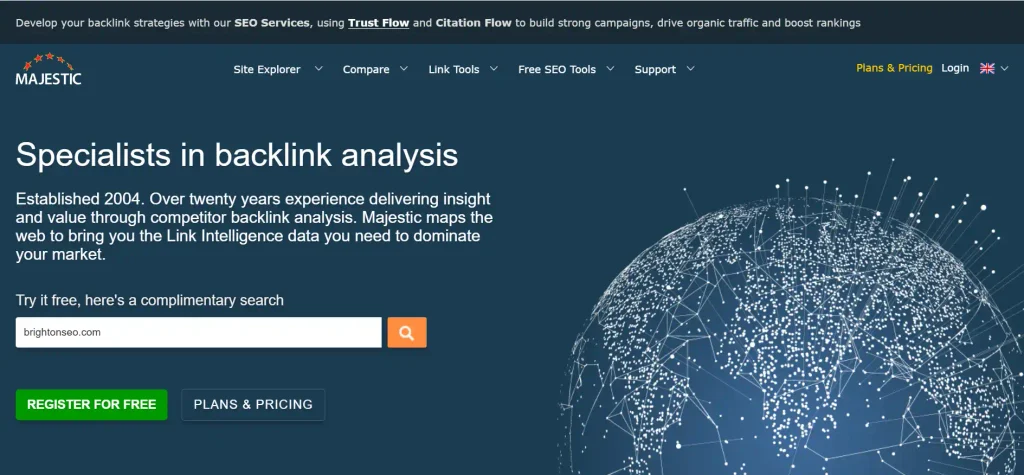
Majestic is a link intelligence platform built mainly to analyze link profiles and the relationships between sites. Unlike all-in-one suites, it concentrates on backlink data and the metrics used to read it.
Its best-known metrics are Trust Flow and Citation Flow. Trust Flow estimates link profile quality using Majestic’s methodology, while Citation Flow estimates a URL’s influence from the number and strength of links pointing at it. Looking at both gives extra context when comparing sites or vetting potential publishing partners.
It’s especially useful as a second data source before you decide whether a site is worth approaching for outreach, content partnerships, or deeper analysis.
Strengths:
- Dedicated to backlink intelligence and link-profile analysis.
- Trust Flow and Citation Flow evaluate different aspects of a profile.
- Helps investigate referring domains and link relationships.
- Supports publisher evaluation and competitor research.
- Adds a second perspective when used with other SEO tools.
Limitations:
- The interface and metrics take more experience to interpret.
- Its narrow focus means it can’t stand in for a full suite covering keywords, rank tracking, and technical audits.
- Not meant to be a full outreach CRM.
- Trust Flow and Citation Flow are proprietary and aren’t Google ranking signals.
Pricing: Paid subscriptions with different tiers of data access. Confirm current plans, index access, and limits on the official site.
Best for: Experienced SEOs, link builders, and agencies needing specialist data to assess sites, compare profiles, and vet potential publishing partners.
6. SE Ranking: Best for Backlink Analysis Within a Broader SEO Workflow
SE Ranking pairs backlink analysis and monitoring with keyword tracking, site audits, and competitor research. Its link tools help you inspect referring domains, review profiles, and watch for changes to existing links.
For freelancers and growing agencies, bundling these recurring tasks can be practical. Rather than paying for a separate tool for every job, you can test whether SE Ranking covers enough of your workflow to consolidate.
Still, how well it suits link-heavy campaigns depends on data depth, monitoring frequency, reporting options, and the limits of your chosen plan.
Strengths:
- Combines link research and monitoring with broader SEO tools.
- Tracks backlink changes and helps investigate referring domains.
- Reporting supports agency and client workflows.
- Offers competitor research alongside keyword tracking and audits.
- A practical way to get a wide toolkit without several subscriptions.
Limitations:
- Features may overlap with tools you already pay for.
- Check data coverage and freshness against the sites and competitors you actually research.
- Advanced workflows may depend on your plan.
- Highly specialized outreach management may still need a separate platform.
Pricing: Tiered subscriptions with features and limits varying by plan. Trial terms change, so check the official pricing page.
Best for: Freelancers, small businesses, and growing agencies wanting link research and monitoring alongside other core SEO functions.
7. Linkody: Best for Dedicated Backlink Monitoring
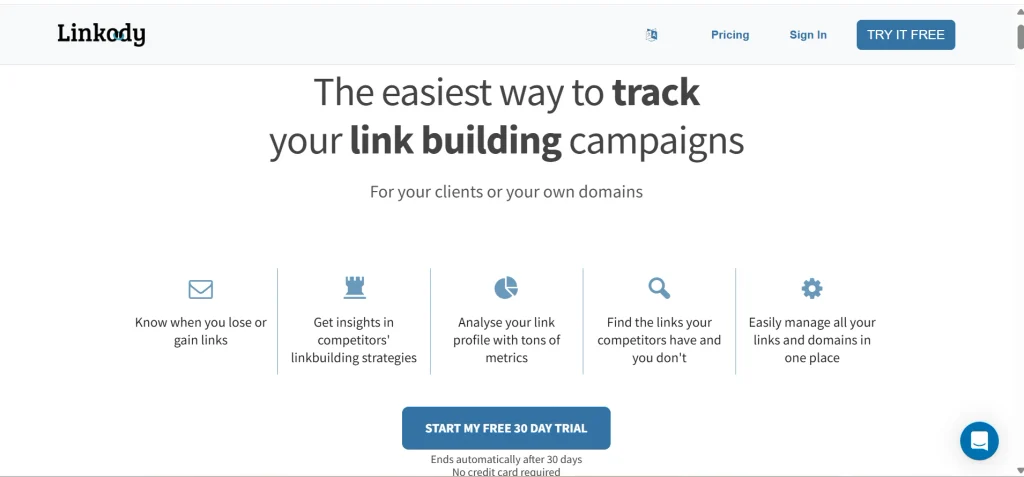
Linkody concentrates on monitoring backlinks instead of offering a full set of SEO and outreach tools. It helps site owners and SEOs watch their link profiles and spot changes worth investigating.
If a publisher removes a link or the linking page becomes unreachable, monitoring flags it. That matters for teams who spend time and money earning links and want to confirm they stay live.
A dedicated monitor also makes routine checks easier when several sites or campaigns need regular attention.
Strengths:
- Stays focused on monitoring rather than piling on unrelated features.
- Tracks newly found and lost backlinks.
- Makes changes to existing profiles easy to spot.
- Offers a simple workflow for people who mainly need ongoing link tracking.
- Pairs well with a research tool by covering the monitoring side.
Limitations:
- Competitor research and broader SEO analysis are thinner than in Ahrefs or Semrush.
- Doesn’t replace an outreach CRM for publisher contacts and conversations.
- Alerts flag changes, but you may still need to confirm the cause manually.
- Teams needing advanced prospect discovery will want another research platform.
Pricing: Paid plans, with features and monitoring limits depending on the tier. Check the official site for current prices, site limits, monitoring options, and trials.
Best for: Site owners, freelancers, and agencies wanting a straightforward way to monitor existing links and look into lost or changed ones.
8. BuzzStream: Best for Outreach and Relationship Management
BuzzStream is an outreach relationship platform that helps link builders organize contacts, track conversations, and maintain ongoing publisher relationships.
Instead of scattering contact details, messages, follow-up dates, and campaign notes across spreadsheets, you can keep most of it in one organized workflow. That’s especially useful when several teammates contact publishers or an agency works with the same sites over a long period.
Think of it as a tool for the relationships and processes behind link acquisition. It complements research software but doesn’t replace a full backlink index or a monitoring platform.
Strengths:
- Organizes publisher contacts, outreach history, and relationship records.
- Helps teams coordinate communication and avoid duplicate outreach.
- Supports long-term relationships with publishers and site owners.
- Keeps campaigns tidy when several people build links.
- Improves accountability by keeping prospect info and progress together.
Limitations:
- Doesn’t replace a research platform for thorough competitor analysis.
- Needs steady data entry and workflow discipline to stay useful.
- You may still need separate tools for prospecting, email verification, and monitoring.
- Its value depends on your outreach volume and complexity.
Pricing: Paid subscriptions, with features and limits varying by plan. Check the official site for current pricing, user limits, campaign features, and trials.
Best for: Link-building specialists, digital PR teams, and agencies running ongoing outreach and maintaining relationships with many publishers.
9. Pitchbox: Best for Structured Outreach at Scale
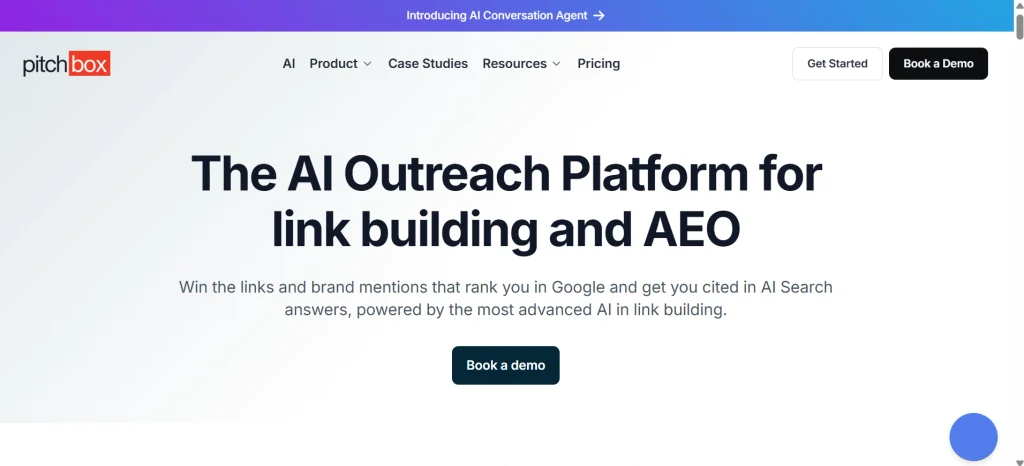
Pitchbox is built for teams running large or recurring outreach campaigns. It helps organize prospecting, outreach sequences, follow-ups, and campaign workflows, which makes it especially relevant for agencies with dedicated link-building staff.
When an agency runs several campaigns at once, manual outreach quickly becomes hard to coordinate. A structured platform helps teams organize prospects, standardize repetitive tasks, and track activity more consistently.
It pays off most when outreach volume and team coordination justify the investment. Smaller site owners doing occasional outreach probably don’t need something this extensive.
Strengths:
- Structured outreach workflows for larger campaigns.
- Helps organize prospects, templates, and follow-ups.
- Supports personalized outreach at scale.
- Includes campaign management and reporting.
- Improves coordination when several people work on one program.
Limitations:
- Can be overly complex for freelancers or occasional campaigns.
- Pricing details may require talking to the vendor.
- Needs a well-planned outreach strategy to deliver full value.
- You still have to verify acquired links and check that placements stay live.
Pricing: Confirm pricing and packages directly with the vendor. Before committing, ask about user limits, campaign allowances, onboarding, and whether a demo is required.
Best for: SEO agencies, digital PR teams, and larger organizations running multiple outreach campaigns that need structured collaboration and reporting.
10. Respona: Best for Prospecting and Outreach in One Workflow
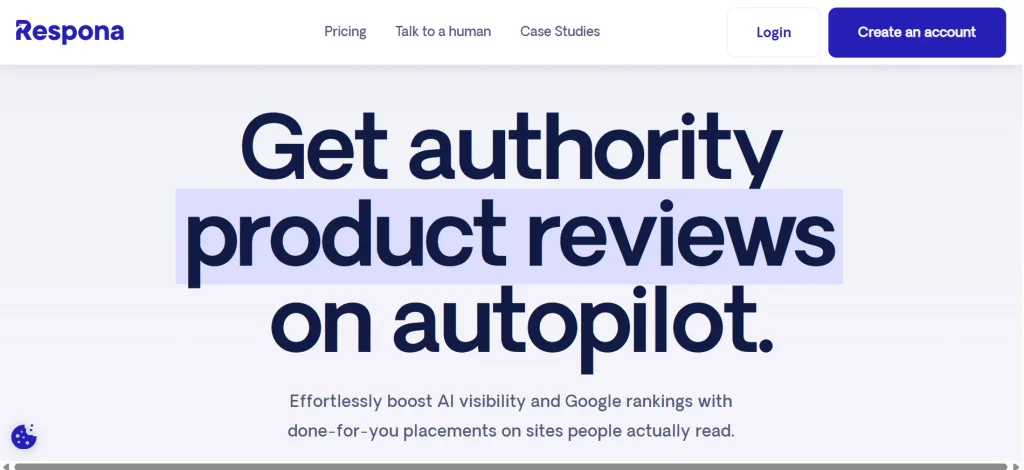
Respona unites prospect discovery, contact finding, and outreach automation to help marketers run link-building campaigns. Its workflow can reduce the need to hop between tools when finding relevant sites and contacting publishers.
It’s especially relevant for content-led outreach, where teams promote useful resources, original research, expert contributions, or other assets that might earn editorial links.
But finding a prospect and sending an email are only part of managing backlinks. You still need a way to verify acquired links, track placement status, and watch for changes after a publisher adds your link.
Strengths:
- Connects prospecting and outreach in one workflow.
- Supports personalized outreach and follow-up sequences.
- Can cut manual work in content promotion campaigns.
- Adds structure to how you contact potential publishers.
- May simplify things for marketers wanting discovery and outreach together.
Limitations:
- Doesn’t replace a comprehensive backlink index for competitor research.
- Monitoring may require a separate tool.
- Results still depend on prospect relevance, message quality, and the content you promote.
- Verify current integrations and plan-specific features before subscribing.
Pricing: Paid plans, with features and limits depending on the package. Check the official site for subscription details, trials, and what each tier includes.
Best for: Content marketers, SEO specialists, and outreach teams wanting prospecting, contact finding, and email outreach in one place.
11. Hunter: Best for Finding and Verifying Outreach Contacts
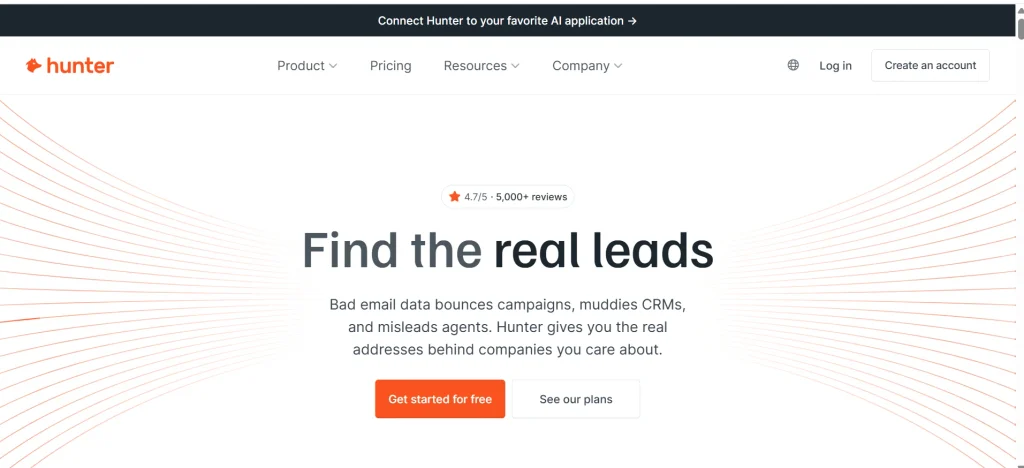
Hunter is an email discovery and verification platform that finds professional email addresses tied to websites and organizations. For link builders, accurate contact details can decide whether your pitch reaches the right publisher or bounces off an invalid or irrelevant address.
You can search for contacts by domain, look through available professional addresses, and verify them before launching a campaign. That helps avoid preventable delivery problems and speeds up prospect research.
Hunter supports link building rather than managing backlinks directly. It works best alongside research software that identifies relevant sites and linking opportunities.
Strengths:
- Finds professional email addresses linked to domains.
- Verification helps you judge whether an address is valid.
- Simple workflow for researching outreach contacts.
- Free usage-limited access lets you try the basics.
- Complements research and outreach platforms.
Limitations:
- No comprehensive backlink data or monitoring.
- Contact availability and accuracy vary by domain.
- Campaign features lack the depth of dedicated outreach platforms.
- You still need to judge whether a contact fits your campaign.
Pricing: A free plan with limited usage and paid subscriptions with larger allowances. Check the official site for current search credits, verification limits, and campaign features.
Best for: Freelance link builders, SEO consultants, and outreach specialists who already have a prospecting process and need to find and verify contact details.
12. Snov.io: Best for Contact Discovery and Email Sequences
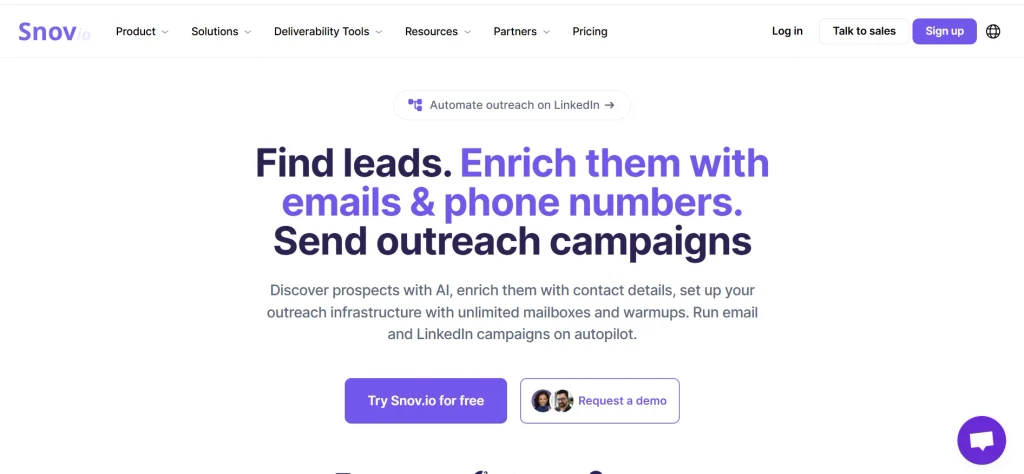
Snov.io joins email discovery and verification with outreach automation, which suits teams wanting prospect research and communication under one roof.
For backlink outreach, you can find likely recipients, verify their addresses, and organize follow-up sequences. Small teams can run outreach without stitching together a pile of separate contact and email tools.
Don’t mistake it for a backlink analysis platform, though. It covers the outreach side of link acquisition, while research and post-placement monitoring usually need other tools.
Strengths:
- Combines email finding, verification, and outreach sequences.
- Helps organize prospect contacts and follow-ups.
- Free access lets you explore parts of the workflow.
- Reduces switching between contact-finding and sequencing tools.
- May suit smaller teams streamlining outreach.
Limitations:
- No comprehensive backlink analysis or competitor monitoring.
- Credit limits and sequence features depend on the plan.
- Automation doesn’t guarantee successful outreach or links.
- You may need other tools to judge link quality and verify live placements.
Pricing: Free access with usage restrictions, plus paid plans with more credits and features. Check the official site for current pricing, email-finding allowances, verification limits, and outreach features.
Best for: Freelancers, small agencies, and marketing teams wanting contact discovery and email outreach without a heavier enterprise platform.
13. Google Search Console: Best Free Starting Point for Backlink Reporting
Google Search Console is a free service for monitoring your site’s presence and performance in Google Search. Its Links report also shows links Google has found pointing to a site you’ve verified.
The report lists top linking sites, top linked pages, and common link text, giving you a baseline view of your profile and showing which pages attract external links.
It isn’t a full backlink management platform, though. It lacks the competitor research, outreach management, and thorough monitoring found in commercial tools, and its link data shouldn’t be treated as a complete, real-time list of every backlink.
Strengths:
- Free for owners who can verify their properties.
- First-party reporting on links Google has identified.
- Shows top linking sites, top linked pages, and link text.
- Reveals which pages receive links.
- A solid starting point when combined with other SEO tools.
Limitations:
- Requires ownership verification or proper property access.
- No competitor backlink research.
- No outreach CRM for publisher relationships.
- Not a replacement for specialist monitoring, prospecting, or campaign software.
- Its link data can differ from third-party indexes.
Pricing: Free. You only need to verify your property; the standard Links report requires no subscription.
Best for: Site owners, bloggers, small businesses, and SEOs who want a free source of Google’s reported link data. It’s a useful baseline even if you also pay for a research or monitoring platform.
Quick Comparison of the Best Backlink Management Tools
Use this table to build a shortlist. “Verify” means the feature depends on your plan or couldn’t be confirmed from public documentation, so check the vendor’s page before buying.
| Software | Best for | Category | Backlink monitoring | Competitor analysis | Outreach | Free access |
| Ahrefs | Research and competitor gaps | Backlink intelligence | Yes (alerts) | Yes | No | Free tools for verified sites |
| Semrush | One suite for SEO work | All-in-one SEO suite | Yes | Yes | Yes (link building tool) | Limited free account |
| Moz Pro | Authority metrics and link analysis | SEO suite | Verify | Yes | No | Limited free checks |
| Majestic | Link-focused data | Backlink intelligence | Verify | Yes | No | Limited free checks |
| SE Ranking | Budget-friendly SEO workflows | SEO suite | Yes | Yes | No | Trial (verify) |
| Linkody | Ongoing link monitoring | Monitoring | Yes | Limited | No | Trial (verify) |
| BuzzStream | Contact and relationship tracking | Outreach CRM | Verify | No | Yes | Trial (verify) |
| Pitchbox | Outreach at scale | Outreach platform | Verify | No | Yes | Demo-based (verify) |
| Respona | Prospecting plus outreach | Outreach platform | Verify | Limited | Yes | Trial (verify) |
| Hunter | Finding contact emails | Contact discovery | No | No | Basic campaigns | Free plan |
| Snov.io | Contacts plus email sequences | Contact discovery and outreach | No | No | Yes | Free plan |
| Google Search Console | Your own site’s link data | First-party reporting | Basic | No | No | Free |
What Is Backlink Management Software?
Backlink management software helps you organize, monitor, analyze, and report on the links that point to your site. For a deeper comparison of research-focused platforms, explore our guide to backlink research tools for SEO Depending on the product, it may also let you research competitors, run outreach campaigns, and confirm that agreed-upon links are still live.
A backlink is just a link from another website to yours. Search engines have treated links as a signal since the early days of PageRank, which is why keeping track of them still matters.
How It Works
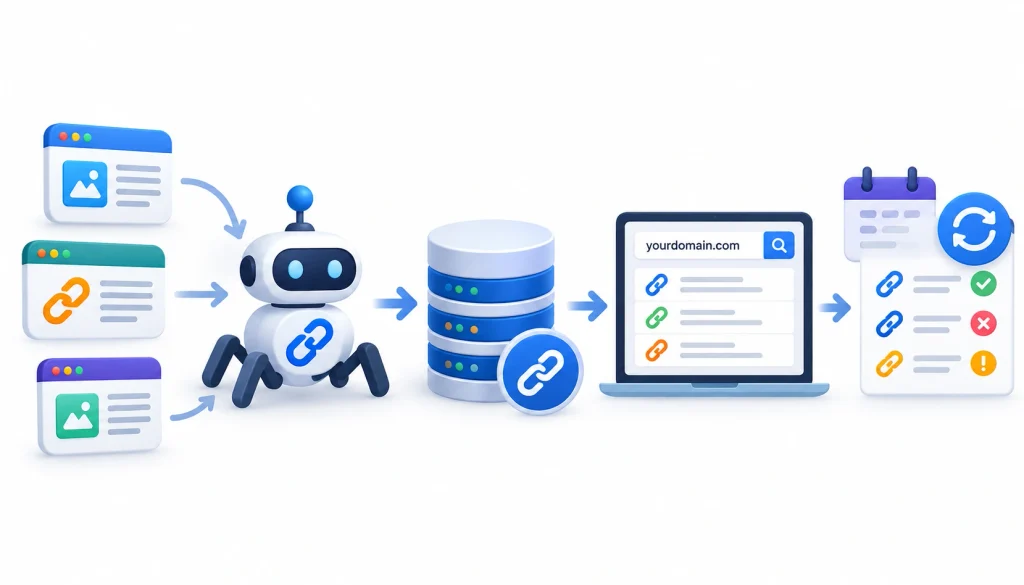
Most tools operate their own web crawlers and build a database of links. Enter your domain and the tool shows what it found. Monitoring tools revisit those links over time and flag anything that changes.
Beginners often miss one thing: no tool sees every link on the web. Two tools will frequently report different numbers for the same site, and that’s normal. Think of each index as a sample, not a final tally.
What You Can Do With It
Depending on the product, you can:
- Track existing backlinks and catch new and lost ones
- Review referring domains and anchor text
- Find sites that link to competitors but not to you
- Store prospects, contacts, and outreach history
- Confirm that a promised link actually went live
- Send reports to clients or managers
No single tool does all of this equally well, which is why the categories below matter.
Backlink Management vs. Backlink Analysis vs. Link-Building Software
| Category | What it mainly does |
| Backlink management software | Organizes, tracks, and reports on links you already have |
| Backlink analysis software | Researches link profiles, quality signals, and competitors |
| Backlink monitoring software | Detects new, lost, and changed links |
| Link-building software | Helps you find opportunities and earn links |
| Outreach software | Manages contacts, emails, follow-ups, and campaign status |
These categories overlap. Semrush touches nearly every row, while Hunter touches just one. Knowing which row you need saves money.
Best Backlink Management Software by Use Case
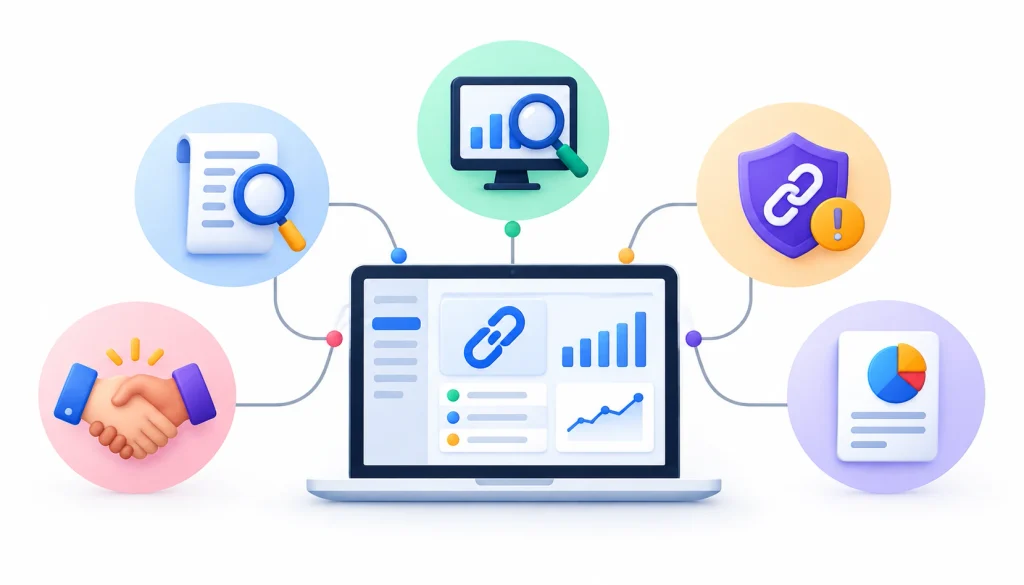
Choosing among 12 tools is easier when you start from your own situation.
- SEO agencies. You need research, reporting, and outreach tracking across clients. A common pairing is Ahrefs or Semrush for research plus BuzzStream or Pitchbox for outreach.
- Freelancers. Keep costs down and avoid overlap. One suite, such as SE Ranking or Semrush, plus Google Search Console covers a lot of ground.
- Small businesses. Begin with Google Search Console, then add Linkody if you want alerts when links break.
- Enterprise teams. Prioritize user access, data exports, and API options, and confirm them with each vendor since they vary by plan.
- Backlink monitoring. Linkody for a focused tool, or the monitoring features in Ahrefs, Semrush, or SE Ranking.
- Competitor backlink analysis. Ahrefs, Semrush, and Majestic all handle this. Run the same competitor through each trial and compare.
- Link-building outreach. BuzzStream, Pitchbox, and Respona, with Hunter or Snov.io for contacts.
- Free tools. Google Search Console for your own site, plus the limited free tiers from Ahrefs, Moz, and Majestic.
Essential Features to Look For
1. Backlink Discovery and Monitoring
You want to see new, lost, and changed links without checking by hand. Ask how often the tool re-crawls links and whether it sends email alerts.
2. Competitor Backlink Analysis
Link gap reports show sites that link to your competitors but not to you, handing you a ready-made list of outreach targets.
3. Link Quality and Relevance
A link from a relevant page in your niche usually outweighs one from a strong but unrelated site. Examine the linking page, the anchor text, and where the link sits within the content.
4. Backlink Audit Tools
Audit tools flag links that may look manipulative. Review those flags yourself: an automated score is a cue to look closer, not a verdict.
5. Outreach and Contact Management
Good outreach features store contacts, show past emails, and remind you to follow up. Without them, people end up emailing the same editor twice.
6. Reporting, Exports, and Integrations
Check whether you can export data and whether the tool connects with the platforms you already use. Verify this per plan, since limits differ.
7. Multi-Site and Multi-Client Support
Agencies should look at project limits, user permissions, and whether clients can receive reports without seeing each other’s data.
How to Choose the Right Backlink Management Software

- Name your main job. Is it research, monitoring, outreach, verification, or reporting? Pick one to begin with.
- Set a budget. Add up what you already pay. Many people buy a second tool that duplicates the first.
- Test data coverage. Enter your own domain and compare the results with Google Search Console. Some differences are normal, but huge gaps deserve a note.
- Check monitoring and reporting. Make sure the tool tracks what you need and exports in a format your team uses.
- Confirm team access. Look at user seats, permissions, and project limits.
- Use the trial. Do a real task, not a demo task, such as finding five competitor links and logging them.
- Compare total cost. Include extras like email finders.
How to Manage Backlinks Effectively With Software
Here’s a workflow that suits most teams. It follows a simple cycle: discover, analyze, acquire, verify, monitor, and report. If you want to understand how to execute the acquisition stage, follow our step-by-step link-building workflow to identify opportunities, evaluate potential websites, and build a more structured backlink strategy.
Step 1: Set a Baseline
Export your current backlinks from Google Search Console and your main tool, and note the date. You’ll compare against it later.
Step 2: Monitor New and Lost Links
Turn on alerts. Review them weekly, or monthly for small sites.
Step 3: Judge Link Quality
Check relevance, anchor text, and context. Don’t lean on a single authority score.
Step 4: Find Competitor Opportunities
Run a link gap report and sort results by relevance, not authority alone.
Step 5: Organize Outreach
Log each prospect, contact, message date, and status. A simple CRM beats a cluttered inbox.
Step 6: Verify New Links
When a link goes live, open the page and confirm the URL, the anchor text, and the link attribute. Learn how nofollow and related attributes work so you can read the results correctly.
Step 7: Investigate Lost Links
Before emailing the publisher, check whether the page returns an error, the link was removed, or it now points somewhere else. Sometimes a page is simply down for a day.
Step 8: Report
Summarize new links, lost links, and outreach results, and tie the numbers to traffic or leads when you can.
A Realistic Example
Imagine an agency with four clients. Each month, an analyst runs a link gap report in Ahrefs and selects 15 relevant targets per client. Contacts and email history go into BuzzStream. Once links go live, the analyst checks them and adds them to a monitoring tool. At month end, the account manager exports a short report, and nobody has to open a spreadsheet to guess what happened.
Common Mistakes to Avoid
- Choosing by authority score alone. DR, DA, and Trust Flow are each company’s own metric. They help you compare sites but aren’t Google ranking scores.
- Treating every link as valuable. Some links add nothing, and others can look manipulative. Google’s spam policies describe link practices it considers spam, so read them before automating anything.
- Mixing up outreach and monitoring. Outreach tools help you ask for links but don’t necessarily watch them afterward.
- Paying for overlap. Audit your subscriptions first.
- Ignoring lost links. A link you earned last year may be gone, and you’ll only know if something is checking.
- Automating without review. Automation saves time on contacts and follow-ups, but it shouldn’t decide which sites deserve your link requests.
Using software efficiently is only part of a successful backlink strategy. You also need sustainable methods for earning relevant links without relying on manipulative tactics. Explore our guide to white hat SEO link-building strategies for practical approaches to evaluating prospects and building valuable backlinks.
Free vs. Paid Backlink Management Software
Free tools work well for a single site. Google Search Console gives you a solid baseline of links Google reports for your property, and free tiers from vendors like Ahrefs or Moz allow limited checks.
Paid software starts making sense when you need competitor data, history, regular alerts, team access, or client reports. If you spend hours each month updating spreadsheets, a subscription may pay for itself.
Here’s a simple test: write down what you do manually each month and how long it takes. If a tool removes most of that work, the upgrade is easy to justify. If it only adds charts, skip it.
For real-world opinions from working SEOs, communities like r/SEO and r/bigseo are worth browsing. Treat individual opinions as input, and test any tool on your own data.
Frequently Asked Questions
What is backlink management software?
It’s software that helps you organize, monitor, analyze, and report on backlinks. Some products also support competitor research, outreach, and link verification.
What is the best free backlink management tool?
For your own site, Google Search Console. For limited research, try the free tiers from Ahrefs, Moz, or Majestic. For basic monitoring, look for a free trial and check its limits.
How often should you monitor backlinks?
Monthly is fine for small sites. Check weekly if you run active campaigns or if specific links matter to your revenue.
Does backlink management software build links automatically?
No. Research tools find opportunities and outreach tools help you contact sites, but a person still has to earn the link with something worth linking to.
What is the difference between backlink analysis and backlink management?
Analysis examines a link profile at one point in time. Management is the ongoing work of tracking, verifying, and reporting on links.
Can one tool manage backlinks for multiple websites?
Usually yes, but project limits depend on the plan. Check the number of projects, users, and reports before buying.
How do you check whether a backlink is still live?
Open the linking page and confirm the link is there, points to the right URL, and carries the attribute you expect. Then make sure the page returns a normal response. A monitoring tool can automate this for many links.
Final Verdict
The best backlink management software comes down to your needs and budget. Ahrefs is ideal for backlink research and competitor analysis, while Semrush and SE Ranking bring broader SEO features.
Linkody suits monitoring, BuzzStream helps manage outreach relationships, and Pitchbox supports large-scale outreach campaigns. For a free starting point, Google Search Console offers useful link data for your own site.
Many SEO professionals pair two tools to cover research, outreach, and monitoring. Pinpoint your biggest challenge, test a few options, and pick the software that fits your workflow and budget.