If you’ve hit a paywall on an article you actually want to read, there are a few legitimate ways to get in, and a few sketchy ones worth skipping. Paywalls aren’t all built the same way, so the right approach depends on what you’re facing: a hard subscription wall, a metered limit, a registration gate, or just an overlay sitting on top of content that already loaded in your browser. Figuring out which one you’re dealing with is the first step before trying anything else.
What Is a Paywall?
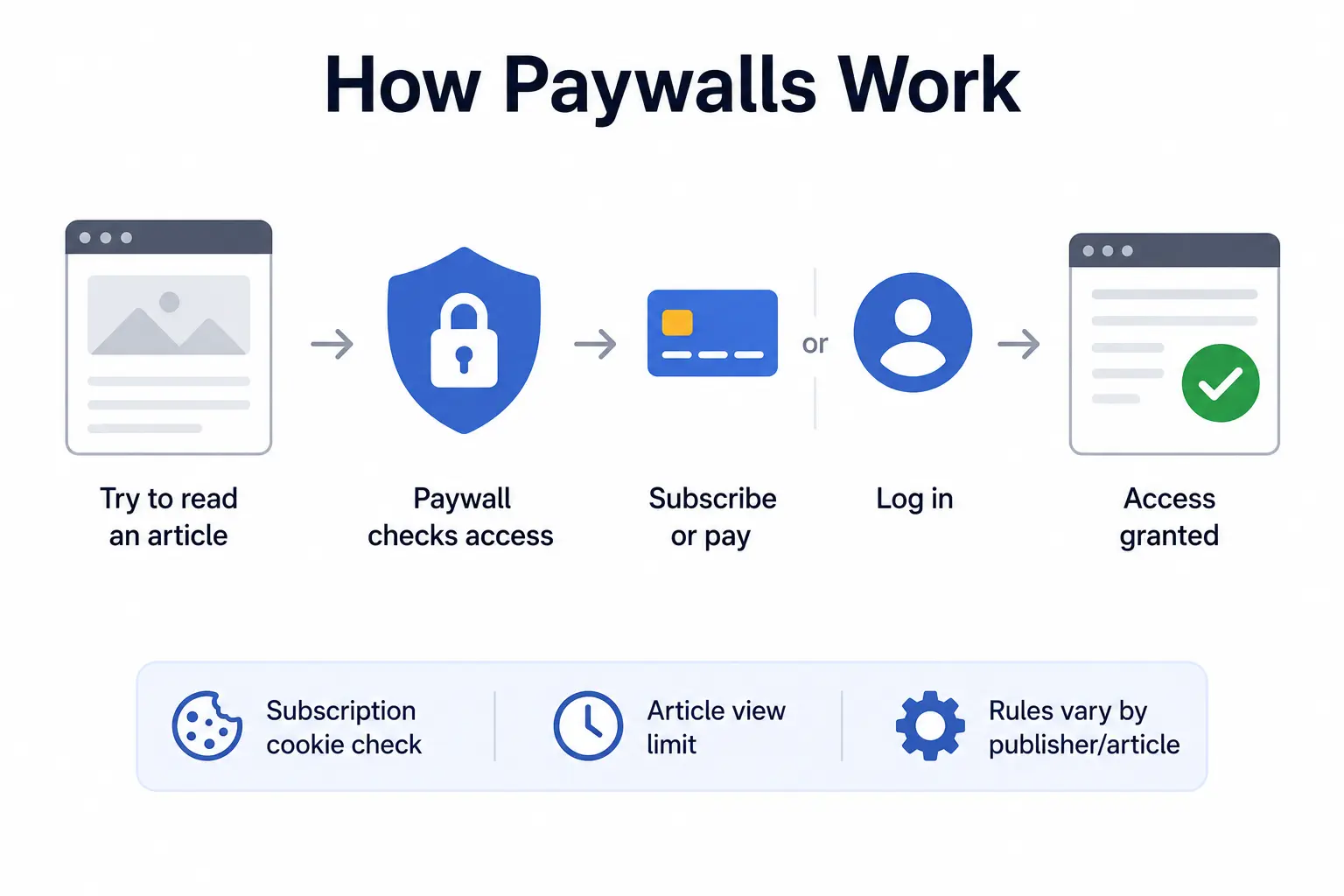
A paywall is a restriction publishers put on their content, blocking part or all of an article until a visitor pays, subscribes, or logs in. Some check your browser for a subscription cookie before rendering the article. Others count how many pages you’ve viewed in a set period and cut you off once you hit the limit. The exact mechanism varies by publisher, and sometimes by article.
Why publishers use paywalls
Ad revenue alone rarely covers the cost of producing original reporting, especially at outlets that pay staff writers, editors, and photographers. Subscriptions give publishers a second, steadier income stream, and paywalls are how they get people who read regularly to actually pay for it.
Paywall vs subscription wall vs registration wall
These terms get used loosely, but they describe different things. A paywall blocks content behind payment. A subscription wall is a specific type of paywall tied to a recurring plan. A registration wall doesn’t ask for money at all; it just requires an email address and a free account before you can read.
What Are the Different Types of Paywalls?
Soft paywalls
Soft paywalls let you read a set number of free articles before asking you to pay, and they’re often easier to work around because the content is technically loaded in your browser the whole time.
Hard paywalls
Hard paywalls block content immediately, with no free reads at all. The Wall Street Journal is a well-known example. These are harder to get past because the full article usually isn’t sent to your browser until you’re authenticated.
Metered paywalls
A metered paywall tracks your reads with a cookie or your IP address and locks you out after a set number in a given month. Clearing cookies or switching browsers sometimes resets the count, though publishers have gotten better at spotting this.
Registration walls
No payment required, just a sign-up. News sites use these to build an email list and track reader behavior, even before they try to monetize the content directly.
Client-side vs server-side paywalls
A client-side paywall loads the article in your browser and then hides it with a script or overlay; the text is technically already there. A server-side paywall never sends the full article to your browser until you’ve authenticated, so there’s nothing left to reveal.
How to Access a Paywalled Article Without Breaking the Rules

Check your existing subscriptions
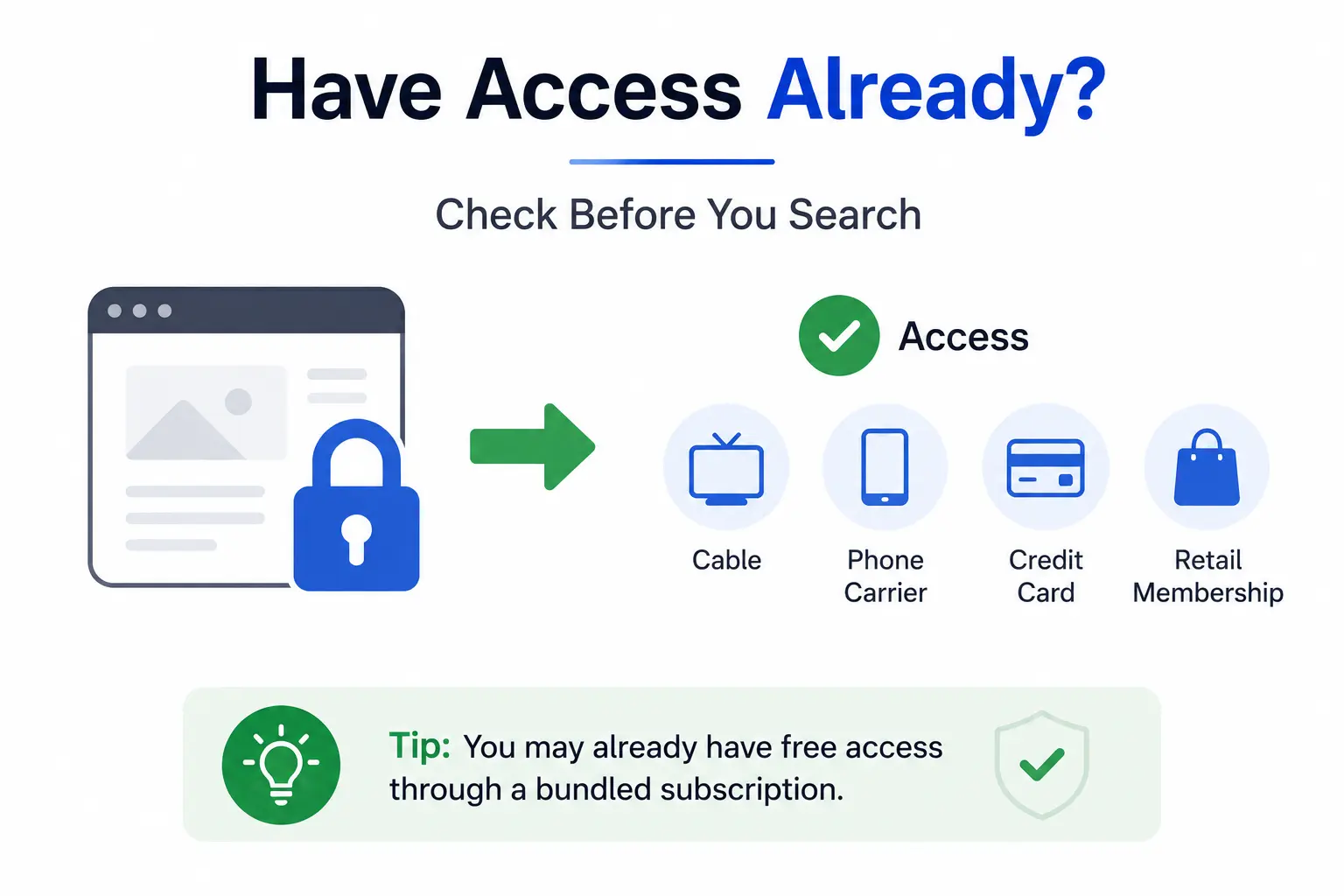
Before doing anything else, check whether you already have access. Many publishers bundle digital subscriptions with other services: cable packages, phone carriers, credit cards, and even some retail memberships include free access to specific news sites.
Use a public library
Most public libraries offer free access to newspaper and magazine databases like PressReader or OverDrive with a library card. It’s one of the most reliable, fully legal ways to read paywalled content, and it covers hundreds of publications at once.
Use university or workplace access
If you’re a student or work somewhere with a research library, you likely already have institutional access to major news archives and academic journals through your library’s proxy login.
Look for free trials or publisher promotions
Publishers regularly run discounted or free trial periods, especially around major news events or the start of the year. It’s worth checking whether the outlet you want is currently offering one.
Look for official gift links
Many major outlets, including the New York Times and the Washington Post, let subscribers generate gift links that unlock a specific article for non-subscribers. If someone shared the article with you, ask if they can send a gift link instead of a screenshot.
Find an author-published version
Freelance writers and academics often post their own work on personal sites, Medium, or platforms like ResearchGate after it’s published elsewhere. Searching the author’s name alongside the article title sometimes turns up a free copy.
Check legitimate open-access repositories
For academic and research articles specifically, repositories like PubMed Central, arXiv, and SSRN host author-submitted preprints and published versions that are legally free to read.
Look for syndicated or officially republished versions
Wire service stories from the Associated Press or Reuters often run on multiple outlets, some paywalled and some not. If a story reads like general news rather than an outlet’s original reporting, a syndicated copy on a free site is worth searching for.
Can Reader Mode Help With a Paywall?
When reader mode works
Reader mode strips ads, pop-ups, and layout clutter from a page, which can be enough to get past a client-side overlay that’s simply hiding text already loaded in your browser.
When reader mode does not work
Against a hard, server-side paywall, reader mode does nothing, because the article text was never sent to your browser in the first place. There’s nothing for it to reveal.
Reader mode vs actual paywall removal
Reader-mode tools such as Just Read are built to improve readability, not to defeat access controls. They happen to solve some paywall problems as a side effect, but that’s not their actual job. Treating them as a dedicated paywall bypass tool will leave you confused the first time one stops working on a hard paywall.
Paywall Bypass Tools and Browser Extensions
Browser extensions
Extensions marketed as paywall removers generally work by stripping scripts or overlays on the client side, similar to reader mode but more aggressive. How well they work depends entirely on how the target site enforces its paywall.
URL-based paywall tools
Some tools work by feeding a URL into a separate service that fetches and displays a cached or archived version of the page, rather than pulling it directly from the publisher.
Reader-mode extensions
Beyond browser built-ins, third-party extensions like Mercury Reader offer similar decluttering, sometimes with more control over fonts and layout.
Licensed article-access services
Services like PressReader aggregate legitimate, licensed access to hundreds of publications under one subscription, which is a legal alternative to hunting for workarounds site by site.
Open-source projects
A handful of open-source browser extensions and userscripts exist for this purpose, maintained by volunteer developers. Open-source code is publicly visible, which is worth checking before installing anything from an unfamiliar source.
Best Paywall Access Options Compared
There’s no single best option here; it depends on how often you read the outlet, how much setup you’re willing to do, and how much you care about privacy.
| Option | Cost | Setup | Reliability | Privacy | Best For |
| Library access | Free | Library card needed | High | Good | Regular readers of major papers |
| Publisher subscription/trial | Free–paid | Minimal | High | Fair | Frequent readers of one outlet |
| Author copy | Free | Search required | Medium | Good | Academic or freelance work |
| Open-access repository | Free | Minimal | High | Good | Research and academic articles |
| Reader mode | Free | None to minimal | Low–medium | Good | Soft, client-side paywalls |
| Browser extension | Free–paid | One-time install | Low–medium | Varies | Occasional soft paywalls |
| URL-based tool | Free | None | Low | Poor | Quick, one-off checks |
| Licensed aggregation service | Paid | Minimal | High | Good | Readers who use many outlets |
Why Paywall Bypass Methods Stop Working
Publishers change their paywall systems
Outlets update their paywall software periodically, sometimes specifically in response to tools built to get around it. A method that worked last month can stop working after an update with no warning.
Server-side enforcement
As more publishers move to server-side paywalls, client-side tricks like reader mode and script blockers become less effective, since there’s no hidden content left in the page to reveal.
Bot detection
Publishers increasingly flag and block traffic patterns associated with scraping tools or automated bypass services, which is part of why URL-based tools can work one day and fail the next.
Browser and extension changes
Browser updates occasionally break extensions that rely on older APIs, and browser stores periodically remove extensions that violate their policies.
Third-party services disappear
Free bypass tools are often run by individuals or small teams with no real business model behind them, so they tend to shut down, get sold, or go quiet without notice.
Why there is no universal paywall bypass
Because paywall systems and the tools built against them keep changing on both sides, there’s no single trick that reliably works everywhere over time. Online discussion threads on this topic are full of once-popular services that quietly stopped functioning.
Are Paywall Bypass Tools Safe?
Risks of unknown browser extensions
Extensions can request broad permissions, including the ability to read and change everything on every page you visit. That’s a lot of trust to hand an unfamiliar tool for a niche use case.
Fake paywall-removal websites
Search results for paywall bypass tools include a fair number of fake or copycat sites designed to look helpful while actually pushing malware or scams, so it’s worth checking whether a site is actually safe and legit before trusting it.
Malware and unwanted downloads
Some tools bundle unwanted software, browser hijackers, or adware alongside the feature you actually wanted.
Excessive browser permissions
Before installing anything, check what permissions it asks for. A tool that only needs to read text on a page shouldn’t need access to your browsing history or the ability to modify data on every site you visit.
Protecting your login credentials
Never enter your actual subscription login into a third-party tool claiming to unlock content. A legitimate service never needs your real credentials for another site.
How to evaluate a third-party tool
Check who built it, how recently it was updated, what reviews say, and whether the source code is public, the same checks we walked through when evaluating a third-party site like BrumeBlog.com. A tool with no history, no reviews, and closed code is a reasonable one to skip.
Is It Legal to Bypass a Paywall?
Why legality depends on the method and jurisdiction
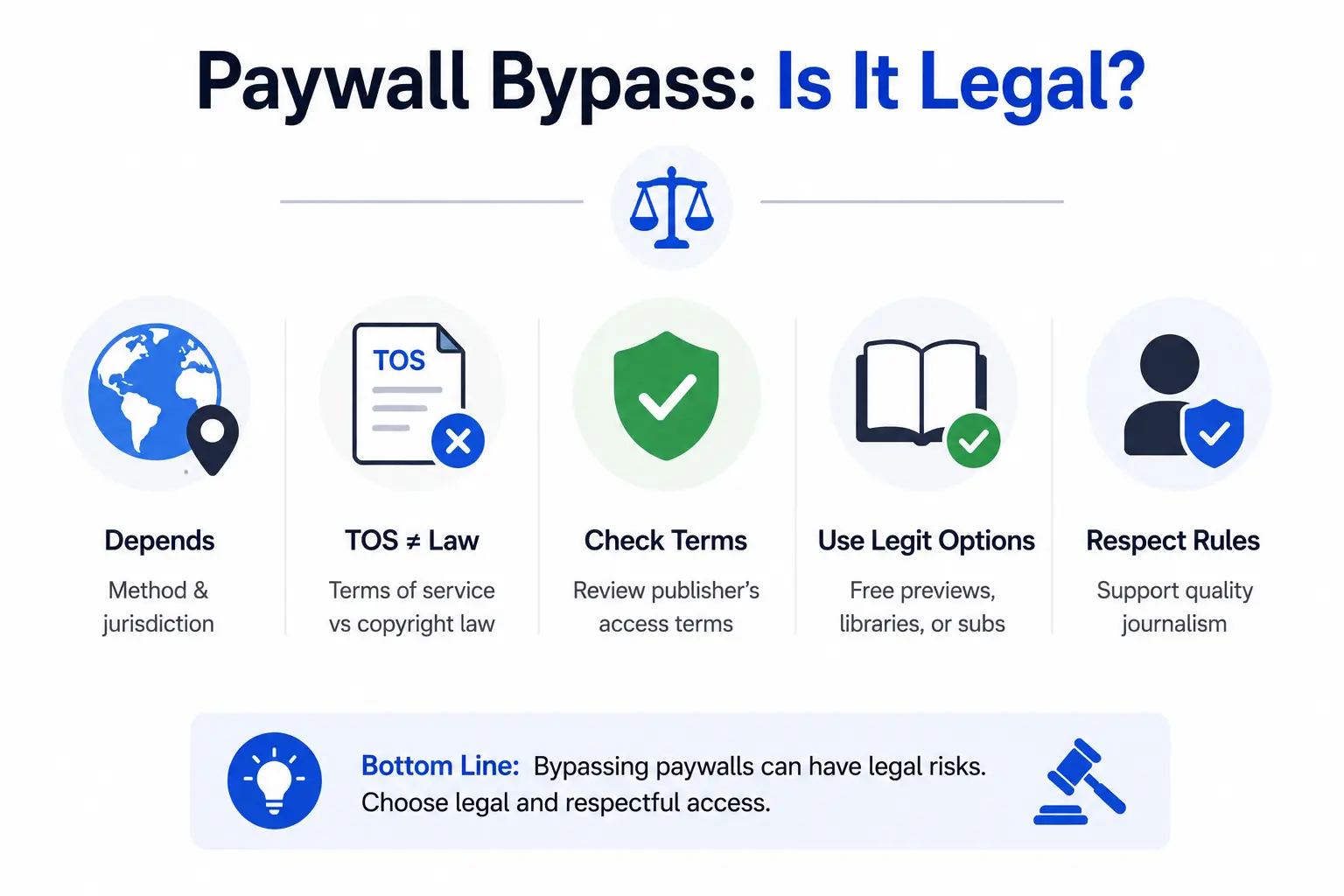
There’s no single answer here; it depends on the method and where you live. Reading a copy someone legally shared with you is different from circumventing a technical access control, and the rules around each vary by country.
Terms of service vs copyright law
Violating a website’s terms of service is a contract issue, not automatically a copyright violation, though the two sometimes overlap. Publishers can restrict an account for violating their terms even when no law was broken.
Why users should check the publisher’s access terms
Every publisher’s terms of service spell out what’s allowed, and reading them is the only way to know exactly where a specific outlet draws the line.
Safer alternatives to circumvention
When in doubt, using a library card, an author’s own posted copy, or a legitimate free trial sidesteps the legal question entirely, since none of those methods circumvent anything.
This article isn’t legal advice, and laws on this topic differ by country and change over time. If you’re unsure where a specific method stands, check the applicable law in your jurisdiction and the publisher’s own terms before relying on it.
How to Find a Free, Legitimate Version of a Paywalled Article
Search for the author’s website
A large share of journalists and academics keep a personal site or portfolio listing their published work, sometimes with a PDF attached.
Check institutional repositories
Universities often require faculty to deposit a copy of their published research in an open institutional repository, even when the journal version sits behind a paywall.
Check university libraries
Library websites usually have a database search tool that pulls in full-text access your institution already pays for.
Search open-access databases
Google Scholar, Unpaywall, and similar tools specifically index legal open-access copies of paywalled academic papers.
Look for official syndication
Checking whether a wire service distributed the same story to other outlets can turn up a free version of general news coverage.
Look for publisher newsletters or free-access links
Some outlets occasionally unlock specific articles for newsletter subscribers or during major news events, so it’s worth checking the publisher’s own newsletter or homepage.
What to Do When a Paywall Bypass Tool Doesn’t Work
Identify the type of paywall
Knowing whether you’re facing a soft, hard, metered, or registration wall narrows down which method is actually worth trying next.
Check whether the article is available elsewhere
Search the headline directly. The same story often runs on a wire service or gets picked up by another outlet without the paywall.
Check library/institutional access
If you have a library card or student login sitting unused, this is usually the most reliable fallback.
Look for an author version
Searching the author’s name plus the article title can turn up a self-published copy even after other methods fail.
Avoid suspicious “unlock” sites
If a site promises to unlock any paywall instantly and asks you to install something or enter your credentials first, treat that as a red flag rather than a shortcut.
Consider subscribing for frequently used publications
If you keep hitting the same publication’s paywall, a subscription is often cheaper in time and hassle than chasing a new workaround every time the last one stops working.
Bypass Paywall FAQs
What is the easiest way to access a paywalled article?
Checking whether you already have access through a library card, a workplace subscription, or a bundled service is usually faster and more reliable than any bypass tool.
Can you bypass every paywall?
No. Hard, server-side paywalls don’t send the article to your browser at all, so there’s nothing for a client-side tool to reveal, no matter how well it works elsewhere.
What is the difference between a soft and hard paywall?
A soft paywall lets you read a set number of free articles before blocking you. A hard paywall blocks access immediately, with no free reads.
Do browser extensions remove paywalls?
Some do, for client-side paywalls specifically, by stripping the script or overlay hiding content that already loaded. They generally don’t work against server-side paywalls.
Does reader mode bypass paywalls?
Sometimes, for soft or client-side paywalls where the article text is already in the page. It has no effect on hard, server-side paywalls.
Does incognito mode bypass paywalls?
It can reset a metered paywall that tracks reads through cookies, since incognito mode starts with no stored cookies. It won’t help against a hard paywall or one that tracks by IP address.
Are paywall-removal websites safe?
Not always. Some are legitimate, but the space also includes fake sites built to spread malware or harvest data, so it’s worth checking a tool’s reputation before using it.
Are paywall bypass extensions legal?
It depends on the method and your location. Using one may violate a publisher’s terms of service even where no law is broken, so check the specific outlet’s terms if you’re unsure.
Can libraries give free access to paywalled newspapers?
Yes, most public libraries offer database access to major newspapers and magazines through services like PressReader or OverDrive, free with a library card.
Why did a paywall bypass tool stop working?
Publishers regularly update their paywall systems, and free third-party tools are often run without a stable business model behind them, so both sides of the equation change often.
What are the best alternatives to Bypass Paywalls?
Library database access, official gift links, author-published copies, and licensed aggregation services like PressReader all get you legitimate access without relying on a workaround tool.
Conclusion
At the end of the day, paywalls exist because good reporting costs money to produce, and most of the “bypass” methods people search for are really just ways of finding content that was already meant to be free, through a library, an author’s own copy, or a link a subscriber shared. The tools built specifically to strip or trick a paywall are hit or miss by design, since publishers keep updating their systems to close the gaps those tools rely on, so what works today may not work in a few weeks. If you only need one article, it’s rarely worth the risk of installing something unverified when a quick search for the author or headline elsewhere usually gets you there faster. And if you find yourself back at the same site’s paywall again and again, that’s less a sign you need a better workaround and more a sign the subscription is probably worth it.