Basic SEO helps search engines discover and understand a website through title tags, meta descriptions, and backlinks. Advanced SEO goes beyond these basics by analyzing how pages, entities, and signals work together to improve search performance.
Once a website meets the basic SEO requirements, advanced strategies become more important. They address issues such as keyword cannibalization, inefficient crawl budgets, and content that gradually loses traffic or relevance.
Search is also changing with AI Overviews, conversational answers, and other generative features. As a result, ranking on page one does not always guarantee the same level of clicks.
The 20 strategies below cover technical SEO, content architecture, link building, structured data, and AI-search visibility. They are organized so you can focus on the strategies that best match your website’s current needs.
What Is Advanced SEO?
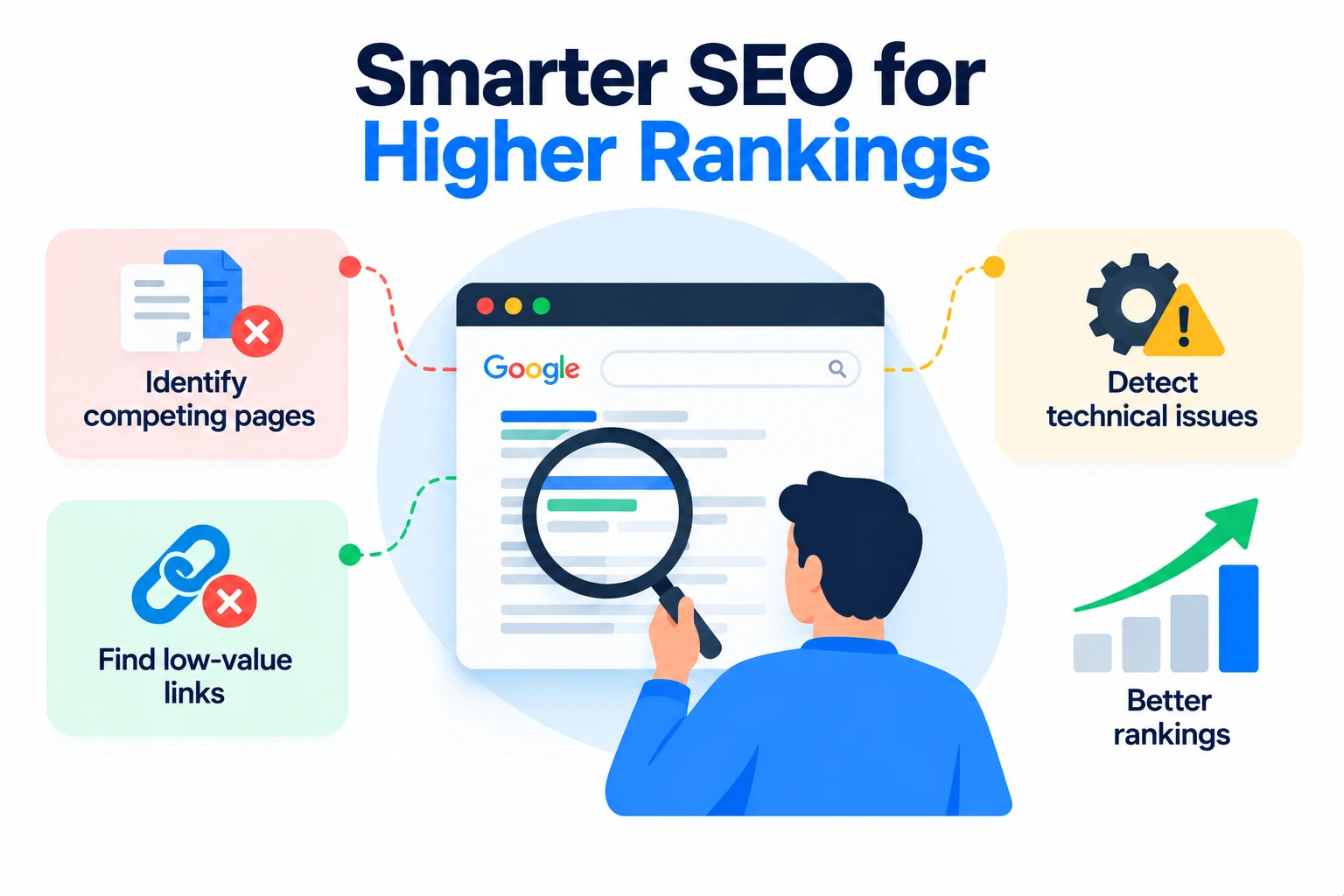
Advanced SEO builds diagnostic work on top of that foundation – finding which pages compete with each other, which links carry authority nowhere useful, and which technical issues quietly cap rankings a site would otherwise earn.
What Makes an SEO Strategy “Advanced”?
Advanced strategies share three traits: they run on data (Search Console, log files, crawl reports) instead of guesswork, they fix structural issues affecting many pages at once, and they account for how a page performs in both classic search results and AI-generated answers.
Advanced SEO Strategy at a Glance
The table below maps each strategy to its likely impact, the effort it takes to implement, and the site it suits best, so you can prioritize before working through the full breakdown.
| Strategy | Impact | Difficulty | Best For |
| 1. Search-Intent & Topic Mapping | High | Medium | Sites rebuilding their content strategy |
| 2. Topic Clusters & Pillar Pages | High | Medium | Content-heavy sites building authority |
| 3. Strategic Internal Linking | High | Low | Any site with 50+ pages |
| 4. Fixing Keyword Cannibalization | Medium | Low | Sites with overlapping content |
| 5. Advanced Technical SEO Audits | High | High | Larger or older sites |
| 6. Crawl Budget & Site Architecture | Medium | High | Large sites (1,000+ pages) |
| 7. Core Web Vitals & Page Experience | Medium | Medium | Sites with mobile traffic issues |
| 8. Data-Driven Content Refresh | High | Medium | Sites with content decay |
| 9. Competitor SEO Intelligence | Medium | Low | Sites entering competitive niches |
| 10. High-Quality Link Acquisition | High | High | Sites needing domain authority growth |
| 11. Featured Snippets & SERP Features | Medium | Low | Informational content sites |
| 12. Structured Data & Entity SEO | Medium | Medium | E-commerce and publisher sites |
| 13. AI Overviews & AI Search Optimization | High | Medium | Any site competing on informational queries |
| 14. Funnel-Stage Intent Optimization | Medium | Medium | Sites with mixed traffic intent |
| 15. Advanced Keyword Research | Medium | Low | Sites needing new topic ideas |
| 16. SEO Landing Pages & Hubs | High | Medium | Local, service, and e-commerce sites |
| 17. SEO Testing & Experimentation | Medium | High | Sites with existing traffic volume |
| 18. Measurement & Attribution Framework | High | Medium | Sites tying SEO to revenue |
| 19. Advanced SEO Tools | Medium | Low | Any site doing ongoing SEO work |
| 20. Advanced SEO Audit Workflow | High | Medium | Sites running quarterly SEO reviews |
1. Build a Search-Intent and Topic-Mapping Strategy

Identify the dominant search intent
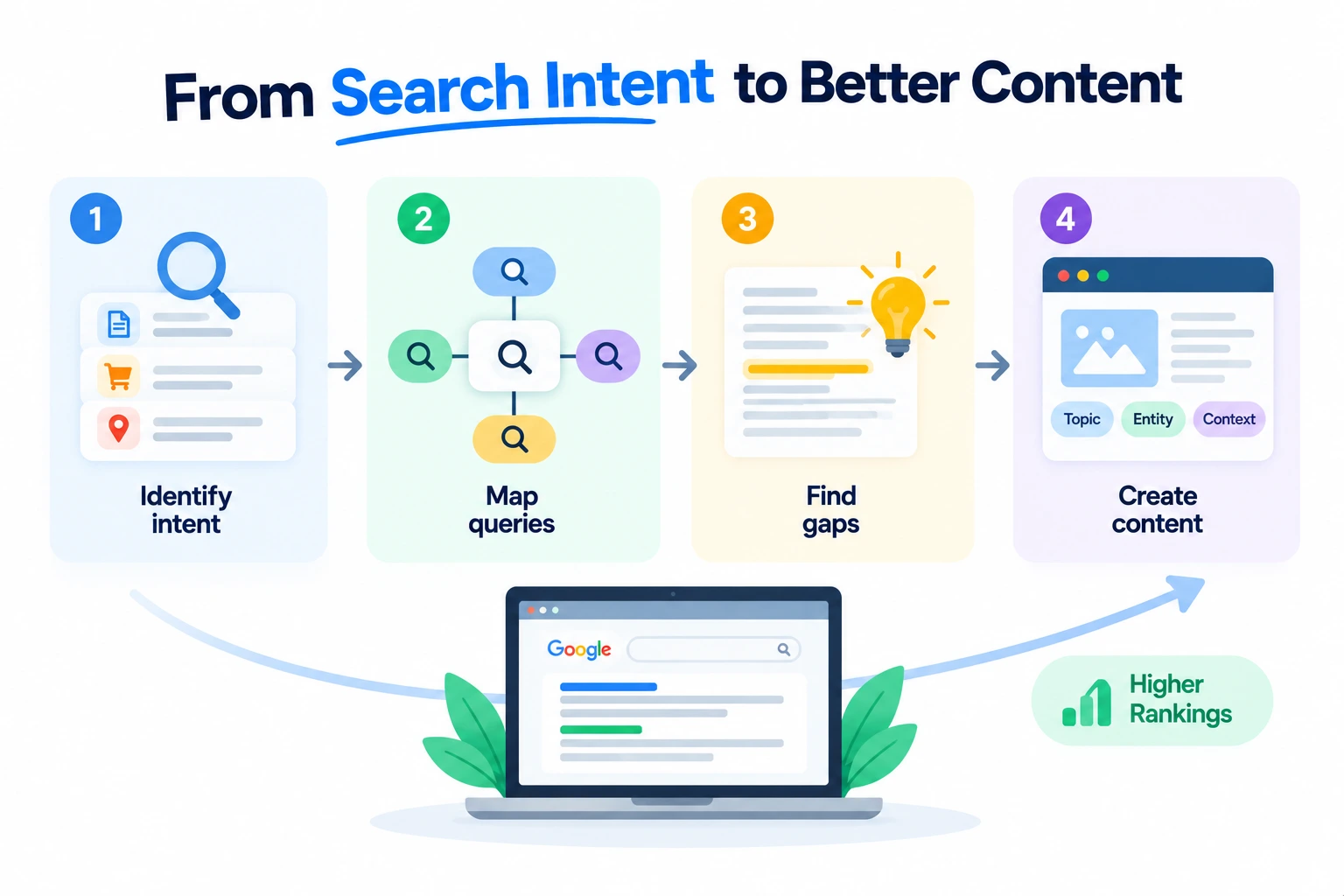
Check the current top-ranking pages for a target keyword before writing anything. If eight of the top ten results are comparison pages, Google has already decided the intent is commercial investigation, and a purely informational article won’t compete no matter how well it’s written.
Map primary, secondary, and related queries
Group a topic’s primary keyword with the secondary and related queries people search around it, then decide which get their own page and which get folded into one page as subheadings. Trying to rank a single page for every variation usually produces a page that answers none of them well.
Identify information gain opportunities
Read the current top results and note what they leave out – a missing data point, an outdated statistic, a step nobody explains clearly. Adding that gap is what search engines call information gain, and it’s one of the few differentiators competitors can’t easily copy.
Build content around entities and topics—not just keywords
Modern search engines match content to real-world entities – people, tools, places, concepts – not only strings of text. Naming the actual tools, standards, and organizations involved helps a page get associated with a topic beyond its exact keyword phrase.
2. Build Topic Clusters and Pillar Pages
What is a topic cluster?
A topic cluster is one comprehensive pillar page supported by several narrower cluster pages, all interlinked, covering a subject from multiple angles instead of cramming everything onto a single page.
How to choose a pillar topic
Pick a pillar topic broad enough to need eight to fifteen supporting pages but narrow enough that a single site can plausibly become a leading source on it — a balance most sites miss by choosing a topic too broad to own.
How to create supporting cluster pages
Each cluster page should answer one specific subtopic in depth rather than repeating what the pillar page already covers. Overlap between cluster pages is what causes cannibalization down the line.
How to connect cluster pages with internal links
Link every cluster page back to the pillar with consistent, descriptive anchor text, and link the pillar out to each cluster page in a dedicated section, so both search engines and readers can follow the structure.
3. Develop a Strategic Internal Linking System
Identify high-authority pages
Use Search Console or a backlink tool to find which pages already earn strong external links or rankings. Those pages carry authority worth distributing elsewhere on the site.
Find pages that need internal authority
Cross-reference newer or underperforming pages against that authority list, then plan links from the strong pages toward the ones that need a push.
Use descriptive anchor text
Anchor text like “our guide to technical SEO audits” tells search engines and readers what the destination page covers. Anchor text like “click here” tells them nothing.
Fix orphan pages
An orphan page has no internal links pointing to it at all, which makes it harder to crawl and signals that even the site itself doesn’t treat it as important. A full site crawl surfaces these quickly.
Improve crawl depth
Pages buried more than three or four clicks from the homepage get crawled less often and rank less reliably. Flattening the structure so important pages sit closer to the top makes a measurable difference on larger sites.
4. Find and Fix Keyword Cannibalization
How to identify cannibalization
Search Console will show two or more URLs from the same site ranking for the same query, often swapping positions week to week — a clear sign the site is competing against itself.
When to merge pages
If two pages cover the same subtopic with no meaningful difference in angle, merge the weaker one into the stronger one and redirect it.
When to redirect pages
If one page is clearly outdated or thinner and adds nothing the other doesn’t already cover, a straight redirect consolidates the ranking signals onto the page worth keeping.
When to canonicalize
If both versions of a page need to exist for a legitimate reason — URL parameters, print versions, and similar cases — a canonical tag tells search engines which one to index without removing either.
When to re-optimize competing pages
If the pages actually target different intents that blurred together over time, the fix isn’t merging — it’s rewriting each page to serve its specific intent clearly, so they stop overlapping.
5. Perform Advanced Technical SEO Audits
Crawlability
Confirm search engine bots can reach every page that should be indexed, checking for blocked resources, broken navigation, and pages accidentally excluded in robots.txt.
Indexability
A page can be crawlable and still excluded from the index by a noindex tag or a canonical pointing elsewhere. Check the URL Inspection tool in Search Console for the page’s actual indexing status, not just the intended one.
JavaScript rendering
If content loads only after JavaScript executes, confirm Google actually renders and indexes it. Rendering delays and errors can leave content invisible to search engines even though it displays fine to a visitor.
Canonicals
Check that canonical tags point to the correct preferred version of each page and aren’t accidentally pointing to a different page altogether.
Redirect chains
Multiple redirects stacked on top of each other waste crawl budget and dilute link equity. Each chain should be flattened to a single hop.
Duplicate content
Near-identical pages — often created by URL parameters, print versions, or thin location pages — split ranking signals that should be consolidated onto one page.
XML sitemaps
A sitemap should list only canonical, indexable, live URLs. Including redirected or noindexed pages sends mixed signals about what actually matters.
Robots.txt
Confirm the file isn’t accidentally blocking important sections of the site — a mistake that shows up after site migrations more often than most teams expect.
HTTP status codes
A crawl audit should flag any important page returning something other than a clean 200, including soft 404s that return a 200 status on a page with no real content.
6. Optimize Crawl Budget and Site Architecture
What is crawl budget?
Crawl budget is the number of pages a search engine is willing to crawl on a given site within a given period, based on the site’s size, server speed, and perceived quality. It matters most for larger sites, not small ones.
How crawl depth affects discovery
Pages several clicks deep get crawled less frequently, which delays how quickly new or updated content gets picked up.
Reduce unnecessary URLs
Filter and sort parameters, session IDs, and internal search result pages can generate thousands of low-value URLs that consume crawl budget without adding anything indexable.
Handle faceted navigation
E-commerce filters for size, color, or price should be configured so they don’t generate an unlimited number of crawlable URL combinations. Noindexing or blocking most facet combinations while keeping the useful ones is the usual fix.
Improve internal navigation
A clear category structure and consistent navigation menu help both crawlers and visitors reach important pages in fewer clicks.
7. Optimize Core Web Vitals and Page Experience
LCP
Largest Contentful Paint measures how long the main content takes to load. Slow server response times and unoptimized hero images are the most common culprits.
INP
Interaction to Next Paint measures how quickly a page responds to a click or tap. Heavy JavaScript execution on the main thread is the usual cause of poor scores.
CLS
Cumulative Layout Shift measures unexpected movement on the page as it loads, often caused by images or ads without reserved space.
Image optimization
Compressing images, serving modern formats like WebP or AVIF, and setting explicit width and height attributes address a large share of Core Web Vitals issues on content-heavy sites.
JavaScript and CSS optimization
Removing unused code, deferring non-critical scripts, and minifying files reduce how much work a browser does before it can render the page.
CDN and caching
Serving static assets from a content delivery network and setting proper cache headers cuts load times for visitors farther from the origin server.
8. Build a Data-Driven Content Refresh System
Identify declining pages
Compare Search Console impressions and clicks over trailing 12-month periods to flag pages losing traffic before the decline becomes severe.
Find content gaps
Compare a declining page against the current top-ranking competitors to see what they now cover that the page doesn’t.
Update outdated information
Replace old statistics, screenshots, pricing, and examples. Outdated specifics are one of the fastest ways a page loses trust and rankings.
Add new entities and subtopics
Fold in the tools, terms, and questions that have become relevant to the topic since the page was first published.
Improve internal links
A refresh is a natural point to add links to and from newer content that didn’t exist when the page was first written.
Consolidate declining content
When several thin pages cover overlapping ground and none of them perform well individually, combining them into one stronger page usually outperforms leaving them separate.
When to remove content
Pages with no traffic, no backlinks, and no realistic path to relevance are better redirected and removed than left live as dead weight. Semrush’s own content-audit guidance frames this as a three-way decision — refresh, consolidate, or remove — rather than a straight keep-or-delete call, which is a workable model for prioritizing a backlog of underperforming pages.
9. Use Competitor SEO Intelligence
Find competitor keyword gaps
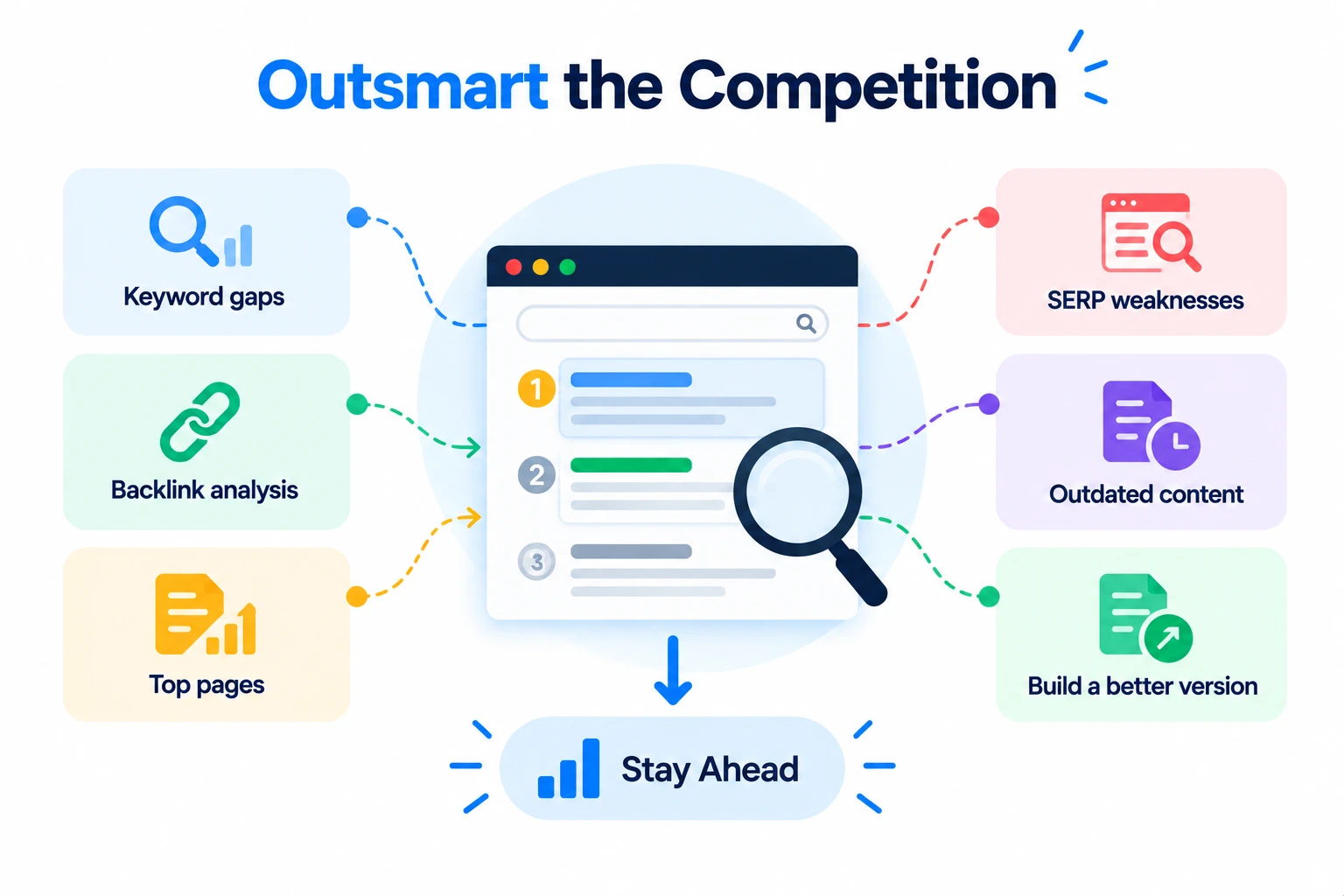
A gap analysis in any major SEO tool shows keywords competitors rank for that a given site doesn’t, sorted by traffic potential and difficulty.
Analyze competitor backlinks
Reviewing where competitors earn links reveals which publications, directories, and partnerships are realistic link targets in a given niche.
Identify their top-performing pages
Sorting a competitor’s pages by estimated organic traffic shows which content formats and topics are actually working for them, not just which ones they’ve published most of.
Find SERP weaknesses
Weak competing pages – thin content, outdated information, poor formatting – mark keywords where a well-built page has a realistic shot at overtaking the current leader.
Identify outdated competitor content
A competitor’s top-ranking page from several years ago is often the easiest target on the page: check the publish date and see whether the information still holds up.
Build a better version
The goal isn’t to copy structure – it’s to genuinely cover what the competing page misses, in a format suited to the intent, then earn the internal links and promotion that page never got.
10. Build a High-Quality Link Acquisition Strategy
Digital PR
Original data, surveys, or studies give journalists and bloggers a reason to cite a site as the source, generating links that would be hard to earn through outreach alone.
Linkable assets
Calculators, templates, original research, and comprehensive guides attract links on their own merit because other sites want to reference something useful, not something promotional.
Resource-page outreach
Many niches maintain curated resource pages; a short, specific email pointing to a genuinely relevant page on the site is one of the more reliable ways to earn a listing.
Broken-link opportunities
Finding dead links on relevant pages and suggesting a working replacement gives the site owner an easy fix and gives the requester a natural reason to link.
Unlinked brand mentions
Sites sometimes mention a brand or article without linking to it. A quick, polite request to add the link converts an existing mention into an actual backlink.
Competitor backlink analysis
If several competitors all earned a link from the same source, that source is worth pursuing directly.
How to evaluate backlink quality
Judge a link by the relevance and real traffic of the linking site, not by domain authority alone. A moderately known site in the same niche is usually worth more than a high-authority site with no topical connection.
11. Optimize for Featured Snippets and SERP Features
Definition snippets
A concise, direct definition placed right after the heading that introduces the term gives Google a clean block of text to pull for a definition-style snippet.
List snippets
Formatting a genuine sequence of steps or items as an actual ordered or bulleted list, rather than a paragraph, makes it far more likely to be pulled into a list snippet.
Table snippets
Comparative data — pricing, specs, feature sets — presented in an HTML table is what Google typically pulls into table-format snippets.
Step-by-step snippets
Numbered steps with a short, clear instruction in each heading match the format Google uses for how-to snippets.
People Also Ask
Answering related questions directly in the body of a page, in plain language, increases the odds of appearing in the expandable People Also Ask boxes tied to that query.
Image and video SERP features
Descriptive file names, alt text, and surrounding context help images and embedded videos surface in image packs and video carousels alongside standard results.
12. Implement Structured Data and Entity SEO
What is structured data?
Structured data is code added to a page that explicitly labels its content — a review, a product, an event — in a format search engines can parse directly, rather than inferring meaning from plain text.
JSON-LD
JSON-LD is the format Google recommends for structured data: a self-contained script block in the page’s head, kept separate from the visible HTML.
Relevant Schema.org types
Schema.org maintains the vocabulary of markup types available; using the type that actually matches the content — Article, Product, FAQPage — matters more than adding as many types as possible.
Organization entities
Organization markup on key pages ties a site’s name, logo, and social profiles to one consistent entity that search engines and AI systems can reference.
Article entities
Article markup identifies the headline, author, publish date, and main image, which helps a piece surface correctly in News and Discover-style features.
Product entities
Product markup exposes price, availability, and review data directly in search results, which is part of why marked-up product pages tend to see stronger click-through rates.
Breadcrumbs
Breadcrumb markup shows a page’s position in the site hierarchy directly in the search result, and reinforces the site’s structure to search engines at the same time.
Validate structured data
Google’s Rich Results Test and the Schema Markup Validator both check for syntax errors and missing required fields before markup goes live.
13. Optimize Content for AI Overviews and AI Search
How AI search changes SEO
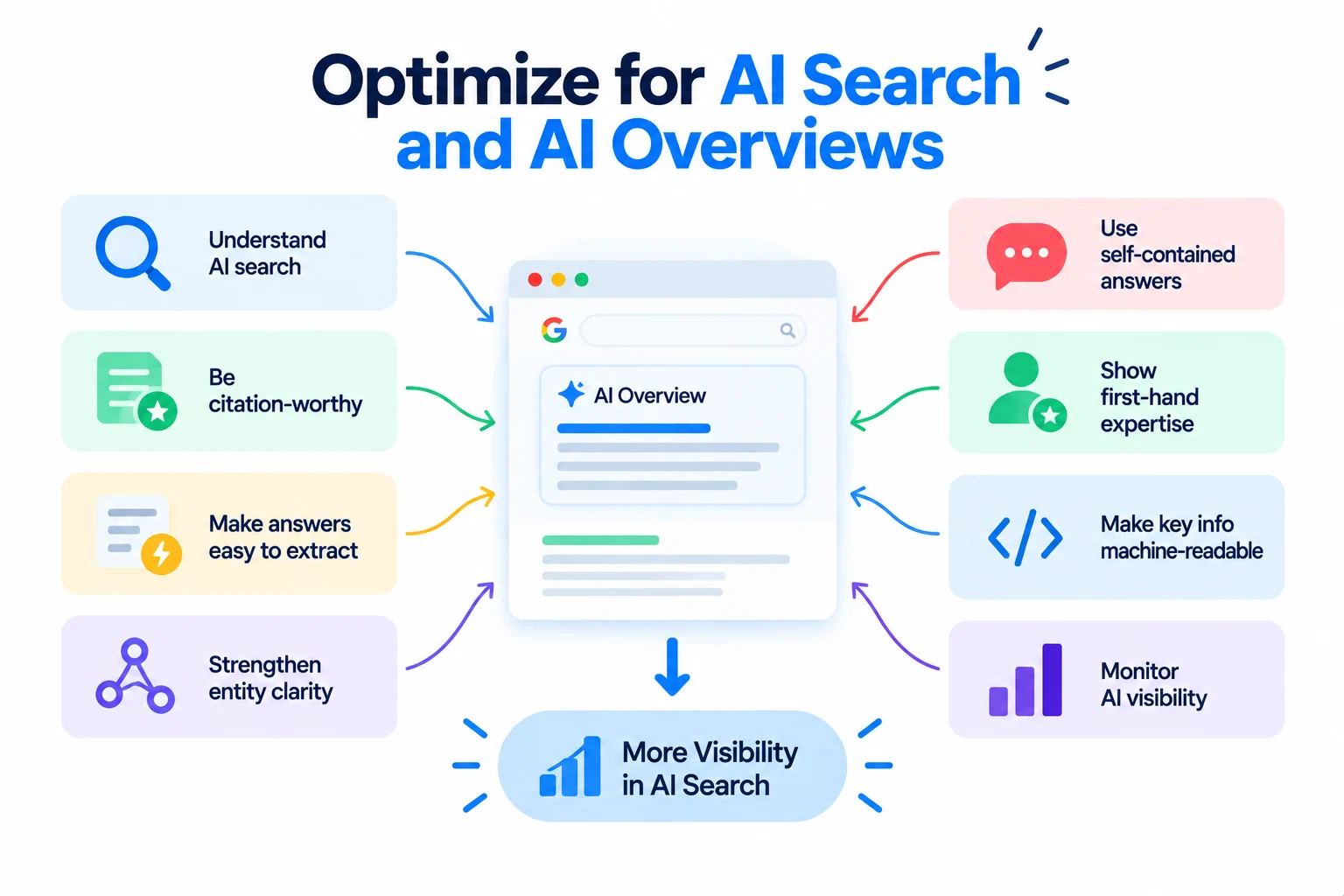
AI Overviews and chat-based search assistants now answer a large share of informational queries directly, often without a click. Industry data from Semrush has tied pages that get cited in AI answers to markedly higher rates of structured-data implementation, and shown that content requiring heavy client-side JavaScript to render sees noticeably lower citation rates.
Create citation-worthy content
Original data, clear explanations, and well-sourced claims give an AI system a reason to cite a specific page rather than paraphrase generic knowledge it already has.
Make answers easy to extract
A direct answer near the top of a section, stated plainly before the supporting detail, is far easier for an AI system to lift cleanly than an answer buried at the end of a long paragraph.
Strengthen entity clarity
Naming specific tools, organizations, people, and standards — rather than describing them vaguely — helps an AI system correctly attribute claims to a page and its source.
Use self-contained answers
Each section should make sense pulled out of context, since that’s effectively what happens when an AI system extracts one paragraph to answer a specific prompt.
Demonstrate first-hand expertise
Original screenshots, direct testing, and named authors with real credentials signal the kind of first-hand experience that both readers and AI systems weigh when deciding what to trust.
Make important information machine-readable
Pairing key facts with structured data — FAQ markup, HowTo markup, clear tables — gives machine readers a second, unambiguous path to the same information.
Monitor AI visibility
Several SEO platforms now track when and how often a site is cited inside AI Overviews and chat answers, which is worth checking alongside traditional rank tracking rather than instead of it.
14. Optimize for Search Intent at Every Stage of the Funnel
Informational intent
Top-of-funnel searchers want an explanation, not a sales pitch. Comprehensive, well-organized guides perform best here, with any commercial content kept secondary.
Commercial investigation
Searchers comparing options respond to honest comparison content — pros, cons, and pricing laid out clearly — more than to content that only promotes one option.
Transactional intent
Searchers ready to act need a fast path to the action itself: clear pricing, straightforward calls to action, and minimal friction between the page and the conversion.
Navigational intent
Searches for a specific brand or product name should lead directly to that brand’s own page; trying to intercept navigational traffic with unrelated content rarely works and can look manipulative.
Align content type with intent
Matching format to intent — a guide for informational queries, a comparison for commercial ones, a product page for transactional ones — matters more for rankings than length or keyword density.
15. Use Advanced Keyword Research Techniques
Long-tail keywords
Longer, more specific phrases carry less individual search volume but convert at a higher rate and face far less competition than broad head terms.
Question keywords
Direct questions people type into search are strong candidates for featured snippets and AI Overview citations, since they map cleanly to a direct-answer format.
Low-competition opportunities
Filtering keyword research by difficulty score alongside search volume surfaces terms a newer or smaller site can realistically rank for sooner.
Keyword clustering
Grouping keywords by shared search intent, rather than by shared words, shows which terms genuinely belong on the same page and which need one of their own.
Search Console query mining
Queries already generating impressions but few clicks point to pages that are close to ranking well and just need a targeted push — often the fastest wins available.
Competitor keyword gaps
Cross-referencing a site’s ranking keywords against several competitors at once surfaces terms the whole site is missing, not just the ones covered by a single rival.
Entity and semantic terms
Beyond exact-match keywords, researching the related entities and terminology real experts use in a topic makes content read as more authoritative and complete.
16. Build SEO Landing Pages and Content Hubs
Category pages
Category pages should carry their own unique, substantial copy rather than functioning as bare product listings, since thin category pages struggle to rank on their own.
Service pages
Each core service deserves its own dedicated page rather than a shared paragraph on a general services page, since a dedicated page can target its specific keyword directly.
Product pages
Original product descriptions, real specifications, and genuine customer content outperform manufacturer boilerplate that appears on dozens of other sites.
Location pages
Location pages need real, distinct local information — not a template with the city name swapped out — or they risk being treated as duplicate content.
Content hubs
A hub groups a set of related landing pages under one navigable structure, helping both users and search engines see how the pages relate to each other.
Avoid thin programmatic pages
Auto-generating hundreds of near-identical pages from a template, with no unique value on each one, is one of the more common ways sites trigger quality problems at scale.
17. Use Advanced SEO Testing and Experimentation
Title and CTR testing
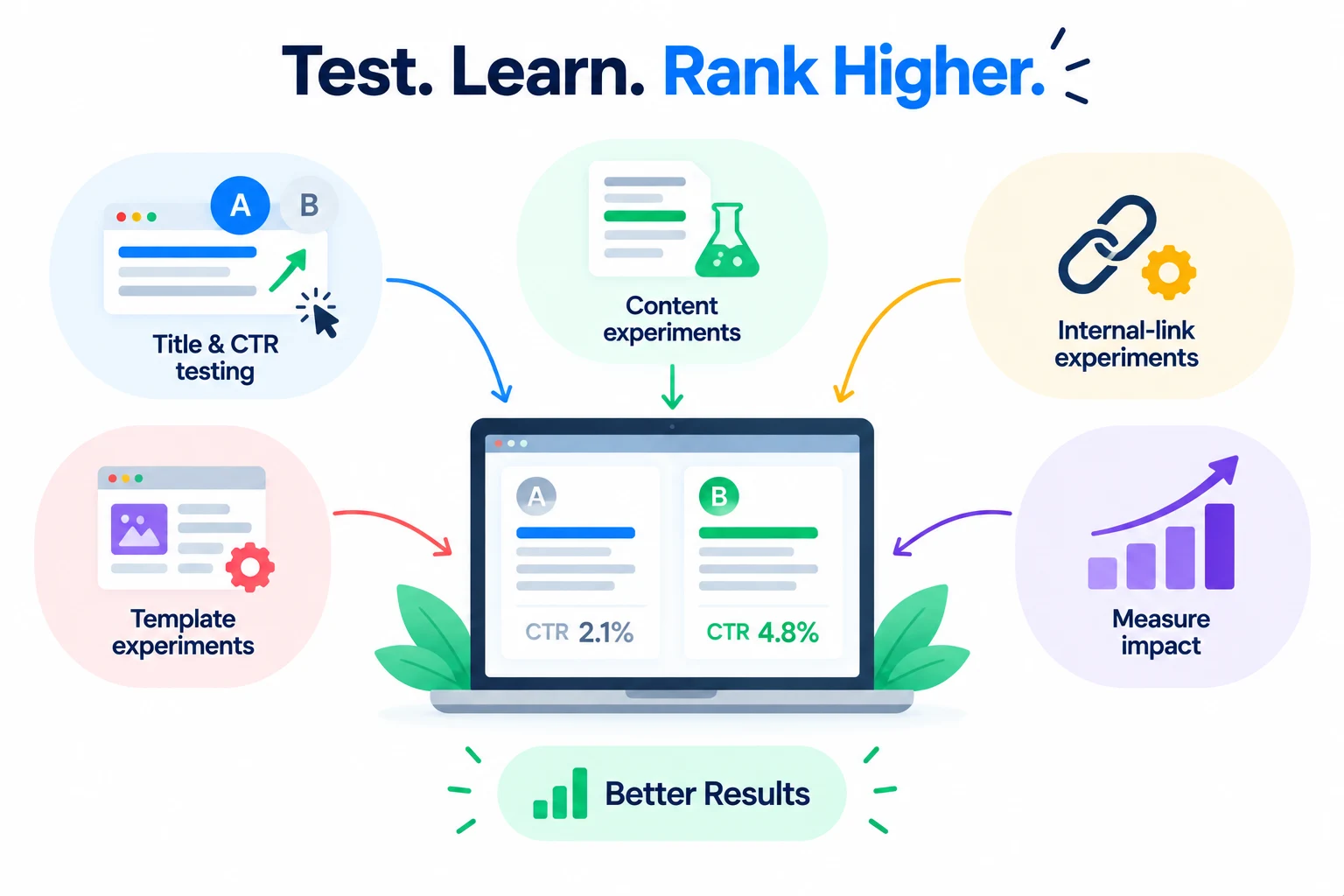
Testing alternate title tags against click-through rate, while holding rankings roughly constant, isolates whether a title is actually persuasive rather than just present.
Content experiments
Testing structural changes — adding a summary section, reordering headings, expanding a thin section — on a sample of pages before rolling out site-wide reduces the risk of a broad change backfiring.
Internal-link experiments
Adding links to a test group of underperforming pages, while leaving a comparable control group untouched, shows whether internal linking is actually the lever worth pulling.
Template experiments
Changes to a shared template – a category page layout, a product page structure – should be tested on a subset of pages first, since template changes affect many pages at once and errors compound quickly.
Measure before-and-after impact
Any test needs a defined measurement window and a clear baseline; judging results after a few days, before seasonal and algorithmic noise settle, produces unreliable conclusions.
18. Build an SEO Measurement and Attribution Framework
Rankings
Position tracking still matters as a leading indicator, but it should be read alongside clicks and conversions, not treated as the end goal on its own.
Organic clicks
Clicks show whether visible rankings are actually translating into traffic, which isn’t guaranteed once AI Overviews and other SERP features sit above the organic results.
Impressions
Rising impressions with flat clicks usually point to a title and snippet problem rather than a ranking problem — the page is being shown but not chosen.
Conversions
Tying specific pages to specific conversion events shows which content actually drives business outcomes, rather than just traffic volume.
Assisted conversions
Multi-touch attribution captures the organic pages that influence a purchase earlier in the journey, even when a different channel gets credit for the final click.
Revenue
Connecting organic traffic data to actual revenue, through e-commerce tracking or CRM integration, is what turns an SEO report into a business case.
Page-level performance
Reviewing performance at the individual page level, not just the site-wide total, is what surfaces the specific pages worth refreshing, merging, or removing.
Business KPIs
SEO metrics should ultimately roll up into the same KPIs the rest of the business is judged on — leads, revenue, retention — rather than living in a separate SEO-only dashboard.
19. Advanced SEO Tools
Google Search Console
The primary source for how Google actually sees a site: indexing status, query-level performance, and manual actions, all directly from Google.
Google Analytics
Tracks what happens after a visitor arrives — behavior, conversions, and revenue — which Search Console doesn’t cover on its own.
Semrush
A broad platform covering keyword research, site audits, backlink analysis, and AI visibility tracking in one place, useful for teams that want most of their SEO data under one login.
Ahrefs
Particularly strong for backlink analysis and competitor research, with a large, independently crawled web index.
Screaming Frog
A desktop crawler for auditing a site’s own technical structure — status codes, redirects, metadata, and internal linking — at any scale.
Sitebulb
A visual crawler that’s often easier to hand off to non-technical stakeholders, since it explains issues in plain language alongside the raw data.
PageSpeed Insights
Google’s own tool for Core Web Vitals and page-speed diagnostics, pulling from both lab data and real-world field data where available.
Rich Results Test
Google’s tool for checking whether structured data on a page is valid and eligible for rich results before it goes live.
Choosing the right tool for the job
Most teams don’t need every tool on this list. Search Console and Analytics are non-negotiable; a crawler and one all-in-one platform usually covers the rest.
20. Create an Advanced SEO Audit Workflow
Step 1 – Technical audit
Crawl the site to catch indexing errors, broken links, redirect chains, and Core Web Vitals problems before touching anything else.
Step 2 – Content audit
Review performance by page to flag declining, thin, or overlapping content that needs a refresh, merge, or removal.
Step 3 – Internal-link audit
Map orphan pages, crawl depth, and anchor text quality to find where authority isn’t flowing to the pages that need it.
Step 4 – Competitor analysis
Compare keyword coverage and content depth against the sites actually outranking the target site, not against the whole industry in general.
Step 5 – Backlink analysis
Review the existing backlink profile for toxic links worth disavowing and for gaps compared to competitors’ link profiles.
Step 6 – Entity and semantic audit
Check whether the site’s content consistently and correctly represents the key entities and terminology tied to its main topics.
Step 7 – AI-search audit
Check how the site’s key pages currently appear, if at all, in AI Overviews and chat-based answers for its priority queries.
Step 8 – Prioritize opportunities
Rank every issue found by expected impact against effort required, rather than working through the list in the order it was discovered.
Step 9 – Implement changes
Work through the prioritized list in batches, tracking each change against a baseline so its individual impact can actually be measured.
Step 10 – Measure and iterate
Revisit the audit on a fixed schedule — quarterly is typical — since new issues accumulate continuously as a site grows and competitors change their approach.
Advanced SEO Checklist
A scannable reference covering every category above – use it as a pre-launch or quarterly review checklist.
| Category | Checklist Items |
| Technical SEO | Site crawls without major errorsCore pages are indexable and canonicalized correctlyXML sitemap includes only live, canonical URLsRobots.txt isn’t blocking important sectionsJavaScript-rendered content is confirmed indexable |
| Content | Every priority page targets a clear, single intentDeclining pages are flagged for refresh or removalNo two pages compete for the same primary keywordContent includes genuine information gain over top competitors |
| Internal links | No orphan pages on the sitePriority pages sit within three or four clicks of the homepageAnchor text is descriptive rather than genericHigh-authority pages link to pages that need a push |
| Backlinks | Link acquisition targets are relevant, not just high-authorityToxic or spammy links are reviewed for disavowCompetitor backlink gaps are documented |
| Schema | JSON-LD implemented for key page typesOrganization and Article markup validatedStructured data passes the Rich Results Test |
| Entities | Content names specific tools, people, and organizations rather than describing them vaguelyEntity references stay consistent across the site |
| Performance | LCP, INP, and CLS meet Google’s recommended thresholdsImages are compressed and served in modern formatsStatic assets are served through a CDN |
| AI search | Key pages have been checked for appearance in AI OverviewsAnswers are stated directly near the top of each sectionSections are written to stand alone outside their surrounding context |
| Analytics | Search Console and Analytics are connected and reviewed on a schedulePage-level performance is reviewed, not just site totals |
| Conversion optimization | High-traffic pages have a clear, relevant call to actionConversion data is tied back to specific pages and keywords |
Advanced SEO Mistakes to Avoid
Chasing keywords instead of intent
Ranking for a keyword that doesn’t match what the searcher actually wants produces traffic that leaves immediately, which drags down rankings over time rather than sustaining them.
Building low-quality backlinks
Links from irrelevant or spammy sites carry real risk of a manual action and rarely move rankings even when they don’t trigger one.
Publishing too much thin content
A large volume of shallow pages dilutes a site’s overall quality signal and can suppress rankings even for the genuinely strong pages on the same domain.
Ignoring technical SEO
The strongest content on the internet won’t rank if search engines can’t crawl, render, or index it in the first place.
Creating unnecessary duplicate pages
Near-identical pages, often created by URL parameters or thin location variants, split ranking signals that should be consolidated onto one strong page.
Overusing schema
Marking up content with schema types that don’t accurately describe it, or stuffing markup with information not visible on the page, risks a manual penalty rather than a ranking boost.
Ignoring content decay
Content quietly loses rankings over months without any single dramatic drop, which is exactly why it needs scheduled review rather than reactive attention.
Optimizing only for Google rankings
Traffic increasingly arrives through AI Overviews and chat-based assistants; ignoring those surfaces means optimizing for a shrinking share of total search visibility.
Ignoring conversions
Rankings and traffic that never get tied back to leads or revenue make it impossible to tell whether an SEO program is actually working.
Treating AI search as a separate replacement for SEO
AI search visibility depends on the same foundations as traditional SEO — crawlable pages, clear entities, credible sourcing — rather than requiring an entirely separate strategy.
How to Prioritize Advanced SEO Techniques
High-Impact, Low-Effort Opportunities
High-impact, low-effort opportunities: fixing keyword cannibalization, cleaning up internal linking, adding descriptive anchor text, and updating outdated statistics on existing pages. These deliver visible movement within weeks and should be worked through first.
High-Impact, High-Effort Opportunities
High-impact, high-effort opportunities: full technical SEO audits, a structured link-building program, and crawl-budget optimization on large sites. These require sustained work but address the issues most likely to cap a site’s ceiling.
Low-Impact SEO Tasks to Deprioritize
Low-impact tasks to deprioritize: chasing every possible schema type, testing minor title-tag wording on low-traffic pages, and expanding programmatic page templates without a genuine content plan behind them.
30-Day Advanced SEO Roadmap
Days 1-30: complete a full technical and content audit, fix cannibalization issues, and clean up the highest-priority internal linking gaps.
60-Day SEO Roadmap
Days 31-60: begin a content refresh cycle on declining pages, launch a digital PR or linkable-asset project, and implement structured data across key page types.
90-Day SEO Roadmap
Days 61-90: build out a topic cluster around the site’s strongest pillar opportunity, set up an AI-visibility tracking process, and establish the measurement framework tying organic traffic to revenue.
Frequently Asked Questions
What is the difference between SEO and advanced SEO?
Basic SEO covers the fundamentals — keywords, tags, a sitemap. Advanced SEO adds diagnostic, structural work: fixing cannibalization, crawl budget, and internal linking issues that basic SEO doesn’t address.
How long does it take to see results from advanced SEO techniques?
Technical fixes and cannibalization corrections can show movement within a few weeks. Content and authority-building strategies, like topic clusters and link acquisition, typically take three to six months to show their full effect.
Do I need advanced SEO if my site is new?
Not immediately. New sites generally benefit more from getting the basics right first — indexing, on-page optimization, and initial content — before investing time in advanced technical and authority work.
How is AI search changing SEO in 2026?
AI Overviews and chat-based assistants now answer a large share of informational searches directly, which reduces clicks even for page-one rankings. Content written to be clearly extractable and properly sourced performs better in both traditional results and AI answers.
What tools do I need for advanced SEO?
Google Search Console and Google Analytics are essential and free. Beyond that, one all-in-one platform (like Semrush or Ahrefs) and one crawler (like Screaming Frog or Sitebulb) cover most advanced SEO work.
How often should I run a full SEO audit?
Quarterly is typical for most sites. Larger or fast-changing sites often benefit from a lighter technical check monthly, with a full audit – technical, content, links, and AI-search visibility – every quarter.
Is link building still important for SEO in 2026?
Yes. Backlinks remain one of the stronger ranking signals, though the emphasis has shifted toward relevance and genuine editorial value over raw link volume.
Conclusion
Advanced SEO isn’t about doing more SEO it’s about making better, more strategic SEO decisions. A site with fewer, well-prioritized fixes usually outperforms one chasing every tactic on a list without a sense of which ones actually matter for its specific situation.