You spend three weeks pitching an editor. The link goes live, you log it in a spreadsheet, and you move on. Four months later, a client asks why a placement isn’t showing up in their report. You open the page. The link is gone.
Nobody emailed you. The publisher simply updated the article, and your link went with the old paragraph.
This is the problem link monitoring tools solve. In SEO, they track the links pointing to your site and tell you when one is new, lost, broken, redirected, or changed. They replace a lot of manual page-by-page checking.
A quick note on terms. “Link monitoring” also means something else in IT, where it describes watching network connections for latency, packet loss, and bandwidth. This guide covers SEO backlink monitoring only. If you want network tools, you’re in the wrong place.
Here is what you’ll get in this article: a plain-English explanation of how these tools work, a comparison of ten options, a step-by-step monitoring process, a recovery workflow for lost links, an outreach template, and answers to common questions.
10 Best Link Monitoring Tools for SEO
1. Ahrefs: best for backlink research and analysis
Overview. Ahrefs is a full SEO platform known for its large backlink index. Its backlink reports let you see new and lost links and review them over time, which helps when you want to know roughly when a link appeared or vanished.
Why it works for monitoring. The new and lost backlink views, combined with historical data, make it easy to investigate changes. Ahrefs also offers an Alerts feature for backlink changes, though you should confirm what your plan includes.
Limitations. It costs more than single-purpose monitors. If all you need is to watch 40 links you built last quarter, it may be more than you need. Like every tool, its index doesn’t contain every link on the web.
Choose it if you want deep backlink research and monitoring in one product, and you’ll use its other features too.
2. LinkColab: best for managing link-building work and collaborating with other link builders
Overview. LinkColab is a backlink management platform. You import or add your backlinks, targets, and campaigns, then use its link checker and quality checks to keep track of them. It also runs a community for white-hat link builders, where members can find opportunities and work together.
Why it works for monitoring. Most tools on this list either research links or watch them. LinkColab tries to keep the whole workflow in one place: where a link was placed, whether it’s still live, and who is handling it. That helps teams that currently juggle a spreadsheet, an outreach inbox, and a separate checker. The company also says it’s building a free backlink management experience, which is useful for freelancers and small teams.
Limitations. Its own site describes it mainly as a platform and community for managing link building, so judge its monitoring on its own merits. Before you rely on it, check how often it re-checks links, what kinds of changes it flags (removals, redirects, attribute changes), and how it sends alerts. Free plans also change, so confirm what’s included today. If you use the community to find placements, review each site yourself for relevance, real audience, and content quality before you agree to a link.
Choose it if you want one free or low-cost place to organize placements and verify link status, or you want to meet other link builders. If you need proven, frequent alerts across a large profile, compare it against SE Ranking or Linkody first.
3. Semrush: best for integrated SEO workflows
Overview. Semrush bundles backlink analytics with keyword research, site audits, rank tracking, and reporting. Its Backlink Analytics section shows new and lost links, and its Backlink Audit tool helps you review link quality.
Why it works for monitoring. If you already use Semrush for other SEO work, adding backlink checks to your routine takes little effort. Scheduled reports can help with client updates.
Limitations. Features and project limits depend on your plan. Semrush is a broad suite, so you may pay for capabilities you never touch.
Choose it if backlink monitoring is one task among many in your SEO workflow.
4. Google Search Console: best free option
Overview. Search Console’s Links report shows links Google has found pointing to your verified site. You can see which sites link to you, which pages get linked most, and the anchor text used.
Why it works for monitoring. It’s free, and the data comes from Google. That makes it a useful check against what third-party tools report.
Limitations. It doesn’t send alerts when a specific link disappears, and Google doesn’t promise the report lists every link. You can compare snapshots by hand, but that isn’t continuous monitoring.
Choose it if you’re starting out, or you want a free reference point alongside a paid tool. Every site owner should set it up.
5. Majestic: best for link-focused analysis
Overview. Majestic specializes in links. It maintains its own link indexes and scores pages with Trust Flow and Citation Flow.
Why it works for monitoring. Its backlink data and history help you research link profiles in detail, including your own and your competitors’.
Limitations. Trust Flow and Citation Flow are Majestic’s own scores. They aren’t Google metrics, so use them to compare pages inside Majestic, not to predict rankings. The interface also suits people who like data more than polished dashboards.
Choose it if you work mostly with link data and want a second index to compare against another tool.
6. Moz Pro: best for link analysis and reporting
Overview. Moz Pro includes Link Explorer, which covers backlink research, including discovered and lost links. It’s the home of Domain Authority, a score Moz created to estimate how a site might perform in search results.
Why it works for monitoring. Teams already using Moz for rank tracking and audits can keep link reviews in the same place. Reporting features help with client updates.
Limitations. Domain Authority is a Moz metric, not a Google ranking factor. Many people treat it as more official than it is. Plan limits also apply.
Choose it if your team already works in Moz and wants links covered by the same tool.
7. SE Ranking: best for agencies and smaller budgets
Overview. SE Ranking is an SEO platform with a dedicated Backlink Monitor, where you add links and receive email notices when they change. It also offers backlink checking and gap analysis inside the same toolkit.
Why it works for monitoring. The Backlink Monitor is built for the exact job this article covers: watching a list of links you care about. It sits next to reporting tools, which suits agencies.
Limitations. Each plan caps how many backlinks you can monitor, and that cap drives your cost. Count your links first.
Choose it if you want monitoring plus broader SEO tools at a moderate price, especially for several clients.
8. Linkody: best for dedicated backlink monitoring
Overview. Linkody is built around tracking backlinks and notifying you of changes. It doesn’t try to be a full SEO suite.
Why it works for monitoring. A focused tool is easier to learn and often cheaper than a full platform. Freelancers and small agencies tend to like that.
Limitations. You won’t get keyword research or site audits here. Confirm the current plans, limits, and import options on Linkody’s site.
Choose it if monitoring is your main need and you already own other SEO tools.
9. Screaming Frog SEO Spider: best for technical link checks
Overview. Screaming Frog is a desktop crawler. You give it a list of URLs, and it fetches each one and reports on status codes, links, and more. Its custom search feature lets you check whether a given page contains a particular string, such as your domain name.
Why it works for monitoring. Say you have 300 placement URLs in a spreadsheet. You can load them in list mode, set a custom search for your domain, and see which pages no longer mention it. It also reports status codes, so dead pages show up quickly. The free version crawls up to 500 URLs, which covers many small projects.
Limitations. It doesn’t discover new backlinks on its own, and it doesn’t run in the background. It checks what you give it, when you run it. Use it as an audit tool, not a replacement for an alerting service.
Choose it if you’re comfortable with technical tools and want a low-cost way to verify a known list of links.
10. Backlink Manager: best for link-building operations
Overview. Backlink Manager presents itself around tracking and organizing link placements. That puts it closer to a link-building workflow tool than a pure research platform.
Why it works for monitoring. Teams that run lots of outreach need one place for who was contacted, where the link went live, and whether it’s still there. Tools designed around that workflow can save time.
Limitations. I haven’t verified its full feature set or current pricing, so check both before you commit. Compare how it handles verification, alerts, and exports against the others on this list.
Choose it if your main problem is organizing placements across campaigns or clients, not researching new link sources.
11. Monitor Backlinks: best for simple alerts
Overview. Monitor Backlinks is a product focused on tracking a site’s backlink profile and spotting new and lost links.
Why it works for monitoring. A narrow tool can be easier to adopt. You see what changed without learning a large dashboard.
Limitations. Because it focuses on backlinks, it won’t replace a broader SEO suite. Verify its current availability, features, and pricing before you plan around it.
Choose it if you want straightforward alerts and nothing else.
Which tool should you choose?
| If you are | Prioritize | Worth looking at |
|---|---|---|
| A freelancer | Low cost, simple alerts, easy exports | Google Search Console, Linkody, Monitor Backlinks |
| A small business owner | Readable reports, minimal setup | Google Search Console plus one easy-to-use monitoring tool |
| An agency | Multi-client views, reports, team access | SE Ranking, Semrush, Ahrefs |
| An in-house team | Monitoring within existing SEO tools | The SEO platform your team already uses |
| A link-building team | Placement records, backlink status checks, and outreach management | LinkColab, Backlink Manager, SE Ranking |
| A technical SEO | Website crawling, link validation, and technical audits | Screaming Frog, Majestic |
These are starting points, not verdicts. Test before you choose.
What Are Link Monitoring Tools?
Link monitoring tools are software that tracks the status of links over time and alerts you to changes. In SEO, they focus on backlinks, which are links from other websites to yours. They help you see when a link appears, disappears, redirects, or changes its attributes.
Think of a backlink as a reference another site gives you. Monitoring tools check that the reference is still there and still says what you expect.
How link monitoring tools work
The details differ by product, but most follow the same loop:
- The tool finds your backlinks through its own crawler, or you import a list of links you want watched.
- It revisits the linking pages on a schedule.
- It checks whether your link is still on the page, what the link points to, and what attributes it carries.
- It records any change and reports it through a dashboard, an export, or an email alert.
Some tools discover links on their own. Others only monitor links you add by hand. That difference matters, and I’ll come back to it when we compare tools. While monitoring tools help you track existing links, backlink research tools help you analyze referring domains, discover competitor backlinks, and identify new link-building opportunities.
Link monitoring vs. backlink monitoring vs. network monitoring
People use these terms loosely, and search results mix them. Here is how they separate:
| Type | What it watches | Typical user |
| Backlink monitoring | Links from other sites to your site | SEOs, link builders, agencies |
| Internal link monitoring | Links between pages on your own site | Technical SEOs, site owners |
| Broken link monitoring | Links that lead to error pages | Site owners, content teams |
| Network link monitoring | Connections between devices and networks | IT admins, network engineers |
| Campaign URL tracking | Clicks on tagged URLs | Marketers |
If your goal is to protect the links you’ve earned, you want backlink monitoring.
What a backlink monitoring tool can track
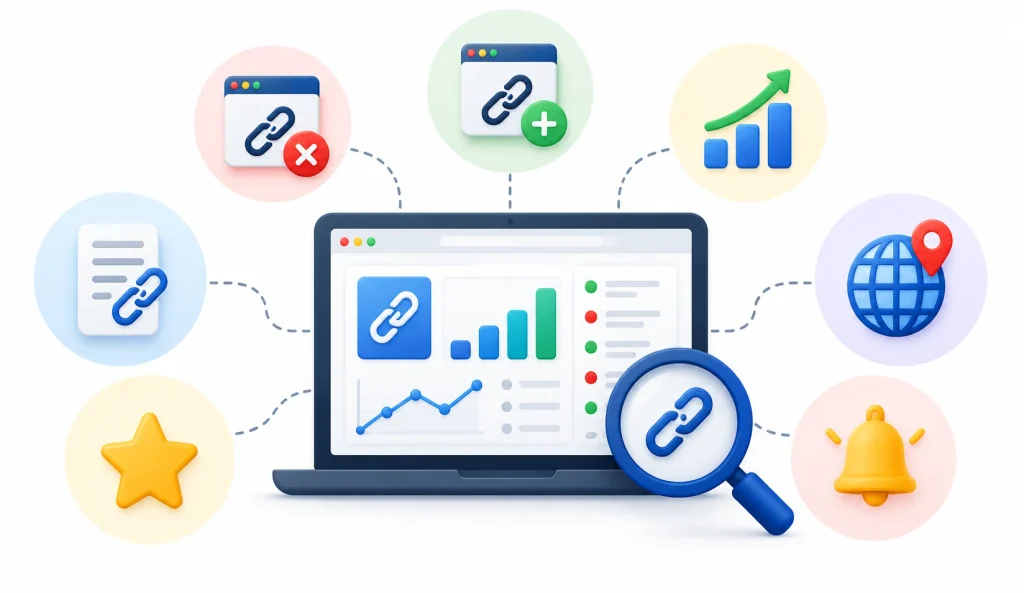
Depending on the product, you can expect some mix of the following:
- New backlinks
- Lost backlinks
- Whether the linking page still loads
- Follow or nofollow status
- Anchor text
- Destination URL
- Referring domains
- Changes in your overall backlink profile
No tool covers everything equally well. Read the feature list and the plan limits before you pay.
Why Backlink Monitoring Matters for SEO
Links don’t last forever. Researchers call this link rot: pages move, change, or disappear over time, and the links on them break with them. Your backlinks sit on pages you don’t control, so they’re exposed to this.
1. Lost backlinks go unnoticed
A publisher can remove a link during an edit, a redesign, or a content cleanup. If you don’t monitor, you find out late or never. If the placement was valuable, that’s a real loss.
2. Broken and redirected pages
Sometimes the link survives, but the page around it breaks. A 404 error on the linking page means nobody can reach your link. A redirect on the linking page can send visitors and crawlers somewhere else entirely.
3. Attribute changes
A followed link can become nofollow, or get marked as sponsored or user-generated. Google describes how it treats these attributes in its guidance on qualifying outbound links. An attribute change doesn’t always hurt you, but you should know it happened.
4. Wrong destinations
A link can stay live and still point to the wrong place. Maybe you restructured your site and the old URL now redirects poorly. Maybe the publisher fixed a typo and broke the target. The link exists, but it no longer does its job.
5. Campaign records and client reporting
If you run link building for clients, you need proof of what you delivered and what’s still live. A monthly line like “46 of 50 placements verified, 3 under review, 1 lost” shows you’re managing the work. Raw link counts don’t show that.
6. One honest caution
A lost link does not automatically mean a ranking drop. Search engines weigh many signals, and a single link rarely tells the whole story. Treat monitoring alerts as leads to check, not proof of damage.
Best Free Link Monitoring Tools
You can start without spending anything. Here is what free options can and can’t do.
Google Search Console
It’s the best free place to begin. Verify your site, open the Links report, and review your top linking sites and linked pages. Export data now and then so you can compare changes over time.
Free backlink checkers
Many SEO vendors offer free checkers that show a sample of your backlinks. They’re good for a quick look at a new site or a competitor. Most limit how many results you see, and none of them watch your links after the check.
Free plans and trials from paid tools
Some paid tools offer free tiers or trials. Use them to test alerts on a small set of links. This is the cheapest way to learn whether a tool catches real changes.
What free options usually can’t do
- Monitor links continuously
- Send alerts when a specific link changes
- Keep a clear history of changes
- Handle large lists or many clients
- Produce client-ready reports
These gaps vary by tool, so don’t assume every free plan has all of them.
When to move to a paid tool
Consider paying when you track more than a few dozen placements, report to clients on a schedule, or can’t afford to learn about a lost link weeks late. At that point, the time saved usually covers the cost.
How to Choose the Right Link Monitoring Tool
1. Decide what you need to watch
Different goals need different tools:
- Links you built recently
- Your full existing backlink profile
- Internal links on your own site
- Broken links on your pages
- Competitor backlinks
- Placements for specific clients
Write down which of these applies. Many people buy a research platform when they only need a monitor.
2. Check the features that matter
Link verification. Can the tool confirm that your link is on the page and that the page loads?
Lost-link detection. Does it flag links that disappear, and how soon?
Attribute and destination checks. Does it notice a change to nofollow, or a new target URL?
Alerts. Can you choose which changes trigger a message, and where it goes?
Reporting and exports. Can you pull data into a spreadsheet or send a report to a client?
3. Understand data coverage
No third-party index sees the whole web. Crawlers differ in how often they visit pages and how many they reach. That’s why two tools report different link counts for the same site. A link missing from one tool may appear in another.
4. Compare pricing the right way
Look past the monthly fee. Check how many links or projects the plan covers, how often checks run, and what happens when you exceed the limit. A cheap plan that caps you at 100 links doesn’t help if you manage 500.
5. Think about ease of use
A tool you open every week is worth more than a powerful one you avoid. Try the dashboard with real data. If you can’t find your lost links in a minute or two, that’s a warning sign.
6. Look at team features
Agencies should check for client separation, user permissions, shared reports, and API or export options.
7. Run your own small test
Pick 20 backlinks you know well. Include a few that you know are live, one you know was removed, and one that points to a redirected URL. Load them into each tool on your shortlist and see which catches what. Write down the date and the results. That’s a fairer comparison than any review, including this one.
If you need more than link tracking, explore these backlink management tools to compare platforms that help organize link placements, monitor backlink status, manage outreach, and prepare reports.
How to Monitor Backlinks Step by Step
Step 1: Build a backlink inventory
Create a simple sheet with these columns:
- Source URL (the page with your link)
- Destination URL (where it points)
- Linking domain
- Anchor text
- Date acquired
- Campaign or client
- Link type (editorial, guest post, directory, and so on)
- Last verified date
This record is useful even if you never buy a tool. It also lets you cross-check what your tool reports.
Step 2: Import or discover your links
Load your inventory into the monitoring tool if it supports imports. Then use its discovery features, along with Search Console, to find links you didn’t log. Add the new ones to your sheet.
Step 3: Verify important placements by hand
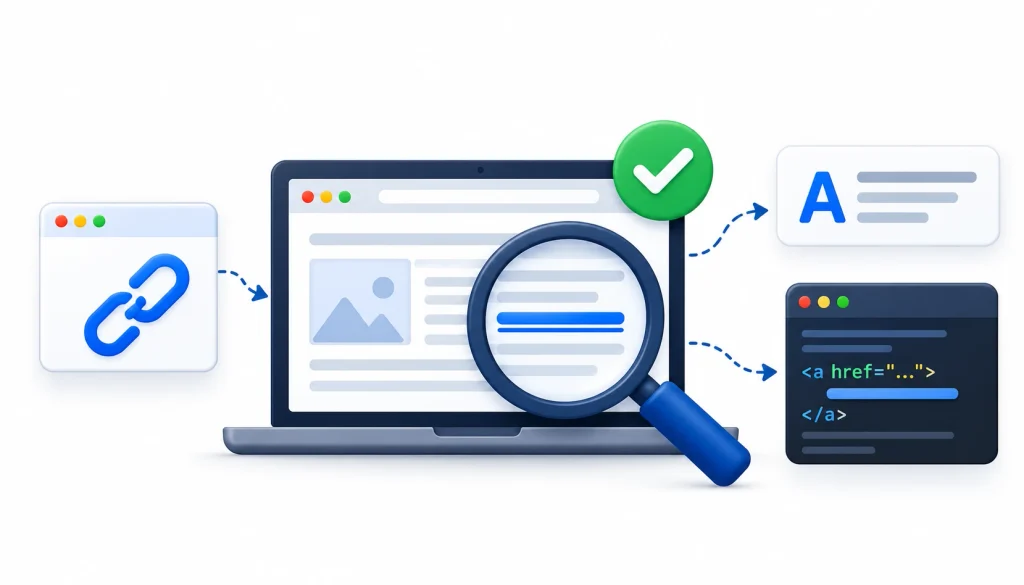
Open your best links in a browser. Confirm the link is present, the anchor text is correct, and the destination is right. Check the page’s source if the link seems hidden.
Step 4: Set up checks and alerts
Choose how often the tool checks and who receives alerts. For high-value links, use the fastest option available. For routine ones, a weekly or monthly check often works.
Step 5: Review changes
When an alert arrives, look at what changed before replying to anyone. Many alerts turn out to be stale data or a page that was briefly down.
Step 6: Fix confirmed problems
Fix what you control, such as a redirect on your own site. Contact publishers for confirmed removals that matter. Update your records either way.
Step 7: Report results
Summarize what you checked, what changed, and what you did. Keep it short. Clients care more about clear status than long data dumps. Backlink monitoring is one part of a complete link-building workflow. Combining prospect research, outreach, placement verification, and ongoing monitoring helps you manage campaigns more systematically.
Example: monitoring 200 acquired backlinks
The numbers below are illustrative, not research findings.
An agency tracks 200 links for one client. The monthly check flags six as missing. The specialist opens each page:
- Two links are still there, and the tool’s data was out of date.
- Two pages return 404 errors.
- One link was removed in an article edit.
- One link now points to an old URL that redirects to the homepage.
Only some of these need action. The two dead pages might be worth a polite note if the sites matter. The removed link gets an outreach email if the placement was strong. The redirect gets fixed on the agency’s side. Two alerts needed nothing at all.
Without verification, the agency would have sent six emails and looked careless on two of them.
How Often Should You Monitor Backlinks?
There is no single correct schedule. Use this as a starting point:
| Situation | Suggested approach |
| Small site, few links | Monthly review in Search Console, plus a quarterly manual check |
| Active link-building campaign | Automated checks with alerts, reviewed weekly |
| High-value editorial placements | Alerts on, with prompt manual checks of any change |
| Large agency portfolio | Central monitoring, with a regular report listing only exceptions |
Adjust based on how fast your links change, what each one is worth, and how much time you have.
What to Do When a Backlink Is Lost or Broken
Work through these checks in order. It saves you from chasing false alarms.
1. Confirm the link is actually missing
Open the source page and look for your link. View the page source or search for your domain. Check on both desktop and mobile if the layout differs.
2. Check the page’s HTTP status
If the page returns a 404, a 5xx error, or redirects elsewhere, the problem is the page, not just your link. See the list of HTTP status codes if you need a refresher on what each means.
3. Check the destination
If the link is there, click it. Make sure it lands on the page you intended and doesn’t pass through a bad redirect.
4. Check attributes
Look at the link’s HTML. See whether it now carries a nofollow, sponsored, or UGC attribute. Decide whether that matters for this placement.
5. Decide if it’s worth pursuing
Not every lost link deserves effort. A strong editorial link on a relevant site does. A throwaway directory listing probably doesn’t.
6. Contact the website owner
Keep the message short, specific, and friendly. Here’s a template you can adapt:
Subject: Quick question about a link on [page title]
Hi [Name],
I noticed that the link to [your page] in your article “[article title]” no longer appears. I wanted to check whether that was intentional.
If it was a mistake during an update, I’d appreciate it if you could restore it. The article is here: [URL].
Thanks for your time, and no worries if it was a deliberate change.
[Your name]
Don’t accuse. Editors remove links for plenty of normal reasons.
7. Record the outcome
Note the date, what you found, who you contacted, and the result. Over time, this log shows which publishers are reliable and which tend to change things.
For outreach etiquette and the occasional honest war story, practitioners trade experiences in communities like SEO on Reddit. Treat anything you read there as opinion, not evidence.
Common Link Monitoring Mistakes to Avoid
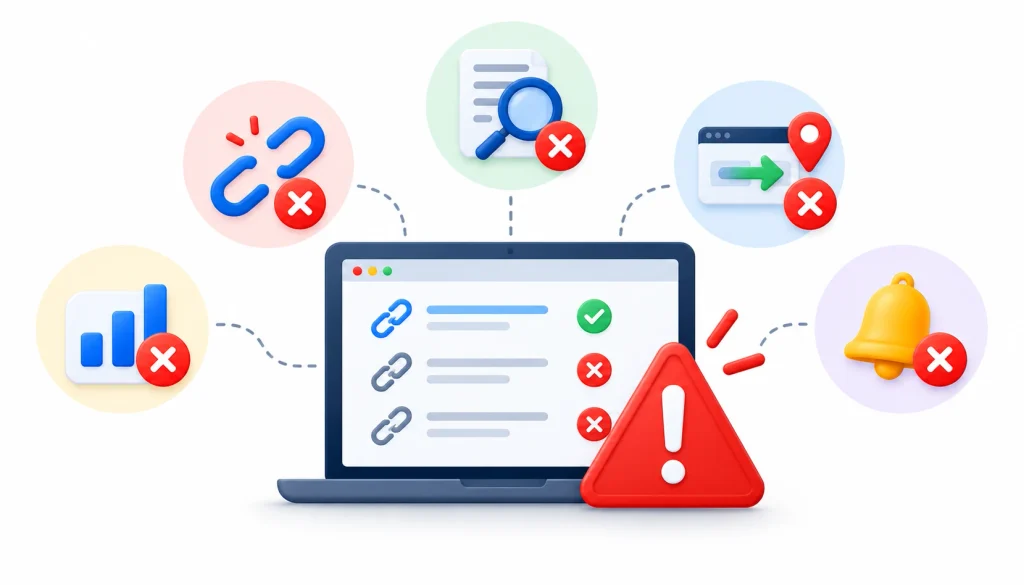
Relying on one tool. Each tool has its own crawler and schedule. Cross-check important findings against Search Console or a second source.
Treating every alert as confirmed. Verify by hand before you email anyone.
Ignoring destination changes. A live link to the wrong page earns you little.
Trusting authority scores too much. Domain Rating, Authority Score, and Domain Authority come from different vendors and use different methods. They are not interchangeable, and Google doesn’t use them.
Skipping context. A link inside a relevant, well-edited article differs from one buried in a sidebar. Look at where and how the link appears.
Disavowing in a hurry. Google’s disavow documentation describes it as an advanced tool to use with care. An alert from a monitoring tool is not a reason by itself to disavow.
Counting links instead of checking quality. Fifty links from one site tell you less than twenty links from relevant, separate sites.
Backlink Monitoring Metrics Explained
Total backlinks vs. referring domains. Total backlinks count every link. Referring domains count the unique sites those links come from. Fifty links from one site are not the same as fifty sites.
New and lost backlinks. Look at trends across weeks. A single week’s change usually tells you little.
Anchor text. These are the clickable words in a link. They give context and help you spot odd patterns, such as many links with the same exact phrase.
Link attributes. Follow, nofollow, sponsored, and UGC. Check the real HTML, because a tool’s label can lag behind a page update.
Linking-page status. Status codes such as 200, 301, and 404 show whether the source page works.
Referral traffic. Your analytics tool can show whether a link sends visitors. Some links carry authority but little traffic, and the reverse can also happen.
Third-party authority scores. Handy for quick comparisons inside one tool. Not Google ranking factors.
Glossary of Backlink Monitoring Terms
- Backlink: a link from another website to yours.
- Referring domain: a unique website that links to you.
- Anchor text: the visible, clickable words of a link.
- Nofollow, sponsored, UGC: link attributes that tell search engines how to treat a link.
- Redirect: an automatic send from one URL to another.
- Broken link: a link that leads to an error page.
- Link rot: the gradual loss of working links as pages change or disappear.
- Backlink index: the database a tool builds by crawling the web.
- Lost link: a link a tool previously saw but no longer finds.
Frequently Asked Questions About Link Monitoring Tools
What are link monitoring tools?
They are tools that track links over time and alert you to changes. In SEO, they monitor backlinks so you can spot new, lost, broken, or modified links.
What is the difference between a backlink checker and a backlink monitoring tool?
A checker gives you a snapshot of your links at one moment. A monitoring tool checks repeatedly and tells you what changed. Many platforms offer both.
Can I monitor backlinks for free?
Partly. Google Search Console is free and shows linking data, but it doesn’t alert you to individual changes. Free trials of paid tools can help on small projects.
What is the best link monitoring tool for SEO?
It depends on your needs. A freelancer, an agency, and a technical SEO will each pick differently. Test a few on the same set of known links.
How do I find lost backlinks?
Open the lost-links report in your tool, then check each source page by hand. Compare with Search Console when you can.
Final Verdict
The best link monitoring tools are those that match your link volume, budget, and reporting requirements. Freelancers may find that Google Search Console combined with an affordable monitoring tool meets their needs, while agencies may benefit more from multi-client dashboards and scheduled reports.
Technical SEO professionals may get better results by combining a website crawler with a backlink research platform.
Regardless of which tool you choose, maintain your own backlink inventory to verify reported changes, prioritize tools with reliable verification, alerts, and reporting features over lengthy feature lists, and manually check flagged links before taking action.
As a practical next step, select 20 existing backlinks, add them to a free trial of your preferred tool, and evaluate whether it detects the changes you expect. This hands-on test can provide more useful insights into a tool’s suitability than a comparison article alone.