Tech FeedBuzzard is the name people search for when they mean TechFeedBuzzard.com, a WordPress-based content website publishing articles on technology, social media, mobile phones, education, and SEO topics.
The name causes confusion because a second, unrelated domain, FeedBuzzard.com, covers similar ground and even publishes its own posts about “Tech FeedBuzzard.” Several third-party recap articles have blended the two into one description that matches neither site exactly.
This guide is built from a direct look at both websites: their menus, categories, published posts, and listed policy pages, rather than from repeating what other roundup articles already say about them.
Throughout, a distinction is kept between what is currently visible on the live site and what outside articles claim about it. Where a claim could not be checked against the site itself, that is stated plainly instead of presented as fact.
What Is Tech FeedBuzzard?

Tech FeedBuzzard refers to TechFeedBuzzard.com, a blog-style website organized into categories such as Tech, Social Media, Mobile, Education, How To, Games, AI, and SEO. Readers currently find dated articles, an author byline on each post, a search bar, and a category menu – the structure of a standard content site rather than a feed-reading tool.
The website versus platform distinction matters here: TechFeedBuzzard.com is a publishing website you browse or search, not a downloadable platform with an account, login, or personalization layer. As of the current 2026 site, no such account system is visible.
What Tech FeedBuzzard Is
An information and publishing website. Articles are organized under a standard WordPress category and menu structure, with posts dated and attributed to named authors.
A source of technology and digital content. Coverage spans consumer tech, mobile devices, and social media platforms, alongside SEO and general digital topics.
A collection of guides and explainers. Much of the published content answers specific questions — what a term means, how to change a setting, which spelling is correct — rather than reporting breaking news.
What Tech FeedBuzzard Is Not
- Not automatically an app. There is no app download link on the site; it is a browser-based website.
- Not automatically an RSS reader. The site does not offer a feed subscription or feed-reading interface for other publishers’ content.
- Not necessarily a personalized feed platform. No login, profile, or customized content feed is visible on the current site.
- Not a replacement for primary documentation. Guides on phone settings or platform features are secondary explanations, not the manufacturer’s or platform’s own documentation.
TechFeedBuzzard.com vs FeedBuzzard.com
Why the Names Cause Confusion
Both domains use the word “FeedBuzzard,” both publish technology content, and FeedBuzzard.com has even run its own article about “Tech Feedbuzzard,” which reads as a description of the other site. Search results mix the two together, and several secondary articles describe them as if they were one platform.
TechFeedBuzzard.com
Categories: Tech, Social Media (with Facebook, Instagram, TikTok, and WhatsApp as subcategories), Education, How To, Games, Mobile (with OPPO, Infinix, iPhone, and Vivo subcategories), Word List, AI, and SEO.
Content type: short-to-medium explainer and how-to articles — spelling comparisons, social media terminology, Facebook Marketplace guidance, and phone-brand coverage.
Audience: general readers looking for plain-language answers to everyday tech and social media questions, rather than developers or industry analysts.
Site structure: a standard WordPress blog layout with a top navigation menu, a paginated homepage feed, a search bar, and footer links to About Us, Privacy Policy, Contact Us, and a DMCA/Copyrights page.
FeedBuzzard.com
A separate domain running on a different WordPress theme (JNews), with its own navigation and branding.
Categories: Tech, World Tech, and Wearable Tech – a narrower set than TechFeedBuzzard.com’s menu.
Publishing structure: a magazine-style layout built around the JNews theme, with its own About Us and Contact pages rather than shared ownership pages with TechFeedBuzzard.com.
Quick Comparison Table
| Factor | TechFeedBuzzard.com | FeedBuzzard.com |
| Domain | TechFeedBuzzard.com | FeedBuzzard.com |
| Type | Information/blog site | Separate publication |
| Tech content | Yes | Yes |
| Social media content | Prominent (Facebook, Instagram, TikTok, WhatsApp) | Not a dedicated category |
| Wearable tech | Not a dedicated category | Dedicated “Wearable Tech” category |
| Same website? | No | No |
What Does Tech FeedBuzzard Cover?
Technology
General consumer technology explainers under the Tech category, covering software, apps, and everyday digital tools in plain language.
Social Media
A dedicated Social Media section with subcategories for Facebook, Instagram, TikTok, and WhatsApp, including terminology guides (such as marketplace abbreviations) and settings walkthroughs.
Mobile & Smartphones
A Mobile category with brand subcategories for OPPO, Infinix, iPhone, and Vivo.
AI
An AI category exists in the site menu, covering artificial intelligence topics at an introductory level.
SEO & Digital Topics
An SEO category sits alongside the tech and social sections, aimed at readers learning digital marketing basics rather than practitioners.
Gaming
A Games category covers gaming-related posts, positioned as general-interest content rather than deep reviews or esports coverage.
Education and How-To Content
Separate Education and How To categories house instructional posts, including a Word List section with letter-based word guides used for games like Wordle and crosswords.
Other General Information
Additional listed categories include Amazon, Amazon FBA, Grammarly, Crossword, Programming Language, Review, Snapchat, Software, Twitter, Typing Master, and Windows, reflecting a broad rather than narrow topic spread.
How Does Tech FeedBuzzard Work?
1. Choose a Topic
Start from one of the menu categories — Tech, Social Media, Mobile, Education, AI, or SEO – based on what you’re trying to learn.
2. Browse Categories
Each category page lists its own articles, and subcategories (like specific phone brands or social platforms) narrow the results further.
3. Search for a Specific Question
The site search bar is the faster route for a specific question, such as a setting name or a term you don’t recognize.
4. Open and Read the Article
Articles are written as direct answers, often with a short summary near the top followed by the fuller explanation.
5. Check the Date and Author
Each post lists a publish date and an author name (Hassan Mian and Muhammad Usama appear across multiple posts). Checking the date matters most for anything tied to a changing app interface or a current price.
6. Verify Important Information
For anything with real consequences – a security setting, a purchase, a legal question – treat the article as a starting explanation and confirm the specifics with the platform or manufacturer directly.
Is Tech FeedBuzzard an RSS Reader or News Aggregator?
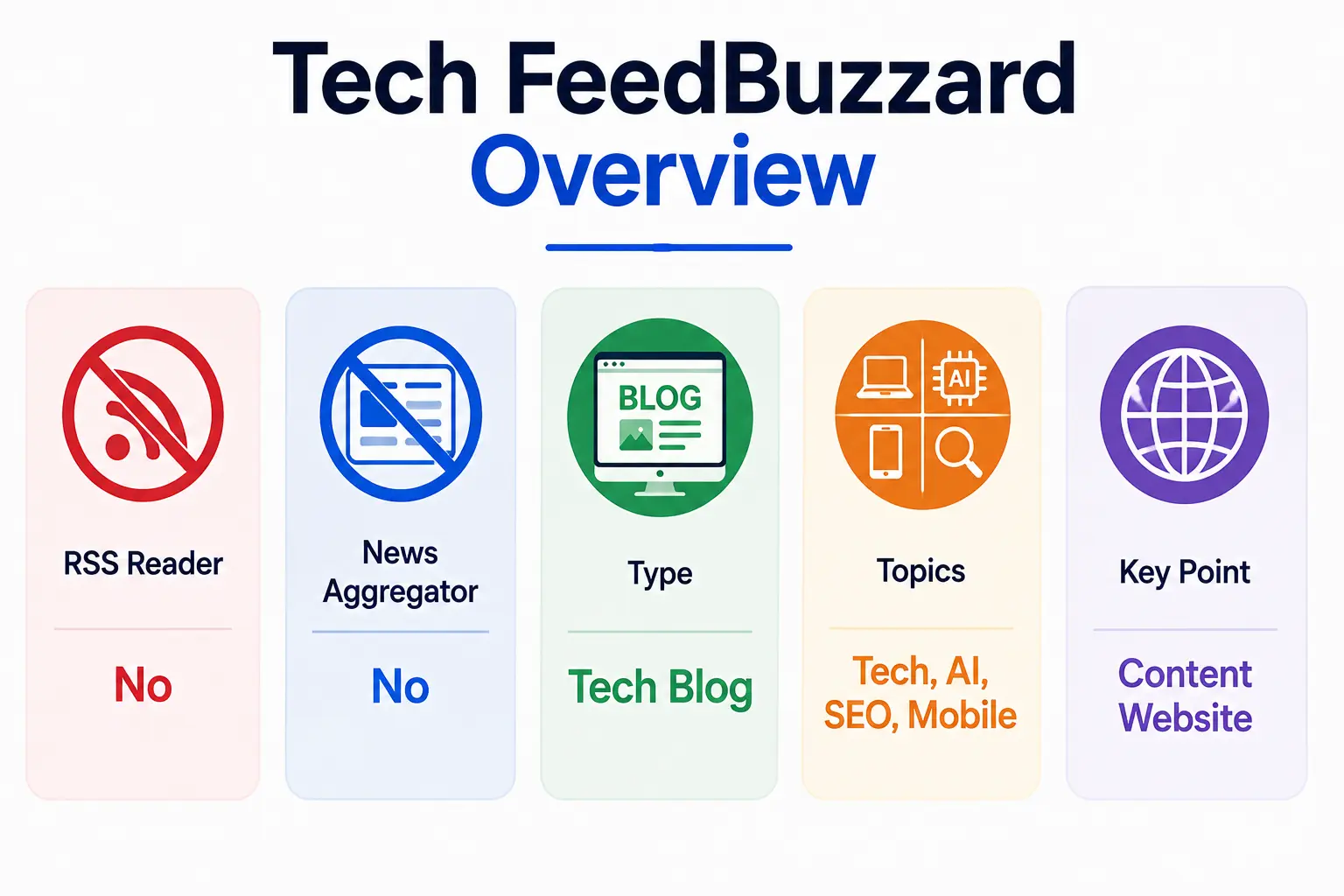
This distinction matters because some secondary articles describe Tech FeedBuzzard in aggregator or feed-reader terms that don’t match what the live site actually shows.
What an RSS Reader Actually Does
An RSS reader subscribes to feeds from multiple publishers and displays their headlines and updates in one interface, usually with a subscription list the user manages.
What a News Aggregator Does
A news aggregator pulls stories from many outside sources and republishes or links to them, often automatically, to give a combined view of coverage on a topic.
What Is Currently Visible on TechFeedBuzzard.com?
The current site shows original-looking posts, credited to named in-house authors, organized by category — not a subscription list, not a feed of external headlines, and no visible aggregation of other outlets’ articles.
Why Third-Party Descriptions Can Be Misleading
Several unrelated SEO articles describe “Tech FeedBuzzard” as a hub that aggregates articles from various sources or presents content like a flipbook newsletter. None of that language matches the category-and-post structure visible on TechFeedBuzzard.com itself, which suggests those descriptions were written about the concept of a feed-buzzard-style platform rather than from an actual visit to the site.
What Has and Has Not Been Verified
| Claim | Status |
| Site publishes categorized blog articles | Verified — visible on the live site |
| Articles carry author names and dates | Verified — visible on post listings |
| Site functions as an RSS feed reader | Not verified — no feed subscription feature visible |
| Site aggregates articles from other outlets | Not verified — posts appear to be original site content |
| Site offers personalized/logged-in feeds | Not verified — no account or login system visible |
Tech FeedBuzzard Features
Category-Based Navigation
A top menu organizes content into Tech, Social Media, Education, How To, Games, Mobile, Word List, AI, and SEO, with several of those split further into subcategories.
Search
A search bar sits in the sidebar for finding a specific article by keyword rather than browsing category by category.
Recent Articles
The homepage and sidebar list recent posts, which is useful for checking whether a topic has a newer article than the one you found through a search engine.
Author and Publication Information
Posts list an author name and publish date; named contributors seen across articles include Hassan Mian and Muhammad Usama.
How-To Content
A dedicated How To category, plus instructional posts scattered through Facebook and Mobile sections, cover step-by-step tasks like changing a page URL or turning off a notification setting.
Broad Topic Coverage
The category list extends well beyond core tech — Amazon selling, Grammarly usage, crossword and word-game help, and typing practice all sit under the same site.
Personalized Feeds – What Is Actually Confirmed?
Nothing on the current site confirms personalized feeds. There is no visible login, account creation, or feed customization option, so any claim of a personalized experience should be treated as unverified until the site itself shows one.
Who Is Tech FeedBuzzard Best For?
Beginners
The plain-language explainer format suits readers who want a term or setting defined without prior technical background.
Everyday Technology Users
People troubleshooting a phone setting or an app feature can find a direct, short answer without wading through a full support site.
Students
The Education category and word-list tools (letter-based word lists, crossword help) fit casual study and word-game use.
Social Media Users
The Facebook, Instagram, TikTok, and WhatsApp subcategories target people managing a personal or small business social presence.
Smartphone Users
Brand-specific Mobile subcategories (OPPO, Infinix, iPhone, Vivo) suit readers comparing or troubleshooting a specific phone.
AI and SEO Learners
The AI and SEO categories work as an entry point for readers new to those subjects, not as a professional reference.
Who Should Look Elsewhere?
- Developers needing technical specifications or API documentation.
- Security professionals needing vetted advisories rather than general explainers.
- Researchers who need citable, primary-source data.
- Users needing authoritative technical documentation straight from a manufacturer or platform.
Is Tech FeedBuzzard Useful?
Main Advantages
- Accessible language aimed at non-technical readers.
- Broad coverage across tech, social media, mobile, education, and SEO in one place.
- Practical, task-focused guides rather than abstract overviews.
- Easy browsing through a conventional category and search structure.
- Current publishing activity, with posts dated as recently as August 2026 at the time of this review.
Main Limitations
- Broad rather than specialist — no single category gets deep, expert-level treatment.
- Some topics, especially app settings and interface steps, can go out of date as platforms update their own layouts.
- Limited organizational transparency — the About page describes a team without naming individuals beyond post bylines.
- Primary-source verification may still be necessary for anything with real stakes.
Is Tech FeedBuzzard Legit and Safe?
Signs That the Website Is Active
Posts dated through August 2026, a functioning menu and search bar, and multiple named authors all point to an actively maintained site rather than an abandoned or placeholder domain.
What Transparency Information Is Available?
The site lists About Us, Privacy Policy, Contact Us, and DMCA/Copyrights pages. The About Us page describes a team of writers and researchers without listing individual names beyond the bylines that appear on articles.
What We Could Verify
- The site exists, is reachable, and publishes dated articles.
- Its category structure and menu, as listed above.
- Named bylines on individual articles.
- The presence of standard policy pages (About, Privacy, Contact, DMCA).
What We Could Not Independently Verify
- The credentials or backgrounds of the writing team beyond the names shown on posts.
- Internal editorial or fact-checking processes.
- Company ownership, registration, or business structure behind the domain.
- Self-descriptions on the About page, such as being staffed by “experts from different sectors of technology.”
How to Use the Website Safely
- Check the URL to be sure you’re on TechFeedBuzzard.com and not a look-alike or unrelated FeedBuzzard.com page.
- Check the publish date before following any interface-specific instructions.
- Don’t blindly follow outdated instructions if a platform’s own interface no longer matches the steps described.
- Verify any security-related advice against the platform’s own help center or a security vendor before acting on it.
- Avoid entering account credentials through any link that isn’t the platform’s own official site or app, regardless of where the link was shared.
How Reliable Is Tech FeedBuzzard?
Content Accuracy vs Website Legitimacy
A website being real, active, and reachable is a separate question from whether every claim inside its articles is accurate. TechFeedBuzzard.com passes the first test; individual articles still need their own check.
Why Being a Real Website Does Not Mean Every Claim Is Authoritative
General-interest blogs like this one summarize and simplify. Simplification can drop nuance or fall behind a platform’s own recent changes, even when the site itself is legitimate and actively maintained.
When You Should Verify Information
| Topic | Recommended Verification |
| Phone specifications | Manufacturer’s official site |
| Social-media settings | Platform’s own help center |
| Cybersecurity | Security vendor or official advisory |
| Software features | Developer documentation |
| Prices | Manufacturer or retailer listing |
| Legal information | Official government source |
Tech FeedBuzzard vs Other Ways to Follow Technology News

Tech FeedBuzzard vs Google News
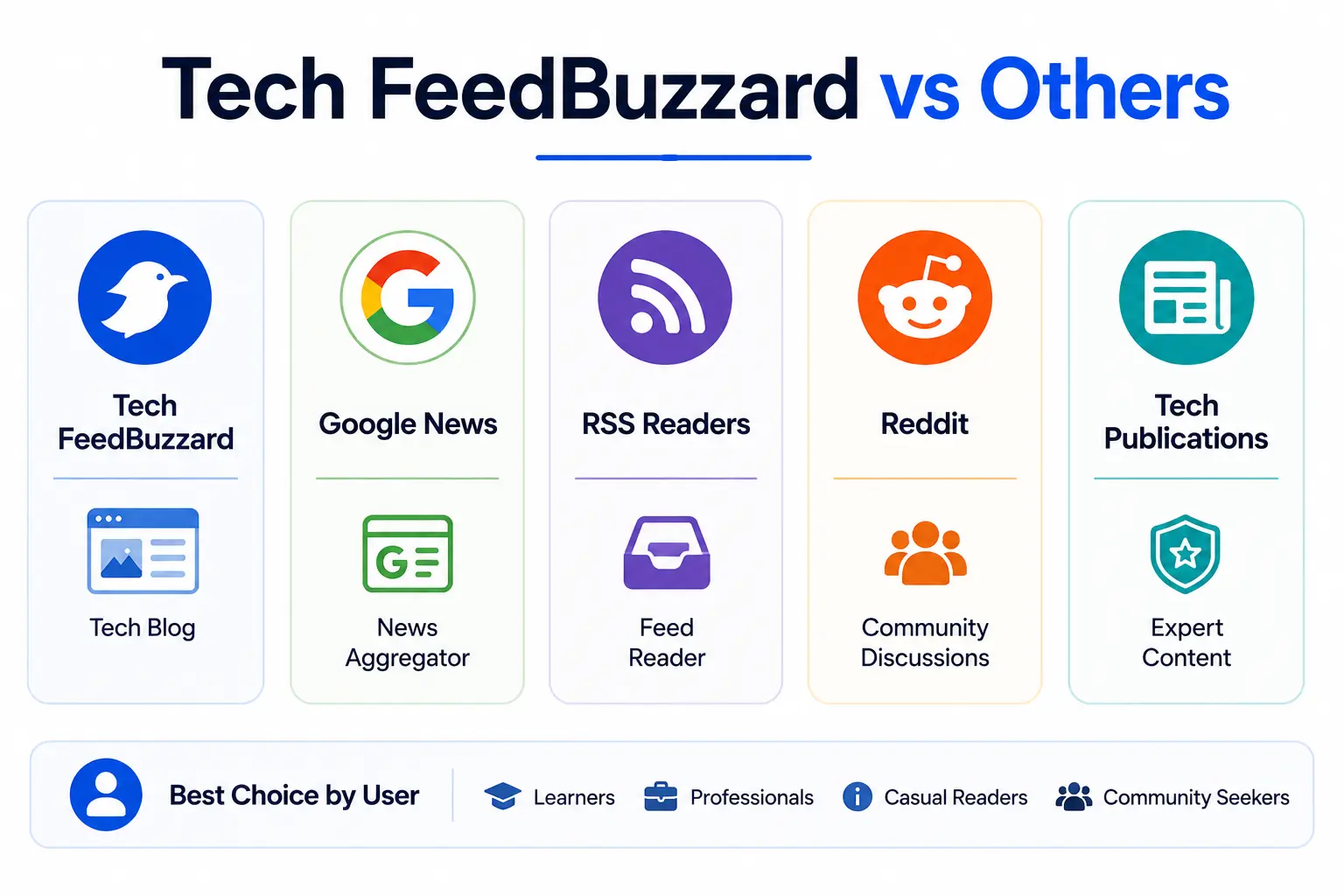
Google News aggregates from thousands of outlets in real time; Tech FeedBuzzard publishes its own explainer-style posts on a slower, less news-driven schedule.
Tech FeedBuzzard vs RSS Readers
An RSS reader lets you subscribe to and combine feeds from sources you choose. Tech FeedBuzzard is one of those sources you could read, not a tool for managing feeds from others.
Tech FeedBuzzard vs Reddit
Reddit surfaces community discussion and firsthand user reports; Tech FeedBuzzard offers single-author articles without a comment-driven discussion layer.
Tech FeedBuzzard vs Specialist Tech Publications
Specialist outlets employ dedicated beat reporters and often cite primary sources directly. Tech FeedBuzzard’s category spread — from Amazon FBA to crossword help — points to a general-interest blog rather than a specialist newsroom.
Which Option Is Best for Different Users?
Casual readers who want a quick, plain-language answer are well served by Tech FeedBuzzard. Readers who need breaking news, community debate, or specialist depth are better served by Google News, Reddit, or a dedicated tech publication respectively.
How to Get the Most Value From Tech FeedBuzzard
- Search instead of browsing randomly — the search bar gets you to a specific answer faster than paging through category listings.
- Check publication dates before relying on any interface-specific instructions.
- Read the full context of an article rather than skimming a headline that may oversimplify the answer.
- Verify important claims — pricing, security steps, legal information — against a primary source.
- Follow primary sources for anything with real financial, legal, or security consequences.
- Don’t confuse similar domains — confirm you’re reading TechFeedBuzzard.com if that’s the site you intended, since FeedBuzzard.com is a separate publication.
Common Mistakes to Avoid
Assuming Every FeedBuzzard Domain Is the Same
TechFeedBuzzard.com and FeedBuzzard.com are separate sites with different categories and different publishing structures, despite the shared name.
Assuming “Tech” Means Specialist Reporting
The category list — spanning crossword help, Amazon FBA, and typing practice alongside tech topics — points to a general-interest blog rather than a specialist technology newsroom.
Trusting Old Tutorials
App interfaces change. A how-to guide from a past year may no longer match the current menu layout on the platform it describes.
Treating Third-Party Claims as Official Features
Secondary articles describing Tech FeedBuzzard as an aggregator or personalized platform are not confirmed by anything visible on the site itself and shouldn’t be treated as fact.
Using a General Blog for High-Stakes Decisions
A general explainer site is a reasonable starting point, not a sufficient basis on its own for a security, legal, or purchasing decision.
Tech FeedBuzzard Pros and Cons
| Pros | Cons |
| Beginner-friendly | Broad rather than specialist |
| Wide topic coverage | Some information can age quickly |
| Searchable content | Not every claim is primary-source verified |
| Practical guides | Limited organizational transparency |
| Easy to browse | Similar domains can cause confusion |
Frequently Asked Questions About Tech FeedBuzzard
What is Tech FeedBuzzard?
Tech FeedBuzzard is the common name for TechFeedBuzzard.com, a blog-style website publishing explainer and how-to articles on technology, social media, mobile devices, education, and SEO.
Is Tech FeedBuzzard a website or an app?
It is a website. No app download is listed on the current site.
Is Tech FeedBuzzard free?
Yes. Articles are readable without a paywall or account on the current site.
Is Tech FeedBuzzard legitimate?
The site is active, publishes dated articles with named authors, and lists standard policy pages. Its editorial credentials and ownership details beyond that could not be independently confirmed.
Is Tech FeedBuzzard safe?
Browsing the site carries the same general precautions as any content website: check the URL, avoid entering credentials through unfamiliar links, and verify security-specific advice against an official source.
Is Tech FeedBuzzard an RSS reader?
No. The current site shows original-looking, author-credited articles rather than a subscribed feed of other outlets’ headlines.
Does Tech FeedBuzzard have personalized feeds?
This is not confirmed. No login or account-based personalization is visible on the current site.
What topics does Tech FeedBuzzard cover?
Technology, social media (Facebook, Instagram, TikTok, WhatsApp), mobile phones (OPPO, Infinix, iPhone, Vivo), education, gaming, AI, SEO, and several smaller categories such as Amazon and Grammarly.
Is TechFeedBuzzard.com the same as FeedBuzzard.com?
No. They are separate domains with different categories, different site themes, and their own policy pages.
Can beginners use Tech FeedBuzzard?
Yes — the plain-language, question-and-answer article format is built for readers without a technical background.
Can Tech FeedBuzzard replace Google News?
No. Google News aggregates real-time coverage from thousands of outlets; Tech FeedBuzzard publishes its own slower-paced explainer content.
Should I trust every Tech FeedBuzzard article?
Treat each article as a starting explanation. For anything with financial, legal, or security consequences, confirm the details against the relevant primary source.
Conclusion
Useful for: general information, beginner-level explanations, and everyday digital questions about phones, apps, and social media settings.
Less suitable for: specialist technical research, high-stakes decisions, and anything that needs authoritative, primary-source documentation.