If you’ve spent any time in an SEO Slack channel or on r/SEO, you’ve probably seen the same debate resurface every few months: Majestic vs Ahrefs, and which one actually deserves a line item in your budget. Both tools built their reputation on backlink data, but they’ve grown into very different products. Ahrefs is now a full SEO suite with keyword research, site audits, and content tools bolted on. Majestic stayed narrow and doubled down on being the most detailed link intelligence tool on the market.
I’ve used both tools across agency and in-house work, and the honest answer is: it depends on what you’re actually trying to do. This guide breaks down the real differences in data, pricing, workflows, and who each tool is built for so you can make the call without burning a trial period figuring it out yourself.
Ahrefs or Majestic?
If you only read one section, read this one.
- Best overall: Ahrefs. It covers backlinks, keywords, content, rank tracking, and site audits in one login.
- Best for backlinks specifically: Majestic. Its Historic Index and Trust Flow/Citation Flow model are still some of the most granular link-quality signals available.
- Best for agencies: Ahrefs, mainly because of white-label reporting and the breadth of client-facing deliverables.
- Best for beginners: Ahrefs, because the interface guides you toward action instead of just showing raw numbers.
- Best value: Majestic, if backlinks are genuinely your only need you’ll pay far less for depth in that one area.
Ahrefs vs Majestic at a Glance
Comparison table
| Feature | Ahrefs | Majestic |
| Database | Broad SEO database (backlinks, keywords, organic search, paid search) | Backlink-only database, split into Fresh and Historic Index |
| Keyword research | Full Keywords Explorer with volume, difficulty, and clicks data | Not offered |
| Backlink analysis | Deep, near real-time (15–30 minute refresh reported by users) | Deepest historical link archive of the two, dating back to 2006 |
| Pricing | $29–$1,499+/month across five tiers | $49.99–$399.99/month across three tiers |
| Reporting | Built-in Report Builder with white-label options | Custom reports and shareable campaigns, backlink-focused only |
| API | Included from Lite plan up, full access on Enterprise | Separate API-tier plan required |
| Ease of use | Beginner-friendly, guided workflows | Steeper learning curve, more raw data |
What is Ahrefs?
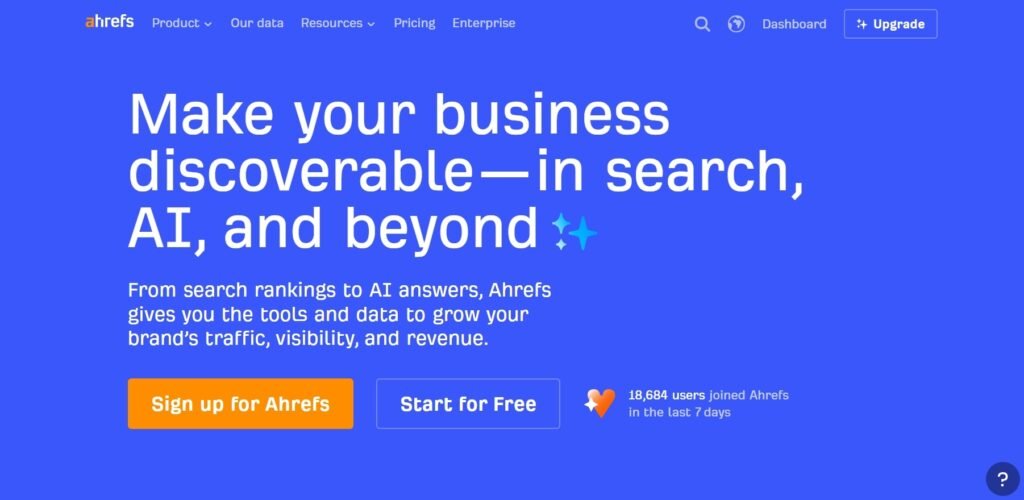
Ahrefs started as a backlink checker back in 2010 and grew into one of the most complete SEO platforms on the market. Today it’s used for keyword research, competitor analysis, technical audits, content planning, and rank tracking, in addition to backlink data. Wikipedia’s overview of search engine optimization tools gives useful background on why platforms like this became central to modern marketing teams.
Core features
Ahrefs’ main modules are Site Explorer, Keywords Explorer, Content Explorer, Site Audit, and Rank Tracker. Each one pulls from the same underlying crawl data, so you can move from “which pages rank for this keyword” to “who links to those pages” without switching tools.
Strengths
Ahrefs’ biggest strength is breadth combined with data quality. You get keyword data, backlink data, and technical audit data from a single crawler, which saves a lot of tab-switching during research.
The interface is also genuinely easier to learn than most competitors. Metrics like Domain Rating (DR) and URL Rating (UR) are explained in plain language right where you see them.
Weaknesses
Cost is the most common complaint. Pricing jumped several times in the past two years, and add-ons like Content Kit, Report Builder, and Project Boost can push a “Standard” subscription well past its sticker price.
The other weakness is depth on pure backlink history. Ahrefs refreshes fast, but Majestic’s historic archive still goes back further for tracing very old link patterns.
What is Majestic?
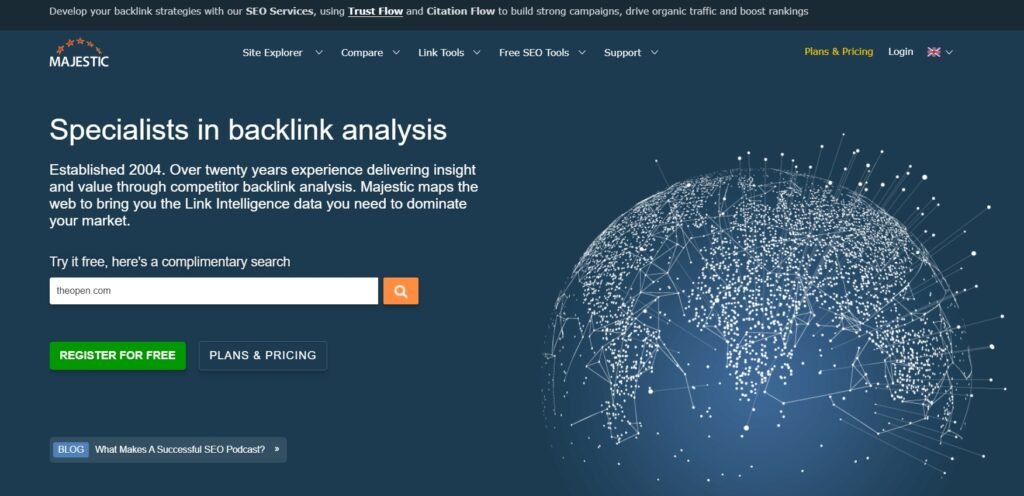
Majestic, which used to be called Majestic SEO, has been really good at understanding links since 2006. It has always focused on this one thing. Never tried to do anything else. Majestic does not do research on keywords. Check websites for technical problems. What Majestic does is work with backlinks. It tries to be the best at it. Majestic is about backlinks and it wants to be better at it, than anyone else.
Core features
Majestic has two indexes. These are the Fresh Index and the Historic Index. The Fresh Index is like a list that gets updated all the time with new links. The Historic Index is like a library that stores links from 2006 until now.
The Fresh Index and the Historic Index are the center of Majestic. Around the Fresh Index and the Historic Index you will find tools, like Site Explorer and Clique Hunter and Search Explorer. The Fresh Index and the Historic Index also work with metrics called Trust Flow and Citation Flow that Majestic made.
Strengths
Majestics link archive is really huge. It has complete information going back a long time for many websites. Ahrefs does not show this history.
If you are doing a link audit to see a website’s history over 10 years Majestic is usually a choice.
Trust Flow and Citation Flow give a view compared to Domain Rating.
Trust Flow tries to check link quality based on how close it’s, to trusted sites. It does not just look at how links there are. Many people who build links still find this useful to check if a website is good or not.
Weaknesses
The big problem with Majestic is that it does not do keyword research or track rankings or check sites. You will need to use another tool for anything that’s not about links and this will cost more money and make your work more difficult.
The way Majestic looks is also very old. It has a lot of information. It is not as easy to use as Ahrefs so people who are new to SEO need a lot of time to get used to Majestic.
Feature-by-Feature Comparison
1. Backlink database
Both Ahrefs and Majestic crawl the web on their own. Keep their own lists of links so the numbers from Ahrefs and Majestic will never be exactly the same. That is normal. This is true of every backlink checker that’s available. So if you offer a white label link building services, like LinkBuildingServices.io, these two will be very handy. In general Ahrefs tends to show Ahrefs links that were found recently faster while Majestic often shows a list of older links that are no longer shown on Ahrefs.
2. Fresh Index vs Historic Index
Majestic makes a decision about how it works. The Fresh Index is like a window that shows what has been happening with links over the ninety days. It gets updated all the time. On the other hand the Historic Index is like a big library that has everything Majestic has found since 2006. Ahrefs does things differently. It has one database that is always being updated.. If you want to look at what happened a long time ago you can see that in the reports. Majestic and its indexes are really important to understand this. The way Majestic works with its Fresh Index and Historic Index is unique.
3. Keyword research
This one is not even close. Ahrefs Keywords Explorer provides search volume, keyword difficulty click data and SERP overviews, for any market that Ahrefs crawls. Majestic does not have a keyword research module. So if you need that Majestic cannot be the tool you use.
4. Site Explorer
Both tools have a Site Explorer feature. This causes some confusion.. They do different things.
Ahrefs Site Explorer shows keywords, traffic estimates and backlinks all, in one place.
Majestics Site Explorer only shows backlink data. It breaks this data down into Fresh Index and Historic Index.
5. Competitor analysis
Ahrefs is a tool that helps you see how your website is doing compared to others. You can look at the keywords, content gaps and backlink profiles of your competitors all at the same time.
Majestic is another tool that does something but it focuses more on the links between websites.
Clique Hunter is a tool that finds websites that link to your competitors but not to your website. For example it can find domains that link to several of your competitors but not to you. This can be useful information to have when you are trying to figure out why your competitors are doing better than you in search results.
6. Content research
Ahrefs has this thing called Content Explorer. It helps you find the content about a particular topic. You can see how many words are in each piece of content, how many times it has been shared on social media and how many other websites are linking to it. Majestic does not have anything like this. It is not meant for researching content at all. Ahrefs Content Explorer is really useful, for finding performing content by topic.
7. Rank tracking
Ahrefs has a rank tracker that updates every day. It also shows how your website ranks on desktop devices.. It tracks features in search results.
Majestic does not have a rank tracker.
If you only use Majestic you need to use another tool to track your rankings.
8. Technical SEO
Ahrefs has a cool tool called Site Audit. It checks for lots of problems with my website like broken links and things that make it hard for search engines to look at my site. Ahrefs Site Audit looks for more than 170 different issues. On the other hand , Majestic does not have a site audit tool at all. Majestic only gives me information about links. Ahrefs Site Audit is very helpful because it checks for both, on-page and technical issues.
9. Anchor text analysis
Both tools show the anchor text distribution for a domain’s backlink profile and the anchor text distribution is important for finding the risk of over-optimization.
Majestics anchor text reports give information because they use the Historic Index and the Fresh Index. This means Majestics anchor text reports go back further in time. The anchor text distribution is what matters for spotting the over-optimization risk of a domain’s backlink profile.
10. Link Context
Majestic’s Link Context feature shows where in a page’s HTML a link sits in the body content, navigation, footer, or sidebar which helps judge how “editorial” a link really is. Ahrefs shows link placement too, but Majestic’s version is more granular for this specific use case.
11. Trust Flow vs Domain Rating
Trust Flow (Majestic) and Domain Rating (Ahrefs) both try to answer “how much authority does this domain carry,” but they’re built differently. Domain Rating is a 0–100 scale based on the quantity and quality of unique referring domains; Trust Flow is based on link proximity to a curated set of trusted seed sites. Neither is objectively “correct”; they’re different models, and experienced link builders often check both before deciding a site is worth pursuing.
12. Citation Flow vs URL Rating
Citation Flow (Majestic) measures raw link influence without adjusting much for trust, similar in spirit to how Ahrefs’ URL Rating measures a single page’s link strength rather than the whole domain’s. The useful trick with Majestic specifically is comparing Trust Flow to Citation Flow: a big gap between the two (high CF, low TF) is often a red flag for spammy link networks.
13. Reporting
Ahrefs’ Report Builder lets you assemble white-label dashboards pulling from any of its modules keywords, backlinks, audits, rankings in one place. Majestic’s reporting is backlink-focused only, though it does support shareable campaigns for client delivery.
14. API
Ahrefs gives you access to its API if you have the Lite plan or anything higher than that. The more you pay the more you can use the Ahrefs API. On the other hand Majestic only lets you use its API if you pay for a special API plan. This Majestic API plan is actually more expensive than the Lite and Pro plans put together for Majestic.
15. Integrations
Ahrefs works with Google Search Console and Google Analytics. It also works with Looker Studio.. It is starting to work with artificial intelligence assistants like Claude and ChatGPT.
Majestic does not have many integrations. It mostly has browser extensions and spreadsheet add-ons. These add-ons help people pull Trust Flow and Citation Flow data into Sheets. Ahrefs has more integrations than Majestic. Ahrefs integrates with tools. Majestic integrates with tools.
Real SEO Workflow Comparison

1. Finding backlink opportunities
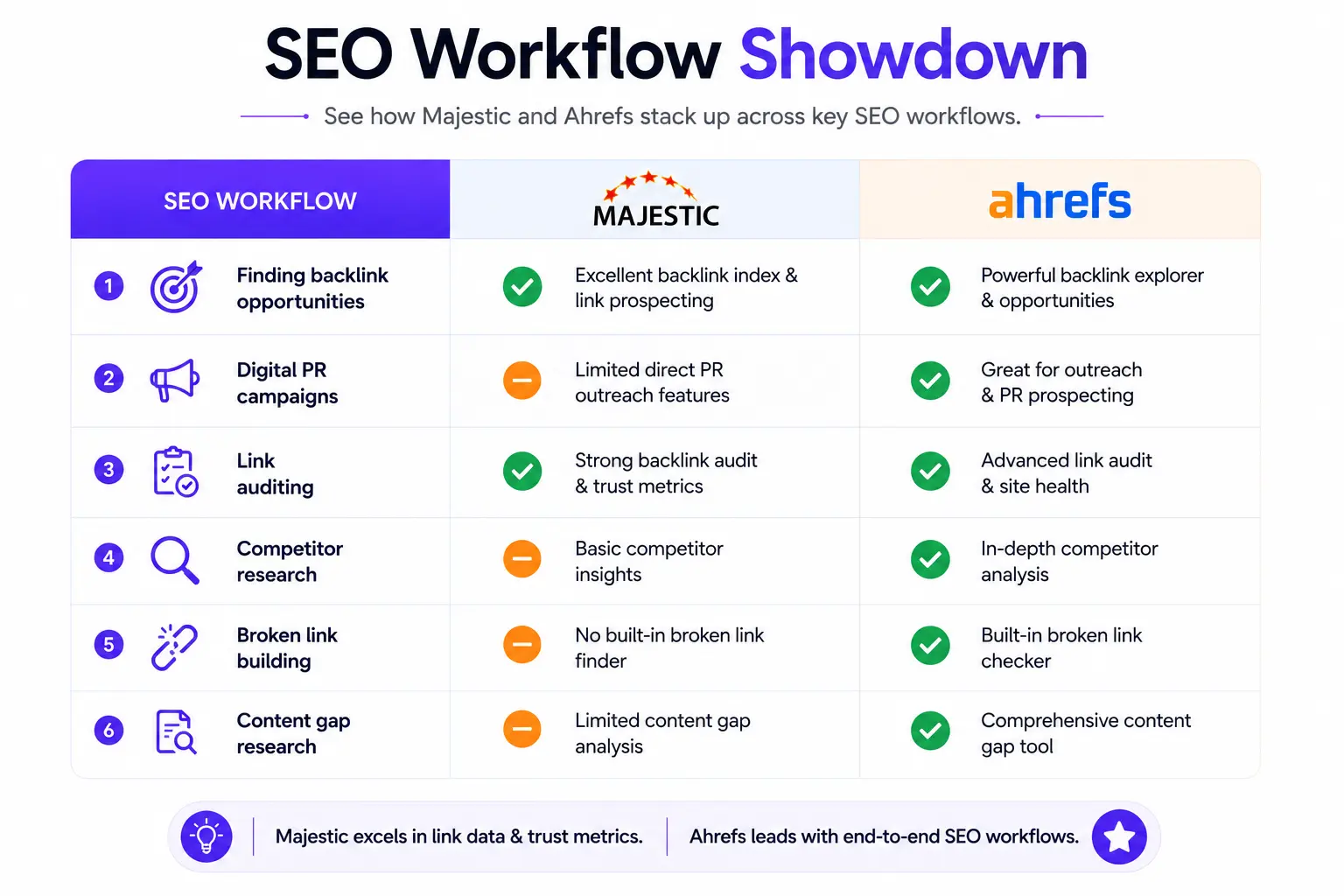
In Ahrefs, you’d typically start from Content Gap or Link Intersect to find domains linking to competitors but not you. In Majestic, you’d lean on Clique Hunter for the same job, then cross-check candidates against Trust Flow to filter out low-quality prospects.
2. Digital PR campaigns
Digital PR teams generally want to know which outlets actually pick up stories and how fast those links show up in an index. Ahrefs’ faster refresh rate is genuinely useful here, since you can confirm a placement went live within hours rather than days.
3. Link auditing
For a full link audit, especially one covering years of link history for a disavow file or a penalty recovery, Majestic’s Historic Index is hard to beat. Many auditors export from both tools and merge the data to catch links either platform missed on its own.
4. Competitor research
Ahrefs wins here simply because it shows organic traffic and keyword overlap alongside backlinks, giving a fuller competitive picture in one screen. Majestic will tell you who links to a competitor, but not what keywords that competitor actually ranks for.
5. Broken link building
This workflow needs both a way to find broken pages with existing links (Ahrefs’ Broken Link Checker report handles this well) and a way to see who’s still linking to that dead page (either tool works, though Majestic’s historic data can surface older broken links that Ahrefs has already dropped).
6. Content gap research
Ahrefs’ Content Gap tool is purpose-built for this: it shows keywords several competitors rank for that your site doesn’t. Majestic has no direct equivalent since it doesn’t index keyword rankings at all.
Database Accuracy Test
No two backlink tools will ever report identical numbers, because each one crawls the web with its own bots on its own schedule. That said, here’s a general pattern that shows up consistently across informal comparisons SEOs share on forums and in LinkedIn SEO groups.
1. Same domain comparison
Run the same domain through both tools and you’ll typically see different totals for referring domains and backlinks sometimes by a wide margin. Neither number is “wrong”; they simply reflect different crawl footprints and refresh cadences.
2. Backlinks found
Ahrefs tends to report a larger total backlink count on actively-linked-to domains, largely because of its faster crawl refresh. Majestic often surfaces more backlinks on older or less frequently updated domains, thanks to its Historic Index.
3. Referring domains
Referring domain counts (unique linking sites, as opposed to raw backlink counts) usually track closer between the two tools than total backlink numbers do. This metric matters more for judging authority anyway, since a hundred links from one spammy site count for far less than links from a hundred separate reputable ones.
4. Lost links
Ahrefs’ near real-time crawl makes it quicker to flag when a link disappears, which matters if you’re monitoring for negative SEO or link removal after a disavow request. Majestic can also show lost links, but expect a bit more lag before it registers the change.
5. Anchor quality
Both tools categorize anchor text (branded, exact match, generic, naked URL), and the categorization logic is broadly similar. Where they differ is depth of history Majestic can show anchor text distribution going back years, which is genuinely handy for spotting a manipulative link pattern that predates your current campaign.
6. Data freshness
This is Ahrefs’ clearest technical edge. Multiple independent reviewers have reported Ahrefs refreshing new backlinks within roughly 15–30 minutes of discovery, while Majestic’s Fresh Index updates on a rolling but comparatively slower cadence.
Pricing Comparison
1. Subscription plans
Ahrefs runs five tiers: Starter at $29/month, Lite at $129/month, Standard at $249/month, Advanced at $449/month, and Enterprise starting around $1,499/month on a custom quote. Majestic runs three tiers: Lite at $49.99/month, Pro at $99.99/month, and API at $399.99/month, with roughly 15–17% savings if you pay annually on either platform.
2. Hidden costs
Ahrefs’ add-ons can add up fast extra seats, Content Kit, Report Builder, and Project Boost can push a Standard plan well past its headline price for an active agency. Majestic’s main hidden cost is Analysis Units: heavy bulk-checking can burn through your monthly allowance, and topping up mid-month costs extra.
3. Value for money
If you need keyword research, content tools, and audits alongside backlinks, Ahrefs delivers more total value per dollar because it replaces multiple tools. If backlinks are genuinely your only requirement, Majestic’s Lite or Pro plan is cheaper than any Ahrefs tier and gives you more link-specific depth for the money.
Performance Comparison
1. Speed
Ahrefs’ reports generally load faster on large domains, and its near real-time link refresh is one of its most-cited differentiators among users on review sites and forums. Majestic can feel slower, particularly when querying the full Historic Index on a large, well-linked domain.
2. Interface
Ahrefs’ UI leans on charts, color coding, and guided next steps, which makes it approachable even for someone new to SEO. Majestic’s interface is more of a data table experience powerful once you know what you’re looking for, less intuitive if you don’t.
3. Learning curve
Most people get comfortable with Ahrefs’ core reports within a few sessions. Majestic takes longer to click with, mainly because Trust Flow, Citation Flow, and the Fresh/Historic split require a bit of conceptual onboarding first.
4. Customer support
Both companies offer email support and public documentation. Ahrefs also has a large community presence and extensive YouTube tutorials, while Majestic leans more on its own blog, podcast, and API documentation for self-service help.
Best Tool for Different Users
1. SEO agencies
Ahrefs is the more practical single-tool choice for agencies juggling keyword research, audits, and client reporting across multiple accounts. Some agencies still keep a Majestic subscription specifically for link audits and historic link recovery work.
2. Freelancers
Freelancers on a budget often start with Ahrefs’ $29 Starter plan or Majestic’s $49.99 Lite plan, depending on whether their client work leans more toward content/keywords or pure link building. If you mainly do outreach and link audits, Majestic Lite is the cheaper entry point.
3. Bloggers
For a blogger focused on content and keyword targeting, Ahrefs is the clearer fit since Majestic offers nothing for keyword research. A blogger rarely needs Majestic’s link-history depth unless they’re actively running a link building campaign.
4. Affiliate marketers
Affiliate sites live and die by keyword targeting and content gaps, so Ahrefs’ broader toolkit tends to serve this group better. Majestic can still help vet link opportunities for affiliate sites building authority in a competitive niche.
5. Ecommerce stores
Ecommerce SEO usually needs keyword research at scale (product and category pages), technical audits (faceted navigation issues, duplicate content), and backlink tracking all of which point toward Ahrefs as the primary tool. Majestic can supplement competitor link audits in a crowded vertical.
6. Local SEO
Neither tool specializes in local SEO specifically, but Ahrefs’ broader keyword and rank tracking features make it more useful for local campaigns tracking geo-targeted terms. Majestic’s link data still helps for assessing local citation and backlink quality.
7. Enterprise teams
Enterprise teams typically need the full package audits, keyword tracking at scale, API access, SSO which is where Ahrefs Enterprise or Advanced plans fit best. Majestic’s API tier can still run alongside as a specialist link-data feed for teams that want a second data source.
8. In-house marketers
In-house teams managing one or two domains often find Ahrefs Lite or Standard covers everything they need without paying for agency-scale limits. Majestic is worth adding only if link building and digital PR are a meaningful part of the in-house team’s remit.
Pros and Cons
1. Ahrefs
Pros: broad toolkit covering keywords, content, audits, and links; fast data refresh; beginner-friendly interface; API included from lower tiers.
Cons: pricing has climbed significantly in recent years; add-ons inflate real cost; historic link depth doesn’t quite match Majestic’s archive.
2. Majestic
Pros: deepest historic backlink archive of the two; Trust Flow/Citation Flow offers a distinct quality lens; cheaper entry point for link-only needs.
Cons: no keyword research, rank tracking, or site audit features; steeper learning curve; API access requires its own expensive tier.
Can You Use Both Together?
Plenty of experienced SEOs run both tools side by side, and honestly, that’s not overkill if your workflow genuinely needs it. Ahrefs handles the day-to-day (keywords, audits, rank tracking, general backlink monitoring), while Majestic gets pulled out specifically for deep historic link audits or Trust Flow vetting during outreach.
Ideal combined workflow
A common pattern: use Ahrefs for ongoing SEO management and content strategy, then run any prospective link partner through Majestic’s Trust Flow/Citation Flow check before committing outreach effort. For a link audit or disavow project, export backlink data from both tools and merge the lists to reduce blind spots.
When dual subscriptions make sense
Dual subscriptions make sense for agencies running frequent link audits, digital PR teams that need to verify placements fast, or anyone managing link building at scale where missing a toxic link pattern could hurt a client. For a solo blogger or small business managing one site, paying for both is usually unnecessary overlap.
Alternatives to Ahrefs and Majestic
1. Semrush
Semrush is Ahrefs’ closest direct competitor, a full-suite platform covering keywords, backlinks, technical audits, PPC research, and content tools. It’s a reasonable alternative if you want an all-in-one platform but prefer Semrush’s particular take on keyword and competitive research reporting.
2. Moz Pro
Moz Pro popularized Domain Authority as a metric years before Ahrefs’ Domain Rating existed, and it still offers a full toolkit including keyword research and site audits. It’s generally considered a step behind Ahrefs and Semrush on raw backlink database size today.
3. SE Ranking
SE Ranking is a budget-friendly full-suite option that bundles rank tracking, backlink monitoring, and keyword research at a lower price point than Ahrefs or Semrush. It’s a solid pick for smaller teams that want breadth without enterprise-level pricing.
4. Mangools
Mangools (KWFinder, LinkMiner, SERPWatcher) is aimed squarely at beginners and small businesses who want simple, approachable tools rather than the data-dense dashboards Ahrefs and Majestic offer. It won’t match either tool’s database depth, but it’s genuinely easier to pick up on day one.
5. Serpstat
Serpstat positions itself as a lower-cost, all-in-one alternative with keyword research, backlink analysis, and rank tracking bundled together. It’s worth a look for teams that found Ahrefs’ pricing jumps hard to justify but still want a broad toolkit.
Frequently Asked Questions
1. Is Ahrefs worth it?
For most SEOs doing keyword research, content strategy, and technical audits alongside link building, yes, the breadth of the toolkit generally justifies the cost over paying for several separate tools.
2. Is Majestic outdated?
No, but it is narrower in scope than it used to be relative to competitors. Its core link intelligence data and Trust Flow/Citation Flow metrics are still actively used by link builders and digital PR teams today.
3. Which tool has the biggest backlink index?
Neither tool “wins” outright across every domain Ahrefs tends to surface more recent links faster, while Majestic’s Historic Index often shows a longer link history on older domains. The honest answer is that both indexes are large, and the “bigger” one depends on the specific site and time period you’re checking.
4. Which tool is better for beginners?
Ahrefs, because its guided interface and educational tooltips make it easier to interpret data without prior SEO experience.
5. Which tool is best for agencies?
Ahrefs, primarily because of its white-label reporting and broader feature set that covers most client deliverables in one subscription.
6. Which one updates backlinks faster?
Ahrefs, based on its widely reported near real-time crawl refresh of roughly 15–30 minutes for new links.
7. Can Majestic replace Ahrefs?
Only if backlinks are your sole use case. Majestic has no keyword research, rank tracking, or site audit functionality, so most SEOs can’t run on Majestic alone.
8. Which SEO experts use Majestic?
Majestic remains popular among link builders, digital PR specialists, and SEO auditors who specifically value its Trust Flow/Citation Flow model and historic link archive; it’s a recurring recommendation in link-building discussions on forums like r/bigseo.
Conclusion
For most SEO professionals and marketing teams, Ahrefs is the better overall choice because it combines keyword research, backlink analysis, site audits, rank tracking, and content research in one platform. If you can only invest in one SEO tool, it offers the best overall value.
Majestic is a stronger option if your work revolves almost entirely around backlink analysis, historic link data, Trust Flow, and Citation Flow. It’s especially useful for link audits, disavow projects, and outreach prospect evaluation.
If backlink analysis is a major part of your SEO strategy, using Ahrefs alongside Majestic can provide the most complete insights. Ah